Higgsfield: A Browser-Based AI Video Generator for Cinematic Content
AI video generation is moving beyond the novelty of turning a sentence into a short clip. The more useful question now is how well a tool helps you direct, revise, and ship a video that belongs to a real project.
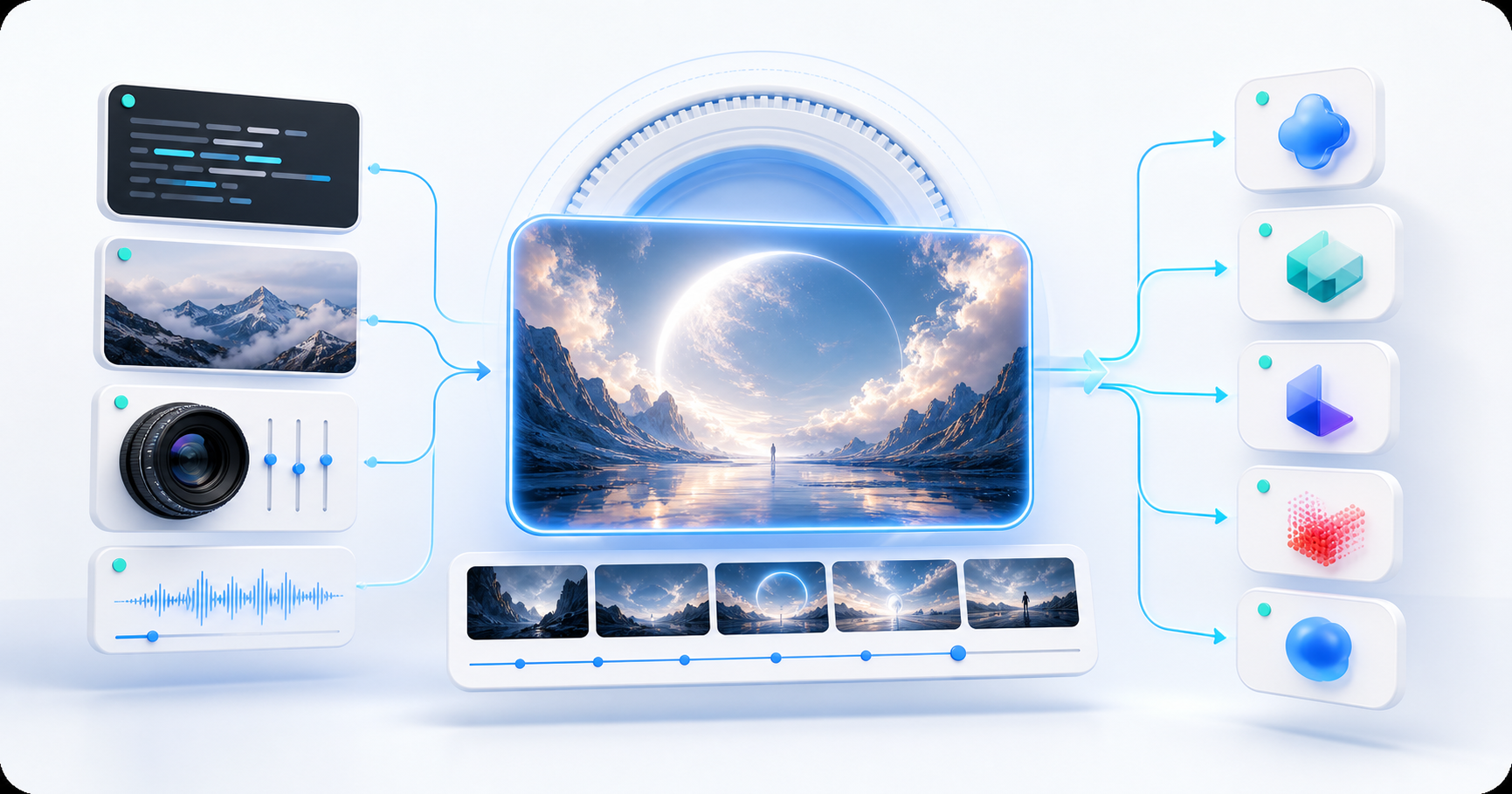
That is where Higgsfield is interesting. It is a browser-based creative workspace that brings multiple video models, camera-oriented controls, reference images, and short-form production tools into one place. This article explains what Higgsfield does, where it fits in a modern video workflow, and how it compares with Artlist, Runway, Luma, and Adobe Firefly.
What is Higgsfield?
Higgsfield is an AI video and image creation platform that runs in the browser. Instead of building its workflow around one generation model, it presents several models and specialized tools inside the same workspace. Its current video pages list models such as Seedance, Kling, Wan, Sora, and Veo, although the exact lineup can change as new models are released.
The platform also develops its own creative tools. Cinema Studio is positioned around virtual camera bodies, lenses, focal lengths, depth of field, and cinematic color decisions. Other workflows focus on motion control, character consistency, image-to-video, short-form social clips, and text-based video editing.
So the simplest description is not “a website that makes videos from prompts.” Higgsfield is closer to a browser-based production layer: you choose a model, give it direction, compare versions, and continue refining the result without moving between several services.
Why the workflow feels different
The main advantage is not necessarily that every individual model is better than every competitor. The advantage is the way the pieces are collected together.
- Multiple models in one workspace: You can test different generation styles without opening a separate account for every model. This is useful when one model handles motion well but another follows a visual reference more closely.
- Camera language instead of only style prompts: Cinema Studio lets you think in terms of lenses, camera bodies, focal length, movement, lighting, and depth of field. That makes the prompt feel closer to a shot brief.
- Reference-driven creation: Images, videos, first and last frames, and character references can give the model more structure than a text-only request.
- A path toward finished social content: Higgsfield’s short-form pages emphasize vertical formats, hooks, audio, captions, and platform-ready exports. That makes it more relevant to marketing and creator workflows than a pure research demo.
There is a trade-off. A platform with many models and controls can feel more complicated than a single-purpose generator. Beginners may want to start with one simple prompt and ignore the advanced controls until they understand what each model is good at.
A simple Higgsfield workflow
You can start with a short prompt, but the results usually become more useful when the request contains a subject, action, camera direction, format, and mood.
- Choose the output context. Decide whether the clip is for a film concept, product ad, social post, storyboard, or an edit of existing footage.
- Start with text, an image, or a video. A reference image is often useful when the product, character, composition, or color needs to remain recognizable.
- Pick a model and controls. Use the model that best matches the shot instead of expecting one model to handle every kind of motion.
- Generate a few variations. Small changes to camera movement or pacing can produce very different results.
- Finish the clip. Reframe it for the target platform, add captions or audio, extend or edit the footage, and export the version that fits the project.
For example, a product prompt could look like this:
Vertical 9:16 product film of a matte black travel bottle on a wet stone surface after rain, slow dolly-in, soft overcast light, realistic water droplets, restrained premium editorial style, no text or logo.The important part is not the number of adjectives. It is the combination of clear subject, movement, camera behavior, aspect ratio, and constraints.
Higgsfield compared with other AI video websites
The services below overlap, but they are not identical products. Higgsfield and Artlist both bring multiple creative tools or models into a larger workspace, while Runway, Luma, and Firefly each have a stronger center of gravity in a particular creative ecosystem.
| Service | Best fit | What stands out | Watch-outs |
|---|---|---|---|
| Higgsfield | Cinematic direction, model experimentation, short-form production | Multiple video models, Cinema Studio camera controls, reference-driven workflows, motion and editing tools | The number of choices can make the workflow feel dense; model access and credit rules can change |
| Artlist AI | Video teams that also need music, sound effects, voice, and licensed assets | AI Toolkit combines video, image, music, and voice tools, with a broader creator-licensing ecosystem | AI usage is credit-based and shared across several tools; check the plan and license for the exact project |
| Runway | Narrative experiments and consistent characters, objects, and worlds | Gen-4 is built around visual references and consistency across scenes | The best workflow may require more iteration and shot planning than a quick social generator |
| Luma Dream Machine | Cinematic image-to-video, keyframes, camera movement, and footage modification | Ray models, visual references, camera concepts, and Modify Video encourage visual exploration | It is more generation-centered than a stock-and-licensing library, so finishing may happen elsewhere |
| Adobe Firefly | Teams already working in Adobe tools or with strict brand and production requirements | Text-to-video and image-to-video sit alongside Adobe’s editing and creative ecosystem; Adobe emphasizes commercially safe generation | The best value comes when the rest of the Adobe workflow is already part of the project |
The table is a workflow comparison, not a permanent ranking. Model quality, available features, credit systems, and export rules change quickly, so it is worth checking the official product page before committing to a subscription.
Higgsfield vs. Artlist: the closest comparison
Artlist is the most direct comparison because both products can place multiple AI generation tools under one subscription. The difference is their center of gravity.
Choose Higgsfield when the visual direction is the main problem. You may care about camera movement, lens behavior, character continuity, image-to-video references, or testing several video models against the same shot. Higgsfield is designed to keep those decisions close to the generation workflow.
Choose Artlist when the video is part of a larger content package. Artlist’s AI Toolkit covers video, images, music, voice, and other creator needs, while its wider service is known for stock media and licensing. That can make the handoff from generated visuals to music, sound design, and a deliverable easier for a marketing team.
These tools can also be complementary. A team could explore a hero shot in Higgsfield, then use Artlist for licensed music or additional finishing assets. Whether that makes sense depends on the project’s license, budget, and how much of the production needs to live in one workspace.
Which tool should you choose?
- Choose Higgsfield if you want a flexible AI video workspace with cinematic controls, several model options, and a strong path to short-form content.
- Choose Artlist if your project needs generated video alongside music, sound effects, voice, stock assets, and a clear licensing workflow.
- Choose Runway if consistent characters, objects, and environments are central to a narrative or world-building project.
- Choose Luma if you want to explore cinematic motion, keyframes, camera concepts, or transformations of existing footage.
- Choose Firefly if your team already relies on Adobe and wants generation to sit close to familiar editing and design tools.
There is no universal winner. The right choice depends less on a demo reel and more on the point where your workflow currently slows down: directing the shot, maintaining continuity, finding sound, editing footage, or clearing usage rights.
What to check before paying
AI video plans often look similar until you inspect the details. Before subscribing, check:
- Which models and controls are included in your plan
- How credits, unlimited modes, queues, and concurrent generations work
- Output resolution, aspect ratios, duration limits, and watermark rules
- Whether image-to-video, video-to-video, editing, captions, audio, and upscaling are included
- Commercial-use rights, ownership language, and any restrictions on client work
- How uploaded references and generated projects are stored or used
Do not assume that a generated clip has the same rights as a stock asset or a clip made with a commercially safe model. Read the current license for the service and the type of work you are making.
Final thoughts
Higgsfield is compelling because it treats AI video as a production workflow rather than a single prompt box. Its combination of model choice, camera vocabulary, references, and short-form tools makes it a strong option for creators who want to direct the result instead of accepting the first generation.
Artlist may be the better fit when the larger problem is assembling a licensed content package. Runway, Luma, and Firefly each make more sense when their particular strengths match the project. A practical test is to use the same prompt and reference image in two or three services, then compare not only the first frame but also the time required to reach a usable final clip.
Official product pages
AI 비디오 생성은 이제 문장 하나를 짧은 클립으로 바꾸는 신기한 기능을 넘어섰습니다. 이제 더 중요한 질문은 실제 프로젝트에 사용할 수 있는 영상을 얼마나 잘 연출하고, 수정하고, 완성할 수 있도록 도와주는가입니다.
이 점에서 Higgsfield는 흥미로운 서비스입니다. 여러 비디오 모델, 카메라 중심 제어 기능, 레퍼런스 이미지, 숏폼 제작 도구를 하나의 브라우저 작업공간에 모은 AI 비디오·이미지 제작 플랫폼입니다. 이 글에서는 Higgsfield의 기능과 현대적인 비디오 제작 흐름에서의 위치를 살펴보고, Artlist, Runway, Luma, Adobe Firefly와 비교합니다.
Higgsfield란 무엇인가
Higgsfield는 브라우저에서 실행되는 AI 비디오·이미지 제작 플랫폼입니다. 하나의 생성 모델만 중심에 두는 대신, 여러 모델과 전문 도구를 같은 작업공간에서 제공합니다. 현재 비디오 페이지에는 Seedance, Kling, Wan, Sora, Veo와 같은 모델이 소개되어 있지만, 새로운 모델이 출시되면서 정확한 구성은 바뀔 수 있습니다.
Higgsfield는 자체 제작 도구도 제공합니다. Cinema Studio는 가상 카메라 바디, 렌즈, 초점거리, 피사계 심도, 시네마틱 색상 설정을 중심으로 구성되어 있습니다. 이 밖에도 모션 컨트롤, 캐릭터 일관성, 이미지-투-비디오, 소셜 숏폼, 텍스트 기반 비디오 편집 워크플로가 있습니다.
따라서 Higgsfield를 단순히 “프롬프트로 영상을 만드는 웹사이트”라고 설명하기는 부족합니다. 모델을 선택하고, 연출을 지시하고, 결과를 비교하고, 여러 서비스 사이를 이동하지 않고 계속 다듬을 수 있는 브라우저 기반 제작 레이어에 가깝습니다.
워크플로가 다른 이유
가장 큰 장점은 모든 개별 모델이 경쟁 서비스보다 항상 뛰어나다는 데 있지 않습니다. 여러 구성 요소를 한곳에 모아 둔 방식에 장점이 있습니다.
- 한 작업공간의 여러 모델: 모델마다 계정을 만들지 않고 다양한 생성 스타일을 시험할 수 있습니다. 한 모델은 움직임을 잘 만들고, 다른 모델은 레퍼런스 이미지를 더 충실하게 따를 때 유용합니다.
- 스타일 프롬프트를 넘어선 카메라 언어: Cinema Studio에서는 렌즈, 카메라 바디, 초점거리, 움직임, 조명, 피사계 심도를 기준으로 생각할 수 있습니다. 프롬프트가 촬영 콘티나 샷 브리프에 가까워집니다.
- 레퍼런스 기반 제작: 이미지, 비디오, 시작·끝 프레임, 캐릭터 레퍼런스를 사용하면 텍스트만 입력할 때보다 모델에 더 많은 구조를 전달할 수 있습니다.
- 완성된 소셜 콘텐츠로 이어지는 흐름: Higgsfield의 숏폼 기능은 세로형 포맷, 훅, 오디오, 캡션, 플랫폼용 출력을 강조합니다. 순수한 연구용 데모보다 마케팅과 크리에이터 워크플로에 더 가깝습니다.
물론 단점도 있습니다. 모델과 제어 기능이 많으면 하나의 목적만 가진 생성기보다 복잡하게 느껴질 수 있습니다. 초보자는 간단한 프롬프트 하나로 시작하고, 각 모델의 특징을 파악한 뒤 고급 제어 기능을 사용하는 편이 좋습니다.
Higgsfield를 사용하는 간단한 흐름
짧은 프롬프트로도 시작할 수 있지만, 주제·행동·카메라·포맷·분위기를 함께 적으면 결과를 더 실용적으로 만들 수 있습니다.
- 출력 목적을 정합니다. 영화 콘셉트, 제품 광고, 소셜 게시물, 스토리보드, 기존 영상 편집 중 무엇인지 정합니다.
- 텍스트, 이미지, 비디오 중 하나로 시작합니다. 제품, 캐릭터, 구도, 색상을 유지해야 한다면 레퍼런스 이미지가 유용합니다.
- 모델과 제어 기능을 선택합니다. 하나의 모델이 모든 움직임을 잘 처리한다고 기대하기보다 샷에 맞는 모델을 고릅니다.
- 여러 버전을 생성합니다. 카메라 움직임이나 속도를 조금만 바꿔도 결과가 크게 달라질 수 있습니다.
- 클립을 완성합니다. 목표 플랫폼에 맞게 리프레임하고, 캡션이나 오디오를 추가하고, 영상을 확장하거나 편집한 뒤 프로젝트에 맞는 버전을 출력합니다.
예를 들어 제품 영상 프롬프트는 다음과 같이 작성할 수 있습니다.
Vertical 9:16 product film of a matte black travel bottle on a wet stone surface after rain, slow dolly-in, soft overcast light, realistic water droplets, restrained premium editorial style, no text or logo.
중요한 것은 형용사의 개수가 아닙니다. 명확한 주제, 움직임, 카메라 동작, 화면 비율, 제약조건을 함께 제시하는 것이 핵심입니다.
Higgsfield와 다른 AI 비디오 웹사이트 비교
아래 서비스들은 서로 겹치는 부분이 있지만 같은 제품은 아닙니다. Higgsfield와 Artlist는 여러 창작 도구나 모델을 하나의 큰 작업공간에 모으는 반면, Runway, Luma, Firefly는 각자의 창작 생태계 안에서 더 뚜렷한 중심 기능을 갖고 있습니다.
| 서비스 | 잘 맞는 경우 | 돋보이는 점 | 확인할 점 |
|---|---|---|---|
| Higgsfield | 시네마틱 연출, 모델 실험, 숏폼 제작 | 여러 비디오 모델, Cinema Studio 카메라 제어, 레퍼런스 기반 워크플로, 모션·편집 도구 | 선택지가 많아 작업 흐름이 복잡할 수 있고, 모델 접근권과 크레딧 규칙이 바뀔 수 있음 |
| Artlist AI | 음악, 효과음, 보이스, 라이선스 에셋도 필요한 영상 팀 | AI Toolkit에서 비디오·이미지·음악·보이스 도구를 제공하고 넓은 크리에이터 라이선싱 생태계와 연결 | AI 사용량은 여러 도구에서 공유되는 크레딧 기반이므로 프로젝트에 맞는 요금제와 라이선스 확인 필요 |
| Runway | 일관된 캐릭터·오브젝트·세계관이 필요한 내러티브 실험 | Gen-4가 시각 레퍼런스와 장면 간 일관성에 초점을 둠 | 빠른 소셜 생성기보다 반복 생성과 샷 기획에 시간이 더 필요할 수 있음 |
| Luma Dream Machine | 시네마틱 이미지-투-비디오, 키프레임, 카메라 움직임, 기존 영상 변형 | Ray 모델, 시각 레퍼런스, 카메라 콘셉트, Modify Video를 통한 시각적 탐색 | 스톡·라이선스 라이브러리보다 생성 중심이어서 후반 작업은 다른 곳에서 할 수 있음 |
| Adobe Firefly | Adobe 도구를 이미 사용하거나 브랜드·제작 요건이 엄격한 팀 | 텍스트-투-비디오와 이미지-투-비디오가 Adobe의 편집·창작 생태계와 연결되고, Adobe는 상업적으로 안전한 생성을 강조 | 프로젝트에서 Adobe 워크플로를 이미 사용하고 있을 때 가치가 가장 커짐 |
이 표는 영구적인 순위가 아니라 워크플로 비교입니다. 모델 품질, 기능, 크레딧 시스템, 출력 규칙은 빠르게 바뀌므로 구독하기 전에 공식 제품 페이지를 확인하는 것이 좋습니다.
Higgsfield vs. Artlist: 가장 가까운 비교
Artlist는 하나의 구독 안에 여러 AI 생성 도구를 제공한다는 점에서 가장 직접적인 비교 대상입니다. 두 서비스의 중심은 다릅니다.
영상의 시각적 연출이 가장 큰 문제라면 Higgsfield를 선택할 수 있습니다. 카메라 움직임, 렌즈 표현, 캐릭터 연속성, 이미지-투-비디오 레퍼런스, 같은 샷을 여러 비디오 모델로 시험하는 작업이 중요할 때 적합합니다. Higgsfield는 이러한 결정을 생성 과정 가까이에 두도록 설계되어 있습니다.
영상이 더 큰 콘텐츠 패키지의 일부라면 Artlist가 잘 맞을 수 있습니다. Artlist의 AI Toolkit은 비디오, 이미지, 음악, 보이스 등의 창작 도구를 제공하고, Artlist 자체는 스톡 미디어와 라이선싱으로도 알려져 있습니다. 따라서 생성한 영상에서 음악과 사운드 디자인, 최종 납품물로 넘어가는 과정이 마케팅 팀에게 더 편리할 수 있습니다.
두 서비스를 함께 사용하는 방법도 있습니다. 예를 들어 Higgsfield에서 메인 영상을 탐색한 다음 Artlist에서 라이선스 음악이나 추가 후반 작업 에셋을 찾는 식입니다. 다만 이 방식이 합리적인지는 프로젝트의 라이선스, 예산, 그리고 제작물을 한 작업공간에 모아야 하는지에 따라 달라집니다.
어떤 도구를 선택할까
- Higgsfield: 시네마틱 제어, 여러 모델 선택, 숏폼 제작으로 이어지는 유연한 AI 비디오 작업공간이 필요할 때
- Artlist: 생성 비디오와 음악, 효과음, 보이스, 스톡 에셋, 명확한 라이선스 흐름이 함께 필요할 때
- Runway: 내러티브나 세계관 제작에서 캐릭터, 오브젝트, 환경의 일관성이 핵심일 때
- Luma: 시네마틱 움직임, 키프레임, 카메라 콘셉트, 기존 영상 변형을 탐색하고 싶을 때
- Firefly: 이미 Adobe를 사용하고 있고 생성 기능을 익숙한 편집·디자인 도구 가까이에 두고 싶을 때
모두에게 맞는 승자는 없습니다. 데모 영상보다 중요한 것은 현재 워크플로가 어디에서 느려지는지입니다. 샷 연출인지, 연속성 유지인지, 사운드 탐색인지, 영상 편집인지, 사용 권리 확인인지에 따라 선택이 달라집니다.
결제 전에 확인할 것
AI 비디오 요금제는 겉보기에는 비슷하지만 세부 조건이 다릅니다. 구독하기 전에 다음을 확인하세요.
- 요금제에 포함된 모델과 제어 기능
- 크레딧, 무제한 모드, 대기열, 동시 생성의 작동 방식
- 출력 해상도, 화면 비율, 길이 제한, 워터마크 규칙
- 이미지-투-비디오, 비디오-투-비디오, 편집, 캡션, 오디오, 업스케일 기능의 포함 여부
- 상업적 사용 권리, 소유권 문구, 클라이언트 작업 제한
- 업로드한 레퍼런스와 생성 프로젝트의 저장·사용 방식
생성된 클립이 스톡 에셋이나 상업적으로 안전한 모델로 만든 영상과 같은 권리를 가진다고 가정해서는 안 됩니다. 제작하려는 작업의 종류와 서비스의 최신 라이선스를 직접 확인해야 합니다.
마무리
Higgsfield가 매력적인 이유는 AI 비디오를 하나의 프롬프트 입력창이 아니라 제작 워크플로로 다루기 때문입니다. 모델 선택, 카메라 언어, 레퍼런스, 숏폼 도구를 함께 제공하므로 첫 번째 생성 결과를 그대로 받아들이기보다 결과를 연출하고 싶어 하는 크리에이터에게 잘 맞습니다.
Artlist는 라이선스가 포함된 콘텐츠 패키지를 구성하는 것이 더 큰 문제일 때 좋은 선택일 수 있습니다. Runway, Luma, Firefly는 각 서비스의 강점이 프로젝트와 맞을 때 더 의미가 있습니다. 실제로는 같은 프롬프트와 레퍼런스 이미지를 두세 서비스에 넣고, 첫 프레임뿐 아니라 사용할 수 있는 최종 클립까지 걸리는 시간을 비교해 보는 것이 가장 현실적인 테스트입니다.
공식 제품 페이지
AI 视频生成已经不只是把一句话变成短片的新奇功能。现在更重要的问题是:一个工具能否帮助你有效地导演、修改并交付真正属于某个项目的视频。
Higgsfield 的有趣之处就在这里。它是一个浏览器创作工作区,把多个视频模型、面向摄影机的控制、参考图片和短视频制作工具集中在一起。本文将介绍 Higgsfield 的功能、它在现代视频工作流中的位置,以及它与 Artlist、Runway、Luma 和 Adobe Firefly 的区别。
什么是 Higgsfield?
Higgsfield 是一个在浏览器中运行的 AI 视频与图像创作平台。它并不只围绕一个生成模型展开,而是把多个模型和专门工具放在同一个工作区中。当前的视频页面列出了 Seedance、Kling、Wan、Sora 和 Veo 等模型,但随着新模型发布,具体阵容可能会变化。
平台也开发了自己的创作工具。Cinema Studio 围绕虚拟摄影机机身、镜头、焦距、景深和电影感调色选择展开。其他工作流则侧重于动作控制、角色一致性、图生视频、社交短视频和基于文本的视频编辑。
因此,简单地说它是“一个根据提示词制作视频的网站”并不准确。Higgsfield 更像是一层浏览器内的制作工作流:你选择模型,给出导演指令,比较不同版本,然后不用在多个服务之间切换就能继续修改。
为什么它的工作流不太一样
它的主要优势不一定是每个单独模型都比所有竞争对手更好,而是把各个环节集中到了一起。
- 一个工作区里有多个模型: 不必为每个模型分别注册账号,就能测试不同的生成风格。当某个模型擅长动作、另一个模型更准确地遵循视觉参考时,这一点尤其有用。
- 不只是风格提示词,而是摄影机语言: Cinema Studio 让你从镜头、摄影机机身、焦距、运动、灯光和景深的角度思考。提示词会更接近一份镜头简报。
- 基于参考素材进行创作: 图片、视频、首尾帧和角色参考可以为模型提供比纯文本请求更多的结构。
- 通往成品社交内容的路径: Higgsfield 的短视频页面强调竖屏格式、开头吸引力、音频、字幕和适合平台发布的导出,因此比纯研究演示更贴近营销和创作者工作流。
这也带来一个取舍。模型和控制项很多,使用起来可能比单一用途的生成器更复杂。初学者可以先从一个简单提示开始,熟悉各模型的特点后再使用高级控制。
一个简单的 Higgsfield 工作流
你可以从短提示开始,但当请求中包含主体、动作、摄影机方向、画面格式和氛围时,结果通常更实用。
- 确定输出场景。 先决定视频是用于电影概念、产品广告、社交帖子、分镜,还是编辑现有素材。
- 从文本、图片或视频开始。 如果产品、角色、构图或色彩需要保持可识别,参考图通常很有帮助。
- 选择模型和控制项。 应该根据镜头的目标选择模型,而不是期待一个模型处理所有动作。
- 生成多个版本。 只改变摄影机运动或节奏,就可能得到完全不同的结果。
- 完成视频。 根据目标平台重新调整画幅,添加字幕或音频,延长或编辑素材,然后导出适合项目的版本。
例如,产品视频提示词可以这样写:
Vertical 9:16 product film of a matte black travel bottle on a wet stone surface after rain, slow dolly-in, soft overcast light, realistic water droplets, restrained premium editorial style, no text or logo.
重点不在于形容词的数量,而在于同时说明清晰的主体、运动、摄影机行为、画面比例和限制条件。
Higgsfield 与其他 AI 视频网站的比较
下面这些服务存在重叠,但并不是相同的产品。Higgsfield 和 Artlist 都把多个创作工具或模型放入更大的工作区,而 Runway、Luma 和 Firefly 则分别在自己的创作生态中有更明确的重点。
| 服务 | 适合场景 | 突出特点 | 需要注意 |
|---|---|---|---|
| Higgsfield | 电影感导演、模型实验、短视频制作 | 多个视频模型、Cinema Studio 摄影机控制、参考素材工作流、动作与编辑工具 | 选择太多可能让工作流显得密集;模型权限和点数规则会变化 |
| Artlist AI | 同时需要音乐、音效、配音和授权素材的视频团队 | AI Toolkit 结合视频、图像、音乐和配音工具,并连接更广泛的创作者授权生态 | AI 使用按点数计算,多个工具共享点数;需要确认具体方案和项目授权 |
| Runway | 需要一致角色、物体和世界观的叙事试验 | Gen-4 围绕视觉参考和跨场景一致性设计 | 比快速社交生成器更需要反复迭代和镜头规划 |
| Luma Dream Machine | 电影感图生视频、关键帧、摄影机运动和素材变换 | Ray 模型、视觉参考、摄影机概念和 Modify Video 鼓励视觉探索 | 它更偏生成,而不是素材与授权库,因此后期可能要在其他工具中完成 |
| Adobe Firefly | 已使用 Adobe 工具,或有严格品牌和制作要求的团队 | 文生视频和图生视频与 Adobe 的编辑、创作生态相连;Adobe 强调商业安全的生成 | 当项目本来就使用 Adobe 工作流时价值更大 |
这是一份工作流比较,而不是永久排名。模型质量、功能、点数系统和导出规则变化很快,因此订阅前应该查看官方产品页面。
Higgsfield 与 Artlist:最接近的比较
Artlist 是最直接的比较对象,因为两者都能在一个订阅中提供多个 AI 生成工具。它们的核心方向不同。
如果主要问题是视觉导演,可以选择 Higgsfield。当摄影机运动、镜头表现、角色连续性、图生视频参考,或者用多个视频模型测试同一镜头很重要时,它更合适。Higgsfield 让这些决定靠近生成环节。
如果视频只是更大内容包的一部分,Artlist 可能更合适。Artlist 的 AI Toolkit 覆盖视频、图像、音乐、配音等创作工具,而 Artlist 的整体服务也以库存媒体和授权而闻名。对于营销团队来说,从生成画面转向音乐、声音设计和最终交付可能更方便。
两者也可以互相补充。例如先在 Higgsfield 中探索主视觉,再用 Artlist 寻找授权音乐或其他后期素材。是否值得这样组合,要看项目的授权、预算,以及是否需要把大部分制作都放在一个工作区里。
应该选择哪一个?
- 选择 Higgsfield: 需要灵活的 AI 视频工作区、电影感控制、多个模型选项和短视频制作路径。
- 选择 Artlist: 需要把生成视频与音乐、音效、配音、库存素材和清晰的授权流程结合起来。
- 选择 Runway: 叙事或世界构建项目的核心是角色、物体和环境的一致性。
- 选择 Luma: 想探索电影感运动、关键帧、摄影机概念,或变换现有视频素材。
- 选择 Firefly: 团队已经依赖 Adobe,希望把生成放在熟悉的编辑和设计工具旁边。
不存在适合所有人的赢家。比演示视频更重要的是找到当前工作流的瓶颈:导演镜头、保持连续性、寻找声音、编辑素材,还是确认使用权。答案会随项目而变。
付费前要检查什么
AI 视频方案看起来相似,但细节往往不同。订阅前建议检查:
- 方案中包含哪些模型和控制项
- 点数、无限模式、队列和并行生成如何工作
- 输出分辨率、画面比例、时长限制和水印规则
- 是否包含图生视频、视频生视频、编辑、字幕、音频和放大功能
- 商业使用权、所有权条款以及客户项目限制
- 上传的参考素材和生成项目如何保存或使用
不要假设生成片段拥有与库存素材或商业安全模型相同的权利。应根据正在制作的内容类型,阅读服务当前的授权条款。
总结
Higgsfield 的吸引力在于,它把 AI 视频看成一种制作工作流,而不是一个单独的提示输入框。模型选择、摄影机语言、参考素材和短视频工具组合在一起,适合想要导演结果、而不是直接接受第一次生成的创作者。
如果更大的问题是组装一个带授权的内容包,Artlist 可能更合适。Runway、Luma 和 Firefly 则在它们各自的优势与项目匹配时更有价值。最实际的测试方式,是把相同提示词和参考图放入两到三个服务中,然后比较的不只是第一帧,还包括得到可用最终片段所需的时间。
官方产品页面
AI動画生成は、文章を短いクリップに変換する目新しい機能を超えつつあります。今大切なのは、実際のプロジェクトに合う動画をどれだけうまく演出し、修正し、完成させられるかという点です。
Higgsfieldが興味深いのはまさにそこです。複数の動画モデル、カメラを意識したコントロール、参照画像、ショート動画制作ツールをひとつのブラウザ型ワークスペースにまとめています。この記事では、Higgsfieldの機能、現代的な動画制作ワークフローでの位置づけ、そしてArtlist、Runway、Luma、Adobe Fireflyとの違いを紹介します。
Higgsfieldとは
Higgsfieldは、ブラウザで使えるAI動画・画像制作プラットフォームです。ひとつの生成モデルだけを中心にするのではなく、複数のモデルと専門ツールを同じワークスペースで提供します。現在の動画ページにはSeedance、Kling、Wan、Sora、Veoなどのモデルが掲載されていますが、新しいモデルの登場によりラインナップは変わる可能性があります。
独自のクリエイティブツールも開発しています。Cinema Studioでは、仮想カメラ本体、レンズ、焦点距離、被写界深度、シネマティックなカラー設定を扱えます。そのほか、モーションコントロール、キャラクターの一貫性、画像から動画への変換、ソーシャル向けショート動画、テキストベースの動画編集ワークフローも用意されています。
そのため、単に「プロンプトから動画を作るサイト」と説明するだけでは十分ではありません。Higgsfieldは、モデルを選び、演出を指示し、バージョンを比較し、複数サービスを行き来せずに改善を続けられるブラウザ型の制作レイヤーに近いサービスです。
ワークフローが違って感じられる理由
最大の強みは、すべての個別モデルが競合より優れていることではありません。複数の要素をひとつにまとめていることにあります。
- ひとつのワークスペースに複数モデル: モデルごとに別のアカウントを作らず、異なる生成スタイルを試せます。あるモデルは動きを得意とし、別のモデルは参照画像をより忠実に扱う場合に便利です。
- スタイルプロンプトだけではないカメラ言語: Cinema Studioでは、レンズ、カメラ本体、焦点距離、動き、照明、被写界深度を基準に考えられます。プロンプトがショットブリーフに近づきます。
- 参照素材を使った制作: 画像、動画、最初と最後のフレーム、キャラクター参照によって、テキストだけの依頼より多くの構造をモデルに渡せます。
- 完成したソーシャルコンテンツへの流れ: Higgsfieldのショート動画機能は、縦型フォーマット、フック、音声、キャプション、プラットフォーム向け出力を重視しています。研究用デモよりもマーケティングやクリエイターの制作に近い設計です。
一方で、トレードオフもあります。モデルやコントロールが多いぶん、単一用途の生成ツールより複雑に感じることがあります。初心者はまず簡単なプロンプトから始め、各モデルの得意分野を理解してから高度な設定を使うとよいでしょう。
Higgsfieldの基本的な使い方
短いプロンプトでも始められますが、対象、動作、カメラ、フォーマット、雰囲気を含めると、より実用的な結果になりやすくなります。
- 出力の用途を決める。 映画のコンセプト、商品広告、ソーシャル投稿、絵コンテ、既存映像の編集のどれに使うかを決めます。
- テキスト、画像、動画から始める。 商品、キャラクター、構図、色を認識可能な状態で保ちたい場合は参照画像が役立ちます。
- モデルとコントロールを選ぶ。 すべての動きをひとつのモデルに任せるのではなく、ショットの目的に合うモデルを選びます。
- 複数のバリエーションを生成する。 カメラの動きやテンポを少し変えるだけで、結果が大きく変わることがあります。
- クリップを仕上げる。 対象プラットフォーム向けにリフレームし、キャプションや音声を加え、映像を延長または編集して、プロジェクトに合う版を書き出します。
例えば、商品動画のプロンプトは次のように書けます。
Vertical 9:16 product film of a matte black travel bottle on a wet stone surface after rain, slow dolly-in, soft overcast light, realistic water droplets, restrained premium editorial style, no text or logo.
重要なのは形容詞の数ではありません。明確な対象、動き、カメラの挙動、アスペクト比、制約を組み合わせることです。
Higgsfieldと他のAI動画サイトの比較
以下のサービスには重なる部分がありますが、同じ製品ではありません。HiggsfieldとArtlistは複数のクリエイティブツールやモデルを大きなワークスペースにまとめています。一方、Runway、Luma、Fireflyは、それぞれのクリエイティブエコシステムの中で明確な中心機能を持っています。
| サービス | 向いている用途 | 特徴 | 注意点 |
|---|---|---|---|
| Higgsfield | シネマティックな演出、モデル比較、ショート動画制作 | 複数の動画モデル、Cinema Studioのカメラ制御、参照素材ワークフロー、モーションと編集ツール | 選択肢が多くワークフローが密になりやすい。モデルへのアクセスやクレジット規則は変わる可能性がある |
| Artlist AI | 音楽、効果音、音声、ライセンス素材も必要な動画チーム | AI Toolkitで動画・画像・音楽・音声ツールをまとめ、クリエイター向けのライセンスエコシステムともつながる | AIの利用はクレジット制で複数ツール間で共有される。プランと作品に合うライセンスを確認する必要がある |
| Runway | 一貫したキャラクター、オブジェクト、世界観を使う物語制作 | Gen-4はビジュアル参照とシーン間の一貫性を重視 | 手軽なソーシャル生成より、反復作業とショット設計に時間が必要になることがある |
| Luma Dream Machine | シネマティックな画像から動画、キーフレーム、カメラ移動、既存映像の変換 | Rayモデル、ビジュアル参照、カメラコンセプト、Modify Videoによる視覚的な探索 | 素材・ライセンスライブラリより生成中心なので、仕上げは別の場所で行う場合がある |
| Adobe Firefly | Adobeツールを使うチーム、ブランドや制作要件が厳しい案件 | テキストから動画、画像から動画をAdobeの編集・制作環境につなげ、Adobeは商用利用を意識した生成を強調 | Adobeのワークフローをすでに使っている場合に価値が高い |
これはワークフローの比較であり、固定された順位ではありません。モデル品質、機能、クレジット、書き出し条件はすぐに変わるため、契約前に公式ページを確認するのがおすすめです。
HiggsfieldとArtlist:最も近い比較
Artlistは、ひとつのサブスクリプションに複数のAI生成ツールをまとめる点で最も直接的な比較対象です。ただし、両者の中心は異なります。
視覚的な演出が主な課題ならHiggsfieldが向いています。カメラの動き、レンズの表現、キャラクターの連続性、画像から動画への参照、同じショットを複数のモデルで試すことが重要な場合に適しています。Higgsfieldは、こうした判断を生成ワークフローの近くに置いています。
動画がより大きなコンテンツパッケージの一部ならArtlistが向いている可能性があります。ArtlistのAI Toolkitは動画、画像、音楽、音声などを扱い、Artlistのサービス全体はストックメディアとライセンスでも知られています。マーケティングチームにとって、生成した映像から音楽、サウンドデザイン、納品物へ移る作業が楽になる場合があります。
両方を組み合わせることもできます。例えばHiggsfieldでメインショットを検討し、Artlistでライセンス済みの音楽や追加の仕上げ素材を探す方法です。適しているかどうかは、プロジェクトのライセンス、予算、制作物をひとつのワークスペースに集める必要があるかによって決まります。
どのツールを選ぶべきか
- Higgsfield: シネマティックな制御、複数モデル、ショート動画までつながる柔軟なAI動画ワークスペースが必要な場合
- Artlist: 生成動画に音楽、効果音、音声、ストック素材、明確なライセンスフローを組み合わせたい場合
- Runway: 物語やワールドビルディングでキャラクター、オブジェクト、環境の一貫性が重要な場合
- Luma: シネマティックな動き、キーフレーム、カメラコンセプト、既存映像の変換を試したい場合
- Firefly: すでにAdobeを使っていて、生成機能を慣れた編集・デザインツールの近くに置きたい場合
全員にとっての万能な勝者はありません。デモリールよりも、今のワークフローのどこで時間がかかっているかが重要です。ショットの演出、連続性の維持、音探し、編集、利用権の確認のどこがボトルネックかで選択は変わります。
支払う前に確認すること
AI動画プランは似て見えても詳細が異なります。契約前に次の項目を確認してください。
- プランに含まれるモデルとコントロール
- クレジット、無制限モード、待ち時間、同時生成の仕組み
- 出力解像度、アスペクト比、長さの制限、透かしのルール
- 画像から動画、動画から動画、編集、キャプション、音声、アップスケールの有無
- 商用利用権、所有権の条項、クライアント案件の制限
- アップロードした参照素材と生成プロジェクトの保存・利用方法
生成クリップがストック素材や商用利用を意識したモデルで作った映像と同じ権利を持つとは限りません。作るものの種類とサービスの最新ライセンスを確認してください。
まとめ
Higgsfieldが魅力的なのは、AI動画をひとつのプロンプト欄ではなく制作ワークフローとして扱っているからです。モデルの選択、カメラの言語、参照素材、ショート動画ツールを組み合わせ、最初の生成結果をそのまま受け入れるのではなく演出したいクリエイターに向いています。
ライセンス付きのコンテンツパッケージを作ることが大きな課題なら、Artlistの方が適しているかもしれません。Runway、Luma、Fireflyは、それぞれの強みがプロジェクトに合う場合に意味があります。現実的なテストは、同じプロンプトと参照画像を2〜3個のサービスに入力し、最初のフレームだけでなく、使える最終クリップに到達するまでの時間も比べることです。
公式プロダクトページ
La generación de vídeo con IA está dejando atrás la novedad de convertir una frase en un clip corto. La pregunta más útil ahora es hasta qué punto una herramienta ayuda a dirigir, revisar y entregar un vídeo que realmente pertenezca a un proyecto.
Ahí es donde Higgsfield resulta interesante. Es un espacio de trabajo creativo en el navegador que reúne varios modelos de vídeo, controles orientados a la cámara, imágenes de referencia y herramientas para producir contenido corto. Este artículo explica qué hace Higgsfield, dónde encaja en un flujo de vídeo moderno y cómo se compara con Artlist, Runway, Luma y Adobe Firefly.
¿Qué es Higgsfield?
Higgsfield es una plataforma de creación de vídeo e imágenes con IA que funciona en el navegador. En lugar de basar su flujo en un único modelo de generación, presenta varios modelos y herramientas especializadas dentro del mismo espacio de trabajo. Sus páginas de vídeo actuales muestran modelos como Seedance, Kling, Wan, Sora y Veo, aunque la lista exacta puede cambiar cuando aparecen nuevos modelos.
La plataforma también desarrolla sus propias herramientas creativas. Cinema Studio se centra en cuerpos de cámara virtuales, lentes, distancias focales, profundidad de campo y decisiones de color cinematográficas. Otros flujos se enfocan en el control del movimiento, la consistencia de personajes, la conversión de imagen a vídeo, los clips cortos para redes y la edición de vídeo mediante texto.
Por eso, la descripción más sencilla —“un sitio web que crea vídeos a partir de prompts”— se queda corta. Higgsfield se parece más a una capa de producción en el navegador: eliges un modelo, das instrucciones, comparas versiones y sigues refinando el resultado sin tener que saltar entre varios servicios.
Por qué el flujo se siente diferente
La principal ventaja no es necesariamente que cada modelo individual sea mejor que todos los competidores. La ventaja está en reunir las piezas.
- Varios modelos en un solo espacio: Puedes probar distintos estilos de generación sin abrir una cuenta separada para cada modelo. Es útil cuando un modelo resuelve mejor el movimiento y otro sigue con más precisión una referencia visual.
- Lenguaje de cámara, no solo prompts de estilo: Cinema Studio permite pensar en lentes, cuerpos de cámara, distancia focal, movimiento, iluminación y profundidad de campo. El prompt se parece más a un brief de plano.
- Creación basada en referencias: Imágenes, vídeos, primeros y últimos fotogramas y referencias de personajes aportan más estructura que una petición basada únicamente en texto.
- Un camino hacia contenido social terminado: Las páginas de vídeo corto de Higgsfield destacan los formatos verticales, los ganchos, el audio, los subtítulos y las exportaciones listas para cada plataforma. Esto lo acerca más al marketing y a los creadores que una demo de investigación.
Existe una contrapartida. Muchos modelos y controles pueden hacer que el flujo parezca más complejo que el de un generador de propósito único. Los principiantes pueden empezar con un prompt sencillo e ignorar las opciones avanzadas hasta entender para qué sirve cada modelo.
Un flujo sencillo con Higgsfield
Puedes empezar con un prompt corto, pero los resultados suelen ser más útiles cuando la solicitud incluye sujeto, acción, dirección de cámara, formato y ambiente.
- Define el contexto de salida. Decide si el clip es para un concepto cinematográfico, un anuncio de producto, una publicación social, un storyboard o una edición de material existente.
- Empieza con texto, una imagen o un vídeo. Una imagen de referencia ayuda cuando el producto, el personaje, la composición o el color deben seguir siendo reconocibles.
- Elige el modelo y los controles. Usa el modelo que mejor se adapte al plano en lugar de esperar que uno solo resuelva todo tipo de movimiento.
- Genera algunas variaciones. Pequeños cambios en el movimiento de cámara o en el ritmo pueden producir resultados muy diferentes.
- Termina el clip. Adapta el encuadre a la plataforma, añade subtítulos o audio, amplía o edita el material y exporta la versión que encaje en el proyecto.
Por ejemplo, un prompt para un producto podría ser:
Vertical 9:16 product film of a matte black travel bottle on a wet stone surface after rain, slow dolly-in, soft overcast light, realistic water droplets, restrained premium editorial style, no text or logo.
Lo importante no es el número de adjetivos, sino combinar un sujeto claro, movimiento, comportamiento de cámara, relación de aspecto y restricciones.
Higgsfield frente a otros sitios web de vídeo con IA
Estos servicios se solapan, pero no son idénticos. Higgsfield y Artlist reúnen varios modelos o herramientas creativas en espacios de trabajo más amplios, mientras que Runway, Luma y Firefly tienen un centro de gravedad más definido dentro de sus respectivos ecosistemas.
| Servicio | Mejor para | Lo más destacado | Aspectos que revisar |
|---|---|---|---|
| Higgsfield | Dirección cinematográfica, pruebas de modelos y producción de vídeos cortos | Varios modelos de vídeo, controles de cámara de Cinema Studio, flujos basados en referencias y herramientas de movimiento y edición | La cantidad de opciones puede hacer que el flujo se sienta denso; el acceso a modelos y las reglas de créditos pueden cambiar |
| Artlist AI | Equipos que también necesitan música, efectos, voz y recursos con licencia | AI Toolkit combina vídeo, imagen, música y voz, junto con un ecosistema de licencias para creadores | El uso de IA funciona con créditos compartidos entre varias herramientas; hay que revisar el plan y la licencia del proyecto |
| Runway | Experimentos narrativos con personajes, objetos y mundos consistentes | Gen-4 se basa en referencias visuales y consistencia entre escenas | Puede requerir más iteración y planificación de planos que un generador rápido para redes |
| Luma Dream Machine | Imagen a vídeo cinematográfica, fotogramas clave, movimiento de cámara y transformación de material | Modelos Ray, referencias visuales, conceptos de cámara y Modify Video para explorar ideas | Está más centrado en la generación que en una biblioteca de recursos y licencias, así que el acabado puede hacerse en otro lugar |
| Adobe Firefly | Equipos que ya trabajan con Adobe o tienen requisitos estrictos de marca y producción | Texto a vídeo e imagen a vídeo junto con el ecosistema de edición y creación de Adobe; Adobe destaca la generación comercialmente segura | Su valor es mayor cuando el resto del flujo de Adobe ya forma parte del proyecto |
Es una comparación de flujos de trabajo, no una clasificación permanente. La calidad de los modelos, las funciones, los créditos y las reglas de exportación cambian rápidamente, así que conviene consultar la página oficial antes de suscribirse.
Higgsfield frente a Artlist: la comparación más cercana
Artlist es la comparación más directa porque ambos productos pueden reunir varias herramientas de generación de IA bajo una suscripción. La diferencia está en su centro de gravedad.
Elige Higgsfield cuando el problema principal sea la dirección visual. Puede ser la mejor opción si importan el movimiento de cámara, el comportamiento de las lentes, la continuidad de personajes, las referencias de imagen a vídeo o la comparación de varios modelos para un mismo plano. Higgsfield mantiene esas decisiones cerca del proceso de generación.
Elige Artlist cuando el vídeo sea parte de un paquete de contenido más grande. AI Toolkit de Artlist cubre vídeo, imágenes, música, voz y otras necesidades, mientras que el servicio general también es conocido por sus recursos de stock y sus licencias. Para un equipo de marketing, el paso de las imágenes generadas a la música, el diseño sonoro y la entrega final puede ser más sencillo.
También pueden ser complementarios. Un equipo puede explorar un plano principal en Higgsfield y después usar Artlist para encontrar música con licencia u otros recursos de acabado. Si tiene sentido dependerá de la licencia, el presupuesto y de cuánto de la producción deba vivir en un mismo espacio.
¿Qué herramienta deberías elegir?
- Elige Higgsfield si quieres un espacio flexible de vídeo con IA, controles cinematográficos, varias opciones de modelos y un camino claro hacia el contenido corto.
- Elige Artlist si necesitas vídeo generado junto con música, efectos de sonido, voz, recursos de stock y un flujo de licencias claro.
- Elige Runway si la consistencia de personajes, objetos y entornos es central en una historia o proyecto de creación de mundos.
- Elige Luma si quieres explorar movimiento cinematográfico, fotogramas clave, conceptos de cámara o transformaciones de material existente.
- Elige Firefly si tu equipo ya depende de Adobe y quieres que la generación esté cerca de herramientas conocidas de edición y diseño.
No hay un ganador universal. La elección depende menos de un vídeo de demostración y más del punto donde tu flujo actual se ralentiza: dirigir el plano, mantener la continuidad, encontrar sonido, editar el material o aclarar los derechos de uso.
Qué comprobar antes de pagar
Los planes de vídeo con IA pueden parecer similares hasta que revisas los detalles. Antes de suscribirte, comprueba:
- Qué modelos y controles incluye tu plan
- Cómo funcionan los créditos, los modos ilimitados, las colas y las generaciones simultáneas
- Resolución de salida, relaciones de aspecto, límites de duración y reglas de marca de agua
- Si incluye imagen a vídeo, vídeo a vídeo, edición, subtítulos, audio y ampliación
- Derechos de uso comercial, lenguaje sobre la propiedad y restricciones para trabajos de clientes
- Cómo se almacenan o utilizan las referencias subidas y los proyectos generados
No des por hecho que un clip generado tiene los mismos derechos que un recurso de stock o que un vídeo creado con un modelo comercialmente seguro. Lee la licencia vigente del servicio y relaciónala con el tipo de trabajo que estás produciendo.
Reflexiones finales
Higgsfield resulta atractivo porque trata el vídeo con IA como un flujo de producción y no como una simple caja de prompts. La combinación de elección de modelos, lenguaje de cámara, referencias y herramientas para vídeos cortos lo convierte en una opción sólida para creadores que quieren dirigir el resultado en lugar de aceptar la primera generación.
Artlist puede encajar mejor cuando el problema principal es montar un paquete de contenido con licencia. Runway, Luma y Firefly tienen más sentido cuando sus fortalezas específicas coinciden con el proyecto. Una prueba práctica consiste en usar el mismo prompt y la misma imagen de referencia en dos o tres servicios y comparar no solo el primer fotograma, sino también el tiempo necesario para llegar a un clip final utilizable.