Open Design AI란? 오픈소스 AI 디자인 도구 설치·활용법과 주요 특징
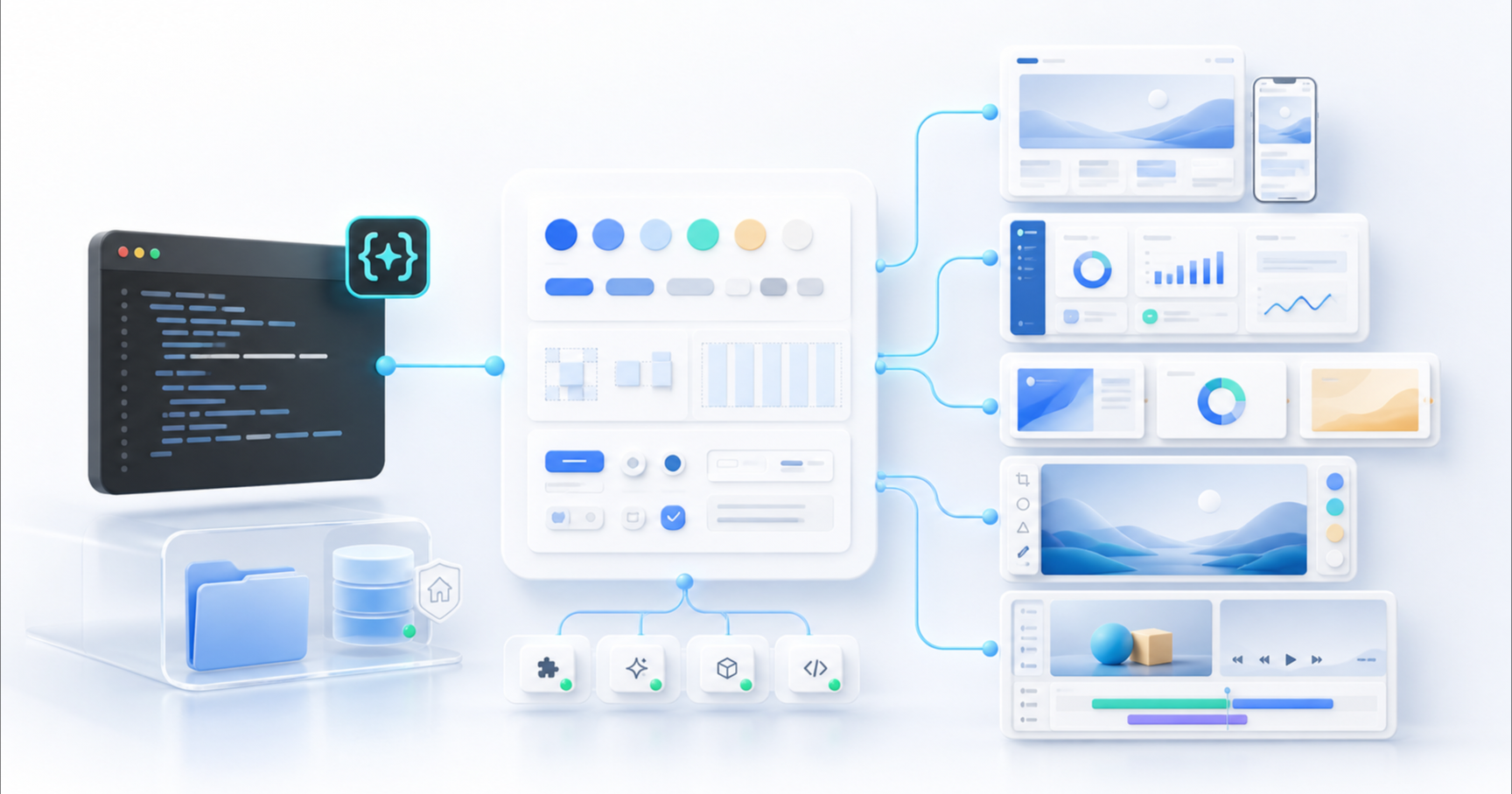
AI를 이용해 웹사이트나 UI를 만드는 방식이 빠르게 변화하고 있습니다. 과거에는 Figma에서 화면을 직접 그리고 개발자가 이를 다시 HTML, CSS, React 코드로 옮기는 과정이 일반적이었다면, 최근에는 자연어로 원하는 결과를 설명하면 AI가 실제 실행 가능한 디자인 결과물을 만들어주는 AI 기반 디자인 워크플로우가 등장하고 있습니다.
그중 개발자 입장에서 특히 주목할 만한 프로젝트가 Open Design, 흔히 Open Design AI 또는 OpenDesign이라고 불리는 오픈소스 프로젝트입니다. 공식 문서에서도 Open Design, OpenDesign, open-design, Open Design AI라는 명칭이 모두 같은 프로젝트를 가리킨다고 설명합니다.
직접 살펴보려면 Open Design 공식 웹사이트 또는 공식 GitHub 저장소를 방문할 수 있습니다.
이번 글에서는 Open Design AI가 무엇인지부터 주요 특징, 설치 방법, 실제 활용 방법, Claude Design과의 차이, 그리고 어떤 사용자에게 적합한지까지 살펴보겠습니다.
Open Design AI란?
Open Design AI는 한마디로 설명하면 코딩 에이전트를 디자인 에이전트로 사용할 수 있게 만들어주는 오픈소스 디자인 워크스페이스입니다.
Claude Code, Codex, Cursor, Gemini CLI, GitHub Copilot 등의 AI 코딩 도구를 연결하고 사용자가 자연어로 요구사항을 전달하면 웹 프로토타입, 랜딩 페이지, 대시보드, 프레젠테이션, 이미지, 영상 등의 결과물을 생성할 수 있습니다. 결과는 단순한 이미지 시안이 아니라 HTML/CSS 등의 실제 파일 형태로 생성할 수도 있다는 점이 중요합니다.
Open Design 측에서는 이를 Agent-native vibe design workspace라고 표현합니다.
즉,
사용자가 직접 모든 픽셀을 배치하는 대신 디자인 의도를 설명하고, AI 에이전트가 실제 디자인 결과물을 생성하고 수정하는 방식
이라고 이해하면 쉽습니다.
일반적인 AI 디자인 도구와 무엇이 다른가?
ChatGPT나 Claude에게 다음과 같이 요청하는 것만으로도 HTML 코드를 만들 수 있습니다.
SaaS 서비스를 소개하는 랜딩 페이지를 만들어줘.하지만 일반적인 AI 채팅 환경에서는 AI가 코드를 작성한 다음 사용자가 직접 파일을 만들고 브라우저에서 실행하고, 문제가 있으면 다시 코드를 전달해 수정하는 과정이 반복됩니다.
Open Design은 이 과정을 하나의 디자인 워크플로우 안에 연결하는 것을 목표로 합니다.
Open Design에서는 대략 다음과 같은 흐름을 사용할 수 있습니다.
아이디어
↓
디자인 방향 결정
↓
Design System 적용
↓
AI Agent가 결과물 생성
↓
실시간 Preview
↓
수정
↓
HTML / PDF / PPTX / MP4 등으로 활용
공식 프로젝트가 제시하는 기본 흐름 역시 Brief → Direction → Design System → Artifact → Handoff와 같은 구조를 사용합니다. 생성된 HTML/CSS 결과물을 Cursor, Codex, Claude Code 등의 개발 환경으로 넘겨 계속 구현할 수도 있습니다.
따라서 Open Design은 단순한 AI 이미지 생성 서비스라기보다 디자인과 개발 사이의 작업 환경에 더 가깝습니다.
Claude Design과 Open Design AI의 차이
Claude Design은 Anthropic이 Claude 안에서 제공하는 호스팅형 시각 디자인 워크스페이스입니다. Claude Design 시작하기를 열면 별도 로컬 설치 없이 채팅과 시각 캔버스에서 결과물을 만들고, 캔버스 요소를 직접 선택해 수정하거나 인라인 코멘트로 변경을 요청할 수 있습니다.
두 서비스 모두 자연어와 AI를 이용해 디자인 결과물을 만든다는 목표는 비슷하지만, 운영 방식과 제어 범위는 다릅니다. Anthropic의 공식 도움말을 기준으로 핵심 차이를 정리하면 다음과 같습니다.
| 비교 항목 | Open Design AI | Claude Design |
|---|---|---|
| 운영 방식 | Apache-2.0 오픈소스, Local-first 워크스페이스 | Claude 웹·데스크톱에서 제공되는 Anthropic의 호스팅형 베타 서비스 |
| AI·모델 선택 | Claude Code, Codex, Cursor 등 여러 코딩 에이전트와 BYOK 모델을 선택 가능 | Claude와 Anthropic 생태계를 중심으로 작동 |
| 편집 경험 | 에이전트 명령, 프로젝트 파일, 실시간 미리보기를 중심으로 작업 | 채팅과 시각 캔버스에서 직접 선택·배치·수정하고 인라인 코멘트 사용 |
| 디자인 시스템 | 이식 가능한 DESIGN.md, Skill, Plugin으로 규칙을 구성 | GitHub, 디자인 파일, 업로드 자료에서 디자인 시스템을 가져와 동기화하고 조직 단위로 고정 가능 |
| 결과물과 제어권 | 실제 프로젝트 디렉터리에 파일을 저장하며 Fork·수정·자체 운영 가능 | Claude 프로젝트에서 관리하며 PDF, PowerPoint, Canva, 독립형 HTML 등으로 내보내거나 Claude Code에 전달 가능 |
| 비용 구조 | 앱은 무료이며 선택한 AI 공급자의 API 비용이 발생할 수 있음 | Pro, Max, Team, Enterprise 요금제의 사용량 한도 또는 추가 사용량 정책 적용 |
| 잘 맞는 사용자 | 로컬 파일 소유권, 모델 선택권, 확장성과 개발 워크플로우를 중시하는 사용자 | 설치 없이 빠르게 시각 편집하고 팀 디자인 시스템과 Claude 협업을 활용하려는 사용자 |
Claude Design이 더 잘 맞는 경우
브라우저나 데스크톱 앱에서 바로 캔버스를 열고, 요소를 직접 움직이거나 코멘트를 남기며 빠르게 수정하고 싶다면 Claude Design이 편리합니다. 이미 Claude 구독과 Claude Code를 사용하고 있거나, 팀의 디자인 시스템을 조직 단위로 연결해 일관된 결과물을 만드는 경우에도 진입 장벽이 낮습니다.
Open Design AI가 더 잘 맞는 경우
생성 파일을 로컬 프로젝트에 직접 보관하고 Git으로 관리하려는 개발자라면 Open Design AI가 더 적합합니다. 특정 모델에 종속되지 않고 에이전트와 API 공급자를 선택하거나, DESIGN.md, Skill, Plugin을 수정해 자체 워크플로우를 만들고 싶은 경우에도 강점이 분명합니다.
결국 선택 기준은 호스팅형 캔버스의 편의성과 팀 협업을 우선할지, 로컬 소유권과 오픈소스 확장성, 에이전트 선택권을 우선할지에 달려 있습니다.
Open Design AI의 주요 특징
1. 오픈소스
Open Design의 가장 큰 특징 중 하나는 오픈소스 프로젝트라는 점입니다.
프로젝트 코드는 GitHub에 공개되어 있으며 현재 Apache-2.0 라이선스를 사용하고 있습니다. 따라서 소스 코드를 확인하거나 직접 수정하고, 자체 환경에 맞게 확장하는 것도 가능합니다.
특정 SaaS 서비스에 모든 디자인 데이터를 저장해야 하는 구조보다 개발자에게 훨씬 높은 자유도를 제공합니다.
2. Local-first 구조
Open Design은 기본적으로 Local-first 방식을 지향합니다.
Desktop App, daemon, skill runtime 등이 사용자 컴퓨터에서 동작하며 생성된 결과물 역시 프로젝트 디렉터리에 파일로 저장됩니다.
웹 서비스 안에 디자인 프로젝트가 종속되는 방식과 비교하면 상당한 차이가 있습니다.
예를 들어 생성된 프로젝트가 다음과 같은 실제 파일로 존재할 수 있습니다.
project/
├── index.html
├── styles.css
├── components/
├── assets/
└── DESIGN.md
이 파일들은 이후 Git으로 관리하거나 다른 개발 프로젝트로 이동하는 것도 가능합니다.
단, Local-first가 모든 데이터가 절대로 외부로 전송되지 않는다는 의미는 아닙니다.
Claude, OpenAI, Google 등의 외부 AI 모델을 BYOK 방식으로 사용하면 프롬프트와 모델 실행에 필요한 컨텍스트는 해당 AI 제공업체로 전달됩니다. Open Design 공식 FAQ 역시 이 점을 명확히 설명하고 있습니다.
따라서 기업 내부 프로젝트에서 사용한다면 사용하는 AI 공급자의 데이터 정책까지 함께 확인하는 것이 필요합니다.
3. 다양한 AI Coding Agent 지원
Open Design의 핵심은 특정 AI 모델 하나에 종속되는 대신, 이미 사용하고 있는 코딩 에이전트를 디자인 엔진처럼 연결하는 방식입니다. 자체 모델 서비스인 Open Design Cloud를 선택할 수도 있고, BYOK 방식으로 기존 공급자나 OpenAI 호환 Endpoint를 연결할 수도 있습니다.
공식 문서에서는 Claude Code, Codex, Cursor, Gemini CLI, GitHub Copilot CLI, OpenCode 등 다양한 에이전트와 CLI 환경을 지원한다고 안내하고 있습니다.
즉 사용자는 특정 AI 모델 하나에 종속되지 않고 자신의 개발 환경에 맞는 에이전트를 선택할 수 있습니다.
예를 들어 평소 Codex를 사용한다면 Open Design과 Codex를 연결해 사용할 수 있습니다.
4. DESIGN.md 기반 디자인 시스템
Open Design에서 상당히 흥미로운 부분이 바로 DESIGN.md입니다.
DESIGN.md는 해당 프로젝트에서 사용할 디자인 규칙을 AI가 이해할 수 있도록 정의하는 일종의 브랜드 계약서 또는 디자인 시스템 명세 역할을 합니다.
예를 들어 다음과 같은 규칙을 포함할 수 있습니다.
# Brand Design System

## Typography
- Heading: Inter
- Body: Inter

## Colors
- Primary: #111111
- Background: #FFFFFF
- Accent: #635BFF

## Radius
- Buttons: 8px
- Cards: 16px

## Layout
- Maximum width: 1200px
- Section spacing: 120px
Open Design은 이 디자인 시스템을 읽어 이후 생성되는 UI에 같은 스타일을 지속적으로 적용할 수 있습니다.
프로젝트에는 다양한 DESIGN.md 기반 디자인 시스템 패키지가 포함되어 있으며, 사용자가 자신의 디자인 시스템을 추가할 수도 있습니다.
AI 디자인에서 자주 발생하는 문제 중 하나가 화면을 생성할 때마다 디자인 스타일이 달라지는 현상인데, DESIGN.md는 이런 문제를 줄이는 데 중요한 역할을 합니다.
5. 실제 HTML 기반 프로토타입 생성
많은 AI 이미지 도구는 결과물을 PNG 또는 JPG 이미지로 제공합니다.
하지만 Open Design의 Prototype 기능은 실제 HTML 기반 결과물을 생성하고 sandboxed iframe에서 즉시 확인할 수 있도록 설계되어 있습니다.
따라서 단순한 목업이 아니라 실제 브라우저에서 동작하는 화면을 만들 수 있습니다.
예를 들어 다음과 같은 요청이 가능합니다.
Create a SaaS dashboard for a railway ticket reservation system.

Include:
- reservation statistics
- daily sales
- cancellation rate
- popular routes
- sidebar navigation

Use a clean enterprise design.
AI가 이에 맞는 화면을 생성하면 Preview에서 확인하고 다시 자연어로 수정할 수 있습니다.
Make the sidebar narrower.

Increase the visual hierarchy of the sales KPI.

Change the dashboard cards to a more minimal style.
이런 식으로 Prompt → Preview → 수정의 반복 작업이 가능해집니다.
Open Design으로 만들 수 있는 것
Open Design은 웹 페이지 생성에만 한정된 도구는 아닙니다.
공식 프로젝트에서 지원하거나 제시하는 대표적인 Artifact 유형은 다음과 같습니다.
Web Prototype
랜딩 페이지나 서비스 화면을 만들 수 있습니다.
Create a modern landing page for an AI developer tool.Dashboard
관리자 페이지나 데이터 분석 화면을 만들 수 있습니다.
Create an analytics dashboard for an e-commerce service.Mobile UI
모바일 앱 화면이나 온보딩 화면 등의 프로토타입을 만들 수 있습니다. 관련 모바일 앱 및 온보딩 템플릿도 프로젝트에 포함되어 있습니다.
Presentation
Pitch Deck이나 서비스 소개 자료와 같은 프레젠테이션을 생성하고 PPTX 또는 PDF 형태로 활용할 수 있습니다.
Image
브랜드에 맞는 이미지나 디자인 Asset을 생성하는 워크플로우도 제공합니다.
Video
HyperFrames를 이용한 HTML 기반 Motion Graphics 생성 기능도 지원합니다. Open Design은 HTML/CSS/GSAP 기반 Motion Graphics를 MP4로 렌더링하는 워크플로우를 프로젝트에 통합하고 있습니다.
Open Design AI 설치 방법
Open Design을 처음 사용하는 경우 가장 쉬운 방법은 Desktop App을 설치하는 것입니다.
공식 프로젝트에서는 macOS와 Windows용 Desktop App을 제공하며 Linux의 경우 별도 AppImage 배포 경로도 안내하고 있습니다. Desktop App 방식은 Node.js나 pnpm을 직접 설치하고 프로젝트를 clone할 필요가 없어 가장 간단한 시작 방법입니다.
1. Desktop App 설치
Open Design 공식 사이트의 Download 메뉴 또는 GitHub Releases에서 자신의 운영체제에 맞는 버전을 설치합니다.
설치 후 실행하면 Open Design이 시스템의 PATH에서 사용할 수 있는 Coding Agent CLI를 탐색합니다.
예를 들어 이미 다음 도구를 사용하고 있다면 연결할 수 있습니다.
Claude Code
Codex
Cursor
Gemini CLI
GitHub Copilot
OpenCode
...
Codex와 Open Design 연결하기
GUI 없이 MCP 방식으로 Coding Agent와 연결하는 것도 가능합니다.
기본 명령 구조는 다음과 같습니다.
od mcp install <agent>Codex라면 다음과 같이 사용할 수 있습니다.
od mcp install codexClaude Code의 경우에는 다음과 같은 형태가 됩니다.
od mcp install claude연결이 끝난 후 해당 Coding Agent에서 Open Design을 호출해 디자인 생성을 요청할 수 있습니다. 공식 README에서도 디자인 시스템을 지정한 랜딩 페이지 생성과 같은 사용 예제를 제공합니다.
macOS에서는 한 가지 주의할 점이 있습니다.
macOS 자체에도 /usr/bin/od라는 이름의 시스템 명령어가 있기 때문에 Open Design의 od와 충돌할 수 있습니다. Desktop App으로 설치한 경우에는 Open Design의 Settings → MCP server에서 제공하는 설정 스니펫을 사용하는 방법이 권장됩니다.
실제 활용 예제: SaaS 랜딩 페이지 만들기
예를 들어 개발자를 위한 새로운 SaaS 서비스를 만든다고 가정해 보겠습니다.
Open Design에서 다음과 같이 요청할 수 있습니다.
Create a landing page for a developer SaaS product.

Target users:
Frontend developers

Sections:
- Hero
- Product demo
- Features
- Pricing
- FAQ
- CTA

Style:
Minimal and modern.
Use strong typography and generous whitespace.
첫 번째 결과가 나오면 다시 수정 요청을 합니다.
The hero section feels too generic.

Make the headline larger and reduce unnecessary decorations.
Add a product screenshot on the right side.
이후 모바일 대응을 요청할 수도 있습니다.
Optimize the entire page for mobile devices.

Use a single-column layout below 768px.
마지막으로 개발 프로젝트에 바로 사용할 수 있도록 요청할 수 있습니다.
Prepare the result so I can continue developing it in React.Open Design의 장점은 이러한 과정에서 결과물이 단순한 채팅 답변으로 끝나는 것이 아니라 실제 프로젝트 파일 및 Artifact를 중심으로 작업하도록 설계되어 있다는 점입니다.
기존 사이트를 참고해 디자인 시스템 만들기
Open Design에서 특히 활용도가 높은 기능 중 하나는 기존 디자인을 DESIGN.md로 구조화하는 워크플로우입니다.
공식 FAQ에서는 Screenshot이나 Figma export 등을 입력하고 에이전트에게 브랜드 스타일을 추출하도록 요청한 뒤 이를 DESIGN.md로 저장하는 방식을 안내합니다.
예를 들어 다음과 같이 요청할 수 있습니다.
Analyze this design and create a DESIGN.md.

Extract:
- colors
- typography
- spacing
- border radius
- buttons
- cards
- layout rules
이후 생성된 DESIGN.md를 프로젝트의 디자인 시스템으로 사용합니다.
그러면 다음 화면을 만들 때도 같은 디자인 규칙을 활용할 수 있습니다.
Using this DESIGN.md, create a dashboard page.프로젝트 규모가 커질수록 이런 방식이 단발성 Prompt보다 훨씬 효율적입니다.
프런트엔드 개발자에게 Open Design이 흥미로운 이유
Open Design은 특히 프런트엔드 개발자가 활용하기 좋은 구조를 가지고 있습니다.
첫 번째 이유는 결과물이 Code에 가깝기 때문입니다.
Figma에서 디자인을 받고 다시 HTML/CSS로 옮기는 전통적인 과정과 달리 처음부터 실제 HTML/CSS 기반 Artifact를 생성하고 이를 Coding Agent와 연결할 수 있습니다.
두 번째는 기존 Repository를 기반으로 작업할 수 있다는 것입니다.
공식 프로젝트는 Git repository와 DESIGN.md를 이용해 기존 컴포넌트를 브랜드 규칙에 맞게 수정하는 워크플로우와 React, Next.js, Vue 등의 코드 마이그레이션 관련 Plugin도 제공하고 있습니다.
따라서 Open Design의 궁극적인 활용 방향은 단순히
AI → 예쁜 화면이 아니라 다음과 같은 형태에 가깝습니다.
Requirement
↓
AI Design
↓
Design System
↓
Prototype
↓
Code
↓
Coding Agent
↓
Production
이 점 때문에 기존 이미지 중심 AI 디자인 도구와 성격이 상당히 다릅니다.
Open Design AI의 장점
Open Design을 정리해 보면 다음과 같은 장점이 있습니다.
오픈소스
소스 코드를 직접 확인하고 수정하거나 자체 환경에서 활용할 수 있습니다.
Local-first
생성 결과물이 로컬 프로젝트의 실제 파일로 남기 때문에 특정 웹 플랫폼에 종속될 가능성이 상대적으로 낮습니다.
특정 AI 모델에 종속되지 않음
Claude Code, Codex, Cursor, Gemini CLI 등 다양한 Coding Agent를 선택할 수 있습니다.
개발 워크플로우와 연결하기 쉬움
HTML/CSS 기반 Artifact 및 MCP를 통해 Coding Agent가 현재 프로젝트 파일을 직접 다룰 수 있도록 설계되어 있습니다.
디자인 시스템 재사용
DESIGN.md를 통해 브랜드의 디자인 규칙을 반복적으로 사용할 수 있습니다.
다양한 결과물 생성
웹 프로토타입뿐 아니라 Deck, Image, Video 등의 워크플로우도 제공합니다.
단점과 주의할 점
물론 Open Design이 모든 사용자에게 적합한 것은 아닙니다.
완전한 No-code 서비스는 아니다
Desktop App으로 진입 장벽이 낮아졌지만 Open Design의 구조를 제대로 활용하려면 Coding Agent, CLI, MCP, Git 등의 개념을 어느 정도 알고 있는 편이 좋습니다.
따라서 Canva처럼 가입 후 바로 디자인하는 서비스를 기대한다면 상대적으로 어렵게 느껴질 수 있습니다.
AI 사용 비용은 별도일 수 있다
Open Design의 오픈소스 소프트웨어는 Apache-2.0 라이선스로 무료로 사용할 수 있습니다. 다만 BYOK 방식으로 OpenAI, Anthropic, Google 등의 모델을 연결하면 해당 공급자의 사용 비용이 별도로 발생합니다. 설정을 단순화하기 위해 선택형 Open Design Cloud를 사용할 경우에도 모델 사용량에 따른 비용이 부과될 수 있습니다.
즉,
Open Design 오픈소스 앱 = 무료

BYOK Model/API = 사용하는 Provider 정책에 따라 과금

Open Design Cloud = 선택형 모델 서비스, 사용량에 따라 과금
으로 구분해 이해하는 것이 정확합니다.
결과물의 완성도는 AI 모델과 입력 품질에 영향을 받는다
Open Design이 디자인 워크플로우를 자동화한다고 해서 항상 완벽한 UI가 자동으로 만들어지는 것은 아닙니다.
실제 프로젝트에서는 다음 요소가 여전히 중요합니다.
- 명확한 요구사항
- 적절한 Design System
- 좋은 Reference
- 정확한 Prompt
- 결과물 검수
- 반응형 테스트
- 접근성 검토
- 실제 개발 환경에서의 코드 검증
결국 Open Design은 디자이너나 개발자를 완전히 대체하는 도구라기보다 AI가 디자인과 구현 과정에 직접 참여할 수 있도록 작업 구조를 만들어주는 도구에 가깝습니다.
어떤 사람에게 적합할까?
Open Design은 특히 다음 사용자에게 흥미로운 도구입니다.
프런트엔드 개발자
디자인 시안을 빠르게 만들고 실제 코드 작업으로 연결하고 싶은 경우 활용도가 높습니다.
1인 개발자
별도의 디자이너 없이 MVP나 서비스 Prototype을 빠르게 만들 때 유용합니다.
스타트업
Landing Page, Dashboard, Pitch Deck 등의 초기 결과물을 빠르게 제작하는 데 활용할 수 있습니다.
AI Coding Agent를 적극적으로 사용하는 개발자
Claude Code, Codex, Cursor 등을 이미 사용하고 있다면 기존 개발 환경에 Open Design을 추가해 디자인 영역까지 워크플로우를 확장할 수 있습니다.
자체 디자인 시스템을 운영하는 팀
DESIGN.md를 이용해 브랜드 규칙을 AI가 읽을 수 있는 형태로 관리한다는 접근법은 반복적인 AI 디자인 작업에서 특히 의미가 있습니다.
마치며
Open Design AI에서 주목해야 할 부분은 단순히 “AI가 예쁜 웹사이트를 만들어준다”는 것이 아닙니다.
더 중요한 변화는 디자인 자체가 AI Agent가 읽고 수정할 수 있는 파일과 규칙으로 바뀌고 있다는 점입니다.
기존의 디자인 프로세스가
기획
→ Figma
→ 디자인 전달
→ Frontend 구현
이었다면 Open Design이 지향하는 방식은 점차 다음과 가까워지고 있습니다.
기획
→ Design System
→ AI Agent
→ 실행 가능한 Prototype
→ Coding Agent
→ 실제 서비스
특히 DESIGN.md, MCP, Coding Agent, 실제 HTML 기반 Artifact라는 요소를 결합한 접근은 프런트엔드 개발자에게 상당히 흥미로운 부분입니다. Open Design은 Desktop App뿐 아니라 CLI와 MCP를 통해 개발 환경과 직접 연결되는 구조를 제공하고 있습니다.
AI 디자인 도구가 단순히 시안을 만들어주는 단계를 넘어 디자인과 코드를 하나의 Agent Workflow로 연결하는 방향으로 발전하고 있다는 점에서 Open Design은 살펴볼 가치가 있는 오픈소스 프로젝트입니다.
이 글의 제품 정보는 2026년 8월 18일 기준 Open Design 공식 사이트·GitHub 저장소와 Anthropic의 Claude Design 공식 제품 페이지·도움말을 기준으로 확인했습니다. 두 제품 모두 빠르게 개발되고 있으므로 지원 Agent, 요금제, 내보내기 형식 및 기능 구성은 이후 변경될 수 있습니다.
The way we use AI to create websites and interfaces is changing quickly. The traditional process was to draw screens in Figma and then rebuild them in HTML, CSS, or React. A newer AI-assisted design workflow lets people describe an intended result in natural language and have an agent produce a runnable artifact.
A particularly interesting project for developers is Open Design, also known as Open Design AI or OpenDesign. The official project explains that these names all refer to the same open-source workspace.
You can explore it through the official Open Design website or the official GitHub repository.
This guide covers what Open Design AI is, its main features, how to install and connect it, how it differs from Claude Design, and who can benefit from it.
What is Open Design AI?
Open Design AI is an open-source design workspace that turns coding agents into design agents.
Connect tools such as Claude Code, Codex, Cursor, Gemini CLI, GitHub Copilot, or OpenCode, then describe what you want. The agent can create web prototypes, landing pages, dashboards, presentations, images, and video. Crucially, results can be real HTML, CSS, and project files rather than static mockup images.
Open Design calls this an agent-native vibe design workspace.
In simple terms:
Instead of placing every pixel manually, you describe the design intent and an AI agent creates and revises the actual artifact.
How is it different from a typical AI design tool?
A general AI chat can already produce HTML from a request such as:
Create a landing page for a SaaS product.
But in a normal chat, you often have to create files yourself, open them in a browser, copy errors back into the conversation, and repeat.
Open Design aims to connect that loop inside one design workflow:
Idea
↓
Choose a design direction
↓
Apply a design system
↓
AI agent generates an artifact
↓
Live preview
↓
Revise
↓
Use as HTML / PDF / PPTX / MP4
Its artifact-first flow follows a pattern similar to Brief → Direction → Design System → Artifact → Handoff. Generated HTML and CSS can then move into Cursor, Codex, Claude Code, or another development environment.
Open Design is therefore closer to a workspace between design and development than a conventional AI image generator.
Claude Design vs. Open Design AI
Claude Design is Anthropic's hosted visual design workspace inside Claude. Open Claude Design to create work through chat and a visual canvas without installing a local app, then select canvas elements directly or leave inline comments to request changes.
Both products use natural language and AI to create design artifacts, but they differ in how they run and how much control they provide. Based on Anthropic's official getting-started guide, the main differences are:
| Category | Open Design AI | Claude Design |
|---|---|---|
| Operating model | Apache-2.0 open source and local-first | Anthropic-hosted beta in Claude web and desktop |
| AI and model choice | Supports multiple coding agents such as Claude Code, Codex, and Cursor, plus BYOK providers | Centered on Claude and the Anthropic ecosystem |
| Editing experience | Agent commands, project files, and live preview | Chat plus a visual canvas with direct selection, layout editing, and inline comments |
| Design systems | Portable DESIGN.md, Skills, and Plugins |
Imports and syncs systems from GitHub, design files, and uploads, with organization-level locking |
| Artifacts and control | Stores real files in a local project directory and can be forked, modified, or self-hosted | Manages projects in Claude and exports to PDF, PowerPoint, Canva, standalone HTML, or a Claude Code handoff |
| Cost model | The app is free; charges may come from the selected AI provider | Uses the limits or extra-usage policy of Pro, Max, Team, or Enterprise plans |
| Best fit | People who value local file ownership, model choice, extensibility, and developer workflows | People who want immediate visual editing, team design systems, and Claude collaboration without local setup |
When Claude Design is the better fit
Claude Design is convenient when you want to open a canvas in the browser or desktop app, move elements directly, and iterate through comments without local setup. It also lowers the barrier for teams already using a Claude subscription, Claude Code, or an organization-wide design system.
When Open Design AI is the better fit
Open Design AI is a stronger fit for developers who want generated files stored directly in a local project and versioned with Git. Its advantages are clearer when you want to choose the agent and API provider, avoid dependence on one model, or customize DESIGN.md, Skills, and Plugins into your own workflow.
The practical choice comes down to whether you prioritize the convenience and collaboration of a hosted visual canvas or local ownership, open-source extensibility, and agent choice.
Key features of Open Design AI
1. Open source
One of its defining qualities is that the project source is public on GitHub under the Apache-2.0 license.
You can inspect the implementation, modify it, fork it, or extend it for your own environment. This gives developers more control than a workflow that requires every design artifact to remain inside a single hosted SaaS.
2. Local-first architecture
Open Design follows a local-first approach.
The desktop app, daemon, and skill runtime run on your computer, and generated artifacts are stored as files in a project directory.
A project can look like this:
project/
├── index.html
├── styles.css
├── components/
├── assets/
└── DESIGN.md
You can version those files with Git or move them into another development project.
However, local-first does not mean that no information ever leaves the machine. When you use an external AI provider through BYOK, the prompt and model context needed for inference go to that provider. Teams working with internal data should review the provider's data policy as well as Open Design's local storage model.
3. Support for multiple AI coding agents
The core idea is not to lock the workflow to one AI model. Open Design connects the coding agents you already use as design engines. You can use the optional Open Design Cloud model service, a provider through BYOK, or another OpenAI-compatible endpoint.
The project supports agents and CLIs such as Claude Code, Codex, Cursor, Gemini CLI, GitHub Copilot CLI, OpenCode, and others.
If Codex is already part of your development workflow, for example, you can connect it to Open Design and extend the same agent into design work.
4. A design system based on DESIGN.md
One of the most distinctive parts of Open Design is DESIGN.md.
It acts as a brand contract or design-system specification that an agent can read. It can define typography, colors, spacing, radius, layout, motion, voice, and patterns to avoid.
# Brand Design System

## Typography
- Heading: Inter
- Body: Inter

## Colors
- Primary: #111111
- Background: #FFFFFF
- Accent: #635BFF

## Radius
- Buttons: 8px
- Cards: 16px

## Layout
- Maximum width: 1200px
- Section spacing: 120px
Open Design reads the active design-system package and uses it across later artifacts. The repository includes reusable packages, and teams can add their own.
This helps address a common AI design problem: visual style drifting every time a new screen is generated.
5. Real HTML prototypes
Many image-generation tools return PNG or JPG files. Open Design can instead create real HTML-based prototypes and display them in a sandboxed iframe.
That means the output can be a working browser interface rather than a picture of one.
For example:
Create a SaaS dashboard for a railway ticket reservation system.

Include:
- reservation statistics
- daily sales
- cancellation rate
- popular routes
- sidebar navigation

Use a clean enterprise design.
After the first result, revise it in natural language:
Make the sidebar narrower.

Increase the visual hierarchy of the sales KPI.

Change the dashboard cards to a more minimal style.
This enables a short Prompt → Preview → Revision loop.
What can you create with Open Design?
Open Design is not limited to web pages. Its official project presents several artifact types.
Web Prototype
Create a landing page or product screen.
Create a modern landing page for an AI developer tool.
Dashboard
Build an admin or analytics interface.
Create an analytics dashboard for an e-commerce service.
Mobile UI
Prototype mobile app screens and onboarding flows using the included mobile-oriented templates and systems.
Presentation
Generate pitch decks and product introductions, then use them as PPTX or PDF.
Image
Create brand-aligned images and design assets within the same workflow.
Video
Open Design integrates HyperFrames for HTML-based motion graphics. The agent can produce HTML, CSS, and GSAP scenes that render to MP4 through headless Chrome and FFmpeg.
How to install Open Design AI
The easiest starting point is the Desktop App.
Official builds are available for macOS and Windows, while Linux AppImage builds are offered through an optional release lane. The desktop path avoids cloning the repository or installing Node.js and pnpm manually.
1. Install the Desktop App
Download the appropriate version from the official Download page or GitHub Releases.
After launch, the app detects compatible coding-agent CLIs available on your system PATH, including tools such as:
Claude Code
Codex
Cursor
Gemini CLI
GitHub Copilot
OpenCode
...
Choose an available agent and start a design project.
Connect Codex to Open Design
You can also connect a coding agent through MCP without relying on the GUI.
The basic command is:
od mcp install <agent>
For Codex:
od mcp install codex
For Claude Code:
od mcp install claude
After installation, the agent can call Open Design's project and file capabilities to generate or continue design work.
There is one important macOS caveat. macOS already includes a system command at /usr/bin/od, so the bare od command can resolve to the octal-dump utility instead of Open Design. Desktop App users should open Settings → MCP server and copy the client-specific snippet, which uses absolute paths and avoids that collision.
Practical example: create a SaaS landing page
Suppose you are building a SaaS product for developers. Start with:
Create a landing page for a developer SaaS product.

Target users:
Frontend developers

Sections:
- Hero
- Product demo
- Features
- Pricing
- FAQ
- CTA

Style:
Minimal and modern.
Use strong typography and generous whitespace.
Then critique the first version:
The hero section feels too generic.

Make the headline larger and reduce unnecessary decorations.
Add a product screenshot on the right side.
Add responsive requirements:
Optimize the entire page for mobile devices.

Use a single-column layout below 768px.
Finally, prepare it for continued implementation:
Prepare the result so I can continue developing it in React.
The value is that the conversation produces and revises actual project files and artifacts, not merely a code answer that must be copied elsewhere.
Create a design system from an existing site
Another useful workflow is turning an existing visual reference into a structured DESIGN.md.
The official guidance suggests supplying a screenshot or Figma export, asking the agent to extract the brand, and saving the result as a design-system package.
Analyze this design and create a DESIGN.md.

Extract:
- colors
- typography
- spacing
- border radius
- buttons
- cards
- layout rules
Use that file as the project's active system:
Using this DESIGN.md, create a dashboard page.
The larger the project, the more reliable this is than repeating style instructions in every prompt.
Why Open Design is interesting for frontend developers
First, its artifacts are close to code.
Instead of receiving a Figma screen and rebuilding it later, a team can begin with HTML/CSS-based artifacts and continue in a coding agent.
Second, Open Design can work with an existing repository. The project supports workflows where an agent reads a Git repository together with DESIGN.md and refactors real components to the brand specification. Plugins also support migrations involving React, Next.js, Vue, Figma, and Pencil workflows.
The goal is not simply:
AI → Attractive screen
It is closer to:
Requirement
↓
AI Design
↓
Design System
↓
Prototype
↓
Code
↓
Coding Agent
↓
Production
That makes it materially different from image-centered AI design tools.
Advantages of Open Design AI
Open source
You can inspect and modify the source or adapt it to your environment.
Local-first
Artifacts remain real files in a local project, reducing dependence on one hosted design platform.
Not tied to one AI model
Choose among Claude Code, Codex, Cursor, Gemini CLI, OpenCode, or compatible endpoints.
Fits development workflows
HTML/CSS artifacts and MCP allow agents to work directly with current project files.
Reusable design systems
DESIGN.md makes brand rules portable and repeatable.
Multiple artifact types
The same environment supports web prototypes, decks, images, and video workflows.
Limitations and cautions
It is not completely no-code
The Desktop App lowers the barrier, but using the platform fully is easier if you understand coding agents, CLI tools, MCP, Git, and project files.
Anyone expecting a service as immediate as Canva may find the workflow more technical.
AI usage can cost extra
The open-source Open Design software is free under Apache-2.0.
If you connect OpenAI, Anthropic, Google, or another provider through BYOK, that provider charges according to its own policy. The optional Open Design Cloud service can also charge based on model usage.
Open Design open-source app = free

BYOK model/API = billed under the provider's policy

Open Design Cloud = optional model service, usage-based billing
Keep software licensing, hosted services, and model inference costs separate when estimating a project budget.
Output quality depends on the model and the input
Automating a design workflow does not guarantee a production-ready interface.
Real projects still need:
- Clear requirements
- An appropriate design system
- Strong references
- Precise prompts
- Visual and code review
- Responsive testing
- Accessibility review
- Validation in the real development environment
Open Design is better understood as infrastructure that lets AI participate directly in design and implementation, not as a replacement for designers or developers.
Who is Open Design for?
Frontend developers
Useful for drafting interfaces quickly and continuing with actual code.
Solo developers
Helpful for prototyping an MVP without a dedicated designer.
Startups
Useful for producing early landing pages, dashboards, and pitch decks.
Developers who actively use AI coding agents
Teams already using Claude Code, Codex, Cursor, or similar tools can extend the same workflow into design.
Teams with their own design system
Managing brand rules in an agent-readable DESIGN.md can make repeated AI design work more consistent.
Conclusion
The important idea behind Open Design AI is not merely that AI can make an attractive website.
The deeper change is that design is becoming a set of files and rules that an AI agent can read, generate, and revise.
A traditional process might be:
Planning
→ Figma
→ Design handoff
→ Frontend implementation
Open Design aims for something closer to:
Planning
→ Design System
→ AI Agent
→ Runnable Prototype
→ Coding Agent
→ Production
By combining DESIGN.md, MCP, coding agents, and real HTML artifacts, Open Design offers frontend developers an unusual bridge between design and code. It can run through a Desktop App or connect directly to development tools through CLI and MCP.
As AI design moves beyond static mockups toward unified agent workflows, Open Design is an open-source project worth examining.
Product information in this article was checked against the official Open Design website and GitHub repository, plus Anthropic's official Claude Design product page and help center, on August 18, 2026. Both products are evolving quickly, so supported agents, plans, exports, and features may change.
AI 制作网站与 UI 的方式正在迅速变化。过去通常由设计师在 Figma 中绘制界面,再由开发者转换成 HTML、CSS 或 React。如今,用户可以用自然语言描述目标,让代理生成可运行成果,这就是新兴的AI 设计工作流。
对开发者而言,值得关注的项目之一是 Open Design,也常被称为 Open Design AI 或 OpenDesign。官方说明这些名称都指向同一个开源项目。
你可以访问 Open Design 官方网站 或 官方 GitHub 仓库了解该项目。
本文将介绍 Open Design AI 的定位、主要特点、安装与连接方式、它和 Claude Design 的区别,以及适合的使用人群。
什么是 Open Design AI?
Open Design AI 是一个把编程代理转变为设计代理的开源设计工作区。
连接 Claude Code、Codex、Cursor、Gemini CLI、GitHub Copilot、OpenCode 等工具后,用户只需描述需求,代理就能创建 Web 原型、Landing Page、Dashboard、Presentation、Image 和 Video。关键在于,结果可以是 HTML、CSS 等真实项目文件,而不只是静态图片。
Open Design 将其称为 agent-native vibe design workspace。
简单来说:
用户不必手动放置每一个像素,而是描述设计意图,由 AI Agent 创建并修改实际成果。
与一般 AI 设计工具有什么不同?
普通 AI Chat 也能根据以下请求生成 HTML:
为 SaaS 产品创建一个 Landing Page。
但在一般聊天环境中,用户通常还要自行建文件、用浏览器运行、把错误复制回聊天,再反复修改。
Open Design 试图把这些步骤连接成一个工作流:
Idea
↓
确定设计方向
↓
应用 Design System
↓
AI Agent 生成 Artifact
↓
Live Preview
↓
修改
↓
用于 HTML / PDF / PPTX / MP4
其 Artifact-first 流程接近 Brief → Direction → Design System → Artifact → Handoff。生成的 HTML/CSS 还可交给 Cursor、Codex 或 Claude Code 继续开发。
因此,Open Design 更像是连接设计与开发的工作环境,而不是普通 AI 图片生成器。
Claude Design 与 Open Design AI 的区别
Claude Design 是 Anthropic 在 Claude 中提供的托管式视觉设计工作区。打开 Claude Design 后,无需在本地安装应用,即可通过对话和可视化画布创建成果;还可以直接选择画布元素进行修改,或通过行内评论提出调整要求。
两者都以自然语言和 AI 创建设计成果,但运行方式和控制范围不同。根据 Anthropic 官方入门指南,主要区别如下:
| 比较项目 | Open Design AI | Claude Design |
|---|---|---|
| 运行方式 | Apache-2.0 开源、Local-first 工作区 | 在 Claude 网页版与桌面版中提供的 Anthropic 托管 Beta 服务 |
| AI 与模型选择 | 可使用 Claude Code、Codex、Cursor 等多种 Coding Agent 和 BYOK Provider | 以 Claude 与 Anthropic 生态为中心 |
| 编辑体验 | 以 Agent 指令、项目文件和 Live Preview 为核心 | 在对话与可视化画布中直接选择、布局、修改并添加行内评论 |
| 设计系统 | 通过可移植的 DESIGN.md、Skill 和 Plugin 配置规则 |
可从 GitHub、设计文件和上传资料导入并同步 Design System,也可由组织锁定 |
| 成果与控制权 | 文件保存在本地项目目录,可 Fork、修改或自行托管 | 项目在 Claude 中管理,可导出 PDF、PowerPoint、Canva、独立 HTML,或交接到 Claude Code |
| 费用结构 | 应用免费,但所选 AI Provider 可能产生 API 费用 | 适用 Pro、Max、Team、Enterprise 套餐的用量上限或 Extra Usage 政策 |
| 更适合 | 重视本地文件所有权、模型选择、扩展性和开发工作流的用户 | 希望无需安装即可快速视觉编辑,并使用团队 Design System 与 Claude 协作的用户 |
更适合选择 Claude Design 的情况
如果希望直接在浏览器或桌面应用中打开画布,手动移动元素并通过评论快速迭代,Claude Design 更方便。对于已经使用 Claude 订阅、Claude Code 或组织级 Design System 的团队,它的上手成本也更低。
更适合选择 Open Design AI 的情况
如果开发者希望把生成文件直接保存在本地项目中并用 Git 管理,Open Design AI 更合适。当你需要自行选择 Agent 和 API Provider、避免依赖单一模型,或通过修改 DESIGN.md、Skill 和 Plugin 构建专属工作流时,其优势更明显。
最终的选择取决于,你更重视托管式可视化画布的便利与团队协作,还是本地所有权、开源扩展性和 Agent 选择权。
Open Design AI 的主要特点
1. 开源
项目源码公开在 GitHub,并采用 Apache-2.0 许可证。
用户可以检查实现、Fork、修改,或根据自身环境扩展。与要求所有设计数据留在单一 SaaS 平台的方式相比,它为开发者提供了更多控制权。
2. Local-first 架构
Open Design 采用 Local-first 思路。
Desktop App、Daemon 与 Skill Runtime 在本机运行,生成结果也以文件形式保存在项目目录中。
project/
├── index.html
├── styles.css
├── components/
├── assets/
└── DESIGN.md
这些文件可以用 Git 管理,也可以移动到其他开发项目。
不过,Local-first 并不表示任何数据都不会离开电脑。使用 BYOK 外部模型时,推理所需的 Prompt 和 Context 会发送到对应 Provider。企业内部项目还应检查模型供应商的数据政策。
3. 支持多种 AI Coding Agent
Open Design 的重点不是绑定某个模型,而是把现有 Coding Agent 当作设计引擎。用户可以选择 Open Design Cloud,也可以通过 BYOK 使用既有 Provider 或 OpenAI-compatible Endpoint。
官方支持 Claude Code、Codex、Cursor、Gemini CLI、GitHub Copilot CLI、OpenCode 等多种 Agent 与 CLI。
如果平时已经使用 Codex,就可以把它连接到 Open Design,让同一个 Agent 继续参与设计工作。
4. 基于 DESIGN.md 的设计系统
Open Design 很有特色的一部分是 DESIGN.md。
它是一份 AI 能读取的品牌契约或设计系统规范,可以定义字体、颜色、间距、圆角、布局、动效、语气和反模式。
# Brand Design System

## Typography
- Heading: Inter
- Body: Inter

## Colors
- Primary: #111111
- Background: #FFFFFF
- Accent: #635BFF

## Radius
- Buttons: 8px
- Cards: 16px

## Layout
- Maximum width: 1200px
- Section spacing: 120px
Open Design 会读取当前设计系统包,并把同一规则用于后续 Artifact。仓库内包含可复用的系统,团队也能加入自己的版本。
这有助于减少 AI 每次生成新页面时视觉风格漂移的问题。
5. 生成真实 HTML 原型
许多 AI 图片工具只返回 PNG 或 JPG。Open Design 可以生成真实 HTML 原型,并在 Sandboxed Iframe 中预览。
结果不是界面截图,而是浏览器中可运行的页面。
Create a SaaS dashboard for a railway ticket reservation system.

Include:
- reservation statistics
- daily sales
- cancellation rate
- popular routes
- sidebar navigation

Use a clean enterprise design.
生成第一版后可以继续修改:
Make the sidebar narrower.

Increase the visual hierarchy of the sales KPI.

Change the dashboard cards to a more minimal style.
这样就形成了 Prompt → Preview → 修改 的短反馈循环。
Open Design 可以制作什么?
Open Design 不只用于网页,官方项目提供多种 Artifact 工作流。
Web Prototype
创建 Landing Page 或产品界面。
Create a modern landing page for an AI developer tool.
Dashboard
创建管理后台或数据分析界面。
Create an analytics dashboard for an e-commerce service.
Mobile UI
使用移动端模板和系统,制作 App 页面与 Onboarding 原型。
Presentation
生成 Pitch Deck 或产品介绍,并导出为 PPTX 或 PDF。
Image
在同一流程中创建符合品牌风格的图片与设计资产。
Video
Open Design 集成 HyperFrames。Agent 可生成 HTML、CSS 与 GSAP 场景,再通过 Headless Chrome 和 FFmpeg 渲染为 MP4。
Open Design AI 安装方法
最简单的开始方式是安装 Desktop App。
官方为 macOS 与 Windows 提供版本,Linux AppImage 则通过可选发布通道提供。Desktop 方式不需要手动 Clone 仓库,也不用先安装 Node.js 和 pnpm。
1. 安装 Desktop App
从官网 Download 页面或 GitHub Releases 下载对应系统的版本。
启动后,应用会检测系统 PATH 中可用的 Coding Agent CLI,例如:
Claude Code
Codex
Cursor
Gemini CLI
GitHub Copilot
OpenCode
...
选择可用的 Agent,即可开始设计项目。
将 Codex 连接到 Open Design
也可以不依赖 GUI,直接通过 MCP 连接 Coding Agent。
基本命令为:
od mcp install <agent>
连接 Codex:
od mcp install codex
连接 Claude Code:
od mcp install claude
安装后,Agent 就能调用 Open Design 的 Project 与 File 能力来生成或继续设计工作。
macOS 有一个注意点:系统自带 /usr/bin/od,因此裸 od 命令可能指向 Octal Dump 工具。Desktop App 用户应打开 Settings → MCP server,复制使用绝对路径的客户端专用配置片段。
实例:制作 SaaS Landing Page
假设要为开发者 SaaS 产品制作页面,可以先输入:
Create a landing page for a developer SaaS product.

Target users:
Frontend developers

Sections:
- Hero
- Product demo
- Features
- Pricing
- FAQ
- CTA

Style:
Minimal and modern.
Use strong typography and generous whitespace.
查看第一版后继续评价:
The hero section feels too generic.

Make the headline larger and reduce unnecessary decorations.
Add a product screenshot on the right side.
补充移动端要求:
Optimize the entire page for mobile devices.

Use a single-column layout below 768px.
最后为后续开发做准备:
Prepare the result so I can continue developing it in React.
它的价值在于,对话会直接创建和修改项目文件与 Artifact,而不是只返回一段需要复制出去的代码。
从现有网站提取设计系统
另一个实用流程,是把已有设计整理成 DESIGN.md。
官方建议提供 Screenshot 或 Figma Export,让 Agent 提取品牌规则,再保存为设计系统包。
Analyze this design and create a DESIGN.md.

Extract:
- colors
- typography
- spacing
- border radius
- buttons
- cards
- layout rules
随后将其作为当前系统使用:
Using this DESIGN.md, create a dashboard page.
项目越大,这种方式越比每次 Prompt 重复风格要求可靠。
为什么 Open Design 对前端开发者有吸引力?
第一,它的 Artifact 更接近代码。
团队不必先接收 Figma,再重新写 HTML/CSS,而可以从实际 Artifact 开始,并交给 Coding Agent 继续实现。
第二,它可以处理现有 Repository。Agent 能读取 Git Repository 与 DESIGN.md,把真实 Component 重构为品牌规范。相关 Plugin 还覆盖 React、Next.js、Vue、Figma 和 Pencil 等迁移工作流。
它追求的并不只是:
AI → 漂亮的界面
而更接近:
Requirement
↓
AI Design
↓
Design System
↓
Prototype
↓
Code
↓
Coding Agent
↓
Production
因此,它与以图片为中心的 AI 设计工具有明显不同。
Open Design AI 的优点
开源
可以检查和修改源码,或根据自己的环境扩展。
Local-first
Artifact 以真实文件留在本地项目中,降低对单一在线平台的依赖。
不绑定特定 AI 模型
可以选择 Claude Code、Codex、Cursor、Gemini CLI、OpenCode 或兼容 Endpoint。
容易连接开发工作流
HTML/CSS Artifact 与 MCP 让 Agent 直接处理当前项目文件。
设计系统可复用
DESIGN.md 让品牌规则具备可移植性和重复使用能力。
支持多种成果
同一环境覆盖 Web Prototype、Deck、Image 和 Video 工作流。
缺点与注意事项
不是完全 No-code
Desktop App 降低了门槛,但要充分利用它,最好理解 Coding Agent、CLI、MCP、Git 和项目文件。
如果期待像 Canva 一样注册后立刻拖拽设计,可能会觉得它偏技术化。
AI 使用可能产生额外费用
Apache-2.0 的 Open Design 开源软件可以免费使用。
通过 BYOK 连接 OpenAI、Anthropic、Google 等 Provider 时,需要按对应政策支付模型费用。选择 Open Design Cloud 也可能按模型使用量计费。
Open Design 开源 App = 免费

BYOK Model/API = 按 Provider 政策计费

Open Design Cloud = 可选模型服务,按使用量计费
估算成本时,应区分软件许可证、Hosted Service 与模型推理费用。
结果质量受模型与输入影响
工作流自动化并不保证 UI 可以直接用于 Production。
实际项目仍需:
- 清晰的需求
- 合适的 Design System
- 高质量 Reference
- 准确的 Prompt
- 视觉与代码审查
- 响应式测试
- 无障碍审查
- 在真实开发环境中验证
Open Design 更像是让 AI 直接参与设计与实现的工作基础设施,而不是完全取代设计师和开发者。
Open Design 适合哪些人?
前端开发者
快速制作界面初稿,并继续进入真实代码开发。
独立开发者
没有专职设计师时,用于快速制作 MVP Prototype。
创业团队
快速创建早期 Landing Page、Dashboard 和 Pitch Deck。
积极使用 AI Coding Agent 的开发者
已使用 Claude Code、Codex、Cursor 等工具的团队,可以把同一工作流扩展到设计领域。
运营自有设计系统的团队
用 Agent 可读的 DESIGN.md 管理品牌规则,可提升重复 AI 设计的一致性。
总结
Open Design AI 值得关注的并不只是“AI 能制作漂亮网站”。
更深层的变化是:设计正在变成 AI Agent 能够读取、生成和修改的文件与规则。
传统流程可能是:
规划
→ Figma
→ 设计交付
→ 前端实现
Open Design 追求的流程更接近:
规划
→ Design System
→ AI Agent
→ 可运行 Prototype
→ Coding Agent
→ Production
DESIGN.md、MCP、Coding Agent 与真实 HTML Artifact 的组合,为前端开发者建立了设计与代码之间的新桥梁。它既可通过 Desktop App 运行,也能用 CLI 和 MCP 连接开发环境。
当 AI 设计从静态稿走向统一 Agent Workflow 时,Open Design 是值得了解的开源项目。
本文产品信息于 2026 年 8 月 18 日根据 Open Design 官网与 GitHub 仓库,以及 Anthropic 的 Claude Design 官方产品页和帮助中心核对。两项产品都在快速迭代,支持的 Agent、套餐、导出格式与功能可能变化。
AIでWebサイトやUIを作る方法は急速に変化しています。これまではFigmaで画面を描き、開発者がHTML、CSS、Reactへ移す流れが一般的でした。現在は、自然言語で意図を伝えると、Agentが実行可能な成果物を作るAIデザインワークフローが登場しています。
開発者の視点で注目したいプロジェクトが Open Designです。Open Design AIやOpenDesignとも呼ばれますが、公式プロジェクトによれば、いずれも同じオープンソースのワークスペースを指します。
Open Design公式サイトまたは公式GitHub Repositoryから、プロジェクトを直接確認できます。
この記事では、Open Design AIの概要、主な特徴、インストールと接続方法、Claude Designとの違い、どのようなユーザーに向くのかを解説します。
Open Design AIとは?
Open Design AIは、コーディングエージェントをデザインエージェントとして使えるようにするオープンソースのデザインワークスペースです。
Claude Code、Codex、Cursor、Gemini CLI、GitHub Copilot、OpenCodeなどを接続し、要件を自然言語で伝えると、Web Prototype、Landing Page、Dashboard、Presentation、Image、Videoを生成できます。重要なのは、静止画だけではなく、HTMLやCSSを含む実際のプロジェクトファイルを成果物にできる点です。
Open Designはこれを agent-native vibe design workspace と表現しています。
簡単に言えば、
すべてのピクセルを手動で配置する代わりにデザイン意図を説明し、AI Agentが実際の成果物を作成・修正する方法
です。
一般的なAIデザインツールとの違い
通常のAI Chatでも、次の依頼からHTMLを生成できます。
SaaS製品のLanding Pageを作ってください。
ただし一般的なChatでは、ファイル作成、ブラウザ実行、エラーの共有、再修正をユーザーが繰り返すことになりがちです。
Open Designは、その流れを一つのデザインワークフローに接続します。
Idea
↓
デザイン方向を決定
↓
Design Systemを適用
↓
AI AgentがArtifactを生成
↓
Live Preview
↓
修正
↓
HTML / PDF / PPTX / MP4として利用
Artifact-firstの流れは、Brief → Direction → Design System → Artifact → Handoffに近い構造です。生成したHTML/CSSは、Cursor、Codex、Claude Codeなどへ渡して実装を続けられます。
Open Designは、一般的なAI画像生成サービスというより、デザインと開発の間をつなぐ作業環境に近いツールです。
Claude DesignとOpen Design AIの違い
Claude Designは、AnthropicがClaude内で提供するホスティング型のビジュアルデザインワークスペースです。Claude Designを開くと、ローカルアプリをインストールせずにChatとビジュアルCanvasで成果物を作成でき、Canvas上の要素を直接選択して編集したり、Inline Commentで修正を依頼したりできます。
どちらも自然言語とAIでデザイン成果物を作る点は共通していますが、実行方式と制御範囲が異なります。Anthropic公式のスタートガイドを基に整理すると、主な違いは次のとおりです。
| 比較項目 | Open Design AI | Claude Design |
|---|---|---|
| 運用方式 | Apache-2.0のオープンソース、Local-first Workspace | Claude Web・Desktopで提供されるAnthropicホスティング型Beta |
| AI・モデル選択 | Claude Code、Codex、Cursorなど複数のCoding AgentとBYOK Providerを選択可能 | ClaudeとAnthropic Ecosystemを中心に動作 |
| 編集体験 | Agentへの指示、Project File、Live Previewを中心に作業 | ChatとVisual Canvasで直接選択・配置・修正し、Inline Commentを使用 |
| Design System | 持ち運べるDESIGN.md、Skill、Pluginでルールを構成 |
GitHub、Design File、Upload資料から取り込み・同期し、組織単位でLock可能 |
| 成果物と制御権 | 実ファイルをLocal Project Directoryへ保存し、Fork・修正・Self-hostが可能 | Claude Projectで管理し、PDF、PowerPoint、Canva、Standalone HTMLへExport、またはClaude CodeへHandoff可能 |
| 料金体系 | アプリは無料。選択したAI ProviderのAPI料金が発生する場合あり | Pro、Max、Team、Enterprise Planの利用上限またはExtra Usage Policyが適用 |
| 向いている人 | Local Fileの所有権、モデル選択、拡張性、開発Workflowを重視する人 | Local SetupなしでVisual Editを始め、Team Design SystemとClaude Collaborationを活用したい人 |
Claude Designが向いている場合
BrowserやDesktop AppですぐCanvasを開き、要素を直接動かしたりCommentを残したりしながら素早く修正したい場合はClaude Designが便利です。Claude Subscription、Claude Code、組織共通のDesign Systemをすでに利用しているTeamにも導入しやすい選択肢です。
Open Design AIが向いている場合
生成ファイルをLocal Projectに直接保存し、Gitで管理したい開発者にはOpen Design AIが向いています。AgentやAPI Providerを自分で選び、単一モデルへの依存を避けたい場合や、DESIGN.md、Skill、Pluginを変更して独自Workflowを作りたい場合にも強みがあります。
最終的な選択基準は、ホスティング型Visual Canvasの手軽さとTeam Collaborationを優先するか、Local Ownership、オープンソースの拡張性、Agentの選択肢を優先するかです。
Open Design AIの主な特徴
1. オープンソース
ソースコードはGitHubで公開され、Apache-2.0ライセンスを採用しています。
実装を確認し、Fork、修正、自社環境向けの拡張ができます。すべてのデザインデータを特定のSaaSに置く方式より、開発者が高い制御権を持てます。
2. Local-first構成
Open Designは Local-first を基本とします。
Desktop App、Daemon、Skill Runtimeがコンピューター上で動作し、生成したArtifactもプロジェクトディレクトリのファイルとして保存されます。
project/
├── index.html
├── styles.css
├── components/
├── assets/
└── DESIGN.md
これらはGitで管理したり、別の開発プロジェクトへ移動したりできます。
ただし、Local-firstはデータが絶対に外部送信されないという意味ではありません。BYOKで外部AI Providerを使うと、推論に必要なPromptとContextはそのProviderへ送られます。社内データを扱う場合は、Open Designの保存方式とモデルProviderのデータポリシーを併せて確認します。
3. 複数のAI Coding Agentに対応
Open Designの中心は、特定モデルに固定せず、普段使っているCoding Agentをデザインエンジンとして接続することです。任意のOpen Design Cloud、BYOKのProvider、OpenAI-compatible Endpointから選べます。
Claude Code、Codex、Cursor、Gemini CLI、GitHub Copilot CLI、OpenCodeなど、多様なAgentとCLIに対応します。
たとえばCodexを日常的に使っているなら、同じAgentをOpen Designにつなぎ、デザイン作業まで拡張できます。
4. DESIGN.mdベースのデザインシステム
Open Designの特徴的な要素が DESIGN.md です。
Agentが読めるブランド契約書、またはデザインシステム仕様として、Typography、Color、Spacing、Radius、Layout、Motion、Voice、避けるべきPatternなどを定義できます。
# Brand Design System

## Typography
- Heading: Inter
- Body: Inter

## Colors
- Primary: #111111
- Background: #FFFFFF
- Accent: #635BFF

## Radius
- Buttons: 8px
- Cards: 16px

## Layout
- Maximum width: 1200px
- Section spacing: 120px
Open Designはアクティブなデザインシステムを読み、後続Artifactにも同じ規則を適用します。Repositoryに含まれる再利用可能なSystemに加え、独自Systemも追加できます。
AIが画面を生成するたびに見た目が変わる問題を抑えるための重要な仕組みです。
5. 実際のHTML Prototypeを生成
多くのAI画像ツールはPNGやJPGを返しますが、Open DesignはHTMLベースのPrototypeを生成し、Sandboxed Iframeで確認できます。
つまり、UIの画像ではなく、ブラウザで動く画面を作れます。
Create a SaaS dashboard for a railway ticket reservation system.

Include:
- reservation statistics
- daily sales
- cancellation rate
- popular routes
- sidebar navigation

Use a clean enterprise design.
初回生成後は自然言語で修正します。
Make the sidebar narrower.

Increase the visual hierarchy of the sales KPI.

Change the dashboard cards to a more minimal style.
これにより Prompt → Preview → 修正 の短い反復が可能です。
Open Designで作れるもの
Open DesignはWebページだけでなく、複数のArtifactを扱います。
Web Prototype
Landing Pageやサービス画面を作れます。
Create a modern landing page for an AI developer tool.
Dashboard
管理画面や分析UIを作れます。
Create an analytics dashboard for an e-commerce service.
Mobile UI
モバイル向けTemplateやSystemを使い、アプリ画面やOnboardingを試作できます。
Presentation
Pitch Deckや製品紹介を生成し、PPTXまたはPDFとして利用できます。
Image
同じワークフロー内で、ブランドに合った画像やデザインAssetを作れます。
Video
HyperFramesが統合されており、AgentがHTML、CSS、GSAPのSceneを作成し、Headless ChromeとFFmpegを通じてMP4にRenderできます。
Open Design AIのインストール方法
最も簡単な始め方は Desktop App です。
macOSとWindows向けの公式Buildがあり、Linux AppImageはオプションのRelease Laneから提供されます。Desktop版なら、RepositoryのCloneやNode.js、pnpmの手動設定は不要です。
1. Desktop Appをインストールする
公式DownloadページまたはGitHub Releasesから、OSに合う版を入手します。
起動すると、システムのPATHにあるCoding Agent CLIを検出します。
Claude Code
Codex
Cursor
Gemini CLI
GitHub Copilot
OpenCode
...
利用可能なAgentを選び、デザインプロジェクトを開始します。
CodexとOpen Designを接続する
GUIを使わず、MCPでCoding Agentを接続することもできます。
基本コマンドは次のとおりです。
od mcp install <agent>
Codexの場合:
od mcp install codex
Claude Codeの場合:
od mcp install claude
接続後、AgentはOpen DesignのProjectやFile機能を呼び出してデザインを生成・継続できます。
macOSでは注意が必要です。システムに/usr/bin/odが存在するため、裸のodがOctal Dumpコマンドを指す場合があります。Desktop Appの Settings → MCP server から、絶対Pathを使うClient専用Snippetをコピーする方法が推奨されます。
実例:SaaS Landing Pageを作る
開発者向けSaaS製品を作るなら、次のPromptから始められます。
Create a landing page for a developer SaaS product.

Target users:
Frontend developers

Sections:
- Hero
- Product demo
- Features
- Pricing
- FAQ
- CTA

Style:
Minimal and modern.
Use strong typography and generous whitespace.
初回結果を見て修正します。
The hero section feels too generic.

Make the headline larger and reduce unnecessary decorations.
Add a product screenshot on the right side.
レスポンシブ要件も追加します。
Optimize the entire page for mobile devices.

Use a single-column layout below 768px.
最後に開発継続用に整えます。
Prepare the result so I can continue developing it in React.
Chatの回答で終わらず、実際のProject FileとArtifactを中心に生成・修正されることが、この仕組みの利点です。
既存サイトからデザインシステムを作る
既存の視覚Referenceを DESIGN.md に構造化する方法も有用です。
公式ガイドでは、ScreenshotやFigma Exportを渡し、Agentにブランド規則を抽出させ、デザインシステムPackageとして保存する流れを案内しています。
Analyze this design and create a DESIGN.md.

Extract:
- colors
- typography
- spacing
- border radius
- buttons
- cards
- layout rules
そのファイルをProjectのActive Systemとして使います。
Using this DESIGN.md, create a dashboard page.
規模が大きいほど、毎回のPromptでStyleを繰り返すより一貫性を保ちやすくなります。
フロントエンド開発者にとって興味深い理由
第一に、Artifactがコードに近いことです。
Figmaを受け取り、あとからHTML/CSSへ作り直すのではなく、実際のArtifactから始めてCoding Agentで実装を続けられます。
第二に、既存Repositoryを扱えます。AgentにGit RepositoryとDESIGN.mdを渡し、実際のComponentをブランド仕様へRefactoringする流れがあります。React、Next.js、Vue、Figma、Pencil関連のMigration Pluginも用意されています。
目標は単に、
AI → きれいな画面
ではなく、次の流れです。
Requirement
↓
AI Design
↓
Design System
↓
Prototype
↓
Code
↓
Coding Agent
↓
Production
この点が画像中心のAIデザインツールとの大きな違いです。
Open Design AIのメリット
オープンソース
Sourceを確認・修正し、環境に合わせて拡張できます。
Local-first
ArtifactがLocal Projectの実ファイルとして残り、単一のHosted Platformへの依存を抑えられます。
特定AIモデルに依存しない
Claude Code、Codex、Cursor、Gemini CLI、OpenCode、互換Endpointから選択できます。
開発ワークフローに接続しやすい
HTML/CSS ArtifactとMCPにより、Agentが現在のProject Fileを直接扱えます。
デザインシステムを再利用できる
DESIGN.mdでBrand RuleをPortableかつ反復可能にします。
多様な成果物
Web Prototype、Deck、Image、Videoを同じ環境で扱えます。
デメリットと注意点
完全なNo-codeではない
Desktop Appで導入は簡単になりましたが、最大限に活用するにはCoding Agent、CLI、MCP、Git、Project Fileの理解が役立ちます。
Canvaのように登録後すぐ操作できるサービスを期待すると、技術的に感じる可能性があります。
AI利用料は別に発生する場合がある
Apache-2.0のOpen Designソフトウェアは無料で利用できます。
BYOKでOpenAI、Anthropic、Googleなどを接続すると、各Providerの方針に従ってModel料金が発生します。Open Design Cloudを選ぶ場合も、Model使用量に応じて課金される可能性があります。
Open DesignオープンソースApp = 無料

BYOK Model/API = Providerの方針に従って課金

Open Design Cloud = 任意のModel Service、使用量課金
費用を見積もる際は、ソフトウェアLicense、Hosted Service、Model Inferenceを分けて考えます。
品質はAIモデルと入力に左右される
デザインワークフローの自動化は、Production品質を保証するものではありません。
実際のProjectでは次が必要です。
- 明確な要件
- 適切なDesign System
- 良いReference
- 正確なPrompt
- 見た目とCodeのReview
- Responsive Test
- Accessibility Review
- 実際の開発環境でのValidation
Open Designはデザイナーや開発者を置き換えるものではなく、AIがデザインと実装へ直接参加するための基盤と捉えるのが現実的です。
Open Designが向いている人
フロントエンド開発者
UIの初稿を素早く作り、実際のCodeへつなげたい場合に便利です。
個人開発者
専任デザイナーなしでMVPやPrototypeを作る場合に役立ちます。
スタートアップ
初期のLanding Page、Dashboard、Pitch Deckを短時間で用意できます。
AI Coding Agentを積極的に使う開発者
Claude Code、Codex、Cursorなどを既に使っているTeamは、同じWorkflowをDesignへ拡張できます。
独自デザインシステムを運用するチーム
Agentが読めるDESIGN.mdでBrand Ruleを管理する方法は、繰り返し生成するAI Designの一貫性向上に有効です。
まとめ
Open Design AIで重要なのは、単に「AIがきれいなWebサイトを作る」ことではありません。
より大きな変化は、DesignがAI Agentの読めるFileとRuleになり、生成・修正の対象になることです。
従来の流れは次のようなものでした。
企画
→ Figma
→ Design Handoff
→ Frontend実装
Open Designが目指す流れは、より次に近くなります。
企画
→ Design System
→ AI Agent
→ 実行可能なPrototype
→ Coding Agent
→ Production
DESIGN.md、MCP、Coding Agent、実際のHTML Artifactを組み合わせることで、フロントエンド開発者にDesignとCodeをつなぐ新しい橋を提供します。Desktop Appだけでなく、CLIとMCPから開発環境へ直接接続できます。
AI Designが静的なMockupから統合Agent Workflowへ進む中で、Open Designは確認する価値のあるオープンソースプロジェクトです。
この記事の製品情報は、2026年8月18日時点のOpen Design公式サイトとGitHub Repository、およびAnthropicのClaude Design公式Product PageとHelp Centerで確認しました。両製品とも開発が続いているため、対応Agent、Plan、Export形式、機能は変更される可能性があります。
La forma de crear sitios web e interfaces con IA está cambiando rápidamente. El proceso tradicional consistía en diseñar pantallas en Figma y reconstruirlas después con HTML, CSS o React. Ahora aparece un flujo de diseño asistido por IA en el que una persona describe el resultado y un agente produce un artefacto ejecutable.
Un proyecto especialmente interesante para desarrolladores es Open Design, también conocido como Open Design AI u OpenDesign. El proyecto oficial aclara que todos esos nombres se refieren al mismo espacio de trabajo open source.
Puedes explorarlo en el sitio oficial de Open Design o en su repositorio oficial de GitHub.
Esta guía explica qué es Open Design AI, sus características principales, cómo instalarlo y conectarlo, en qué se diferencia de Claude Design y para quién puede resultar útil.
¿Qué es Open Design AI?
Open Design AI es un espacio de diseño open source que convierte agentes de programación en agentes de diseño.
Conecta Claude Code, Codex, Cursor, Gemini CLI, GitHub Copilot, OpenCode u otra herramienta compatible y describe el objetivo. El agente puede crear prototipos web, landing pages, dashboards, presentaciones, imágenes y vídeo. Lo importante es que el resultado puede consistir en archivos reales de HTML, CSS y proyecto, no solo en una imagen estática.
Open Design lo denomina agent-native vibe design workspace.
En pocas palabras:
En vez de colocar cada píxel manualmente, describes la intención y un agente de IA crea y revisa el artefacto real.
¿En qué se diferencia de una herramienta de diseño con IA normal?
Un chat de IA general ya puede generar HTML a partir de una petición como:
Crea una landing page para un producto SaaS.
Sin embargo, en un chat normal suele ser necesario crear los archivos, ejecutarlos en el navegador, copiar los errores y volver a pedir cambios.
Open Design pretende integrar ese ciclo en un único flujo:
Idea
↓
Elegir una dirección visual
↓
Aplicar un Design System
↓
El AI Agent genera un Artifact
↓
Live Preview
↓
Revisar
↓
Usar como HTML / PDF / PPTX / MP4
Su proceso artifact-first se parece a Brief → Direction → Design System → Artifact → Handoff. El HTML y CSS generados pueden continuar en Cursor, Codex, Claude Code u otro entorno de desarrollo.
Por eso Open Design se parece más a un espacio entre diseño y desarrollo que a un generador de imágenes.
Diferencias entre Claude Design y Open Design AI
Claude Design es el espacio de diseño visual alojado que Anthropic ofrece dentro de Claude. Al abrir Claude Design, puedes crear mediante chat y un lienzo visual sin instalar una aplicación local, seleccionar elementos directamente y solicitar cambios con comentarios en línea.
Ambos productos usan lenguaje natural e IA para crear artefactos de diseño, pero difieren en su forma de ejecución y nivel de control. Según la guía oficial de inicio de Anthropic, estas son las diferencias principales:
| Categoría | Open Design AI | Claude Design |
|---|---|---|
| Modelo operativo | Open source con licencia Apache-2.0 y enfoque local-first | Beta alojada por Anthropic en Claude web y desktop |
| IA y elección de modelo | Permite varios Coding Agents como Claude Code, Codex y Cursor, además de Providers mediante BYOK | Se centra en Claude y el ecosistema de Anthropic |
| Experiencia de edición | Comandos al Agent, archivos de proyecto y Live Preview | Chat y lienzo visual con selección directa, edición de layout y comentarios en línea |
| Design Systems | Reglas portátiles mediante DESIGN.md, Skills y Plugins |
Importación y sincronización desde GitHub, archivos de diseño y subidas, con bloqueo a nivel de organización |
| Artefactos y control | Guarda archivos reales en un directorio local y permite Fork, modificación o Self-hosting | Gestiona proyectos en Claude y exporta a PDF, PowerPoint, Canva o HTML independiente, además del Handoff a Claude Code |
| Coste | La aplicación es gratuita; puede haber cargos del Provider de IA elegido | Se aplican los límites o la política de Extra Usage de los planes Pro, Max, Team y Enterprise |
| Ideal para | Quien valora la propiedad local de archivos, la elección de modelo, la extensibilidad y el flujo de desarrollo | Quien busca edición visual inmediata, Design Systems de equipo y colaboración con Claude sin configuración local |
Cuándo encaja mejor Claude Design
Claude Design resulta cómodo si quieres abrir un lienzo en el navegador o la aplicación de escritorio, mover elementos directamente e iterar mediante comentarios sin configurar un entorno local. También reduce la barrera para equipos que ya utilizan una suscripción de Claude, Claude Code o un Design System compartido por la organización.
Cuándo encaja mejor Open Design AI
Open Design AI es más adecuado para desarrolladores que quieren guardar los archivos generados directamente en un proyecto local y versionarlos con Git. Sus ventajas son más claras cuando necesitas elegir el Agent y el Provider de API, evitar la dependencia de un único modelo o personalizar DESIGN.md, Skills y Plugins para crear un flujo propio.
La elección práctica depende de si priorizas la comodidad y colaboración de un lienzo visual alojado o la propiedad local, la extensibilidad open source y la elección de Agent.
Características principales de Open Design AI
1. Open source
El código está disponible en GitHub bajo la licencia Apache-2.0.
Se puede inspeccionar, modificar, bifurcar y ampliar para un entorno propio. Esto ofrece más control que un flujo en el que todos los datos deben permanecer dentro de un único SaaS.
2. Arquitectura local-first
Open Design adopta un enfoque local-first.
La Desktop App, el Daemon y el Skill Runtime se ejecutan en el ordenador, y los artefactos se guardan como archivos en el directorio del proyecto.
project/
├── index.html
├── styles.css
├── components/
├── assets/
└── DESIGN.md
Los archivos pueden versionarse con Git o moverse a otro proyecto.
No obstante, local-first no significa que ningún dato salga nunca del equipo. Al usar un Provider externo mediante BYOK, el Prompt y el Context necesarios para la inferencia se envían a ese proveedor. Los equipos que trabajen con datos internos deben revisar también la política del proveedor de modelos.
3. Compatibilidad con varios AI Coding Agents
Open Design no se centra en un único modelo. Conecta los Coding Agents existentes como motores de diseño. Se puede elegir Open Design Cloud, un Provider mediante BYOK o un Endpoint compatible con OpenAI.
El proyecto admite herramientas como Claude Code, Codex, Cursor, Gemini CLI, GitHub Copilot CLI y OpenCode, entre otras.
Si Codex ya forma parte del flujo de desarrollo, se puede conectar a Open Design y ampliar el mismo agente al trabajo visual.
4. Design System basado en DESIGN.md
Uno de sus elementos más distintivos es DESIGN.md.
Funciona como contrato de marca o especificación que un agente puede leer. Puede definir tipografía, colores, espaciado, radios, layout, movimiento, voz y patrones que deben evitarse.
# Brand Design System

## Typography
- Heading: Inter
- Body: Inter

## Colors
- Primary: #111111
- Background: #FFFFFF
- Accent: #635BFF

## Radius
- Buttons: 8px
- Cards: 16px

## Layout
- Maximum width: 1200px
- Section spacing: 120px
Open Design lee el paquete activo y aplica las mismas reglas a los artefactos siguientes. El repositorio incluye sistemas reutilizables y cada equipo puede añadir el suyo.
Esto ayuda a reducir un problema habitual: que el estilo cambie cada vez que la IA genera otra pantalla.
5. Prototipos HTML reales
Muchas herramientas devuelven PNG o JPG. Open Design puede crear prototipos HTML y mostrarlos en un Sandboxed Iframe.
El resultado puede ser una interfaz que funciona en el navegador y no solo una imagen de ella.
Create a SaaS dashboard for a railway ticket reservation system.

Include:
- reservation statistics
- daily sales
- cancellation rate
- popular routes
- sidebar navigation

Use a clean enterprise design.
Después se puede revisar con lenguaje natural:
Make the sidebar narrower.

Increase the visual hierarchy of the sales KPI.

Change the dashboard cards to a more minimal style.
Así se crea un ciclo breve de Prompt → Preview → revisión.
¿Qué se puede crear con Open Design?
Open Design no se limita a páginas web. El proyecto presenta varios tipos de Artifact.
Web Prototype
Crea una landing page o una pantalla de producto.
Create a modern landing page for an AI developer tool.
Dashboard
Crea una interfaz de administración o analítica.
Create an analytics dashboard for an e-commerce service.
Mobile UI
Prototipa pantallas móviles y onboarding con sistemas y templates orientados a apps.
Presentation
Genera Pitch Decks o presentaciones de producto para utilizarlas como PPTX o PDF.
Image
Produce imágenes y assets alineados con la marca dentro del mismo flujo.
Video
Open Design integra HyperFrames para Motion Graphics con HTML. El agente genera escenas con HTML, CSS y GSAP, que se renderizan a MP4 mediante Headless Chrome y FFmpeg.
Cómo instalar Open Design AI
La forma más sencilla de empezar es la Desktop App.
Hay Builds oficiales para macOS y Windows, y Linux AppImage se distribuye mediante un canal opcional. La aplicación evita tener que clonar el repositorio o instalar manualmente Node.js y pnpm.
1. Instalar la Desktop App
Descarga la versión correspondiente desde la página oficial Download o desde GitHub Releases.
Al iniciarse, detecta los Coding Agent CLI disponibles en el PATH del sistema:
Claude Code
Codex
Cursor
Gemini CLI
GitHub Copilot
OpenCode
...
Selecciona un Agent disponible y crea el proyecto de diseño.
Conectar Codex con Open Design
También se puede conectar un Coding Agent mediante MCP sin depender de la GUI.
El comando básico es:
od mcp install <agent>
Para Codex:
od mcp install codex
Para Claude Code:
od mcp install claude
Después, el agente puede usar las capacidades de Project y File de Open Design para crear o continuar el trabajo.
Hay una precaución en macOS: el sistema ya contiene /usr/bin/od, por lo que el comando od puede resolver a la utilidad Octal Dump. Los usuarios de Desktop App deben abrir Settings → MCP server y copiar el fragmento específico del cliente, que utiliza rutas absolutas.
Ejemplo práctico: crear una SaaS Landing Page
Para un SaaS dirigido a desarrolladores, se puede empezar con:
Create a landing page for a developer SaaS product.

Target users:
Frontend developers

Sections:
- Hero
- Product demo
- Features
- Pricing
- FAQ
- CTA

Style:
Minimal and modern.
Use strong typography and generous whitespace.
Después se critica la primera versión:
The hero section feels too generic.

Make the headline larger and reduce unnecessary decorations.
Add a product screenshot on the right side.
Se añaden requisitos responsive:
Optimize the entire page for mobile devices.

Use a single-column layout below 768px.
Y se prepara para continuar:
Prepare the result so I can continue developing it in React.
El valor está en que la conversación crea y revisa archivos y artefactos reales, en lugar de ofrecer únicamente un bloque de código que hay que copiar.
Crear un Design System a partir de un sitio existente
Otro flujo útil consiste en convertir una referencia visual en un DESIGN.md estructurado.
La guía oficial propone suministrar un Screenshot o una exportación de Figma, pedir al agente que extraiga la marca y guardar el resultado como paquete de Design System.
Analyze this design and create a DESIGN.md.

Extract:
- colors
- typography
- spacing
- border radius
- buttons
- cards
- layout rules
Después se utiliza como sistema activo:
Using this DESIGN.md, create a dashboard page.
Cuanto mayor sea el proyecto, más fiable resulta este método que repetir el estilo en cada Prompt.
Por qué interesa a los desarrolladores frontend
En primer lugar, sus Artifacts se parecen al código.
En vez de recibir una pantalla de Figma y reconstruirla, se puede partir de archivos HTML/CSS reales y continuar con un Coding Agent.
En segundo lugar, Open Design puede trabajar con un Repository existente. El agente lee un Git Repository junto con DESIGN.md y refactoriza componentes reales según la marca. También hay Plugins para migraciones relacionadas con React, Next.js, Vue, Figma y Pencil.
El objetivo no es solo:
AI → Pantalla atractiva
Sino algo más cercano a:
Requirement
↓
AI Design
↓
Design System
↓
Prototype
↓
Code
↓
Coding Agent
↓
Production
Esa es una diferencia importante frente a herramientas centradas en imágenes.
Ventajas de Open Design AI
Open source
Permite revisar y modificar el código o adaptarlo al propio entorno.
Local-first
Los Artifacts permanecen como archivos reales del proyecto y reducen la dependencia de una sola plataforma alojada.
Sin dependencia de un único modelo
Se puede elegir Claude Code, Codex, Cursor, Gemini CLI, OpenCode o Endpoints compatibles.
Conexión con el flujo de desarrollo
Los Artifacts HTML/CSS y MCP permiten que el Agent trabaje directamente con los archivos actuales.
Design Systems reutilizables
DESIGN.md convierte las reglas de marca en un sistema portable y repetible.
Varios tipos de resultado
Un mismo entorno cubre Web Prototype, Deck, Image y Video.
Limitaciones y precauciones
No es completamente no-code
La Desktop App reduce la barrera, pero para aprovechar la plataforma ayuda entender Coding Agents, CLI, MCP, Git y archivos de proyecto.
Quien espere una experiencia tan inmediata como Canva puede encontrarla más técnica.
El uso de IA puede tener coste adicional
El software open source de Open Design es gratuito bajo Apache-2.0.
Al conectar OpenAI, Anthropic, Google u otro Provider mediante BYOK, el proveedor cobra según su política. El servicio opcional Open Design Cloud también puede cobrar según el consumo de modelos.
Open Design open-source App = gratis

BYOK Model/API = cobro según la política del Provider

Open Design Cloud = servicio opcional, cobro por uso
Conviene separar licencia del software, servicios alojados e inferencia de modelos al calcular el presupuesto.
La calidad depende del modelo y la entrada
Automatizar el flujo no garantiza una interfaz lista para Production.
Un proyecto real todavía necesita:
- Requisitos claros
- Un Design System adecuado
- Buenas referencias
- Prompts precisos
- Revisión visual y de código
- Pruebas responsive
- Revisión de accesibilidad
- Validación en el entorno de desarrollo real
Open Design es una infraestructura para que la IA participe directamente en diseño e implementación, no un reemplazo completo de diseñadores o desarrolladores.
¿Para quién es Open Design?
Desarrolladores frontend
Para crear borradores rápidamente y continuar con código real.
Desarrolladores independientes
Para prototipar un MVP sin un diseñador dedicado.
Startups
Para preparar landing pages, dashboards y pitch decks iniciales.
Desarrolladores que usan activamente AI Coding Agents
Los equipos que ya utilizan Claude Code, Codex o Cursor pueden ampliar el mismo Workflow al diseño.
Equipos con Design System propio
Gestionar reglas de marca en un DESIGN.md legible por agentes mejora la consistencia del diseño generado.
Conclusión
La idea importante de Open Design AI no es únicamente que la IA puede crear un sitio atractivo.
El cambio más profundo es que el diseño se convierte en archivos y reglas que un AI Agent puede leer, generar y modificar.
Un proceso tradicional sería:
Planificación
→ Figma
→ Handoff de diseño
→ Implementación frontend
Open Design busca algo más cercano a:
Planificación
→ Design System
→ AI Agent
→ Prototype ejecutable
→ Coding Agent
→ Production
Al combinar DESIGN.md, MCP, Coding Agents y Artifacts HTML reales, ofrece un puente interesante entre diseño y código. Puede funcionar mediante Desktop App o conectarse directamente al entorno con CLI y MCP.
A medida que el diseño con IA pasa de mockups estáticos a un Agent Workflow unificado, Open Design es un proyecto open source que merece atención.
La información del producto se contrastó el 18 de agosto de 2026 con el sitio oficial y el repositorio de GitHub de Open Design, además de la página oficial de Claude Design y el centro de ayuda de Anthropic. Ambos productos evolucionan rápidamente, por lo que los Agents, planes, formatos de exportación y funciones pueden cambiar.