Recraft.ai 사용법 총정리: 디자이너를 위한 AI 이미지·벡터 생성 도구
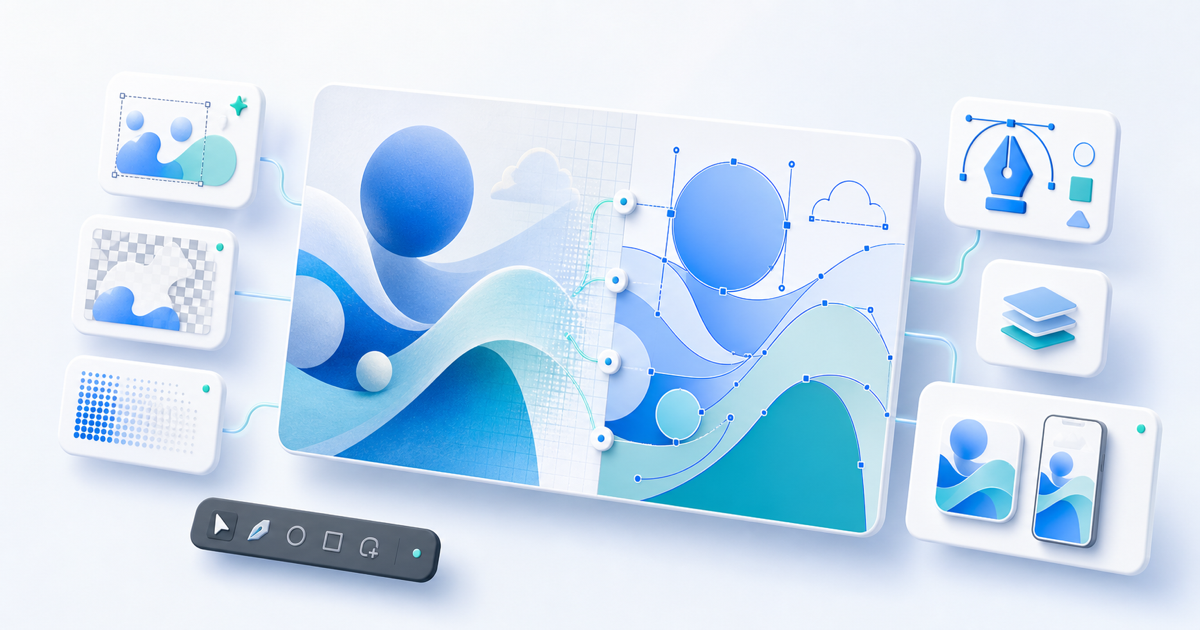
생성형 AI를 이용해 이미지를 만드는 서비스는 이제 상당히 많습니다. 하지만 실제 디자인 업무에서는 단순히 ‘예쁜 이미지’를 생성하는 것만으로는 부족합니다.
웹사이트 아이콘을 제작한다면 SVG가 필요하고, 광고 이미지를 만든다면 브랜드 컬러와 타이포그래피를 맞춰야 하며, 생성된 결과물을 다시 수정할 수도 있어야 합니다.
Recraft.ai는 이러한 디자인 실무에 초점을 맞춘 AI 이미지 생성 및 편집 서비스입니다. 사진이나 일러스트 생성뿐 아니라 벡터 이미지 생성, SVG 출력, 이미지 편집, 배경 제거, 업스케일링, 목업 제작까지 하나의 작업 공간에서 처리할 수 있다는 점이 특징입니다.
이번 글에서는 Recraft가 어떤 서비스인지 살펴보고, 실제 사용 방법과 다른 AI 이미지 생성 서비스와 비교했을 때의 특징을 정리해 보겠습니다.
Recraft.ai란?
Recraft는 디자이너, 일러스트레이터, 마케터 등을 대상으로 만들어진 AI 기반 이미지 생성·디자인 플랫폼입니다.
텍스트 프롬프트를 입력하면 다음과 같은 다양한 그래픽 에셋을 만들 수 있습니다.
- 포토리얼리스틱 이미지
- 일러스트레이션
- 아이콘
- 로고 및 그래픽
- 벡터 일러스트레이션
- 광고 및 포스터
- 제품 목업
- 웹사이트와 앱에 사용할 디자인 에셋
특히 일반적인 AI 이미지 생성 서비스와 달리 래스터 이미지와 벡터 이미지를 모두 생성할 수 있다는 점이 Recraft의 핵심적인 차별점입니다.
2026년 5월에는 최신 세대인 Recraft V4.1이 출시되었습니다. V4.1은 기존 V4보다 포토리얼리즘, 객체 이해, 프롬프트 이해, 벡터와 아이콘 결과물의 일관성이 개선된 모델입니다.
Recraft의 주요 특징
1. AI로 벡터 이미지를 직접 생성할 수 있다
Recraft를 주목할 만한 가장 큰 이유 중 하나는 벡터 이미지 생성 기능입니다.
일반적인 AI 이미지 생성기는 PNG나 JPG와 같은 래스터 이미지를 만들어냅니다. 따라서 아이콘이나 로고를 제작했다면 이후 Illustrator 등의 프로그램에서 다시 벡터화하는 과정이 필요할 수 있습니다.
Recraft의 Vector 모델은 프롬프트에서 직접 SVG 기반 벡터 결과물을 생성할 수 있습니다. Recraft는 V4의 벡터 결과물을 웹이나 인쇄물에서 사용할 수 있고 전문 디자인 도구에서 추가 편집할 수 있는 제작용 SVG로 설명하고 있습니다.
예를 들어 다음과 같은 프롬프트를 사용할 수 있습니다.
Minimal vector icon of a high-speed train, geometric shapes, flat design, simple lines
이렇게 생성된 결과물을 SVG로 내보내 웹사이트나 앱에서 활용할 수 있습니다.
특히 프론트엔드 개발자라면 다음과 같은 용도로 활용하기 좋습니다.
- 웹사이트 아이콘
- 서비스 기능 소개 일러스트
- 랜딩페이지 그래픽
- 앱 UI 아이콘
- SVG 배너
- 인포그래픽 요소
2. 디자인과 타이포그래피에 강하다
AI 이미지 생성에서 상당히 까다로운 부분 중 하나가 이미지 안에 정확한 글자를 표현하는 것입니다.
Recraft는 V3부터 이미지 내부 텍스트 표현을 주요 기능으로 발전시켜 왔으며, V4 계열에서도 포스터, 메뉴, 패키징, 인포그래픽 등에 사용할 수 있는 구조화된 텍스트 생성 기능을 제공하고 있습니다.
예를 들어 다음과 같은 포스터를 만들 수 있습니다.
Minimal editorial poster for a design conference. Large bold typography "DESIGN FUTURE 2026" at the top, geometric abstract illustration in the center, black and white Swiss design style.
단순히 배경 이미지를 만든 뒤 Photoshop에서 글자를 올리는 방식이 아니라 타이포그래피 자체를 이미지 구성 요소로 포함한 디자인 시안을 빠르게 탐색할 수 있다는 것이 장점입니다.
3. 사진, 일러스트, 벡터를 모두 만들 수 있다
Recraft는 특정 스타일만 전문적으로 생성하는 서비스라기보다 하나의 디자인 작업 공간 안에서 다양한 이미지 유형을 다룰 수 있도록 구성되어 있습니다.
최신 모델 계열에는 일반 래스터 모델뿐 아니라 Vector, Pro 등의 변형이 존재하며, V4.1은 일반 버전과 Utility 계열을 포함해 다양한 용도에 맞는 모델을 제공합니다.
따라서 하나의 프로젝트 안에서
사진 → 일러스트 → 아이콘 → SVG
와 같이 서로 다른 유형의 디자인 결과물을 제작하는 것도 가능합니다.
4. 이미지 생성뿐 아니라 편집도 가능하다
Recraft는 단순한 Text-to-Image 서비스라기보다 AI 이미지 생성 + 편집 도구에 가깝습니다.
현재 Recraft의 이미지 관련 기능에는 다음과 같은 기능들이 포함됩니다.
- Image to Image
- Inpainting
- Outpainting
- Background Replacement
- Background Generation
- Background Removal
- Vectorization
- Crisp Upscale
- Creative Upscale
- 영역 삭제
- 이미지 Remix
등이 제공됩니다.
예를 들어 AI로 제품 이미지를 만든 다음
- 필요 없는 오브젝트를 제거하고
- 배경을 변경하고
- 해상도를 높인 뒤
- 최종 이미지를 Export
하는 작업을 하나의 서비스에서 진행할 수 있습니다.
Recraft.ai 사용 방법
Recraft의 기본적인 사용 흐름은 상당히 단순합니다.
STEP 1. Recraft 계정 만들기
Recraft에서 계정을 생성합니다.
현재 이메일, Google, Discord, Apple 계정을 통한 로그인을 지원하며 신규 계정에는 이미지를 시험해 볼 수 있는 무료 크레딧이 제공됩니다.
STEP 2. 새로운 프로젝트 만들기
로그인하면 Projects 화면으로 이동합니다.
여기에서 Create new project를 선택하면 새로운 Canvas가 생성됩니다. Recraft에서는 이 Canvas를 중심으로 이미지 생성과 편집 작업을 진행합니다.
Figma와 같은 디자인 도구를 사용해본 사람이라면 비교적 익숙하게 접근할 수 있는 구조입니다.
STEP 3. 프롬프트 입력하기
Canvas 아래에 있는 Prompt 패널에서 원하는 이미지를 설명합니다.
예를 들어 IT 서비스의 랜딩페이지용 이미지를 만든다면 다음처럼 작성할 수 있습니다.
Minimal 3D illustration of cloud computing infrastructure, white background, soft shadows, blue and purple accents, modern SaaS landing page style
여기에서 모델, 스타일, 화면 비율, 생성 이미지 수 등의 옵션을 조정할 수 있습니다.
어떤 Recraft 모델을 선택해야 할까?
현재 Recraft에는 여러 세대의 모델이 함께 제공됩니다.
최신 모델은 V4.1입니다. Recraft는 V4.1을 자연스러운 사진 표현, 보다 정교한 벡터와 일러스트, 짧은 프롬프트에서도 향상된 이해력을 원하는 경우 적합한 모델로 설명합니다.
용도에 따라 다음처럼 접근하면 이해하기 쉽습니다.
Recraft V4.1
최신 이미지 생성 품질이나 자연스러운 사진, 정교한 일러스트를 만들고 싶을 때 적합합니다.
V4.1 Vector
아이콘, 로고 컨셉, 벡터 일러스트 등 SVG 결과물이 필요한 경우 유용합니다.
Pro 모델
일반 모델보다 높은 해상도가 필요한 인쇄물이나 대형 디자인 작업에 적합합니다. V4 계열 Pro 모델은 일반 버전보다 높은 해상도의 결과물을 제공하도록 설계되어 있습니다.
Recraft V3
흥미롭게도 최신 모델이 항상 모든 기능을 제공하는 것은 아닙니다.
Recraft 공식 가이드에서는 스타일 일관성, 정확한 텍스트 위치 제어, Artistic Level 기능이 필요한 경우 V3 사용을 권장하고 있습니다. V4 및 V4.1 계열에서는 현재 커스텀 스타일 기능이 지원되지 않는다는 점도 알아두는 것이 좋습니다.
즉, 모델 번호만 보고 무조건 최신 버전을 선택하기보다는 작업 목적에 맞게 선택하는 것이 좋습니다.
생성한 이미지 편집하기
이미지를 생성한 후 결과물을 선택하면 추가 편집 기능을 사용할 수 있습니다.
예를 들어
Remove the plant on the left side
또는
Change the background to a modern office
처럼 자연어를 이용해 수정할 수도 있습니다.
Recraft에서는 이미지 편집 시 기존 결과물을 그대로 덮어쓰기보다 새로운 버전을 만들어 기존 결과물과 비교할 수 있도록 구성되어 있습니다.
여러 번 생성과 수정을 반복해야 하는 디자인 업무에서는 상당히 유용한 방식입니다.
PNG 이미지를 SVG로 변환하는 Vectorize
Recraft에서 특히 활용도가 높은 기능 중 하나가 Vectorize입니다.
기존 PNG나 JPG 이미지를 가져온 다음 벡터 이미지로 변환할 수 있습니다. 변환된 결과물은 SVG 파일로 내보낼 수 있기 때문에 웹, 인쇄물 또는 다른 디자인 프로그램에서 활용할 수 있습니다.
프론트엔드 개발에서는 다음과 같은 상황에서 특히 유용합니다.
- PNG 아이콘을 SVG로 변경
- AI로 만든 일러스트를 SVG로 변환
- 고해상도가 없는 그래픽 자료를 벡터화
- 웹 애니메이션용 그래픽 제작
다만 자동 Vectorize 결과물은 원본 이미지의 복잡도에 따라 결과가 달라질 수 있으므로 중요한 로고나 브랜드 심벌이라면 최종 패스를 직접 확인하는 것이 좋습니다.
결과물 Export하기
디자인이 완성되면 Canvas에서 결과물을 선택해 Export할 수 있습니다.
래스터 이미지에서는 PNG, JPG, PDF, TIFF 등을 지원하며, 벡터 결과물에서는 SVG, PDF, Lottie 등을 지원합니다.
특히 SVG와 Lottie 출력을 지원한다는 점은 일반 이미지 생성 서비스보다 웹·앱 디자인 워크플로와 연결하기 좋게 만드는 요소입니다.
좋은 결과를 만드는 Recraft 프롬프트 작성법
AI 이미지 생성에서는 단순히 사물의 이름만 입력하기보다 다음 요소를 함께 설명하면 원하는 결과를 얻기 쉽습니다.
Subject + Composition + Style + Material + Color + Lighting + Typography
예를 들어 단순하게
coffee poster
라고 입력하는 대신,
Minimal editorial coffee poster, a ceramic coffee cup centered on a beige background, dramatic morning sunlight, warm brown color palette, Swiss typography, large text "MORNING COFFEE" at the top
처럼 작성하는 방식입니다.
또한 처음부터 지나치게 긴 프롬프트를 작성하기보다 짧은 프롬프트로 방향을 탐색한 뒤 원하는 결과를 기준으로 구도, 색상, 재질, 조명 등의 조건을 추가해 나가는 방법도 효율적입니다. 특히 V4.1은 짧은 프롬프트에 대한 의도 파악이 기존 버전보다 개선된 모델로 소개되고 있습니다.
Recraft의 장점 정리
Recraft의 가장 큰 장점은 단순한 AI 그림 생성기가 아니라는 점입니다.
특히 다음과 같은 부분에서 차별성이 있습니다.
첫째, 실제 SVG 벡터 결과물을 생성할 수 있습니다.
아이콘이나 일러스트를 제작해야 하는 웹·앱 프로젝트에서 상당히 유용합니다.
둘째, 디자인 중심의 결과물을 목표로 합니다.
Recraft V4 계열은 단순한 프롬프트 일치뿐 아니라 구도, 조명, 색상 관계와 같은 디자인 품질을 주요 목표로 개발됐습니다.
셋째, 이미지 생성과 편집을 하나의 작업 공간에서 처리할 수 있습니다.
생성, 배경 제거, 영역 수정, Vectorize, Upscale, Mockup 등 다양한 작업을 Recraft Studio에서 연속적으로 처리할 수 있습니다.
넷째, 개발 프로젝트와 연결하기 좋습니다.
Recraft는 웹 앱뿐 아니라 API를 제공하고 있으며, API에서도 래스터·벡터 생성, 이미지 편집, Vectorize, Background Removal 등의 기능을 사용할 수 있습니다.
따라서 디자인 자동화나 서비스 내부의 이미지 생성 기능을 구현하려는 개발자에게도 활용 가능성이 있습니다.
이런 사람에게 Recraft를 추천합니다
Recraft는 특히 다음과 같은 사용자에게 잘 맞습니다.
- 웹·앱 UI에 사용할 아이콘이 필요한 개발자
- 랜딩페이지용 일러스트를 제작하는 디자이너
- SVG 그래픽을 자주 사용하는 프론트엔드 개발자
- 광고·SNS 콘텐츠를 반복 제작하는 마케터
- 브랜드 스타일을 유지하면서 이미지를 제작해야 하는 팀
- AI 이미지 생성 기능을 API로 서비스에 연결하려는 개발자
반대로 단순히 예술적인 AI 그림을 감상하거나 몇 장 생성하는 것이 목적이라면 다양한 이미지 생성 서비스 가운데 하나로 볼 수도 있습니다.
Recraft의 진짜 강점은 생성된 결과물을 실제 디자인 에셋으로 사용해야 할 때 더 분명하게 나타납니다.
마치며
생성형 AI 이미지 시장은 빠르게 발전하고 있지만, 디자인 실무에서는 여전히 생성 이후의 작업이 중요합니다.
이미지를 생성한 다음 배경을 제거하고, 일부 영역을 수정하고, SVG로 변환하고, 웹사이트나 광고에 사용할 형식으로 내보내는 과정이 필요하기 때문입니다.
Recraft는 이러한 과정을 하나의 디자인 워크플로 안에 넣으려는 서비스입니다.
특히 AI 기반 SVG 벡터 생성, 디자인 중심의 이미지 생성, 타이포그래피 처리, Vectorize, 이미지 편집 기능은 웹디자인이나 프론트엔드 개발에서도 충분히 활용할 가치가 있습니다.
AI를 단순히 ‘그림을 그려주는 도구’가 아니라 실제 디자인 에셋을 제작하는 도구로 활용하고 싶다면 Recraft를 한 번 테스트해 볼 만합니다.
There are now countless services for creating images with generative AI. In real design work, however, simply generating a “pretty image” is not enough.
A website icon needs to be an SVG. An advertisement needs to match the brand’s colors and typography. You also need to be able to revise what the model creates.
Recraft.ai is an AI image generation and editing service built around these practical design needs. In one workspace, it can handle photos and illustrations as well as vector generation, SVG export, image editing, background removal, upscaling, and mockup creation.
This guide explains what Recraft is, how to use it, and what distinguishes it from other AI image generation services.
What is Recraft.ai?
Recraft is an AI-powered image generation and design platform made for designers, illustrators, marketers, and other visual creators.
Enter a text prompt and you can create many kinds of graphic assets:
- Photorealistic images
- Illustrations
- Icons
- Logos and graphics
- Vector illustrations
- Ads and posters
- Product mockups
- Design assets for websites and apps
Unlike most AI image generators, Recraft can create both raster and vector images. This is one of its core differentiators.
In May 2026, Recraft released its newest generation, Recraft V4.1. Compared with V4, V4.1 improves photorealism, object and prompt understanding, and consistency in vector and icon output.
Recraft’s key features
1. Generate vector images directly with AI
One of the strongest reasons to consider Recraft is its vector image generation.
Most AI image generators produce raster files such as PNG or JPG. If you create an icon or logo with them, you may have to vectorize it again in Illustrator or another application.
Recraft’s Vector models can generate SVG-based vector results directly from a prompt. Recraft describes V4 vectors as production-ready SVGs that can be used on the web or in print and edited further in professional design tools.
For example:
Minimal vector icon of a high-speed train, geometric shapes, flat design, simple lines
You can export the result as SVG and use it in a website or app.
For frontend developers, this is especially useful for:
- Website icons
- Feature illustrations
- Landing-page graphics
- App UI icons
- SVG banners
- Infographic elements
2. Strong design and typography capabilities
Accurately rendering words inside an image remains one of the hardest parts of AI image generation.
Starting with V3, Recraft has treated in-image text as a major capability. The V4 family continues to support structured text generation for posters, menus, packaging, and infographics.
For example, you can prompt:
Minimal editorial poster for a design conference. Large bold typography "DESIGN FUTURE 2026" at the top, geometric abstract illustration in the center, black and white Swiss design style.
Instead of creating only a background and adding type later in Photoshop, you can rapidly explore concepts in which typography is part of the composition itself.
3. Create photos, illustrations, and vectors
Recraft is not limited to one visual style. It is organized so that several image types can be handled inside the same design workspace.
The current model family includes standard raster models as well as Vector and Pro variants. V4.1 also includes standard, Utility, and related variants for different jobs.
That means a single project can move through several asset types:
photo → illustration → icon → SVG
4. Edit images as well as generate them
Recraft is closer to an AI image generation and editing suite than a simple text-to-image tool.
Its image workflow includes:
- Image to Image
- Inpainting
- Outpainting
- Background Replacement
- Background Generation
- Background Removal
- Vectorization
- Crisp Upscale
- Creative Upscale
- Region erasing
- Image Remix
For example, after creating a product image, you can:
- Remove an unwanted object
- Change the background
- Increase the resolution
- Export the final image
All of these steps can remain within the same service.
How to use Recraft.ai
The basic workflow is straightforward.
STEP 1. Create a Recraft account
Create an account on Recraft.
You can currently sign in with email, Google, Discord, or Apple. New accounts receive free credits for trying image generation.
STEP 2. Create a new project
After signing in, open the Projects screen.
Choose Create new project to make a new Canvas. Image generation and editing in Recraft revolve around this Canvas.
If you have used a design tool such as Figma, the structure should feel relatively familiar.
STEP 3. Enter a prompt
Describe the image in the Prompt panel beneath the Canvas.
For example, an image for an IT service landing page might use:
Minimal 3D illustration of cloud computing infrastructure, white background, soft shadows, blue and purple accents, modern SaaS landing page style
You can then adjust the model, style, aspect ratio, and number of generated images.
Which Recraft model should you choose?
Several generations of Recraft models remain available.
The newest is V4.1. Recraft recommends it when you want natural photos, refined vectors and illustrations, and better interpretation of short prompts.
A practical way to choose is by the intended output.
Recraft V4.1
Use it when you want the newest image quality, natural photography, or polished illustrations.
V4.1 Vector
Use it for icons, logo concepts, vector illustrations, and other work that needs an SVG result.
Pro models
Use a Pro model for print or large-format work that needs higher resolution. V4 Pro models are designed to provide higher-resolution results than standard variants.
Recraft V3
The newest model does not always include every control.
Recraft’s guide still recommends V3 when you need style consistency, precise text placement, or Artistic Level controls. Custom Styles are currently not supported by the V4 and V4.1 families.
Choose the model for the job instead of selecting the highest version number by default.
Editing a generated image
Select a generated result to open additional editing tools.
You can use natural-language requests such as:
Remove the plant on the left side
or:
Change the background to a modern office
When editing, Recraft creates a new version instead of overwriting the existing result, making before-and-after comparisons easier.
That approach is useful in design work where generation and revision happen repeatedly.
Turn a PNG into an SVG with Vectorize
Vectorize is one of Recraft’s most practical tools.
Import a PNG or JPG, convert it into a vector image, and export the result as SVG for use on the web, in print, or in another design application.
It is particularly useful in frontend work for:
- Converting PNG icons to SVG
- Vectorizing AI-generated illustrations
- Recovering scalable graphics when no high-resolution source exists
- Creating graphics for web animation
Automatic vectorization quality varies with image complexity. For an important logo or brand symbol, always inspect and refine the final paths manually.
Exporting the result
When your design is ready, select it on the Canvas and export it.
Raster results can be exported in formats including PNG, JPG, PDF, and TIFF. Vector results support SVG and PDF, while Lottie export is also available for suitable assets.
Support for SVG and Lottie export makes Recraft easier to connect with web and app design workflows than a typical image generator.
Writing better Recraft prompts
You will usually get better results by describing more than the name of the subject.
A useful prompt structure is:
Subject + Composition + Style + Material + Color + Lighting + Typography
Instead of:
coffee poster
try:
Minimal editorial coffee poster, a ceramic coffee cup centered on a beige background, dramatic morning sunlight, warm brown color palette, Swiss typography, large text "MORNING COFFEE" at the top
You do not have to start with a very long prompt. Explore the direction with a short prompt, choose a promising result, then add composition, color, material, and lighting constraints. V4.1 is specifically presented as being better at understanding intent from shorter prompts.
Recraft’s advantages
Recraft’s biggest advantage is that it is more than an AI picture generator.
Its main differentiators are:
First, it can generate real SVG vector output.
That is valuable for web and app projects that need editable icons or illustrations.
Second, it targets design-quality results.
The V4 family was developed around composition, lighting, color relationships, and design taste as well as prompt alignment.
Third, generation and editing share one workspace.
Recraft Studio connects generation, background removal, region editing, Vectorize, Upscale, and Mockup tools into one continuous process.
Fourth, it integrates well with development projects.
Alongside its web app, Recraft provides an API for raster and vector generation, image editing, vectorization, and background removal.
This makes it useful for developers building design automation or image-generation features into a product.
Who should use Recraft?
Recraft is especially well suited to:
- Developers who need icons for web or app UIs
- Designers creating landing-page illustrations
- Frontend developers who frequently use SVG graphics
- Marketers producing repeated ad and social assets
- Teams that need to maintain a consistent brand style
- Developers integrating AI image generation through an API
If your only goal is to create a few artistic images, Recraft may simply be one option among many.
Its real strength becomes clearer when generated results need to become usable design assets.
Final thoughts
The generative AI image market is moving quickly, but the work that follows generation still matters in professional design.
After creating an image, you may need to remove its background, revise part of it, convert it to SVG, and export it in a format appropriate for a website or advertisement.
Recraft aims to place those steps inside one design workflow.
Its AI vector generation, design-oriented image creation, typography handling, Vectorize, and editing tools are relevant to both web design and frontend development.
If you want to use AI as a tool for producing real design assets—not merely as a tool that draws pictures—Recraft is worth testing.
如今,使用生成式 AI 制作图像的服务已经非常多。但在实际设计工作中,只生成一张“好看的图片”远远不够。
制作网站图标需要 SVG,制作广告需要匹配品牌颜色与字体,而且生成后的结果还必须能够继续修改。
Recraft.ai 正是一款面向这些设计实务的 AI 图像生成与编辑服务。除了照片和插画,它还可以在同一工作空间中完成 矢量图生成、SVG 导出、图像编辑、背景移除、放大以及样机制作。
本文将介绍 Recraft 是什么、如何使用,以及它与其他 AI 图像生成服务相比有哪些特点。
Recraft.ai 是什么?
Recraft 是面向设计师、插画师、营销人员等用户的 AI 图像生成与设计平台。
输入文字提示词后,可以制作多种图形资产:
- 写实照片
- 插画
- 图标
- 标志与图形
- 矢量插画
- 广告与海报
- 产品样机
- 网站和应用所需的设计资产
与一般 AI 图像生成器不同,Recraft 能够同时生成 栅格图像和矢量图像,这是它最核心的差异之一。
2026 年 5 月,Recraft 发布了新一代 Recraft V4.1。与 V4 相比,V4.1 提升了写实表现、对象理解、提示词理解,以及矢量和图标结果的一致性。
Recraft 的主要特点
1. 直接用 AI 生成矢量图
Recraft 最值得关注的能力之一就是 矢量图生成。
常见 AI 图像生成器通常输出 PNG 或 JPG 等栅格图像。如果生成的是图标或标志,之后往往还要在 Illustrator 等工具中重新矢量化。
Recraft 的 Vector 模型可以直接根据提示词生成基于 SVG 的矢量结果。Recraft 将 V4 矢量结果描述为可用于网页和印刷,并能在专业设计工具中继续编辑的制作级 SVG。
例如可以使用:
Minimal vector icon of a high-speed train, geometric shapes, flat design, simple lines
生成后即可导出 SVG,用于网站或应用。
对前端开发者而言,特别适合:
- 网站图标
- 功能介绍插画
- 落地页图形
- 应用 UI 图标
- SVG 横幅
- 信息图元素
2. 擅长设计与字体排版
在 AI 图像生成中,准确呈现图像内文字一直是较难的问题。
从 V3 开始,Recraft 就把图像内文字表现作为重点能力。V4 系列也继续支持适用于海报、菜单、包装和信息图的结构化文字生成。
例如:
Minimal editorial poster for a design conference. Large bold typography "DESIGN FUTURE 2026" at the top, geometric abstract illustration in the center, black and white Swiss design style.
这不只是先生成背景、再去 Photoshop 添加文字,而是可以快速探索 把字体排版本身纳入画面构成 的设计方案。
3. 同时制作照片、插画和矢量图
Recraft 并非只擅长某一种风格,而是让用户在同一个设计空间中处理多种图像类型。
目前的模型家族既有普通栅格模型,也有 Vector、Pro 等变体;V4.1 还包含标准版与 Utility 系列,以适应不同用途。
因此,一个项目可以串联不同的资产类型:
照片 → 插画 → 图标 → SVG
4. 不只生成,也能编辑图像
Recraft 与其说是单纯的 Text-to-Image 服务,不如说是 AI 图像生成与编辑套件。
其图像工作流包括:
- Image to Image
- Inpainting
- Outpainting
- Background Replacement
- Background Generation
- Background Removal
- Vectorization
- Crisp Upscale
- Creative Upscale
- 区域擦除
- Image Remix
例如,生成产品图后可以:
- 移除不需要的对象
- 更换背景
- 提高分辨率
- 导出最终图像
整个过程都可以留在同一个服务中完成。
Recraft.ai 使用方法
Recraft 的基本流程很简单。
STEP 1. 创建 Recraft 账户
先注册 Recraft 账户。
目前支持邮箱、Google、Discord 和 Apple 登录,新账户会获得可用于体验图像生成的免费点数。
STEP 2. 新建项目
登录后进入 Projects 页面。
选择 Create new project 即可创建新的 Canvas。Recraft 的图像生成与编辑都围绕这个 Canvas 进行。
如果使用过 Figma 等设计工具,这种结构会比较熟悉。
STEP 3. 输入提示词
在 Canvas 下方的 Prompt 面板描述想要的图像。
例如,为 IT 服务落地页制作图像时可以输入:
Minimal 3D illustration of cloud computing infrastructure, white background, soft shadows, blue and purple accents, modern SaaS landing page style
随后可以调整模型、风格、宽高比和生成数量等选项。
应该选择哪个 Recraft 模型?
Recraft 目前同时提供多个世代的模型。
最新模型是 V4.1。当你需要自然的照片、更精致的矢量与插画,以及更好的短提示词理解时,可以优先选择它。
按用途选择会更容易理解。
Recraft V4.1
适合追求最新图像质量、自然照片和精致插画的工作。
V4.1 Vector
适合图标、标志概念、矢量插画等需要 SVG 结果 的工作。
Pro 模型
需要更高分辨率的印刷品或大型设计时可选择 Pro。V4 系列 Pro 模型旨在提供高于普通版本的分辨率。
Recraft V3
最新模型并不总是包含所有功能。
Recraft 官方指南仍建议在需要 风格一致性、精确文字位置控制或 Artistic Level 功能时使用 V3。V4 与 V4.1 系列目前也不支持 Custom Styles。
因此,不要只看版本号,而要按实际任务选择模型。
编辑生成的图像
选中生成结果后,可以使用更多编辑功能。
例如可以用自然语言输入:
Remove the plant on the left side
或:
Change the background to a modern office
编辑时,Recraft 会创建新版本,而不是直接覆盖原始结果,便于比较修改前后的差异。
对于需要反复生成和修改的设计工作,这种方式很实用。
用 Vectorize 将 PNG 转成 SVG
Vectorize 是 Recraft 最实用的功能之一。
导入 PNG 或 JPG 后,可以将其转换为矢量图,再导出为 SVG,用于网页、印刷或其他设计软件。
在前端工作中尤其适合:
- 将 PNG 图标转换为 SVG
- 将 AI 插画矢量化
- 在没有高分辨率原稿时恢复可缩放图形
- 制作用于网页动画的图形
自动矢量化的质量会受到原图复杂度影响。对于重要的标志或品牌符号,应手动检查并整理最终路径。
导出结果
设计完成后,在 Canvas 中选中结果即可导出。
栅格图像支持 PNG、JPG、PDF、TIFF 等格式;矢量结果支持 SVG、PDF,合适的资产还可以导出 Lottie。
对 SVG 与 Lottie 的支持,让 Recraft 更容易接入网页和应用设计工作流。
写出更好的 Recraft 提示词
只输入物体名称通常不如同时说明以下要素有效:
Subject + Composition + Style + Material + Color + Lighting + Typography
不要只写:
coffee poster
可以改为:
Minimal editorial coffee poster, a ceramic coffee cup centered on a beige background, dramatic morning sunlight, warm brown color palette, Swiss typography, large text "MORNING COFFEE" at the top
也不必一开始就写得很长。先用短提示词探索方向,再根据满意的结果逐步加入构图、颜色、材质和光线限制。V4.1 也特别强调了对短提示词意图的理解能力。
Recraft 的优势
Recraft 最大的优势,是它不只是 AI 绘图工具。
主要差异包括:
第一,可以生成真正的 SVG 矢量结果。
对于需要可编辑图标和插画的网页与应用项目非常有价值。
第二,以设计质量为目标。
V4 系列除了提示词匹配,也重视构图、光线、颜色关系与整体设计感。
第三,在同一工作空间完成生成与编辑。
Recraft Studio 将生成、背景移除、区域编辑、Vectorize、Upscale 和 Mockup 串成连续流程。
第四,容易与开发项目结合。
除网页应用外,Recraft 还提供 API,支持栅格与矢量生成、图像编辑、矢量化和背景移除。
因此,它也适合构建设计自动化或在产品中加入图像生成功能的开发者。
Recraft 适合哪些人?
Recraft 尤其适合:
- 需要网页或应用 UI 图标的开发者
- 制作落地页插画的设计师
- 经常使用 SVG 图形的前端开发者
- 反复制作广告与社交内容的营销人员
- 需要保持品牌风格一致的团队
- 通过 API 集成 AI 图像生成的开发者
如果目的只是欣赏或生成几张艺术图,Recraft 可能只是众多选项之一。
当生成结果必须成为 真正可用的设计资产 时,它的优势才最明显。
结语
生成式 AI 图像市场发展很快,但在专业设计中,生成之后的工作依然重要。
图像生成后,往往还要移除背景、修改局部、转换为 SVG,并导出为适合网站或广告的格式。
Recraft 的目标,就是把这些步骤放进同一个设计工作流。
它的 AI SVG 矢量生成、面向设计的图像生成、字体处理、Vectorize 与图像编辑功能,对网页设计和前端开发都有实际价值。
如果你希望把 AI 当作“制作真实设计资产的工具”,而不只是“帮你画图的工具”,Recraft 值得尝试。
生成AIで画像を作るサービスは、今では数多く存在します。しかし実際のデザイン業務では、単に「きれいな画像」を生成できるだけでは十分ではありません。
WebサイトのアイコンならSVGが必要です。広告画像ならブランドカラーやタイポグラフィを合わせる必要があり、生成結果をあとから修正できることも重要です。
Recraft.aiは、こうしたデザイン実務に焦点を当てたAI画像生成・編集サービスです。写真やイラストだけでなく、ベクター画像生成、SVG書き出し、画像編集、背景除去、アップスケール、モックアップ制作まで、1つのワークスペースで扱えます。
この記事では、Recraftとは何か、実際の使い方、ほかのAI画像生成サービスとの違いを整理します。
Recraft.aiとは?
Recraftは、デザイナー、イラストレーター、マーケターなどを対象とした AIベースの画像生成・デザインプラットフォームです。
テキストプロンプトを入力すると、さまざまなグラフィック素材を作成できます。
- フォトリアルな画像
- イラスト
- アイコン
- ロゴやグラフィック
- ベクターイラスト
- 広告やポスター
- 製品モックアップ
- Webサイトやアプリ向けのデザイン素材
一般的なAI画像生成サービスと異なり、ラスター画像とベクター画像の両方を生成できることがRecraftの大きな特徴です。
2026年5月には最新世代の Recraft V4.1 が公開されました。V4.1ではV4に比べ、フォトリアリズム、オブジェクトやプロンプトの理解、ベクターやアイコン出力の一貫性が向上しています。
Recraftの主な特徴
1. AIでベクター画像を直接生成できる
Recraftを選ぶ大きな理由の1つが ベクター画像生成です。
一般的なAI画像生成ツールはPNGやJPGなどのラスター画像を出力します。そのため、アイコンやロゴを作ったあと、Illustratorなどで再度ベクター化しなければならないことがあります。
RecraftのVectorモデルは、プロンプトからSVGベースのベクター結果を直接生成できます。RecraftはV4のベクターを、Webや印刷で利用でき、プロ向けデザインツールで追加編集できる制作用SVGとして説明しています。
たとえば次のプロンプトを使えます。
Minimal vector icon of a high-speed train, geometric shapes, flat design, simple lines
生成結果をSVGで書き出し、Webサイトやアプリに利用できます。
フロントエンド開発では、特に次の用途に便利です。
- Webサイトのアイコン
- 機能紹介イラスト
- ランディングページのグラフィック
- アプリUIのアイコン
- SVGバナー
- インフォグラフィックの要素
2. デザインとタイポグラフィに強い
AI画像生成で難しい課題の1つが、画像内に正確な文字を描くことです。
RecraftはV3から画像内テキストを主要機能として発展させてきました。V4系でも、ポスター、メニュー、パッケージ、インフォグラフィック向けの構造化テキスト生成を提供しています。
たとえば、次のようなプロンプトを使えます。
Minimal editorial poster for a design conference. Large bold typography "DESIGN FUTURE 2026" at the top, geometric abstract illustration in the center, black and white Swiss design style.
背景画像を作ってからPhotoshopで文字を追加するだけでなく、タイポグラフィそのものを構図に含めたデザイン案を素早く検討できます。
3. 写真・イラスト・ベクターを作成できる
Recraftは特定のスタイルだけに特化したサービスではありません。1つのデザインワークスペースで多様な画像タイプを扱えるよう設計されています。
現在のモデル群には、通常のラスター系だけでなくVectorやProの派生があります。V4.1にも通常版とUtility系を含む複数のモデルがあり、用途に応じて選択できます。
そのため、1つのプロジェクト内で次のように異なる素材を作ることも可能です。
写真 → イラスト → アイコン → SVG
4. 画像生成だけでなく編集もできる
Recraftは単純なText-to-Imageサービスというより、AI画像生成と編集を統合したツールです。
画像ワークフローには次の機能があります。
- Image to Image
- Inpainting
- Outpainting
- Background Replacement
- Background Generation
- Background Removal
- Vectorization
- Crisp Upscale
- Creative Upscale
- 領域削除
- Image Remix
たとえばAIで製品画像を作ったあとに、
- 不要なオブジェクトを削除
- 背景を変更
- 解像度を向上
- 完成画像をExport
という作業を同じサービス内で進められます。
Recraft.aiの使い方
基本的な流れはシンプルです。
STEP 1. Recraftアカウントを作成する
まずRecraftでアカウントを作成します。
現在はメール、Google、Discord、Appleでログインでき、新規アカウントには画像生成を試せる無料クレジットが付与されます。
STEP 2. 新しいプロジェクトを作る
ログイン後、Projects画面に移動します。
Create new projectを選ぶと新しいCanvasが作成されます。Recraftでは、このCanvasを中心に画像の生成と編集を行います。
Figmaのようなデザインツールを使ったことがあれば、比較的なじみやすい構成です。
STEP 3. プロンプトを入力する
Canvas下部のPromptパネルに、作りたい画像を記述します。
たとえばITサービスのランディングページ用画像なら、次のように入力できます。
Minimal 3D illustration of cloud computing infrastructure, white background, soft shadows, blue and purple accents, modern SaaS landing page style
モデル、スタイル、アスペクト比、生成枚数などのオプションも調整できます。
どのRecraftモデルを選ぶべきか?
Recraftでは複数世代のモデルが提供されています。
最新モデルは V4.1 です。自然な写真、より精密なベクターやイラスト、短いプロンプトへの理解力を求める場合に適しています。
用途別に考えると選びやすくなります。
Recraft V4.1
最新の画質、自然な写真、精密なイラストを作りたい場合に向いています。
V4.1 Vector
アイコン、ロゴ案、ベクターイラストなど、SVG出力が必要な場合に便利です。
Proモデル
高解像度が必要な印刷物や大判デザインに適しています。V4系Proモデルは通常版より高解像度の結果を提供するよう設計されています。
Recraft V3
最新モデルが常にすべての機能を持っているわけではありません。
Recraftの公式ガイドでは、スタイルの一貫性、正確なテキスト配置、Artistic Level機能が必要な場合はV3を推奨しています。V4およびV4.1系では、現時点でCustom Stylesがサポートされていません。
単に最も新しい番号を選ぶのではなく、作業目的に合わせることが重要です。
生成画像を編集する
生成結果を選択すると、追加の編集機能を使えます。
たとえば自然言語で、
Remove the plant on the left side
または、
Change the background to a modern office
のように指示できます。
Recraftは編集時に元の結果を上書きせず、新しいバージョンを作成するため、変更前後を比較しやすくなっています。
生成と修正を何度も繰り返すデザイン業務で便利な方式です。
VectorizeでPNGをSVGに変換する
Recraftで特に実用的な機能の1つが Vectorize です。
PNGやJPGを読み込み、ベクター画像へ変換してSVGで書き出せます。Web、印刷物、ほかのデザインソフトで利用できます。
フロントエンド開発では特に次の用途に向いています。
- PNGアイコンをSVGに変換
- AI生成イラストをベクター化
- 高解像度の元データがないグラフィックを拡大可能にする
- Webアニメーション用グラフィックを制作
自動Vectorizeの品質は元画像の複雑さで変わります。重要なロゴやブランドシンボルでは、最終的なパスを手作業で確認しましょう。
結果を書き出す
デザインが完成したら、Canvas上で結果を選択してExportできます。
ラスター画像はPNG、JPG、PDF、TIFFなどに対応し、ベクター結果はSVGとPDF、適切な素材ではLottieにも対応します。
SVGとLottieの書き出しに対応している点は、一般的な画像生成サービスよりもWeb・アプリのデザインワークフローにつなげやすい要素です。
良い結果を得るRecraftプロンプトの書き方
対象物の名前だけでなく、次の要素を一緒に記述すると意図した結果に近づきやすくなります。
Subject + Composition + Style + Material + Color + Lighting + Typography
単に、
coffee poster
と入力する代わりに、
Minimal editorial coffee poster, a ceramic coffee cup centered on a beige background, dramatic morning sunlight, warm brown color palette, Swiss typography, large text "MORNING COFFEE" at the top
のように書きます。
最初から長すぎるプロンプトにする必要はありません。短い文で方向性を探り、よい結果を基準に構図、色、素材、照明などの条件を加える方法も効率的です。V4.1は短いプロンプトから意図を読み取る能力も改善されています。
Recraftのメリット
Recraftの最大のメリットは、単なるAI画像生成ツールではないことです。
主な違いは次のとおりです。
第一に、実際のSVGベクター結果を生成できます。
編集可能なアイコンやイラストが必要なWeb・アプリ制作に役立ちます。
第二に、デザイン品質を重視しています。
V4系はプロンプトへの一致だけでなく、構図、照明、色の関係、デザインの完成度を重視して開発されています。
第三に、生成と編集を1つのワークスペースで処理できます。
Recraft Studioでは、生成、背景除去、領域編集、Vectorize、Upscale、Mockupを連続した流れで扱えます。
第四に、開発プロジェクトと連携しやすい点です。
WebアプリだけでなくAPIも提供され、ラスター・ベクター生成、画像編集、Vectorize、Background Removalを利用できます。
デザイン自動化や、サービス内に画像生成機能を組み込む開発者にも可能性があります。
Recraftはどんな人におすすめ?
特に次のようなユーザーに向いています。
- Web・アプリUI向けアイコンが必要な開発者
- ランディングページ用イラストを作るデザイナー
- SVGを頻繁に使うフロントエンド開発者
- 広告やSNSコンテンツを繰り返し制作するマーケター
- ブランドスタイルを維持しながら制作するチーム
- AI画像生成をAPIでサービスに統合する開発者
芸術的なAI画像を数枚作ることだけが目的なら、多くの画像生成サービスの1つにすぎないかもしれません。
Recraftの本当の強みは、生成結果を 実際のデザイン素材として使う必要があるとき に明確になります。
まとめ
生成AI画像市場は急速に発展していますが、デザイン実務では生成後の作業も重要です。
画像の背景を取り除き、一部を修正し、SVGに変換して、Webサイトや広告に適した形式で書き出す必要があるからです。
Recraftは、こうした工程を1つのデザインワークフローにまとめようとするサービスです。
AIによるSVGベクター生成、デザイン重視の画像生成、タイポグラフィ処理、Vectorize、画像編集機能は、Webデザインやフロントエンド開発でも活用できます。
AIを単に「絵を描くツール」ではなく、実際のデザイン素材を作るツールとして使いたいなら、Recraftを試す価値があります。
Hoy existen muchísimos servicios para crear imágenes con IA generativa. Sin embargo, en el trabajo de diseño no basta con generar una «imagen bonita».
Un icono para una web debe estar disponible en SVG. Un anuncio debe respetar los colores y la tipografía de la marca. Además, el resultado generado tiene que poder editarse.
Recraft.ai es un servicio de generación y edición de imágenes con IA centrado en estas necesidades profesionales. En un único espacio de trabajo permite crear fotos e ilustraciones y también realizar generación vectorial, exportación a SVG, edición, eliminación de fondos, escalado y mockups.
Esta guía explica qué es Recraft, cómo se utiliza y qué lo diferencia de otros servicios de generación de imágenes con IA.
¿Qué es Recraft.ai?
Recraft es una plataforma de generación de imágenes y diseño con IA creada para diseñadores, ilustradores, profesionales del marketing y otros creadores visuales.
Al introducir un prompt de texto se pueden crear distintos tipos de recursos gráficos:
- Imágenes fotorrealistas
- Ilustraciones
- Iconos
- Logotipos y gráficos
- Ilustraciones vectoriales
- Anuncios y carteles
- Mockups de producto
- Recursos de diseño para webs y aplicaciones
A diferencia de la mayoría de generadores de imágenes con IA, Recraft puede producir tanto imágenes rasterizadas como vectoriales. Esta es una de sus diferencias principales.
En mayo de 2026 se lanzó la generación más reciente, Recraft V4.1. Frente a V4, mejora el fotorrealismo, la comprensión de objetos y prompts, y la coherencia de los resultados vectoriales y de iconos.
Principales funciones de Recraft
1. Generación directa de imágenes vectoriales con IA
Una de las razones más importantes para considerar Recraft es su generación de vectores.
Los generadores de imágenes habituales producen archivos rasterizados, como PNG o JPG. Si creas un icono o un logotipo, quizá tengas que vectorizarlo después en Illustrator u otra aplicación.
Los modelos Vector de Recraft pueden generar directamente resultados vectoriales basados en SVG a partir de un prompt. Recraft describe los vectores de V4 como SVG listos para producción, aptos para web o impresión y editables en herramientas profesionales de diseño.
Por ejemplo:
Minimal vector icon of a high-speed train, geometric shapes, flat design, simple lines
El resultado puede exportarse como SVG y utilizarse en una web o aplicación.
Para un desarrollador frontend resulta especialmente útil en:
- Iconos para sitios web
- Ilustraciones de funcionalidades
- Gráficos para landing pages
- Iconos de UI para aplicaciones
- Banners SVG
- Elementos de infografías
2. Buen rendimiento en diseño y tipografía
Representar texto correctamente dentro de una imagen sigue siendo una de las partes más difíciles de la generación con IA.
Desde V3, Recraft ha tratado el texto dentro de la imagen como una función importante. La familia V4 mantiene la generación de texto estructurado para carteles, menús, envases e infografías.
Por ejemplo:
Minimal editorial poster for a design conference. Large bold typography "DESIGN FUTURE 2026" at the top, geometric abstract illustration in the center, black and white Swiss design style.
En vez de crear solo un fondo y añadir el texto después en Photoshop, permite explorar rápidamente propuestas en las que la tipografía forma parte de la composición.
3. Creación de fotos, ilustraciones y vectores
Recraft no se limita a un estilo concreto. Está organizado para manejar varios tipos de imagen dentro de un mismo espacio de diseño.
La familia actual incluye modelos rasterizados normales y variantes Vector y Pro. V4.1 también dispone de versiones estándar, Utility y otras variantes para diferentes usos.
Así, un mismo proyecto puede recorrer varios tipos de recurso:
foto → ilustración → icono → SVG
4. Edición además de generación
Recraft se parece más a un conjunto de generación y edición de imágenes con IA que a una simple herramienta Text-to-Image.
Su flujo de imagen incluye:
- Image to Image
- Inpainting
- Outpainting
- Background Replacement
- Background Generation
- Background Removal
- Vectorization
- Crisp Upscale
- Creative Upscale
- Borrado de regiones
- Image Remix
Por ejemplo, después de crear una imagen de producto puedes:
- Eliminar un objeto no deseado
- Cambiar el fondo
- Aumentar la resolución
- Exportar la imagen final
Todo el proceso puede permanecer dentro del mismo servicio.
Cómo usar Recraft.ai
El flujo básico es sencillo.
STEP 1. Crear una cuenta de Recraft
Primero, crea una cuenta en Recraft.
Actualmente admite inicio de sesión mediante correo electrónico, Google, Discord y Apple. Las cuentas nuevas reciben créditos gratuitos para probar la generación de imágenes.
STEP 2. Crear un proyecto nuevo
Después de iniciar sesión, abre la pantalla Projects.
Selecciona Create new project para crear un Canvas. La generación y la edición de imágenes en Recraft se organizan alrededor de este lienzo.
Si has usado una herramienta de diseño como Figma, la estructura te resultará bastante familiar.
STEP 3. Introducir un prompt
Describe la imagen en el panel Prompt situado bajo el Canvas.
Por ejemplo, para una imagen de landing page de un servicio tecnológico:
Minimal 3D illustration of cloud computing infrastructure, white background, soft shadows, blue and purple accents, modern SaaS landing page style
Después puedes ajustar el modelo, el estilo, la relación de aspecto y la cantidad de imágenes generadas.
¿Qué modelo de Recraft conviene elegir?
Recraft mantiene disponibles varias generaciones de modelos.
El más reciente es V4.1. Es una buena opción para obtener fotografías naturales, vectores e ilustraciones más refinados y una mejor interpretación de prompts cortos.
Una forma práctica de elegir es pensar en el resultado final.
Recraft V4.1
Adecuado para conseguir la calidad más reciente, fotografías naturales e ilustraciones pulidas.
V4.1 Vector
Útil para iconos, conceptos de logotipo, ilustraciones vectoriales y otros trabajos que requieren un resultado SVG.
Modelos Pro
Indicados para impresión o diseños de gran formato que necesitan mayor resolución. Los modelos Pro de V4 están diseñados para ofrecer resultados de mayor resolución que las variantes normales.
Recraft V3
El modelo más reciente no siempre ofrece todos los controles.
La guía oficial de Recraft sigue recomendando V3 cuando se necesita coherencia de estilo, colocación precisa del texto o controles de Artistic Level. Las familias V4 y V4.1 tampoco admiten actualmente Custom Styles.
Conviene elegir según el trabajo, no solo por el número de versión.
Editar una imagen generada
Selecciona un resultado generado para acceder a herramientas de edición adicionales.
Puedes escribir instrucciones en lenguaje natural como:
Remove the plant on the left side
o:
Change the background to a modern office
Al editar, Recraft crea una versión nueva en lugar de sobrescribir el resultado existente, lo que facilita comparar el antes y el después.
Es un enfoque muy útil en trabajos de diseño que requieren generar y revisar repetidamente.
Convertir un PNG en SVG con Vectorize
Vectorize es una de las funciones más prácticas de Recraft.
Puedes importar un PNG o JPG, convertirlo en una imagen vectorial y exportarlo como SVG para utilizarlo en web, impresión u otra aplicación de diseño.
En frontend resulta especialmente útil para:
- Convertir iconos PNG a SVG
- Vectorizar ilustraciones generadas con IA
- Recuperar gráficos escalables cuando no existe un original de alta resolución
- Crear gráficos para animaciones web
La calidad de la vectorización automática depende de la complejidad de la imagen. En un logotipo o símbolo de marca importante, conviene revisar y ajustar manualmente los trazados finales.
Exportar el resultado
Cuando el diseño esté listo, selecciónalo en el Canvas y expórtalo.
Los resultados rasterizados admiten formatos como PNG, JPG, PDF y TIFF. Los vectores pueden exportarse como SVG y PDF, y los recursos adecuados también admiten Lottie.
La compatibilidad con SVG y Lottie facilita integrar Recraft en flujos de diseño para web y aplicaciones.
Cómo escribir mejores prompts para Recraft
Normalmente obtendrás mejores resultados si describes algo más que el nombre del objeto.
Una estructura útil es:
Subject + Composition + Style + Material + Color + Lighting + Typography
En lugar de escribir:
coffee poster
prueba:
Minimal editorial coffee poster, a ceramic coffee cup centered on a beige background, dramatic morning sunlight, warm brown color palette, Swiss typography, large text "MORNING COFFEE" at the top
No es necesario empezar con un prompt muy largo. Explora primero la dirección con una frase corta y, a partir de un buen resultado, añade condiciones sobre composición, color, material e iluminación. V4.1 se presenta precisamente como un modelo con mejor comprensión de la intención en prompts cortos.
Ventajas de Recraft
La mayor ventaja de Recraft es que no se limita a ser un generador de dibujos con IA.
Sus diferencias principales son:
Primero, puede generar resultados vectoriales SVG reales.
Esto resulta valioso para proyectos web y de aplicaciones que necesitan iconos o ilustraciones editables.
Segundo, busca calidad de diseño.
La familia V4 se desarrolló teniendo en cuenta la composición, la iluminación, las relaciones de color y el criterio visual, además de la fidelidad al prompt.
Tercero, la generación y la edición comparten un solo espacio.
Recraft Studio conecta generación, eliminación de fondos, edición de regiones, Vectorize, Upscale y Mockup en un proceso continuo.
Cuarto, se integra bien con proyectos de desarrollo.
Además de la aplicación web, Recraft ofrece una API para generación rasterizada y vectorial, edición de imágenes, vectorización y eliminación de fondos.
Por ello también puede servir a desarrolladores que crean automatizaciones de diseño o funciones de generación de imágenes dentro de un producto.
¿Para quién está recomendado Recraft?
Recraft encaja especialmente bien con:
- Desarrolladores que necesitan iconos para interfaces web o de aplicaciones
- Diseñadores que crean ilustraciones para landing pages
- Desarrolladores frontend que utilizan SVG con frecuencia
- Profesionales de marketing que producen anuncios y contenidos sociales de forma recurrente
- Equipos que necesitan mantener un estilo de marca coherente
- Desarrolladores que integran generación de imágenes con IA mediante una API
Si el único objetivo es crear unas pocas imágenes artísticas, Recraft puede ser simplemente una opción entre muchas.
Su verdadero valor aparece cuando el resultado generado debe convertirse en un recurso de diseño utilizable.
Conclusión
El mercado de imágenes con IA generativa evoluciona rápidamente, pero en el diseño profesional el trabajo posterior a la generación sigue siendo importante.
Después de crear una imagen, puede ser necesario eliminar el fondo, modificar una zona, convertirla a SVG y exportarla en un formato apto para una web o un anuncio.
Recraft intenta reunir todos esos pasos dentro de un mismo flujo de diseño.
La generación de vectores SVG con IA, la creación de imágenes orientada al diseño, el tratamiento tipográfico, Vectorize y las herramientas de edición tienen valor tanto para diseño web como para desarrollo frontend.
Si quieres utilizar la IA como herramienta para producir recursos de diseño reales, y no solo como una herramienta que dibuja, merece la pena probar Recraft.