Recraft 대안은 무엇이 있을까? AI 이미지·벡터 디자인 서비스 6가지 비교
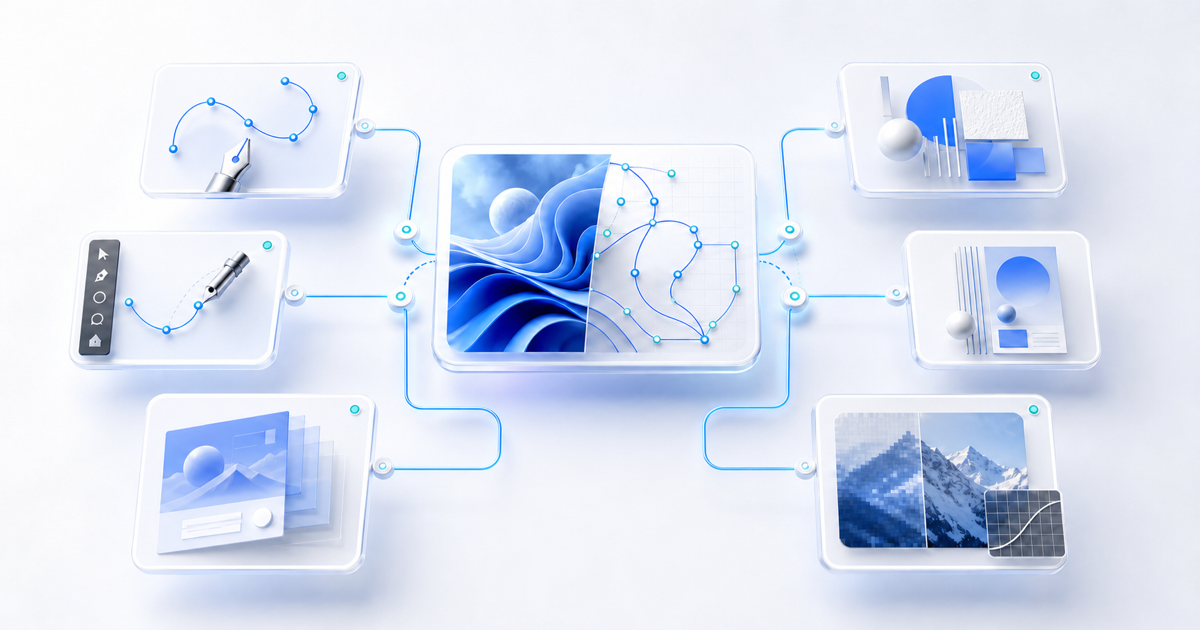
AI 이미지 생성 서비스라고 하면 Midjourney와 같은 도구를 먼저 떠올리기 쉽습니다. 하지만 Recraft는 일반적인 AI 이미지 생성기와는 조금 다른 방향을 가지고 있습니다.
Recraft는 사진이나 일러스트를 생성하는 것에 그치지 않고 SVG 벡터 생성, 벡터 편집, 이미지 편집, 배경 제거, Vectorize, Upscale, 브랜드 스타일 관리 등을 하나의 디자인 작업 환경에서 제공하는 것이 특징입니다. 특히 최신 Recraft V4.1 계열에서는 래스터와 벡터 모델을 함께 제공하고 있으며, Recraft Studio에서는 생성한 벡터의 포인트와 곡선까지 직접 수정할 수 있습니다.
그렇다면 Recraft와 비슷한 용도로 사용할 수 있는 서비스에는 무엇이 있을까요?
이번 글에서는 단순히 AI 이미지를 잘 만들어 주는 서비스를 나열하기보다 실제 디자인 작업에서 Recraft를 대체하거나 보완할 수 있는 주요 서비스를 살펴보겠습니다.
먼저 결론부터: Recraft와 가장 비슷한 서비스는?
현재 주요 서비스를 성격별로 정리하면 다음과 같습니다.
| 서비스 | 가장 적합한 용도 | Recraft와 비교했을 때의 특징 |
|---|---|---|
| Kittl | 벡터, 로고, 굿즈, 그래픽 디자인 | 가장 직접적인 Recraft 대안 |
| Adobe Firefly + Illustrator | 전문 벡터 디자인 | 벡터 편집 능력이 가장 강력 |
| Canva AI | SNS, 배너, 마케팅 디자인 | 완성된 디자인 제작에 강함 |
| Ideogram | 포스터, 타이포그래피, 광고 이미지 | 이미지 속 텍스트 표현에 강함 |
| Leonardo.Ai | 이미지 생성·편집·업스케일 | 다양한 AI 모델과 편집 기능 |
| Midjourney | 컨셉 아트, 비주얼 탐색 | 이미지의 미적 표현에 강함 |
이 가운데 Recraft와 기능적으로 가장 비슷한 서비스를 하나만 고른다면 Kittl을 우선적으로 살펴볼 만합니다.
반면 전문적인 SVG 작업이 중요하다면 Adobe Illustrator, 포스터와 타이포그래피가 중요하다면 Ideogram처럼 목적에 따라 선택이 달라집니다.
1. Kittl
Recraft와 가장 비슷한 AI 디자인 플랫폼
Recraft의 대안을 찾고 있다면 가장 먼저 확인해볼 만한 서비스가 Kittl입니다.
Kittl은 단순한 AI 이미지 생성기가 아니라 AI 기능을 결합한 그래픽 디자인 플랫폼입니다.
AI 이미지 생성뿐 아니라
- AI Vector Generator
- Vectorizer
- Background Remover
- Upscale
- Vector Editing
- Typography
- Mockup
- Template
- Brand Asset 제작
등을 하나의 편집 환경에서 제공합니다.
즉,
AI로 이미지 생성 → 벡터 변환 → 컬러 수정 → 텍스트 추가 → 목업 제작 → Export
와 같은 작업을 Kittl 하나에서 처리할 수 있습니다.
이 부분이 Recraft와 상당히 비슷합니다.
AI Vector Generator
특히 눈에 띄는 기능은 AI Vector Generator입니다.
텍스트 프롬프트를 입력하면 로고, 아이콘, 스티커, 라벨, 패키징 등에 사용할 수 있는 벡터 그래픽을 생성할 수 있습니다.
생성된 벡터는 Kittl Editor에서 다시
- 색상
- 형태
- 레이아웃
- 타이포그래피
- 테두리
- 그림자
등을 수정할 수 있습니다.
기존 PNG나 JPG 이미지를 벡터로 변환하는 AI Vectorizer도 제공하기 때문에 Recraft의 Vectorize 기능과도 상당히 유사합니다.
여러 AI 이미지 모델을 한곳에서 사용할 수 있다
Kittl의 또 다른 특징은 자체 기능뿐 아니라 여러 이미지 생성 모델을 하나의 작업 환경에서 사용할 수 있다는 것입니다.
2026년 Kittl은 ChatGPT Image, Google Imagen, FLUX, Ideogram 등 다양한 생성 모델을 Kittl Editor 안에서 제공하고 있습니다. Kittl은 모델마다 포토리얼리즘, 타이포그래피, 편집, 빠른 콘셉트 제작 등의 용도를 구분해 사용할 수 있도록 구성하고 있습니다.
따라서 여러 생성 서비스를 각각 방문하기보다 하나의 디자인 작업 공간에서 다양한 모델을 테스트하고 싶은 사용자에게 유용합니다.
Kittl이 적합한 경우
- 로고 제작
- SVG 일러스트 제작
- 티셔츠 및 굿즈 디자인
- 스티커 디자인
- 패키지 디자인
- 브랜드 그래픽 제작
- Print-on-Demand 작업
특히 Recraft의 벡터 생성 기능이 마음에 들었다면 Kittl도 테스트해볼 가치가 높습니다.
2. Adobe Firefly + Illustrator
전문적인 벡터 디자인이 필요하다면 가장 강력한 대안
Adobe 역시 생성형 AI 기능을 상당히 적극적으로 디자인 프로그램에 통합하고 있습니다.
Adobe Firefly는 이미지 생성과 Generative Fill 등의 AI 기능을 제공하고 있으며, Illustrator에서는 Firefly Vector Model을 기반으로 한 Text to Vector Graphic 기능을 사용할 수 있습니다.
간단한 텍스트 프롬프트를 입력하면
- Scene
- Subject
- Icon
형태의 벡터 그래픽을 생성할 수 있습니다.
생성된 결과물이 실제 Illustrator 벡터다
이 기능의 중요한 차이는 AI가 만들어낸 결과가 단순한 PNG 이미지가 아니라 Illustrator에서 직접 편집할 수 있는 벡터 오브젝트라는 점입니다.
생성한 그래픽은 확대해도 해상도가 떨어지지 않으며 각 요소를 다시 수정할 수 있습니다. 또한 기존 아트워크를 Style Reference로 사용해 비슷한 스타일의 새로운 그래픽을 생성하는 것도 가능합니다.
이 점에서는 Recraft와 매우 유사합니다.
하지만 접근 방식에는 차이가 있습니다.
Recraft가
AI 생성 → 디자인 편집
을 중심으로 만들어진 도구라면,
Illustrator는
전문 벡터 편집 프로그램 → AI 기능 추가
라는 성격이 강합니다.
Generative Expand와 Text to Pattern도 제공
현재 Illustrator의 생성형 AI 기능은 Text to Vector Graphic 이외에도
- Generative Expand
- Generative Shape Fill
- Text to Pattern
- Concept to Vector
- Generative Recolor
등으로 확장되어 있습니다.
따라서 생성 이후에 세밀한 패스 수정까지 해야 하는 전문 디자이너라면 Recraft보다 Illustrator가 더 적합할 수도 있습니다.
Adobe가 적합한 경우
- 전문 로고 제작
- SVG 아이콘 제작
- 패키지 디자인
- 인쇄 디자인
- 복잡한 벡터 일러스트
- AI 생성 후 정밀한 벡터 수정이 필요한 경우
벡터 편집의 자유도 자체를 중요하게 생각한다면 Adobe Illustrator는 여전히 가장 강력한 선택지 중 하나입니다.
3. Canva AI
AI 이미지보다 ‘완성된 디자인’ 제작에 강한 서비스
Canva 역시 최근 몇 년 사이 단순한 온라인 디자인 프로그램에서 대규모 AI 디자인 플랫폼으로 변화하고 있습니다.
2026년 발표된 Canva AI 2.0은 텍스트 명령으로 디자인을 생성하는 것을 넘어 레이아웃과 계층 구조를 이해하고, 각각의 요소가 분리된 상태로 편집 가능한 디자인을 생성하는 방향으로 발전했습니다.
이는 일반적인 AI 이미지 생성과 상당히 다른 접근입니다.
예를 들어
신제품 출시를 위한 Instagram 광고 디자인을 만들어줘.
라고 요청했을 때 단순히 한 장의 이미지로 만들어내는 것이 아니라 이미지, 텍스트, 레이아웃 등의 요소를 가진 디자인으로 구성하는 방식입니다.
AI 기반 이미지 편집 기능도 다양하다
Canva의 이미지 편집 도구에는 다음과 같은 AI 기능들이 포함되어 있습니다.
- Magic Edit
- Magic Eraser
- Magic Grab
- Background Remover
- Background Generator
- Image Upscaler
- Image to Video
등을 사용할 수 있습니다.
또한 Style Match를 이용하면 기존 디자인의 색상과 레이아웃, 분위기에 맞는 새로운 그래픽을 생성할 수 있습니다.
Recraft와 Canva의 차이
두 서비스의 방향은 약간 다릅니다.
Recraft는 이미지와 디자인 에셋 제작에 조금 더 집중되어 있습니다.
반면 Canva는 이미지뿐 아니라
- SNS 콘텐츠
- 프레젠테이션
- 포스터
- 문서
- 동영상
- 광고
- 웹 콘텐츠
등 최종 결과물 전체를 만드는 플랫폼에 가깝습니다.
Canva가 적합한 경우
- SNS 콘텐츠를 자주 만드는 경우
- 유튜브 썸네일 제작
- Instagram 광고 제작
- 기업 프레젠테이션
- 배너 디자인
- 브랜드 템플릿 관리
- 비디자이너가 빠르게 콘텐츠를 제작해야 하는 경우
따라서 Recraft에서 만든 이미지를 다시 다른 프로그램에서 배치하는 것이 번거롭다면 Canva의 통합적인 작업 방식이 더 편할 수 있습니다.
4. Ideogram
이미지 속 글자와 타이포그래피가 중요하다면
Ideogram도 Recraft와 자주 비교할 수 있는 AI 이미지 생성 서비스입니다.
Ideogram은 특히 이미지 안에 들어가는 텍스트와 타이포그래피 표현을 주요 강점으로 발전시켜 온 서비스입니다.
현재 Ideogram은 텍스트 렌더링, 프롬프트 준수, 이미지 편집, 투명 배경 생성, 스타일 제어 등을 주요 기능으로 제공하고 있습니다.
예를 들어 다음과 같은 디자인을 생성할 때 유용합니다.
Minimal coffee poster with large typography "GOOD MORNING" in the center
단순한 그림보다 텍스트가 포함된 포스터나 광고 크리에이티브에서 Ideogram의 장점이 드러납니다.
Canvas 기반 이미지 편집
Ideogram에도 Recraft와 비슷한 Canvas 형태의 이미지 작업 환경이 있습니다.
Canvas에서는
- Generate
- Remix
- Magic Fill
- Extend
- Text
- 이미지 결합
등을 사용할 수 있습니다.
Magic Fill은 특정 영역을 AI로 다시 만드는 Inpainting 기능이며, Extend는 기존 이미지 바깥 영역을 생성하는 Outpainting 기능입니다.
최신 Ideogram에서는 이외에도 배경 제거, Prompt Edit, Reframe, Upscale, 텍스트 레이어화 등의 후처리 기능을 제공하고 있습니다.
Recraft와 Ideogram의 차이
Recraft가
아이콘 + 일러스트 + 벡터 + 디자인 에셋
분야에서 강하다면,
Ideogram은
텍스트 + 포스터 + 광고 + 타이포그래피
분야에서 특히 경쟁력이 있습니다.
Ideogram이 적합한 경우
- 포스터
- 이벤트 배너
- 광고 이미지
- 앨범 커버
- 책 표지
- 패키지 컨셉
- 텍스트가 들어가는 AI 이미지
이미지에 글자를 정확하게 넣는 것이 중요한 프로젝트라면 반드시 비교해볼 만한 서비스입니다.
5. Leonardo.Ai
다양한 AI 모델과 편집 기능을 하나의 플랫폼에서
Leonardo.Ai는 이미지 생성뿐 아니라 이미지 편집과 Upscale, 영상 생성까지 제공하는 종합적인 생성형 미디어 플랫폼입니다.
2026년 Leonardo는 하나의 서비스 안에서
이미지 생성 → 이미지 편집 → Upscale → 영상 생성 및 편집
으로 이어지는 작업 흐름을 제공하고 있습니다.
자연어 기반 이미지 편집
Leonardo의 AI Editor에서는 기존 이미지를 업로드하거나 생성한 뒤 텍스트로 원하는 수정 사항을 설명할 수 있습니다.
예를 들어
Remove the plant from the left side.
또는
Replace the background with a modern office.
와 같은 방식으로 특정 오브젝트를 제거하거나 교체할 수 있습니다.
이러한 방식은 Recraft의 이미지 편집 워크플로와 상당히 유사합니다.
Upscale 기능도 강력하다
Leonardo는 생성된 이미지를 실제 제작에 사용할 수 있도록 별도의 Upscale 기능도 제공합니다.
2026년 현재 Leonardo의 Pro Upscaler는 Precise와 Creative 방식 등을 제공하며 대형 출력이나 고해상도 콘텐츠 제작을 위한 고해상도 변환을 지원하고 있습니다.
투명 배경 이미지 생성 기능 역시 지원합니다.
Leonardo.Ai가 적합한 경우
- 게임 캐릭터
- 컨셉 아트
- 제품 이미지
- 광고 이미지
- 이미지 변형
- 고해상도 Upscale
- 이미지에서 영상까지 제작하는 경우
다만 Recraft처럼 SVG 벡터 제작을 핵심으로 하는 서비스라기보다는 래스터 이미지 생성과 편집에 더 가까운 플랫폼이라고 보는 편이 정확합니다.
6. Midjourney
아름다운 이미지를 빠르게 탐색하고 싶다면
Midjourney도 Recraft의 비교 대상에서 빼기 어려운 서비스입니다.
Midjourney는 특히 강한 스타일과 분위기를 가진 이미지, 컨셉 아트, 패션 이미지, 제품 컨셉, 비주얼 아이디어 등을 빠르게 탐색할 때 많이 사용되는 생성형 이미지 서비스입니다.
현재 Midjourney는 웹 기반 작업 환경과 함께
- Remix
- Inpainting
- Pan
- Zoom Out
- Layers
- Retexture
- Upscale
등의 편집 기능을 제공합니다.
사용자가 선호하는 이미지 스타일을 학습해 결과에 적용하는 Personalization과 Moodboard 기반 스타일 기능도 제공됩니다.
Recraft와 Midjourney는 목적이 다르다
두 서비스를 비교할 때는 이 차이를 이해하는 것이 중요합니다.
Midjourney는 대체로
“어떤 이미지가 가장 멋진가?”
라는 문제에 강합니다.
반면 Recraft는
“이 이미지를 실제 디자인 에셋으로 어떻게 사용할 것인가?”
라는 문제에 더 집중되어 있습니다.
Recraft가 실제 SVG 벡터 모델과 벡터 편집 기능을 제공하는 반면, Midjourney의 공식 작업 흐름은 이미지 생성과 래스터 이미지 편집을 중심으로 구성되어 있습니다. 따라서 웹사이트 아이콘이나 편집 가능한 SVG가 최종 결과물이라면 Recraft 쪽이 훨씬 직접적인 선택이라고 볼 수 있습니다.
Midjourney가 적합한 경우
- 컨셉 아트
- 비주얼 아이데이션
- 패션 이미지
- 광고 컨셉
- 영화적인 이미지
- 분위기와 스타일 탐색
- 디자인 초기 Moodboard 제작
Recraft와 주요 서비스 비교
조금 더 단순하게 정리하면 다음과 같습니다.
벡터 이미지가 가장 중요하다
Recraft / Adobe Illustrator / Kittl
이 세 가지를 우선적으로 비교하는 것이 좋습니다.
Recraft는 AI 생성과 벡터 작업의 균형이 좋고, Illustrator는 전문 편집 기능이 강하며, Kittl은 생성부터 최종 그래픽 디자인까지 비교적 쉽게 처리할 수 있다는 차이가 있습니다.
포스터와 텍스트 표현이 중요하다
Ideogram
타이포그래피가 이미지의 핵심 요소라면 우선적으로 테스트해볼 만합니다.
SNS 콘텐츠를 빠르게 만들어야 한다
Canva
AI 이미지를 만드는 것보다 생성된 이미지를 이용해 실제 Instagram, YouTube, 광고, 프레젠테이션 콘텐츠를 완성하는 데 유리합니다.
AI 이미지 생성과 편집을 많이 한다
Leonardo.Ai
다양한 생성 모델과 이미지 편집, Upscale 등을 하나의 플랫폼에서 사용하기 편합니다.
이미지의 분위기와 미적 표현이 가장 중요하다
Midjourney
세밀한 벡터 작업보다는 초기 디자인 컨셉, 광고 비주얼, Moodboard, 예술적인 이미지 탐색에 적합합니다.
프론트엔드 개발자라면 무엇을 선택해야 할까?
웹 개발 프로젝트를 기준으로 생각하면 선택이 조금 더 명확해집니다.
예를 들어 웹사이트 제작에 필요한
- Feature Icon
- Hero Illustration
- SVG Illustration
- Empty State Image
- Product Graphic
- Background Image
- Landing Page Graphic
등을 제작한다면 Recraft 또는 Kittl이 상당히 실용적입니다.
특히 SVG가 최종 결과물이라면 Recraft, Kittl, Illustrator를 먼저 비교하는 것이 합리적입니다. 세 서비스 모두 벡터 생성 또는 벡터 편집을 주요 기능으로 제공하기 때문입니다.
반면 랜딩페이지에 사용할 강렬한 Hero Image를 찾는다면 Midjourney나 Leonardo.Ai를 함께 사용하는 방법도 좋습니다.
실무에서는 반드시 하나의 서비스를 선택할 필요도 없습니다.
예를 들어
Midjourney로 컨셉 탐색 → Recraft로 SVG 에셋 생성 → Figma에서 UI 구성
또는
Ideogram으로 포스터 시안 제작 → Canva에서 광고 콘텐츠 완성
과 같은 조합도 가능합니다.
어떤 서비스를 선택하면 좋을까?
Recraft를 완전히 대체할 수 있는 하나의 서비스가 있다고 보기는 어렵습니다.
각 서비스가 집중하는 영역이 다르기 때문입니다.
Recraft는 AI 이미지 생성과 실제 디자인 에셋 제작 사이의 균형이 강점입니다. 현재 래스터·벡터 생성, Vectorize, 배경 제거, Inpainting, Outpainting, Upscale 및 직접적인 벡터 편집 기능을 함께 제공한다는 점에서 독특한 위치를 차지하고 있습니다.
가장 비슷한 방향의 서비스를 찾는다면 Kittl을 먼저 살펴볼 만합니다.
전문적인 벡터 편집이 중요하다면 Adobe Illustrator, 포스터와 텍스트 표현이 중요하다면 Ideogram, 마케팅 콘텐츠 전체를 제작한다면 Canva, 다양한 이미지 생성과 편집을 원한다면 Leonardo.Ai, 강한 비주얼과 아이디어 탐색이 목적이라면 Midjourney가 적합합니다.
결국 중요한 것은 어떤 AI가 가장 유명한지가 아니라 최종 결과물로 무엇을 만들어야 하는가입니다.
마치며
AI 디자인 도구는 이제 단순히 텍스트를 입력하고 이미지를 한 장 만드는 단계를 넘어가고 있습니다.
최근 서비스들은 이미지 생성 이후에도
Generate → Edit → Vectorize → Upscale → Layout → Export
까지 하나의 작업 환경에서 처리할 수 있도록 발전하고 있습니다.
이러한 관점에서 보면 Recraft의 경쟁자는 단순히 Midjourney와 같은 AI 이미지 생성 서비스만이 아닙니다.
Kittl, Adobe Illustrator, Canva, Ideogram, Leonardo.Ai, Midjourney처럼 서로 다른 영역에서 AI와 디자인 워크플로를 결합하고 있는 서비스 전체가 비교 대상이라고 볼 수 있습니다.
특히 웹디자인이나 프론트엔드 개발에서 AI를 활용하려 한다면 단순한 이미지 품질만 비교하지 말고 SVG 지원 여부, 투명 배경, 편집 가능성, 스타일 일관성, Upscale, Export 형식까지 확인하는 것이 좋습니다.
AI가 멋진 이미지를 생성하는 것과 실제로 프로젝트에 사용할 수 있는 디자인 에셋을 만드는 것은 서로 다른 문제이기 때문입니다.
When people think of AI image generation, tools such as Midjourney often come to mind first. Recraft, however, takes a somewhat different approach.
Recraft goes beyond generating photos and illustrations. It combines SVG vector generation, vector editing, image editing, background removal, Vectorize, Upscale, and brand-style management in one design workspace. The latest Recraft V4.1 family includes both raster and vector models, and Recraft Studio now lets you edit vector points and curves directly.
So which services can fill a similar role?
Rather than listing tools that simply generate good AI images, this guide looks at the main services that can replace or complement Recraft in real design work.
The short answer: which service is most similar to Recraft?
Here is a quick overview by primary use.
| Service | Best suited for | Compared with Recraft |
|---|---|---|
| Kittl | Vectors, logos, merchandise, graphic design | The most direct Recraft alternative |
| Adobe Firefly + Illustrator | Professional vector design | The strongest vector-editing capability |
| Canva AI | Social, banners, marketing design | Strong at producing finished designs |
| Ideogram | Posters, typography, ad images | Strong at rendering text inside images |
| Leonardo.Ai | Image generation, editing, and upscaling | Broad model and editing selection |
| Midjourney | Concept art and visual exploration | Strong aesthetic expression |
If you want one service that is functionally closest to Recraft, Kittl is the first one to examine.
If professional SVG work matters most, choose Adobe Illustrator. If posters and typography matter most, Ideogram may be a better fit. The right choice depends on the intended output.
1. Kittl
The AI design platform most similar to Recraft
If you need an alternative to Recraft, Kittl is one of the first services to consider.
Kittl is not merely an AI image generator. It is a graphic design platform with integrated AI features.
Its editor brings together:
- AI Vector Generator
- Vectorizer
- Background Remover
- Upscale
- Vector Editing
- Typography
- Mockup
- Templates
- Brand asset creation
This supports a workflow such as:
Generate an image with AI → convert it to vector → change colors → add text → create a mockup → export
That makes it quite similar to Recraft.
AI Vector Generator
The AI Vector Generator is especially notable.
Enter a text prompt and it can create vector graphics for logos, icons, stickers, labels, packaging, and related uses.
The generated vectors can be edited again in Kittl Editor:
- Colors
- Shapes
- Layout
- Typography
- Borders
- Shadows
Kittl also provides an AI Vectorizer that turns existing PNG or JPG files into vectors, making it comparable to Recraft’s Vectorize feature.
Multiple AI image models in one workspace
Another Kittl strength is the ability to access multiple image-generation models in one design environment.
In 2026, Kittl offers models from several providers inside Kittl Editor, with options suited to photorealism, typography, editing, and rapid concept work.
This is useful when you want to test several generation approaches without visiting each service separately.
Kittl is suitable for
- Logo design
- SVG illustrations
- T-shirts and merchandise
- Sticker design
- Packaging
- Brand graphics
- Print-on-Demand work
If you like Recraft’s vector-generation workflow, Kittl is well worth testing.
2. Adobe Firefly + Illustrator
The strongest option for professional vector design
Adobe has been integrating generative AI deeply into its design applications.
Adobe Firefly provides image generation and Generative Fill, while Illustrator uses Firefly-powered Text to Vector Graphic to create vector graphics from prompts.
You can generate vectors in formats such as:
- Scene
- Subject
- Icon
The result is a real Illustrator vector
The key difference is that the generated result is not a flat PNG. It is a vector object that can be edited directly in Illustrator.
It remains sharp at any scale, and individual elements can be revised. Existing artwork can also be used as a Style Reference to guide new graphics.
This resembles Recraft, but the products start from different places.
Recraft is centered on:
AI generation → design editing
Illustrator is centered on:
professional vector editor → AI features added
Generative Expand and Text to Pattern
Illustrator’s current generative tools extend beyond Text to Vector Graphic:
- Generative Expand
- Generative Shape Fill
- Text to Pattern
- Concept to Vector
- Generative Recolor
For professional designers who need precise path editing after generation, Illustrator can be a stronger choice than Recraft.
Adobe is suitable for
- Professional logo design
- SVG icon production
- Packaging
- Print design
- Complex vector illustration
- Detailed vector revision after AI generation
If vector-editing freedom is the priority, Adobe Illustrator remains one of the strongest options.
3. Canva AI
Better at finished designs than isolated AI images
Canva has evolved from a simple online design tool into a broad AI design platform.
Announced in 2026, Canva AI 2.0 goes beyond generating a design from text. It understands layout and hierarchy and creates designs from separate, editable elements.
That is quite different from conventional AI image generation.
For a request such as:
Create an Instagram ad for a new product launch.
Canva can produce a design made of editable image, text, and layout elements instead of one flattened picture.
A broad set of AI image-editing tools
Canva’s image editor includes features such as:
- Magic Edit
- Magic Eraser
- Magic Grab
- Background Remover
- Background Generator
- Image Upscaler
- Image to Video
Style Match can also generate new graphics that fit the colors, layout, and mood of an existing design.
Recraft vs. Canva
The two products emphasize different outcomes.
Recraft focuses more on creating images and design assets.
Canva is closer to a platform for completing whole deliverables:
- Social content
- Presentations
- Posters
- Documents
- Video
- Advertising
- Web content
Canva is suitable for
- Frequent social content
- YouTube thumbnails
- Instagram ads
- Corporate presentations
- Banner design
- Brand template management
- Fast production by non-designers
If arranging a Recraft image in another application feels cumbersome, Canva’s integrated workflow may be more convenient.
4. Ideogram
When in-image text and typography matter
Ideogram is another service frequently compared with Recraft.
Its major strength is text and typography inside generated images.
Current Ideogram tools emphasize text rendering, prompt adherence, image editing, transparent backgrounds, and style control.
For example:
Minimal coffee poster with large typography "GOOD MORNING" in the center
Ideogram’s advantage becomes clear in posters and advertising creatives where text is part of the image.
Canvas-based image editing
Ideogram also provides a Canvas workspace similar in concept to Recraft.
Canvas includes:
- Generate
- Remix
- Magic Fill
- Extend
- Text
- Image compositing
Magic Fill is an inpainting tool for regenerating selected areas. Extend is an outpainting tool for creating content beyond the original frame.
Other post-processing options include background removal, reframing, upscaling, and additional image-editing controls.
Recraft vs. Ideogram
Recraft is strongest around:
icons + illustrations + vectors + design assets
Ideogram is especially competitive around:
text + posters + advertising + typography
Ideogram is suitable for
- Posters
- Event banners
- Advertising images
- Album covers
- Book covers
- Packaging concepts
- AI images containing text
If accurate text inside the image is central to the project, Ideogram belongs on the shortlist.
5. Leonardo.Ai
Multiple AI models and editing tools in one platform
Leonardo.Ai is a broad generative media platform offering image generation, image editing, upscaling, and video tools.
Its 2026 workflow can cover:
image generation → image editing → upscale → video generation and editing
Natural-language image editing
In Leonardo’s AI Editor, upload or generate an image and describe the change in text.
For example:
Remove the plant from the left side.
or:
Replace the background with a modern office.
This makes it possible to remove or replace objects in a way that resembles Recraft’s editing workflow.
Strong upscaling
Leonardo also provides dedicated upscaling for production use.
Its current Pro Upscaler offers Precise and Creative modes for high-resolution digital work, print, and large-format output.
Transparent-background generation is also available.
Leonardo.Ai is suitable for
- Game characters
- Concept art
- Product images
- Advertising images
- Image variations
- High-resolution upscaling
- Workflows that continue from image to video
Leonardo is better understood as a raster-generation and editing platform than as a service centered on SVG vector production.
6. Midjourney
For rapid exploration of beautiful imagery
Midjourney remains an important comparison.
It is widely used to explore images with strong style and atmosphere, including concept art, fashion imagery, product concepts, and visual directions.
Its web-based workflow includes tools such as:
- Remix
- Inpainting
- Pan
- Zoom Out
- Layers
- Retexture
- Upscale
Personalization and Moodboards can also guide results toward a preferred visual style.
Recraft and Midjourney solve different problems
The distinction is important.
Midjourney is generally strong at answering:
“Which image looks most compelling?”
Recraft focuses more on:
“How can this image become a usable design asset?”
Recraft provides true SVG vector models and direct vector editing. Midjourney’s official workflow centers on image generation and raster editing. If the final deliverable is a website icon or editable SVG, Recraft is the more direct choice.
Midjourney is suitable for
- Concept art
- Visual ideation
- Fashion imagery
- Advertising concepts
- Cinematic images
- Exploring atmosphere and style
- Early design moodboards
Comparing Recraft with the main alternatives
Here is a simpler decision guide.
Vector images are the top priority
Recraft / Adobe Illustrator / Kittl
Compare these three first.
Recraft balances AI generation and vector work. Illustrator offers professional editing depth. Kittl makes it relatively easy to go from generation to a finished graphic design.
Posters and text rendering matter most
Ideogram
It is a strong first test when typography is the central visual element.
You need to produce social content quickly
Canva
It is better suited to completing Instagram, YouTube, advertising, and presentation content than to generating a standalone image alone.
You do a lot of AI image generation and editing
Leonardo.Ai
It brings multiple models, editing, and upscaling into one platform.
Mood and visual aesthetics matter most
Midjourney
It is better for initial concepts, advertising visuals, moodboards, and artistic exploration than detailed vector work.
What should a frontend developer choose?
The answer becomes clearer when viewed through a web-development project.
For assets such as:
- Feature Icon
- Hero Illustration
- SVG Illustration
- Empty State Image
- Product Graphic
- Background Image
- Landing Page Graphic
Recraft or Kittl can be highly practical.
If SVG is the final format, compare Recraft, Kittl, and Illustrator first. All three treat vector generation or vector editing as a major capability.
For a striking landing-page Hero Image, Midjourney or Leonardo.Ai can complement them.
You also do not have to choose only one service.
For example:
Explore concepts in Midjourney → create SVG assets in Recraft → assemble the UI in Figma
or:
Create poster concepts in Ideogram → finish the advertising content in Canva
Which service should you choose?
No single service completely replaces Recraft because each emphasizes a different part of the workflow.
Recraft is strong at balancing AI image generation with usable design-asset production. It combines raster and vector generation, Vectorize, background removal, inpainting, outpainting, upscaling, and direct vector editing.
For the most similar direction, examine Kittl first.
Choose Adobe Illustrator for professional vector editing, Ideogram for posters and text, Canva for complete marketing content, Leonardo.Ai for broad image generation and editing, and Midjourney for striking visuals and idea exploration.
The important question is not which AI is most famous, but what the final deliverable needs to be.
Final thoughts
AI design tools are moving beyond the stage of entering text and receiving a single image.
More services now support an end-to-end process:
Generate → Edit → Vectorize → Upscale → Layout → Export
From this perspective, Recraft’s competitors are not limited to image generators such as Midjourney.
The comparison includes the broader group of tools combining AI with design workflows: Kittl, Adobe Illustrator, Canva, Ideogram, Leonardo.Ai, and Midjourney.
For web design and frontend development, do not compare image quality alone. Check SVG support, transparent backgrounds, editability, style consistency, upscaling, and export formats.
Generating a compelling image and producing a design asset that can actually ship in a project are two different problems.
提到 AI 图像生成,人们往往首先想到 Midjourney 等工具。但 Recraft 走的是一条略有不同的路线。
Recraft 不只生成照片和插画,还在同一设计工作空间中提供 SVG 矢量生成、矢量编辑、图像编辑、背景移除、Vectorize、Upscale 和品牌风格管理。最新 Recraft V4.1 系列同时包含栅格与矢量模型,Recraft Studio 还可以直接修改矢量锚点和曲线。
那么,有哪些服务能用于类似的工作?
本文不只是罗列“图片生成得好”的工具,而是比较能够在 实际设计工作中替代或补充 Recraft 的主要服务。
先说结论:哪款服务最接近 Recraft?
按主要用途可以这样整理。
| 服务 | 最适合的用途 | 与 Recraft 相比的特点 |
|---|---|---|
| Kittl | 矢量、标志、周边和图形设计 | 最直接的 Recraft 替代方案 |
| Adobe Firefly + Illustrator | 专业矢量设计 | 矢量编辑能力最强 |
| Canva AI | 社交媒体、横幅和营销设计 | 擅长制作完整设计 |
| Ideogram | 海报、字体排版和广告图 | 擅长图像内文字 |
| Leonardo.Ai | 图像生成、编辑和放大 | 模型与编辑功能丰富 |
| Midjourney | 概念艺术和视觉探索 | 美学表现力强 |
如果只选一款在功能方向上最像 Recraft 的服务,可以先看 Kittl。
如果专业 SVG 工作最重要,应选择 Adobe Illustrator;如果海报和字体排版最重要,则可以优先考虑 Ideogram。最终选择取决于交付物。
1. Kittl
最接近 Recraft 的 AI 设计平台
寻找 Recraft 替代方案时,Kittl 是首先值得考察的服务之一。
Kittl 不只是 AI 图像生成器,而是一个 整合 AI 功能的图形设计平台。
其编辑环境包括:
- AI Vector Generator
- Vectorizer
- Background Remover
- Upscale
- Vector Editing
- Typography
- Mockup
- Templates
- 品牌资产制作
因此可以在 Kittl 中完成:
AI 生成图像 → 转换为矢量 → 修改颜色 → 添加文字 → 制作样机 → 导出
这与 Recraft 的工作方式非常相似。
AI Vector Generator
其中最值得注意的是 AI Vector Generator。
输入文字提示词后,可以生成适用于标志、图标、贴纸、标签和包装的矢量图形。
生成的矢量可在 Kittl Editor 中继续修改:
- 颜色
- 形状
- 布局
- 字体排版
- 边框
- 阴影
Kittl 还提供 AI Vectorizer,可把已有 PNG 或 JPG 转成矢量,与 Recraft 的 Vectorize 功能很接近。
在同一空间使用多个 AI 图像模型
Kittl 的另一个特点,是可以在一个设计环境中访问多个图像生成模型。
2026 年的 Kittl Editor 提供来自多个厂商的模型,可分别用于写实图像、字体排版、编辑和快速概念制作。
如果不想逐个访问不同生成服务,而希望集中测试多种模型,这种方式很方便。
Kittl 适合
- 标志设计
- SVG 插画
- T 恤和周边
- 贴纸设计
- 包装设计
- 品牌图形
- Print-on-Demand
如果你喜欢 Recraft 的矢量生成流程,Kittl 值得测试。
2. Adobe Firefly + Illustrator
专业矢量设计的强力方案
Adobe 正在积极把生成式 AI 整合进设计软件。
Adobe Firefly 提供图像生成和 Generative Fill,Illustrator 则通过 Firefly 驱动的 Text to Vector Graphic 根据提示词生成矢量图。
可以生成:
- Scene
- Subject
- Icon
生成结果是真正的 Illustrator 矢量对象
关键区别在于,输出不是扁平 PNG,而是 可在 Illustrator 中直接编辑的矢量对象。
放大时不会降低清晰度,各个元素也能继续修改。还可以把现有作品作为 Style Reference,生成风格相近的新图形。
这一点与 Recraft 很相似,但出发点不同。
Recraft 以:
AI 生成 → 设计编辑
为中心。
Illustrator 更像:
专业矢量编辑器 → 加入 AI 功能
Generative Expand 与 Text to Pattern
Illustrator 当前的生成式功能还包括:
- Generative Expand
- Generative Shape Fill
- Text to Pattern
- Concept to Vector
- Generative Recolor
如果生成后还要精细修改路径,Illustrator 可能比 Recraft 更适合专业设计师。
Adobe 适合
- 专业标志设计
- SVG 图标制作
- 包装设计
- 印刷设计
- 复杂矢量插画
- AI 生成后的精细矢量修改
如果最看重矢量编辑自由度,Adobe Illustrator 仍是最强选择之一。
3. Canva AI
比单张 AI 图片更擅长完整设计
Canva 已从简单的在线设计工具发展成大型 AI 设计平台。
2026 年发布的 Canva AI 2.0 不只根据文字生成画面,还能理解布局与层级,并以彼此独立、可编辑的元素构建设计。
这与传统 AI 图像生成有明显不同。
例如输入:
为新产品发布制作一张 Instagram 广告。
Canva 可以输出由图像、文字和布局元素组成的可编辑设计,而不是一张扁平图片。
丰富的 AI 图像编辑功能
Canva 的图像编辑器包括:
- Magic Edit
- Magic Eraser
- Magic Grab
- Background Remover
- Background Generator
- Image Upscaler
- Image to Video
Style Match 还能根据现有设计的颜色、布局和氛围生成匹配的新图形。
Recraft 与 Canva 的区别
两者侧重点不同。
Recraft 更关注 图像与设计资产的制作。
Canva 更接近完成整体交付物的平台:
- 社交媒体内容
- 演示文稿
- 海报
- 文档
- 视频
- 广告
- 网页内容
Canva 适合
- 经常制作社交内容
- YouTube 缩略图
- Instagram 广告
- 企业演示文稿
- 横幅设计
- 品牌模板管理
- 非设计师快速制作内容
如果把 Recraft 生成的图像再放到别的软件中排版很麻烦,Canva 的一体化方式可能更方便。
4. Ideogram
当图像内文字和字体排版最重要
Ideogram 也是常与 Recraft 比较的 AI 图像服务。
它的主要优势是生成图像中的 文字与字体排版。
当前 Ideogram 工具重点提供文字渲染、提示词遵循、图像编辑、透明背景和风格控制。
例如:
Minimal coffee poster with large typography "GOOD MORNING" in the center
在 以文字为画面核心的海报和广告创意 中,Ideogram 的优势很明显。
基于 Canvas 的图像编辑
Ideogram 也有类似 Recraft 的 Canvas 工作空间。
Canvas 包括:
- Generate
- Remix
- Magic Fill
- Extend
- Text
- 图像合成
Magic Fill 是重绘指定区域的 Inpainting 工具,Extend 则用于生成原图边界之外的 Outpainting 内容。
其他后期功能还包括背景移除、重新构图、放大和更多图像编辑控制。
Recraft 与 Ideogram 的区别
Recraft 更擅长:
图标 + 插画 + 矢量 + 设计资产
Ideogram 更具竞争力的领域是:
文字 + 海报 + 广告 + 字体排版
Ideogram 适合
- 海报
- 活动横幅
- 广告图
- 专辑封面
- 书籍封面
- 包装概念
- 含文字的 AI 图像
如果准确呈现图像内文字是项目核心,应把 Ideogram 列入候选。
5. Leonardo.Ai
在一个平台中使用多种模型与编辑功能
Leonardo.Ai 是综合型生成媒体平台,提供图像生成、编辑、放大和视频工具。
2026 年的工作流可以覆盖:
图像生成 → 图像编辑 → Upscale → 视频生成与编辑
自然语言图像编辑
在 Leonardo 的 AI Editor 中,可以上传或生成图像,再用文字说明修改要求。
例如:
Remove the plant from the left side.
或:
Replace the background with a modern office.
这样可以移除或替换对象,流程与 Recraft 的图像编辑方式相似。
强大的 Upscale
Leonardo 还提供面向制作的专用放大功能。
当前 Pro Upscaler 提供 Precise 与 Creative 模式,适合高分辨率数字内容、印刷和大型输出。
它也支持生成透明背景图像。
Leonardo.Ai 适合
- 游戏角色
- 概念艺术
- 产品图
- 广告图
- 图像变体
- 高分辨率放大
- 从图像继续制作视频
与其说 Leonardo 以 SVG 矢量制作为核心,不如说它更接近栅格图像生成与编辑平台。
6. Midjourney
快速探索美观图像
Midjourney 也是不可忽略的比较对象。
它常用于快速探索具有强烈风格与氛围的图像,包括概念艺术、时尚图像、产品概念和视觉方向。
其网页工作流包括:
- Remix
- Inpainting
- Pan
- Zoom Out
- Layers
- Retexture
- Upscale
Personalization 和 Moodboards 还能让结果贴近用户偏好的视觉风格。
Recraft 与 Midjourney 解决的问题不同
理解这一点很重要。
Midjourney 大体擅长回答:
“哪张图最有吸引力?”
Recraft 更关注:
“怎样把这张图变成可用的设计资产?”
Recraft 提供真正的 SVG 矢量模型和直接矢量编辑;Midjourney 的官方流程以图像生成与栅格编辑为中心。因此,如果最终交付物是网站图标或可编辑 SVG,Recraft 更直接。
Midjourney 适合
- 概念艺术
- 视觉构思
- 时尚图像
- 广告概念
- 电影感图像
- 氛围与风格探索
- 设计初期 Moodboard
Recraft 与主要服务对比
可以进一步简化为以下选择方式。
矢量图最重要
Recraft / Adobe Illustrator / Kittl
优先比较这三款。
Recraft 在 AI 生成与矢量工作间较均衡;Illustrator 的专业编辑能力最强;Kittl 则更容易从生成一路做到完整图形设计。
海报与文字表现最重要
Ideogram
当字体排版是画面核心时,可以优先测试。
需要快速制作社交内容
Canva
相比只生成单张图片,它更适合完成 Instagram、YouTube、广告和演示文稿内容。
经常进行 AI 图像生成与编辑
Leonardo.Ai
可在同一平台使用多种模型、编辑和放大工具。
最看重氛围与视觉美感
Midjourney
相比精细矢量工作,它更适合初期概念、广告视觉、Moodboard 和艺术探索。
前端开发者应该选什么?
从网页开发项目出发,选择会更清晰。
如果需要制作:
- Feature Icon
- Hero Illustration
- SVG Illustration
- Empty State Image
- Product Graphic
- Background Image
- Landing Page Graphic
Recraft 或 Kittl 都很实用。
如果最终格式是 SVG,应先比较 Recraft、Kittl 与 Illustrator。这三款都把矢量生成或矢量编辑作为主要能力。
如果需要强烈的落地页 Hero Image,也可以配合 Midjourney 或 Leonardo.Ai。
实际工作中也不必只选一种服务。
例如:
在 Midjourney 探索概念 → 在 Recraft 生成 SVG 资产 → 在 Figma 组装 UI
或者:
在 Ideogram 制作海报方案 → 在 Canva 完成广告内容
应该选择哪一款服务?
不存在能够完全替代 Recraft 的单一服务,因为各自关注的工作阶段不同。
Recraft 的优势是平衡 AI 图像生成与可用设计资产制作。它把栅格与矢量生成、Vectorize、背景移除、Inpainting、Outpainting、Upscale 和直接矢量编辑结合在一起。
如果寻找方向最相似的产品,可先看 Kittl。
专业矢量编辑选择 Adobe Illustrator,海报和文字选择 Ideogram,完整营销内容选择 Canva,广泛图像生成与编辑选择 Leonardo.Ai,强视觉与创意探索选择 Midjourney。
关键不在于哪款 AI 最有名,而在于 最终要交付什么。
结语
AI 设计工具已经不再停留在输入文字、得到一张图片的阶段。
越来越多的服务支持完整流程:
Generate → Edit → Vectorize → Upscale → Layout → Export
从这个角度看,Recraft 的竞争者并不只是 Midjourney 这样的 AI 图像生成器。
比较范围还包括把 AI 与设计工作流结合的 Kittl、Adobe Illustrator、Canva、Ideogram、Leonardo.Ai 和 Midjourney。
在网页设计与前端开发中,不要只比较画质,还要检查 SVG 支持、透明背景、可编辑性、风格一致性、Upscale 和导出格式。
生成一张漂亮图片,与制作一个 能够真正用于项目的设计资产,是两个不同的问题。
AI画像生成と聞くと、まずMidjourneyのようなツールを思い浮かべる人が多いでしょう。しかし Recraft は、一般的な画像生成ツールとは少し異なる方向を目指しています。
Recraftは写真やイラストの生成だけでなく、SVGベクター生成、ベクター編集、画像編集、背景除去、Vectorize、Upscale、ブランドスタイル管理を1つのデザイン環境で提供します。最新のRecraft V4.1系にはラスターとベクターの両モデルがあり、Recraft Studioではベクターのポイントや曲線も直接編集できます。
では、同じような目的で使えるサービスには何があるのでしょうか。
この記事では単にAI画像の品質が高いサービスを並べるのではなく、実際のデザイン業務でRecraftを代替または補完できる主要サービスを比較します。
先に結論:Recraftに最も近いサービスは?
主な用途別に整理すると次のようになります。
| サービス | 最適な用途 | Recraftと比べた特徴 |
|---|---|---|
| Kittl | ベクター、ロゴ、グッズ、グラフィックデザイン | 最も直接的なRecraft代替 |
| Adobe Firefly + Illustrator | プロ向けベクターデザイン | ベクター編集力が最も強い |
| Canva AI | SNS、バナー、マーケティングデザイン | 完成デザインの制作に強い |
| Ideogram | ポスター、タイポグラフィ、広告画像 | 画像内テキストに強い |
| Leonardo.Ai | 画像生成・編集・アップスケール | モデルと編集機能が豊富 |
| Midjourney | コンセプトアート、ビジュアル探索 | 美的表現に強い |
機能面でRecraftに最も近いものを1つ選ぶなら、まず Kittl を確認するとよいでしょう。
専門的なSVG作業が重要ならAdobe Illustrator、ポスターやタイポグラフィが重要ならIdeogramというように、最適な選択は成果物によって変わります。
1. Kittl
Recraftに最も近いAIデザインプラットフォーム
Recraftの代替を探すなら、最初に検討したいサービスの1つが Kittl です。
Kittlは単なるAI画像生成ツールではなく、AI機能を統合したグラフィックデザインプラットフォームです。
エディターには次の機能があります。
- AI Vector Generator
- Vectorizer
- Background Remover
- Upscale
- Vector Editing
- Typography
- Mockup
- Templates
- ブランドアセット制作
つまり、
AIで画像生成 → ベクター変換 → 色の修正 → テキスト追加 → モックアップ制作 → Export
という流れをKittl内で完結できます。
この点がRecraftとよく似ています。
AI Vector Generator
特に注目したいのが AI Vector Generator です。
テキストプロンプトから、ロゴ、アイコン、ステッカー、ラベル、パッケージなどに使えるベクターグラフィックを生成できます。
生成したベクターはKittl Editorで再編集できます。
- 色
- 形
- レイアウト
- タイポグラフィ
- 枠線
- 影
PNGやJPGをベクターに変換するAI Vectorizerもあり、RecraftのVectorizeに近い機能です。
複数のAI画像モデルを1つの環境で使える
Kittlのもう1つの特徴は、複数の画像生成モデルを同じデザイン環境から利用できることです。
2026年のKittl Editorでは複数企業のモデルが提供され、フォトリアル、タイポグラフィ、編集、素早いコンセプト制作など、目的に応じて使い分けられます。
複数の生成サービスを個別に開かず、1つのワークスペースで試したい人に便利です。
Kittlが適しているケース
- ロゴ制作
- SVGイラスト
- Tシャツやグッズ
- ステッカーデザイン
- パッケージ
- ブランドグラフィック
- Print-on-Demand
Recraftのベクター生成が気に入ったなら、Kittlも試す価値があります。
2. Adobe Firefly + Illustrator
プロのベクターデザインに強い選択肢
Adobeも生成AIを積極的にデザインアプリへ統合しています。
Adobe Fireflyは画像生成やGenerative Fillを提供し、IllustratorではFireflyを利用した Text to Vector Graphic でプロンプトからベクターを生成できます。
生成タイプには次があります。
- Scene
- Subject
- Icon
出力は実際のIllustratorベクター
重要なのは、生成結果が単なるPNGではなく、Illustratorで直接編集できるベクターオブジェクトであることです。
拡大しても劣化せず、各要素を修正できます。既存アートワークをStyle Referenceとして使い、近いスタイルの新しいグラフィックを作ることも可能です。
この点はRecraftと似ていますが、出発点が異なります。
Recraftは、
AI生成 → デザイン編集
が中心です。
Illustratorは、
プロ向けベクター編集ソフト → AI機能を追加
という性格です。
Generative ExpandとText to Pattern
Illustratorの生成AI機能はさらに広がっています。
- Generative Expand
- Generative Shape Fill
- Text to Pattern
- Concept to Vector
- Generative Recolor
生成後に細かなパス修正が必要なプロデザイナーには、Illustratorの方が適する場合があります。
Adobeが適しているケース
- プロのロゴ制作
- SVGアイコン
- パッケージデザイン
- 印刷デザイン
- 複雑なベクターイラスト
- AI生成後の精密なベクター修正
ベクター編集の自由度を最優先するなら、Adobe Illustratorは今も非常に強い選択肢です。
3. Canva AI
単体のAI画像より完成デザインに強い
Canvaはシンプルなオンラインデザインツールから、大規模なAIデザインプラットフォームへ発展しています。
2026年に発表された Canva AI 2.0 は、テキストからデザインを生成するだけでなく、レイアウトと階層を理解し、個別に編集できる要素からデザインを構築します。
これは一般的なAI画像生成とは異なるアプローチです。
たとえば、
新製品発売用のInstagram広告を作って。
と頼むと、1枚の平面画像ではなく、画像、テキスト、レイアウトを持つ編集可能なデザインとして作成できます。
AI画像編集機能も豊富
Canvaの画像エディターには次のような機能があります。
- Magic Edit
- Magic Eraser
- Magic Grab
- Background Remover
- Background Generator
- Image Upscaler
- Image to Video
Style Matchを使えば、既存デザインの色、レイアウト、雰囲気に合わせたグラフィックも生成できます。
RecraftとCanvaの違い
両者の重点は少し異なります。
Recraftは 画像とデザインアセットの制作 により集中しています。
Canvaは次のような完成成果物全体を作るプラットフォームに近い存在です。
- SNSコンテンツ
- プレゼンテーション
- ポスター
- 文書
- 動画
- 広告
- Webコンテンツ
Canvaが適しているケース
- SNSコンテンツを頻繁に作る
- YouTubeサムネイル
- Instagram広告
- 企業プレゼンテーション
- バナーデザイン
- ブランドテンプレート管理
- 非デザイナーによる素早い制作
Recraftで作った画像を別アプリで配置する手間を減らしたいなら、Canvaの統合ワークフローが便利です。
4. Ideogram
画像内の文字とタイポグラフィが重要な場合
Ideogram もRecraftと比較されるAI画像サービスです。
最大の強みは、画像内の テキストとタイポグラフィ です。
現在のIdeogramは、テキストレンダリング、プロンプト順守、画像編集、透明背景、スタイル制御を重視しています。
たとえば、
Minimal coffee poster with large typography "GOOD MORNING" in the center
のような 文字入りポスターや広告クリエイティブ で強みが発揮されます。
Canvasベースの画像編集
IdeogramにもRecraftに似たCanvas型ワークスペースがあります。
Canvasでは次を利用できます。
- Generate
- Remix
- Magic Fill
- Extend
- Text
- 画像合成
Magic Fillは指定領域を再生成するInpainting、Extendは画像外を生成するOutpainting機能です。
背景除去、リフレーム、アップスケールなどの後処理機能も用意されています。
RecraftとIdeogramの違い
Recraftが強い領域は、
アイコン + イラスト + ベクター + デザインアセット
です。
Ideogramが特に競争力を持つのは、
テキスト + ポスター + 広告 + タイポグラフィ
です。
Ideogramが適しているケース
- ポスター
- イベントバナー
- 広告画像
- アルバムカバー
- 書籍表紙
- パッケージ案
- 文字入りAI画像
画像内の文字精度が重要なら、Ideogramは候補に入れるべきです。
5. Leonardo.Ai
複数モデルと編集機能を1つのプラットフォームで
Leonardo.Aiは、画像生成、編集、アップスケール、動画を扱う総合的な生成メディアプラットフォームです。
2026年のワークフローでは、
画像生成 → 画像編集 → Upscale → 動画生成・編集
まで扱えます。
自然言語による画像編集
LeonardoのAI Editorでは画像をアップロードまたは生成し、修正内容をテキストで説明できます。
たとえば、
Remove the plant from the left side.
または、
Replace the background with a modern office.
のように指示して、オブジェクトを削除・置換できます。Recraftの編集フローとよく似ています。
強力なUpscale
Leonardoには制作向けの専用アップスケールもあります。
現在のPro UpscalerはPreciseとCreativeモードを提供し、高解像度のデジタル制作、印刷、大判出力に対応します。
透明背景画像の生成も可能です。
Leonardo.Aiが適しているケース
- ゲームキャラクター
- コンセプトアート
- 製品画像
- 広告画像
- 画像バリエーション
- 高解像度Upscale
- 画像から動画へ進む制作
LeonardoはSVGベクター制作を中心とするサービスというより、ラスター画像生成・編集プラットフォームと考える方が正確です。
6. Midjourney
美しい画像を素早く探索したい場合
Midjourneyも重要な比較対象です。
強いスタイルや雰囲気を持つ画像、コンセプトアート、ファッション画像、製品コンセプト、ビジュアル方向性を素早く探す用途で広く使われています。
Webワークフローには次の機能があります。
- Remix
- Inpainting
- Pan
- Zoom Out
- Layers
- Retexture
- Upscale
PersonalizationやMoodboardsを使えば、好みのスタイルに結果を寄せられます。
RecraftとMidjourneyは解く問題が違う
この違いを理解することが重要です。
Midjourneyは主に、
「どの画像が最も魅力的か?」
という問いに強いツールです。
Recraftは、
「この画像をどう実用的なデザインアセットにするか?」
により集中しています。
Recraftは実際のSVGベクターモデルと直接編集機能を提供します。Midjourneyの公式ワークフローは画像生成とラスター編集が中心です。最終成果物がWebアイコンや編集可能なSVGなら、Recraftの方が直接的です。
Midjourneyが適しているケース
- コンセプトアート
- ビジュアルアイデア
- ファッション画像
- 広告コンセプト
- 映画的な画像
- 雰囲気とスタイル探索
- 初期Moodboard
Recraftと主要サービスの比較
より簡単に選ぶなら次のようになります。
ベクター画像が最重要
Recraft / Adobe Illustrator / Kittl
この3つを優先して比較します。
RecraftはAI生成とベクター作業のバランス、Illustratorはプロ編集機能、Kittlは生成から完成グラフィックまでの扱いやすさが強みです。
ポスターと文字表現が重要
Ideogram
タイポグラフィが画面の中心なら、まず試す価値があります。
SNSコンテンツを素早く作りたい
Canva
単体画像の生成より、Instagram、YouTube、広告、プレゼンテーションの完成に向いています。
AI画像生成と編集を多用する
Leonardo.Ai
複数モデル、編集、Upscaleを1つのプラットフォームで使えます。
雰囲気と美的表現が最重要
Midjourney
精密なベクターより、初期コンセプト、広告ビジュアル、Moodboard、芸術的探索に適しています。
フロントエンド開発者なら何を選ぶ?
Web開発の視点では選びやすくなります。
必要な素材が次のようなものなら、
- Feature Icon
- Hero Illustration
- SVG Illustration
- Empty State Image
- Product Graphic
- Background Image
- Landing Page Graphic
RecraftまたはKittl が実用的です。
最終形式がSVGなら、Recraft、Kittl、Illustratorを先に比較しましょう。3つともベクター生成または編集を主要機能としています。
強い印象のランディングページ用Hero Imageなら、MidjourneyやLeonardo.Aiを組み合わせる方法もあります。
必ずしも1つのサービスに絞る必要はありません。
例:
Midjourneyでコンセプト探索 → RecraftでSVGアセット生成 → FigmaでUI構成
または、
Ideogramでポスター案制作 → Canvaで広告コンテンツ完成
どのサービスを選ぶべきか?
すべての面でRecraftを置き換える単一サービスはありません。各サービスが重視する領域が違うためです。
Recraft はAI画像生成と実用的なデザインアセット制作のバランスが強みです。ラスター・ベクター生成、Vectorize、背景除去、Inpainting、Outpainting、Upscale、直接ベクター編集をまとめて提供します。
最も近い方向なら Kittl を先に検討しましょう。
専門ベクター編集なら Adobe Illustrator、ポスターと文字なら Ideogram、マーケティングコンテンツ全体なら Canva、幅広い画像生成と編集なら Leonardo.Ai、強いビジュアルとアイデア探索なら Midjourney が適しています。
重要なのは最も有名なAIではなく、最終的に何を作る必要があるか です。
まとめ
AIデザインツールは、テキストを入力して画像を1枚得るだけの段階を超えています。
多くのサービスが次の一連の流れに対応し始めました。
Generate → Edit → Vectorize → Upscale → Layout → Export
この視点では、Recraftの競合はMidjourneyのような画像生成サービスだけではありません。
AIとデザインワークフローを結びつける Kittl、Adobe Illustrator、Canva、Ideogram、Leonardo.Ai、Midjourney 全体が比較対象です。
Webデザインやフロントエンド開発では、画質だけでなく SVG対応、透明背景、編集可能性、スタイル一貫性、Upscale、Export形式 を確認しましょう。
魅力的な画像を生成することと、実際のプロジェクトで使えるデザインアセットを作ること は別の問題です。
Al hablar de generación de imágenes con IA, es fácil pensar primero en herramientas como Midjourney. Recraft, sin embargo, sigue una dirección algo distinta.
Recraft no se limita a generar fotos e ilustraciones. Reúne generación vectorial SVG, edición vectorial, edición de imágenes, eliminación de fondos, Vectorize, Upscale y gestión del estilo de marca en un mismo espacio de diseño. La familia Recraft V4.1 incluye modelos rasterizados y vectoriales, y Recraft Studio permite editar directamente los puntos y curvas de un vector.
¿Qué servicios pueden cumplir una función similar?
En lugar de enumerar herramientas que simplemente generan buenas imágenes, esta guía analiza los principales servicios capaces de sustituir o complementar Recraft en un flujo de diseño real.
Respuesta rápida: ¿qué servicio se parece más a Recraft?
Esta es una visión general por uso principal.
| Servicio | Uso más adecuado | Característica frente a Recraft |
|---|---|---|
| Kittl | Vectores, logotipos, merchandising y diseño gráfico | La alternativa más directa |
| Adobe Firefly + Illustrator | Diseño vectorial profesional | La edición vectorial más potente |
| Canva AI | Redes sociales, banners y marketing | Fuerte en diseños terminados |
| Ideogram | Carteles, tipografía y anuncios | Fuerte en texto dentro de imágenes |
| Leonardo.Ai | Generación, edición y escalado | Amplia selección de modelos y edición |
| Midjourney | Arte conceptual y exploración visual | Gran expresión estética |
Si buscas un único servicio funcionalmente próximo a Recraft, Kittl es el primero que conviene examinar.
Si el trabajo profesional con SVG es lo más importante, elige Adobe Illustrator. Si importan más los carteles y la tipografía, Ideogram puede encajar mejor. La elección depende del resultado final.
1. Kittl
La plataforma de diseño con IA más parecida a Recraft
Si necesitas una alternativa a Recraft, Kittl es uno de los primeros servicios que deberías considerar.
Kittl no es solo un generador de imágenes. Es una plataforma de diseño gráfico con funciones de IA integradas.
Su editor reúne:
- AI Vector Generator
- Vectorizer
- Background Remover
- Upscale
- Vector Editing
- Typography
- Mockup
- Templates
- Creación de recursos de marca
Permite un flujo como:
Generar con IA → convertir en vector → cambiar colores → añadir texto → crear un mockup → exportar
Por eso se parece bastante a Recraft.
AI Vector Generator
La función AI Vector Generator destaca especialmente.
A partir de un prompt puede crear gráficos vectoriales para logotipos, iconos, pegatinas, etiquetas, envases y otros usos.
Los vectores generados se pueden editar de nuevo en Kittl Editor:
- Colores
- Formas
- Composición
- Tipografía
- Bordes
- Sombras
Kittl también ofrece AI Vectorizer para convertir archivos PNG o JPG existentes en vectores, de forma similar a Vectorize de Recraft.
Varios modelos de imagen en un mismo espacio
Otra ventaja de Kittl es el acceso a varios modelos de generación dentro de un único entorno de diseño.
En 2026, Kittl Editor ofrece modelos de distintos proveedores, con opciones adecuadas para fotorrealismo, tipografía, edición y conceptos rápidos.
Resulta útil para probar distintos enfoques sin visitar cada servicio por separado.
Kittl es adecuado para
- Diseño de logotipos
- Ilustraciones SVG
- Camisetas y merchandising
- Pegatinas
- Envases
- Gráficos de marca
- Print-on-Demand
Si te gusta la generación vectorial de Recraft, merece la pena probar Kittl.
2. Adobe Firefly + Illustrator
La opción más potente para vectores profesionales
Adobe está integrando activamente la IA generativa en sus aplicaciones de diseño.
Adobe Firefly ofrece generación de imágenes y Generative Fill. Illustrator utiliza Text to Vector Graphic, impulsado por Firefly, para generar vectores desde prompts.
Puede producir tipos como:
- Scene
- Subject
- Icon
El resultado es un vector real de Illustrator
La diferencia importante es que el resultado no es un PNG plano, sino un objeto vectorial editable directamente en Illustrator.
No pierde calidad al ampliarlo y sus elementos se pueden modificar. También es posible utilizar una obra existente como Style Reference para generar gráficos de estilo similar.
Esto recuerda a Recraft, pero ambos parten de sitios diferentes.
Recraft se centra en:
generación con IA → edición de diseño
Illustrator se centra en:
editor vectorial profesional → funciones de IA añadidas
Generative Expand y Text to Pattern
Las funciones generativas actuales de Illustrator incluyen:
- Generative Expand
- Generative Shape Fill
- Text to Pattern
- Concept to Vector
- Generative Recolor
Para diseñadores que necesiten editar trazados con precisión después de generar, Illustrator puede ser más apropiado que Recraft.
Adobe es adecuado para
- Logotipos profesionales
- Iconos SVG
- Envases
- Diseño impreso
- Ilustraciones vectoriales complejas
- Revisiones vectoriales detalladas tras la generación
Si la libertad de edición vectorial es prioritaria, Adobe Illustrator sigue siendo una de las opciones más potentes.
3. Canva AI
Más fuerte en diseños terminados que en imágenes aisladas
Canva ha evolucionado de herramienta de diseño online a amplia plataforma de diseño con IA.
Presentado en 2026, Canva AI 2.0 no solo genera un diseño desde texto. Comprende la composición y la jerarquía y crea resultados formados por objetos separados y editables.
Es un enfoque diferente a la generación convencional de imágenes.
Ante una petición como:
Crea un anuncio de Instagram para lanzar un producto nuevo.
Canva puede producir un diseño editable con imagen, texto y elementos de composición, en lugar de una sola imagen aplanada.
Muchas funciones de edición con IA
El editor de imágenes de Canva incluye:
- Magic Edit
- Magic Eraser
- Magic Grab
- Background Remover
- Background Generator
- Image Upscaler
- Image to Video
Style Match también puede generar nuevos gráficos acordes con el color, la composición y el ambiente de un diseño existente.
Recraft frente a Canva
Los dos productos se centran en resultados distintos.
Recraft pone más énfasis en crear imágenes y recursos de diseño.
Canva se acerca más a una plataforma para completar entregables enteros:
- Contenido social
- Presentaciones
- Carteles
- Documentos
- Vídeo
- Publicidad
- Contenido web
Canva es adecuado para
- Contenido frecuente para redes
- Miniaturas de YouTube
- Anuncios de Instagram
- Presentaciones corporativas
- Banners
- Gestión de plantillas de marca
- Producción rápida por personas no diseñadoras
Si resulta incómodo colocar en otra aplicación una imagen creada en Recraft, el flujo integrado de Canva puede ser más práctico.
4. Ideogram
Cuando importan el texto y la tipografía dentro de la imagen
Ideogram es otro servicio que suele compararse con Recraft.
Su principal fortaleza es el texto y la tipografía dentro de las imágenes generadas.
Las herramientas actuales de Ideogram ponen énfasis en el renderizado de texto, la fidelidad al prompt, la edición, los fondos transparentes y el control de estilo.
Por ejemplo:
Minimal coffee poster with large typography "GOOD MORNING" in the center
Su ventaja es evidente en carteles y anuncios donde el texto forma parte de la imagen.
Edición basada en Canvas
Ideogram también dispone de un espacio Canvas parecido en concepto al de Recraft.
Canvas incluye:
- Generate
- Remix
- Magic Fill
- Extend
- Text
- Composición de imágenes
Magic Fill es una herramienta de inpainting para regenerar áreas seleccionadas. Extend crea contenido más allá del encuadre mediante outpainting.
También hay opciones posteriores como eliminación de fondo, reencuadre, escalado y otros controles de edición.
Recraft frente a Ideogram
Recraft destaca en:
iconos + ilustraciones + vectores + recursos de diseño
Ideogram resulta especialmente competitivo en:
texto + carteles + publicidad + tipografía
Ideogram es adecuado para
- Carteles
- Banners de eventos
- Imágenes publicitarias
- Portadas de álbumes
- Cubiertas de libros
- Conceptos de envase
- Imágenes con texto
Si la precisión del texto dentro de la imagen es esencial, Ideogram debe estar entre los candidatos.
5. Leonardo.Ai
Varios modelos y edición en una plataforma
Leonardo.Ai es una plataforma integral de medios generativos con generación de imágenes, edición, escalado y vídeo.
Su flujo de 2026 puede cubrir:
generación de imagen → edición → Upscale → generación y edición de vídeo
Edición mediante lenguaje natural
En AI Editor de Leonardo puedes subir o generar una imagen y describir el cambio con texto.
Por ejemplo:
Remove the plant from the left side.
o:
Replace the background with a modern office.
Así se pueden eliminar o sustituir objetos con un flujo parecido al de Recraft.
Upscale potente
Leonardo también ofrece escalado específico para producción.
Su Pro Upscaler actual incluye modos Precise y Creative para contenido digital de alta resolución, impresión y gran formato.
También admite imágenes con fondo transparente.
Leonardo.Ai es adecuado para
- Personajes de videojuegos
- Arte conceptual
- Imágenes de producto
- Publicidad
- Variaciones de imagen
- Upscale de alta resolución
- Flujos que continúan de imagen a vídeo
Leonardo se entiende mejor como plataforma de generación y edición rasterizada que como servicio centrado en SVG.
6. Midjourney
Para explorar imágenes atractivas con rapidez
Midjourney sigue siendo una comparación importante.
Se utiliza ampliamente para explorar imágenes de estilo y atmósfera intensos: arte conceptual, moda, conceptos de producto y direcciones visuales.
Su flujo web incluye:
- Remix
- Inpainting
- Pan
- Zoom Out
- Layers
- Retexture
- Upscale
Personalization y Moodboards permiten orientar los resultados hacia un estilo visual preferido.
Recraft y Midjourney resuelven problemas diferentes
Es importante entender la diferencia.
Midjourney suele responder bien a:
«¿Qué imagen resulta más atractiva?»
Recraft se centra más en:
«¿Cómo convierto esta imagen en un recurso de diseño utilizable?»
Recraft ofrece modelos vectoriales SVG reales y edición vectorial directa. El flujo oficial de Midjourney se centra en generación y edición rasterizada. Si el resultado debe ser un icono web o un SVG editable, Recraft es la opción más directa.
Midjourney es adecuado para
- Arte conceptual
- Ideación visual
- Moda
- Conceptos publicitarios
- Imágenes cinematográficas
- Exploración de ambiente y estilo
- Moodboards iniciales
Comparación de Recraft con las principales alternativas
Una guía de decisión más sencilla sería la siguiente.
Lo más importante son los vectores
Recraft / Adobe Illustrator / Kittl
Compara primero estas tres opciones.
Recraft equilibra IA y vector. Illustrator aporta profundidad profesional de edición. Kittl facilita pasar de la generación a un diseño gráfico terminado.
Importan los carteles y el texto
Ideogram
Es una buena primera prueba cuando la tipografía es el elemento visual central.
Necesitas contenido social rápidamente
Canva
Es más adecuado para terminar contenido de Instagram, YouTube, publicidad y presentaciones que para generar una imagen aislada.
Generas y editas muchas imágenes con IA
Leonardo.Ai
Reúne varios modelos, edición y escalado en una plataforma.
Importan más el ambiente y la estética
Midjourney
Es mejor para conceptos iniciales, visuales publicitarios, moodboards y exploración artística que para vectores detallados.
¿Qué debería elegir un desarrollador frontend?
La elección se vuelve más clara desde un proyecto web.
Para recursos como:
- Feature Icon
- Hero Illustration
- SVG Illustration
- Empty State Image
- Product Graphic
- Background Image
- Landing Page Graphic
Recraft o Kittl pueden resultar muy prácticos.
Si el formato final es SVG, compara primero Recraft, Kittl e Illustrator. Los tres consideran la generación o edición vectorial una función principal.
Para una Hero Image impactante, Midjourney o Leonardo.Ai pueden complementarlos.
Tampoco es necesario elegir un solo servicio.
Por ejemplo:
Explorar conceptos en Midjourney → crear SVG en Recraft → montar la UI en Figma
o:
Crear propuestas de cartel en Ideogram → terminar la publicidad en Canva
¿Qué servicio conviene elegir?
Ningún servicio sustituye por completo a Recraft porque cada uno se concentra en una fase distinta.
Recraft destaca por equilibrar generación con IA y producción de recursos utilizables. Combina generación rasterizada y vectorial, Vectorize, eliminación de fondos, inpainting, outpainting, Upscale y edición vectorial directa.
Para la alternativa más parecida, examina primero Kittl.
Elige Adobe Illustrator para edición vectorial profesional, Ideogram para carteles y texto, Canva para contenido completo de marketing, Leonardo.Ai para generación y edición amplias, y Midjourney para visuales potentes y exploración de ideas.
La pregunta importante no es qué IA es más famosa, sino qué debe ser el entregable final.
Conclusión
Las herramientas de diseño con IA están superando la etapa de introducir texto y recibir una sola imagen.
Cada vez más servicios cubren un proceso completo:
Generate → Edit → Vectorize → Upscale → Layout → Export
Desde esta perspectiva, los competidores de Recraft no se limitan a generadores como Midjourney.
La comparación incluye todo el grupo que combina IA y flujos de diseño: Kittl, Adobe Illustrator, Canva, Ideogram, Leonardo.Ai y Midjourney.
En diseño web y frontend, no compares solo la calidad de imagen. Revisa la compatibilidad con SVG, los fondos transparentes, la capacidad de edición, la coherencia de estilo, el Upscale y los formatos de exportación.
Generar una imagen atractiva y producir un recurso de diseño que realmente pueda utilizarse en un proyecto son problemas diferentes.