Aside Browser란? AI 브라우저 에이전트의 특징과 바이브 코딩 활용법
웹 브라우저는 오랫동안 사람이 페이지를 열고, 읽고, 클릭하는 도구였습니다. 하지만 AI 코딩 에이전트가 코드를 작성하는 시대에도 배포 대시보드 확인, 로그인된 스테이징 QA, CI 로그 수집 같은 일은 여전히 사람이 브라우저를 오가며 처리합니다.
Aside Browser는 이 간극을 겨냥한 AI 브라우저입니다. 일반 브라우저 안에 Browser Agent를 두고, 사용자가 이미 로그인한 웹사이트와 로컬 파일을 작업 대상으로 삼습니다. 이 글은 Aside의 공식 사이트, 도움말, 개인정보처리방침과 이용약관을 2026년 8월 기준으로 대조해 기능과 한계를 함께 정리합니다.
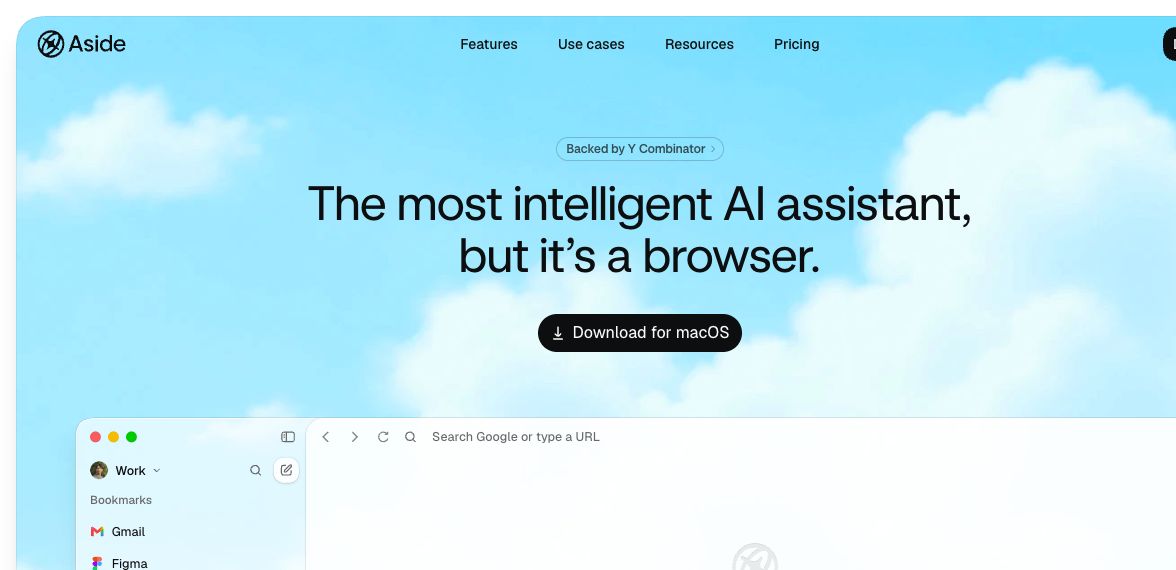
Aside 공식 홈페이지의 공개 제품 화면. 왼쪽 사이드바와 에이전트 입력창, 최근 작업 카드를 한 화면에 보여 줍니다. (출처: Aside 공식 홈페이지, 2026-08-19 캡처)
먼저 짚을 점이 있습니다. Aside의 성능 수치와 보안 기능 설명은 현재 대부분 공급사 발표입니다. 따라서 이 글은 제품 구조와 활용법을 이해하기 위한 가이드이며, 독립적인 보안 감사나 성능 검증을 대신하지 않습니다.
Aside Browser는 무엇이 다른가
일반적인 AI 챗봇은 웹페이지 내용을 요약하거나 링크를 안내합니다. Browser Agent는 한 단계 더 나아가 페이지를 열고, 요소를 찾고, 폼을 채우고, 파일과 스크린샷을 수집하는 실행 주체입니다. Aside는 별도 SaaS 연동만으로 작업하는 대신 실제 브라우저 세션을 사용한다는 점을 강조합니다.
| 역할 | 잘하는 일 | 경계 |
|---|---|---|
| Coding Agent | 저장소 탐색, 코드 수정, 테스트, 리팩터링 | 로그인된 대시보드와 브라우저 전용 상태를 보기 어려움 |
| Browser Agent | CI·배포·모니터링 페이지 확인, 스테이징 QA, 증거 수집 | 코드베이스 전체를 직접 고치는 일에는 덜 적합 |
| 사람 | 목표 설정, 모호한 판단, 승인, 최종 검토 | 반복적인 화면 이동과 자료 수집에 시간이 듦 |
핵심은 누가 더 강한가가 아니라 역할 분담입니다. 코딩 에이전트는 코드를 바꾸고, Aside는 에디터 밖의 웹 상태를 확인하며, 사람은 게시·결제·설정 변경처럼 결과가 큰 행동을 승인합니다.
로그인된 웹을 작업 공간으로 사용한다
Aside 공식 설명에 따르면 Agent는 이메일, 대시보드, 내부 도구, 문서와 스프레드시트 등 로그인된 웹에서 작업할 수 있습니다. 개발자에게 특히 유용한 대상은 다음과 같습니다.
- GitHub Actions나 다른 CI 서비스의 실패 로그
- Vercel 같은 배포 서비스의 Preview와 배포 상태
- Sentry, Datadog, Grafana의 오류·성능 대시보드
- 기능 플래그와 사내 관리자 화면
- 인증이 필요한 스테이징 서비스와 내부 문서
Aside for Developers는 실패한 CI 비교, PR 증거 패킷, 스테이징 스크린샷, 기능 플래그 점검을 대표 사례로 제시합니다. 이때 좋은 요청은 관찰 범위와 금지 행동을 함께 적습니다.
이 PR의 실패한 CI 실행을 열어 첫 실패 단계와 마지막 성공 실행을 비교해 줘.
관련 로그 링크와 PR 댓글 초안을 반환하되, 댓글을 게시하거나 설정을 바꾸지는 마.
Browser Agent는 페이지를 어떻게 다루는가
Aside가 공개한 기술 설명은 Coding Agent와 닮아 있습니다. Agent는 JavaScript REPL과 명령 실행 환경을 사용하고, 브라우저 조작에는 Playwright와 호환되는 자체 계층인 Asidewright를 사용합니다. 접근성 트리를 간소화해 요소 정보를 읽으며, DOM 조작이 어려운 화면에서는 스크린샷과 좌표 기반 Computer Use로 전환합니다.
요청
  ↓
브라우저·파일 컨텍스트 파악
  ↓
Asidewright로 요소 탐색과 조작
  ↓ 실패하거나 시각 판단이 필요할 때
스크린샷 기반 Computer Use
  ↓
결과·스크린샷·다운로드·검토 메모 반환
공급사는 이 구조가 일반적인 접근성 트리보다 토큰을 줄이고 실제 사용자 브라우저에서 안정적으로 동작한다고 설명합니다. 구체적인 수치와 벤치마크 조건은 Aside의 기술 글과 공개 저장소를 직접 확인하는 편이 좋습니다.
로컬 메모리는 ‘작업 맥락’을 이어 준다
Aside Memory는 검색 기록과 이전 작업에서 필요한 맥락을 추출해 다음 작업에 활용합니다. 메모리는 기기 안의 Markdown으로 저장되며 사용자가 출처를 보고 수정할 수 있다고 안내합니다. 예를 들어 “지난주 OAuth 오류를 고칠 때 봤던 문서를 다시 찾아줘”처럼 정확한 URL을 기억하지 못해도 과거 맥락을 검색하는 방식입니다.
다만 로컬 메모리와 모델 입력은 구분해야 합니다. 메모리 파일이 로컬에 있어도 호스팅 AI 모델로 작업을 실행하면 선택된 브라우저 스냅샷, 스크린샷, 파일, 도구 결과가 모델 입력에 포함될 수 있습니다. 이는 뒤의 개인정보 섹션에서 다시 다룹니다.
비밀번호를 모델에 보여 주지 않고 자동완성한다
Aside Password Manager는 저장된 비밀번호 값을 AI Agent에 전달하는 대신 대상 URL과 접근 정책을 확인한 뒤 브라우저에 자동완성한다고 설명합니다. 사이트 단위 접근 제어와 사용 기록도 제공합니다.
이 설계는 평문 자격 증명의 노출 범위를 줄이지만, 로그인 이후 Agent가 볼 수 있는 페이지 내용까지 비밀이 된다는 의미는 아닙니다. 로그인된 화면에는 개인 정보, 고객 데이터, 결제 정보가 나타날 수 있으므로 최소 권한과 별도 테스트 계정을 사용하는 편이 안전합니다.
바이브 코딩에서 활용하는 네 가지 패턴
1. UI 구현 후 시각 QA
코딩 에이전트가 화면을 구현한 뒤 Aside에 로컬 또는 Preview URL을 열어 데스크톱과 모바일 흐름을 검사하게 할 수 있습니다.
localhost:3000의 회원가입 흐름을 데스크톱과 모바일 너비에서 확인해 줘.
레이아웃 깨짐, 콘솔 오류, 막힌 단계가 있으면 화면별 스크린샷과 함께 QA 메모를 작성해 줘.
데이터를 제출하거나 계정을 생성하기 전에는 멈춰.
2. 레퍼런스 인터랙션 분석
원하는 애니메이션을 발견했다면 전·중·후 상태, computed style, 지속 시간과 easing을 기록하게 할 수 있습니다. 다른 사이트의 코드를 복사하기보다 관찰 가능한 움직임을 구현 명세로 바꾸는 방식이 적절합니다.
이 카드의 hover 전·중·후 화면을 캡처하고 transform, opacity, duration, easing 변화를 정리해 줘.
사이트 코드는 복사하지 말고 우리 React 컴포넌트에 적용할 동작 명세만 작성해 줘.
3. CI 실패와 배포 상태 조사
저장소 안의 테스트 결과만으로 원인을 찾기 어려울 때 CI 로그, 최근 성공 실행, 배포 환경 변수 변경과 오류 대시보드를 연결해 조사할 수 있습니다. 결과는 수정 자체보다 근거 링크와 가설 목록으로 받는 편이 검토하기 쉽습니다.
4. 배포 전 증거 패킷 만들기
PR, 이슈, CI, Preview, Sentry, 기능 플래그와 스테이징 화면을 순회해 리뷰어가 필요한 자료를 하나의 메모로 모을 수 있습니다. 쓰기 작업은 막고 아래 항목만 수집하게 합니다.
- 최신 CI 결과와 실패 로그 링크
- 주요 화면의 데스크톱·모바일 스크린샷
- 기능 플래그의 현재 값과 계획의 차이
- 알려진 위험과 사람이 결정해야 할 항목
CLI·REPL·MCP로 코딩 에이전트와 연결하기
Aside는 채팅 UI 외에도 개발자용 인터페이스를 제공합니다. 최신 설치법과 옵션은 CLI·MCP·REPL 공식 도움말에서 확인해야 합니다.
# 자연어로 브라우저 작업 시작
aside "Open localhost:3000 and run a smoke test"

# 직접 브라우저 상태를 검사하는 REPL
aside repl

# Codex나 Claude Code 같은 MCP 클라이언트에 연결
aside mcp
MCP를 연결하면 Coding Agent가 Aside를 브라우저 계층으로 호출할 수 있습니다.
사람: 목표·승인·최종 판단
  ├─ Coding Agent: 코드 수정·테스트
  └─ Aside MCP: 로그인된 웹 확인·스크린샷·증거 수집
여기서도 경계를 분명히 하는 것이 좋습니다. 코드 변경은 Coding Agent에, 비공개 웹 증거 수집은 Aside에 맡기고, 양쪽이 반환한 결과를 사람이 검토한 뒤 다음 행동을 승인합니다.
모델과 비용 구조 선택하기
AI Provider 설정 문서에 따르면 세 가지 공급 방식을 선택할 수 있습니다.
| 방식 | 설명 | 확인할 점 |
|---|---|---|
| Aside 제공 모델 | 요금제에 포함된 모델 사용 | 플랜별 모델과 사용량 제한 |
| 기존 구독 연결 | ChatGPT, Claude, GitHub Copilot 구독 재사용 | OAuth 연결 범위와 해당 서비스 약관 |
| API Key 연결 | OpenAI, Anthropic, Google 등 개인 키 사용 | 비용, 데이터 정책, 키 보관 |
제품과 지원 모델은 빠르게 바뀔 수 있으므로 특정 모델 이름에 워크플로를 고정하기보다, 작업별 권한과 데이터 민감도를 기준으로 공급자를 선택하는 편이 좋습니다.
‘로컬 우선’에서 놓치기 쉬운 개인정보 경계
Aside의 개인정보처리방침은 제품을 local-first로 설명하지만, 모든 처리가 로컬이라는 뜻은 아니라고 명시합니다. 호스팅 모델 요청에는 작업에 필요한 모델 가시 컨텍스트가 전달될 수 있습니다.
| 데이터 또는 동작 | 공식 설명 기준 처리 위치 |
|---|---|
| 작업 기록과 결과물 | 기본적으로 로컬 Aside 데이터 디렉터리 |
| 메모리 | 기기 내 Markdown |
| 선택된 프롬프트·도구 결과·스냅샷·파일 | 호스팅 모델 사용 시 해당 모델 제공자에게 전송 가능 |
| 비밀번호 동기화·브라우저 동기화 | 기능을 켜면 암호화된 레코드가 Aside 동기화 시스템에 저장 |
| 제품 분석 | 활성화된 경우 Aside와 분석 제공자에서 처리 |
따라서 “로컬 메모리”와 “외부 전송 없음”을 같은 의미로 받아들이면 안 됩니다. 회사 계정, 고객 데이터, 소스 코드가 포함된 작업이라면 조직 정책과 선택한 모델 제공자의 약관까지 함께 검토해야 합니다.
안전하게 시작하는 권한 설정
Agent 권한 문서는 Read only, Guard, Full access 모드와 도구별 Allow, Ask, Deny 규칙을 제공합니다. 새 작업의 기본은 Guard라고 설명합니다. 처음에는 다음 원칙이 현실적입니다.
- 조사와 QA는
Read only또는Guard로 시작합니다. - 파일 접근은 필요한 프로젝트 폴더에만 허용합니다.
- 게시, 메시지 전송, 결제, 삭제, 설정 변경은 항상 Ask 또는 Deny로 둡니다.
- 프로덕션 대신 테스트 계정과 스테이징 환경을 사용합니다.
- Agent가 읽을 페이지 안에 악성 지시가 있을 수 있다고 가정합니다.
- 결과에는 스크린샷과 원문 링크를 요구하고 사람이 확인합니다.
Aside 이용약관도 AI 출력이 틀리거나 오래됐을 수 있고, 웹페이지·문서·이메일의 prompt injection을 모두 탐지하지 못할 수 있다고 경고합니다. 자동화가 가능하다는 사실과 자동 실행을 허용해도 된다는 판단은 별개입니다.
Aside가 잘 맞는 경우와 그렇지 않은 경우
Aside는 작업 상태가 브라우저 안에 흩어져 있고, 로그인과 여러 화면 이동이 필요하며, 최종 결과를 증거와 함께 검토해야 할 때 가치가 큽니다. 반대로 공개 페이지 한두 개를 읽거나 안정된 API가 이미 있는 단순 작업에는 일반 스크립트나 공식 API가 더 예측 가능하고 저렴할 수 있습니다.
또한 결제, 대량 메시지 발송, 데이터 삭제, 프로덕션 설정 변경처럼 되돌리기 어려운 작업을 완전 자동화하는 용도로 시작하는 것은 권하지 않습니다. 먼저 읽기 전용 QA와 자료 수집으로 신뢰도를 평가한 뒤 범위를 넓히는 편이 좋습니다.
마무리
Aside Browser의 가장 흥미로운 점은 AI가 웹을 설명하는 데서 그치지 않고, 사람이 로그인해 사용하는 브라우저를 개발 워크플로의 실행 환경으로 만든다는 데 있습니다. Coding Agent가 코드를 다루고 Browser Agent가 에디터 밖의 상태를 확인하면 바이브 코딩은 구현에서 검증까지 연결됩니다.
하지만 그 연결이 강력할수록 권한, 개인정보, 외부 모델 전송, prompt injection의 경계도 중요해집니다. 첫 도입은 읽기 전용 조사 → 스테이징 QA → 증거 기반 검토 → 제한된 자동화 순서가 적절합니다. 도구가 클릭을 대신하더라도 무엇을 믿고 어디까지 실행할지는 여전히 사람이 결정해야 합니다.
Web browsers have long been tools for people to open, read, and click through pages. Even now that AI coding agents can write code, developers still move between browser tabs to inspect deployment dashboards, test authenticated staging sites, and collect CI logs.
Aside Browser targets that gap. It places a Browser Agent inside a general-purpose browser and works with websites where the user is already signed in, as well as local files. This article cross-checks Aside's official website, Help Center, Privacy Policy, and Terms as of August 2026 to explain both its capabilities and boundaries.
Public product view on Aside's official website, showing the sidebar, agent prompt, and recent task cards together. (Source: Aside official website, captured August 19, 2026)
One caveat comes first: most performance numbers and security descriptions currently come from Aside itself. This is a guide to understanding the product and its workflows, not a substitute for an independent security audit or benchmark.
What makes Aside Browser different
A conventional AI chatbot summarizes pages or suggests links. A Browser Agent goes further: it opens pages, finds elements, fills forms, and collects files and screenshots. Aside emphasizes using the actual browser session rather than depending only on separate SaaS integrations.
| Role | Best at | Boundary |
|---|---|---|
| Coding Agent | Exploring repositories, editing code, testing, and refactoring | Limited visibility into authenticated dashboards and browser-only state |
| Browser Agent | Inspecting CI, deployments, monitoring pages, staging QA, and collecting evidence | Less suitable for changing an entire codebase directly |
| Human | Setting goals, resolving ambiguity, approving, and reviewing | Repetitive navigation and evidence collection take time |
The point is not which role is stronger, but how they divide work. The coding agent changes code, Aside inspects web state outside the editor, and a person approves consequential actions such as publishing, payment, or configuration changes.
Using authenticated websites as a workspace
According to Aside, its agent can work in signed-in email, dashboards, internal tools, documents, and spreadsheets. Particularly useful developer targets include:
- Failed logs in GitHub Actions or another CI service
- Preview deployments and status pages in services such as Vercel
- Error and performance dashboards in Sentry, Datadog, or Grafana
- Feature flags and internal admin tools
- Authenticated staging services and private documentation
Aside for Developers presents failed-CI comparison, PR evidence packets, staging screenshots, and feature-flag reviews as representative workflows. A good request states both the observation scope and prohibited actions.
Open the failed CI run for this PR, find the first failing step, and compare it with the last passing run.
Return the relevant log links and a draft PR comment, but do not post it or change settings.
How the Browser Agent handles a page
Aside's published architecture resembles a Coding Agent. It uses a JavaScript REPL and a command environment, while browser control runs through Asidewright, its Playwright-compatible layer. The agent reads a reduced accessibility tree, then falls back to screenshot- and coordinate-based Computer Use when DOM control is insufficient.
Request
  ↓
Understand browser and file context
  ↓
Find and manipulate elements with Asidewright
  ↓ if it fails or needs visual judgment
Screenshot-based Computer Use
  ↓
Return results, screenshots, downloads, and review notes
The vendor says this structure uses fewer tokens than conventional accessibility trees and behaves more reliably in a real user browser. Review the conditions and measurements in Aside's engineering article and its public benchmark repository before treating the numbers as general results.
Local memory preserves work context
Aside Memory extracts useful context from browsing history and earlier tasks. Aside says the memory is stored as editable Markdown on the device, with its sources visible. This can support prompts such as “find the document I used to debug OAuth last week” even when the exact URL is forgotten.
Local memory must still be distinguished from model input. When a hosted AI model runs a task, selected browser snapshots, screenshots, files, and tool results may be included in the model-visible context even if the memory files themselves live locally.
Autofilling credentials without showing passwords to the model
Aside Password Manager says it checks the target URL and access policy, then autofills in the browser instead of exposing saved password values to the AI agent. It also provides site-level access controls and usage logs.
This reduces exposure of plaintext credentials, but it does not make post-login page contents secret from the agent. Authenticated pages may contain personal, customer, or payment data, so use least privilege and separate test accounts whenever possible.
Four vibe-coding patterns
1. Visual QA after implementation
After a coding agent implements a screen, Aside can open a local or Preview URL and inspect desktop and mobile flows.
Check the signup flow on localhost:3000 at desktop and mobile widths.
If you find layout breakage, console errors, or blocked steps, write a QA note with screenshots for each screen.
Stop before submitting data or creating an account.
2. Analyzing a reference interaction
When you find a useful animation, ask for before, during, and after states, computed styles, duration, and easing. Turning observable motion into an implementation specification is preferable to copying another site's code.
Capture this card before, during, and after hover, then record changes in transform, opacity, duration, and easing.
Do not copy site code; write only a behavior specification for our React component.
3. Investigating CI failures and deployments
When repository test output is not enough, the agent can connect CI logs, the last passing run, deployment configuration changes, and error dashboards. Ask for evidence links and hypotheses rather than an unreviewed fix.
4. Building a pre-merge evidence packet
The agent can visit a PR, issue, CI, Preview, Sentry, feature flags, and staging pages, then collect the material a reviewer needs in one note. Block writes and request only:
- The latest CI result and failing-log links
- Desktop and mobile screenshots of important screens
- Differences between current feature-flag values and the rollout plan
- Known risks and decisions that still require a person
Connecting coding agents through CLI, REPL, and MCP
Aside provides developer interfaces in addition to its chat UI. Check the official CLI, MCP, and REPL guide for current installation and options.
# Start a browser task in natural language
aside "Open localhost:3000 and run a smoke test"

# Inspect browser state directly
aside repl

# Connect to an MCP client such as Codex or Claude Code
aside mcp
With MCP, a Coding Agent can call Aside as its browser layer.
Human: goals, approval, final judgment
  ├─ Coding Agent: code changes and tests
  └─ Aside MCP: authenticated web checks, screenshots, evidence
Keep the boundary explicit: let the Coding Agent own code changes, use Aside for private browser evidence, and have a person review both outputs before approving the next action.
Choosing models and a cost structure
The AI provider guide documents three provider modes.
| Mode | Description | What to check |
|---|---|---|
| Aside models | Use models included in an Aside plan | Plan-specific models and usage limits |
| Existing subscription | Reuse ChatGPT, Claude, or GitHub Copilot | OAuth scope and the provider's terms |
| API key | Connect personal keys for providers such as OpenAI, Anthropic, or Google | Cost, data policy, and key storage |
Products and supported models change quickly. Choose a provider by task permissions and data sensitivity rather than hard-coding a workflow to one model name.
The privacy boundary behind “local-first”
Aside's Privacy Policy calls the product local-first, but explicitly says that not every process stays local. Hosted model requests may receive the model-visible context needed for a task.
| Data or action | Processing location described by Aside |
|---|---|
| Task transcripts and artifacts | Local Aside data directory by default |
| Memory | Markdown on the device |
| Selected prompts, tool results, snapshots, and files | May be sent to a hosted model provider |
| Password and browser sync | Encrypted records stored in Aside sync systems when enabled |
| Product analytics | Processed by Aside and analytics providers when enabled |
Do not treat “local memory” and “no external transmission” as synonyms. For company accounts, customer data, or source code, review organizational policy and the selected model provider's terms as well.
A safe permission setup for getting started
The agent permissions guide documents Read only, Guard, and Full access modes plus per-tool Allow, Ask, and Deny rules. Aside says Guard is the default for new tasks. A practical starting policy is:
- Begin investigation and QA in
Read onlyorGuard. - Limit file access to the required project folders.
- Put publishing, messaging, payments, deletion, and settings changes behind Ask or Deny.
- Use test accounts and staging instead of production.
- Assume pages read by the agent may contain malicious instructions.
- Require screenshots and source links, then review them manually.
Aside's Terms of Service also warns that AI output may be wrong or outdated and that prompt injection in webpages, documents, or email may not always be detected. The ability to automate an action is not the same as permission to run it unattended.
Where Aside fits—and where it does not
Aside is most valuable when work state is scattered across authenticated browser pages, requires several navigational steps, and must return reviewable evidence. For one or two public pages, or a stable task with an official API, a conventional script or API can be more predictable and less expensive.
It is also unwise to begin with fully autonomous payments, bulk messaging, data deletion, or production configuration changes. Start with read-only QA and evidence gathering, evaluate reliability, and expand the scope gradually.
Conclusion
Aside Browser is interesting because it moves AI from explaining the web to operating the browser people already use. When a Coding Agent owns the code and a Browser Agent inspects state outside the editor, vibe coding can extend from implementation into verification.
That connection makes permissions, privacy, hosted-model transmission, and prompt injection more important—not less. A sensible adoption path is read-only research → staging QA → evidence-based review → limited automation. The tool may perform the clicks, but people still decide what to trust and how far to let it act.
长期以来,浏览器都是人类打开、阅读和点击网页的工具。即使 AI 编码代理已经能够修改代码,开发者仍需在部署面板、登录后的测试环境和 CI 日志之间来回切换。
Aside Browser试图补上这段断层:它把 Browser Agent 放进通用浏览器,直接处理用户已登录的网站与本地文件。本文依据 2026 年 8 月可见的官网、帮助中心、隐私政策和服务条款,同时说明其能力与边界。
Aside 官网公开展示的产品界面,可同时看到侧边栏、代理输入框与最近任务卡片。(来源:Aside 官网,截取于 2026-08-19)
需要先说明:目前大多数性能数字与安全说明来自 Aside 自身。本文用于理解产品结构和工作流,不替代独立安全审计或性能验证。
Aside Browser 有何不同
普通 AI 聊天工具会总结网页或给出链接;Browser Agent 则会打开页面、寻找元素、填写表单并收集文件和截图。Aside 强调使用真实浏览器会话,而非只依赖独立的 SaaS 集成。
| 角色 | 擅长事项 | 边界 |
|---|---|---|
| Coding Agent | 浏览仓库、改代码、测试、重构 | 难以看到已登录面板与仅存在于浏览器中的状态 |
| Browser Agent | 检查 CI、部署、监控、测试环境并收集证据 | 不适合直接修改整个代码库 |
| 人 | 设定目标、判断歧义、审批、最终复核 | 重复导航与资料收集耗时 |
重点不是谁更强,而是分工:编码代理修改代码,Aside 检查编辑器外的网页状态,人类审批发布、付款和配置变更等高影响操作。
把已登录的网站当作工作区
据 Aside 介绍,代理可处理邮箱、仪表板、内部工具、文档和表格。开发者常用场景包括:
- GitHub Actions 等 CI 的失败日志
- Vercel 等平台的 Preview 与部署状态
- Sentry、Datadog、Grafana 的错误和性能面板
- 功能开关、内部管理页、需认证的测试环境与文档
Aside for Developers列出了 CI 对比、PR 证据包、测试截图和功能开关审计。好的提示词应同时写清观察范围与禁止动作。
打开该 PR 失败的 CI,找出第一个失败步骤,并与最近一次成功运行比较。
返回日志链接和 PR 评论草稿,但不要发布评论或修改设置。
Browser Agent 如何操作网页
Aside 公布的架构类似 Coding Agent:它使用 JavaScript REPL 与命令环境,通过兼容 Playwright 的 Asidewright 控制浏览器。代理先读取精简的可访问性树;DOM 控制不足时,再退回到基于截图和坐标的 Computer Use。
请求 → 理解浏览器与文件上下文 → Asidewright 操作
     → 需要视觉判断时使用截图式 Computer Use
     → 返回结果、截图、下载文件与复核说明
供应商称该结构更节省 token,并在真实用户浏览器中更稳定。将数字视为普遍结论前,应查看技术文章与公开基准的具体条件。
本地记忆延续工作上下文
Aside Memory从浏览历史和先前任务提取上下文。官方称记忆以可编辑 Markdown 存在设备上,并可查看来源。因此即使忘记 URL,也可以要求它“找到上周调试 OAuth 时使用的文档”。
但本地记忆不等于模型输入也完全留在本地。运行托管 AI 模型时,选中的浏览器快照、截图、文件和工具结果可能进入模型可见上下文。
不向模型展示密码的自动填充
Aside Password Manager称其会检查目标 URL 与访问策略,再在浏览器中自动填充,而不会把保存的密码值暴露给 AI 代理;同时提供站点级权限与使用记录。
这能降低明文凭据暴露,但不意味着登录后的页面内容对代理不可见。页面可能含个人、客户或付款数据,因此仍应采用最小权限和独立测试账号。
四种氛围编程用法
1. 实现后的视觉 QA
编码代理完成界面后,可让 Aside 打开本地或 Preview URL,检查桌面与移动流程。
在桌面和移动宽度检查 localhost:3000 的注册流程。
记录布局破损、控制台错误和受阻步骤,并附逐页截图。
提交数据或创建账号前停止。
2. 分析参考交互
让它捕捉动画前、中、后状态,并记录 computed style、时长和 easing。应把可观察运动转成实现规格,而不是复制其他网站代码。
捕捉该卡片 hover 前、中、后的画面,整理 transform、opacity、duration 与 easing。
不要复制网站代码,只写供 React 组件采用的行为规格。
3. 调查 CI 失败与部署
仓库内测试不足以定位问题时,可关联 CI 日志、最近成功运行、部署配置变化与错误面板。最好要求证据链接和假设,而非未经复核的修改。
4. 制作合并前证据包
可依次检查 PR、Issue、CI、Preview、Sentry、功能开关与测试环境,并只收集:最新 CI 与失败日志、关键页面的多尺寸截图、开关现值与计划差异、已知风险和需人工决定的事项。
通过 CLI、REPL 与 MCP 连接编码代理
Aside 除聊天界面外还提供开发接口,最新安装方法请以官方 CLI、MCP 与 REPL 文档为准。
aside "Open localhost:3000 and run a smoke test"
aside repl
aside mcp
通过 MCP,Coding Agent 可把 Aside 作为浏览器层调用。
人:目标、审批、最终判断
  ├─ Coding Agent:改代码、测试
  └─ Aside MCP:检查登录网页、截图、收集证据
代码修改交给 Coding Agent,私有网页证据交给 Aside,人类审阅两边结果后再批准下一步。
选择模型与成本结构
AI Provider 文档列出三种方式。
| 方式 | 说明 | 检查点 |
|---|---|---|
| Aside 模型 | 使用套餐包含的模型 | 套餐模型和用量限制 |
| 现有订阅 | 复用 ChatGPT、Claude 或 GitHub Copilot | OAuth 范围与服务条款 |
| API Key | 连接 OpenAI、Anthropic、Google 等个人密钥 | 成本、数据政策、密钥存储 |
产品和模型变化很快,应按任务权限和数据敏感度选供应商,而不是固定某个模型名称。
“本地优先”背后的隐私边界
Aside 的隐私政策称产品 local-first,但明确指出并非所有处理都在本地。托管模型可能接收完成任务所需的可见上下文。
| 数据或动作 | 官方说明中的处理位置 |
|---|---|
| 任务记录与产物 | 默认在本地 Aside 数据目录 |
| 记忆 | 设备内 Markdown |
| 选中的提示、工具结果、快照、文件 | 可能发送给托管模型提供商 |
| 密码与浏览器同步 | 开启后以加密记录存入 Aside 同步系统 |
| 产品分析 | 开启后由 Aside 与分析服务处理 |
不要把“本地记忆”理解成“没有外部传输”。处理公司账号、客户数据或源码时,还要核对组织政策与模型提供商条款。
安全的初始权限设置
代理权限文档提供 Read only、Guard、Full access,以及工具级 Allow、Ask、Deny。官方称新任务默认使用 Guard。建议:
- 调查与 QA 从
Read only或Guard开始。 - 文件权限只开放必要项目目录。
- 发布、消息、付款、删除和设置变更使用 Ask 或 Deny。
- 优先使用测试账号和 staging。
- 假设网页可能含恶意指令。
- 要求截图与来源链接,并人工复核。
服务条款也提醒 AI 输出可能错误或过时,网页、文档和邮件中的 prompt injection 未必都能被发现。能自动化不等于适合无人值守。
适用与不适用的场景
当状态散落在多个登录页面、需要多步导航且必须带证据复核时,Aside 更有价值。若只是阅读少量公开页面,或已有稳定官方 API,传统脚本或 API 可能更可预测、成本更低。
也不宜从全自动付款、批量消息、数据删除或生产配置变更开始。应先做只读 QA 与证据收集,评估可靠性后逐步扩大范围。
总结
Aside Browser 的意义在于让 AI 不只解释网页,而是操作人们正在使用的浏览器。Coding Agent 负责代码,Browser Agent 检查编辑器外状态,氛围编程便能从实现延伸到验证。
连接越强,权限、隐私、托管模型传输与 prompt injection 越重要。合理路径是 只读调查 → staging QA → 基于证据的复核 → 有限自动化。工具可以代替点击,但相信什么、允许执行到哪一步,仍由人决定。
ブラウザは長い間、人がページを開き、読み、クリックするための道具でした。AIコーディングエージェントがコードを書ける現在も、デプロイ画面、ログイン済みステージング、CIログの確認には人がタブを行き来します。
Aside Browserはこの分断を埋めるAIブラウザです。汎用ブラウザ内にBrowser Agentを置き、ログイン済みWebサイトとローカルファイルを作業対象にします。本稿は2026年8月時点の公式サイト、ヘルプ、プライバシーポリシー、利用規約を照合し、機能と限界を整理します。
Aside公式サイトで公開されている製品画面。サイドバー、エージェント入力欄、最近のタスクカードを一画面で確認できます。(出典:Aside公式サイト、2026-08-19取得)
注意点として、性能値やセキュリティ説明の多くは現時点でAside自身の発表です。本稿は構造と活用法のガイドであり、独立した監査やベンチマークの代わりではありません。
Aside Browserは何が違うのか
一般的なAIチャットはページを要約したりリンクを提案したりします。Browser Agentはさらに、ページを開き、要素を探し、フォームを埋め、ファイルやスクリーンショットを集めます。Asideは個別のSaaS連携だけでなく、実際のブラウザセッションを使う点を強調しています。
| 役割 | 得意なこと | 境界 |
|---|---|---|
| Coding Agent | リポジトリ探索、コード変更、テスト、リファクタリング | ログイン済み画面やブラウザ固有の状態を見にくい |
| Browser Agent | CI・デプロイ・監視画面、ステージングQA、証拠収集 | コードベース全体を直接直す用途には不向き |
| 人 | 目的設定、曖昧な判断、承認、最終レビュー | 反復的な画面移動と収集に時間がかかる |
重要なのは優劣ではなく分担です。Coding Agentがコードを変え、Asideがエディタ外のWeb状態を確認し、人が公開・決済・設定変更など影響の大きい操作を承認します。
ログイン済みWebを作業空間にする
公式説明では、メール、ダッシュボード、社内ツール、文書、表計算で作業できます。開発者向けには、CI失敗ログ、Vercel等のPreview、Sentry・Datadog・Grafana、機能フラグ、認証済みステージングなどが対象です。
Aside for DevelopersはCI比較、PR証拠パケット、ステージング画像、フラグ監査を例示しています。良い依頼は観察範囲と禁止操作を両方書きます。
このPRの失敗CIを開き、最初の失敗ステップと直近の成功実行を比較して。
ログURLとPRコメント案を返すが、投稿や設定変更はしないで。
Browser Agentはどうページを扱うか
公開された構造はCoding Agentに似ています。JavaScript REPLとコマンド環境を使い、ブラウザ操作にはPlaywright互換の Asidewright を用います。簡略化したアクセシビリティツリーを読み、DOM操作が難しい場合は画像と座標によるComputer Useへ切り替えます。
依頼 → ブラウザとファイルの文脈把握 → Asidewright操作
     → 視覚判断が必要ならスクリーンショット式Computer Use
     → 結果・画像・ダウンロード・レビュー用メモ
供給元はトークン効率と実ブラウザでの安定性を主張しています。数値を一般化する前に技術記事と公開ベンチマークの条件を確認してください。
ローカルメモリが作業文脈をつなぐ
Aside Memoryは履歴と過去タスクから文脈を抽出します。メモリは端末上の編集可能なMarkdownで、出典も見られると説明されています。そのため「先週OAuthを直した時の文書」のような検索ができます。
ただしローカルメモリとモデル入力は別です。ホスト型AIモデルを使うと、選択されたスナップショット、画像、ファイル、ツール結果がモデル可視コンテキストに含まれる場合があります。
パスワードをモデルに見せず自動入力する
Aside Password Managerは対象URLとポリシーを確認し、保存値をAIに渡さずブラウザへ自動入力すると説明しています。サイト単位の制御と利用ログもあります。
これは平文資格情報の露出を減らしますが、ログイン後のページ内容まで秘密になるわけではありません。個人・顧客・決済情報を考慮し、最小権限とテストアカウントを使うべきです。
バイブコーディングの4パターン
1. 実装後のビジュアルQA
Coding Agentの実装後、ローカルまたはPreviewを開き、デスクトップとモバイルを検査できます。
localhost:3000の登録フローをデスクトップとモバイル幅で確認して。
崩れ、コンソールエラー、停止箇所を画面別スクリーンショット付きで記録して。
送信やアカウント作成の前で止めて。
2. 参考インタラクションの分析
アニメーションの前・中・後、computed style、duration、easingを記録させます。他サイトのコードではなく、観察できる動きを実装仕様へ変換します。
カードのhover前・中・後を撮り、transform、opacity、duration、easingを整理して。
コードはコピーせず、Reactコンポーネント用の動作仕様だけを書いて。
3. CI失敗とデプロイの調査
リポジトリ内の結果だけで足りない場合、CIログ、直近成功、デプロイ変更、エラー画面を関連付けます。未確認の修正より、根拠リンクと仮説を返させます。
4. マージ前の証拠パケット
PR、Issue、CI、Preview、Sentry、機能フラグ、ステージングを巡回し、CI結果、失敗ログ、主要画面の各サイズ画像、計画との差、既知リスク、人の判断事項だけを集めます。
CLI・REPL・MCPでCoding Agentと接続
チャット以外にも開発用インターフェースがあります。最新の導入方法は公式CLI・MCP・REPLガイドを確認してください。
aside "Open localhost:3000 and run a smoke test"
aside repl
aside mcp
MCPではAsideをCoding Agentのブラウザ層として呼び出せます。
人:目的、承認、最終判断
  ├─ Coding Agent:コード変更・テスト
  └─ Aside MCP:認証済みWeb、画像、証拠収集
コード変更はCoding Agent、非公開Webの証拠はAsideに任せ、人が両方をレビューして次の行動を承認します。
モデルとコスト構造を選ぶ
AI Provider設定は3方式を案内します。
| 方式 | 説明 | 確認点 |
|---|---|---|
| Asideモデル | プラン内モデル | モデルと使用量制限 |
| 既存サブスク | ChatGPT、Claude、GitHub Copilotを再利用 | OAuth範囲と各規約 |
| API Key | OpenAI、Anthropic、Google等の鍵 | 費用、データ方針、鍵保管 |
対応モデルは変化するため、名称ではなく権限とデータ機密度で選びます。
「ローカル優先」のプライバシー境界
プライバシーポリシーはlocal-firstとしつつ、全処理がローカルではないと明記します。ホスト型モデルにはタスクに必要な可視コンテキストが送られ得ます。
| データ・動作 | 公式説明上の場所 |
|---|---|
| タスク履歴と成果物 | 原則ローカルデータディレクトリ |
| メモリ | 端末上のMarkdown |
| 選択した指示、結果、画像、ファイル | ホスト型モデルへ送信される場合あり |
| パスワード・ブラウザ同期 | 有効時は暗号化レコードをAside同期系へ保存 |
| 分析 | 有効時はAsideと分析提供者で処理 |
「ローカルメモリ」を「外部送信なし」と同一視してはいけません。会社アカウント、顧客データ、コードでは組織方針とモデル提供者の規約も確認します。
安全に始める権限設定
権限ガイドには Read only、Guard、Full access と Allow、Ask、Deny があります。新規タスクはGuardが既定と説明されています。
- 調査とQAは
Read onlyまたはGuardで始める。 - ファイルは必要なプロジェクトフォルダだけ許可する。
- 投稿、メッセージ、決済、削除、設定変更はAskまたはDenyにする。
- 本番よりテストアカウントとステージングを使う。
- ページに悪意ある指示があり得ると想定する。
- 画像と出典URLを求め、人が確認する。
利用規約もAI出力の誤りや古さ、Web・文書・メールのprompt injectionを常に検知できない可能性を警告します。自動化可能であることと、無人実行してよいことは別です。
向く場面と向かない場面
状態が複数の認証ページに散らばり、多段の操作とレビュー可能な証拠が必要な時に有効です。公開ページが少数、または安定した公式APIがある単純作業では、通常のスクリプトやAPIの方が予測しやすい場合があります。
決済、大量送信、削除、本番設定変更の完全自動化から始めるべきではありません。読み取り専用QAと証拠収集で信頼性を見てから範囲を広げます。
まとめ
Aside Browserは、AIがWebを説明するだけでなく、人が使うブラウザを操作環境にする点が興味深い製品です。Coding Agentがコードを、Browser Agentがエディタ外の状態を担えば、バイブコーディングは実装から検証へつながります。
その分、権限、プライバシー、外部モデル送信、prompt injectionが重要です。読み取り専用調査 → ステージングQA → 証拠レビュー → 限定自動化 の順が現実的です。クリックを任せても、何を信じどこまで実行するかは人が決めます。
Durante años, el navegador ha sido una herramienta para que una persona abra, lea y recorra páginas. Aunque los agentes de código ya pueden modificar un proyecto, todavía es habitual saltar entre paneles de despliegue, entornos autenticados y registros de CI.
Aside Browser intenta cerrar esa brecha. Integra un Browser Agent en un navegador general y trabaja con sitios donde el usuario ya inició sesión y con archivos locales. Este artículo contrasta el sitio oficial, la ayuda, la Política de privacidad y los Términos disponibles en agosto de 2026 para explicar tanto las funciones como sus límites.
Vista pública del producto en el sitio oficial de Aside, con la barra lateral, el campo del agente y las tareas recientes en una sola pantalla. (Fuente: sitio oficial de Aside, captura del 19 de agosto de 2026)
Primero, una cautela: la mayoría de cifras de rendimiento y descripciones de seguridad proceden de Aside. Esta guía ayuda a entender el producto, pero no sustituye una auditoría independiente ni una evaluación comparativa.
Qué hace diferente a Aside Browser
Un chat de IA convencional resume páginas o recomienda enlaces. Un Browser Agent también abre páginas, localiza elementos, completa formularios y recopila archivos y capturas. Aside destaca que usa una sesión real del navegador y no depende únicamente de integraciones SaaS separadas.
| Rol | Lo que hace bien | Límite |
|---|---|---|
| Coding Agent | Explorar repositorios, editar, probar y refactorizar | Tiene poca visibilidad de paneles autenticados y estados exclusivos del navegador |
| Browser Agent | Revisar CI, despliegues, monitorización, staging y recopilar pruebas | No es la mejor opción para modificar todo el código directamente |
| Persona | Definir objetivos, resolver ambigüedad, aprobar y revisar | La navegación repetitiva y la recopilación llevan tiempo |
No se trata de decidir cuál es más potente, sino de repartir responsabilidades: el agente de código modifica el proyecto, Aside inspecciona el estado web fuera del editor y una persona aprueba publicaciones, pagos y cambios de configuración.
Usar sitios autenticados como espacio de trabajo
Según Aside, el agente puede trabajar en correo, paneles, herramientas internas, documentos y hojas de cálculo. Para desarrollo resultan útiles:
- Registros fallidos de GitHub Actions u otro CI
- Preview y estados de despliegue en servicios como Vercel
- Paneles de Sentry, Datadog o Grafana
- Feature flags, administración interna, staging y documentación privada
Aside for Developers propone comparar CI, preparar paquetes de evidencia para PR, capturar staging y auditar flags. Una buena instrucción define qué observar y qué no debe cambiarse.
Abre la ejecución fallida de CI de este PR, encuentra el primer paso fallido y compárala con la última correcta.
Devuelve enlaces a los logs y un borrador de comentario, pero no publiques ni cambies ajustes.
Cómo maneja una página el Browser Agent
La arquitectura publicada se parece a la de un Coding Agent. Usa un REPL de JavaScript y un entorno de comandos; para el navegador emplea Asidewright, una capa compatible con Playwright. Lee un árbol de accesibilidad reducido y, si el DOM no basta, recurre a Computer Use mediante capturas y coordenadas.
Petición → comprender navegador y archivos → operar con Asidewright
        → si requiere juicio visual, Computer Use con capturas
        → devolver resultados, imágenes, descargas y notas
El proveedor afirma que este enfoque consume menos tokens y funciona con más estabilidad en un navegador real. Antes de generalizar las cifras, conviene revisar las condiciones del artículo técnico y del repositorio público de benchmarks.
La memoria local conserva el contexto
Aside Memory extrae contexto del historial y de tareas anteriores. La empresa indica que la memoria se guarda como Markdown editable en el dispositivo y muestra sus fuentes. Así se puede pedir “encuentra el documento que usé para depurar OAuth la semana pasada” sin recordar la URL.
Pero memoria local y entrada del modelo no son lo mismo. Al ejecutar un modelo alojado, algunas capturas, archivos, snapshots y resultados seleccionados pueden formar parte del contexto visible para ese proveedor.
Autocompletar sin mostrar la contraseña al modelo
Aside Password Manager afirma que valida la URL y la política de acceso y después autocompleta en el navegador, sin exponer el valor guardado al agente. También ofrece controles por sitio y registros de uso.
Esto reduce la exposición de credenciales en texto plano, pero no oculta al agente el contenido posterior al inicio de sesión. Las páginas pueden contener datos personales, de clientes o pagos; conviene aplicar privilegio mínimo y cuentas de prueba.
Cuatro patrones de vibe coding
1. QA visual después de implementar
Tras implementar una pantalla, Aside puede abrir una URL local o Preview y revisar los flujos de escritorio y móvil.
Revisa el registro en localhost:3000 en anchos de escritorio y móvil.
Anota roturas de diseño, errores de consola y pasos bloqueados con capturas.
Detente antes de enviar datos o crear una cuenta.
2. Analizar una interacción de referencia
Pide estados antes, durante y después, estilos calculados, duración y easing. Es mejor convertir el movimiento observable en una especificación que copiar el código de otro sitio.
Captura esta tarjeta antes, durante y después del hover y registra transform, opacity, duration y easing.
No copies código; redacta solo una especificación para nuestro componente React.
3. Investigar fallos de CI y despliegue
Cuando los resultados del repositorio no bastan, el agente puede relacionar logs, la última ejecución correcta, cambios de despliegue y paneles de errores. Es preferible pedir enlaces y una lista de hipótesis antes que una corrección sin revisar.
4. Crear un paquete de evidencia antes del merge
Puede recorrer PR, issue, CI, Preview, Sentry, flags y staging. Bloquea las escrituras y solicita solo: último CI y logs fallidos, capturas en varios tamaños, diferencias entre flags y plan, riesgos conocidos y decisiones humanas pendientes.
Conectar agentes mediante CLI, REPL y MCP
Aside ofrece interfaces para desarrolladores además del chat. Consulta la guía oficial de CLI, MCP y REPL para la instalación y opciones actuales.
aside "Open localhost:3000 and run a smoke test"
aside repl
aside mcp
Con MCP, un Coding Agent puede llamar a Aside como capa de navegador.
Persona: objetivos, aprobación y decisión final
  ├─ Coding Agent: cambios de código y pruebas
  └─ Aside MCP: web autenticada, capturas y evidencia
Mantén el límite: el Coding Agent cambia código, Aside reúne evidencia privada y la persona revisa ambos resultados antes de aprobar otra acción.
Elegir modelos y estructura de costes
La documentación de proveedores describe tres modalidades.
| Modalidad | Descripción | Qué comprobar |
|---|---|---|
| Modelos de Aside | Incluidos en un plan | Modelos y límites del plan |
| Suscripción existente | Reutiliza ChatGPT, Claude o GitHub Copilot | Alcance OAuth y términos del proveedor |
| API Key | Conecta claves de OpenAI, Anthropic, Google y otros | Coste, política de datos y custodia de claves |
Como los modelos cambian rápido, conviene elegir por permisos y sensibilidad de datos, no fijar el flujo a un nombre concreto.
El límite de privacidad tras “local-first”
La Política de privacidad describe el producto como local-first, pero aclara que no todo se procesa localmente. Un modelo alojado puede recibir el contexto visible necesario para realizar la tarea.
| Dato o acción | Ubicación descrita por Aside |
|---|---|
| Historial y artefactos de tareas | Directorio local de Aside por defecto |
| Memoria | Markdown en el dispositivo |
| Prompts, resultados, snapshots y archivos seleccionados | Pueden enviarse al proveedor del modelo alojado |
| Sincronización de contraseñas y navegador | Registros cifrados en los sistemas de Aside si se activa |
| Analítica | Aside y sus proveedores cuando está activada |
“Memoria local” no significa “ninguna transmisión externa”. Con cuentas corporativas, datos de clientes o código fuente también deben revisarse las políticas de la organización y del proveedor del modelo.
Una configuración de permisos segura
La guía de permisos documenta Read only, Guard y Full access, además de reglas Allow, Ask y Deny. Guard es el modo predeterminado para tareas nuevas.
- Empieza investigación y QA en
Read onlyoGuard. - Limita archivos a las carpetas necesarias.
- Pon publicaciones, mensajes, pagos, borrado y ajustes en Ask o Deny.
- Usa cuentas de prueba y staging.
- Supón que una página puede contener instrucciones maliciosas.
- Exige capturas y enlaces originales y revísalos manualmente.
Los Términos de Servicio advierten que la IA puede equivocarse o estar desactualizada y que no siempre detectará prompt injection en páginas, documentos o correos. Poder automatizar no equivale a permitir ejecución sin supervisión.
Cuándo encaja y cuándo no
Aside aporta más valor cuando el estado está repartido entre páginas autenticadas, hay navegación de varios pasos y se necesita evidencia revisable. Para unas pocas páginas públicas o una tarea con API oficial estable, un script o API convencional puede ser más predecible y barato.
Tampoco conviene empezar con pagos autónomos, mensajes masivos, borrado o cambios de producción. Comienza con QA de solo lectura y recopilación de pruebas, mide la fiabilidad y amplía el alcance poco a poco.
Conclusión
Aside Browser resulta interesante porque mueve la IA de explicar la web a operar el navegador que ya usa la persona. Si el Coding Agent se ocupa del código y el Browser Agent verifica el estado fuera del editor, el vibe coding puede abarcar implementación y validación.
Esa conexión hace más importantes los permisos, la privacidad, el envío a modelos alojados y el prompt injection. Una adopción sensata sigue investigación de solo lectura → QA en staging → revisión con evidencia → automatización limitada. La herramienta puede hacer clic, pero una persona decide qué confiar y hasta dónde dejarla actuar.