GitHub Pull Request 리뷰와 머지 방법: 실무 워크플로 완전 가이드
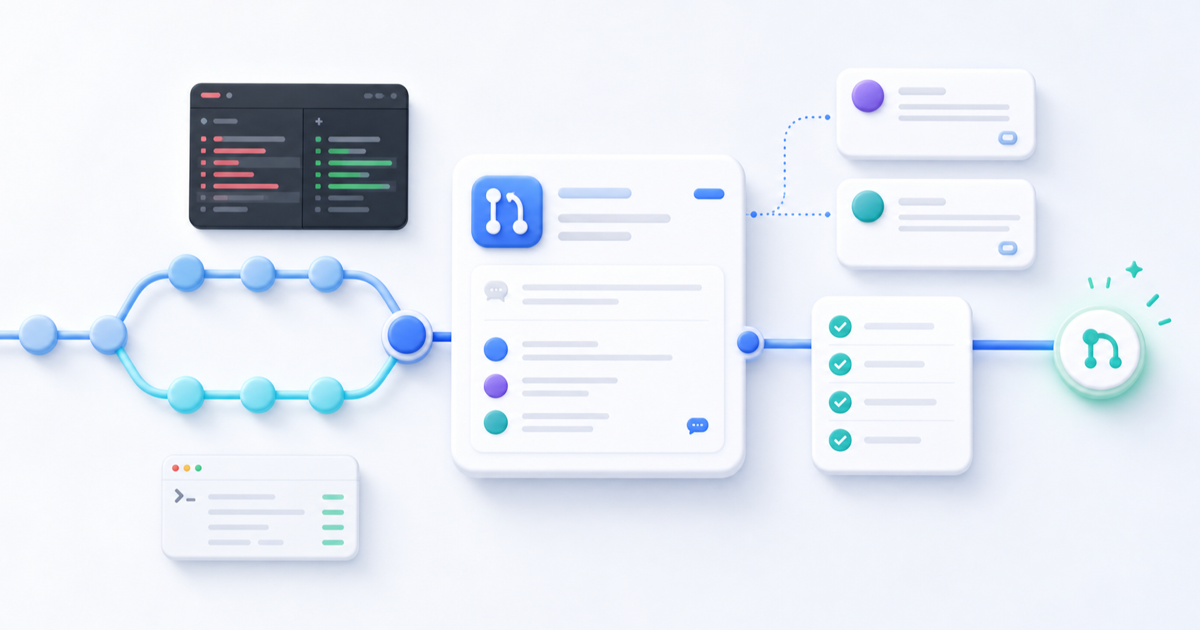
여러 개발자가 하나의 프로젝트에서 협업할 때 작성한 코드를 곧바로 main 브랜치에 반영하면 검토되지 않은 오류가 제품에 들어가기 쉽습니다. 일반적인 팀은 별도 브랜치에서 작업한 뒤 Pull Request(PR)를 만들고, 사람의 리뷰와 자동 검사를 모두 통과한 변경만 기본 브랜치에 반영합니다.
가장 실용적인 기본 흐름은 다음과 같습니다.
기능 브랜치 생성 → Draft PR → 자동 검사 → 코드 리뷰 → 수정과 승인 → Squash and merge → 작업 브랜치 삭제
이 글은 GitHub 웹, VS Code, GitHub CLI, GitHub Actions를 어떻게 조합하는지와 세 가지 머지 방식, Ruleset·브랜치 보호·CODEOWNERS까지 한 번에 정리합니다. 2026년 8월 7일 기준 GitHub 공식 문서와 공식 도구 문서를 확인해 작성했습니다.
Pull Request란?
Pull Request는 한 브랜치의 변경을 다른 브랜치에 반영해 달라고 제안하는 GitHub의 협업 단위입니다. 단순한 “합치기 버튼”이 아니라 다음 정보를 한곳에서 관리합니다.
- 변경 목적과 관련 이슈
- 수정된 파일과 커밋
- 코드 라인별 의견과 전체 리뷰
- 자동 테스트·빌드·보안 검사 결과
- 승인과 머지 기록
로그인 화면을 만든다면 먼저 기능 브랜치를 생성합니다.
git switch -c feature/login-page변경 범위만 선택해 커밋하고 원격 브랜치로 올립니다.
git add src/login
git commit -m "feat: add login page"
git push -u origin feature/login-page
이제 feature/login-page를 main에 합치기 위한 PR을 만들면, 기본 브랜치를 건드리지 않은 상태에서 팀이 변경을 검토할 수 있습니다.
리뷰하기 쉬운 PR 작성법
좋은 PR은 리뷰어가 세 가지 질문에 빠르게 답할 수 있게 합니다.
- 왜 바꾸었는가?
- 무엇이 바뀌었는가?
- 어떻게 검증하는가?
제목은 결과를 짧고 구체적으로 적습니다.
feat: add login page본문은 다음 정도면 충분합니다.
## 작업 내용

- 로그인 폼과 유효성 검사 추가
- 성공·실패 상태 처리

## 테스트 방법

1. 이메일과 비밀번호를 입력합니다.
2. 로그인 버튼을 누릅니다.
3. 성공·실패 메시지와 모바일 화면을 확인합니다.

## 리뷰 요청 사항

- 실패 시 오류 처리 방식이 적절한지 확인해 주세요.
- 키보드만으로 폼을 사용할 수 있는지 확인해 주세요.
기능 추가, 대규모 리팩터링, 스타일 정리를 한 PR에 섞지 마세요. GitHub도 작고 초점이 분명한 PR이 더 빠르고 안전하게 리뷰된다고 안내합니다.
Draft Pull Request를 먼저 만드는 이유
작업이 끝나기 전이라도 Draft PR을 만들 수 있습니다. 구현 방향을 조기에 공유하고 CI를 미리 실행하며, 다른 팀원의 중복 작업도 줄일 수 있습니다.
Draft PR은 머지할 수 없고 CODEOWNERS에게 정식 리뷰가 자동 요청되지 않습니다. 작업이 끝난 뒤 Ready for review로 바꾸면 코드 소유자에게 리뷰 요청이 전달됩니다. 따라서 규모가 큰 기능은 다음처럼 운영하기 좋습니다.
- 기본 구조가 잡히면 Draft PR을 만듭니다.
- 설명에 남은 작업과 결정이 필요한 부분을 적습니다.
- 자동 검사를 고치고 방향성 피드백을 반영합니다.
- 준비가 끝나면 Ready for review로 전환합니다.
GitHub 웹에서 리뷰하는 순서
PR 화면은 주로 다음 영역으로 구성됩니다.
| 영역 | 확인할 내용 |
|---|---|
| Conversation | 목적, 관련 이슈, 전체 논의, 승인과 머지 상태 |
| Commits | 작업 브랜치에 포함된 커밋과 변화 과정 |
| Checks | CI, 테스트, 빌드, 보안 검사 결과 |
| Files changed | 실제 diff와 코드 라인별 리뷰 |
| Findings | 저장소 설정에 따라 표시되는 코드 스캔 등 자동 분석 결과 |
먼저 Conversation에서 요구사항과 테스트 방법을 읽고, Checks의 실패 여부를 확인한 뒤 Files changed로 이동합니다. 코드가 정상처럼 보여도 요구사항과 다른 기능이라면 올바른 변경이 아닙니다.
Files changed에서 볼 것
모든 PR에 같은 체크리스트를 기계적으로 적용하기보다 변경 위험도에 맞춰 봅니다.
- 기능: 정상 흐름, 오류·빈 상태, 기존 기능 회귀
- 코드: 명확한 이름, 책임 분리, 중복과 불필요한 복잡성
- 테스트: 핵심 로직, 실패 조건, 회귀 테스트
- 보안: 입력 검증, 권한 검사, 비밀 값 노출, 안전하지 않은 HTML
- 프런트엔드: 반응형, 로딩, 키보드 접근성, 렌더링과 번들 영향
파일을 확인했다면 Viewed로 표시해 진행률을 관리할 수 있습니다. 큰 PR일수록 파일 단위로 확인하는 편이 누락을 줄입니다.
Comment, Approve, Request changes의 차이
GitHub의 리뷰 결정은 세 가지입니다.
Comment
질문이나 선택적 제안을 남기지만 승인 또는 변경 요청 상태를 만들지는 않습니다. 보통 머지를 차단하지 않습니다.
질문: 이 로직을 공통 유틸리티로 분리하지 않은 이유가 있을까요?Approve
현재 변경이 머지 가능한 수준이라고 판단했음을 표시합니다. 승인 전에 주요 변경, CI, 미해결 대화, 필요한 로컬 테스트와 보안 위험을 확인합니다.
Request changes
머지 전 반드시 해결해야 할 문제를 표시합니다. 예를 들면 기능 오류, 데이터 손실 가능성, 보안 취약점, 실패한 테스트, 요구사항 누락입니다.
중요한 주의점이 있습니다. Request changes 자체가 언제나 머지를 막는 것은 아닙니다. 실제 차단 조건으로 사용하려면 Ruleset 또는 브랜치 보호에서 PR 리뷰를 필수로 설정해야 합니다.
좋은 리뷰 댓글의 구조
사람을 평가하지 말고 코드와 영향을 설명합니다. 다음 네 요소를 포함하면 대화가 짧아집니다.
- 어떤 문제가 있는가
- 왜 문제가 되는가
- 언제 재현되는가
- 가능한 해결 방향은 무엇인가
필수: API 요청이 실패하면 로딩 상태가 해제되지 않습니다.
사용자는 화면이 멈춘 것으로 인식할 수 있으므로 finally에서 로딩 상태를 정리하거나
실패 분기에서 명시적으로 상태를 갱신해 주세요.
의견의 성격도 표시해 보세요.
필수: 머지 전 수정 필요제안: 선택적 개선질문: 의도 확인사소함: 동작에 영향 없는 작은 정리
구체적인 한두 줄 수정은 GitHub의 Suggestion으로 제안할 수 있습니다. 여러 제안을 묶어서 하나의 커밋으로 적용할 수도 있습니다. 범위가 큰 수정은 작성자가 로컬에서 맥락과 테스트를 함께 반영하는 편이 안전합니다.
언제 로컬에서 실행해야 할까?
오타나 문구 수정은 웹 diff만으로 충분할 수 있습니다. 다음 변경은 직접 체크아웃해 실행하는 편이 좋습니다.
- 핵심 비즈니스 로직과 데이터 처리
- UI 레이아웃, 반응형, 애니메이션
- 폼 검증, API 성공·실패 흐름
- 키보드 접근성과 브라우저 호환성
- 빌드 설정과 패키지 업데이트
GitHub CLI를 사용하면 PR을 바로 가져올 수 있습니다.
gh pr checkout 123
npm ci
npm run lint
npm run type-check
npm test
npm run build
프로젝트에 존재하는 스크립트만 실행하고, UI 변경은 개발 서버에서 핵심 화면 크기와 상호작용을 확인합니다.
VS Code와 GitHub CLI 활용법
VS Code 사용자는 GitHub Pull Requests 확장으로 PR 체크아웃, diff 확인, 라인 댓글, 리뷰 제출과 로컬 실행을 한 화면에서 처리할 수 있습니다. 정의와 타입을 따라가며 실제 코드 문맥을 볼 수 있다는 것이 웹 리뷰보다 좋은 점입니다.
터미널 중심이라면 다음 gh 명령만 익혀도 대부분의 작업을 처리합니다.
# 목록과 상세 정보
gh pr list
gh pr view 123
gh pr view 123 --web

# diff, 체크아웃, CI
gh pr diff 123
gh pr checkout 123
gh pr checks 123 --watch

# 리뷰
gh pr review 123 --approve
gh pr review 123 --comment --body "오류 처리 방식을 확인해 주세요."
gh pr review 123 --request-changes --body "실패 시 로딩 상태가 종료되지 않습니다."

# 조건 충족 후 squash merge와 브랜치 삭제
gh pr merge 123 --squash --delete-branch

# 조건이 충족되면 자동 머지
gh pr merge 123 --squash --auto
라인별 댓글이 많다면 GitHub 웹이나 VS Code가 편하고, 상태 확인과 반복 작업은 CLI가 빠릅니다. 실제 머지 명령은 저장소 권한과 팀 규칙을 확인한 뒤 실행해야 합니다.
GitHub Actions로 자동 검사 만들기
문법, 포맷, 타입, 테스트, 빌드처럼 기계가 반복해서 판단할 수 있는 일은 CI에 맡깁니다. 다음은 2026년 8월 기준 공식 액션의 현재 메이저 버전을 사용한 Node.js 예시입니다.
name: Pull Request Check

on:
  pull_request:
    branches: [main]

permissions:
  contents: read

jobs:
  test:
    runs-on: ubuntu-latest
    steps:
      - name: Checkout repository
        uses: actions/checkout@v6

      - name: Set up Node.js
        uses: actions/setup-node@v6
        with:
          node-version: 24
          cache: npm

      - name: Install dependencies
        run: npm ci

      - name: Run lint
        run: npm run lint

      - name: Run type check
        run: npm run type-check

      - name: Run tests
        run: npm test

      - name: Run build
        run: npm run build
프로젝트에 없는 명령은 제거하거나 실제 스크립트 이름으로 바꿉니다. 보안 요구가 높은 저장소는 액션 태그 대신 검증된 전체 커밋 SHA로 고정하는 것이 가장 안전합니다. GitHub도 전체 SHA가 변경 불가능한 액션 릴리스를 참조하는 유일한 방법이라고 안내합니다.
자동 검사가 대신할 수 없는 판단도 있습니다.
- 요구사항과 구현 방향
- 시스템 설계와 유지보수성
- 사용자 경험과 접근성
- 장기적인 변경 영향
CI는 사람 리뷰를 대체하는 것이 아니라 사람이 더 중요한 판단에 집중하도록 돕습니다.
세 가지 머지 방식 비교
GitHub 저장소는 허용할 머지 방식을 설정할 수 있습니다.
| 방식 | 개별 커밋 보존 | 별도 merge commit | 적합한 환경 |
|---|---|---|---|
| Squash and merge | 아니요 | 아니요 | 일반적인 제품·웹 개발 |
| Create a merge commit | 예 | 예 | 브랜치 구조와 모든 커밋을 보존할 때 |
| Rebase and merge | 예 | 아니요 | 의미 있는 커밋으로 선형 이력을 유지할 때 |
Squash and merge
PR의 여러 커밋을 하나로 합쳐 기본 브랜치에 반영합니다. 작업 중 만든 fix, wip 커밋이 남지 않고 PR 하나와 커밋 하나가 대응해 추적과 되돌리기가 쉽습니다. 대신 개별 커밋의 작성 시점과 맥락은 기본 브랜치에서 사라집니다.
대부분의 웹 제품 팀에는 가장 무난한 기본값입니다.
Create a merge commit
모든 커밋을 보존하고 병합 커밋을 추가합니다. 장기간 유지되는 브랜치나 브랜치 구조 자체가 중요한 환경에 유용하지만, 작은 PR이 많으면 그래프가 복잡해집니다.
Rebase and merge
각 커밋을 기본 브랜치 최신 지점 뒤에 다시 적용해 선형 이력을 만듭니다. 커밋이 작고 독립적으로 잘 정리된 팀에 적합합니다. GitHub에서 rebase merge를 하면 새 커밋 SHA가 만들어진다는 점도 기억해야 합니다.
Auto-merge와 Merge queue
Auto-merge
저장소에서 Auto-merge를 허용하면, 필수 승인과 상태 검사가 모두 통과했을 때 PR을 자동으로 머지할 수 있습니다. CI가 오래 걸리거나 작은 PR이 자주 들어오는 팀에 편리합니다.
단, 배포 일정이나 운영 승인처럼 자동으로 표현할 수 없는 조건이 있다면 바로 사용하지 마세요. 저장소에서 먼저 Auto-merge를 허용해야 하며, GitHub 웹의 옵션은 아직 머지 조건을 충족하지 못한 PR에서만 보일 수 있습니다.
Merge queue
여러 PR이 빠르게 main에 들어가는 저장소에서는 각 PR이 혼자 CI를 통과해도 연속 머지 후 조합이 깨질 수 있습니다. Merge queue는 최신 기본 브랜치와 앞선 PR을 합친 임시 상태에서 다시 검사하고 순서대로 머지합니다.
GitHub Actions를 사용한다면 워크플로가 큐 검사를 실행하도록 이벤트를 추가해야 합니다.
on:
  pull_request:
  merge_group:
Merge queue는 모든 저장소에 동일하게 제공되지 않습니다. 현재 공식 기준으로 조직 소유 공개 저장소 또는 GitHub Enterprise Cloud 조직의 비공개 저장소에서 사용할 수 있으므로 요금제와 소유 형태를 확인하세요.
충돌을 안전하게 해결하기
기본 브랜치의 최신 내용을 가져온 뒤 작업 브랜치에 merge하거나 rebase합니다.
git fetch origin
git switch feature/login-page

# 팀이 merge 방식을 쓰는 경우
git merge origin/main
rebase를 선택했다면 충돌을 해결하고 다음처럼 진행합니다.
git rebase origin/main
git add src/login/LoginForm.tsx
git rebase --continue
git push --force-with-lease
공유 브랜치에서 rebase하면 이력이 바뀝니다. 팀원과 합의하고 일반 --force 대신 --force-with-lease를 사용해야 다른 사람이 올린 커밋을 덮어쓸 위험을 줄일 수 있습니다. 충돌 해결 후 테스트와 빌드는 다시 실행합니다.
Ruleset과 브랜치 보호 설정
PR 프로세스를 개인의 주의력에만 맡기지 말고 저장소 규칙으로 강제합니다. GitHub는 전통적인 Branch protection rule과 더 유연하게 여러 규칙을 함께 적용할 수 있는 Ruleset을 제공합니다.
대부분의 팀은 main에 다음 조건부터 적용하면 됩니다.
- PR을 통해서만 변경
- 최소 1명 승인
- 필수 CI 상태 검사 통과
- 리뷰 대화 해결 필수
- Force push와 브랜치 삭제 제한
- 필요하면 최신 기본 브랜치 반영 또는 Merge queue 사용
위험도가 높은 프로젝트라면 CODEOWNERS 승인, 새 커밋 시 기존 승인 무효화, 최근 푸시에 대한 타인 승인, 코드 스캔·배포 성공, 규칙 우회 제한도 검토합니다.
필수 상태 검사의 job 이름은 워크플로마다 고유하게 만드세요. 같은 이름이 여러 워크플로에 있으면 결과가 모호해져 머지가 막힐 수 있습니다.
CODEOWNERS로 리뷰 자동 배정하기
CODEOWNERS 파일에 경로별 담당자를 지정하면 해당 파일이 변경된 PR에서 리뷰어가 자동 요청됩니다.
/src/components/  @frontend-team
/src/api/         @backend-team
/.github/         @devops-team
/docs/            @documentation-team
Draft PR에서는 자동 요청되지 않고 Ready for review로 바뀔 때 요청됩니다. 담당자가 불명확한 대규모 저장소, 보안·인프라·공통 라이브러리처럼 전문 검토가 필요한 영역에서 특히 유용합니다.
보안·품질 도구는 언제 추가할까?
- CodeQL: 데이터 흐름과 취약 패턴을 분석하고 PR에 코드 스캔 결과를 표시
- Dependabot: 의존성 업데이트와 보안 업데이트 PR 생성
- SonarQube·SonarCloud: 버그, 중복, 복잡도, 커버리지 기반 Quality Gate
- Copilot code review: 사람 리뷰 전에 일반적인 오류와 개선 후보를 제안
AI 리뷰는 보조 검사입니다. 프로젝트 요구사항과 조직의 설계 원칙, 비즈니스 맥락을 놓칠 수 있으므로 최종 승인 책임은 사람에게 둡니다. 또한 도구가 많을수록 좋은 것이 아니라, 도입 비용보다 해결하는 문제가 분명할 때 추가해야 합니다.
가장 추천하는 실무 워크플로
- 최신
main에서 기능 브랜치를 만듭니다. - 변경 범위를 작게 유지하고 의미 있는 단위로 커밋합니다.
- 초기부터 Draft PR로 목적과 진행 상황을 공유합니다.
- CI가 lint, type check, test, build를 실행합니다.
- 완료 후 Ready for review로 바꾸고 적절한 리뷰어를 지정합니다.
- 리뷰어는 목적 → Checks → Files changed → 필요 시 로컬 실행 순서로 확인합니다.
- 작성자는 피드백을 반영하고 대화를 해결한 뒤 재리뷰를 요청합니다.
- 승인과 필수 검사가 모두 통과하면 Squash and merge합니다.
- 작업 브랜치를 삭제하고, 후속 제안은 별도 이슈로 분리합니다.
규모별로는 다음 정도가 현실적입니다.
| 환경 | 권장 구성 |
|---|---|
| 개인·소규모 | GitHub 웹 + Actions + Squash merge |
| 일반 제품팀 | Actions + Ruleset/보호 규칙 + CODEOWNERS + Auto-merge |
| 터미널 중심 팀 | GitHub CLI + Actions + Squash merge |
| PR이 매우 많은 조직 | 위 구성 + Merge queue |
| 보안 요구가 높은 서비스 | CodeQL/의존성 리뷰 + CODEOWNERS + 엄격한 규칙 |
결론
Pull Request의 가치는 코드를 합치는 데 있지 않습니다. 변경 목적을 공유하고, 자동화가 반복 가능한 오류를 검사하며, 사람이 설계·가독성·사용자 경험과 장기 영향을 판단하도록 만드는 데 있습니다.
처음부터 복잡하게 시작할 필요는 없습니다.
작은 PR → CI 검사 → 사람 리뷰와 승인 → Squash and merge
이 네 단계를 안정적으로 운영한 다음 CODEOWNERS, Auto-merge, 정적 분석, Merge queue를 팀의 문제에 맞춰 추가하세요. 도구의 수보다 중요한 것은 머지 조건이 명확하고, 누가 최종 책임을 지는지 팀 모두가 이해하는 것입니다.
공식 자료
When several developers share a project, pushing unreviewed work directly to main makes defects more likely to reach production. Most teams work on separate branches, open a pull request (PR), and merge only after human review and automated checks succeed.
Feature branch → Draft PR → automated checks → code review → fixes and approval → Squash and merge → delete branch
This guide combines GitHub web, VS Code, GitHub CLI, GitHub Actions, merge strategies, rulesets, branch protection, and CODEOWNERS into one practical workflow. It was verified against GitHub's official documentation on August 7, 2026.
What is a pull request?
A pull request proposes merging one branch into another. It is not just a merge button; it collects the purpose, related issues, changed files, commits, line comments, reviews, automated checks, approvals, and merge history.
git switch -c feature/login-page
git add src/login
git commit -m "feat: add login page"
git push -u origin feature/login-page
Opening a PR from feature/login-page to main lets the team inspect the change without modifying the default branch.
Write a PR that is easy to review
A reviewer should quickly understand why the change exists, what changed, and how to verify it. Keep the title concrete and the body structured.
## Changes

- Add login form and validation
- Handle success and failure states

## How to test

1. Enter an email and password.
2. Submit the form.
3. Check success, failure, mobile, and keyboard behavior.

## Review focus

- Is failure handling appropriate?
- Can the form be used with only a keyboard?
Do not mix a feature, a large refactor, and unrelated styling in one PR. GitHub recommends small, focused changes because they are faster and safer to review.
Why start with a Draft PR?
A Draft PR shares direction early, runs CI, and prevents duplicate work. Drafts cannot be merged, and CODEOWNERS are not automatically requested until the PR becomes Ready for review.
- Open a Draft PR after the basic structure exists.
- List unfinished work and open decisions.
- Fix automated checks and incorporate early feedback.
- Mark it Ready for review when complete.
Review in GitHub web
| Area | What to inspect |
|---|---|
| Conversation | Purpose, issues, discussion, approvals, merge state |
| Commits | Commits and evolution of the branch |
| Checks | CI, tests, builds, and security results |
| Files changed | Diff and line-level review |
| Findings | Automated analysis such as code scanning, when configured |
Read the intent first, check failures, then inspect the diff. In Files changed, focus on requirements, error states, regressions, naming, responsibility, duplication, tests, input and permission checks, secrets, accessibility, rendering, and bundle impact. Mark reviewed files as Viewed to avoid omissions in large PRs.
Comment, Approve, and Request changes
GitHub reviews have three decisions.
- Comment: feedback or a question without approval or rejection.
- Approve: indicates the change is ready to merge.
- Request changes: identifies work that should be completed before merging.
Important: a Request changes review does not always block merging by itself. A ruleset or branch protection rule must require pull request reviews for it to become an enforced blocker.
Good comments describe the problem, its impact, the scenario that triggers it, and a possible direction.
Required: The loading state is never cleared when the API fails.
Users can think the page is frozen, so clear it in finally or update it explicitly in the failure path.
Labels such as Required, Suggestion, Question, and Nit make intent clear. Use GitHub Suggestions for small exact edits; broader changes should be implemented and tested locally by the author.
When should you run the PR locally?
Web review is enough for typos. Run business logic, data processing, UI, responsive behavior, animation, form validation, API failures, accessibility, build configuration, and package updates locally.
gh pr checkout 123
npm ci
npm run lint
npm run type-check
npm test
npm run build
Only run scripts that the project actually defines. For UI work, test relevant viewport sizes and interactions in a development server.
VS Code and GitHub CLI
The GitHub Pull Requests extension for VS Code supports checkout, diffs, line comments, reviews, and local execution while preserving full code navigation and type context.
For terminal-oriented work, these commands cover most daily tasks:
gh pr list
gh pr view 123
gh pr diff 123
gh pr checkout 123
gh pr checks 123 --watch

gh pr review 123 --approve
gh pr review 123 --comment --body "Please recheck error handling."
gh pr review 123 --request-changes --body "Loading never ends after a failed request."

gh pr merge 123 --squash --delete-branch
gh pr merge 123 --squash --auto
Web and VS Code are better for many line comments; CLI is faster for status and repetition. Run merge commands only after confirming repository permissions and team rules.
Automate checks with GitHub Actions
Let CI handle syntax, formatting, types, tests, and builds. This example uses the current official major action versions as of August 2026.
name: Pull Request Check

on:
  pull_request:
    branches: [main]

permissions:
  contents: read

jobs:
  test:
    runs-on: ubuntu-latest
    steps:
      - uses: actions/checkout@v6
      - uses: actions/setup-node@v6
        with:
          node-version: 24
          cache: npm
      - run: npm ci
      - run: npm run lint
      - run: npm run type-check
      - run: npm test
      - run: npm run build
Remove commands your project does not provide. For higher-security repositories, pin actions to a verified full commit SHA; GitHub identifies that as the only immutable action reference.
Automation cannot judge product requirements, architecture, maintainability, UX, accessibility, or long-term impact. CI supports human review; it does not replace it.
Compare the three merge methods
| Method | Keeps individual commits | Adds merge commit | Best fit |
|---|---|---|---|
| Squash and merge | No | No | Typical web and product teams |
| Create a merge commit | Yes | Yes | Teams preserving branch history |
| Rebase and merge | Yes | No | Teams maintaining disciplined linear history |
Squash and merge turns a PR into one default-branch commit, making history and reverts simple while discarding the PR's individual commit structure. It is the safest default for many product teams.
Create a merge commit preserves every commit and the branch boundary, but frequent small PRs can make the graph noisy.
Rebase and merge keeps individual commits in a linear history. It works best when every commit is meaningful. GitHub creates new commit SHAs during this operation.
Auto-merge and merge queue
Auto-merge completes a PR after required reviews and checks pass. The repository must allow it, and the web option may appear only when a PR is not yet immediately mergeable. Avoid it when release timing requires a manual business decision.
A merge queue re-tests each PR with the latest base branch and changes ahead of it, protecting busy branches from incompatible sequential merges. GitHub Actions workflows must listen for merge_group:
on:
  pull_request:
  merge_group:
Availability depends on repository ownership and plan. GitHub currently supports merge queues for organization-owned public repositories and private repositories in Enterprise Cloud organizations.
Resolve conflicts safely
git fetch origin
git switch feature/login-page
git merge origin/main
If your team uses rebase:
git rebase origin/main
git add src/login/LoginForm.tsx
git rebase --continue
git push --force-with-lease
Rebase rewrites shared history. Coordinate first and use --force-with-lease, not plain --force. Re-run tests and builds after resolving conflicts.
Rulesets, branch protection, and CODEOWNERS
Do not rely on memory alone. Protect main with:
- Pull requests required
- At least one approval
- Required CI checks
- Resolved review conversations
- Restricted force pushes and deletion
- An up-to-date branch or merge queue when appropriate
High-risk projects can also require CODEOWNERS approval, dismiss stale approvals, require approval of the latest push by someone else, enforce code scanning or deployment, and restrict bypasses. Give required CI jobs unique names across workflows to avoid ambiguous statuses.
CODEOWNERS routes reviews by path:
/src/components/  @frontend-team
/src/api/         @backend-team
/.github/         @devops-team
/docs/            @documentation-team
Owners are requested when the PR is ready for review, not while it remains a draft.
Add quality and security tools only when useful
- CodeQL detects security-relevant data flows and patterns.
- Dependabot opens dependency and security update PRs.
- SonarQube or SonarCloud can enforce quality gates.
- Copilot code review can flag common issues before human review.
AI review is an assistant, not the accountable approver. Add a tool only when the problem it solves is worth its maintenance cost.
Recommended practical workflow
- Branch from current
main. - Keep scope small and commit meaningful units.
- Share progress through a Draft PR.
- Run lint, type checks, tests, and builds in CI.
- Mark Ready for review and assign the right reviewers.
- Review intent, checks, diff, and local behavior when needed.
- Apply feedback, resolve conversations, and request re-review.
- After approval and required checks, Squash and merge.
- Delete the branch and move out-of-scope suggestions to issues.
Start with a small PR, CI, human approval, and Squash and merge. Add CODEOWNERS, auto-merge, static analysis, or a merge queue only as the team grows. Clear merge requirements and ownership matter more than the number of tools.
Official sources
多人协作时,直接把未经审查的代码推到 main 很容易让缺陷进入产品。常见做法是在独立分支开发,创建 Pull Request(PR),通过人工审查和自动检查后再合并。
功能分支 → Draft PR → 自动检查 → 代码审查 → 修改与批准 → Squash and merge → 删除分支
本文把 GitHub 网页、VS Code、GitHub CLI、GitHub Actions、合并策略、Ruleset、分支保护和 CODEOWNERS 整合成一套实用流程,并依据截至 2026 年 8 月 7 日的 GitHub 官方文档进行了验证。
什么是 Pull Request?
PR 是把一个分支的变更合入另一个分支的提案。它集中保存变更目的、相关 Issue、文件、提交、行级评论、审查、CI 结果、批准与合并记录。
git switch -c feature/login-page
git add src/login
git commit -m "feat: add login page"
git push -u origin feature/login-page
随后创建从 feature/login-page 到 main 的 PR,团队就能在不直接修改默认分支的情况下审查代码。
如何写出容易审查的 PR
审查者应能迅速回答:为什么改、改了什么、怎样验证。标题要具体,正文要简洁。
## 变更内容

- 添加登录表单与验证
- 处理成功和失败状态

## 测试方法

1. 输入邮箱和密码。
2. 提交表单。
3. 检查成功、失败、移动端和键盘操作。

## 审查重点

- 失败处理是否合理?
- 是否能仅用键盘完成操作?
不要把功能、巨型重构和无关样式调整塞进同一个 PR。GitHub 也建议保持 PR 小而聚焦。
为什么先创建 Draft PR?
Draft PR 可以提前共享方向、运行 CI,并减少重复开发。它不能合并,而且在变为 Ready for review 前不会自动请求 CODEOWNERS 审查。
- 基本结构完成后创建 Draft PR。
- 写明未完成事项和待决定问题。
- 修复自动检查并吸收早期反馈。
- 完成后切换为 Ready for review。
在 GitHub 网页上审查
| 区域 | 检查内容 |
|---|---|
| Conversation | 目的、Issue、讨论、批准、合并状态 |
| Commits | 分支提交与演进过程 |
| Checks | CI、测试、构建和安全结果 |
| Files changed | diff 与行级评论 |
| Findings | 配置后显示的代码扫描等自动分析 |
先读目的,再看失败的检查,最后审查 diff。重点关注需求、异常与空状态、回归、命名、职责、重复、测试、输入和权限、密钥、无障碍、渲染与包体影响。大 PR 可把已查看文件标记为 Viewed。
Comment、Approve 与 Request changes
GitHub 审查有三种结论:
- Comment:提出问题或建议,不表示批准或拒绝。
- Approve:认为当前变更可以合并。
- Request changes:指出合并前应解决的问题。
注意:Request changes 本身不一定阻止合并。只有 Ruleset 或分支保护要求 PR 审查时,它才成为强制阻塞条件。
好的评论应说明问题、影响、触发场景和可能的解决方向。
必须:API 失败后加载状态没有清除。
用户会以为页面卡死,请在 finally 或失败分支中更新状态。
可用 必须、建议、问题、细节 标明优先级。小范围精确修改适合 Suggestion,大范围修改应由作者在本地完成并测试。
什么时候需要本地运行?
错别字可以只看网页 diff;业务逻辑、数据处理、UI、响应式、动画、表单、API 错误、无障碍、构建配置和依赖更新最好本地验证。
gh pr checkout 123
npm ci
npm run lint
npm run type-check
npm test
npm run build
只运行项目实际定义的脚本。UI 变更还应检查关键屏幕尺寸和交互。
VS Code 与 GitHub CLI
VS Code 的 GitHub Pull Requests 扩展支持检出、diff、行评论、提交审查和本地运行,并保留完整的代码导航与类型上下文。
终端用户掌握以下命令即可覆盖大部分工作:
gh pr list
gh pr view 123
gh pr diff 123
gh pr checkout 123
gh pr checks 123 --watch

gh pr review 123 --approve
gh pr review 123 --comment --body "请重新检查错误处理。"
gh pr review 123 --request-changes --body "请求失败后加载状态没有结束。"

gh pr merge 123 --squash --delete-branch
gh pr merge 123 --squash --auto
大量行级评论适合网页或 VS Code;状态查询和重复操作适合 CLI。执行合并前必须确认权限和团队规则。
用 GitHub Actions 自动检查
让 CI 负责格式、类型、测试和构建。以下示例采用 2026 年 8 月官方当前主版本。
name: Pull Request Check

on:
  pull_request:
    branches: [main]

permissions:
  contents: read

jobs:
  test:
    runs-on: ubuntu-latest
    steps:
      - uses: actions/checkout@v6
      - uses: actions/setup-node@v6
        with:
          node-version: 24
          cache: npm
      - run: npm ci
      - run: npm run lint
      - run: npm run type-check
      - run: npm test
      - run: npm run build
删除项目中不存在的命令。高安全要求的仓库应把 Action 固定到经验证的完整 commit SHA,这是 GitHub 所说明的唯一不可变引用方式。
自动化无法判断产品需求、架构、可维护性、UX、无障碍和长期影响。CI 是人工审查的辅助,不是替代品。
三种合并方式
| 方式 | 保留单个提交 | 新增 merge commit | 适合场景 |
|---|---|---|---|
| Squash and merge | 否 | 否 | 一般 Web 与产品团队 |
| Create a merge commit | 是 | 是 | 需要保留分支历史 |
| Rebase and merge | 是 | 否 | 严格维护线性提交历史 |
Squash and merge 把整个 PR 变成默认分支上的一个提交,历史和回滚都很清晰,但会丢失 PR 内部提交结构,适合多数产品团队。
Create a merge commit 保留所有提交和分支边界,但小 PR 很多时图会变复杂。
Rebase and merge 在线性历史中保留单个提交,适合每个提交都具有独立意义的团队;GitHub 会生成新的 SHA。
Auto-merge 与 Merge queue
Auto-merge 在所需批准和检查全部通过后自动合并。仓库必须先允许该功能;如果发布时机仍需人工决策,就不应启用。
Merge queue 会把 PR 与最新基础分支及队列中更早的变更组合后重新测试,适合合并频繁的分支。GitHub Actions 必须监听 merge_group:
on:
  pull_request:
  merge_group:
可用范围取决于所有者和套餐。当前支持组织拥有的公开仓库,以及 Enterprise Cloud 组织的私有仓库。
安全解决冲突
git fetch origin
git switch feature/login-page
git merge origin/main
团队使用 rebase 时:
git rebase origin/main
git add src/login/LoginForm.tsx
git rebase --continue
git push --force-with-lease
Rebase 会改写共享历史。先与团队协调,并使用 --force-with-lease 而不是 --force。解决冲突后重新运行测试和构建。
Ruleset、分支保护与 CODEOWNERS
不要只依赖个人记忆。为 main 设置:必须通过 PR、至少一次批准、必需 CI、解决审查对话、限制 force push 和删除,并按需要要求更新到最新基础分支或使用 Merge queue。
高风险项目还可要求 CODEOWNERS 批准、推送新提交后撤销旧批准、由他人批准最新推送、代码扫描或部署成功,以及限制绕过规则。不同工作流中的必需 CI job 名称应保持唯一。
CODEOWNERS 可按路径自动分配审查者:
/src/components/  @frontend-team
/src/api/         @backend-team
/.github/         @devops-team
/docs/            @documentation-team
Draft 状态不会请求所有者,变为 Ready for review 后才会请求。
只在有价值时添加质量工具
- CodeQL:检测与安全有关的数据流和模式。
- Dependabot:创建依赖及安全更新 PR。
- SonarQube/SonarCloud:执行质量门槛。
- Copilot code review:在人工审查前提示常见问题。
AI 审查只是助手,最终批准责任仍属于人。只有当工具解决的问题值得维护成本时才引入。
推荐的实战流程
- 从最新
main创建分支。 - 控制范围并按有意义的单位提交。
- 用 Draft PR 提前共享进度。
- 在 CI 运行 lint、类型检查、测试和构建。
- 切换 Ready for review 并指定合适的审查者。
- 按目的、Checks、diff、必要时本地运行的顺序审查。
- 修复反馈、解决对话并重新请求审查。
- 批准和必需检查通过后 Squash and merge。
- 删除分支,把超出范围的建议转成 Issue。
先从小 PR、CI、人工批准和 Squash merge 开始,再按团队需要增加 CODEOWNERS、Auto-merge、静态分析或 Merge queue。明确的合并条件和责任人比工具数量更重要。
官方资料
複数人で開発するとき、未レビューのコードを直接mainへ入れると不具合が製品に届きやすくなります。一般的なチームは別ブランチで作業し、Pull Request(PR)を作成して、人のレビューと自動検査を通過した変更だけをマージします。
機能ブランチ → Draft PR → 自動検査 → コードレビュー → 修正と承認 → Squash and merge → ブランチ削除
この記事ではGitHub Web、VS Code、GitHub CLI、GitHub Actions、マージ戦略、Ruleset、ブランチ保護、CODEOWNERSを実務フローとして整理します。2026年8月7日時点のGitHub公式ドキュメントで確認済みです。
Pull Requestとは
PRは、あるブランチの変更を別ブランチへ取り込む提案です。目的、関連Issue、ファイル、コミット、行コメント、レビュー、CI結果、承認、マージ履歴を一か所で管理します。
git switch -c feature/login-page
git add src/login
git commit -m "feat: add login page"
git push -u origin feature/login-page
feature/login-pageからmainへのPRを作れば、既定ブランチを直接変更せずにチームで確認できます。
レビューしやすいPRを書く
レビュー担当者が「なぜ・何を・どう検証するか」をすぐ理解できるようにします。
## 変更内容

- ログインフォームと検証を追加
- 成功・失敗状態を処理

## テスト方法

1. メールとパスワードを入力します。
2. フォームを送信します。
3. 成功・失敗・モバイル・キーボード操作を確認します。

## レビューしてほしい点

- 失敗処理は適切ですか?
- キーボードだけで操作できますか?
機能追加、大規模リファクタリング、無関係なスタイル変更を混ぜないでください。GitHubも小さく焦点の合ったPRを推奨しています。
Draft PRから始める理由
Draft PRは方向を早く共有し、CIを実行し、重複作業を防ぎます。Draftはマージできず、Ready for reviewになるまでCODEOWNERSへ自動レビュー依頼されません。
- 基本構造ができたらDraft PRを作る。
- 未完了項目と判断が必要な点を書く。
- 自動検査と早期フィードバックを反映する。
- 完了後にReady for reviewへ変更する。
GitHub Webでレビューする
| 領域 | 確認内容 |
|---|---|
| Conversation | 目的、Issue、議論、承認、マージ状態 |
| Commits | ブランチのコミットと経過 |
| Checks | CI、テスト、ビルド、セキュリティ結果 |
| Files changed | diffと行単位レビュー |
| Findings | 設定時に表示されるコードスキャン等 |
目的を読み、失敗したChecksを確認してからdiffを見ます。要件、例外、回帰、命名、責務、重複、テスト、入力・権限、秘密情報、アクセシビリティ、レンダリング、バンドルへの影響をリスクに応じて確認します。大きなPRでは確認済みファイルをViewedにします。
Comment・Approve・Request changes
GitHubレビューには3つの判断があります。
- Comment:承認せずに質問や提案を残す。
- Approve:現在の変更はマージ可能だと示す。
- Request changes:マージ前に直すべき問題を示す。
注意:Request changesだけで常にマージが止まるわけではありません。Rulesetまたはブランチ保護でPRレビューを必須にすると強制条件になります。
良いコメントは問題、影響、発生条件、解決方向を説明します。
必須:API失敗時にローディング状態が解除されません。
画面が停止したように見えるため、finallyまたは失敗分岐で状態を更新してください。
必須、提案、質問、細部で優先度を示すと明確です。小さな修正はSuggestion、大きな修正は作者がローカルで実装・検証します。
ローカル実行が必要な場合
誤字はWeb diffで十分ですが、業務ロジック、データ、UI、レスポンシブ、アニメーション、フォーム、API失敗、アクセシビリティ、ビルド設定、依存関係はローカルで確認します。
gh pr checkout 123
npm ci
npm run lint
npm run type-check
npm test
npm run build
プロジェクトに存在するスクリプトだけを実行し、UIは主要な画面幅と操作を確認します。
VS CodeとGitHub CLI
VS CodeのGitHub Pull Requests拡張は、チェックアウト、diff、行コメント、レビュー提出、ローカル実行をコードナビゲーションと型情報付きで行えます。
gh pr list
gh pr view 123
gh pr diff 123
gh pr checkout 123
gh pr checks 123 --watch

gh pr review 123 --approve
gh pr review 123 --comment --body "エラー処理を再確認してください。"
gh pr review 123 --request-changes --body "失敗後もローディングが終了しません。"

gh pr merge 123 --squash --delete-branch
gh pr merge 123 --squash --auto
多数の行コメントはWebやVS Code、状態確認と反復操作はCLIが便利です。マージ前に権限とチーム規則を確認します。
GitHub Actionsで自動検査する
次は2026年8月時点の公式メジャーバージョンを使う例です。
name: Pull Request Check

on:
  pull_request:
    branches: [main]

permissions:
  contents: read

jobs:
  test:
    runs-on: ubuntu-latest
    steps:
      - uses: actions/checkout@v6
      - uses: actions/setup-node@v6
        with:
          node-version: 24
          cache: npm
      - run: npm ci
      - run: npm run lint
      - run: npm run type-check
      - run: npm test
      - run: npm run build
存在しないコマンドは削除します。高セキュリティ環境ではActionを検証済みの完全なcommit SHAへ固定します。自動化は要件、設計、保守性、UX、長期影響を判断できないため、人のレビューを補助するものです。
3つのマージ方式
| 方式 | 個別コミット | merge commit | 適した環境 |
|---|---|---|---|
| Squash and merge | 保存しない | なし | 一般的なWeb・製品チーム |
| Create a merge commit | 保存 | あり | ブランチ履歴を残すチーム |
| Rebase and merge | 保存 | なし | 厳格な線形履歴を保つチーム |
SquashはPRを1コミットにして履歴とrevertを簡単にしますが、PR内のコミット構造は失われます。多くの製品チームに適した既定値です。
Merge commitは全コミットとブランチ境界を残しますが、小さなPRが多いとグラフが複雑になります。
Rebaseは個別コミットを線形に保ちます。各コミットが意味を持つチーム向けで、GitHub上では新しいSHAが生成されます。
Auto-mergeとMerge queue
Auto-mergeは必須承認とChecksの通過後に自動マージします。リポジトリ側で許可が必要で、公開時刻など人の判断が残る場合は使いません。
Merge queueはPRを最新ベースと先行PRに組み合わせて再検査します。GitHub Actionsではmerge_groupが必要です。
on:
  pull_request:
  merge_group:
現在は組織所有の公開リポジトリ、またはEnterprise Cloud組織の非公開リポジトリで利用できるため、プランを確認してください。
コンフリクトを安全に解決する
git fetch origin
git switch feature/login-page
git merge origin/main
Rebaseを使う場合:
git rebase origin/main
git add src/login/LoginForm.tsx
git rebase --continue
git push --force-with-lease
Rebaseは共有履歴を書き換えます。事前に調整し、--forceではなく--force-with-leaseを使い、解決後にテストとビルドを再実行します。
Ruleset・ブランチ保護・CODEOWNERS
mainにはPR必須、1名以上の承認、必須CI、会話解決、force pushと削除の制限を設定します。必要に応じて最新ベースへの更新またはMerge queueも要求します。高リスク環境ではCODEOWNERS承認、古い承認の無効化、最新pushへの他者承認、コードスキャン、デプロイ成功、規則回避の制限を追加します。必須CIのjob名はワークフロー間で一意にします。
/src/components/  @frontend-team
/src/api/         @backend-team
/.github/         @devops-team
/docs/            @documentation-team
CODEOWNERSはDraftでは依頼されず、Ready for reviewで自動依頼されます。
品質・セキュリティツール
- CodeQL:セキュリティに関わるデータフローを検出
- Dependabot:依存関係とセキュリティ更新PRを作成
- SonarQube/SonarCloud:Quality Gateを適用
- Copilot code review:人の前に一般的な問題を提案
AIは補助であり、最終承認の責任は人にあります。保守コスト以上の問題を解決するときだけ導入します。
推奨する実務フロー
- 最新
mainからブランチを作る。 - 範囲を小さくし、意味のある単位でコミットする。
- Draft PRで早期共有する。
- CIでlint、型、テスト、ビルドを実行する。
- Ready for reviewにして担当者を指定する。
- 目的、Checks、diff、必要なローカル動作を確認する。
- 指摘を反映し、会話を解決して再レビューを依頼する。
- 承認と必須検査後にSquash and mergeする。
- ブランチを削除し、範囲外の提案はIssueへ分ける。
小さなPR、CI、人の承認、Squash mergeから始め、必要になったらCODEOWNERS、Auto-merge、静的解析、Merge queueを追加します。ツール数より、明確なマージ条件と責任者が重要です。
公式資料
Cuando varias personas comparten un proyecto, enviar código sin revisar directamente a main aumenta el riesgo de que los errores lleguen al producto. El flujo habitual consiste en trabajar en otra rama, abrir un Pull Request (PR) y fusionar solo después de superar la revisión humana y las comprobaciones automáticas.
Rama de función → Draft PR → comprobaciones → revisión → correcciones y aprobación → Squash and merge → eliminar rama
Esta guía reúne GitHub web, VS Code, GitHub CLI, GitHub Actions, estrategias de fusión, Rulesets, protección de ramas y CODEOWNERS. Se verificó con la documentación oficial de GitHub el 7 de agosto de 2026.
¿Qué es un Pull Request?
Un PR propone incorporar una rama en otra. Reúne objetivo, incidencias relacionadas, archivos, commits, comentarios por línea, revisiones, resultados de CI, aprobaciones e historial de fusión.
git switch -c feature/login-page
git add src/login
git commit -m "feat: add login page"
git push -u origin feature/login-page
Un PR de feature/login-page a main permite revisar el cambio sin tocar directamente la rama predeterminada.
Escribe un PR fácil de revisar
El revisor debe entender rápidamente por qué existe el cambio, qué contiene y cómo validarlo.
## Cambios

- Añadir formulario y validación de inicio de sesión
- Gestionar estados de éxito y error

## Cómo probar

1. Introduce correo y contraseña.
2. Envía el formulario.
3. Comprueba éxito, error, móvil y teclado.

## Puntos de revisión

- ¿Es correcto el tratamiento de errores?
- ¿Puede usarse solo con teclado?
No mezcles una función, una gran refactorización y estilos sin relación. GitHub recomienda PR pequeños y enfocados.
¿Por qué empezar con un Draft PR?
Un Draft PR comparte la dirección pronto, ejecuta CI y evita trabajo duplicado. No se puede fusionar y CODEOWNERS no recibe una solicitud automática hasta marcarlo Ready for review.
- Crea el Draft cuando exista la estructura básica.
- Anota trabajo pendiente y decisiones abiertas.
- Corrige comprobaciones y aplica comentarios tempranos.
- Cámbialo a Ready for review al terminar.
Revisar en GitHub web
| Área | Qué revisar |
|---|---|
| Conversation | Objetivo, incidencias, debate, aprobaciones y estado |
| Commits | Commits y evolución de la rama |
| Checks | CI, pruebas, compilación y seguridad |
| Files changed | Diff y comentarios por línea |
| Findings | Análisis automático, si está configurado |
Lee primero el objetivo, revisa los Checks fallidos y después el diff. Evalúa requisitos, errores, regresiones, nombres, responsabilidades, duplicación, pruebas, entradas y permisos, secretos, accesibilidad, renderizado y tamaño del paquete. Marca archivos como Viewed para no omitirlos.
Comment, Approve y Request changes
GitHub ofrece tres decisiones:
- Comment: pregunta o sugerencia sin aprobar ni rechazar.
- Approve: indica que el cambio está listo.
- Request changes: señala trabajo necesario antes de fusionar.
Importante: Request changes no siempre bloquea por sí solo. Debes exigir revisiones mediante un Ruleset o una regla de protección para convertirlo en condición obligatoria.
Un buen comentario explica problema, impacto, escenario y posible solución.
Obligatorio: el estado de carga no se limpia cuando falla la API.
El usuario puede creer que la página está bloqueada; actualízalo en finally o en la ruta de error.
Usa Obligatorio, Sugerencia, Pregunta o Detalle para aclarar prioridad. Suggestion sirve para cambios pequeños; los cambios amplios deben implementarse y probarse localmente.
Cuándo ejecutar el PR en local
Un diff web basta para erratas. Ejecuta en local lógica de negocio, datos, UI, responsive, animación, formularios, errores de API, accesibilidad, configuración de compilación y dependencias.
gh pr checkout 123
npm ci
npm run lint
npm run type-check
npm test
npm run build
Ejecuta solo scripts definidos por el proyecto y prueba la UI en tamaños e interacciones relevantes.
VS Code y GitHub CLI
La extensión GitHub Pull Requests de VS Code permite checkout, diff, comentarios, revisiones y ejecución local con navegación y tipos completos.
gh pr list
gh pr view 123
gh pr diff 123
gh pr checkout 123
gh pr checks 123 --watch

gh pr review 123 --approve
gh pr review 123 --comment --body "Revisa de nuevo el tratamiento de errores."
gh pr review 123 --request-changes --body "La carga no termina tras el fallo."

gh pr merge 123 --squash --delete-branch
gh pr merge 123 --squash --auto
Web y VS Code son mejores para muchos comentarios por línea; CLI es más rápido para estados y tareas repetitivas. Confirma permisos y reglas antes de fusionar.
Automatizar con GitHub Actions
Este ejemplo usa las versiones principales oficiales vigentes en agosto de 2026.
name: Pull Request Check

on:
  pull_request:
    branches: [main]

permissions:
  contents: read

jobs:
  test:
    runs-on: ubuntu-latest
    steps:
      - uses: actions/checkout@v6
      - uses: actions/setup-node@v6
        with:
          node-version: 24
          cache: npm
      - run: npm ci
      - run: npm run lint
      - run: npm run type-check
      - run: npm test
      - run: npm run build
Elimina comandos inexistentes. En repositorios de alta seguridad, fija las Actions a un commit SHA completo y verificado, la única referencia inmutable según GitHub.
La automatización no juzga requisitos, arquitectura, mantenibilidad, UX, accesibilidad o impacto futuro. Apoya la revisión humana, no la sustituye.
Comparar los tres métodos de fusión
| Método | Conserva commits | Merge commit | Entorno adecuado |
|---|---|---|---|
| Squash and merge | No | No | Equipos web y de producto |
| Create a merge commit | Sí | Sí | Equipos que conservan ramas |
| Rebase and merge | Sí | No | Historial lineal disciplinado |
Squash convierte el PR en un solo commit, simplifica historial y reversión, pero elimina la estructura interna. Es una opción predeterminada práctica.
Merge commit conserva todos los commits y la rama, aunque muchos PR pequeños complican el gráfico.
Rebase conserva commits en línea recta y funciona cuando cada commit tiene sentido. GitHub genera SHA nuevos.
Auto-merge y Merge queue
Auto-merge fusiona cuando pasan aprobaciones y Checks obligatorios. El repositorio debe permitirlo; no lo uses si la fecha de publicación necesita decisión humana.
Merge queue vuelve a probar cada PR con la base actual y los cambios anteriores de la cola. GitHub Actions debe escuchar merge_group:
on:
  pull_request:
  merge_group:
La disponibilidad depende del propietario y del plan: actualmente funciona en repositorios públicos de organizaciones y privados de organizaciones Enterprise Cloud.
Resolver conflictos con seguridad
git fetch origin
git switch feature/login-page
git merge origin/main
Si el equipo usa rebase:
git rebase origin/main
git add src/login/LoginForm.tsx
git rebase --continue
git push --force-with-lease
Rebase reescribe historial compartido. Coordina antes, usa --force-with-lease en lugar de --force y repite pruebas y compilación.
Rulesets, protección y CODEOWNERS
Protege main exigiendo PR, al menos una aprobación, CI obligatorio, conversaciones resueltas y límites a force push y borrado. Añade rama actualizada o Merge queue cuando convenga.
Proyectos de alto riesgo pueden exigir CODEOWNERS, invalidar aprobaciones antiguas, pedir aprobación ajena del último push, escaneo, despliegue y restricciones de bypass. Los jobs de CI obligatorios deben tener nombres únicos.
/src/components/  @frontend-team
/src/api/         @backend-team
/.github/         @devops-team
/docs/            @documentation-team
CODEOWNERS se solicita al pasar a Ready for review, no durante Draft.
Herramientas de calidad y seguridad
- CodeQL: detecta flujos y patrones de seguridad.
- Dependabot: abre PR de dependencias y seguridad.
- SonarQube/SonarCloud: aplica Quality Gates.
- Copilot code review: sugiere problemas comunes antes de la revisión humana.
La IA es apoyo, no responsable de la aprobación final. Añade una herramienta solo si el problema que resuelve justifica su mantenimiento.
Flujo práctico recomendado
- Crea una rama desde el
mainactual. - Mantén el alcance pequeño y commits significativos.
- Comparte pronto mediante Draft PR.
- Ejecuta lint, tipos, pruebas y build en CI.
- Marca Ready for review y asigna revisores.
- Revisa objetivo, Checks, diff y comportamiento local cuando haga falta.
- Aplica comentarios, resuelve conversaciones y solicita nueva revisión.
- Tras aprobación y Checks, usa Squash and merge.
- Borra la rama y mueve sugerencias fuera de alcance a Issues.
Empieza con PR pequeños, CI, aprobación humana y Squash merge. Añade CODEOWNERS, Auto-merge, análisis o Merge queue solo cuando el equipo lo necesite. Las condiciones y responsabilidades claras importan más que la cantidad de herramientas.