Cinema Studio vs. Artlist vs. Higgsfield: Which AI Video Tool Should You Choose?
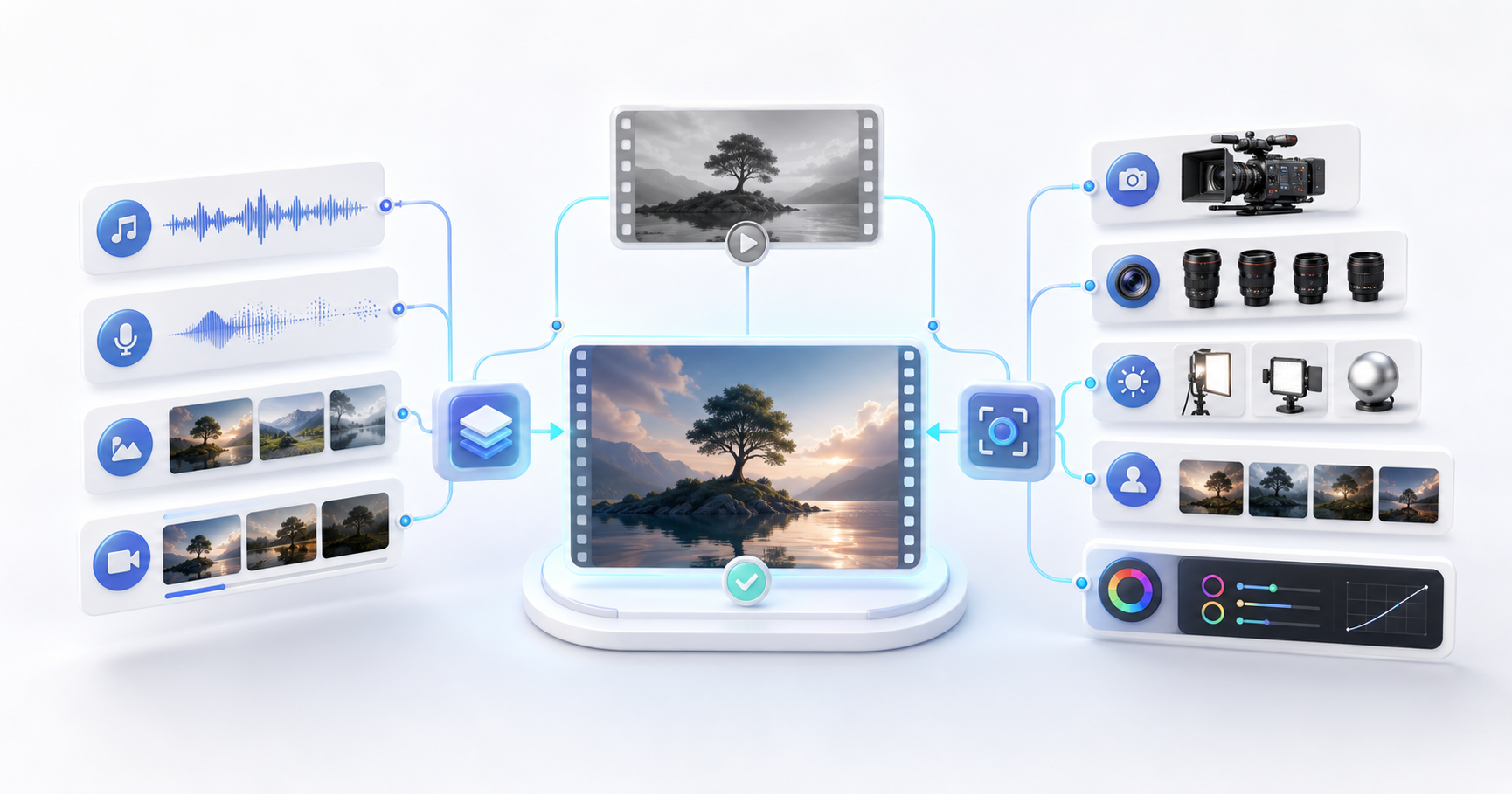
Cinema Studio, Artlist, and Higgsfield often appear in the same AI video shortlist. That makes them look like three competing products, but there is an important detail: Cinema Studio is Higgsfield’s filmmaking workspace. It is not a separate platform from Higgsfield.
The practical comparison is therefore:
- Artlist Studio for an all-in-one creator workflow
- Higgsfield for a broader AI-native visual production suite
- Cinema Studio inside Higgsfield when you need structured, shot-by-shot cinematic control
This guide focuses on choosing a tool for real work, not on deciding which homepage has the most impressive demo reel.
The 30-second answer
| If your main need is… | Start with… | Why |
|---|---|---|
| AI video plus music, voiceover, images, and possibly stock assets | Artlist | More of the content package can stay in one ecosystem |
| Camera-driven AI shots, visual experimentation, and several generation models | Higgsfield | Its suite is centered on creating and directing visuals |
| Reusable characters, locations, props, lenses, lighting, and color across scenes | Higgsfield Cinema Studio | It turns Higgsfield into a more structured filmmaking workspace |
| The simplest possible first test | Both free or lowest-cost options | A controlled test reveals more than a feature checklist |
If you want one simple recommendation: choose Artlist when finishing the complete content package is the priority; choose Higgsfield when directing the image is the priority.
First, understand what each name means
Artlist
Artlist started as a source for licensed music and creative assets, but its current AI offering is much broader. The Artlist AI plans combine image, video, music, and voice generation, while some plans also connect those tools with Artlist’s stock catalog.
Artlist Studio is the project-based production workspace inside that ecosystem. It supports reusable characters and locations, structured prompts, frame-to-shot generation, and cinematic shot controls. Artlist says Studio is available across its AI plans, with more complete access on higher tiers.
The center of gravity is the finished creator package: visuals, sound, voice, and supporting assets.
Higgsfield
Higgsfield is an AI-native creative suite for images, video, audio, characters, advertising, and cinematic production. It provides access to multiple generation models and adds its own tools for character identity, camera motion, marketing content, and production workflows.
The center of gravity is generating and directing original visual content.
Cinema Studio
Cinema Studio 3.5 is a workspace within Higgsfield. It combines reusable characters, locations, and props with camera, lens, lighting, color, and genre controls. It also includes an AI co-director that can help break a scene into shots and populate technical settings.
You do not choose “Cinema Studio instead of Higgsfield.” You choose Higgsfield, then use Cinema Studio when the project needs a more deliberate filmmaking workflow.
Side-by-side practical comparison
| Area | Artlist Studio | Higgsfield platform | Higgsfield Cinema Studio |
|---|---|---|---|
| Product relationship | Workspace inside Artlist | Full creative platform | Workspace inside Higgsfield |
| Best at | Completing a mixed-media content package | Exploring and generating visual assets | Directing consistent cinematic scenes |
| Reusable elements | Characters and locations | Character and reference workflows across tools | Characters, locations, and props with reusable tags |
| Camera control | Framing, angles, and shot types | Camera motion and model-specific controls | Lens, focal length, aperture, lighting, color, and genre controls |
| Audio workflow | Strong: voice, music, and wider Artlist ecosystem | Audio and lip-sync tools are available | Primarily focused on scene and shot creation |
| Model choice | Large multi-model AI toolkit | Large multi-model visual suite | Uses image and video models available in Higgsfield |
| Stock assets | Available through relevant Artlist plans | Not the core offering | Not the core offering |
| Learning curve | Easier if you already edit creator or marketing content | More choices to learn | Most useful when you understand basic shot language |
| Cost structure | Credits shared across AI tools; some plans offer unlimited use on selected models | Credits vary by model and feature; selected plans may include unlimited access | Uses the Higgsfield plan and its credits |
The model lists, credit costs, and unlimited modes can change quickly. Treat the official Artlist pricing page and Higgsfield pricing page as the source of truth on the day you subscribe.
Do not compare credits directly
Artlist credits and Higgsfield credits are internal units. One Artlist credit is not equivalent to one Higgsfield credit, and the number shown in a plan does not tell you how much finished footage you will get.
A more useful metric is:
cost per usable second =
total monthly cost used for the test ÷ seconds of footage you would actually publish
Also record the time required to reach that footage. A cheaper generation can become expensive if it needs many retries, face repairs, continuity fixes, or extra editing.
Run this test before paying for a year
Use the same 12-second concept in both products. Keep the subject, reference image, aspect ratio, and acceptance criteria identical.
Test brief
Create a 16:9 cinematic product sequence for a matte-black travel bottle.

Shot 1, 0–4 seconds:
Wide shot of the bottle on a wet stone table after rain. Slow dolly-in.

Shot 2, 4–8 seconds:
Close-up of water droplets on the surface. Shallow depth of field.

Shot 3, 8–12 seconds:
Low tracking shot as soft morning light moves across the bottle.

Style:
Restrained premium editorial film, cool gray palette, realistic materials.

Constraints:
Keep the same bottle shape and surface in every shot. No text, logo, hands, or extra objects.
Use one reference image if the tool allows it. Generate no more than three versions per shot during the first round. A fixed limit prevents one platform from winning only because you spent more credits on it.
Record these seven numbers
| Metric | How to measure it |
|---|---|
| Setup time | Minutes from new project to first generation |
| Attempts | Total generations, including rejected results |
| Credit use | Credits consumed by accepted and rejected results |
| Usable seconds | Footage you would confidently publish |
| Continuity | Score 1–5 for subject, location, and style consistency |
| Directability | Score 1–5 for how easily you changed framing, motion, light, or performance |
| Finish time | Minutes needed for repair, sound, captions, and export |
Do not score only visual beauty. A beautiful shot that cannot match the next shot is often less useful than a slightly simpler result that remains consistent.
What the test usually reveals
Artlist is likely to win when the deliverable is bigger than the shot
Artlist makes the most sense when your task is “finish a client video” rather than “generate one exceptional visual.” You can move from generated frames and video toward voice, music, and other creator assets without changing ecosystems.
This is especially practical for:
- YouTube and social content
- Marketing teams producing frequent variations
- Editors who regularly need music, sound effects, voice, and stock footage
- Small teams that want fewer subscriptions and a simpler license trail
The possible downside is that a broad toolkit can be less specialized than a workflow designed around detailed cinematography.
Higgsfield is likely to win when the shot itself is the product
Higgsfield is a stronger fit when camera behavior, lens feel, visual consistency, or model choice determines whether the project succeeds. Its wider platform is useful for quickly testing images, motion, character workflows, visual effects, and ad formats.
This is especially practical for:
- Concept films and pitch visuals
- Product hero shots
- Fashion, music video, and commercial experiments
- Creators who want to compare multiple generation models
- Teams building repeatable characters or visual worlds
The trade-off is complexity. More tools and model choices mean more settings to understand and more ways to spend credits without reaching a final edit.
Cinema Studio matters when you move from clips to scenes
Cinema Studio becomes valuable when a project has multiple shots that need to feel as if one director planned them. Reusable elements help keep the cast and world stable, while camera and color controls make revisions more specific.
Instead of rewriting a long prompt, you can make a request such as:
Keep the character, location, and lighting unchanged.
Change only the camera from a 35 mm medium shot to an 85 mm close-up.
Reduce the depth of field and preserve the eyeline.
That is closer to giving a shot note than starting over. The advantage is not a magic “cinematic” button; it is the ability to isolate decisions and revise them more deliberately.
A practical hybrid workflow
You may not need to choose only one platform.
- Plan the script, shots, characters, and locations in Cinema Studio.
- Generate the difficult hero shots in Higgsfield.
- Edit the selected clips in your normal editor.
- Use Artlist for music, sound effects, voiceover, or stock inserts when its catalog and license fit the project.
- Keep a simple asset log with the source, generation date, plan, and license used for every final file.
This costs more than one subscription, so it is sensible only when the time saved or output quality justifies it.
Licensing: similar headline, different details
At the time of writing, both companies state that they do not claim ownership of generated output and do not restrict its commercial use, subject to their terms. However, that does not guarantee that an output is unique, copyrightable, or free of third-party rights.
There is also an important Artlist distinction: an AI-generated output and a downloaded stock asset are not the same type of material. They can be covered by different sections of the license. Read the license that matches your plan and project, especially for client work, advertising, broadcast, recognizable people, brands, or uploaded reference media.
For professional work, save a PDF or screenshot of the applicable terms when the asset is created. Terms can change later, while a client may ask how a specific file was produced months after delivery.
Which one should you choose?
Choose Artlist if most of these statements are true:
- You need video, music, voice, images, and supporting assets.
- Your work is mainly social, YouTube, marketing, or client editing.
- Reducing tool switching matters more than deep camera control.
- You value one creator ecosystem and a clearer path to a finished package.
Choose Higgsfield if most of these statements are true:
- The quality and direction of original AI visuals are the main priority.
- You want to test several image and video models.
- Camera motion, references, character consistency, or ad-specific workflows matter.
- You are comfortable learning a denser toolset.
Use Cinema Studio inside Higgsfield if:
- You are building scenes rather than isolated clips.
- Characters, locations, props, and visual style must carry across shots.
- You want to revise lens, framing, lighting, or color without rebuilding the whole prompt.
- Collaboration and shared project elements matter to your team.
Final recommendation
The naming makes this comparison look more complicated than it is. Cinema Studio is one of the strongest reasons to choose Higgsfield; it is not a third subscription competing with Higgsfield.
For most creators, the decision can be reduced to one question:
Is the difficult part of my project directing the shot, or finishing the whole content package?
If it is directing the shot, start with Higgsfield and test Cinema Studio. If it is finishing the package, start with Artlist. Then run the same small project in both before committing to an annual plan. The winner is the tool that produces more usable seconds with fewer retries—not the one that produces the most impressive first image.
Official sources
Cinema Studio, Artlist, Higgsfield는 AI 영상 도구 후보 목록에 자주 함께 등장합니다. 그래서 세 제품이 서로 경쟁하는 것처럼 보이지만, 중요한 차이가 있습니다. Cinema Studio는 Higgsfield의 영상 제작 작업공간입니다. Higgsfield와 별개의 플랫폼이 아닙니다.
따라서 실제로 비교해야 할 대상은 다음과 같습니다.
- 올인원 크리에이터 워크플로를 위한 Artlist Studio
- 더 폭넓은 AI 네이티브 비주얼 제작 제품군인 Higgsfield
- 장면별로 정교한 시네마틱 제어가 필요할 때 사용하는 Higgsfield 내부의 Cinema Studio
이 글은 어느 홈페이지의 데모 영상이 더 화려한지가 아니라, 실제 작업에 맞는 도구를 고르는 데 초점을 둡니다.
30초 요약
| 가장 중요한 요구가… | 먼저 써볼 도구 | 이유 |
|---|---|---|
| AI 영상과 음악, 보이스오버, 이미지, 스톡 에셋까지 필요하다 | Artlist | 콘텐츠 패키지의 더 많은 부분을 한 생태계 안에서 완성할 수 있다 |
| 카메라 중심 AI 영상, 비주얼 실험, 여러 생성 모델이 필요하다 | Higgsfield | 비주얼을 만들고 연출하는 데 제품군의 중심이 맞춰져 있다 |
| 여러 장면에서 캐릭터, 장소, 소품, 렌즈, 조명, 색을 재사용하고 싶다 | Higgsfield Cinema Studio | Higgsfield를 더 체계적인 영상 제작 작업공간으로 바꿔준다 |
| 가능한 가장 간단하게 첫 테스트를 하고 싶다 | 두 제품의 무료 또는 최저가 옵션 | 통제된 테스트가 기능 목록보다 더 많은 것을 알려준다 |
한 문장으로 추천하면 이렇습니다. 전체 콘텐츠 패키지를 완성하는 것이 우선이면 Artlist, 화면을 연출하는 것이 우선이면 Higgsfield를 선택하세요.
먼저 각 이름의 의미부터 이해하기
Artlist
Artlist는 라이선스 음악과 크리에이티브 에셋 서비스로 출발했지만, 현재 AI 제품은 훨씬 넓습니다. Artlist AI 요금제는 이미지, 영상, 음악, 음성 생성을 결합하며, 일부 요금제에서는 이런 도구를 Artlist의 스톡 카탈로그와 함께 사용할 수 있습니다.
Artlist Studio는 이 생태계 안에 있는 프로젝트 기반 제작 작업공간입니다. 재사용 가능한 캐릭터와 장소, 구조화된 프롬프트, 프레임 기반 영상 생성, 시네마틱 숏 제어를 지원합니다. Artlist에 따르면 Studio는 모든 AI 요금제에서 제공되며, 상위 요금제에서 더 완전하게 사용할 수 있습니다.
제품의 중심은 비주얼, 사운드, 음성, 보조 에셋을 아우르는 완성된 크리에이터 패키지입니다.
Higgsfield
Higgsfield는 이미지, 영상, 오디오, 캐릭터, 광고, 시네마틱 제작을 위한 AI 네이티브 크리에이티브 제품군입니다. 여러 생성 모델에 접근할 수 있고, 캐릭터 정체성, 카메라 모션, 마케팅 콘텐츠, 제작 워크플로를 위한 자체 도구도 제공합니다.
제품의 중심은 독창적인 비주얼 콘텐츠를 생성하고 연출하는 것입니다.
Cinema Studio
Cinema Studio 3.5는 Higgsfield 안에 있는 작업공간입니다. 재사용 가능한 캐릭터, 장소, 소품에 카메라, 렌즈, 조명, 색상, 장르 제어 기능을 결합합니다. 장면을 여러 숏으로 나누고 기술 설정을 채우는 데 도움을 주는 AI 공동 연출자도 포함합니다.
“Cinema Studio와 Higgsfield 중 하나”를 고르는 것이 아닙니다. Higgsfield를 선택한 뒤, 더 의도적인 영상 제작 워크플로가 필요한 프로젝트에서 Cinema Studio를 사용하는 것입니다.
실무 기준으로 나란히 비교하기
| 항목 | Artlist Studio | Higgsfield 플랫폼 | Higgsfield Cinema Studio |
|---|---|---|---|
| 제품 관계 | Artlist 내부의 작업공간 | 전체 크리에이티브 플랫폼 | Higgsfield 내부의 작업공간 |
| 가장 잘하는 일 | 여러 미디어로 구성된 콘텐츠 패키지 완성 | 비주얼 에셋 탐색과 생성 | 일관된 시네마틱 장면 연출 |
| 재사용 요소 | 캐릭터와 장소 | 여러 도구에 걸친 캐릭터 및 레퍼런스 워크플로 | 재사용 태그가 있는 캐릭터, 장소, 소품 |
| 카메라 제어 | 프레이밍, 앵글, 숏 유형 | 카메라 모션과 모델별 제어 | 렌즈, 초점거리, 조리개, 조명, 색상, 장르 제어 |
| 오디오 워크플로 | 강함: 음성, 음악, 더 넓은 Artlist 생태계 | 오디오와 립싱크 도구 제공 | 주로 장면과 숏 제작에 집중 |
| 모델 선택 | 대규모 멀티 모델 AI 툴킷 | 대규모 멀티 모델 비주얼 제품군 | Higgsfield에서 제공하는 이미지·영상 모델 사용 |
| 스톡 에셋 | 관련 Artlist 요금제에서 이용 가능 | 핵심 제품이 아님 | 핵심 제품이 아님 |
| 학습 난이도 | 크리에이터·마케팅 콘텐츠 편집 경험이 있으면 비교적 쉬움 | 익혀야 할 선택지가 더 많음 | 기본적인 숏 언어를 이해할 때 가장 유용함 |
| 비용 구조 | AI 도구가 크레딧을 공유하며 일부 요금제는 선택 모델 무제한 제공 | 모델과 기능에 따라 크레딧이 달라지며 일부 요금제는 무제한 사용 포함 가능 | Higgsfield 요금제와 크레딧 사용 |
모델 목록, 크레딧 비용, 무제한 모드는 빠르게 바뀔 수 있습니다. 구독하는 날의 Artlist 요금 페이지와 Higgsfield 요금 페이지를 최종 기준으로 삼으세요.
크레딧 숫자를 직접 비교하지 않기
Artlist 크레딧과 Higgsfield 크레딧은 각 서비스의 내부 단위입니다. Artlist 크레딧 1개가 Higgsfield 크레딧 1개와 같은 가치가 아니며, 요금제에 표시된 숫자만으로 완성 영상의 분량을 알 수 없습니다.
더 유용한 지표는 다음과 같습니다.
사용 가능한 영상 1초당 비용 =
테스트에 사용한 월 비용 ÷ 실제로 공개할 수 있는 영상 길이(초)
그 영상을 얻기까지 걸린 시간도 기록하세요. 생성 비용이 저렴해도 재시도, 얼굴 보정, 연속성 수정, 추가 편집이 많이 필요하면 결국 비싸질 수 있습니다.
연간 결제 전에 이 테스트부터 실행하기
두 제품에서 동일한 12초 콘셉트를 사용하세요. 피사체, 레퍼런스 이미지, 화면비, 합격 기준을 똑같이 유지합니다.
테스트 브리프
무광 검정 여행용 보틀을 위한 16:9 시네마틱 제품 영상을 제작한다.

숏 1, 0~4초:
비가 그친 뒤 젖은 돌 테이블 위에 놓인 보틀의 와이드 숏. 천천히 돌리 인.

숏 2, 4~8초:
표면의 물방울을 보여주는 클로즈업. 얕은 피사계 심도.

숏 3, 8~12초:
부드러운 아침 햇빛이 보틀 위를 지나갈 때의 낮은 트래킹 숏.

스타일:
절제된 프리미엄 에디토리얼 필름, 차가운 회색 팔레트, 사실적인 재질.

제약:
모든 숏에서 보틀 형태와 표면을 동일하게 유지한다. 텍스트, 로고, 손, 추가 사물은 제외한다.
도구가 지원한다면 동일한 레퍼런스 이미지 한 장을 사용하세요. 첫 라운드에서는 숏당 최대 세 버전만 생성합니다. 고정된 제한을 두면 한쪽 플랫폼에 더 많은 크레딧을 썼다는 이유만으로 승자가 되는 상황을 막을 수 있습니다.
이 일곱 가지 수치를 기록하기
| 지표 | 측정 방법 |
|---|---|
| 설정 시간 | 새 프로젝트에서 첫 생성까지 걸린 분 |
| 시도 횟수 | 폐기한 결과를 포함한 전체 생성 횟수 |
| 크레딧 사용량 | 채택 및 폐기 결과에 사용된 크레딧 |
| 사용 가능한 길이 | 자신 있게 공개할 수 있는 영상 길이 |
| 연속성 | 피사체, 장소, 스타일 일관성을 1~5점으로 평가 |
| 연출 가능성 | 프레이밍, 움직임, 빛, 퍼포먼스를 얼마나 쉽게 바꿨는지 1~5점으로 평가 |
| 마무리 시간 | 보정, 사운드, 자막, 내보내기에 필요한 분 |
화면의 아름다움만 평가하지 마세요. 다음 숏과 이어지지 않는 아름다운 영상보다 조금 단순해도 일관성을 유지하는 결과가 더 유용한 경우가 많습니다.
테스트에서 주로 드러나는 차이
결과물이 한 숏보다 클 때는 Artlist가 유리할 가능성이 높다
Artlist는 과제가 “탁월한 비주얼 하나 만들기”보다 “클라이언트 영상을 완성하기”에 가까울 때 더 잘 맞습니다. 생태계를 옮기지 않고도 생성한 프레임과 영상에서 음성, 음악, 기타 크리에이터 에셋으로 넘어갈 수 있습니다.
다음 작업에 특히 실용적입니다.
- YouTube와 소셜 콘텐츠
- 변형안을 자주 만드는 마케팅 팀
- 음악, 효과음, 음성, 스톡 영상이 꾸준히 필요한 편집자
- 구독 수와 라이선스 흐름을 단순하게 유지하려는 소규모 팀
단점은 폭넓은 툴킷이 세밀한 촬영 연출에 특화된 워크플로보다 덜 전문적일 수 있다는 점입니다.
숏 자체가 제품일 때는 Higgsfield가 유리할 가능성이 높다
카메라 움직임, 렌즈 느낌, 비주얼 일관성, 모델 선택이 프로젝트의 성공을 좌우한다면 Higgsfield가 더 잘 맞습니다. 넓은 제품군을 통해 이미지, 움직임, 캐릭터 워크플로, 비주얼 효과, 광고 형식을 빠르게 시험할 수 있습니다.
다음 작업에 특히 실용적입니다.
- 콘셉트 필름과 피치용 비주얼
- 제품 히어로 숏
- 패션, 뮤직비디오, 광고 실험
- 여러 생성 모델을 비교하려는 크리에이터
- 반복 사용 가능한 캐릭터나 비주얼 세계를 만드는 팀
대신 복잡성이 높습니다. 도구와 모델 선택지가 많아 설정을 더 많이 이해해야 하며, 최종 편집에 도달하지 못한 채 크레딧을 쓸 가능성도 커집니다.
클립에서 장면으로 넘어갈 때 Cinema Studio의 가치가 커진다
Cinema Studio는 여러 숏이 한 명의 연출자가 계획한 것처럼 보여야 하는 프로젝트에서 가치가 높아집니다. 재사용 요소는 출연진과 세계의 안정성을 돕고, 카메라와 색상 제어는 수정 요청을 더 구체적으로 만들어 줍니다.
긴 프롬프트를 다시 쓰는 대신 다음과 같이 요청할 수 있습니다.
캐릭터, 장소, 조명은 바꾸지 않는다.
카메라만 35 mm 미디엄 숏에서 85 mm 클로즈업으로 변경한다.
피사계 심도를 줄이고 시선을 유지한다.
이는 처음부터 다시 생성하기보다 숏 수정 지시를 전달하는 방식에 가깝습니다. 장점은 마법 같은 “시네마틱” 버튼이 아니라, 의사결정을 분리하고 더 의도적으로 수정할 수 있다는 데 있습니다.
실용적인 하이브리드 워크플로
반드시 하나의 플랫폼만 선택할 필요는 없습니다.
- Cinema Studio에서 대본, 숏, 캐릭터, 장소를 계획합니다.
- Higgsfield에서 어려운 히어로 숏을 생성합니다.
- 선택한 클립을 평소 사용하는 편집기에서 편집합니다.
- Artlist의 카탈로그와 라이선스가 프로젝트에 맞으면 음악, 효과음, 보이스오버, 스톡 삽입 영상에 사용합니다.
- 최종 파일마다 출처, 생성 날짜, 요금제, 적용 라이선스를 간단한 에셋 로그에 기록합니다.
구독 하나보다 비용이 많이 들기 때문에, 절약되는 시간이나 향상되는 품질이 비용을 정당화할 때만 합리적입니다.
라이선스: 큰 원칙은 비슷하지만 세부 사항은 다르다
글을 작성하는 시점에 두 회사 모두 생성 결과물의 소유권을 주장하지 않고, 약관을 준수하는 한 상업적 이용을 제한하지 않는다고 밝히고 있습니다. 하지만 이것이 결과물의 고유성, 저작권 성립, 제3자 권리 문제 부재를 보장하지는 않습니다.
Artlist에서는 특히 중요한 구분이 있습니다. AI 생성 결과물과 다운로드한 스톡 에셋은 같은 종류의 자료가 아닙니다. 라이선스의 서로 다른 조항이 적용될 수 있습니다. 클라이언트 작업, 광고, 방송, 식별 가능한 인물이나 브랜드, 업로드한 레퍼런스 미디어가 포함된다면 요금제와 프로젝트에 해당하는 라이선스를 읽으세요.
전문 작업이라면 에셋을 만들 때 적용되는 약관을 PDF나 스크린샷으로 저장하세요. 약관은 나중에 바뀔 수 있지만, 클라이언트는 납품 몇 달 뒤에 특정 파일이 어떻게 제작되었는지 물을 수 있습니다.
어떤 도구를 선택해야 할까?
다음 문장 대부분에 해당하면 Artlist를 선택하세요.
- 영상, 음악, 음성, 이미지, 보조 에셋이 모두 필요하다.
- 주 작업이 소셜, YouTube, 마케팅, 클라이언트 편집이다.
- 깊이 있는 카메라 제어보다 도구 전환을 줄이는 것이 중요하다.
- 하나의 크리에이터 생태계와 완성 패키지로 이어지는 명확한 경로를 중요하게 생각한다.
다음 문장 대부분에 해당하면 Higgsfield를 선택하세요.
- 독창적인 AI 비주얼의 품질과 연출이 가장 중요하다.
- 여러 이미지·영상 모델을 시험하고 싶다.
- 카메라 모션, 레퍼런스, 캐릭터 일관성, 광고 전용 워크플로가 중요하다.
- 더 복잡한 도구 세트를 배우는 데 거부감이 없다.
다음에 해당하면 Higgsfield 안의 Cinema Studio를 사용하세요.
- 고립된 클립이 아니라 장면을 만들고 있다.
- 캐릭터, 장소, 소품, 비주얼 스타일이 여러 숏에 이어져야 한다.
- 전체 프롬프트를 다시 만들지 않고 렌즈, 프레이밍, 조명, 색상을 수정하고 싶다.
- 협업과 공유 프로젝트 요소가 팀에 중요하다.
최종 추천
이름 때문에 비교가 실제보다 복잡해 보입니다. Cinema Studio는 Higgsfield를 선택할 강력한 이유 중 하나이지, Higgsfield와 경쟁하는 세 번째 구독 서비스가 아닙니다.
대부분의 크리에이터는 다음 질문 하나로 결정을 줄일 수 있습니다.
내 프로젝트에서 어려운 부분은 숏을 연출하는 것인가, 아니면 전체 콘텐츠 패키지를 완성하는 것인가?
숏 연출이 어렵다면 Higgsfield에서 Cinema Studio를 시험하세요. 패키지 완성이 어렵다면 Artlist에서 시작하세요. 그리고 연간 요금제를 결제하기 전에 두 제품에서 동일한 작은 프로젝트를 실행해 보세요. 승자는 가장 인상적인 첫 이미지를 만드는 도구가 아니라, 더 적은 재시도로 더 많은 사용 가능한 영상을 만드는 도구입니다.
공식 출처
Cinema Studio、Artlist 和 Higgsfield 经常同时出现在 AI 视频工具候选名单中,看起来像是三个相互竞争的产品。但有一个重要事实:Cinema Studio 是 Higgsfield 的电影制作工作区,并不是独立于 Higgsfield 的平台。
因此,真正需要比较的是:
- 面向一体化创作者工作流的 Artlist Studio
- 更广泛的 AI 原生视觉制作套件 Higgsfield
- 需要结构化、逐镜头电影控制时使用的 Higgsfield 内部 Cinema Studio
本文关注如何为真实项目选择工具,而不是比较哪家首页的演示视频更惊艳。
30 秒结论
| 如果你的主要需求是…… | 建议先用…… | 原因 |
|---|---|---|
| AI 视频,以及音乐、配音、图像,甚至素材库资源 | Artlist | 可以在同一个生态中完成更多内容环节 |
| 以摄影机为核心的 AI 镜头、视觉实验和多种生成模型 | Higgsfield | 整套产品围绕视觉生成与导演控制构建 |
| 在多个场景中复用角色、地点、道具、镜头、灯光和色彩 | Higgsfield Cinema Studio | 它让 Higgsfield 变成更结构化的电影制作工作区 |
| 尽可能简单地完成第一次测试 | 两者的免费或最低价选项 | 受控测试比功能清单更能说明问题 |
如果只需要一句建议:优先完成整套内容时选 Artlist,优先导演画面时选 Higgsfield。
先弄清每个名称代表什么
Artlist
Artlist 最初以授权音乐和创意素材服务闻名,但现在的 AI 产品已经广泛得多。Artlist AI 套餐整合图像、视频、音乐和语音生成;部分套餐还能将这些工具与 Artlist 的素材库结合使用。
Artlist Studio是这个生态中的项目型制作工作区。它支持可复用角色和地点、结构化提示词、从画面生成镜头,以及电影化镜头控制。Artlist 表示 Studio 可用于所有 AI 套餐,高级套餐可获得更完整的体验。
它的重心是包含视觉、声音、语音和辅助素材的完整创作者内容包。
Higgsfield
Higgsfield是一套面向图像、视频、音频、角色、广告和电影制作的 AI 原生创意平台。它提供多种生成模型,并加入角色身份、摄影机运动、营销内容和制作工作流等自有工具。
它的重心是生成并导演原创视觉内容。
Cinema Studio
Cinema Studio 3.5是 Higgsfield 内部的工作区。它将可复用的角色、地点和道具,与摄影机、镜头、灯光、色彩和类型控制结合起来。内置 AI 联合导演还能协助把场景拆成镜头并填写技术设置。
你并不是在“Cinema Studio 和 Higgsfield 之间二选一”。你选择 Higgsfield,然后在项目需要更有意识的电影制作流程时使用 Cinema Studio。
实用并排比较
| 方面 | Artlist Studio | Higgsfield 平台 | Higgsfield Cinema Studio |
|---|---|---|---|
| 产品关系 | Artlist 内部工作区 | 完整创意平台 | Higgsfield 内部工作区 |
| 最擅长 | 完成混合媒体内容包 | 探索和生成视觉素材 | 导演具有一致性的电影场景 |
| 可复用元素 | 角色和地点 | 跨工具的角色与参考工作流 | 使用可复用标签的角色、地点和道具 |
| 摄影机控制 | 构图、角度和镜头类型 | 摄影机运动与模型专属控制 | 镜头、焦距、光圈、灯光、色彩和类型控制 |
| 音频工作流 | 强:语音、音乐和更广泛的 Artlist 生态 | 提供音频与唇形同步工具 | 主要专注场景和镜头制作 |
| 模型选择 | 大型多模型 AI 工具箱 | 大型多模型视觉套件 | 使用 Higgsfield 中可用的图像与视频模型 |
| 素材库 | 可通过相应 Artlist 套餐使用 | 不是核心服务 | 不是核心服务 |
| 学习曲线 | 熟悉创作者或营销内容编辑时更容易 | 需要学习更多选择 | 理解基本镜头语言时最有价值 |
| 成本结构 | AI 工具共享点数;部分套餐对指定模型提供无限使用 | 点数因模型和功能而异;指定套餐可能包含无限使用 | 使用 Higgsfield 套餐及其点数 |
模型列表、点数成本和无限模式都可能快速变化。订阅当天应以官方 Artlist 价格页和 Higgsfield 价格页为准。
不要直接比较点数
Artlist 点数和 Higgsfield 点数都是各自平台的内部单位。一个 Artlist 点数不等于一个 Higgsfield 点数,套餐显示的数字也无法直接告诉你最终能得到多少成片。
更有用的指标是:
每个可用视频秒的成本 =
测试所使用的月度费用 ÷ 真正愿意发布的视频秒数
还要记录得到这些素材所花费的时间。如果需要大量重试、修脸、连续性修复或额外剪辑,看似便宜的生成也会变得昂贵。
年付之前先做这个测试
在两个产品中使用同一个 12 秒概念。保持主体、参考图、画面比例和验收标准完全一致。
测试简报
为一只哑光黑色旅行水瓶制作 16:9 电影感产品短片。

镜头 1,0–4 秒:
雨后湿润石桌上的水瓶广角镜头。缓慢推近。

镜头 2,4–8 秒:
表面水滴特写。浅景深。

镜头 3,8–12 秒:
柔和晨光掠过水瓶时的低机位跟拍。

风格:
克制的高端编辑电影风格,冷灰色调,真实材质。

限制:
每个镜头中的水瓶形状和表面必须一致。不要文字、标志、手或额外物体。
如果工具支持,请使用同一张参考图。第一轮每个镜头最多生成三个版本。固定上限可以避免某个平台仅仅因为消耗了更多点数而“获胜”。
记录这七个数字
| 指标 | 测量方法 |
|---|---|
| 设置时间 | 从新建项目到第一次生成的分钟数 |
| 尝试次数 | 包括废弃结果在内的总生成次数 |
| 点数使用 | 被采用和被废弃结果共同消耗的点数 |
| 可用秒数 | 你愿意放心发布的视频时长 |
| 连续性 | 主体、地点和风格一致性,1–5 分 |
| 可导演性 | 改变构图、运动、光线或表演的难易程度,1–5 分 |
| 完成时间 | 修复、声音、字幕和导出所需分钟数 |
不要只评价视觉美感。无法接上下一镜的漂亮画面,往往不如稍简单但保持一致的结果实用。
测试通常会揭示什么
当交付物不只是一个镜头时,Artlist 更可能胜出
如果任务是“完成客户视频”,而不是“生成一个惊艳画面”,Artlist 往往更合适。你可以从生成画面和视频继续进入语音、音乐和其他创作者素材,不必切换生态。
它尤其适合:
- YouTube 和社交内容
- 需要频繁制作变体的营销团队
- 经常需要音乐、音效、语音和素材视频的剪辑师
- 希望减少订阅并简化授权记录的小团队
潜在缺点是,覆盖面广的工具箱可能不如专为精细摄影控制设计的工作流那样专业。
当镜头本身就是产品时,Higgsfield 更可能胜出
如果摄影机运动、镜头质感、视觉一致性或模型选择决定项目成败,Higgsfield 更适合。它的广泛套件便于快速测试图像、运动、角色工作流、视觉效果和广告格式。
它尤其适合:
- 概念短片和提案视觉
- 产品主视觉镜头
- 时尚、音乐视频和广告实验
- 想比较多种生成模型的创作者
- 构建可复用角色或视觉世界的团队
代价是复杂度。更多工具和模型意味着需要理解更多设置,也更容易在还没得到最终剪辑前耗掉点数。
从片段走向场景时,Cinema Studio 才真正重要
当多个镜头需要像由同一位导演规划时,Cinema Studio 的价值会明显提升。可复用元素帮助保持演员和世界稳定,摄影机与色彩控制则让修改更具体。
与其重写一大段提示词,你可以提出这样的要求:
保持角色、地点和灯光不变。
只把摄影机从 35 mm 中景改成 85 mm 特写。
减小景深并保持视线方向。
这更像提出镜头修改意见,而不是从头再来。优势并不是某个神奇的“电影感”按钮,而是能够拆分决策并更有意识地修改。
实用的混合工作流
你不一定只能选择一个平台。
- 在 Cinema Studio 中规划剧本、镜头、角色和地点。
- 在 Higgsfield 中生成困难的主视觉镜头。
- 在常用剪辑软件中编辑选中的片段。
- 如果 Artlist 的素材库和授权适合项目,用它寻找音乐、音效、配音或素材插镜。
- 为每个最终文件记录来源、生成日期、套餐和使用的授权。
这种方式比单一订阅更贵,因此只有在节省的时间或提升的质量足以覆盖成本时才合理。
授权:大方向相似,细节不同
截至本文写作时,两家公司都表示不会主张生成结果的所有权,并且在遵守条款的前提下不限制其商业使用。但这并不保证结果独一无二、一定受到版权保护,或不存在第三方权利问题。
Artlist 还有一个重要区别:AI 生成结果与下载的素材库资源不是同一种材料,可能适用授权中的不同条款。涉及客户项目、广告、广播、可识别的人物或品牌,以及上传参考媒体时,请阅读与你的套餐和项目匹配的授权。
对于专业项目,建议在创建素材时保存适用条款的 PDF 或截图。条款以后可能变化,而客户可能在交付数月后询问某个文件是如何制作的。
应该选择哪一个?
如果以下多数描述符合你,请选择 Artlist:
- 需要视频、音乐、语音、图像和辅助素材。
- 工作主要是社交、YouTube、营销或客户剪辑。
- 减少工具切换比深度摄影控制更重要。
- 重视单一创作者生态和清晰的成片路径。
如果以下多数描述符合你,请选择 Higgsfield:
- 原创 AI 视觉的质量与导演控制是首要任务。
- 想测试多种图像和视频模型。
- 摄影机运动、参考图、角色一致性或广告工作流很重要。
- 愿意学习更复杂的工具集。
如果符合以下情况,请使用 Higgsfield 内部的 Cinema Studio:
- 你在制作场景,而不是孤立片段。
- 角色、地点、道具和视觉风格必须跨镜头延续。
- 希望不重建整个提示词就能修改镜头、构图、灯光或色彩。
- 团队重视协作和共享项目元素。
最终建议
产品名称让这次比较看起来比实际更复杂。Cinema Studio 是选择 Higgsfield 的重要理由之一,而不是与 Higgsfield 竞争的第三个订阅。
对大多数创作者来说,决定可以归结为一个问题:
项目中最困难的部分,是导演镜头,还是完成整套内容?
如果难点是导演镜头,先试 Higgsfield 和 Cinema Studio。如果难点是完成整套内容,先试 Artlist。年付之前,再用同一个小项目测试两者。真正的赢家不是第一张图最惊艳的工具,而是用更少重试产出更多可用秒数的工具。
官方来源
Cinema Studio、Artlist、Higgsfieldは、AI動画ツールの候補としてよく並べて紹介されます。そのため3つの競合製品に見えますが、重要な点があります。Cinema StudioはHiggsfieldの映像制作ワークスペースであり、Higgsfieldとは別のプラットフォームではありません。
実際に比較すべきなのは次の3つの役割です。
- オールインワンのクリエイターワークフローを担う Artlist Studio
- より幅広いAIネイティブ映像制作スイートである Higgsfield
- 構造化されたショット単位の演出が必要なときに使う Higgsfield内のCinema Studio
この記事では、どのサービスのデモ映像が派手かではなく、実際の仕事に合うツールの選び方に焦点を当てます。
30秒でわかる結論
| 主なニーズが… | まず試すもの | 理由 |
|---|---|---|
| AI動画に加えて音楽、ナレーション、画像、場合によってはストック素材も必要 | Artlist | コンテンツパッケージの多くを1つのエコシステムで完結できる |
| カメラ主導のAIショット、映像実験、複数の生成モデルが必要 | Higgsfield | ビジュアルの生成と演出を中心にスイートが設計されている |
| キャラクター、場所、小道具、レンズ、照明、色をシーン間で再利用したい | Higgsfield Cinema Studio | Higgsfieldをより構造化された映像制作環境にできる |
| まず最小限のテストをしたい | 両方の無料または最安オプション | 管理されたテストは機能一覧より多くを教えてくれる |
ひとつだけ勧めるなら、コンテンツ全体を完成させることが優先ならArtlist、画を演出することが優先ならHiggsfieldです。
まず各名称の意味を理解する
Artlist
Artlistはライセンス音楽とクリエイティブ素材のサービスとして始まりましたが、現在のAI製品ははるかに広範です。ArtlistのAIプランは画像、動画、音楽、音声生成をまとめ、一部のプランではArtlistのストックカタログと組み合わせられます。
Artlist Studioは、そのエコシステム内にあるプロジェクト型の制作ワークスペースです。再利用可能なキャラクターと場所、構造化プロンプト、フレームからのショット生成、シネマティックなショット制御に対応します。ArtlistによるとStudioはすべてのAIプランで利用でき、上位プランほど完全な機能を使えます。
中心にあるのは、映像、音、声、補助素材を含む完成したクリエイターパッケージです。
Higgsfield
Higgsfieldは、画像、動画、音声、キャラクター、広告、シネマティック制作を扱うAIネイティブなクリエイティブスイートです。複数の生成モデルを提供し、キャラクターID、カメラモーション、マーケティングコンテンツ、制作ワークフローのための独自ツールも備えています。
中心にあるのは、オリジナルのビジュアルコンテンツを生成し、演出することです。
Cinema Studio
Cinema Studio 3.5はHiggsfield内のワークスペースです。再利用可能なキャラクター、場所、小道具と、カメラ、レンズ、照明、色、ジャンルの制御を組み合わせています。シーンをショットに分解し、技術設定を入力するAI共同監督も含まれます。
「Cinema StudioかHiggsfieldか」を選ぶわけではありません。Higgsfieldを選び、より意図的な映像制作フローが必要なプロジェクトでCinema Studioを使います。
実務的な横並び比較
| 項目 | Artlist Studio | Higgsfieldプラットフォーム | Higgsfield Cinema Studio |
|---|---|---|---|
| 製品上の関係 | Artlist内のワークスペース | 完全なクリエイティブプラットフォーム | Higgsfield内のワークスペース |
| 得意分野 | 複数メディアを含むコンテンツパッケージの完成 | ビジュアル素材の探索と生成 | 一貫したシネマティックシーンの演出 |
| 再利用要素 | キャラクターと場所 | ツールをまたぐキャラクターと参照ワークフロー | 再利用タグ付きのキャラクター、場所、小道具 |
| カメラ制御 | フレーミング、アングル、ショット種類 | カメラモーションとモデル固有の制御 | レンズ、焦点距離、絞り、照明、色、ジャンル |
| 音声ワークフロー | 強い:音声、音楽、幅広いArtlistエコシステム | 音声とリップシンクツールを利用可能 | 主にシーンとショット制作に集中 |
| モデル選択 | 大規模なマルチモデルAIツールキット | 大規模なマルチモデル映像スイート | Higgsfieldで利用できる画像・動画モデルを使用 |
| ストック素材 | 対応するArtlistプランで利用可能 | 中核サービスではない | 中核サービスではない |
| 学習曲線 | クリエイター/マーケティング動画編集に慣れていれば比較的簡単 | 学ぶ選択肢が多い | 基本的なショット用語が分かると最も有用 |
| コスト構造 | AIツール間でクレジットを共有。一部プランは指定モデルを無制限利用可能 | モデルや機能ごとにクレジットが異なる。一部プランは無制限利用を含む場合がある | Higgsfieldプランとそのクレジットを使用 |
モデル一覧、クレジット費用、無制限モードは頻繁に変わります。契約する日の公式Artlist料金ページとHiggsfield料金ページを最終情報として確認してください。
クレジット数を直接比較しない
ArtlistとHiggsfieldのクレジットは、それぞれのサービス内だけで使う単位です。Artlistの1クレジットとHiggsfieldの1クレジットは同じ価値ではなく、プランに表示される数字だけでは完成映像の量を判断できません。
より有用な指標は次です。
公開可能な1秒あたりのコスト =
テストに使った月額費用 ÷ 実際に公開できる映像の秒数
その映像に到達するまでの時間も記録しましょう。生成単価が安くても、再生成、顔の修正、連続性の補正、追加編集が多ければ高くつきます。
年間契約の前にこのテストを行う
両方の製品で同じ12秒のコンセプトを使います。被写体、参照画像、アスペクト比、合格基準をそろえてください。
テスト用ブリーフ
マットブラックのトラベルボトルを使った16:9のシネマティック製品映像を作る。

ショット1、0〜4秒:
雨上がりの濡れた石のテーブルに置かれたボトルのワイドショット。ゆっくりドリーイン。

ショット2、4〜8秒:
表面の水滴を映すクローズアップ。浅い被写界深度。

ショット3、8〜12秒:
柔らかな朝の光がボトルを横切る、低い位置からのトラッキングショット。

スタイル:
抑制の効いた高級エディトリアルフィルム、クールグレーの配色、リアルな素材感。

制約:
すべてのショットでボトルの形状と表面を同じに保つ。文字、ロゴ、手、追加の物体は入れない。
対応している場合は同じ参照画像を1枚使います。最初のラウンドでは各ショット3バージョンまでに制限します。上限を決めることで、片方に多くのクレジットを使っただけで勝つことを防げます。
7つの数字を記録する
| 指標 | 測定方法 |
|---|---|
| セットアップ時間 | 新規プロジェクトから最初の生成までの分数 |
| 試行回数 | 不採用結果を含む生成の総数 |
| クレジット消費 | 採用・不採用結果の両方に使ったクレジット |
| 使用可能秒数 | 自信を持って公開できる映像の長さ |
| 連続性 | 被写体、場所、スタイルの一貫性を1〜5で評価 |
| 演出可能性 | 構図、動き、光、演技をどれだけ簡単に変更できたかを1〜5で評価 |
| 仕上げ時間 | 修正、音、字幕、書き出しに必要な分数 |
美しさだけを評価しないでください。次のショットにつながらない美しい映像より、少し単純でも一貫性を保つ結果の方が役立つことがあります。
テストで明らかになりやすいこと
納品物が1ショット以上のものならArtlistが勝ちやすい
課題が「特別な映像を1つ生成する」より「クライアント動画を完成させる」に近い場合、Artlistが適しています。生成フレームや動画から音声、音楽、その他の素材へ、エコシステムを移動せず進められます。
特に実用的なのは次の用途です。
- YouTubeとSNSコンテンツ
- 多数のバリエーションを定期的に作るマーケティングチーム
- 音楽、効果音、音声、ストック映像を日常的に必要とする編集者
- サブスクリプションを減らし、ライセンス管理を単純化したい小規模チーム
一方、広範なツールキットは、詳細な撮影演出に特化したワークフローほど専門的ではない可能性があります。
ショット自体が商品ならHiggsfieldが勝ちやすい
カメラの動き、レンズ感、映像の一貫性、モデル選択が成否を決めるならHiggsfieldが向いています。広いスイートで画像、動き、キャラクターワークフロー、VFX、広告形式を素早く試せます。
特に実用的なのは次の用途です。
- コンセプトフィルムと提案用ビジュアル
- 製品のヒーローショット
- ファッション、ミュージックビデオ、広告の実験
- 複数の生成モデルを比較したいクリエイター
- 再利用できるキャラクターや映像世界を構築するチーム
トレードオフは複雑さです。ツールとモデルの選択肢が増えるほど理解すべき設定も増え、完成編集に至る前にクレジットを消費しやすくなります。
クリップからシーンへ進むとCinema Studioが重要になる
複数のショットを同じ監督が計画したように見せる必要があるプロジェクトで、Cinema Studioの価値が高まります。再利用要素はキャストと世界を安定させ、カメラと色の制御は修正指示を具体的にします。
長いプロンプトを書き直す代わりに、次のように指示できます。
キャラクター、場所、照明は変更しない。
カメラだけを35 mmのミディアムショットから85 mmのクローズアップに変更する。
被写界深度を浅くし、視線を維持する。
これは最初からやり直すより、ショットへの修正指示に近い方法です。強みは魔法の「シネマティック」ボタンではなく、判断を切り分けて意図的に修正できることです。
実用的なハイブリッドワークフロー
必ずしも1つのプラットフォームだけに絞る必要はありません。
- Cinema Studioで脚本、ショット、キャラクター、場所を計画する。
- 難しいヒーローショットをHiggsfieldで生成する。
- 選んだクリップを普段の編集ソフトで編集する。
- Artlistのカタログとライセンスが適合する場合、音楽、効果音、ナレーション、ストック挿入素材に使う。
- 最終ファイルごとに出所、生成日、プラン、適用ライセンスを簡単な素材ログに記録する。
単一の契約より高くなるため、節約できる時間や品質向上が費用に見合う場合だけ合理的です。
ライセンス:大枠は似ていても詳細は異なる
執筆時点では、両社とも生成出力の所有権を主張せず、規約に従う限り商用利用を制限しないとしています。ただし、出力が固有であること、著作権保護を受けられること、第三者の権利を侵害しないことを保証するものではありません。
Artlistでは特に重要な区別があります。AI生成出力とダウンロードしたストック素材は同じ種類の素材ではありません。 ライセンスの異なる条項が適用される場合があります。クライアント案件、広告、放送、識別可能な人物やブランド、アップロードした参照メディアを扱う場合は、プランとプロジェクトに対応するライセンスを確認してください。
プロの仕事では、素材作成時に適用された規約をPDFやスクリーンショットで保存しましょう。規約は後で変わることがありますが、納品から数か月後にクライアントが制作方法を確認する可能性があります。
どれを選ぶべきか
次の多くに当てはまるなら Artlist を選びます。
- 動画、音楽、音声、画像、補助素材が必要。
- 主な仕事がSNS、YouTube、マーケティング、クライアント編集。
- 深いカメラ制御よりツール切り替えの削減が重要。
- 1つのクリエイターエコシステムと完成パッケージへの明確な道筋を重視。
次の多くに当てはまるなら Higgsfield を選びます。
- オリジナルAI映像の品質と演出が最優先。
- 複数の画像・動画モデルを試したい。
- カメラモーション、参照、キャラクター一貫性、広告専用ワークフローが重要。
- より密度の高いツールセットを学ぶことに抵抗がない。
次の場合は Higgsfield内のCinema Studio を使います。
- 単独クリップではなくシーンを構築している。
- キャラクター、場所、小道具、映像スタイルをショット間で維持したい。
- プロンプト全体を作り直さずレンズ、構図、照明、色を修正したい。
- チームにとって共同作業と共有プロジェクト要素が重要。
最終的なおすすめ
名称のせいで比較が実際より複雑に見えます。Cinema StudioはHiggsfieldを選ぶ強い理由のひとつであり、Higgsfieldと競合する3つ目のサブスクリプションではありません。
多くのクリエイターは、次の1問に絞れます。
プロジェクトで難しいのは、ショットを演出することか、コンテンツ全体を完成させることか?
ショット演出が難しいならHiggsfieldとCinema Studioから始めます。パッケージ完成が難しいならArtlistから始めます。そして年間プランを契約する前に、同じ小さなプロジェクトを両方で試してください。勝者は最初の画像が最も華やかなツールではなく、少ない再試行で多くの使用可能な秒数を生み出すツールです。
公式情報
Cinema Studio, Artlist y Higgsfield suelen aparecer juntos en las listas de herramientas de vídeo con IA. Eso hace que parezcan tres productos rivales, pero hay un detalle importante: Cinema Studio es el espacio de producción cinematográfica de Higgsfield. No es una plataforma independiente.
La comparación práctica es, por tanto:
- Artlist Studio para un flujo integral de creación
- Higgsfield como suite más amplia de producción visual nativa de IA
- Cinema Studio dentro de Higgsfield cuando necesitas control cinematográfico estructurado, plano a plano
Esta guía se centra en elegir una herramienta para el trabajo real, no en decidir qué página de inicio tiene la demostración más espectacular.
La respuesta en 30 segundos
| Si tu necesidad principal es… | Empieza con… | Por qué |
|---|---|---|
| Vídeo con IA más música, voz, imágenes y quizá material de stock | Artlist | Puedes mantener una mayor parte del paquete de contenidos en un solo ecosistema |
| Planos con IA dirigidos por cámara, experimentación visual y varios modelos | Higgsfield | Su suite se centra en crear y dirigir imágenes |
| Reutilizar personajes, localizaciones, atrezo, lentes, luz y color entre escenas | Higgsfield Cinema Studio | Convierte Higgsfield en un espacio de producción más estructurado |
| Hacer la primera prueba más sencilla posible | Las opciones gratuitas o más económicas de ambos | Una prueba controlada dice más que una lista de funciones |
Si quieres una recomendación sencilla: elige Artlist si la prioridad es terminar el paquete completo; elige Higgsfield si la prioridad es dirigir la imagen.
Primero, entiende qué significa cada nombre
Artlist
Artlist comenzó como fuente de música con licencia y recursos creativos, pero su oferta actual de IA es mucho más amplia. Los planes de IA de Artlist combinan generación de imagen, vídeo, música y voz; algunos planes también conectan estas herramientas con el catálogo de stock de Artlist.
Artlist Studio es el espacio de producción basado en proyectos dentro de ese ecosistema. Admite personajes y localizaciones reutilizables, prompts estructurados, generación de un plano a partir de un fotograma y controles cinematográficos. Según Artlist, Studio está disponible en todos sus planes de IA, con una experiencia más completa en los niveles superiores.
Su centro de gravedad es el paquete de creación terminado: imagen, sonido, voz y recursos complementarios.
Higgsfield
Higgsfield es una suite creativa nativa de IA para imagen, vídeo, audio, personajes, publicidad y producción cinematográfica. Da acceso a varios modelos generativos y añade herramientas propias para identidad de personajes, movimiento de cámara, contenido de marketing y flujos de producción.
Su centro de gravedad es generar y dirigir contenido visual original.
Cinema Studio
Cinema Studio 3.5 es un espacio dentro de Higgsfield. Combina personajes, localizaciones y objetos reutilizables con controles de cámara, lente, iluminación, color y género. También incluye un codirector de IA capaz de dividir una escena en planos y completar ajustes técnicos.
No eliges «Cinema Studio en lugar de Higgsfield». Eliges Higgsfield y utilizas Cinema Studio cuando el proyecto necesita un flujo cinematográfico más deliberado.
Comparación práctica
| Área | Artlist Studio | Plataforma Higgsfield | Higgsfield Cinema Studio |
|---|---|---|---|
| Relación del producto | Espacio dentro de Artlist | Plataforma creativa completa | Espacio dentro de Higgsfield |
| Destaca en | Completar un paquete multimedia | Explorar y generar recursos visuales | Dirigir escenas cinematográficas coherentes |
| Elementos reutilizables | Personajes y localizaciones | Flujos de personajes y referencias entre herramientas | Personajes, localizaciones y objetos con etiquetas reutilizables |
| Control de cámara | Encuadre, ángulos y tipos de plano | Movimiento de cámara y controles propios de cada modelo | Lente, focal, apertura, luz, color y género |
| Flujo de audio | Sólido: voz, música y ecosistema Artlist | Incluye herramientas de audio y sincronización labial | Centrado principalmente en escenas y planos |
| Elección de modelos | Gran conjunto multimodelo de IA | Gran suite visual multimodelo | Usa los modelos de imagen y vídeo disponibles en Higgsfield |
| Material de stock | Disponible en los planes de Artlist correspondientes | No es su oferta principal | No es su oferta principal |
| Curva de aprendizaje | Más fácil si ya editas contenidos de marketing o para creadores | Hay más opciones que aprender | Rinde más si entiendes el lenguaje básico de planos |
| Estructura de costes | Créditos compartidos entre herramientas; algunos planes incluyen uso ilimitado en modelos seleccionados | Los créditos varían según modelo y función; algunos planes pueden incluir acceso ilimitado | Utiliza el plan y los créditos de Higgsfield |
Las listas de modelos, el coste en créditos y los modos ilimitados cambian con rapidez. Toma como referencia las páginas oficiales de precios de Artlist y precios de Higgsfield el día que vayas a contratar.
No compares los créditos directamente
Los créditos de Artlist y Higgsfield son unidades internas. Un crédito de Artlist no equivale a uno de Higgsfield, y la cifra de un plan no te dice cuántos segundos terminados obtendrás.
Una medida más útil es:
coste por segundo utilizable =
coste mensual empleado en la prueba ÷ segundos que realmente publicarías
Registra también el tiempo necesario para conseguirlos. Una generación barata puede resultar cara si exige muchos reintentos, arreglos faciales, correcciones de continuidad o edición adicional.
Haz esta prueba antes de pagar un año
Utiliza el mismo concepto de 12 segundos en ambos productos. Mantén idénticos el sujeto, la imagen de referencia, la relación de aspecto y los criterios de aceptación.
Brief de prueba
Crea una secuencia cinematográfica 16:9 para una botella de viaje negra mate.

Plano 1, 0–4 segundos:
Plano general de la botella sobre una mesa de piedra mojada tras la lluvia. Dolly-in lento.

Plano 2, 4–8 segundos:
Primer plano de las gotas sobre la superficie. Profundidad de campo reducida.

Plano 3, 8–12 segundos:
Travelling bajo mientras una luz suave de mañana recorre la botella.

Estilo:
Película editorial prémium y contenida, paleta gris fría, materiales realistas.

Restricciones:
Mantener la misma forma y superficie de la botella en todos los planos. Sin texto, logotipo, manos ni objetos adicionales.
Usa una misma imagen de referencia si la herramienta lo permite. En la primera ronda, genera un máximo de tres versiones por plano. El límite fijo evita que una plataforma gane solo porque gastaste más créditos en ella.
Registra estas siete cifras
| Métrica | Cómo medirla |
|---|---|
| Tiempo de preparación | Minutos desde el proyecto nuevo hasta la primera generación |
| Intentos | Generaciones totales, incluidos los resultados descartados |
| Créditos usados | Créditos consumidos por resultados aceptados y rechazados |
| Segundos utilizables | Material que publicarías con confianza |
| Continuidad | Puntuación 1–5 de coherencia de sujeto, lugar y estilo |
| Capacidad de dirección | Puntuación 1–5 de facilidad para cambiar encuadre, movimiento, luz o interpretación |
| Tiempo de acabado | Minutos para reparar, añadir sonido y subtítulos, y exportar |
No puntúes solo la belleza visual. Un plano precioso que no encaja con el siguiente suele ser menos útil que un resultado algo más sencillo pero coherente.
Lo que suele revelar la prueba
Artlist suele ganar cuando el entregable es mayor que un plano
Artlist tiene más sentido cuando la tarea es «terminar un vídeo para un cliente» y no «generar una imagen excepcional». Puedes pasar de fotogramas y vídeos generados a voz, música y otros recursos sin salir del ecosistema.
Es especialmente práctico para:
- Contenido de YouTube y redes sociales
- Equipos de marketing que crean variaciones frecuentes
- Editores que necesitan habitualmente música, efectos, voz y vídeo de stock
- Equipos pequeños que quieren menos suscripciones y un registro de licencias más simple
La posible desventaja es que un conjunto tan amplio puede estar menos especializado que un flujo diseñado alrededor de la cinematografía detallada.
Higgsfield suele ganar cuando el plano es el producto
Higgsfield encaja mejor cuando el comportamiento de cámara, la sensación de la lente, la coherencia visual o la elección del modelo determinan el éxito. Su plataforma permite probar rápidamente imágenes, movimiento, personajes, efectos y formatos publicitarios.
Es especialmente práctico para:
- Películas conceptuales e imágenes para presentaciones
- Planos principales de producto
- Experimentos de moda, videoclips y publicidad
- Creadores que quieren comparar varios modelos
- Equipos que construyen personajes o mundos visuales reutilizables
La contrapartida es la complejidad. Más herramientas y modelos implican más ajustes que comprender y más formas de gastar créditos sin llegar a un montaje final.
Cinema Studio importa al pasar de clips a escenas
Cinema Studio gana valor cuando varios planos deben parecer planificados por un mismo director. Los elementos reutilizables mantienen estable el reparto y el mundo; los controles de cámara y color hacen que las revisiones sean más precisas.
En vez de reescribir un prompt largo, puedes pedir:
Mantén sin cambios el personaje, la localización y la iluminación.
Cambia solo la cámara de un plano medio de 35 mm a un primer plano de 85 mm.
Reduce la profundidad de campo y conserva la dirección de la mirada.
Esto se parece más a dar una nota de dirección que a empezar de nuevo. La ventaja no es un botón mágico de «aspecto cinematográfico», sino poder aislar decisiones y revisarlas con intención.
Un flujo híbrido práctico
No siempre tienes que elegir una sola plataforma.
- Planifica guion, planos, personajes y localizaciones en Cinema Studio.
- Genera los planos principales difíciles en Higgsfield.
- Edita los clips seleccionados en tu editor habitual.
- Usa Artlist para música, efectos, voz o insertos de stock cuando su catálogo y licencia encajen.
- Mantén un registro sencillo con fuente, fecha de generación, plan y licencia de cada archivo final.
Cuesta más que una sola suscripción, por lo que solo tiene sentido si el tiempo ahorrado o la calidad obtenida justifican el gasto.
Licencias: titular parecido, detalles distintos
En el momento de escribir este artículo, ambas empresas indican que no reclaman la propiedad de los resultados generados ni restringen su uso comercial, sujeto a sus términos. Eso no garantiza que un resultado sea único, protegible por derechos de autor o libre de derechos de terceros.
En Artlist hay una distinción importante: un resultado generado por IA y un recurso de stock descargado no son el mismo tipo de material. Pueden estar cubiertos por apartados distintos de la licencia. Lee la licencia correspondiente a tu plan y proyecto, sobre todo para trabajos de clientes, publicidad, emisión, personas o marcas reconocibles y medios de referencia subidos.
En trabajos profesionales, guarda un PDF o captura de los términos aplicables cuando crees el recurso. Los términos pueden cambiar, mientras que un cliente puede preguntar meses después cómo se produjo un archivo.
¿Cuál deberías elegir?
Elige Artlist si la mayoría de estas frases son ciertas:
- Necesitas vídeo, música, voz, imágenes y recursos complementarios.
- Trabajas principalmente en redes, YouTube, marketing o edición para clientes.
- Reducir cambios de herramienta importa más que un control profundo de cámara.
- Valoras un solo ecosistema y una ruta clara hacia el paquete terminado.
Elige Higgsfield si la mayoría de estas frases son ciertas:
- La calidad y la dirección de visuales originales con IA son la prioridad.
- Quieres probar varios modelos de imagen y vídeo.
- Importan el movimiento de cámara, las referencias, la continuidad de personajes o los flujos publicitarios.
- Te resulta cómodo aprender un conjunto de herramientas más denso.
Usa Cinema Studio dentro de Higgsfield si:
- Construyes escenas y no clips aislados.
- Personajes, lugares, objetos y estilo deben mantenerse entre planos.
- Quieres revisar lente, encuadre, luz o color sin rehacer todo el prompt.
- La colaboración y los elementos compartidos importan a tu equipo.
Recomendación final
Los nombres hacen que la comparación parezca más complicada de lo que es. Cinema Studio es una de las razones más fuertes para elegir Higgsfield; no es una tercera suscripción que compita con él.
Para la mayoría de creadores, la decisión se reduce a una pregunta:
¿La parte difícil de mi proyecto es dirigir el plano o terminar todo el paquete de contenidos?
Si es dirigir el plano, empieza con Higgsfield y prueba Cinema Studio. Si es terminar el paquete, empieza con Artlist. Después, ejecuta el mismo proyecto pequeño en ambos antes de comprometerte con un plan anual. El ganador es el que produce más segundos utilizables con menos reintentos, no el que genera la primera imagen más llamativa.