Claude Code로 편집 가능한 PowerPoint 덱 만드는 가장 효율적인 워크플로우
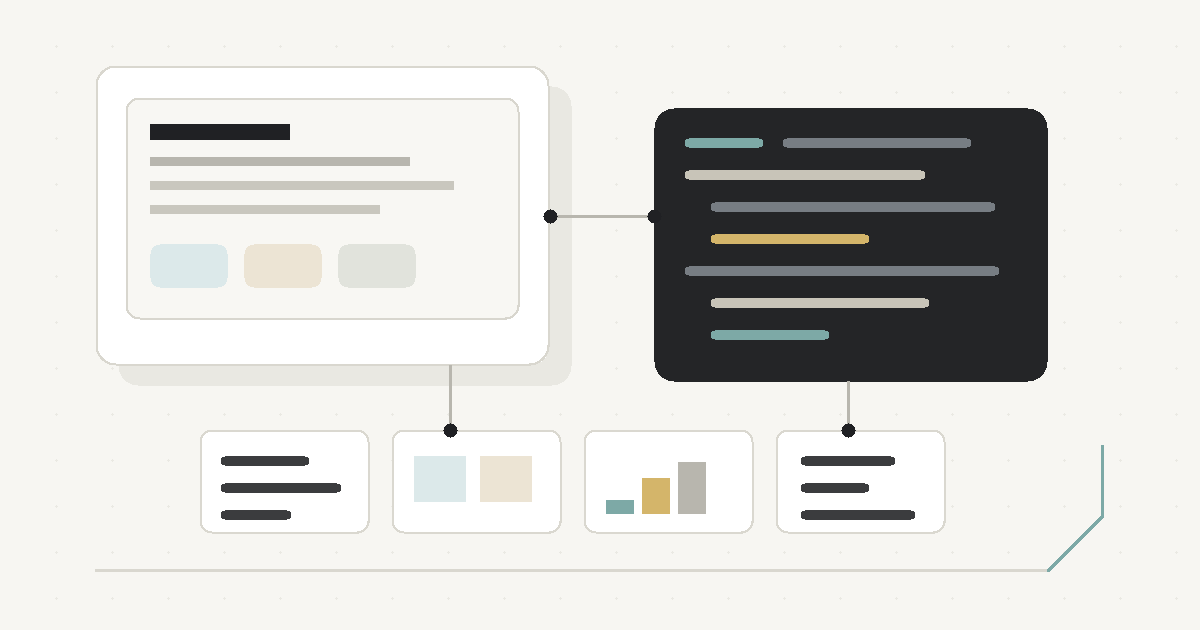
기존 콘텐츠를 바탕으로 전문적으로 디자인된 PowerPoint 덱을 Claude Code로 만들고 싶다면, 가장 효율적인 방식은 PptxGenJS로 코드 기반 PPTX를 생성하는 것이다.
핵심은 단순하다. 디자인은 템플릿화하고, 콘텐츠는 구조화하고, 슬라이드는 코드로 생성한다. 이렇게 하면 결과물을 PowerPoint에서 직접 수정할 수 있고, Claude Code로 레이아웃과 스타일을 반복 개선하기도 쉽다.
추천 워크플로우
먼저 콘텐츠를 JSON 또는 Markdown으로 정리한다. 각 슬라이드에 필요한 제목, 본문, 이미지, 차트 데이터, 슬라이드 타입을 분리해 두면 코드 생성과 수정이 훨씬 안정적이다.
다음으로 디자인 시스템을 먼저 정의한다. 색상, 폰트, 여백, 제목 스타일, 카드, 섹션, 표, 차트 스타일을 정하고 16:9 기준 레이아웃 규칙을 만든다. 이 단계가 있어야 슬라이드마다 디자인이 흔들리지 않는다.
그다음 PptxGenJS로 PPTX를 생성한다. 텍스트, 도형, 표, 차트는 가능한 한 PowerPoint의 네이티브 요소로 만들고, 슬라이드 전체를 이미지로 납작하게 넣는 방식은 피하는 것이 좋다. 네이티브 요소를 사용하면 발표자가 나중에 문구, 수치, 그래프, 배치를 직접 수정할 수 있다.
마지막으로 슬라이드 타입별 템플릿을 만든다. 예를 들어 Cover, Section divider, Text + image, 3-column layout, Comparison, Timeline, Chart, Closing 같은 패턴을 컴포넌트처럼 관리하면 전체 덱의 품질을 유지하기 쉽다.
반복 검수가 중요하다
PPTX 생성은 한 번에 끝내기보다 반복 검수 흐름으로 보는 편이 좋다.
- PPTX를 생성한다.
- PDF나 이미지로 렌더링한다.
- 겹침, 여백, 폰트 크기, 시각적 위계를 확인한다.
- 코드의 레이아웃 값과 스타일 토큰을 수정한다.
- 다시 PPTX를 생성한다.
Claude Code는 이 반복 과정에 잘 맞는다. 생성 코드, 디자인 토큰, 슬라이드 데이터가 모두 파일로 남기 때문에 문제를 발견했을 때 특정 템플릿이나 컴포넌트만 수정해서 다시 만들 수 있다.
피해야 할 방식
Figma나 Canva에서 예쁘게 만든 뒤 이미지를 PowerPoint에 붙이는 방식은 수정성이 낮다. 시각적으로는 좋아 보여도 발표자가 텍스트나 차트를 직접 고치기 어렵고, 변경이 생길 때마다 원본 디자인 도구로 돌아가야 한다.
Claude에게 한 번에 “멋진 PPT 만들어줘”라고 요청하는 방식도 안정적이지 않다. 슬라이드마다 여백, 폰트 크기, 강조 방식이 달라지기 쉽기 때문이다.
python-pptx만 사용하는 방식도 가능은 하지만, 디자인과 레이아웃을 빠르게 다듬는 실무 흐름에서는 PptxGenJS가 보통 더 편하다. 특히 JavaScript 기반으로 데이터와 컴포넌트를 다루는 개발자에게는 PptxGenJS 쪽이 반복 작업을 구성하기 쉽다.
Claude Code에 줄 프롬프트 예시
다음처럼 결과물의 수정성과 생성 방식을 명확히 지정하는 것이 좋다.
Create an editable PowerPoint deck using PptxGenJS.
Use native PowerPoint text boxes, shapes, tables, and charts wherever possible.
Do not flatten slides into images.
Create a reusable theme, master layouts, and slide components.
The content is provided in structured JSON.
Generate a professional consulting-style 16:9 presentation.
핵심은 Claude Code가 “예쁜 이미지”를 만드는 것이 아니라, 재사용 가능한 PPTX 생성 시스템을 만들게 하는 것이다. 결론적으로 Claude Code, PptxGenJS, 구조화된 콘텐츠, 반복 렌더링 검수를 결합하는 방식이 가장 효율적이다.
If you want Claude Code to turn existing content into a professionally designed PowerPoint deck, the most efficient approach is to generate the PPTX with PptxGenJS.
The core idea is simple. Turn the design into templates, structure the content, and generate the slides with code. This keeps the result editable in PowerPoint and makes it easier to iterate on layout and styling with Claude Code.
Recommended workflow
First, organize the content as JSON or Markdown. Separate each slide's title, body text, images, chart data, and slide type so code generation and later edits stay predictable.
Next, define the design system first. Set colors, fonts, spacing, title styles, cards, sections, tables, chart styles, and 16:9 layout rules. This step keeps the visual design consistent across slides.
Then generate the PPTX with PptxGenJS. Whenever possible, create text, shapes, tables, and charts as native PowerPoint elements instead of flattening each slide into a single image. Native elements let the presenter edit copy, numbers, charts, and layout directly later.
Finally, create templates for each slide type. Patterns such as Cover, Section divider, Text + image, 3-column layout, Comparison, Timeline, Chart, and Closing can be managed like components, which helps maintain quality across the deck.
Iterative review matters
PPTX generation works best as an iterative review loop, not a one-shot task.
- Generate the PPTX.
- Render it as a PDF or images.
- Check overlaps, spacing, font sizes, and visual hierarchy.
- Adjust layout values and style tokens in code.
- Generate the PPTX again.
Claude Code fits this loop well. Because the generation code, design tokens, and slide data all live as files, you can fix a specific template or component when you spot a problem, then regenerate the deck.
Approaches to avoid
Designing polished screens in Figma or Canva and pasting them into PowerPoint as images reduces editability. The result may look good, but presenters cannot easily edit text or charts, and every change requires going back to the original design tool.
Asking Claude to “make a great PPT” in one pass is also unreliable. Spacing, font sizes, and emphasis styles often drift from slide to slide.
Using only python-pptx is possible, but for design and layout iteration, PptxGenJS is usually more convenient. For developers already working with JavaScript, PptxGenJS makes it easier to structure data and reusable slide components.
Example prompt for Claude Code
Make the editability and generation method explicit:
Create an editable PowerPoint deck using PptxGenJS.
Use native PowerPoint text boxes, shapes, tables, and charts wherever possible.
Do not flatten slides into images.
Create a reusable theme, master layouts, and slide components.
The content is provided in structured JSON.
Generate a professional consulting-style 16:9 presentation.
The point is not to make Claude Code produce a pretty image. The point is to make it build a reusable PPTX generation system. In practice, the most efficient workflow combines Claude Code, PptxGenJS, structured content, and iterative rendering review.
如果想让 Claude Code 基于已有内容制作一份专业设计的 PowerPoint 演示文稿,最高效的方式是使用 PptxGenJS 通过代码生成 PPTX。
核心思路很简单:把设计模板化,把内容结构化,再用代码生成幻灯片。这样得到的文件可以在 PowerPoint 中直接编辑,也更容易让 Claude Code 反复调整版式和样式。
推荐工作流
首先,把内容整理成 JSON 或 Markdown。将每页幻灯片所需的标题、正文、图片、图表数据和幻灯片类型拆分清楚,这样代码生成和后续修改都会更稳定。
接着,先定义设计系统。确定颜色、字体、间距、标题样式、卡片、分区、表格、图表样式,以及基于 16:9 的版式规则。这个步骤可以避免不同幻灯片之间的视觉风格不一致。
然后,用 PptxGenJS 生成 PPTX。文本、形状、表格和图表应尽量使用 PowerPoint 的原生元素,而不是把整页幻灯片压平成一张图片。原生元素可以让演示者之后直接修改文案、数字、图表和布局。
最后,为不同幻灯片类型制作模板。例如 Cover、Section divider、Text + image、3-column layout、Comparison、Timeline、Chart、Closing 等模式都可以像组件一样管理,从而保持整套演示文稿的质量。
迭代检查很重要
PPTX 生成不应该看作一次性任务,而更适合用迭代检查流程来完成。
- 生成 PPTX。
- 渲染为 PDF 或图片。
- 检查重叠、间距、字号和视觉层级。
- 修改代码中的版式数值和样式 token。
- 再次生成 PPTX。
Claude Code 很适合这个循环。生成代码、设计 token 和幻灯片数据都保存在文件中,因此发现问题时,可以只修改特定模板或组件,然后重新生成整套文件。
应避免的方式
先在 Figma 或 Canva 中做出漂亮画面,再作为图片贴进 PowerPoint,会降低可编辑性。结果可能看起来不错,但演示者很难直接修改文字或图表,每次变更都需要回到原始设计工具。
一次性要求 Claude “做一份很棒的 PPT” 也不稳定。不同幻灯片之间的间距、字号和强调方式很容易不一致。
只使用 python-pptx 也可以,但在设计和版式迭代方面,PptxGenJS 通常更方便。尤其是对习惯 JavaScript 的开发者来说,PptxGenJS 更容易组织数据和可复用的幻灯片组件。
给 Claude Code 的提示词示例
建议明确指定结果的可编辑性和生成方式:
Create an editable PowerPoint deck using PptxGenJS.
Use native PowerPoint text boxes, shapes, tables, and charts wherever possible.
Do not flatten slides into images.
Create a reusable theme, master layouts, and slide components.
The content is provided in structured JSON.
Generate a professional consulting-style 16:9 presentation.
重点不是让 Claude Code 生成一张漂亮图片,而是让它搭建一个可复用的 PPTX 生成系统。实践上,Claude Code、PptxGenJS、结构化内容和反复渲染检查结合起来,才是最高效的流程。
既存コンテンツをもとに、プロらしくデザインされたPowerPointデッキをClaude Codeで作りたいなら、最も効率的なのはPptxGenJSでコードベースのPPTXを生成する方法だ。
考え方はシンプルだ。デザインはテンプレート化し、コンテンツは構造化し、スライドはコードで生成する。こうすればPowerPoint上で直接編集でき、Claude Codeでレイアウトやスタイルを繰り返し改善しやすくなる。
おすすめのワークフロー
まず、コンテンツをJSONまたはMarkdownで整理する。各スライドに必要なタイトル、本文、画像、チャートデータ、スライドタイプを分けておくと、コード生成と後の修正が安定する。
次に、デザインシステムを先に定義する。色、フォント、余白、タイトルスタイル、カード、セクション、表、チャートスタイル、16:9基準のレイアウトルールを決める。この段階があることで、スライドごとのデザインのばらつきを防げる。
そのうえで、PptxGenJSでPPTXを生成する。テキスト、図形、表、チャートはできるだけPowerPointのネイティブ要素として作り、スライド全体を1枚の画像にする方法は避ける。ネイティブ要素なら、発表者が後から文言、数値、グラフ、配置を直接編集できる。
最後に、スライドタイプごとのテンプレートを作る。Cover、Section divider、Text + image、3-column layout、Comparison、Timeline、Chart、Closingのようなパターンをコンポーネントのように管理すると、デッキ全体の品質を保ちやすい。
反復チェックが重要
PPTX生成は一度で終わらせるより、反復チェックの流れとして捉えるのがよい。
- PPTXを生成する。
- PDFまたは画像としてレンダリングする。
- 重なり、余白、フォントサイズ、視覚的な階層を確認する。
- コード内のレイアウト値とスタイルトークンを修正する。
- 再度PPTXを生成する。
Claude Codeはこの反復プロセスと相性がよい。生成コード、デザイントークン、スライドデータがすべてファイルとして残るため、問題を見つけたときに特定のテンプレートやコンポーネントだけを修正して再生成できる。
避けたい方法
FigmaやCanvaで見栄えのよい画面を作り、それをPowerPointに画像として貼り付ける方法は編集性が低い。見た目はよくても、発表者がテキストやチャートを直接直しにくく、変更のたびに元のデザインツールへ戻る必要がある。
Claudeに一度だけ「良い感じのPPTを作って」と頼む方法も安定しない。スライドごとに余白、フォントサイズ、強調の仕方が変わりやすいからだ。
python-pptxだけを使う方法も可能だが、デザインやレイアウトをすばやく調整する実務では、PptxGenJSのほうが扱いやすいことが多い。特にJavaScriptでデータやコンポーネントを扱う開発者にとっては、PptxGenJSのほうが反復作業を組み立てやすい。
Claude Codeに渡すプロンプト例
編集可能性と生成方法を明確に指定するとよい。
Create an editable PowerPoint deck using PptxGenJS.
Use native PowerPoint text boxes, shapes, tables, and charts wherever possible.
Do not flatten slides into images.
Create a reusable theme, master layouts, and slide components.
The content is provided in structured JSON.
Generate a professional consulting-style 16:9 presentation.
重要なのは、Claude Codeに「きれいな画像」を作らせることではなく、再利用できるPPTX生成システムを作らせることだ。結論として、Claude Code、PptxGenJS、構造化コンテンツ、反復レンダリングチェックを組み合わせる方法が最も効率的だ。
Si quieres que Claude Code convierta contenido existente en una presentación de PowerPoint con diseño profesional, la forma más eficiente es generar el PPTX con PptxGenJS.
La idea central es sencilla: convertir el diseño en plantillas, estructurar el contenido y generar las diapositivas con código. Así el resultado sigue siendo editable en PowerPoint y es más fácil iterar sobre el diseño y los estilos con Claude Code.
Flujo de trabajo recomendado
Primero, organiza el contenido como JSON o Markdown. Separar el título, el texto, las imágenes, los datos de gráficos y el tipo de diapositiva de cada slide hace que la generación de código y las ediciones posteriores sean mucho más estables.
Después, define primero el sistema de diseño. Establece colores, tipografías, espaciado, estilos de títulos, tarjetas, secciones, tablas, gráficos y reglas de composición para 16:9. Este paso evita que el diseño cambie de forma inconsistente entre diapositivas.
Luego genera el PPTX con PptxGenJS. Siempre que sea posible, crea textos, formas, tablas y gráficos como elementos nativos de PowerPoint, en lugar de convertir cada diapositiva en una sola imagen. Los elementos nativos permiten que quien presenta pueda editar después textos, cifras, gráficos y distribución.
Por último, crea plantillas para cada tipo de diapositiva. Patrones como Cover, Section divider, Text + image, 3-column layout, Comparison, Timeline, Chart y Closing pueden gestionarse como componentes, lo que ayuda a mantener la calidad de toda la presentación.
La revisión iterativa importa
La generación de PPTX funciona mejor como un ciclo de revisión, no como una tarea de una sola vez.
- Genera el PPTX.
- Renderízalo como PDF o imágenes.
- Revisa solapamientos, márgenes, tamaños de fuente y jerarquía visual.
- Ajusta valores de layout y tokens de estilo en el código.
- Genera el PPTX de nuevo.
Claude Code encaja bien en este ciclo. Como el código de generación, los tokens de diseño y los datos de las diapositivas quedan en archivos, puedes corregir una plantilla o componente específico cuando detectas un problema y volver a generar la presentación.
Enfoques que conviene evitar
Diseñar pantallas pulidas en Figma o Canva y pegarlas en PowerPoint como imágenes reduce la capacidad de edición. El resultado puede verse bien, pero quien presenta no puede modificar fácilmente textos o gráficos, y cada cambio obliga a volver a la herramienta de diseño original.
Pedirle a Claude en una sola instrucción que “haga una gran presentación” tampoco es fiable. Los márgenes, tamaños de fuente y estilos de énfasis suelen variar de una diapositiva a otra.
Usar solo python-pptx es posible, pero para iterar sobre diseño y layout, PptxGenJS suele ser más cómodo. Para desarrolladores que ya trabajan con JavaScript, PptxGenJS facilita estructurar datos y componentes reutilizables de diapositivas.
Ejemplo de prompt para Claude Code
Conviene especificar claramente la editabilidad y el método de generación:
Create an editable PowerPoint deck using PptxGenJS.
Use native PowerPoint text boxes, shapes, tables, and charts wherever possible.
Do not flatten slides into images.
Create a reusable theme, master layouts, and slide components.
The content is provided in structured JSON.
Generate a professional consulting-style 16:9 presentation.
El objetivo no es que Claude Code produzca una imagen bonita, sino que construya un sistema reutilizable de generación de PPTX. En la práctica, el flujo más eficiente combina Claude Code, PptxGenJS, contenido estructurado y revisión iterativa mediante renderizado.