Claude Code의 CLAUDE.md를 관리하는 claude-md-management 실전 가이드
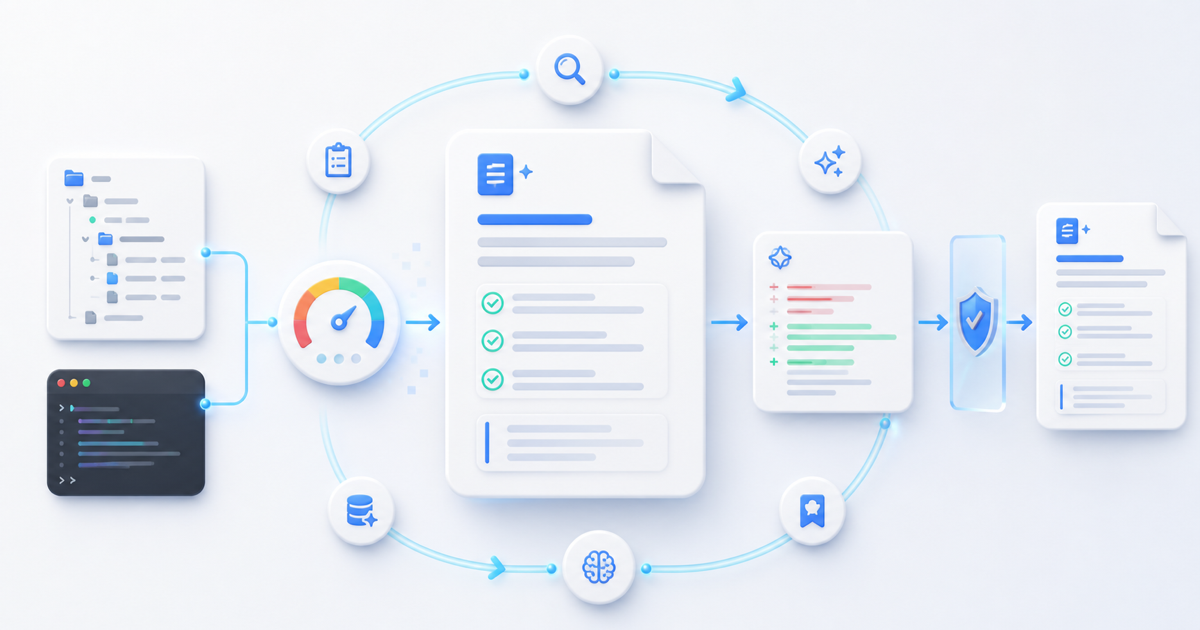
CLAUDE.md는 Claude Code가 프로젝트를 이해하는 데 사용하는 상시 지침 파일이다. 빌드 명령, 테스트 방법, 아키텍처, 팀 규칙을 적어두면 매 세션마다 같은 설명을 반복하지 않아도 된다. 문제는 코드가 계속 바뀌는 동안 이 문서만 오래된 상태로 남기 쉽다는 점이다.
claude-md-management는 이 문제를 줄이기 위한 Anthropic 공식 플러그인이다. 현재 공식 저장소 기준으로 코드베이스와 문서의 불일치를 감사하는 skill과 현재 세션에서 발견한 지식을 문서에 반영하는 command를 함께 제공한다. 둘 다 파일을 바로 고치지 않고 먼저 보고서나 diff를 보여준 뒤 사용자의 승인을 받는다.
이 글은 2026년 8월 6일 기준 공식 플러그인 소스, Claude Code 플러그인 설치 문서, CLAUDE.md 메모리 문서를 확인해 작성했다.
한눈에 보는 두 가지 도구
| 도구 | 역할 | 사용 시점 | 결과 |
|---|---|---|---|
claude-md-improver skill | 현재 코드베이스와 CLAUDE.md 비교 | 구조 변경 후, 정기 점검 전 | 품질 점수, 문제 목록, 개선안 |
revise-claude-md command | 현재 세션의 반복 가능한 학습 추출 | 작업을 마치기 직전 | 추가 제안과 승인용 diff |
간단히 말하면 claude-md-improver는 정기 건강검진, revise-claude-md는 작업 종료 전 회고에 가깝다. 플러그인이 백그라운드에서 자동 실행되는 것은 아니다. 자연어로 감사를 요청하거나 namespaced command를 직접 실행해야 한다.
설치하기
Claude Code를 대화형으로 한 번 실행했다면 공식 마켓플레이스인 claude-plugins-official은 보통 자동 등록되어 있다. Claude Code 안에서 다음 명령을 실행한다.
/plugin install claude-md-management@claude-plugins-official터미널에서 비대화형으로 설치하려면 다음 명령을 사용할 수 있다. 기본 설치 범위는 사용자 전체 프로젝트에서 쓰는 user다.
claude plugin install claude-md-management@claude-plugins-official --scope user플러그인을 찾지 못한다면 마켓플레이스를 추가하거나 새로고침한 뒤 다시 설치한다.
/plugin marketplace add anthropics/claude-plugins-official
/plugin marketplace update claude-plugins-official
/plugin install claude-md-management@claude-plugins-official
설치 결과에 재로딩 안내가 나오면 다음 명령을 실행한다.
/reload-plugins/plugin list에서 설치 상태를 확인하고, /help에서 claude-md-management: namespace가 보이는지 확인하면 준비가 끝난다.
활용법 1: CLAUDE.md 전체 감사하기
코드베이스 구조나 빌드 과정이 달라졌다면 다음처럼 자연어로 요청할 수 있다.
Audit my CLAUDE.md files against the current codebase.
Show the quality report and proposed diffs, but do not edit anything until I approve.
명시적으로 skill을 실행하려면 다음 namespaced command를 사용한다.
/claude-md-management:claude-md-improver공식 skill은 먼저 저장소 안의 CLAUDE.md 파일들을 찾고, 실제 코드와 비교해 다음 여섯 항목을 평가한다.
| 평가 항목 | 배점 | 확인하는 내용 |
|---|---|---|
| Commands/workflows | 20 | 빌드·테스트·lint·개발 명령이 실제로 유효한가 |
| Architecture clarity | 20 | 주요 디렉터리, 진입점, 모듈 관계가 설명되어 있는가 |
| Non-obvious patterns | 15 | 함정, 우회법, 특수한 이유가 기록되어 있는가 |
| Conciseness | 15 | 당연한 설명과 중복 없이 밀도 있게 쓰였는가 |
| Currency | 15 | 경로, 기술 스택, 명령이 현재 상태와 일치하는가 |
| Actionability | 15 | 지침과 명령을 그대로 실행할 수 있는가 |
총점에 따라 A부터 F까지 등급을 표시하고, 파일별 문제와 권장 추가 사항을 정리한다. 그 다음에만 변경 diff를 제시하고 승인을 요청한다.
감사 결과를 검토하는 방법
점수를 올리는 것 자체보다 제안이 실제 프로젝트에 맞는지 확인하는 일이 중요하다.
- 제시된 명령을 로컬에서 직접 실행할 수 있는가?
- 삭제되거나 이동한 경로가 남아 있지 않은가?
- 코드에서 쉽게 알 수 있는 내용을 장황하게 복사하지 않았는가?
- 일회성 장애 대응을 영구 규칙으로 만들고 있지 않은가?
- 팀 공통 규칙과 개인 설정이 섞이지 않았는가?
품질 점수는 테스트 결과가 아니라 플러그인의 휴리스틱 평가다. 점수가 높더라도 잘못된 명령이 하나 들어가면 다음 세션을 계속 잘못된 방향으로 이끌 수 있으므로 diff 리뷰는 생략하지 않는다.
활용법 2: 세션 학습을 바로 반영하기
작업 중에 숨겨진 전제나 반복될 만한 해결법을 발견했다면 세션이 끝나기 전에 다음 command를 실행한다.
/claude-md-management:revise-claude-md이 command는 현재 대화를 돌아보며 다음 정보를 찾는다.
- 새로 발견한 build, test, lint 명령
- 실제로 사용한 코드 스타일이나 패턴
- 성공한 테스트 방법과 필요한 선행 조건
- 환경변수나 로컬 설정의 특이점
- 다음 세션에서도 마주칠 가능성이 큰 함정
좋은 추가 제안은 짧고 재사용 가능하다.
## Testing
+ `npm run test:integration` requires Docker and a local Redis on port 6379.
반대로 다음과 같은 내용은 넣지 않는 편이 좋다.
- Today we fixed a difficult Redis problem after trying several approaches.
- Always write clean code and follow best practices.
첫 문장은 한 번의 작업 일지에 가깝고, 두 번째 문장은 구체적인 행동을 정하지 못한다. CLAUDE.md에는 다음 세션이 즉시 사용할 수 있는 명령, 경로, 제약, 이유만 남긴다.
가장 실용적인 운영 루틴
새 프로젝트
- Claude Code의
/init으로 초안CLAUDE.md를 만든다. - 사람이 프로젝트 목적, 금지 사항, 배포 제약을 보완한다.
claude-md-improver로 실제 코드와 초안을 비교한다.- 필요한 제안만 승인하고
git diff -- CLAUDE.md로 최종 검토한다.
일반 개발 세션
- 평소처럼 기능 구현이나 버그 수정을 진행한다.
- 재사용 가능한 명령이나 함정을 발견했는지 판단한다.
- 발견했다면 종료 전에
revise-claude-md를 실행한다. - 한 줄로 줄일 수 있고 다시 발생할 내용만 승인한다.
구조 변경이나 릴리스 전
- package script, 디렉터리, 테스트 환경의 변경을 마친다.
- 전체
CLAUDE.md감사를 실행한다. - 제안된 명령을 실제로 검증한다.
- 코드 변경과 문서 변경을 같은 PR에서 리뷰한다.
규모가 작은 팀은 큰 구조 변경 뒤와 월 1회 정도 전체 감사를 하고, 중요한 학습이 생긴 세션에서만 revise-claude-md를 실행하는 것으로 충분하다. 매 세션마다 억지로 업데이트하면 문서가 작업 일지처럼 비대해진다.
CLAUDE.md에는 무엇을 남겨야 할까?
| 남기기 좋은 정보 | 다른 곳이 더 적합한 정보 |
|---|---|
| 실제 build·test·lint 명령 | README에 이미 충분히 설명된 설치 튜토리얼 |
| 기본값과 다른 프로젝트 규칙 | 일반적인 언어·프레임워크 상식 |
| 위험한 작업과 필수 승인 절차 | 한 번만 발생한 오류의 긴 해결 과정 |
| 코드만 보고 알기 어려운 아키텍처 이유 | 상세 API 명세와 전체 데이터 모델 |
| 반복되는 환경·테스트 함정 | 개인 URL, 개인 테스트 계정, 비밀 값 |
개인 프로젝트 설정은 Git에 올리지 않는 CLAUDE.local.md에, 파일 경로별 규칙은 .claude/rules/에, 길고 반복 가능한 절차는 skill에 두는 편이 낫다. 반드시 특정 시점에 실행되어야 하는 검사나 차단은 지침이 아니라 hook으로 구현한다.
또한 @docs/testing.md처럼 파일을 import하면 문서를 나누어 관리하기는 편하지만, import된 내용도 시작 시 함께 로드되므로 context 비용을 줄이지는 않는다. 큰 저장소라면 하위 디렉터리의 CLAUDE.md나 path-scoped rules를 사용해 필요한 시점에만 규칙을 불러오는 편이 효과적이다.
꼭 알아둘 제한과 주의점
1. 문서는 강제 정책이 아니다
Claude Code 공식 문서에 따르면 CLAUDE.md는 system prompt가 아니라 사용자 context로 전달된다. 구체적이고 짧을수록 잘 따르지만, 실행을 100% 보장하지 않는다. 배포 전 검사처럼 반드시 실행되어야 하는 규칙은 hook이나 CI로 강제한다.
2. 너무 긴 CLAUDE.md는 오히려 불리하다
Root CLAUDE.md는 세션 시작과 compaction 이후 다시 읽힌다. 공식 가이드는 200줄 아래를 권장하며, 긴 파일은 context를 더 사용하고 지침 준수율을 낮출 수 있다고 설명한다. 플러그인 제안도 추가만 승인하지 말고 중복과 오래된 항목을 함께 제거해야 한다.
3. 로컬 파일명 표기를 직접 확인한다
현재 claude-md-management 1.0.0 소스는 일부 검색 예시에서 .claude.local.md라는 소문자 점 파일을 사용한다. 그러나 최신 Claude Code 공식 문서가 정의하는 로컬 프로젝트 지침 파일은 CLAUDE.local.md다. 로컬 지침을 관리할 때는 공식 파일명을 사용하고 /context의 Memory files 목록에서 실제 로드 여부를 확인한다.
4. 비밀 값은 기록하지 않는다
CLAUDE.md는 보통 Git으로 팀과 공유된다. API 키, 토큰, 실제 고객 데이터, 개인용 URL은 넣지 않는다. 로컬 파일에도 Secret 자체보다 환경변수 이름과 설정 방법만 기록하는 편이 안전하다.
문제가 생겼을 때 확인할 것
| 증상 | 확인 방법 |
|---|---|
/plugin 명령이 없음 | claude --version 확인 후 Claude Code 업데이트 |
| 플러그인을 찾지 못함 | 공식 marketplace를 추가하거나 update 후 재설치 |
| 설치했지만 command가 안 보임 | /reload-plugins, /plugin list, /help 순서로 확인 |
CLAUDE.md를 따르지 않음 | /context에서 Memory files 로드 여부와 충돌 지침 확인 |
| 제안이 너무 많음 | 반복 가능성, 프로젝트 특수성, 실행 가능성을 기준으로 거절 |
최종 체크리스트
- 공식
claude-plugins-officialmarketplace에서 설치했다. - 전체 점검은
claude-md-improver, 세션 회고는revise-claude-md로 구분한다. - 보고서와 diff를 읽은 뒤 필요한 변경만 승인한다.
- 새로 적는 명령과 경로를 실제 코드베이스에서 검증한다.
- 팀 규칙, 개인 설정, path-scoped rules, skills, hooks를 역할별로 나눈다.
-
CLAUDE.md를 짧고 프로젝트 특화된 상태로 유지한다. -
CLAUDE.local.md가/context에 실제로 로드되는지 확인한다. - 비밀 값과 일회성 작업 일지는 기록하지 않는다.
claude-md-management의 가장 큰 장점은 문서를 대신 써주는 데 있지 않다. 코드가 바뀐 뒤 문서를 다시 살펴보는 계기와, 세션에서 얻은 지식을 검토 가능한 diff로 남기는 습관을 만들어 준다는 점이 핵심이다.
CLAUDE.md is the always-on instruction file Claude Code uses to understand a project. Add build commands, test procedures, architecture, and team conventions, and you no longer need to repeat the same context in every session. The problem is that code keeps changing while this document easily becomes stale.
claude-md-management is Anthropic's official plugin for reducing that drift. In the current official repository, it combines a skill that audits mismatches between the codebase and its documentation with a command that captures useful discoveries from the current session. Neither tool edits immediately: it presents a report or diff and asks for approval first.
This article was verified on August 6, 2026 against the official plugin source, Claude Code plugin installation guide, and CLAUDE.md memory documentation.
The two tools at a glance
| Tool | Role | When to use it | Output |
|---|---|---|---|
claude-md-improver skill |
Compare the current codebase with CLAUDE.md |
After structural changes or during periodic reviews | Quality score, issues, recommendations |
revise-claude-md command |
Extract reusable learning from the current session | Just before ending a useful session | Proposed additions and an approval-ready diff |
In short, claude-md-improver is a periodic health check, while revise-claude-md is an end-of-session retrospective. The plugin does not run automatically in the background. Ask for an audit in natural language or invoke its namespaced command.
Installation
After Claude Code has been started interactively once, the official claude-plugins-official marketplace is normally registered automatically. Run this inside Claude Code:
/plugin install claude-md-management@claude-plugins-official
For a non-interactive terminal installation, use the following command. The user scope makes the plugin available across your projects.
claude plugin install claude-md-management@claude-plugins-official --scope user
If the plugin cannot be found, add or refresh the marketplace and try again.
/plugin marketplace add anthropics/claude-plugins-official
/plugin marketplace update claude-plugins-official
/plugin install claude-md-management@claude-plugins-official
If the installation summary asks for a reload, run:
/reload-plugins
Confirm the installation with /plugin list, then check /help for the claude-md-management: namespace.
Use case 1: audit every CLAUDE.md file
After changing the codebase structure or build process, request an audit in natural language:
Audit my CLAUDE.md files against the current codebase.
Show the quality report and proposed diffs, but do not edit anything until I approve.
To invoke the skill explicitly, use its namespaced command:
/claude-md-management:claude-md-improver
The official skill first finds CLAUDE.md files in the repository, compares them with the actual code, and evaluates six areas.
| Criterion | Points | What it checks |
|---|---|---|
| Commands/workflows | 20 | Whether build, test, lint, and development commands still work |
| Architecture clarity | 20 | Whether key directories, entry points, and module relationships are clear |
| Non-obvious patterns | 15 | Whether gotchas, workarounds, and unusual rationale are recorded |
| Conciseness | 15 | Whether the document avoids obvious or duplicated material |
| Currency | 15 | Whether paths, stack details, and commands match the current project |
| Actionability | 15 | Whether instructions and commands can be used directly |
It assigns an A-to-F grade, lists issues and recommendations by file, and only then proposes diffs and asks for approval.
How to review the audit
The goal is not merely to raise a score. Verify that every proposal fits the real project.
- Can you run each proposed command locally?
- Does it reference a path that was removed or moved?
- Is it copying information that Claude can discover easily from the code?
- Is it turning a one-off incident into a permanent rule?
- Does it mix shared team instructions with personal preferences?
The score is a heuristic assessment, not a test result. One incorrect command in a high-scoring file can mislead every future session, so never skip the diff review.
Use case 2: capture session learning immediately
When a session reveals a hidden prerequisite or a reusable solution, run this before finishing:
/claude-md-management:revise-claude-md
The command reviews the conversation for:
- newly discovered build, test, or lint commands;
- code styles and patterns actually followed;
- testing methods and prerequisites that worked;
- environment-variable or local-configuration quirks;
- gotchas likely to affect a future session.
A good proposed addition is brief and reusable.
## Testing
+ `npm run test:integration` requires Docker and a local Redis on port 6379.
Avoid additions like these:
- Today we fixed a difficult Redis problem after trying several approaches.
- Always write clean code and follow best practices.
The first is a work diary; the second defines no concrete action. Keep only commands, paths, constraints, and rationale that the next session can use immediately.
A practical maintenance routine
New project
- Generate an initial
CLAUDE.mdwith Claude Code's/init. - Add project purpose, prohibited actions, and deployment constraints manually.
- Run
claude-md-improveragainst the actual codebase. - Approve only useful proposals and finish with
git diff -- CLAUDE.md.
Normal development session
- Implement the feature or fix as usual.
- Decide whether you discovered a reusable command or recurring gotcha.
- If so, run
revise-claude-mdbefore ending the session. - Approve only facts that can be expressed concisely and will recur.
Structural change or pre-release review
- Finish changes to package scripts, directories, and test environments.
- Run a complete
CLAUDE.mdaudit. - Verify proposed commands in the real environment.
- Review code and documentation changes in the same pull request.
For a small team, a full audit after major structural changes and roughly once a month is often enough. Use revise-claude-md only after sessions with durable learning. Forcing an update after every session turns the file into a diary.
What belongs in CLAUDE.md?
| Good content | Better stored elsewhere |
|---|---|
| Real build, test, and lint commands | An installation tutorial already covered in the README |
| Project rules that differ from defaults | General language or framework knowledge |
| Dangerous operations and required approvals | A long story about a one-time error |
| Architectural rationale not obvious from code | Complete API specifications and data models |
| Recurring environment and test gotchas | Personal URLs, test accounts, and secret values |
Put private per-project preferences in gitignored CLAUDE.local.md, file-specific constraints in .claude/rules/, and long repeatable procedures in skills. If a check must run at a specific lifecycle point, enforce it with a hook rather than relying on an instruction.
Imports such as @docs/testing.md help organize content, but imported text is still loaded at startup and does not reduce context cost. For large repositories, nested CLAUDE.md files and path-scoped rules are more effective because they load only when relevant files are touched.
Important limitations and gotchas
1. Instructions are not enforced policy
According to the official documentation, CLAUDE.md is delivered as user context, not as a system prompt. Specific, concise instructions are followed more reliably, but execution is not guaranteed. Use hooks or CI for checks that must always happen, such as pre-deployment validation.
2. An oversized CLAUDE.md can work against you
The root CLAUDE.md is read at session start and re-read after compaction. Anthropic recommends keeping it below 200 lines: longer files consume more context and can reduce adherence. When reviewing plugin proposals, remove duplication and stale entries instead of approving additions only.
3. Verify the local filename
The current claude-md-management 1.0.0 source uses the lowercase dotfile .claude.local.md in some discovery examples. Current Claude Code documentation defines the local project instruction file as CLAUDE.local.md. Use the documented filename and confirm it appears under Memory files in /context.
4. Never store secret values
CLAUDE.md is commonly committed and shared with the team. Never place API keys, tokens, customer data, or personal URLs in it. Even in a local file, document environment-variable names and setup procedures rather than the secret values themselves.
Troubleshooting
| Symptom | What to check |
|---|---|
/plugin is unavailable |
Check claude --version and update Claude Code |
| Plugin not found | Add or update the official marketplace, then reinstall |
| Installed command is missing | Run /reload-plugins, /plugin list, then /help |
Claude ignores CLAUDE.md |
Check loaded Memory files and conflicting instructions with /context |
| Too many recommendations | Reject anything not recurring, project-specific, and actionable |
Final checklist
- Installed from the official
claude-plugins-officialmarketplace. - Use
claude-md-improverfor full audits andrevise-claude-mdfor session retrospectives. - Read the report and diff before approving selected changes.
- Verify every new command and path against the actual codebase.
- Separate team rules, personal preferences, path-scoped rules, skills, and hooks.
- Keep
CLAUDE.mdconcise and project-specific. - Confirm
CLAUDE.local.mdis loaded with/context. - Do not store secrets or one-off work logs.
The main value of claude-md-management is not that it writes documentation for you. It creates a repeatable reason to review documentation after code changes and a habit of preserving session knowledge as an inspectable diff.
CLAUDE.md 是 Claude Code 用来理解项目的常驻指令文件。把构建命令、测试方式、架构和团队约定写进去,就不必在每次会话中重复说明。问题在于,代码持续变化时,这份文档很容易停留在过时状态。
claude-md-management 是 Anthropic 为减少这种偏差提供的官方插件。按当前官方仓库,它同时包含审计代码库与文档不一致之处的 skill和把当前会话发现沉淀到文档中的 command。两者都不会直接修改文件,而是先展示报告或 diff,再请求用户批准。
本文按 2026 年 8 月 6 日的官方插件源码、Claude Code 插件安装文档和 CLAUDE.md memory 文档进行核实。
两项工具一览
| 工具 | 作用 | 使用时机 | 输出 |
|---|---|---|---|
claude-md-improver skill |
比较当前代码库与 CLAUDE.md |
结构调整后或定期检查时 | 质量评分、问题和建议 |
revise-claude-md command |
提取当前会话中可复用的经验 | 有价值的会话结束前 | 添加建议和待审批 diff |
简单说,claude-md-improver 是定期体检,revise-claude-md 是会话结束前复盘。插件不会在后台自动运行;需要用自然语言请求审计,或显式执行带 namespace 的命令。
安装
Claude Code 以交互方式启动过一次后,官方 claude-plugins-official marketplace 通常会自动注册。在 Claude Code 中运行:
/plugin install claude-md-management@claude-plugins-official
若要从终端非交互安装,可使用以下命令。user scope 会让插件在你的所有项目中可用。
claude plugin install claude-md-management@claude-plugins-official --scope user
如果找不到插件,先添加或刷新 marketplace,再重试。
/plugin marketplace add anthropics/claude-plugins-official
/plugin marketplace update claude-plugins-official
/plugin install claude-md-management@claude-plugins-official
如果安装结果提示重新加载,执行:
/reload-plugins
用 /plugin list 确认安装状态,再在 /help 中检查是否出现 claude-md-management: namespace。
用法一:审计所有 CLAUDE.md
代码库结构或构建流程变化后,可以这样用自然语言请求:
Audit my CLAUDE.md files against the current codebase.
Show the quality report and proposed diffs, but do not edit anything until I approve.
若要明确执行 skill,使用:
/claude-md-management:claude-md-improver
官方 skill 会先查找仓库中的 CLAUDE.md 文件,再与真实代码比较并评估六个方面。
| 评估项 | 分值 | 检查内容 |
|---|---|---|
| Commands/workflows | 20 | build、test、lint、开发命令是否仍有效 |
| Architecture clarity | 20 | 关键目录、入口和模块关系是否清楚 |
| Non-obvious patterns | 15 | 陷阱、变通方法和特殊原因是否已记录 |
| Conciseness | 15 | 是否避免显而易见或重复的信息 |
| Currency | 15 | 路径、技术栈和命令是否符合当前项目 |
| Actionability | 15 | 指令和命令是否能直接执行 |
它会给出 A 到 F 的等级,按文件列出问题和建议,然后才展示 diff 并请求批准。
如何审查结果
目标不是单纯提高分数,而是确认每条建议都符合真实项目。
- 建议的命令能否在本地执行?
- 是否还引用了已删除或移动的路径?
- 是否冗长复制了从代码中就能轻易得知的内容?
- 是否把一次性故障处理变成了永久规则?
- 是否混合了团队规则和个人偏好?
评分只是启发式评估,不是测试结果。即使总分很高,一条错误命令也可能持续误导后续会话,因此不要跳过 diff 审查。
用法二:立即沉淀会话经验
如果工作中发现了隐藏前提或可复用的解决方法,在结束前运行:
/claude-md-management:revise-claude-md
该 command 会回顾当前会话,寻找:
- 新发现的 build、test、lint 命令;
- 实际遵循的代码风格或模式;
- 有效的测试方法及其前提;
- 环境变量或本地配置的特殊点;
- 后续会话仍可能遇到的陷阱。
好的添加建议应该简短且可复用。
## Testing
+ `npm run test:integration` requires Docker and a local Redis on port 6379.
以下内容则不适合加入:
- Today we fixed a difficult Redis problem after trying several approaches.
- Always write clean code and follow best practices.
第一句更像工作日记,第二句没有定义具体行动。只保留下一次会话可立即使用的命令、路径、约束和理由。
最实用的维护流程
新项目
- 用 Claude Code 的
/init生成初始CLAUDE.md。 - 人工补充项目目的、禁止事项和部署限制。
- 用
claude-md-improver与真实代码比较。 - 只批准必要建议,并用
git diff -- CLAUDE.md做最终检查。
普通开发会话
- 正常完成功能或修复。
- 判断是否发现了可复用命令或重复陷阱。
- 如果有,在结束前运行
revise-claude-md。 - 只批准能简洁表达且会再次出现的信息。
结构调整或发布前
- 完成 package script、目录和测试环境的变化。
- 运行完整
CLAUDE.md审计。 - 在真实环境验证建议的命令。
- 在同一个 PR 中审查代码与文档变化。
对小团队而言,大型结构变更后和每月一次的完整审计通常足够。只有会话产生持久经验时才运行 revise-claude-md。每次会话都强行更新,会让文件变成工作日记。
CLAUDE.md 应该记录什么?
| 适合保留 | 更适合放在其他位置 |
|---|---|
| 真实 build、test、lint 命令 | README 已完整说明的安装教程 |
| 与默认行为不同的项目规则 | 通用语言或框架知识 |
| 危险操作和必需审批 | 一次性错误的漫长处理过程 |
| 代码中不明显的架构理由 | 完整 API 规范和数据模型 |
| 重复出现的环境与测试陷阱 | 个人 URL、测试账号和 Secret |
个人项目偏好放在被 Git 忽略的 CLAUDE.local.md,按文件约束放在 .claude/rules/,较长的可复用流程放在 skill。必须在特定生命周期执行的检查,应使用 hook 强制,而不是只写成指令。
使用 @docs/testing.md 等 import 可以改善组织方式,但导入内容仍会在启动时加载,不能降低 context 成本。大型仓库更适合使用嵌套 CLAUDE.md 或 path-scoped rules,让规则只在相关文件被访问时加载。
重要限制与注意事项
1. 指令不是强制策略
官方文档说明,CLAUDE.md 作为用户 context 而非 system prompt 传递。具体、简短的指令更容易被遵循,但不能保证执行。部署前检查等必须发生的操作要用 hook 或 CI 强制。
2. 过长的 CLAUDE.md 可能适得其反
根目录 CLAUDE.md 会在会话开始和 compaction 后重新读取。Anthropic 建议控制在 200 行以内;更长的文件占用更多 context,并可能降低指令遵从度。审查插件建议时,不要只批准新增项,也要删除重复和过时内容。
3. 核对本地文件名
当前 claude-md-management 1.0.0 源码在部分查找示例中使用小写点文件 .claude.local.md。但最新 Claude Code 官方文档定义的本地项目指令文件是 CLAUDE.local.md。请使用官方文件名,并在 /context 的 Memory files 中确认实际加载。
4. 不要保存 Secret 值
CLAUDE.md 通常会提交并与团队共享。不要写入 API 密钥、令牌、客户数据或个人 URL。即使是本地文件,也应记录环境变量名和设置方法,而不是 Secret 本身。
故障排查
| 现象 | 检查方法 |
|---|---|
没有 /plugin 命令 |
检查 claude --version 并更新 Claude Code |
| 找不到插件 | 添加或更新官方 marketplace 后重新安装 |
| 安装后 command 不显示 | 依次检查 /reload-plugins、/plugin list、/help |
Claude 忽略 CLAUDE.md |
用 /context 检查 Memory files 和冲突指令 |
| 建议过多 | 拒绝不具备重复性、项目特异性和可执行性的内容 |
最终检查清单
- 从官方
claude-plugins-officialmarketplace 安装。 - 完整审计用
claude-md-improver,会话复盘用revise-claude-md。 - 阅读报告和 diff 后,只批准必要变化。
- 用真实代码库验证新增命令和路径。
- 分离团队规则、个人偏好、path-scoped rules、skills 和 hooks。
- 保持
CLAUDE.md简短且项目专用。 - 用
/context确认CLAUDE.local.md已加载。 - 不记录 Secret 和一次性工作日志。
claude-md-management 的最大价值不在于替你写文档,而在于建立两种习惯:代码变化后重新审视文档,以及把会话经验保存为可以审查的 diff。
CLAUDE.md は、Claude Codeがプロジェクトを理解するための常時読み込みされる指示ファイルです。ビルドコマンド、テスト方法、アーキテクチャ、チーム規約を書いておけば、セッションごとに同じ説明を繰り返す必要がありません。ただし、コードが変化し続ける一方で、この文書だけが古いまま残りやすいという問題があります。
claude-md-management は、そのずれを減らすためのAnthropic公式プラグインです。現在の公式リポジトリでは、コードベースと文書の不一致を監査するskillと、現在のセッションで得た知識を文書へ反映するcommandを組み合わせています。どちらも即座に編集せず、先にレポートまたはdiffを示して承認を求めます。
この記事は2026年8月6日時点の公式プラグインソース、Claude Codeプラグイン導入ガイド、CLAUDE.md memoryドキュメントを確認して作成しています。
2つのツールを一覧で理解する
| ツール | 役割 | 使うタイミング | 出力 |
|---|---|---|---|
claude-md-improver skill |
現在のコードベースと CLAUDE.md を比較 |
構造変更後、定期点検時 | 品質スコア、問題、改善案 |
revise-claude-md command |
現在のセッションから再利用可能な学びを抽出 | 有益なセッションを終える直前 | 追記案と承認用diff |
簡単に言えば、claude-md-improver は定期健診、revise-claude-md はセッション終了時の振り返りです。バックグラウンドで自動実行されるわけではありません。自然言語で監査を依頼するか、namespaced commandを明示的に実行します。
インストール
Claude Codeを対話モードで一度起動していれば、公式 claude-plugins-official marketplaceは通常自動登録されています。Claude Code内で次を実行します。
/plugin install claude-md-management@claude-plugins-official
ターミナルから非対話でインストールする場合は次を使います。user scopeなら全プロジェクトで利用できます。
claude plugin install claude-md-management@claude-plugins-official --scope user
プラグインが見つからない場合は、marketplaceを追加または更新して再試行します。
/plugin marketplace add anthropics/claude-plugins-official
/plugin marketplace update claude-plugins-official
/plugin install claude-md-management@claude-plugins-official
インストール結果で再読み込みを求められたら実行します。
/reload-plugins
/plugin list で導入状態を確認し、/help に claude-md-management: namespaceが表示されれば準備完了です。
活用法1:CLAUDE.mdをまとめて監査する
コードベースの構造やビルド手順を変更したら、自然言語で次のように依頼できます。
Audit my CLAUDE.md files against the current codebase.
Show the quality report and proposed diffs, but do not edit anything until I approve.
skillを明示的に実行するには次を使います。
/claude-md-management:claude-md-improver
公式skillはリポジトリ内の CLAUDE.md を探し、実際のコードと比較して6項目を評価します。
| 評価項目 | 配点 | 確認内容 |
|---|---|---|
| Commands/workflows | 20 | build・test・lint・開発コマンドが現在も動くか |
| Architecture clarity | 20 | 主要ディレクトリ、入口、モジュール関係が明確か |
| Non-obvious patterns | 15 | 落とし穴、回避策、特殊な理由が記録されているか |
| Conciseness | 15 | 自明な情報や重複を避けているか |
| Currency | 15 | パス、技術スタック、コマンドが現状と一致するか |
| Actionability | 15 | 指示とコマンドをそのまま使えるか |
AからFまでの評価とファイル別の問題・推奨事項を示した後、変更diffを提示して承認を求めます。
監査結果の確認方法
大切なのは点数を上げることではなく、提案が実プロジェクトに合うか確かめることです。
- 提案されたコマンドをローカルで実行できるか。
- 削除・移動済みのパスを参照していないか。
- コードから簡単に分かる情報を長く転載していないか。
- 一度だけの障害対応を恒久ルールにしていないか。
- チーム共通指示と個人設定を混ぜていないか。
スコアはヒューリスティック評価であり、テスト結果ではありません。高得点でも誤ったコマンドが1つあれば、今後のセッションを繰り返し誤誘導します。diffレビューは省略しないでください。
活用法2:セッションの学びをすぐ残す
作業中に隠れた前提や再利用できる解決方法を見つけたら、終了前に実行します。
/claude-md-management:revise-claude-md
このcommandは現在の会話を振り返り、次の情報を探します。
- 新しく発見したbuild・test・lintコマンド
- 実際に従ったコードスタイルやパターン
- 成功したテスト方法と前提条件
- 環境変数やローカル設定の癖
- 次のセッションでも遭遇しそうな落とし穴
良い追記案は短く、再利用できます。
## Testing
+ `npm run test:integration` requires Docker and a local Redis on port 6379.
次のような内容は避けます。
- Today we fixed a difficult Redis problem after trying several approaches.
- Always write clean code and follow best practices.
1つ目は作業日記で、2つ目は具体的な行動を定めていません。次のセッションがすぐ使えるコマンド、パス、制約、理由だけを残します。
実用的な運用ルーティン
新規プロジェクト
- Claude Codeの
/initで初期CLAUDE.mdを生成する。 - プロジェクト目的、禁止事項、デプロイ制約を人が補う。
claude-md-improverで実コードと比較する。- 必要な提案だけ承認し、
git diff -- CLAUDE.mdで確認する。
通常の開発セッション
- 普段どおり機能実装やバグ修正を進める。
- 再利用できるコマンドや繰り返す落とし穴を発見したか判断する。
- あれば終了前に
revise-claude-mdを実行する。 - 短く表現でき、再発する情報だけ承認する。
構造変更またはリリース前
- package script、ディレクトリ、テスト環境の変更を完了する。
CLAUDE.md全体を監査する。- 提案されたコマンドを実環境で検証する。
- コードと文書の変更を同じPRでレビューする。
小規模チームなら、大きな構造変更後と月1回程度の全体監査で十分です。永続的な学びがあったセッションだけ revise-claude-md を使います。毎回無理に更新すると、文書が作業日記になります。
CLAUDE.mdに残すべき情報
| 残すとよい情報 | 別の場所が適切な情報 |
|---|---|
| 実際のbuild・test・lintコマンド | READMEで十分説明済みの導入手順 |
| デフォルトと異なるプロジェクト規則 | 一般的な言語・フレームワーク知識 |
| 危険な操作と必須承認 | 一度だけ起きたエラーの長い経緯 |
| コードだけでは分からない設計理由 | 完全なAPI仕様やデータモデル |
| 繰り返す環境・テストの落とし穴 | 個人URL、テストアカウント、Secret値 |
個人のプロジェクト設定はgitignoreした CLAUDE.local.md、ファイル別制約は .claude/rules/、長い反復手順はskillに置きます。特定のライフサイクルで必ず動かす検査は、指示ではなくhookで強制します。
@docs/testing.md のようなimportは整理に便利ですが、内容は起動時に読み込まれるためcontextコストを減らしません。大規模リポジトリでは、関連ファイルを扱うときだけ読み込まれる下位 CLAUDE.md やpath-scoped rulesが効果的です。
重要な制限と注意点
1. 指示は強制ポリシーではない
公式文書によると、CLAUDE.md はsystem promptではなくユーザーcontextとして渡されます。具体的で短い指示ほど従われやすいものの、実行保証はありません。デプロイ前検査など必須処理はhookやCIで強制します。
2. 長すぎるCLAUDE.mdは逆効果になる
Root CLAUDE.md はセッション開始時とcompaction後に再読されます。Anthropicは200行未満を推奨しており、長いファイルはcontextを消費し、指示遵守を下げる可能性があります。提案の追加だけでなく、重複や古い項目も削除しましょう。
3. ローカルファイル名を確認する
現在の claude-md-management 1.0.0ソースは、一部の検索例で小文字のdotfile .claude.local.md を使っています。一方、最新のClaude Code公式文書が定義するローカル指示ファイルは CLAUDE.local.md です。公式名を使い、/context の Memory files に表示されるか確認してください。
4. Secret値を書かない
CLAUDE.md は通常Gitへcommitし、チームと共有します。APIキー、token、顧客データ、個人URLは入れません。ローカルファイルでもSecret自体ではなく、環境変数名と設定方法を記録する方が安全です。
トラブルシューティング
| 症状 | 確認方法 |
|---|---|
/plugin がない |
claude --version を確認しClaude Codeを更新 |
| プラグインが見つからない | 公式marketplaceを追加・更新して再導入 |
| 導入済みcommandが見えない | /reload-plugins、/plugin list、/help の順に確認 |
CLAUDE.md に従わない |
/context でMemory filesと競合指示を確認 |
| 提案が多すぎる | 再現性、プロジェクト固有性、実行可能性がないものを拒否 |
最終チェックリスト
- 公式
claude-plugins-officialmarketplaceから導入した。 - 全体監査は
claude-md-improver、セッション振り返りはrevise-claude-mdと使い分ける。 - レポートとdiffを読んで必要な変更だけ承認する。
- 新しいコマンドとパスを実コードベースで検証する。
- チーム規則、個人設定、path-scoped rules、skills、hooksを分離する。
-
CLAUDE.mdを短くプロジェクト固有に保つ。 -
/contextでCLAUDE.local.mdの読み込みを確認する。 - Secretや一度限りの作業ログを残さない。
claude-md-management の最大の価値は文書を代筆することではありません。コード変更後に文書を見直すきっかけと、セッションの知識をレビュー可能なdiffで残す習慣を作ることにあります。
CLAUDE.md es el archivo de instrucciones persistentes que Claude Code utiliza para entender un proyecto. Al incluir comandos de compilación, pruebas, arquitectura y convenciones de equipo, ya no hace falta repetir el mismo contexto en cada sesión. El problema es que el código evoluciona mientras este documento puede quedar desactualizado.
claude-md-management es el plugin oficial de Anthropic para reducir esa diferencia. En el repositorio oficial actual combina un skill que audita discrepancias entre el código y la documentación con un command que conserva los hallazgos útiles de la sesión actual. Ninguno modifica el archivo de inmediato: primero muestra un informe o diff y solicita aprobación.
Este artículo se verificó el 6 de agosto de 2026 con el código oficial del plugin, la guía de instalación de plugins y la documentación de memoria CLAUDE.md.
Las dos herramientas de un vistazo
| Herramienta | Función | Cuándo usarla | Resultado |
|---|---|---|---|
claude-md-improver skill |
Comparar el código actual con CLAUDE.md |
Tras cambios estructurales o en revisiones periódicas | Puntuación, problemas y recomendaciones |
revise-claude-md command |
Extraer aprendizajes reutilizables de la sesión | Antes de terminar una sesión útil | Propuestas y diff para aprobar |
En resumen, claude-md-improver es una revisión periódica de salud y revise-claude-md, una retrospectiva al final de la sesión. El plugin no se ejecuta automáticamente en segundo plano. Hay que solicitar la auditoría en lenguaje natural o invocar su comando con namespace.
Instalación
Después de iniciar Claude Code de forma interactiva una vez, el marketplace oficial claude-plugins-official suele quedar registrado automáticamente. Ejecuta dentro de Claude Code:
/plugin install claude-md-management@claude-plugins-official
Para instalar desde el terminal sin interacción, usa este comando. El scope user permite usarlo en todos tus proyectos.
claude plugin install claude-md-management@claude-plugins-official --scope user
Si no encuentra el plugin, añade o actualiza el marketplace y vuelve a intentarlo.
/plugin marketplace add anthropics/claude-plugins-official
/plugin marketplace update claude-plugins-official
/plugin install claude-md-management@claude-plugins-official
Si el resumen de instalación pide recargar, ejecuta:
/reload-plugins
Comprueba la instalación con /plugin list y busca el namespace claude-md-management: en /help.
Uso 1: auditar todos los CLAUDE.md
Después de cambiar la estructura o el proceso de build, puedes pedirlo así:
Audit my CLAUDE.md files against the current codebase.
Show the quality report and proposed diffs, but do not edit anything until I approve.
Para ejecutar el skill explícitamente:
/claude-md-management:claude-md-improver
El skill oficial localiza los archivos CLAUDE.md, los compara con el código real y evalúa seis áreas.
| Criterio | Puntos | Qué comprueba |
|---|---|---|
| Commands/workflows | 20 | Si los comandos de build, test, lint y desarrollo siguen funcionando |
| Architecture clarity | 20 | Si directorios, puntos de entrada y relaciones entre módulos están claros |
| Non-obvious patterns | 15 | Si se documentan trampas, soluciones y decisiones especiales |
| Conciseness | 15 | Si evita material evidente o duplicado |
| Currency | 15 | Si rutas, stack y comandos coinciden con el proyecto actual |
| Actionability | 15 | Si instrucciones y comandos se pueden usar directamente |
Asigna una calificación de A a F, enumera problemas y recomendaciones por archivo y solo después propone diffs y pide aprobación.
Cómo revisar la auditoría
El objetivo no es subir una puntuación, sino comprobar que cada propuesta encaja con el proyecto real.
- ¿Puedes ejecutar localmente cada comando propuesto?
- ¿Hace referencia a una ruta eliminada o movida?
- ¿Copia de forma extensa información fácil de descubrir en el código?
- ¿Convierte una incidencia puntual en una regla permanente?
- ¿Mezcla instrucciones compartidas con preferencias personales?
La puntuación es una evaluación heurística, no un resultado de pruebas. Un solo comando incorrecto puede desviar futuras sesiones incluso en un archivo con nota alta, así que no omitas la revisión del diff.
Uso 2: conservar el aprendizaje de la sesión
Cuando una sesión revela un requisito oculto o una solución reutilizable, ejecuta antes de terminar:
/claude-md-management:revise-claude-md
El command revisa la conversación para encontrar:
- nuevos comandos de build, test o lint;
- estilos y patrones de código realmente utilizados;
- métodos de prueba efectivos y sus requisitos;
- particularidades de variables de entorno o configuración local;
- problemas que probablemente reaparezcan.
Una buena propuesta es breve y reutilizable.
## Testing
+ `npm run test:integration` requires Docker and a local Redis on port 6379.
Evita añadir contenido como este:
- Today we fixed a difficult Redis problem after trying several approaches.
- Always write clean code and follow best practices.
La primera frase es un diario de trabajo; la segunda no define una acción concreta. Conserva solo comandos, rutas, restricciones y motivos que la siguiente sesión pueda aplicar de inmediato.
Una rutina práctica de mantenimiento
Proyecto nuevo
- Genera un
CLAUDE.mdinicial con/initde Claude Code. - Añade manualmente propósito, acciones prohibidas y límites de despliegue.
- Ejecuta
claude-md-improvercontra el código real. - Aprueba solo propuestas útiles y revisa
git diff -- CLAUDE.md.
Sesión de desarrollo normal
- Implementa o corrige como de costumbre.
- Decide si descubriste un comando reutilizable o un problema recurrente.
- Si es así, ejecuta
revise-claude-mdantes de terminar. - Aprueba solo hechos concisos que probablemente se repitan.
Cambio estructural o antes de una release
- Termina los cambios en package scripts, directorios y entornos de prueba.
- Ejecuta una auditoría completa de
CLAUDE.md. - Verifica los comandos propuestos en el entorno real.
- Revisa los cambios de código y documentación en el mismo PR.
Para un equipo pequeño suele bastar una auditoría tras cambios estructurales importantes y aproximadamente una vez al mes. Usa revise-claude-md solo cuando una sesión produzca aprendizaje duradero. Forzar una actualización siempre convierte el archivo en un diario.
¿Qué debe incluir CLAUDE.md?
| Buen contenido | Mejor en otro lugar |
|---|---|
| Comandos reales de build, test y lint | Tutorial de instalación ya explicado en README |
| Reglas del proyecto distintas de los valores predeterminados | Conocimiento general del lenguaje o framework |
| Operaciones peligrosas y aprobaciones obligatorias | Historia extensa de un error puntual |
| Motivos de arquitectura que no son evidentes en el código | Especificación API y modelo de datos completos |
| Problemas recurrentes de entorno y pruebas | URLs personales, cuentas de prueba y Secrets |
Guarda preferencias privadas del proyecto en CLAUDE.local.md ignorado por Git, restricciones por archivo en .claude/rules/ y procedimientos largos y repetibles en skills. Si una comprobación debe ejecutarse en un momento concreto, aplícala con un hook en lugar de confiar en una instrucción.
Imports como @docs/testing.md ayudan a organizar, pero su contenido también se carga al inicio y no reduce el coste de context. En repositorios grandes, los CLAUDE.md anidados y path-scoped rules son más eficaces porque se cargan solo al trabajar con archivos relacionados.
Limitaciones y precauciones importantes
1. Las instrucciones no son una política obligatoria
Según la documentación oficial, CLAUDE.md se entrega como context de usuario, no como system prompt. Las instrucciones concretas y breves se siguen con mayor fiabilidad, pero no hay garantía. Usa hooks o CI para validaciones que deban ejecutarse siempre.
2. Un CLAUDE.md demasiado largo puede perjudicar
El CLAUDE.md raíz se lee al comenzar y después de una compaction. Anthropic recomienda mantenerlo por debajo de 200 líneas: los archivos largos consumen más context y pueden reducir el cumplimiento. Al revisar propuestas, elimina duplicados y elementos obsoletos en lugar de aprobar únicamente adiciones.
3. Comprueba el nombre del archivo local
El código actual de claude-md-management 1.0.0 usa el dotfile en minúsculas .claude.local.md en algunos ejemplos de búsqueda. La documentación actual de Claude Code define el archivo local como CLAUDE.local.md. Usa el nombre documentado y confirma que aparece en Memory files mediante /context.
4. Nunca guardes Secrets
CLAUDE.md normalmente se versiona y comparte con el equipo. No incluyas claves API, tokens, datos de clientes ni URLs personales. Incluso en un archivo local, documenta nombres de variables y procedimientos, no el valor secreto.
Resolución de problemas
| Síntoma | Qué comprobar |
|---|---|
/plugin no está disponible |
Comprueba claude --version y actualiza Claude Code |
| Plugin no encontrado | Añade o actualiza el marketplace oficial y reinstala |
| El command instalado no aparece | Ejecuta /reload-plugins, /plugin list y /help |
Claude ignora CLAUDE.md |
Revisa Memory files e instrucciones en conflicto con /context |
| Demasiadas recomendaciones | Rechaza lo que no sea recurrente, específico y accionable |
Lista de comprobación final
- Instalado desde el marketplace oficial
claude-plugins-official. -
claude-md-improverpara auditorías yrevise-claude-mdpara retrospectivas. - Leer informe y diff antes de aprobar cambios concretos.
- Verificar cada comando y ruta contra el código real.
- Separar reglas de equipo, preferencias personales, path-scoped rules, skills y hooks.
- Mantener
CLAUDE.mdconciso y específico del proyecto. - Confirmar
CLAUDE.local.mdcon/context. - No guardar Secrets ni registros de una sola sesión.
El principal valor de claude-md-management no es que escriba la documentación por ti. Crea un motivo repetible para revisar la documentación después de cambiar el código y el hábito de conservar el aprendizaje como un diff revisable.