Claude Code Harness Engineering
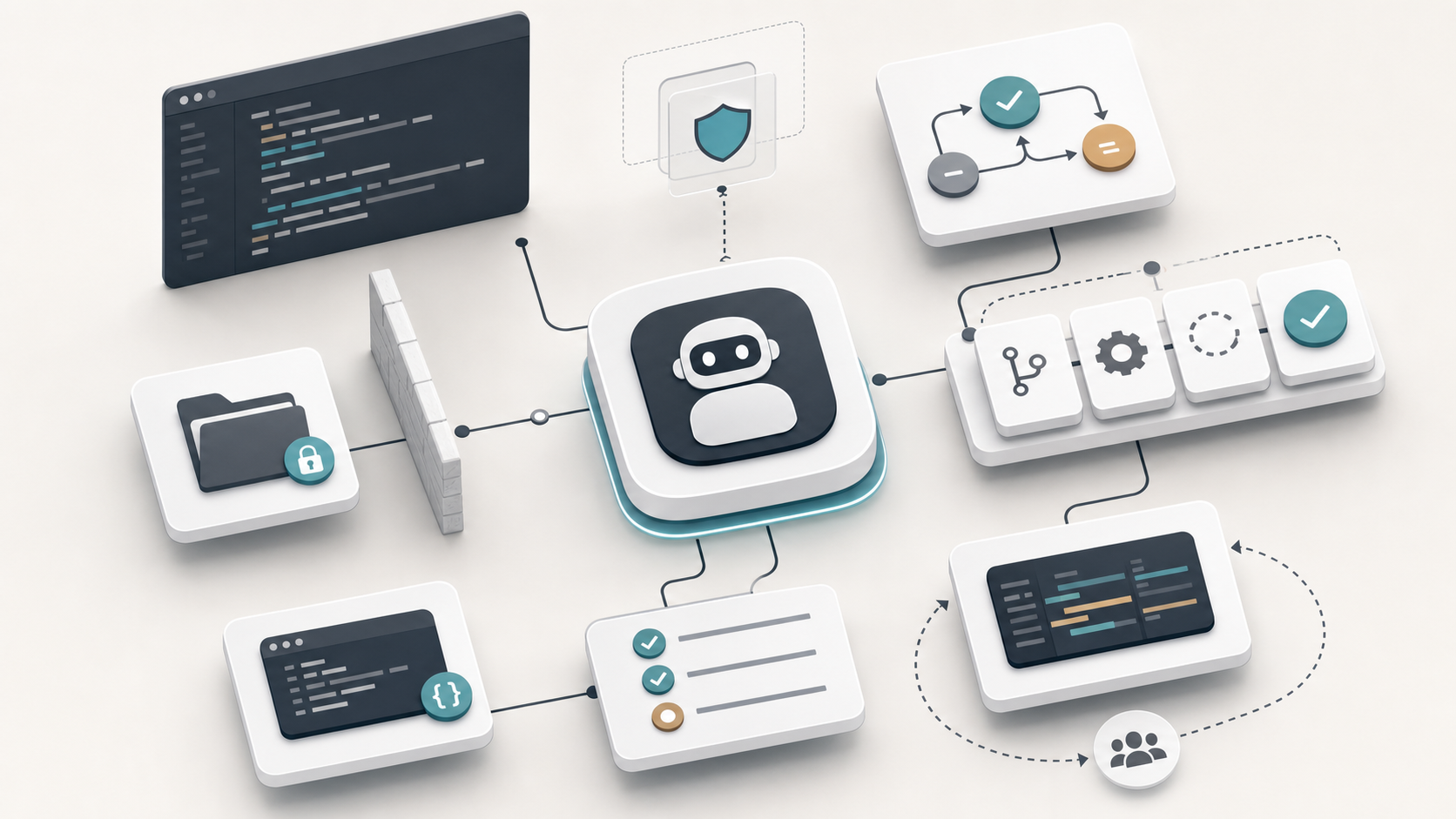
In Claude Code, harness engineering means building the control system around the coding agent. Claude can read code, edit files, run shell commands, call tools, use MCP, respond to GitHub comments, and operate semi-autonomously. The harness is what makes that behavior bounded, testable, repeatable, and reviewable.
A good harness answers these questions:
| Question | Harness mechanism |
|---|---|
| What should Claude know about this repo? | CLAUDE.md |
| What tasks should be repeatable? | Skills, commands, prompts |
| What must Claude never touch? | Hooks, permissions, branch protection |
| How do we know the change works? | Tests, typecheck, lint, CI |
| How do we prevent uncontrolled edits? | File guards, approval gates, worktrees |
| How do we review the output? | PR workflow, diff summaries, human review |
| How do we connect external systems safely? | MCP with scoped permissions |
| How do we measure whether this helps? | Evaluation suite, metrics, failure taxonomy |
The practical point is simple: a long prompt is not a harness. A real harness combines instructions, executable checks, permission boundaries, review gates, and metrics.
Conventional Harness Stack
A practical Claude Code harness usually has these layers:
Repository instructions
Task prompts / Skills
Tool and file permissions
Hooks
Tests and verification commands
Git workflow
CI / GitHub Actions
Human review
Evaluation and metrics
Do not rely on a single layer. Claude should be useful inside the same software delivery system that would constrain a human engineer.
Repository Harness: CLAUDE.md
CLAUDE.md is the baseline context file for project-specific operating rules.
Good contents include:
# Claude Code Instructions

## Package manager

Use pnpm. Do not use npm or yarn.

## Common commands

- Install: `pnpm install`
- Dev server: `pnpm dev`
- Lint: `pnpm lint`
- Typecheck: `pnpm typecheck`
- Unit tests: `pnpm test`
- Build: `pnpm build`

## Architecture

- App routes live in `src/app`.
- Shared UI components live in `src/components`.
- Business logic lives in `src/features`.
- API clients live in `src/lib/api`.
- Do not put API-fetching logic directly inside presentational components.

## Rules

- Make the smallest safe change.
- Do not refactor unrelated code.
- Do not add dependencies unless explicitly requested.
- Do not edit generated files.
- Do not edit `.env*` files.
- Do not weaken tests to make them pass.
- Do not suppress TypeScript errors with `any` unless justified.

## Before finishing

Report:

1. Summary of the change
2. Files changed
3. Commands run
4. Test results
5. Remaining risks
Vague instructions such as “write clean code” or “be a great engineer” are not enough. Actionable rules are better:
When editing React components:

- Preserve keyboard accessibility.
- Use semantic HTML before ARIA.
- Add loading, empty, error, and success states where relevant.
- Prefer existing components from `src/components/ui`.
- Do not create new styling abstractions unless needed.
- For layout bugs, identify the overflowing or mispositioned element instead of hiding the problem with global CSS.
Task Harness: Structured Task Packets
Claude Code performs better when a task is framed like an engineering ticket.
Weak prompt:
Fix the login bug.Strong prompt:
Task:
Fix the login redirect bug.

Current behavior:
After successful login, users sometimes remain on `/login`.

Expected behavior:
After successful login, users should be redirected to the original destination or `/dashboard`.

Scope:
- Inspect `src/features/auth`.
- Avoid unrelated refactors.
- Do not change public route names.
- Do not add dependencies.

Verification:
- First reproduce with an existing or new failing test.
- Then implement the minimal fix.
- Run the targeted test.
- Run typecheck.

Output:
- Root cause
- Files changed
- Tests run
- Remaining risk
The conventional pattern is to constrain scope, define expected behavior, define verification, and define output format.
Verification Harness
Claude should not merely produce code. Claude should produce a verified diff.
Use a verification ladder:
format
lint
typecheck
unit tests
integration tests
e2e tests
build
For a frontend project, commands may include:
pnpm lint
pnpm typecheck
pnpm test
pnpm build
pnpm playwright test
Do not always force the full suite. Use targeted verification first.
Example policy:
## Verification policy

For small frontend changes:

1. Run the most relevant unit test.
2. Run `pnpm typecheck`.
3. Run `pnpm lint`.
4. Run `pnpm build` if routing, bundling, or config changed.

For critical flows:

1. Add or update regression tests.
2. Run the affected test file.
3. Run the related integration test.
4. Run the relevant Playwright spec if available.
Useful prompt:
Before changing implementation code, identify the smallest test command that reproduces the problem. If no test exists, add one. After the fix, rerun that test and then run typecheck.This prevents plausible implementation without proof.
Hook Harness
Hooks are executable guardrails. They can inject context, block risky actions, run checks, or enforce policies outside the model’s discretion.
Practical hook categories:
| Hook | Use |
|---|---|
SessionStart | Print repo rules, check environment |
UserPromptSubmit | Add branch/status context |
PreToolUse | Block dangerous commands or protected files |
PostToolUse | Run formatter or lint changed files |
FileChanged | Trigger targeted validation |
Stop | Require a test summary before completion |
SessionEnd | Save logs or metrics |
Block edits to:
.env
.env.local
*.pem
*.key
node_modules/
dist/
build/
coverage/
generated/
package-lock.json when using pnpm
yarn.lock when using pnpm
Require approval for dangerous commands:
rm -rf
sudo
chmod -R
chown -R
git push --force
git reset --hard
docker system prune
kubectl delete
terraform apply
Post-edit automation can include:
prettier changed files
eslint changed files
typecheck if TS files changed
run targeted test if test file exists
Permission Harness
Treat Claude Code as a powerful junior engineer with shell access.
Use:
least privilege
no production secrets
no broad cloud credentials
no unrestricted database write access
approval for destructive commands
separate dev/staging/prod credentials
read-only access where possible
Prefer:
read/write access to repo
read-only access to docs
staging-only API keys
throwaway database
ephemeral branches
Avoid:
production database credentials
production deploy keys
personal SSH keys
cloud admin tokens
write access to billing/payment systems
Access is useful, but unrestricted access is poor engineering.
Git Harness
Claude Code should follow the normal Git workflow.
Recommended flow:
create branch
inspect issue
make plan
change files
run verification
show diff
commit
open PR
CI runs
human reviews
merge
Git rules:
## Git rules

- Never commit directly to `main`.
- Create a feature branch for non-trivial work.
- Keep the diff focused.
- Do not mix formatting-only changes with logic changes.
- Do not commit until relevant tests pass.
- Before committing, show:
  - changed files
  - behavior changed
  - tests run
  - risks
Prompt:
Create a new branch for this fix. Make the smallest safe change. Do not commit yet. After tests pass, show me the diff summary and ask before committing.This prevents large, messy, hard-to-review diffs.
CI and GitHub Actions Harness
Claude can assist inside GitHub workflows, but CI and humans should remain the gate.
Use Claude for:
PR review
test suggestion
bug reproduction
small implementation tasks
documentation updates
refactor proposals
Do not use Claude for:
auto-merging its own PRs
bypassing CI
approving security-sensitive changes
direct production deployment
Required CI checks can include:
lint
typecheck
unit tests
build
e2e smoke tests
dependency audit
secret scan
human approval
Example PR prompts:
@claude review this PR for regression risk. Focus on authentication, missing tests, and unsafe assumptions. Do not modify files.@claude implement the smallest fix for the failing test in this PR. Do not change unrelated files. Add a short explanation and leave the PR for human review.Skill Harness
If you repeatedly ask Claude the same thing, make it a reusable workflow.
Examples:
frontend-review
write-regression-test
accessibility-audit
performance-review
release-checklist
dependency-upgrade
api-contract-review
Example skill:
---
name: frontend-review
description: Review frontend code for correctness, accessibility, performance, and maintainability.
---

# Frontend review workflow

Inspect the diff and check:

1. Rendering correctness
2. TypeScript correctness
3. Accessibility
4. Keyboard navigation
5. Responsive behavior
6. Loading, empty, error, and success states
7. Avoidable re-renders
8. Unnecessary dependencies
9. Test coverage

Return:

- Blocking issues
- Non-blocking suggestions
- Missing tests
- Risk level
Regression test skill:
---
name: write-regression-test
description: Add or update tests that reproduce a bug before fixing it.
---

# Workflow

1. Understand the reported bug.
2. Locate the smallest relevant test file.
3. Add a failing test that reproduces the bug.
4. Run the test and confirm failure.
5. Implement the minimal fix.
6. Rerun the test and confirm pass.
7. Run typecheck.
8. Summarize the root cause and verification.
This turns strong prompts into durable engineering infrastructure.
Subagent Harness
Subagents are useful when specialized reviewers should inspect the work independently.
Example:
Use separate subagents:

1. Security reviewer
2. TypeScript reviewer
3. Test reviewer
4. Frontend UX/accessibility reviewer
5. Performance reviewer

Each reviewer should inspect the diff independently and return only blocking or high-value issues. Then synthesize the findings into one final fix plan.
Useful subagent roles:
| Subagent | Checks |
|---|---|
| Security reviewer | auth, secrets, injection, unsafe permissions |
| TypeScript reviewer | type soundness, any, API breakage |
| Test reviewer | missing regression tests, weak assertions |
| Frontend reviewer | layout, a11y, state handling |
| Performance reviewer | unnecessary renders, bundle size, N+1 calls |
This is useful for larger PRs or high-risk changes.
MCP Harness
MCP is useful when Claude needs access to external systems such as:
GitHub
Linear / Jira
Sentry
Datadog
Postgres
Figma
internal docs
design systems
CI logs
Good MCP design:
read-only production logs
read-only issue tracker access
read-only design file access
staging database write access only
narrow tools instead of broad shell access
audit logs
explicit approval for mutations
Bad MCP design:
full production database write access
cloud admin credentials
unrestricted deployment access
unrestricted filesystem access outside repo
raw secret-store access
MCP should expose specific capabilities, not unlimited authority.
Evaluation Harness
Do not judge Claude Code by vibes. Create an evaluation suite from real repository history.
Collect 20 to 50 past tasks:
bug fixes
test additions
small features
refactors
accessibility fixes
performance fixes
dependency updates
docs updates
For each task, store:
starting commit
prompt
expected behavior
acceptance test
expected touched files
known pitfalls
review rubric
Score each run:
| Category | Score |
|---|---|
| Correctness | 0-5 |
| Minimal diff | 0-5 |
| Test quality | 0-5 |
| Maintains conventions | 0-5 |
| Security | 0-5 |
| Review effort saved | 0-5 |
| Cost | 0-5 |
The point is to measure whether Claude saves time or creates review debt.
Frontend-specific Harness
For frontend work, make the harness strict.
## Frontend engineering rules

- Use semantic HTML first.
- Preserve keyboard navigation.
- Do not use ARIA to compensate for bad HTML unless necessary.
- Check mobile, tablet, and desktop layouts.
- Avoid layout shift.
- Avoid global CSS changes unless justified.
- Prefer existing design-system components.
- Do not introduce new state libraries.
- Do not add client components unnecessarily.
- Handle loading, empty, error, and success states.
- Avoid `useEffect` for derived state.
- Avoid suppressing hydration errors.
Verification commands:
pnpm lint
pnpm typecheck
pnpm test
pnpm build
pnpm playwright test
UI bug prompt:
Task:
Fix the mobile layout bug.

Current behavior:
On iPhone Safari, the page has horizontal overflow.

Expected behavior:
No horizontal scroll at any viewport width.

Constraints:
- Do not use global `overflow-x: hidden` as the primary fix.
- Find the actual overflowing element.
- Keep the diff minimal.
- Do not refactor unrelated layout code.

Verification:
- Identify root cause.
- Test at mobile viewport widths.
- Run lint and build.

Output:
- Root cause
- Files changed
- Verification
- Remaining risk
This is better than asking Claude to “fix responsive issue.”
Workflow Templates
Bug Fix
1. Reproduce the bug.
2. Add or identify a failing test.
3. Make the smallest fix.
4. Rerun the failing test.
5. Run broader affected checks.
6. Summarize root cause and risk.
Prompt:
Fix this bug using a failing-test-first workflow. Do not change implementation until you have reproduced the issue with a test or a clear command. Keep the diff minimal.Refactor
1. Define behavior that must not change.
2. Add characterization tests if missing.
3. Refactor in small commits.
4. Run tests after each phase.
5. Avoid public API changes.
Prompt:
Refactor this module without changing behavior. First identify the public API and existing tests. Add characterization tests if needed. Then refactor in small steps and run tests.PR Review
1. Inspect diff.
2. Classify risk.
3. Check tests.
4. Check security.
5. Check maintainability.
6. Return blocking issues first.
Prompt:
Review this PR as a senior engineer. Focus on correctness, test gaps, security, and project convention violations. Return blocking issues first. Do not comment on style unless it affects maintainability.Feature Implementation
1. Restate requirements.
2. Identify files likely involved.
3. Create implementation plan.
4. Implement minimal vertical slice.
5. Add tests.
6. Run verification.
7. Summarize.
Prompt:
Implement this feature as a minimal vertical slice. Do not introduce abstractions until needed. Add tests for the main behavior and one edge case.Dependency Upgrade
1. Read changelog.
2. Identify breaking changes.
3. Upgrade package.
4. Fix compile/test failures.
5. Run focused and full checks.
6. Document migration notes.
Prompt:
Upgrade this dependency safely. Read the migration notes first. Make the smallest changes needed. Do not upgrade unrelated packages.Anti-patterns
Avoid giant vague prompts:
Improve this repo.Use focused prompts:
Inspect `src/features/payment` and identify the top 5 concrete maintainability risks. Do not edit files yet.Avoid tasks without test requirements:
Fix it and tell me when done.Use:
Fix it and report exact verification commands and results.Forbid unrelated refactors:
Do not refactor unrelated code. If you see unrelated issues, list them separately instead of changing them.Watch for correctness weakening:
commenting out failing tests
loosening assertions
adding `as any`
disabling lint rules
removing type checks
changing CI config to pass
adding broad try/catch blocks
swallowing errors
The harness should explicitly forbid these.
Implementation Plan
Set up a Claude Code harness in phases.
Phase 1: Basic Repo Harness
CLAUDE.md
standard task prompt templates
verification ladder
Git rules
completion format
Phase 2: Safety Harness
protected file list
dangerous command list
approval rules
secret scanning
branch protection
Phase 3: Test Harness
targeted test commands
unit test conventions
e2e smoke tests
frontend accessibility checks
build verification
Phase 4: Workflow Harness
Create Skills for:
bug fix
frontend review
write regression test
release checklist
dependency upgrade
accessibility audit
Phase 5: CI Harness
Claude GitHub Action
required checks
no auto-merge
human review
PR labels for AI-generated changes
Phase 6: Evaluation Harness
Track:
acceptance rate
review comments
test failures
escaped bugs
average diff size
cost per PR
time saved
failure patterns
Strong Default Harness
Use this as a starting point:
# Claude Code Harness

## Operating principles

- Make minimal, focused changes.
- Prefer correctness over cleverness.
- Do not refactor unrelated code.
- Do not add dependencies without justification.
- Do not edit generated files.
- Do not edit secrets.
- Do not weaken tests, types, lint, auth, or validation.

## Commands

- Install: `pnpm install`
- Lint: `pnpm lint`
- Typecheck: `pnpm typecheck`
- Test: `pnpm test`
- Build: `pnpm build`

## Frontend rules

- Use semantic HTML.
- Preserve keyboard accessibility.
- Check responsive layouts.
- Handle loading, empty, error, and success states.
- Reuse existing components.
- Avoid unnecessary client-side state.
- Avoid unnecessary `useEffect`.
- Do not suppress hydration errors without explanation.

## Bug-fix workflow

1. Reproduce the bug.
2. Add or identify a failing test.
3. Make the smallest fix.
4. Rerun the failing test.
5. Run broader affected checks.
6. Summarize root cause.

## Review workflow

Check:

- correctness
- missing tests
- security
- accessibility
- performance
- maintainability
- project convention violations

Return blocking issues first.

## Git rules

- Never commit directly to main.
- Use feature branches.
- Keep diffs focused.
- Do not commit without verification.
- Do not push without user approval.

## Completion format

Return:

1. Summary
2. Root cause, if applicable
3. Files changed
4. Verification commands and results
5. Remaining risks
References
- Claude Code features overview
- Claude Code hooks
- Claude Code GitHub Actions
- anthropics/claude-code-action
- Agent-generated PR acceptance and revision research
Bottom Line
The practical way to do Claude Code harness engineering is not to write longer prompts. It is to build a controlled development system around Claude:
CLAUDE.md
+ task templates
+ Skills
+ hooks
+ file/command guards
+ tests
+ CI
+ Git discipline
+ human review
+ evaluation metrics
Claude Code proposes and edits. The harness constrains and verifies.
Claude Code에서 하네스 엔지니어링은 코딩 에이전트 주변의 제어 시스템을 만드는 일입니다. Claude는 코드를 읽고, 파일을 수정하고, 셸 명령을 실행하고, 도구를 호출하고, MCP를 사용하고, GitHub 댓글에 응답하며, 반자율적으로 동작할 수 있습니다. 하네스는 그 행동을 경계 안에 두고, 테스트 가능하고, 반복 가능하고, 리뷰 가능하게 만드는 장치입니다.
좋은 하네스는 다음 질문에 답합니다.
| 질문 | 하네스 메커니즘 |
|---|---|
| Claude가 이 저장소에 대해 무엇을 알아야 하는가? | CLAUDE.md |
| 어떤 작업을 반복 가능하게 만들어야 하는가? | Skills, commands, prompts |
| Claude가 절대 건드리면 안 되는 것은 무엇인가? | Hooks, permissions, branch protection |
| 변경이 동작하는지 어떻게 아는가? | Tests, typecheck, lint, CI |
| 통제되지 않은 수정을 어떻게 막는가? | File guards, approval gates, worktrees |
| 결과를 어떻게 리뷰하는가? | PR workflow, diff summaries, human review |
| 외부 시스템을 어떻게 안전하게 연결하는가? | MCP with scoped permissions |
| 이것이 도움이 되는지 어떻게 측정하는가? | Evaluation suite, metrics, failure taxonomy |
핵심은 단순합니다. 긴 프롬프트는 하네스가 아닙니다. 진짜 하네스는 지침, 실행 가능한 검사, 권한 경계, 리뷰 게이트, 지표를 함께 묶은 시스템입니다.
일반적인 하네스 스택
실용적인 Claude Code 하네스는 보통 다음 레이어를 가집니다.
Repository instructions
Task prompts / Skills
Tool and file permissions
Hooks
Tests and verification commands
Git workflow
CI / GitHub Actions
Human review
Evaluation and metrics
하나의 레이어에 의존하지 마세요. Claude는 인간 엔지니어를 제약하는 동일한 소프트웨어 전달 시스템 안에서 유용해야 합니다.
저장소 하네스: CLAUDE.md
CLAUDE.md는 프로젝트별 운영 규칙을 담는 기본 컨텍스트 파일입니다.
좋은 내용은 다음과 같습니다.
# Claude Code Instructions

## Package manager

Use pnpm. Do not use npm or yarn.

## Common commands

- Install: `pnpm install`
- Dev server: `pnpm dev`
- Lint: `pnpm lint`
- Typecheck: `pnpm typecheck`
- Unit tests: `pnpm test`
- Build: `pnpm build`

## Architecture

- App routes live in `src/app`.
- Shared UI components live in `src/components`.
- Business logic lives in `src/features`.
- API clients live in `src/lib/api`.
- Do not put API-fetching logic directly inside presentational components.

## Rules

- Make the smallest safe change.
- Do not refactor unrelated code.
- Do not add dependencies unless explicitly requested.
- Do not edit generated files.
- Do not edit `.env*` files.
- Do not weaken tests to make them pass.
- Do not suppress TypeScript errors with `any` unless justified.

## Before finishing

Report:

1. Summary of the change
2. Files changed
3. Commands run
4. Test results
5. Remaining risks
“깨끗한 코드를 작성하라” 또는 “훌륭한 엔지니어처럼 행동하라” 같은 모호한 지시는 부족합니다. 실행 가능한 규칙이 더 좋습니다.
When editing React components:

- Preserve keyboard accessibility.
- Use semantic HTML before ARIA.
- Add loading, empty, error, and success states where relevant.
- Prefer existing components from `src/components/ui`.
- Do not create new styling abstractions unless needed.
- For layout bugs, identify the overflowing or mispositioned element instead of hiding the problem with global CSS.
작업 하네스: 구조화된 작업 패킷
Claude Code는 작업이 엔지니어링 티켓처럼 구성될 때 더 잘 수행합니다.
약한 프롬프트:
Fix the login bug.
강한 프롬프트:
Task:
Fix the login redirect bug.

Current behavior:
After successful login, users sometimes remain on `/login`.

Expected behavior:
After successful login, users should be redirected to the original destination or `/dashboard`.

Scope:
- Inspect `src/features/auth`.
- Avoid unrelated refactors.
- Do not change public route names.
- Do not add dependencies.

Verification:
- First reproduce with an existing or new failing test.
- Then implement the minimal fix.
- Run the targeted test.
- Run typecheck.

Output:
- Root cause
- Files changed
- Tests run
- Remaining risk
일반적인 패턴은 범위를 제한하고, 기대 동작을 정의하고, 검증 방식을 정의하고, 출력 형식을 정의하는 것입니다.
검증 하네스
Claude는 단순히 코드를 생성하는 데서 끝나면 안 됩니다. 검증된 diff를 만들어야 합니다.
검증 사다리를 사용하세요.
format
lint
typecheck
unit tests
integration tests
e2e tests
build
프론트엔드 프로젝트에서는 다음 명령을 사용할 수 있습니다.
pnpm lint
pnpm typecheck
pnpm test
pnpm build
pnpm playwright test
항상 전체 스위트를 강제할 필요는 없습니다. 먼저 타깃 검증을 사용하세요.
예시 정책:
## Verification policy

For small frontend changes:

1. Run the most relevant unit test.
2. Run `pnpm typecheck`.
3. Run `pnpm lint`.
4. Run `pnpm build` if routing, bundling, or config changed.

For critical flows:

1. Add or update regression tests.
2. Run the affected test file.
3. Run the related integration test.
4. Run the relevant Playwright spec if available.
유용한 프롬프트:
Before changing implementation code, identify the smallest test command that reproduces the problem. If no test exists, add one. After the fix, rerun that test and then run typecheck.
이 방식은 증거 없는 그럴듯한 구현을 줄입니다.
훅 하네스
훅은 실행 가능한 가드레일입니다. 모델의 재량 바깥에서 컨텍스트를 주입하고, 위험한 동작을 차단하고, 검사를 실행하고, 정책을 강제할 수 있습니다.
실용적인 훅 범주는 다음과 같습니다.
| 훅 | 용도 |
|---|---|
SessionStart |
저장소 규칙 출력, 환경 확인 |
UserPromptSubmit |
브랜치와 상태 컨텍스트 추가 |
PreToolUse |
위험한 명령 또는 보호 파일 차단 |
PostToolUse |
변경 파일 포맷팅 또는 린트 실행 |
FileChanged |
타깃 검증 트리거 |
Stop |
완료 전에 테스트 요약 요구 |
SessionEnd |
로그 또는 지표 저장 |
다음 파일과 디렉터리 수정을 차단하세요.
.env
.env.local
*.pem
*.key
node_modules/
dist/
build/
coverage/
generated/
package-lock.json when using pnpm
yarn.lock when using pnpm
다음 위험 명령에는 승인을 요구하세요.
rm -rf
sudo
chmod -R
chown -R
git push --force
git reset --hard
docker system prune
kubectl delete
terraform apply
수정 후 자동화에는 다음을 포함할 수 있습니다.
prettier changed files
eslint changed files
typecheck if TS files changed
run targeted test if test file exists
권한 하네스
Claude Code를 셸 접근 권한을 가진 강력한 주니어 엔지니어처럼 다루세요.
사용할 원칙:
least privilege
no production secrets
no broad cloud credentials
no unrestricted database write access
approval for destructive commands
separate dev/staging/prod credentials
read-only access where possible
선호:
read/write access to repo
read-only access to docs
staging-only API keys
throwaway database
ephemeral branches
피해야 할 것:
production database credentials
production deploy keys
personal SSH keys
cloud admin tokens
write access to billing/payment systems
접근 권한은 유용하지만, 무제한 접근은 나쁜 엔지니어링입니다.
Git 하네스
Claude Code는 일반적인 Git 워크플로를 따라야 합니다.
권장 흐름:
create branch
inspect issue
make plan
change files
run verification
show diff
commit
open PR
CI runs
human reviews
merge
Git 규칙:
## Git rules

- Never commit directly to `main`.
- Create a feature branch for non-trivial work.
- Keep the diff focused.
- Do not mix formatting-only changes with logic changes.
- Do not commit until relevant tests pass.
- Before committing, show:
  - changed files
  - behavior changed
  - tests run
  - risks
프롬프트:
Create a new branch for this fix. Make the smallest safe change. Do not commit yet. After tests pass, show me the diff summary and ask before committing.
이렇게 하면 크고 지저분하며 리뷰하기 어려운 diff를 예방할 수 있습니다.
CI와 GitHub Actions 하네스
Claude는 GitHub 워크플로 안에서 도울 수 있지만, CI와 사람은 여전히 게이트로 남아야 합니다.
Claude를 사용할 수 있는 곳:
PR review
test suggestion
bug reproduction
small implementation tasks
documentation updates
refactor proposals
사용하지 말아야 할 곳:
auto-merging its own PRs
bypassing CI
approving security-sensitive changes
direct production deployment
필수 CI 검사는 다음을 포함할 수 있습니다.
lint
typecheck
unit tests
build
e2e smoke tests
dependency audit
secret scan
human approval
예시 PR 프롬프트:
@claude review this PR for regression risk. Focus on authentication, missing tests, and unsafe assumptions. Do not modify files.
@claude implement the smallest fix for the failing test in this PR. Do not change unrelated files. Add a short explanation and leave the PR for human review.
Skill 하네스
Claude에게 같은 작업을 반복해서 요청한다면 재사용 가능한 워크플로로 만드세요.
예시:
frontend-review
write-regression-test
accessibility-audit
performance-review
release-checklist
dependency-upgrade
api-contract-review
예시 Skill:
---
name: frontend-review
description: Review frontend code for correctness, accessibility, performance, and maintainability.
---

# Frontend review workflow

Inspect the diff and check:

1. Rendering correctness
2. TypeScript correctness
3. Accessibility
4. Keyboard navigation
5. Responsive behavior
6. Loading, empty, error, and success states
7. Avoidable re-renders
8. Unnecessary dependencies
9. Test coverage

Return:

- Blocking issues
- Non-blocking suggestions
- Missing tests
- Risk level
회귀 테스트 Skill:
---
name: write-regression-test
description: Add or update tests that reproduce a bug before fixing it.
---

# Workflow

1. Understand the reported bug.
2. Locate the smallest relevant test file.
3. Add a failing test that reproduces the bug.
4. Run the test and confirm failure.
5. Implement the minimal fix.
6. Rerun the test and confirm pass.
7. Run typecheck.
8. Summarize the root cause and verification.
강한 프롬프트를 지속 가능한 엔지니어링 인프라로 바꾸는 방식입니다.
서브에이전트 하네스
전문화된 리뷰어가 독립적으로 작업을 점검해야 할 때 서브에이전트가 유용합니다.
예시:
Use separate subagents:

1. Security reviewer
2. TypeScript reviewer
3. Test reviewer
4. Frontend UX/accessibility reviewer
5. Performance reviewer

Each reviewer should inspect the diff independently and return only blocking or high-value issues. Then synthesize the findings into one final fix plan.
유용한 서브에이전트 역할:
| 서브에이전트 | 검사 항목 |
|---|---|
| Security reviewer | auth, secrets, injection, unsafe permissions |
| TypeScript reviewer | type soundness, any, API breakage |
| Test reviewer | missing regression tests, weak assertions |
| Frontend reviewer | layout, a11y, state handling |
| Performance reviewer | unnecessary renders, bundle size, N+1 calls |
큰 PR이나 위험도가 높은 변경에 유용합니다.
MCP 하네스
MCP는 Claude가 외부 시스템에 접근해야 할 때 유용합니다.
GitHub
Linear / Jira
Sentry
Datadog
Postgres
Figma
internal docs
design systems
CI logs
좋은 MCP 설계:
read-only production logs
read-only issue tracker access
read-only design file access
staging database write access only
narrow tools instead of broad shell access
audit logs
explicit approval for mutations
나쁜 MCP 설계:
full production database write access
cloud admin credentials
unrestricted deployment access
unrestricted filesystem access outside repo
raw secret-store access
MCP는 무제한 권한이 아니라 구체적인 기능을 노출해야 합니다.
평가 하네스
Claude Code를 감으로 판단하지 마세요. 실제 저장소 이력에서 평가 스위트를 만드세요.
과거 작업 20개에서 50개를 수집합니다.
bug fixes
test additions
small features
refactors
accessibility fixes
performance fixes
dependency updates
docs updates
각 작업에 대해 다음을 저장합니다.
starting commit
prompt
expected behavior
acceptance test
expected touched files
known pitfalls
review rubric
각 실행을 채점합니다.
| 범주 | 점수 |
|---|---|
| Correctness | 0-5 |
| Minimal diff | 0-5 |
| Test quality | 0-5 |
| Maintains conventions | 0-5 |
| Security | 0-5 |
| Review effort saved | 0-5 |
| Cost | 0-5 |
목표는 Claude가 시간을 절약하는지, 아니면 리뷰 부채를 만드는지 측정하는 것입니다.
프론트엔드 전용 하네스
프론트엔드 작업에서는 하네스를 엄격하게 만드세요.
## Frontend engineering rules

- Use semantic HTML first.
- Preserve keyboard navigation.
- Do not use ARIA to compensate for bad HTML unless necessary.
- Check mobile, tablet, and desktop layouts.
- Avoid layout shift.
- Avoid global CSS changes unless justified.
- Prefer existing design-system components.
- Do not introduce new state libraries.
- Do not add client components unnecessarily.
- Handle loading, empty, error, and success states.
- Avoid `useEffect` for derived state.
- Avoid suppressing hydration errors.
검증 명령:
pnpm lint
pnpm typecheck
pnpm test
pnpm build
pnpm playwright test
UI 버그 프롬프트:
Task:
Fix the mobile layout bug.

Current behavior:
On iPhone Safari, the page has horizontal overflow.

Expected behavior:
No horizontal scroll at any viewport width.

Constraints:
- Do not use global `overflow-x: hidden` as the primary fix.
- Find the actual overflowing element.
- Keep the diff minimal.
- Do not refactor unrelated layout code.

Verification:
- Identify root cause.
- Test at mobile viewport widths.
- Run lint and build.

Output:
- Root cause
- Files changed
- Verification
- Remaining risk
“반응형 문제를 고쳐줘”라고 요청하는 것보다 훨씬 낫습니다.
워크플로 템플릿
버그 수정
1. Reproduce the bug.
2. Add or identify a failing test.
3. Make the smallest fix.
4. Rerun the failing test.
5. Run broader affected checks.
6. Summarize root cause and risk.
프롬프트:
Fix this bug using a failing-test-first workflow. Do not change implementation until you have reproduced the issue with a test or a clear command. Keep the diff minimal.
리팩터링
1. Define behavior that must not change.
2. Add characterization tests if missing.
3. Refactor in small commits.
4. Run tests after each phase.
5. Avoid public API changes.
프롬프트:
Refactor this module without changing behavior. First identify the public API and existing tests. Add characterization tests if needed. Then refactor in small steps and run tests.
PR 리뷰
1. Inspect diff.
2. Classify risk.
3. Check tests.
4. Check security.
5. Check maintainability.
6. Return blocking issues first.
프롬프트:
Review this PR as a senior engineer. Focus on correctness, test gaps, security, and project convention violations. Return blocking issues first. Do not comment on style unless it affects maintainability.
기능 구현
1. Restate requirements.
2. Identify files likely involved.
3. Create implementation plan.
4. Implement minimal vertical slice.
5. Add tests.
6. Run verification.
7. Summarize.
프롬프트:
Implement this feature as a minimal vertical slice. Do not introduce abstractions until needed. Add tests for the main behavior and one edge case.
의존성 업그레이드
1. Read changelog.
2. Identify breaking changes.
3. Upgrade package.
4. Fix compile/test failures.
5. Run focused and full checks.
6. Document migration notes.
프롬프트:
Upgrade this dependency safely. Read the migration notes first. Make the smallest changes needed. Do not upgrade unrelated packages.
안티패턴
거대하고 모호한 프롬프트를 피하세요.
Improve this repo.
초점이 있는 프롬프트를 사용하세요.
Inspect `src/features/payment` and identify the top 5 concrete maintainability risks. Do not edit files yet.
테스트 요구가 없는 작업을 피하세요.
Fix it and tell me when done.
대신 이렇게 요청하세요.
Fix it and report exact verification commands and results.
관련 없는 리팩터링을 금지하세요.
Do not refactor unrelated code. If you see unrelated issues, list them separately instead of changing them.
정확성을 약화하는 행위를 경계하세요.
commenting out failing tests
loosening assertions
adding `as any`
disabling lint rules
removing type checks
changing CI config to pass
adding broad try/catch blocks
swallowing errors
하네스는 이런 행동을 명시적으로 금지해야 합니다.
구현 계획
Claude Code 하네스를 단계적으로 구축하세요.
1단계: 기본 저장소 하네스
CLAUDE.md
standard task prompt templates
verification ladder
Git rules
completion format
2단계: 안전 하네스
protected file list
dangerous command list
approval rules
secret scanning
branch protection
3단계: 테스트 하네스
targeted test commands
unit test conventions
e2e smoke tests
frontend accessibility checks
build verification
4단계: 워크플로 하네스
다음 작업을 위한 Skills를 만드세요.
bug fix
frontend review
write regression test
release checklist
dependency upgrade
accessibility audit
5단계: CI 하네스
Claude GitHub Action
required checks
no auto-merge
human review
PR labels for AI-generated changes
6단계: 평가 하네스
추적 항목:
acceptance rate
review comments
test failures
escaped bugs
average diff size
cost per PR
time saved
failure patterns
강력한 기본 하네스
다음을 시작점으로 사용하세요.
# Claude Code Harness

## Operating principles

- Make minimal, focused changes.
- Prefer correctness over cleverness.
- Do not refactor unrelated code.
- Do not add dependencies without justification.
- Do not edit generated files.
- Do not edit secrets.
- Do not weaken tests, types, lint, auth, or validation.

## Commands

- Install: `pnpm install`
- Lint: `pnpm lint`
- Typecheck: `pnpm typecheck`
- Test: `pnpm test`
- Build: `pnpm build`

## Frontend rules

- Use semantic HTML.
- Preserve keyboard accessibility.
- Check responsive layouts.
- Handle loading, empty, error, and success states.
- Reuse existing components.
- Avoid unnecessary client-side state.
- Avoid unnecessary `useEffect`.
- Do not suppress hydration errors without explanation.

## Bug-fix workflow

1. Reproduce the bug.
2. Add or identify a failing test.
3. Make the smallest fix.
4. Rerun the failing test.
5. Run broader affected checks.
6. Summarize root cause.

## Review workflow

Check:

- correctness
- missing tests
- security
- accessibility
- performance
- maintainability
- project convention violations

Return blocking issues first.

## Git rules

- Never commit directly to main.
- Use feature branches.
- Keep diffs focused.
- Do not commit without verification.
- Do not push without user approval.

## Completion format

Return:

1. Summary
2. Root cause, if applicable
3. Files changed
4. Verification commands and results
5. Remaining risks
참고 자료
- Claude Code features overview
- Claude Code hooks
- Claude Code GitHub Actions
- anthropics/claude-code-action
- Agent-generated PR acceptance and revision research
결론
Claude Code 하네스 엔지니어링의 실용적인 방법은 더 긴 프롬프트를 쓰는 것이 아닙니다. Claude 주변에 통제된 개발 시스템을 구축하는 것입니다.
CLAUDE.md
+ task templates
+ Skills
+ hooks
+ file/command guards
+ tests
+ CI
+ Git discipline
+ human review
+ evaluation metrics
Claude Code는 제안하고 수정합니다. 하네스는 제약하고 검증합니다.
在 Claude Code 中,harness engineering 指的是围绕编码代理构建控制系统。Claude 可以读取代码、编辑文件、运行 shell 命令、调用工具、使用 MCP、回应 GitHub 评论,并以半自主方式工作。Harness 的作用是让这些行为有边界、可测试、可重复、可审查。
一个好的 harness 会回答这些问题:
| 问题 | Harness 机制 |
|---|---|
| Claude 应该了解这个仓库的哪些信息? | CLAUDE.md |
| 哪些任务应该可重复? | Skills, commands, prompts |
| Claude 绝不能触碰什么? | Hooks, permissions, branch protection |
| 如何知道变更有效? | Tests, typecheck, lint, CI |
| 如何防止失控编辑? | File guards, approval gates, worktrees |
| 如何审查输出? | PR workflow, diff summaries, human review |
| 如何安全连接外部系统? | MCP with scoped permissions |
| 如何衡量它是否有帮助? | Evaluation suite, metrics, failure taxonomy |
实际要点很简单:长提示词不是 harness。真正的 harness 是说明、可执行检查、权限边界、审查关卡和指标的组合。
常规 Harness 栈
一个实用的 Claude Code harness 通常包含这些层:
Repository instructions
Task prompts / Skills
Tool and file permissions
Hooks
Tests and verification commands
Git workflow
CI / GitHub Actions
Human review
Evaluation and metrics
不要依赖单一层。Claude 应该在同一个会约束人类工程师的软件交付系统中发挥作用。
仓库 Harness:CLAUDE.md
CLAUDE.md 是项目专用操作规则的基础上下文文件。
好的内容包括:
# Claude Code Instructions

## Package manager

Use pnpm. Do not use npm or yarn.

## Common commands

- Install: `pnpm install`
- Dev server: `pnpm dev`
- Lint: `pnpm lint`
- Typecheck: `pnpm typecheck`
- Unit tests: `pnpm test`
- Build: `pnpm build`

## Architecture

- App routes live in `src/app`.
- Shared UI components live in `src/components`.
- Business logic lives in `src/features`.
- API clients live in `src/lib/api`.
- Do not put API-fetching logic directly inside presentational components.

## Rules

- Make the smallest safe change.
- Do not refactor unrelated code.
- Do not add dependencies unless explicitly requested.
- Do not edit generated files.
- Do not edit `.env*` files.
- Do not weaken tests to make them pass.
- Do not suppress TypeScript errors with `any` unless justified.

## Before finishing

Report:

1. Summary of the change
2. Files changed
3. Commands run
4. Test results
5. Remaining risks
“写干净代码”或“做一个优秀工程师”这样的模糊说明不够。可执行规则更有价值:
When editing React components:

- Preserve keyboard accessibility.
- Use semantic HTML before ARIA.
- Add loading, empty, error, and success states where relevant.
- Prefer existing components from `src/components/ui`.
- Do not create new styling abstractions unless needed.
- For layout bugs, identify the overflowing or mispositioned element instead of hiding the problem with global CSS.
任务 Harness:结构化任务包
当任务像工程 ticket 一样被描述时,Claude Code 表现更好。
弱提示:
Fix the login bug.
强提示:
Task:
Fix the login redirect bug.

Current behavior:
After successful login, users sometimes remain on `/login`.

Expected behavior:
After successful login, users should be redirected to the original destination or `/dashboard`.

Scope:
- Inspect `src/features/auth`.
- Avoid unrelated refactors.
- Do not change public route names.
- Do not add dependencies.

Verification:
- First reproduce with an existing or new failing test.
- Then implement the minimal fix.
- Run the targeted test.
- Run typecheck.

Output:
- Root cause
- Files changed
- Tests run
- Remaining risk
常规模式是限制范围、定义期望行为、定义验证方式,并定义输出格式。
验证 Harness
Claude 不应只是产出代码。Claude 应该产出经过验证的 diff。
使用验证阶梯:
format
lint
typecheck
unit tests
integration tests
e2e tests
build
前端项目可以包含:
pnpm lint
pnpm typecheck
pnpm test
pnpm build
pnpm playwright test
不必总是强制完整套件。先使用有针对性的验证。
示例策略:
## Verification policy

For small frontend changes:

1. Run the most relevant unit test.
2. Run `pnpm typecheck`.
3. Run `pnpm lint`.
4. Run `pnpm build` if routing, bundling, or config changed.

For critical flows:

1. Add or update regression tests.
2. Run the affected test file.
3. Run the related integration test.
4. Run the relevant Playwright spec if available.
有用的提示:
Before changing implementation code, identify the smallest test command that reproduces the problem. If no test exists, add one. After the fix, rerun that test and then run typecheck.
这可以防止没有证据的“看起来合理”的实现。
Hook Harness
Hooks 是可执行的护栏。它们可以注入上下文、阻止危险操作、运行检查,或在模型自由裁量之外执行策略。
实用 hook 类型:
| Hook | 用途 |
|---|---|
SessionStart |
打印仓库规则,检查环境 |
UserPromptSubmit |
添加分支和状态上下文 |
PreToolUse |
阻止危险命令或受保护文件 |
PostToolUse |
对变更文件运行 formatter 或 lint |
FileChanged |
触发定向验证 |
Stop |
完成前要求测试摘要 |
SessionEnd |
保存日志或指标 |
阻止编辑:
.env
.env.local
*.pem
*.key
node_modules/
dist/
build/
coverage/
generated/
package-lock.json when using pnpm
yarn.lock when using pnpm
危险命令需要审批:
rm -rf
sudo
chmod -R
chown -R
git push --force
git reset --hard
docker system prune
kubectl delete
terraform apply
编辑后的自动化可以包括:
prettier changed files
eslint changed files
typecheck if TS files changed
run targeted test if test file exists
权限 Harness
把 Claude Code 当成拥有 shell 访问权限的强力初级工程师。
使用:
least privilege
no production secrets
no broad cloud credentials
no unrestricted database write access
approval for destructive commands
separate dev/staging/prod credentials
read-only access where possible
优先:
read/write access to repo
read-only access to docs
staging-only API keys
throwaway database
ephemeral branches
避免:
production database credentials
production deploy keys
personal SSH keys
cloud admin tokens
write access to billing/payment systems
访问权限很有用,但无限制访问是糟糕工程。
Git Harness
Claude Code 应该遵循正常 Git 工作流。
推荐流程:
create branch
inspect issue
make plan
change files
run verification
show diff
commit
open PR
CI runs
human reviews
merge
Git 规则:
## Git rules

- Never commit directly to `main`.
- Create a feature branch for non-trivial work.
- Keep the diff focused.
- Do not mix formatting-only changes with logic changes.
- Do not commit until relevant tests pass.
- Before committing, show:
  - changed files
  - behavior changed
  - tests run
  - risks
提示:
Create a new branch for this fix. Make the smallest safe change. Do not commit yet. After tests pass, show me the diff summary and ask before committing.
这可以避免巨大、混乱、难以审查的 diff。
CI 与 GitHub Actions Harness
Claude 可以在 GitHub 工作流中提供帮助,但 CI 和人类仍应保留最终关卡。
适合 Claude 的任务:
PR review
test suggestion
bug reproduction
small implementation tasks
documentation updates
refactor proposals
不应让 Claude 做:
auto-merging its own PRs
bypassing CI
approving security-sensitive changes
direct production deployment
必要 CI 检查可以包括:
lint
typecheck
unit tests
build
e2e smoke tests
dependency audit
secret scan
human approval
示例 PR 提示:
@claude review this PR for regression risk. Focus on authentication, missing tests, and unsafe assumptions. Do not modify files.
@claude implement the smallest fix for the failing test in this PR. Do not change unrelated files. Add a short explanation and leave the PR for human review.
Skill Harness
如果你反复向 Claude 请求同一类工作,就把它做成可复用工作流。
示例:
frontend-review
write-regression-test
accessibility-audit
performance-review
release-checklist
dependency-upgrade
api-contract-review
示例 skill:
---
name: frontend-review
description: Review frontend code for correctness, accessibility, performance, and maintainability.
---

# Frontend review workflow

Inspect the diff and check:

1. Rendering correctness
2. TypeScript correctness
3. Accessibility
4. Keyboard navigation
5. Responsive behavior
6. Loading, empty, error, and success states
7. Avoidable re-renders
8. Unnecessary dependencies
9. Test coverage

Return:

- Blocking issues
- Non-blocking suggestions
- Missing tests
- Risk level
回归测试 skill:
---
name: write-regression-test
description: Add or update tests that reproduce a bug before fixing it.
---

# Workflow

1. Understand the reported bug.
2. Locate the smallest relevant test file.
3. Add a failing test that reproduces the bug.
4. Run the test and confirm failure.
5. Implement the minimal fix.
6. Rerun the test and confirm pass.
7. Run typecheck.
8. Summarize the root cause and verification.
这会把强提示转化为持久的工程基础设施。
Subagent Harness
当需要专业 reviewer 独立检查工作时,subagent 很有用。
示例:
Use separate subagents:

1. Security reviewer
2. TypeScript reviewer
3. Test reviewer
4. Frontend UX/accessibility reviewer
5. Performance reviewer

Each reviewer should inspect the diff independently and return only blocking or high-value issues. Then synthesize the findings into one final fix plan.
有用的 subagent 角色:
| Subagent | 检查 |
|---|---|
| Security reviewer | auth, secrets, injection, unsafe permissions |
| TypeScript reviewer | type soundness, any, API breakage |
| Test reviewer | missing regression tests, weak assertions |
| Frontend reviewer | layout, a11y, state handling |
| Performance reviewer | unnecessary renders, bundle size, N+1 calls |
这适用于较大的 PR 或高风险变更。
MCP Harness
当 Claude 需要访问外部系统时,MCP 很有用,例如:
GitHub
Linear / Jira
Sentry
Datadog
Postgres
Figma
internal docs
design systems
CI logs
好的 MCP 设计:
read-only production logs
read-only issue tracker access
read-only design file access
staging database write access only
narrow tools instead of broad shell access
audit logs
explicit approval for mutations
坏的 MCP 设计:
full production database write access
cloud admin credentials
unrestricted deployment access
unrestricted filesystem access outside repo
raw secret-store access
MCP 应暴露具体能力,而不是无限权限。
评估 Harness
不要凭感觉判断 Claude Code。用真实仓库历史创建评估套件。
收集 20 到 50 个过去任务:
bug fixes
test additions
small features
refactors
accessibility fixes
performance fixes
dependency updates
docs updates
每个任务保存:
starting commit
prompt
expected behavior
acceptance test
expected touched files
known pitfalls
review rubric
为每次运行打分:
| 类别 | 分数 |
|---|---|
| Correctness | 0-5 |
| Minimal diff | 0-5 |
| Test quality | 0-5 |
| Maintains conventions | 0-5 |
| Security | 0-5 |
| Review effort saved | 0-5 |
| Cost | 0-5 |
重点是衡量 Claude 是节省时间,还是制造审查债务。
前端专用 Harness
前端工作需要严格的 harness。
## Frontend engineering rules

- Use semantic HTML first.
- Preserve keyboard navigation.
- Do not use ARIA to compensate for bad HTML unless necessary.
- Check mobile, tablet, and desktop layouts.
- Avoid layout shift.
- Avoid global CSS changes unless justified.
- Prefer existing design-system components.
- Do not introduce new state libraries.
- Do not add client components unnecessarily.
- Handle loading, empty, error, and success states.
- Avoid `useEffect` for derived state.
- Avoid suppressing hydration errors.
验证命令:
pnpm lint
pnpm typecheck
pnpm test
pnpm build
pnpm playwright test
UI bug 提示:
Task:
Fix the mobile layout bug.

Current behavior:
On iPhone Safari, the page has horizontal overflow.

Expected behavior:
No horizontal scroll at any viewport width.

Constraints:
- Do not use global `overflow-x: hidden` as the primary fix.
- Find the actual overflowing element.
- Keep the diff minimal.
- Do not refactor unrelated layout code.

Verification:
- Identify root cause.
- Test at mobile viewport widths.
- Run lint and build.

Output:
- Root cause
- Files changed
- Verification
- Remaining risk
这比要求 Claude “修复响应式问题”更可靠。
工作流模板
Bug Fix
1. Reproduce the bug.
2. Add or identify a failing test.
3. Make the smallest fix.
4. Rerun the failing test.
5. Run broader affected checks.
6. Summarize root cause and risk.
提示:
Fix this bug using a failing-test-first workflow. Do not change implementation until you have reproduced the issue with a test or a clear command. Keep the diff minimal.
Refactor
1. Define behavior that must not change.
2. Add characterization tests if missing.
3. Refactor in small commits.
4. Run tests after each phase.
5. Avoid public API changes.
提示:
Refactor this module without changing behavior. First identify the public API and existing tests. Add characterization tests if needed. Then refactor in small steps and run tests.
PR Review
1. Inspect diff.
2. Classify risk.
3. Check tests.
4. Check security.
5. Check maintainability.
6. Return blocking issues first.
提示:
Review this PR as a senior engineer. Focus on correctness, test gaps, security, and project convention violations. Return blocking issues first. Do not comment on style unless it affects maintainability.
Feature Implementation
1. Restate requirements.
2. Identify files likely involved.
3. Create implementation plan.
4. Implement minimal vertical slice.
5. Add tests.
6. Run verification.
7. Summarize.
提示:
Implement this feature as a minimal vertical slice. Do not introduce abstractions until needed. Add tests for the main behavior and one edge case.
Dependency Upgrade
1. Read changelog.
2. Identify breaking changes.
3. Upgrade package.
4. Fix compile/test failures.
5. Run focused and full checks.
6. Document migration notes.
提示:
Upgrade this dependency safely. Read the migration notes first. Make the smallest changes needed. Do not upgrade unrelated packages.
反模式
避免巨大而模糊的提示:
Improve this repo.
使用聚焦提示:
Inspect `src/features/payment` and identify the top 5 concrete maintainability risks. Do not edit files yet.
避免没有测试要求的任务:
Fix it and tell me when done.
使用:
Fix it and report exact verification commands and results.
禁止无关重构:
Do not refactor unrelated code. If you see unrelated issues, list them separately instead of changing them.
注意削弱正确性的行为:
commenting out failing tests
loosening assertions
adding `as any`
disabling lint rules
removing type checks
changing CI config to pass
adding broad try/catch blocks
swallowing errors
Harness 应明确禁止这些行为。
实施计划
分阶段建立 Claude Code harness。
阶段 1:基础仓库 Harness
CLAUDE.md
standard task prompt templates
verification ladder
Git rules
completion format
阶段 2:安全 Harness
protected file list
dangerous command list
approval rules
secret scanning
branch protection
阶段 3:测试 Harness
targeted test commands
unit test conventions
e2e smoke tests
frontend accessibility checks
build verification
阶段 4:工作流 Harness
为这些任务创建 Skills:
bug fix
frontend review
write regression test
release checklist
dependency upgrade
accessibility audit
阶段 5:CI Harness
Claude GitHub Action
required checks
no auto-merge
human review
PR labels for AI-generated changes
阶段 6:评估 Harness
跟踪:
acceptance rate
review comments
test failures
escaped bugs
average diff size
cost per PR
time saved
failure patterns
强默认 Harness
可以从这里开始:
# Claude Code Harness

## Operating principles

- Make minimal, focused changes.
- Prefer correctness over cleverness.
- Do not refactor unrelated code.
- Do not add dependencies without justification.
- Do not edit generated files.
- Do not edit secrets.
- Do not weaken tests, types, lint, auth, or validation.

## Commands

- Install: `pnpm install`
- Lint: `pnpm lint`
- Typecheck: `pnpm typecheck`
- Test: `pnpm test`
- Build: `pnpm build`

## Frontend rules

- Use semantic HTML.
- Preserve keyboard accessibility.
- Check responsive layouts.
- Handle loading, empty, error, and success states.
- Reuse existing components.
- Avoid unnecessary client-side state.
- Avoid unnecessary `useEffect`.
- Do not suppress hydration errors without explanation.

## Bug-fix workflow

1. Reproduce the bug.
2. Add or identify a failing test.
3. Make the smallest fix.
4. Rerun the failing test.
5. Run broader affected checks.
6. Summarize root cause.

## Review workflow

Check:

- correctness
- missing tests
- security
- accessibility
- performance
- maintainability
- project convention violations

Return blocking issues first.

## Git rules

- Never commit directly to main.
- Use feature branches.
- Keep diffs focused.
- Do not commit without verification.
- Do not push without user approval.

## Completion format

Return:

1. Summary
2. Root cause, if applicable
3. Files changed
4. Verification commands and results
5. Remaining risks
参考资料
- Claude Code features overview
- Claude Code hooks
- Claude Code GitHub Actions
- anthropics/claude-code-action
- Agent-generated PR acceptance and revision research
底线
Claude Code harness engineering 的实用方式不是写更长的提示词,而是在 Claude 周围构建一个受控开发系统:
CLAUDE.md
+ task templates
+ Skills
+ hooks
+ file/command guards
+ tests
+ CI
+ Git discipline
+ human review
+ evaluation metrics
Claude Code 负责提出和编辑。Harness 负责约束和验证。
Claude Code におけるハーネスエンジニアリングとは、コーディングエージェントの周囲に制御システムを構築することです。Claude はコードを読み、ファイルを編集し、shell コマンドを実行し、ツールを呼び出し、MCP を使い、GitHub コメントに応答し、半自律的に動作できます。ハーネスは、その振る舞いを境界内に保ち、テスト可能で、再現可能で、レビュー可能にするものです。
良いハーネスは次の問いに答えます。
| 問い | ハーネスの仕組み |
|---|---|
| Claude はこのリポジトリについて何を知るべきか? | CLAUDE.md |
| どのタスクを繰り返し可能にするべきか? | Skills, commands, prompts |
| Claude が絶対に触れてはいけないものは何か? | Hooks, permissions, branch protection |
| 変更が動作することをどう確認するか? | Tests, typecheck, lint, CI |
| 制御不能な編集をどう防ぐか? | File guards, approval gates, worktrees |
| 出力をどうレビューするか? | PR workflow, diff summaries, human review |
| 外部システムをどう安全に接続するか? | MCP with scoped permissions |
| 役に立っているかをどう測定するか? | Evaluation suite, metrics, failure taxonomy |
実用上のポイントは単純です。長いプロンプトはハーネスではありません。本物のハーネスは、指示、実行可能なチェック、権限境界、レビューゲート、メトリクスを組み合わせたものです。
一般的なハーネススタック
実用的な Claude Code ハーネスには、通常次のレイヤーがあります。
Repository instructions
Task prompts / Skills
Tool and file permissions
Hooks
Tests and verification commands
Git workflow
CI / GitHub Actions
Human review
Evaluation and metrics
単一のレイヤーに依存しないでください。Claude は人間のエンジニアを制約するのと同じソフトウェアデリバリーシステムの中で有用であるべきです。
リポジトリハーネス: CLAUDE.md
CLAUDE.md は、プロジェクト固有の運用ルールを記述する基礎コンテキストファイルです。
良い内容には次のようなものがあります。
# Claude Code Instructions

## Package manager

Use pnpm. Do not use npm or yarn.

## Common commands

- Install: `pnpm install`
- Dev server: `pnpm dev`
- Lint: `pnpm lint`
- Typecheck: `pnpm typecheck`
- Unit tests: `pnpm test`
- Build: `pnpm build`

## Architecture

- App routes live in `src/app`.
- Shared UI components live in `src/components`.
- Business logic lives in `src/features`.
- API clients live in `src/lib/api`.
- Do not put API-fetching logic directly inside presentational components.

## Rules

- Make the smallest safe change.
- Do not refactor unrelated code.
- Do not add dependencies unless explicitly requested.
- Do not edit generated files.
- Do not edit `.env*` files.
- Do not weaken tests to make them pass.
- Do not suppress TypeScript errors with `any` unless justified.

## Before finishing

Report:

1. Summary of the change
2. Files changed
3. Commands run
4. Test results
5. Remaining risks
「きれいなコードを書く」「優れたエンジニアのように振る舞う」といった曖昧な指示では不十分です。実行可能なルールの方が有効です。
When editing React components:

- Preserve keyboard accessibility.
- Use semantic HTML before ARIA.
- Add loading, empty, error, and success states where relevant.
- Prefer existing components from `src/components/ui`.
- Do not create new styling abstractions unless needed.
- For layout bugs, identify the overflowing or mispositioned element instead of hiding the problem with global CSS.
タスクハーネス: 構造化されたタスクパケット
Claude Code は、タスクがエンジニアリングチケットのように整理されているときにより良く動きます。
弱いプロンプト:
Fix the login bug.
強いプロンプト:
Task:
Fix the login redirect bug.

Current behavior:
After successful login, users sometimes remain on `/login`.

Expected behavior:
After successful login, users should be redirected to the original destination or `/dashboard`.

Scope:
- Inspect `src/features/auth`.
- Avoid unrelated refactors.
- Do not change public route names.
- Do not add dependencies.

Verification:
- First reproduce with an existing or new failing test.
- Then implement the minimal fix.
- Run the targeted test.
- Run typecheck.

Output:
- Root cause
- Files changed
- Tests run
- Remaining risk
一般的なパターンは、スコープを制約し、期待動作を定義し、検証方法を定義し、出力形式を定義することです。
検証ハーネス
Claude はコードを出すだけで終わってはいけません。検証済みの diff を作るべきです。
検証ラダーを使います。
format
lint
typecheck
unit tests
integration tests
e2e tests
build
フロントエンドプロジェクトでは、次のコマンドを使えます。
pnpm lint
pnpm typecheck
pnpm test
pnpm build
pnpm playwright test
常にフルスイートを強制する必要はありません。まずは対象を絞った検証を使います。
例となるポリシー:
## Verification policy

For small frontend changes:

1. Run the most relevant unit test.
2. Run `pnpm typecheck`.
3. Run `pnpm lint`.
4. Run `pnpm build` if routing, bundling, or config changed.

For critical flows:

1. Add or update regression tests.
2. Run the affected test file.
3. Run the related integration test.
4. Run the relevant Playwright spec if available.
有用なプロンプト:
Before changing implementation code, identify the smallest test command that reproduces the problem. If no test exists, add one. After the fix, rerun that test and then run typecheck.
これにより、証拠のないもっともらしい実装を防げます。
フックハーネス
Hooks は実行可能なガードレールです。モデルの裁量の外側で、コンテキストを注入し、危険な操作をブロックし、チェックを実行し、ポリシーを強制できます。
実用的な hook の種類:
| Hook | 用途 |
|---|---|
SessionStart |
リポジトリルールを表示し、環境を確認する |
UserPromptSubmit |
ブランチや状態のコンテキストを追加する |
PreToolUse |
危険なコマンドや保護ファイルをブロックする |
PostToolUse |
変更ファイルに formatter や lint を実行する |
FileChanged |
対象を絞った検証をトリガーする |
Stop |
完了前にテスト要約を要求する |
SessionEnd |
ログやメトリクスを保存する |
次への編集をブロックします。
.env
.env.local
*.pem
*.key
node_modules/
dist/
build/
coverage/
generated/
package-lock.json when using pnpm
yarn.lock when using pnpm
危険なコマンドには承認を要求します。
rm -rf
sudo
chmod -R
chown -R
git push --force
git reset --hard
docker system prune
kubectl delete
terraform apply
編集後の自動化には次を含められます。
prettier changed files
eslint changed files
typecheck if TS files changed
run targeted test if test file exists
権限ハーネス
Claude Code は、shell へのアクセス権を持つ強力なジュニアエンジニアとして扱います。
使うべき原則:
least privilege
no production secrets
no broad cloud credentials
no unrestricted database write access
approval for destructive commands
separate dev/staging/prod credentials
read-only access where possible
望ましいもの:
read/write access to repo
read-only access to docs
staging-only API keys
throwaway database
ephemeral branches
避けるもの:
production database credentials
production deploy keys
personal SSH keys
cloud admin tokens
write access to billing/payment systems
アクセス権は便利ですが、無制限のアクセスは悪いエンジニアリングです。
Git ハーネス
Claude Code は通常の Git ワークフローに従うべきです。
推奨フロー:
create branch
inspect issue
make plan
change files
run verification
show diff
commit
open PR
CI runs
human reviews
merge
Git ルール:
## Git rules

- Never commit directly to `main`.
- Create a feature branch for non-trivial work.
- Keep the diff focused.
- Do not mix formatting-only changes with logic changes.
- Do not commit until relevant tests pass.
- Before committing, show:
  - changed files
  - behavior changed
  - tests run
  - risks
プロンプト:
Create a new branch for this fix. Make the smallest safe change. Do not commit yet. After tests pass, show me the diff summary and ask before committing.
これにより、大きく散らかったレビューしづらい diff を防げます。
CI と GitHub Actions ハーネス
Claude は GitHub ワークフロー内で支援できますが、CI と人間はゲートとして残すべきです。
Claude に使えること:
PR review
test suggestion
bug reproduction
small implementation tasks
documentation updates
refactor proposals
Claude に任せるべきでないこと:
auto-merging its own PRs
bypassing CI
approving security-sensitive changes
direct production deployment
必須 CI チェックには次を含められます。
lint
typecheck
unit tests
build
e2e smoke tests
dependency audit
secret scan
human approval
PR プロンプトの例:
@claude review this PR for regression risk. Focus on authentication, missing tests, and unsafe assumptions. Do not modify files.
@claude implement the smallest fix for the failing test in this PR. Do not change unrelated files. Add a short explanation and leave the PR for human review.
Skill ハーネス
Claude に同じことを繰り返し頼むなら、再利用可能なワークフローにします。
例:
frontend-review
write-regression-test
accessibility-audit
performance-review
release-checklist
dependency-upgrade
api-contract-review
Skill の例:
---
name: frontend-review
description: Review frontend code for correctness, accessibility, performance, and maintainability.
---

# Frontend review workflow

Inspect the diff and check:

1. Rendering correctness
2. TypeScript correctness
3. Accessibility
4. Keyboard navigation
5. Responsive behavior
6. Loading, empty, error, and success states
7. Avoidable re-renders
8. Unnecessary dependencies
9. Test coverage

Return:

- Blocking issues
- Non-blocking suggestions
- Missing tests
- Risk level
回帰テスト Skill:
---
name: write-regression-test
description: Add or update tests that reproduce a bug before fixing it.
---

# Workflow

1. Understand the reported bug.
2. Locate the smallest relevant test file.
3. Add a failing test that reproduces the bug.
4. Run the test and confirm failure.
5. Implement the minimal fix.
6. Rerun the test and confirm pass.
7. Run typecheck.
8. Summarize the root cause and verification.
強いプロンプトを持続的なエンジニアリングインフラに変える方法です。
Subagent ハーネス
専門レビュアーが独立して作業を確認すべきとき、subagent は有用です。
例:
Use separate subagents:

1. Security reviewer
2. TypeScript reviewer
3. Test reviewer
4. Frontend UX/accessibility reviewer
5. Performance reviewer

Each reviewer should inspect the diff independently and return only blocking or high-value issues. Then synthesize the findings into one final fix plan.
有用な subagent 役割:
| Subagent | チェック |
|---|---|
| Security reviewer | auth, secrets, injection, unsafe permissions |
| TypeScript reviewer | type soundness, any, API breakage |
| Test reviewer | missing regression tests, weak assertions |
| Frontend reviewer | layout, a11y, state handling |
| Performance reviewer | unnecessary renders, bundle size, N+1 calls |
大きな PR や高リスク変更で役立ちます。
MCP ハーネス
Claude が外部システムにアクセスする必要があるとき、MCP は有用です。
GitHub
Linear / Jira
Sentry
Datadog
Postgres
Figma
internal docs
design systems
CI logs
良い MCP 設計:
read-only production logs
read-only issue tracker access
read-only design file access
staging database write access only
narrow tools instead of broad shell access
audit logs
explicit approval for mutations
悪い MCP 設計:
full production database write access
cloud admin credentials
unrestricted deployment access
unrestricted filesystem access outside repo
raw secret-store access
MCP は無制限の権限ではなく、具体的な能力を公開するべきです。
評価ハーネス
Claude Code を雰囲気で判断しないでください。実際のリポジトリ履歴から評価スイートを作ります。
過去のタスクを 20 から 50 個集めます。
bug fixes
test additions
small features
refactors
accessibility fixes
performance fixes
dependency updates
docs updates
各タスクについて保存するもの:
starting commit
prompt
expected behavior
acceptance test
expected touched files
known pitfalls
review rubric
各実行を採点します。
| カテゴリ | スコア |
|---|---|
| Correctness | 0-5 |
| Minimal diff | 0-5 |
| Test quality | 0-5 |
| Maintains conventions | 0-5 |
| Security | 0-5 |
| Review effort saved | 0-5 |
| Cost | 0-5 |
目的は、Claude が時間を節約しているのか、レビュー負債を作っているのかを測ることです。
フロントエンド専用ハーネス
フロントエンド作業では、ハーネスを厳格にします。
## Frontend engineering rules

- Use semantic HTML first.
- Preserve keyboard navigation.
- Do not use ARIA to compensate for bad HTML unless necessary.
- Check mobile, tablet, and desktop layouts.
- Avoid layout shift.
- Avoid global CSS changes unless justified.
- Prefer existing design-system components.
- Do not introduce new state libraries.
- Do not add client components unnecessarily.
- Handle loading, empty, error, and success states.
- Avoid `useEffect` for derived state.
- Avoid suppressing hydration errors.
検証コマンド:
pnpm lint
pnpm typecheck
pnpm test
pnpm build
pnpm playwright test
UI バグ用プロンプト:
Task:
Fix the mobile layout bug.

Current behavior:
On iPhone Safari, the page has horizontal overflow.

Expected behavior:
No horizontal scroll at any viewport width.

Constraints:
- Do not use global `overflow-x: hidden` as the primary fix.
- Find the actual overflowing element.
- Keep the diff minimal.
- Do not refactor unrelated layout code.

Verification:
- Identify root cause.
- Test at mobile viewport widths.
- Run lint and build.

Output:
- Root cause
- Files changed
- Verification
- Remaining risk
これは Claude に「レスポンシブ問題を直して」と頼むより良い方法です。
ワークフローテンプレート
Bug Fix
1. Reproduce the bug.
2. Add or identify a failing test.
3. Make the smallest fix.
4. Rerun the failing test.
5. Run broader affected checks.
6. Summarize root cause and risk.
プロンプト:
Fix this bug using a failing-test-first workflow. Do not change implementation until you have reproduced the issue with a test or a clear command. Keep the diff minimal.
Refactor
1. Define behavior that must not change.
2. Add characterization tests if missing.
3. Refactor in small commits.
4. Run tests after each phase.
5. Avoid public API changes.
プロンプト:
Refactor this module without changing behavior. First identify the public API and existing tests. Add characterization tests if needed. Then refactor in small steps and run tests.
PR Review
1. Inspect diff.
2. Classify risk.
3. Check tests.
4. Check security.
5. Check maintainability.
6. Return blocking issues first.
プロンプト:
Review this PR as a senior engineer. Focus on correctness, test gaps, security, and project convention violations. Return blocking issues first. Do not comment on style unless it affects maintainability.
Feature Implementation
1. Restate requirements.
2. Identify files likely involved.
3. Create implementation plan.
4. Implement minimal vertical slice.
5. Add tests.
6. Run verification.
7. Summarize.
プロンプト:
Implement this feature as a minimal vertical slice. Do not introduce abstractions until needed. Add tests for the main behavior and one edge case.
Dependency Upgrade
1. Read changelog.
2. Identify breaking changes.
3. Upgrade package.
4. Fix compile/test failures.
5. Run focused and full checks.
6. Document migration notes.
プロンプト:
Upgrade this dependency safely. Read the migration notes first. Make the smallest changes needed. Do not upgrade unrelated packages.
アンチパターン
巨大で曖昧なプロンプトを避けます。
Improve this repo.
焦点を絞ったプロンプトを使います。
Inspect `src/features/payment` and identify the top 5 concrete maintainability risks. Do not edit files yet.
テスト要求のないタスクを避けます。
Fix it and tell me when done.
代わりに:
Fix it and report exact verification commands and results.
無関係なリファクタリングを禁止します。
Do not refactor unrelated code. If you see unrelated issues, list them separately instead of changing them.
正しさを弱める行為に注意します。
commenting out failing tests
loosening assertions
adding `as any`
disabling lint rules
removing type checks
changing CI config to pass
adding broad try/catch blocks
swallowing errors
ハーネスはこれらを明示的に禁止するべきです。
実装計画
Claude Code ハーネスを段階的に整備します。
フェーズ 1: 基本リポジトリハーネス
CLAUDE.md
standard task prompt templates
verification ladder
Git rules
completion format
フェーズ 2: 安全ハーネス
protected file list
dangerous command list
approval rules
secret scanning
branch protection
フェーズ 3: テストハーネス
targeted test commands
unit test conventions
e2e smoke tests
frontend accessibility checks
build verification
フェーズ 4: ワークフローハーネス
次のための Skills を作ります。
bug fix
frontend review
write regression test
release checklist
dependency upgrade
accessibility audit
フェーズ 5: CI ハーネス
Claude GitHub Action
required checks
no auto-merge
human review
PR labels for AI-generated changes
フェーズ 6: 評価ハーネス
追跡するもの:
acceptance rate
review comments
test failures
escaped bugs
average diff size
cost per PR
time saved
failure patterns
強いデフォルトハーネス
出発点として使えます。
# Claude Code Harness

## Operating principles

- Make minimal, focused changes.
- Prefer correctness over cleverness.
- Do not refactor unrelated code.
- Do not add dependencies without justification.
- Do not edit generated files.
- Do not edit secrets.
- Do not weaken tests, types, lint, auth, or validation.

## Commands

- Install: `pnpm install`
- Lint: `pnpm lint`
- Typecheck: `pnpm typecheck`
- Test: `pnpm test`
- Build: `pnpm build`

## Frontend rules

- Use semantic HTML.
- Preserve keyboard accessibility.
- Check responsive layouts.
- Handle loading, empty, error, and success states.
- Reuse existing components.
- Avoid unnecessary client-side state.
- Avoid unnecessary `useEffect`.
- Do not suppress hydration errors without explanation.

## Bug-fix workflow

1. Reproduce the bug.
2. Add or identify a failing test.
3. Make the smallest fix.
4. Rerun the failing test.
5. Run broader affected checks.
6. Summarize root cause.

## Review workflow

Check:

- correctness
- missing tests
- security
- accessibility
- performance
- maintainability
- project convention violations

Return blocking issues first.

## Git rules

- Never commit directly to main.
- Use feature branches.
- Keep diffs focused.
- Do not commit without verification.
- Do not push without user approval.

## Completion format

Return:

1. Summary
2. Root cause, if applicable
3. Files changed
4. Verification commands and results
5. Remaining risks
参考資料
- Claude Code features overview
- Claude Code hooks
- Claude Code GitHub Actions
- anthropics/claude-code-action
- Agent-generated PR acceptance and revision research
結論
Claude Code ハーネスエンジニアリングの実用的な方法は、より長いプロンプトを書くことではありません。Claude の周囲に制御された開発システムを構築することです。
CLAUDE.md
+ task templates
+ Skills
+ hooks
+ file/command guards
+ tests
+ CI
+ Git discipline
+ human review
+ evaluation metrics
Claude Code は提案し、編集します。ハーネスは制約し、検証します。
En Claude Code, la ingeniería de harness significa construir el sistema de control alrededor del agente de programación. Claude puede leer código, editar archivos, ejecutar comandos de shell, llamar herramientas, usar MCP, responder comentarios de GitHub y operar de forma semiautónoma. El harness es lo que hace que ese comportamiento tenga límites, sea comprobable, repetible y revisable.
Un buen harness responde estas preguntas:
| Pregunta | Mecanismo del harness |
|---|---|
| ¿Qué debe saber Claude sobre este repositorio? | CLAUDE.md |
| ¿Qué tareas deberían ser repetibles? | Skills, commands, prompts |
| ¿Qué no debe tocar Claude nunca? | Hooks, permissions, branch protection |
| ¿Cómo sabemos que el cambio funciona? | Tests, typecheck, lint, CI |
| ¿Cómo evitamos ediciones sin control? | File guards, approval gates, worktrees |
| ¿Cómo revisamos el resultado? | PR workflow, diff summaries, human review |
| ¿Cómo conectamos sistemas externos de forma segura? | MCP with scoped permissions |
| ¿Cómo medimos si esto ayuda? | Evaluation suite, metrics, failure taxonomy |
El punto práctico es simple: un prompt largo no es un harness. Un harness real combina instrucciones, verificaciones ejecutables, límites de permisos, puertas de revisión y métricas.
Stack convencional de harness
Un harness práctico de Claude Code suele tener estas capas:
Repository instructions
Task prompts / Skills
Tool and file permissions
Hooks
Tests and verification commands
Git workflow
CI / GitHub Actions
Human review
Evaluation and metrics
No dependas de una sola capa. Claude debe ser útil dentro del mismo sistema de entrega de software que limitaría a un ingeniero humano.
Harness de repositorio: CLAUDE.md
CLAUDE.md es el archivo base de contexto para las reglas operativas específicas del proyecto.
Un buen contenido incluye:
# Claude Code Instructions

## Package manager

Use pnpm. Do not use npm or yarn.

## Common commands

- Install: `pnpm install`
- Dev server: `pnpm dev`
- Lint: `pnpm lint`
- Typecheck: `pnpm typecheck`
- Unit tests: `pnpm test`
- Build: `pnpm build`

## Architecture

- App routes live in `src/app`.
- Shared UI components live in `src/components`.
- Business logic lives in `src/features`.
- API clients live in `src/lib/api`.
- Do not put API-fetching logic directly inside presentational components.

## Rules

- Make the smallest safe change.
- Do not refactor unrelated code.
- Do not add dependencies unless explicitly requested.
- Do not edit generated files.
- Do not edit `.env*` files.
- Do not weaken tests to make them pass.
- Do not suppress TypeScript errors with `any` unless justified.

## Before finishing

Report:

1. Summary of the change
2. Files changed
3. Commands run
4. Test results
5. Remaining risks
Instrucciones vagas como “escribe código limpio” o “sé un gran ingeniero” no bastan. Las reglas accionables funcionan mejor:
When editing React components:

- Preserve keyboard accessibility.
- Use semantic HTML before ARIA.
- Add loading, empty, error, and success states where relevant.
- Prefer existing components from `src/components/ui`.
- Do not create new styling abstractions unless needed.
- For layout bugs, identify the overflowing or mispositioned element instead of hiding the problem with global CSS.
Harness de tareas: paquetes de trabajo estructurados
Claude Code rinde mejor cuando la tarea está enmarcada como un ticket de ingeniería.
Prompt débil:
Fix the login bug.
Prompt fuerte:
Task:
Fix the login redirect bug.

Current behavior:
After successful login, users sometimes remain on `/login`.

Expected behavior:
After successful login, users should be redirected to the original destination or `/dashboard`.

Scope:
- Inspect `src/features/auth`.
- Avoid unrelated refactors.
- Do not change public route names.
- Do not add dependencies.

Verification:
- First reproduce with an existing or new failing test.
- Then implement the minimal fix.
- Run the targeted test.
- Run typecheck.

Output:
- Root cause
- Files changed
- Tests run
- Remaining risk
El patrón convencional es limitar el alcance, definir el comportamiento esperado, definir la verificación y definir el formato de salida.
Harness de verificación
Claude no debería limitarse a producir código. Claude debería producir un diff verificado.
Usa una escalera de verificación:
format
lint
typecheck
unit tests
integration tests
e2e tests
build
En un proyecto frontend, los comandos pueden incluir:
pnpm lint
pnpm typecheck
pnpm test
pnpm build
pnpm playwright test
No siempre obligues a ejecutar toda la suite. Empieza con verificación dirigida.
Política de ejemplo:
## Verification policy

For small frontend changes:

1. Run the most relevant unit test.
2. Run `pnpm typecheck`.
3. Run `pnpm lint`.
4. Run `pnpm build` if routing, bundling, or config changed.

For critical flows:

1. Add or update regression tests.
2. Run the affected test file.
3. Run the related integration test.
4. Run the relevant Playwright spec if available.
Prompt útil:
Before changing implementation code, identify the smallest test command that reproduces the problem. If no test exists, add one. After the fix, rerun that test and then run typecheck.
Esto evita implementaciones plausibles sin prueba.
Harness de hooks
Los hooks son guardarraíles ejecutables. Pueden inyectar contexto, bloquear acciones riesgosas, ejecutar comprobaciones o aplicar políticas fuera de la discreción del modelo.
Categorías prácticas de hooks:
| Hook | Uso |
|---|---|
SessionStart |
Imprimir reglas del repositorio, comprobar entorno |
UserPromptSubmit |
Agregar contexto de rama y estado |
PreToolUse |
Bloquear comandos peligrosos o archivos protegidos |
PostToolUse |
Ejecutar formatter o lint sobre archivos modificados |
FileChanged |
Disparar validación dirigida |
Stop |
Exigir resumen de pruebas antes de finalizar |
SessionEnd |
Guardar logs o métricas |
Bloquea ediciones en:
.env
.env.local
*.pem
*.key
node_modules/
dist/
build/
coverage/
generated/
package-lock.json when using pnpm
yarn.lock when using pnpm
Exige aprobación para comandos peligrosos:
rm -rf
sudo
chmod -R
chown -R
git push --force
git reset --hard
docker system prune
kubectl delete
terraform apply
La automatización posterior a la edición puede incluir:
prettier changed files
eslint changed files
typecheck if TS files changed
run targeted test if test file exists
Harness de permisos
Trata a Claude Code como un ingeniero junior poderoso con acceso a shell.
Usa:
least privilege
no production secrets
no broad cloud credentials
no unrestricted database write access
approval for destructive commands
separate dev/staging/prod credentials
read-only access where possible
Prefiere:
read/write access to repo
read-only access to docs
staging-only API keys
throwaway database
ephemeral branches
Evita:
production database credentials
production deploy keys
personal SSH keys
cloud admin tokens
write access to billing/payment systems
El acceso es útil, pero el acceso sin restricciones es mala ingeniería.
Harness de Git
Claude Code debe seguir el flujo normal de Git.
Flujo recomendado:
create branch
inspect issue
make plan
change files
run verification
show diff
commit
open PR
CI runs
human reviews
merge
Reglas de Git:
## Git rules

- Never commit directly to `main`.
- Create a feature branch for non-trivial work.
- Keep the diff focused.
- Do not mix formatting-only changes with logic changes.
- Do not commit until relevant tests pass.
- Before committing, show:
  - changed files
  - behavior changed
  - tests run
  - risks
Prompt:
Create a new branch for this fix. Make the smallest safe change. Do not commit yet. After tests pass, show me the diff summary and ask before committing.
Esto evita diffs grandes, desordenados y difíciles de revisar.
Harness de CI y GitHub Actions
Claude puede ayudar dentro de flujos de GitHub, pero CI y las personas deben seguir siendo la puerta.
Usa Claude para:
PR review
test suggestion
bug reproduction
small implementation tasks
documentation updates
refactor proposals
No uses Claude para:
auto-merging its own PRs
bypassing CI
approving security-sensitive changes
direct production deployment
Los checks obligatorios de CI pueden incluir:
lint
typecheck
unit tests
build
e2e smoke tests
dependency audit
secret scan
human approval
Prompts de PR:
@claude review this PR for regression risk. Focus on authentication, missing tests, and unsafe assumptions. Do not modify files.
@claude implement the smallest fix for the failing test in this PR. Do not change unrelated files. Add a short explanation and leave the PR for human review.
Harness de Skills
Si le pides a Claude lo mismo una y otra vez, conviértelo en un flujo reutilizable.
Ejemplos:
frontend-review
write-regression-test
accessibility-audit
performance-review
release-checklist
dependency-upgrade
api-contract-review
Skill de ejemplo:
---
name: frontend-review
description: Review frontend code for correctness, accessibility, performance, and maintainability.
---

# Frontend review workflow

Inspect the diff and check:

1. Rendering correctness
2. TypeScript correctness
3. Accessibility
4. Keyboard navigation
5. Responsive behavior
6. Loading, empty, error, and success states
7. Avoidable re-renders
8. Unnecessary dependencies
9. Test coverage

Return:

- Blocking issues
- Non-blocking suggestions
- Missing tests
- Risk level
Skill de prueba de regresión:
---
name: write-regression-test
description: Add or update tests that reproduce a bug before fixing it.
---

# Workflow

1. Understand the reported bug.
2. Locate the smallest relevant test file.
3. Add a failing test that reproduces the bug.
4. Run the test and confirm failure.
5. Implement the minimal fix.
6. Rerun the test and confirm pass.
7. Run typecheck.
8. Summarize the root cause and verification.
Esto convierte prompts fuertes en infraestructura de ingeniería duradera.
Harness de subagentes
Los subagentes son útiles cuando revisores especializados deben inspeccionar el trabajo de forma independiente.
Ejemplo:
Use separate subagents:

1. Security reviewer
2. TypeScript reviewer
3. Test reviewer
4. Frontend UX/accessibility reviewer
5. Performance reviewer

Each reviewer should inspect the diff independently and return only blocking or high-value issues. Then synthesize the findings into one final fix plan.
Roles útiles:
| Subagente | Comprueba |
|---|---|
| Security reviewer | auth, secrets, injection, unsafe permissions |
| TypeScript reviewer | type soundness, any, API breakage |
| Test reviewer | missing regression tests, weak assertions |
| Frontend reviewer | layout, a11y, state handling |
| Performance reviewer | unnecessary renders, bundle size, N+1 calls |
Esto sirve para PR grandes o cambios de alto riesgo.
Harness de MCP
MCP es útil cuando Claude necesita acceso a sistemas externos como:
GitHub
Linear / Jira
Sentry
Datadog
Postgres
Figma
internal docs
design systems
CI logs
Buen diseño de MCP:
read-only production logs
read-only issue tracker access
read-only design file access
staging database write access only
narrow tools instead of broad shell access
audit logs
explicit approval for mutations
Mal diseño de MCP:
full production database write access
cloud admin credentials
unrestricted deployment access
unrestricted filesystem access outside repo
raw secret-store access
MCP debe exponer capacidades específicas, no autoridad ilimitada.
Harness de evaluación
No juzgues Claude Code por intuición. Crea una suite de evaluación a partir de la historia real del repositorio.
Recopila entre 20 y 50 tareas pasadas:
bug fixes
test additions
small features
refactors
accessibility fixes
performance fixes
dependency updates
docs updates
Para cada tarea, guarda:
starting commit
prompt
expected behavior
acceptance test
expected touched files
known pitfalls
review rubric
Puntúa cada ejecución:
| Categoría | Puntuación |
|---|---|
| Correctness | 0-5 |
| Minimal diff | 0-5 |
| Test quality | 0-5 |
| Maintains conventions | 0-5 |
| Security | 0-5 |
| Review effort saved | 0-5 |
| Cost | 0-5 |
El objetivo es medir si Claude ahorra tiempo o crea deuda de revisión.
Harness específico para frontend
Para trabajo frontend, el harness debe ser estricto.
## Frontend engineering rules
- Use semantic HTML first.
- Preserve keyboard navigation.
- Do not use ARIA to compensate for bad HTML unless necessary.
- Check mobile, tablet, and desktop layouts.
- Avoid layout shift.
- Avoid global CSS changes unless justified.
- Prefer existing design-system components.
- Do not introduce new state libraries.
- Do not add client components unnecessarily.
- Handle loading, empty, error, and success states.
- Avoid `useEffect` for derived state.
- Avoid suppressing hydration errors.
Comandos de verificación:
pnpm lint
pnpm typecheck
pnpm test
pnpm build
pnpm playwright test
Prompt para bug de UI:
Task:
Fix the mobile layout bug.
Current behavior:
On iPhone Safari, the page has horizontal overflow.
Expected behavior:
No horizontal scroll at any viewport width.
Constraints:
- Do not use global `overflow-x: hidden` as the primary fix.
- Find the actual overflowing element.
- Keep the diff minimal.
- Do not refactor unrelated layout code.
Verification:
- Identify root cause.
- Test at mobile viewport widths.
- Run lint and build.
Output:
- Root cause
- Files changed
- Verification
- Remaining risk
Esto es mejor que pedirle a Claude que “arregle el responsive”.
Plantillas de workflow
Bug Fix
1. Reproduce the bug.
2. Add or identify a failing test.
3. Make the smallest fix.
4. Rerun the failing test.
5. Run broader affected checks.
6. Summarize root cause and risk.
Prompt:
Fix this bug using a failing-test-first workflow. Do not change implementation until you have reproduced the issue with a test or a clear command. Keep the diff minimal.
Refactor
1. Define behavior that must not change.
2. Add characterization tests if missing.
3. Refactor in small commits.
4. Run tests after each phase.
5. Avoid public API changes.
Prompt:
Refactor this module without changing behavior. First identify the public API and existing tests. Add characterization tests if needed. Then refactor in small steps and run tests.
PR Review
1. Inspect diff.
2. Classify risk.
3. Check tests.
4. Check security.
5. Check maintainability.
6. Return blocking issues first.
Prompt:
Review this PR as a senior engineer. Focus on correctness, test gaps, security, and project convention violations. Return blocking issues first. Do not comment on style unless it affects maintainability.
Feature Implementation
1. Restate requirements.
2. Identify files likely involved.
3. Create implementation plan.
4. Implement minimal vertical slice.
5. Add tests.
6. Run verification.
7. Summarize.
Prompt:
Implement this feature as a minimal vertical slice. Do not introduce abstractions until needed. Add tests for the main behavior and one edge case.
Dependency Upgrade
1. Read changelog.
2. Identify breaking changes.
3. Upgrade package.
4. Fix compile/test failures.
5. Run focused and full checks.
6. Document migration notes.
Prompt:
Upgrade this dependency safely. Read the migration notes first. Make the smallest changes needed. Do not upgrade unrelated packages.
Antipatrones
Evita prompts enormes y vagos:
Improve this repo.
Usa prompts enfocados:
Inspect `src/features/payment` and identify the top 5 concrete maintainability risks. Do not edit files yet.
Evita tareas sin requisitos de prueba:
Fix it and tell me when done.
Usa:
Fix it and report exact verification commands and results.
Prohíbe refactors no relacionados:
Do not refactor unrelated code. If you see unrelated issues, list them separately instead of changing them.
Vigila la degradación de la corrección:
commenting out failing tests
loosening assertions
adding `as any`
disabling lint rules
removing type checks
changing CI config to pass
adding broad try/catch blocks
swallowing errors
El harness debe prohibir explícitamente estas acciones.
Plan de implementación
Configura un harness de Claude Code por fases.
Fase 1: Harness básico de repositorio
CLAUDE.md
standard task prompt templates
verification ladder
Git rules
completion format
Fase 2: Harness de seguridad
protected file list
dangerous command list
approval rules
secret scanning
branch protection
Fase 3: Harness de pruebas
targeted test commands
unit test conventions
e2e smoke tests
frontend accessibility checks
build verification
Fase 4: Harness de workflow
Crea Skills para:
bug fix
frontend review
write regression test
release checklist
dependency upgrade
accessibility audit
Fase 5: Harness de CI
Claude GitHub Action
required checks
no auto-merge
human review
PR labels for AI-generated changes
Fase 6: Harness de evaluación
Mide:
acceptance rate
review comments
test failures
escaped bugs
average diff size
cost per PR
time saved
failure patterns
Harness predeterminado fuerte
Úsalo como punto de partida:
# Claude Code Harness
## Operating principles
- Make minimal, focused changes.
- Prefer correctness over cleverness.
- Do not refactor unrelated code.
- Do not add dependencies without justification.
- Do not edit generated files.
- Do not edit secrets.
- Do not weaken tests, types, lint, auth, or validation.
## Commands
- Install: `pnpm install`
- Lint: `pnpm lint`
- Typecheck: `pnpm typecheck`
- Test: `pnpm test`
- Build: `pnpm build`
## Frontend rules
- Use semantic HTML.
- Preserve keyboard accessibility.
- Check responsive layouts.
- Handle loading, empty, error, and success states.
- Reuse existing components.
- Avoid unnecessary client-side state.
- Avoid unnecessary `useEffect`.
- Do not suppress hydration errors without explanation.
## Bug-fix workflow
1. Reproduce the bug.
2. Add or identify a failing test.
3. Make the smallest fix.
4. Rerun the failing test.
5. Run broader affected checks.
6. Summarize root cause.
## Review workflow
Check:
- correctness
- missing tests
- security
- accessibility
- performance
- maintainability
- project convention violations
Return blocking issues first.
## Git rules
- Never commit directly to main.
- Use feature branches.
- Keep diffs focused.
- Do not commit without verification.
- Do not push without user approval.
## Completion format
Return:
1. Summary
2. Root cause, if applicable
3. Files changed
4. Verification commands and results
5. Remaining risks
Referencias
- Claude Code features overview
- Claude Code hooks
- Claude Code GitHub Actions
- anthropics/claude-code-action
- Agent-generated PR acceptance and revision research
Conclusión
La forma práctica de hacer ingeniería de harness para Claude Code no es escribir prompts más largos. Es construir un sistema de desarrollo controlado alrededor de Claude:
CLAUDE.md
+ task templates
+ Skills
+ hooks
+ file/command guards
+ tests
+ CI
+ Git discipline
+ human review
+ evaluation metrics
Claude Code propone y edita. El harness limita y verifica.