Coding Without the CLI: Claude Code on the Web
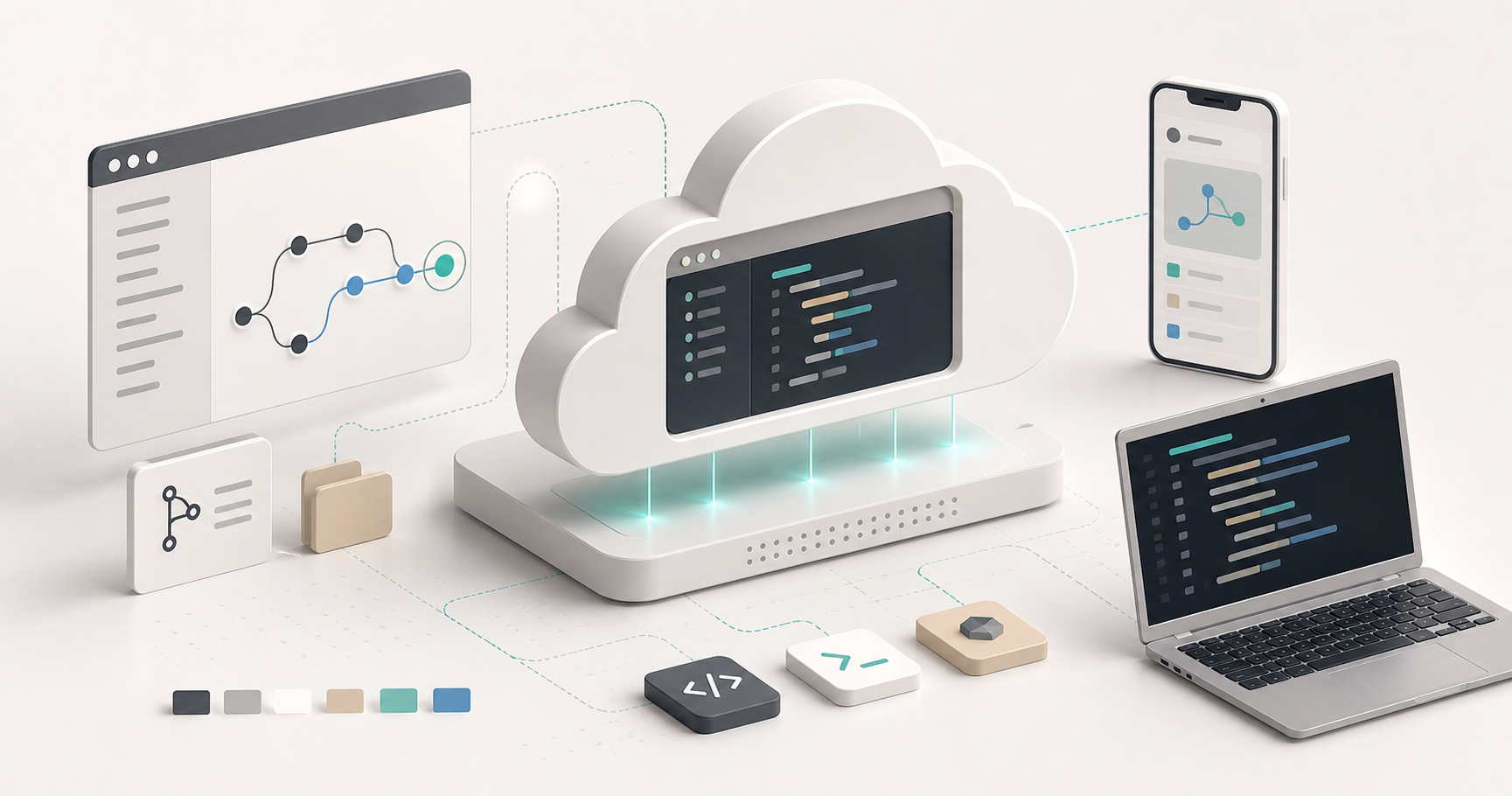
Claude Code on the Web lets you run Claude Code tasks from a browser or mobile device without keeping a local terminal session open. Instead of executing inside a project folder on your machine, the web version runs the task in an Anthropic-managed cloud environment connected to a remote repository.
This is different from Claude Code Remote Control. Remote Control lets you operate a live local Claude Code session from another device. Claude Code on the Web runs the task in cloud infrastructure. Because both workflows can be reached through web or mobile surfaces, they are easy to confuse.
As of 2026-05-30, the official documentation describes Claude Code on the Web as a research preview available for Pro, Max, Team, and Enterprise users. Exact availability, resource limits, permission modes, and security behavior can change, so check the current docs before relying on this workflow for production work.
What Claude Code on the Web Is
Claude Code on the Web is a cloud-hosted version of Claude’s coding-agent workflow. It is designed to connect to a version control provider, clone a repository into a managed environment, run commands, modify files, and produce commits or pull requests.
The main value is persistence and portability. You can start a task from the browser, close your laptop, and let the cloud session continue running. This is useful for long-running refactors, test-writing tasks, documentation updates, or repository work that does not depend on your local machine.
The tradeoff is that the session does not automatically inherit local-only tools, private files, localhost services, local credentials, or custom MCP servers from your computer.
Cloud Environment
The web workflow runs each task in a cloud VM. Current docs describe a standard environment with:
- 4 vCPUs
- 16 GB RAM
- 30 GB disk storage
Treat these numbers as operational details, not permanent product guarantees. Cloud execution environments can change by plan, region, product version, or Anthropic policy.
The important practical point is not the exact VM size. The important point is that this is a fresh remote execution environment. If your task depends on a local database, a local .env file, a private binary, or an MCP server running on your computer, the web session will not automatically have it.
How to Use Claude Code on the Web
1. Link GitHub
Open claude.ai/code and sign in. The workflow typically requires connecting a GitHub account or installing the Claude GitHub App, then granting access to the repositories Claude should work on.
Because the web environment works from remote repositories, the code should already exist in a GitHub repository or another supported version control provider.
2. Configure the Cloud Environment
Before submitting tasks, configure the runtime environment.
Common settings include:
- Network access: choose whether the session can access dependency registries and other network resources.
- Environment variables: add required
.env-style values for tests or build commands. - Setup scripts: run shell setup commands to install additional tools before the task starts.
If setup scripts are supported and cached, use them for repeatable environment preparation rather than relying on manual setup inside each session.
Select Repository, Branch, and Permission Mode
From the web interface, choose:
- Repository
- Target branch
- Permission mode
Typical permission modes include:
- Plan Mode: Claude proposes an implementation plan and waits for approval.
- Auto Accept Edits: Claude can edit files, run commands, and push changes more autonomously.
Use Plan Mode for risky or architectural changes. Use Auto Accept Edits when the task is well-scoped, testable, and easy to review afterward.
Prompt the Task
Use task-oriented instructions that include the goal, constraints, test command, and expected output.
Example:
Write comprehensive integration tests for the auth module.
Run the test suite.
Fix any failures caused by the new tests.
Open a pull request against main with a concise summary and test results.
This works best when the repository already has scripts, tests, and conventions that Claude can follow.
Claude Code on the Web vs Remote Control
| Feature | Claude Code on the Web | Claude Code Remote Control |
|---|---|---|
| Where the code runs | Anthropic-managed cloud environment | Local machine terminal |
| Local file access | No direct access to local-only files | Full access to the local project and tools |
| GitHub requirement | Usually required because the cloud session works from remote repositories | Not required for local directories |
| Session persistence | Can continue in the cloud after closing the laptop | Depends on the local terminal session staying alive |
| Device portability | Accessible from browser or phone | Accessible remotely, but the host machine must stay awake and connected |
| Local MCP access | Not available unless configured in the cloud environment | Available if the local session has MCP servers configured |
| Typical start path | Open claude.ai/code | Start a local Claude Code session with Remote Control enabled |
When to Use Claude Code on the Web
Choose Claude Code on the Web when:
- The task can run from a clean repository checkout.
- You want long-running work to continue without using local CPU or battery.
- You need to start or review coding tasks from another device.
- The repository has clear test commands and build scripts.
- The work can be safely performed in a cloud-managed environment.
Good examples:
- Add tests to an existing module.
- Run a broad refactor with a clear test suite.
- Update documentation across a repository.
- Open a pull request after implementing a small feature.
- Run parallel tasks against separate branches.
When to Use Remote Control
Choose Claude Code Remote Control when:
- The code cannot leave your machine.
- The task depends on local-only files or credentials.
- You rely on local MCP servers.
- You need access to localhost services, local hardware, or local development databases.
- You want to control the same terminal session from a phone or browser.
Remote Control is effectively a remote interface for a local Claude Code session. It does not move execution to the cloud.
Practical Decision Rule
Use this simple rule:
If the task can run from a clean remote repository, use Claude Code on the Web.
If the task depends on your local machine, use Remote Control.
For sensitive repositories, private local tooling, or tasks that interact with local services, Remote Control is usually the safer fit. For long-running repository tasks that can be isolated in a cloud environment, Claude Code on the Web is often more convenient.
Best Practices
- Keep tasks scoped and reviewable.
- Provide the exact test, lint, or build command.
- Use branches and pull requests rather than pushing directly to main.
- Store secrets only through supported environment variable mechanisms.
- Avoid granting broad network or repository access when it is not necessary.
- Use Plan Mode for large migrations or architecture changes.
- Review generated commits before merging.
- Verify current resource limits and feature availability in official documentation.
Summary
Claude Code on the Web and Claude Code Remote Control solve different problems.
Claude Code on the Web moves execution to a cloud environment so coding tasks can continue without a local terminal. Remote Control keeps execution on your machine but lets you operate the session through a browser or mobile device.
The right choice depends on where the code and dependencies need to live. Use the web version for portable, repository-based automation. Use Remote Control when the task depends on your local environment.
Claude Code on the Web은 로컬 터미널 세션을 계속 열어두지 않아도 브라우저나 모바일 기기에서 Claude Code 작업을 실행할 수 있게 해준다. 내 컴퓨터의 프로젝트 폴더 안에서 실행되는 대신, 웹 버전은 원격 저장소에 연결된 Anthropic 관리 클라우드 환경에서 작업을 실행한다.
이 방식은 Claude Code Remote Control과 다르다. Remote Control은 다른 기기에서 현재 실행 중인 로컬 Claude Code 세션을 조작하게 해준다. 반면 Claude Code on the Web은 클라우드 인프라에서 작업을 실행한다. 두 워크플로우 모두 웹이나 모바일 화면에서 접근할 수 있기 때문에 혼동하기 쉽다.
2026-05-30 기준 공식 문서는 Claude Code on the Web을 Pro, Max, Team, Enterprise 사용자를 위한 research preview로 설명한다. 정확한 제공 범위, 리소스 제한, 권한 모드, 보안 동작은 바뀔 수 있으므로, 프로덕션 작업에 의존하기 전에는 현재 문서를 확인해야 한다.
Claude Code on the Web이란?
Claude Code on the Web은 Claude의 코딩 에이전트 워크플로우를 클라우드에서 실행하는 방식이다. 버전 관리 제공자에 연결하고, 저장소를 관리 환경으로 clone한 뒤, 명령을 실행하고, 파일을 수정하고, commit 또는 pull request를 만들도록 설계되어 있다.
핵심 가치는 지속성과 이동성이다. 브라우저에서 작업을 시작하고 노트북을 닫아도 클라우드 세션이 계속 실행될 수 있다. 긴 refactor, 테스트 작성, 문서 업데이트, 로컬 머신에 의존하지 않는 저장소 작업에 유용하다.
대신 이 세션은 내 컴퓨터의 로컬 전용 도구, 개인 파일, localhost 서비스, 로컬 자격 증명, 커스텀 MCP 서버를 자동으로 물려받지 않는다.
클라우드 환경
웹 워크플로우는 각 작업을 cloud VM에서 실행한다. 현재 문서는 표준 환경을 다음처럼 설명한다.
- 4 vCPU
- 16 GB RAM
- 30 GB disk storage
이 숫자는 영구적인 제품 보장이 아니라 운영상 세부 정보로 봐야 한다. 클라우드 실행 환경은 plan, region, 제품 버전, Anthropic 정책에 따라 바뀔 수 있다.
실무적으로 중요한 것은 정확한 VM 크기가 아니다. 중요한 점은 이것이 새 원격 실행 환경이라는 사실이다. 작업이 로컬 데이터베이스, 로컬 .env 파일, 개인 binary, 내 컴퓨터에서 실행 중인 MCP 서버에 의존한다면, 웹 세션이 그것을 자동으로 갖고 있지는 않다.
Claude Code on the Web 사용 방법
1. GitHub 연결
claude.ai/code를 열고 로그인한다. 일반적으로 GitHub 계정을 연결하거나 Claude GitHub App을 설치한 뒤, Claude가 작업할 저장소 접근 권한을 부여해야 한다.
웹 환경은 원격 저장소를 기준으로 작업하므로, 코드는 GitHub 저장소 또는 다른 지원되는 version control provider에 이미 있어야 한다.
2. 클라우드 환경 설정
작업을 제출하기 전에 runtime 환경을 설정한다.
일반적인 설정은 다음과 같다.
- Network access: 세션이 dependency registry와 다른 network resource에 접근할 수 있는지 선택한다.
- Environment variables: 테스트나 build command에 필요한
.env스타일 값을 추가한다. - Setup scripts: 작업 시작 전에 추가 도구를 설치하는 shell setup command를 실행한다.
Setup script가 지원되고 cache된다면, 매 세션마다 수동 설정에 의존하기보다 반복 가능한 환경 준비에 사용하는 편이 좋다.
저장소, 브랜치, 권한 모드 선택
웹 인터페이스에서 다음을 선택한다.
- Repository
- Target branch
- Permission mode
대표적인 권한 모드는 다음과 같다.
- Plan Mode: Claude가 구현 계획을 제안하고 승인을 기다린다.
- Auto Accept Edits: Claude가 더 자율적으로 파일을 수정하고, 명령을 실행하고, 변경사항을 push할 수 있다.
위험하거나 구조적인 변경에는 Plan Mode를 사용한다. 작업 범위가 명확하고, 테스트 가능하며, 나중에 리뷰하기 쉬운 경우에는 Auto Accept Edits를 사용할 수 있다.
작업 프롬프트 작성
작업 지시는 목표, 제약, 테스트 명령, 기대 출력이 포함된 task-oriented 형태가 좋다.
예시:
Write comprehensive integration tests for the auth module.
Run the test suite.
Fix any failures caused by the new tests.
Open a pull request against main with a concise summary and test results.
저장소에 이미 scripts, tests, conventions가 잘 정리되어 있을수록 이 방식이 잘 작동한다.
Claude Code on the Web vs Remote Control
| Feature | Claude Code on the Web | Claude Code Remote Control |
|---|---|---|
| 코드 실행 위치 | Anthropic 관리 클라우드 환경 | 로컬 머신 터미널 |
| 로컬 파일 접근 | 로컬 전용 파일에 직접 접근 불가 | 로컬 프로젝트와 도구에 전체 접근 |
| GitHub 필요 여부 | 클라우드 세션이 원격 저장소에서 작업하므로 보통 필요 | 로컬 디렉터리에는 필수 아님 |
| 세션 지속성 | 노트북을 닫아도 클라우드에서 계속될 수 있음 | 로컬 터미널 세션이 살아 있어야 함 |
| 기기 이동성 | 브라우저나 휴대폰에서 접근 가능 | 원격 접근 가능하지만 host machine이 깨어 있고 연결되어 있어야 함 |
| 로컬 MCP 접근 | 클라우드 환경에 별도 설정하지 않으면 불가 | 로컬 세션에 MCP 서버가 설정되어 있다면 가능 |
| 일반적인 시작 경로 | claude.ai/code 열기 |
Remote Control이 켜진 로컬 Claude Code 세션 시작 |
Claude Code on the Web을 쓰기 좋은 경우
다음 상황에서는 Claude Code on the Web을 선택한다.
- 작업이 clean repository checkout에서 실행될 수 있다.
- 로컬 CPU나 battery를 쓰지 않고 긴 작업을 계속 진행하고 싶다.
- 다른 기기에서 코딩 작업을 시작하거나 review해야 한다.
- 저장소에 명확한 test command와 build script가 있다.
- 작업을 cloud-managed environment에서 안전하게 수행할 수 있다.
좋은 예시는 다음과 같다.
- 기존 module에 test 추가
- 명확한 test suite가 있는 broad refactor 실행
- 저장소 전반의 documentation 업데이트
- 작은 feature 구현 후 pull request 열기
- 별도 branch에서 parallel task 실행
Remote Control을 쓰기 좋은 경우
다음 상황에서는 Claude Code Remote Control을 선택한다.
- 코드가 내 machine을 떠나면 안 된다.
- 작업이 로컬 전용 파일이나 credential에 의존한다.
- 로컬 MCP server를 사용한다.
- localhost service, local hardware, local development database가 필요하다.
- 휴대폰이나 브라우저에서 같은 terminal session을 제어하고 싶다.
Remote Control은 사실상 로컬 Claude Code 세션을 위한 remote interface다. 실행 위치를 클라우드로 옮기지는 않는다.
실무 의사결정 규칙
간단한 규칙은 다음과 같다.
If the task can run from a clean remote repository, use Claude Code on the Web.
If the task depends on your local machine, use Remote Control.
민감한 저장소, private local tooling, local service와 상호작용하는 작업이라면 Remote Control이 보통 더 안전하다. 클라우드 환경에 격리해도 되는 긴 저장소 작업이라면 Claude Code on the Web이 더 편리한 경우가 많다.
Best Practices
- 작업을 좁고 review 가능한 범위로 유지한다.
- 정확한 test, lint, build command를 제공한다.
- main에 직접 push하기보다 branch와 pull request를 사용한다.
- secret은 지원되는 environment variable mechanism을 통해서만 저장한다.
- 필요하지 않을 때는 넓은 network 또는 repository access를 부여하지 않는다.
- 큰 migration이나 architecture 변경에는 Plan Mode를 사용한다.
- merge 전 생성된 commit을 review한다.
- 현재 resource limit과 feature availability를 공식 문서에서 확인한다.
Summary
Claude Code on the Web과 Claude Code Remote Control은 서로 다른 문제를 해결한다.
Claude Code on the Web은 실행을 클라우드 환경으로 옮겨 로컬 터미널 없이도 코딩 작업이 계속 진행되게 한다. Remote Control은 실행을 내 machine에 유지하면서 브라우저나 모바일 기기에서 세션을 조작하게 해준다.
올바른 선택은 코드와 dependency가 어디에 있어야 하는지에 달려 있다. 이동 가능한 저장소 기반 automation에는 웹 버전을 사용한다. 작업이 로컬 환경에 의존한다면 Remote Control을 사용한다.
Claude Code on the Web 可以让你不用一直打开本地终端会话,也能从浏览器或移动设备运行 Claude Code 任务。它不是在你电脑上的项目文件夹里执行,而是在连接远程代码仓库的 Anthropic 管理云端环境中运行任务。
这和 Claude Code Remote Control 不同。Remote Control 让你从其他设备操作一个正在运行的本地 Claude Code 会话。Claude Code on the Web 则是在云端基础设施中运行任务。因为两种工作流都可以通过网页或移动界面访问,所以很容易混淆。
截至 2026-05-30,官方文档将 Claude Code on the Web 描述为面向 Pro、Max、Team、Enterprise 用户的 research preview。具体可用范围、资源限制、权限模式和安全行为都可能变化,因此在把这个工作流用于生产工作前,应该先确认当前文档。
Claude Code on the Web 是什么?
Claude Code on the Web 是 Claude 编码代理工作流的云端托管版本。它用于连接版本控制提供商,把代码仓库 clone 到受管理环境中,运行命令,修改文件,并生成 commit 或 pull request。
它的主要价值是持续性和可移动性。你可以从浏览器启动任务,合上笔记本电脑,让云端会话继续运行。这对长时间重构、测试编写任务、文档更新,或不依赖本地机器的代码仓库工作很有用。
代价是,这个会话不会自动继承你电脑上的本地专用工具、私有文件、localhost 服务、本地凭据或自定义 MCP 服务器。
云端环境
网页工作流会在云端 VM 中运行每个任务。当前文档描述的标准环境如下。
- 4 vCPUs
- 16 GB RAM
- 30 GB disk storage
这些数字应视为运行时细节,而不是永久的产品保证。云端执行环境可能根据 plan、region、产品版本或 Anthropic 政策发生变化。
实际重点不是精确的 VM 规格。重点在于,这是一个全新的远程执行环境。如果任务依赖本地数据库、本地 .env 文件、私有二进制文件,或正在你电脑上运行的 MCP 服务器,网页会话不会自动拥有这些内容。
如何使用 Claude Code on the Web
1. 连接 GitHub
打开 claude.ai/code 并登录。这个工作流通常需要连接 GitHub 账号或安装 Claude GitHub App,然后授权 Claude 访问需要处理的代码仓库。
因为网页环境基于远程代码仓库工作,所以代码应已存在于 GitHub 仓库或其他支持的 version control provider 中。
2. 配置云端环境
提交任务前,先配置 runtime 环境。
常见设置包括:
- Network access:选择会话是否可以访问 dependency registry 和其他网络资源。
- Environment variables:添加测试或 build command 需要的
.env风格变量。 - Setup scripts:在任务开始前运行 shell setup command,安装额外工具。
如果支持并缓存 setup scripts,应把它们用于可重复的环境准备,而不是在每个会话中手动配置。
选择代码仓库、分支和权限模式
在网页界面中选择:
- Repository
- Target branch
- Permission mode
典型权限模式包括:
- Plan Mode:Claude 提出实现计划,并等待批准。
- Auto Accept Edits:Claude 可以更自主地编辑文件、运行命令并 push 变更。
风险较高或涉及架构的修改使用 Plan Mode。任务范围明确、可测试、事后容易审查时,可以使用 Auto Accept Edits。
编写任务 Prompt
使用 task-oriented 的指令,包含目标、限制、测试命令和预期输出。
示例:
Write comprehensive integration tests for the auth module.
Run the test suite.
Fix any failures caused by the new tests.
Open a pull request against main with a concise summary and test results.
当仓库已经有清晰的 scripts、tests 和 conventions 时,这种方式效果最好。
Claude Code on the Web vs Remote Control
| Feature | Claude Code on the Web | Claude Code Remote Control |
|---|---|---|
| 代码运行位置 | Anthropic 管理的云端环境 | 本地机器终端 |
| 本地文件访问 | 不能直接访问本地专用文件 | 可以完整访问本地项目和工具 |
| GitHub 要求 | 通常需要,因为云端会话从远程仓库工作 | 对本地目录不是必需 |
| 会话持续性 | 关闭笔记本后仍可在云端继续 | 取决于本地终端会话是否保持运行 |
| 设备可移动性 | 可从浏览器或手机访问 | 可远程访问,但主机必须保持唤醒和连接 |
| 本地 MCP 访问 | 除非在云端环境中配置,否则不可用 | 如果本地会话配置了 MCP 服务器,则可用 |
| 典型启动路径 | 打开 claude.ai/code |
启动启用了 Remote Control 的本地 Claude Code 会话 |
什么时候使用 Claude Code on the Web?
在下面情况下选择 Claude Code on the Web:
- 任务可以从干净的 repository checkout 运行。
- 希望长时间任务继续运行,但不占用本地 CPU 或电池。
- 需要从其他设备启动或审查编码任务。
- 仓库有明确的 test command 和 build scripts。
- 工作可以安全地在云端托管环境中执行。
适合的例子:
- 给现有模块添加测试。
- 在有明确 test suite 的情况下运行大范围重构。
- 更新整个仓库的文档。
- 实现小功能后打开 pull request。
- 针对独立分支运行并行任务。
什么时候使用 Remote Control?
在下面情况下选择 Claude Code Remote Control:
- 代码不能离开你的机器。
- 任务依赖本地专用文件或凭据。
- 你依赖本地 MCP 服务器。
- 需要访问 localhost 服务、本地硬件或本地开发数据库。
- 想从手机或浏览器控制同一个终端会话。
Remote Control 本质上是本地 Claude Code 会话的远程界面。它不会把执行转移到云端。
实用决策规则
使用下面这个简单规则:
If the task can run from a clean remote repository, use Claude Code on the Web.
If the task depends on your local machine, use Remote Control.
对于敏感仓库、私有本地工具,或需要和本地服务交互的任务,Remote Control 通常更安全。对于可以隔离在云端环境中的长时间仓库任务,Claude Code on the Web 往往更方便。
最佳实践
- 保持任务范围明确且便于审查。
- 提供准确的 test、lint 或 build command。
- 使用 branch 和 pull request,而不是直接 push 到 main。
- 只通过支持的 environment variable 机制保存 secrets。
- 没有必要时,不要授予过宽的 network 或 repository access。
- 大型 migration 或 architecture change 使用 Plan Mode。
- merge 前审查生成的 commits。
- 在官方文档中确认当前资源限制和功能可用性。
总结
Claude Code on the Web 和 Claude Code Remote Control 解决的是不同问题。
Claude Code on the Web 把执行移动到云端环境,让编码任务可以在没有本地终端的情况下继续运行。Remote Control 则让执行留在你的机器上,但允许你通过浏览器或移动设备操作该会话。
正确选择取决于代码和依赖应该位于哪里。对于可移动、基于仓库的自动化,使用网页版。任务依赖本地环境时,使用 Remote Control。
Claude Code on the Webは、ローカルのターミナルセッションを開き続けなくても、ブラウザやモバイルデバイスからClaude Codeのタスクを実行できる仕組みです。自分のマシン上のプロジェクトフォルダ内で実行するのではなく、Web版はリモートリポジトリに接続されたAnthropic管理のクラウド環境でタスクを実行します。
これはClaude Code Remote Controlとは異なります。Remote Controlは、別のデバイスから実行中のローカルClaude Codeセッションを操作する機能です。一方、Claude Code on the Webはクラウドインフラ上でタスクを実行します。どちらもWebやモバイルの画面からアクセスできるため、混同しやすいワークフローです。
2026-05-30時点で、公式ドキュメントはClaude Code on the WebをPro、Max、Team、Enterpriseユーザー向けのresearch previewとして説明しています。正確な提供範囲、リソース制限、権限モード、セキュリティ動作は変わる可能性があるため、本番作業で依存する前に最新のドキュメントを確認してください。
Claude Code on the Webとは?
Claude Code on the Webは、Claudeのコーディングエージェントワークフローをクラウドでホストしたものです。バージョン管理プロバイダーに接続し、リポジトリを管理環境へcloneし、コマンドを実行し、ファイルを修正し、commitやpull requestを作成することを想定しています。
主な価値は、継続性とポータビリティです。ブラウザからタスクを開始し、ノートPCを閉じてもクラウドセッションを実行し続けられます。長時間のリファクタリング、テスト作成、ドキュメント更新、ローカルマシンに依存しないリポジトリ作業に向いています。
一方で、このセッションは自分のコンピューター上のローカル専用ツール、プライベートファイル、localhostサービス、ローカル認証情報、カスタムMCPサーバーを自動的に引き継ぐわけではありません。
クラウド環境
Webワークフローでは、各タスクがクラウドVMで実行されます。現在のドキュメントでは、標準環境は次のように説明されています。
- 4 vCPUs
- 16 GB RAM
- 30 GB disk storage
これらの数値は永続的な製品保証ではなく、運用上の詳細として扱うべきです。クラウド実行環境は、plan、region、製品バージョン、Anthropicのポリシーによって変わる可能性があります。
実務上重要なのは、正確なVMサイズではありません。重要なのは、これは新しいリモート実行環境だという点です。タスクがローカルデータベース、ローカル .env ファイル、プライベートなバイナリ、自分のコンピューター上で実行中のMCPサーバーに依存している場合、Webセッションはそれらを自動では持ちません。
Claude Code on the Webの使い方
1. GitHubを連携する
claude.ai/code を開いてサインインします。通常、このワークフローではGitHubアカウントを接続するか、Claude GitHub Appをインストールし、Claudeが作業するリポジトリへのアクセス権を付与する必要があります。
Web環境はリモートリポジトリをもとに作業するため、コードはGitHubリポジトリまたは別の対応version control providerにすでに存在している必要があります。
2. クラウド環境を設定する
タスクを送信する前に、runtime環境を設定します。
一般的な設定は次のとおりです。
- Network access: セッションがdependency registryや他のnetwork resourceへアクセスできるかを選択する。
- Environment variables: テストやbuild commandに必要な
.env形式の値を追加する。 - Setup scripts: タスク開始前に追加ツールをインストールするshell setup commandを実行する。
Setup scriptsがサポートされ、cacheされる場合は、各セッション内で手動設定に頼るより、再現可能な環境準備に使うほうがよいです。
リポジトリ、ブランチ、権限モードを選ぶ
Webインターフェースで次を選択します。
- Repository
- Target branch
- Permission mode
代表的な権限モードには次があります。
- Plan Mode: Claudeが実装計画を提案し、承認を待つ。
- Auto Accept Edits: Claudeがより自律的にファイルを編集し、コマンドを実行し、変更をpushできる。
リスクの高い変更やアーキテクチャ変更にはPlan Modeを使います。タスクが明確にスコープされ、テスト可能で、後からレビューしやすい場合はAuto Accept Editsを使えます。
タスクをPromptする
ゴール、制約、テストコマンド、期待される出力を含むtask-orientedな指示を使います。
例:
Write comprehensive integration tests for the auth module.
Run the test suite.
Fix any failures caused by the new tests.
Open a pull request against main with a concise summary and test results.
リポジトリにscripts、tests、conventionsがすでに整っているほど、この方法はうまく機能します。
Claude Code on the Web vs Remote Control
| Feature | Claude Code on the Web | Claude Code Remote Control |
|---|---|---|
| コードの実行場所 | Anthropic管理のクラウド環境 | ローカルマシンのターミナル |
| ローカルファイルアクセス | ローカル専用ファイルへ直接アクセス不可 | ローカルプロジェクトとツールにフルアクセス |
| GitHub要件 | クラウドセッションがリモートリポジトリで作業するため通常必要 | ローカルディレクトリでは必須ではない |
| セッションの継続性 | ノートPCを閉じてもクラウドで継続可能 | ローカルターミナルセッションが生きている必要がある |
| デバイス間の移動性 | ブラウザやスマートフォンからアクセス可能 | リモートアクセス可能だが、ホストマシンが起動し接続されている必要がある |
| ローカルMCPアクセス | クラウド環境に設定しない限り利用不可 | ローカルセッションにMCPサーバーが設定されていれば利用可能 |
| 一般的な開始方法 | claude.ai/code を開く |
Remote Controlを有効にしたローカルClaude Codeセッションを開始 |
Claude Code on the Webを使うべき場合
次のような場合はClaude Code on the Webを選びます。
- タスクがclean repository checkoutから実行できる。
- ローカルCPUやバッテリーを使わずに長時間作業を続けたい。
- 別のデバイスからコーディングタスクを開始またはレビューしたい。
- リポジトリに明確なtest commandとbuild scriptsがある。
- 作業をクラウド管理環境で安全に実行できる。
良い例:
- 既存moduleにテストを追加する。
- 明確なtest suiteがある状態で広範囲のrefactorを実行する。
- リポジトリ全体のdocumentationを更新する。
- 小さなfeatureを実装した後にpull requestを開く。
- 別々のbranchに対して並行タスクを実行する。
Remote Controlを使うべき場合
次のような場合はClaude Code Remote Controlを選びます。
- コードを自分のマシンの外に出せない。
- タスクがローカル専用ファイルやcredentialに依存している。
- ローカルMCPサーバーに依存している。
- localhostサービス、ローカルハードウェア、ローカル開発データベースへのアクセスが必要。
- スマートフォンやブラウザから同じターミナルセッションを操作したい。
Remote Controlは実質的に、ローカルClaude Codeセッションのためのremote interfaceです。実行場所をクラウドへ移すわけではありません。
実用的な判断ルール
次のシンプルなルールを使います。
If the task can run from a clean remote repository, use Claude Code on the Web.
If the task depends on your local machine, use Remote Control.
機密性の高いリポジトリ、プライベートなローカルツール、ローカルサービスと連携するタスクでは、通常Remote Controlのほうが安全です。クラウド環境に隔離できる長時間のリポジトリ作業では、Claude Code on the Webのほうが便利なことが多いです。
Best Practices
- タスクはスコープを絞り、レビューしやすくする。
- 正確なtest、lint、build commandを提供する。
- mainへ直接pushせず、branchとpull requestを使う。
- secretsはサポートされているenvironment variable mechanismsだけで保存する。
- 必要がない場合、広いnetwork accessやrepository accessを付与しない。
- 大きなmigrationやarchitecture changeにはPlan Modeを使う。
- merge前に生成されたcommitsをレビューする。
- 現在のリソース制限と機能の提供状況を公式ドキュメントで確認する。
Summary
Claude Code on the WebとClaude Code Remote Controlは、別々の問題を解決します。
Claude Code on the Webは実行をクラウド環境へ移し、ローカルターミナルなしでもコーディングタスクを継続できるようにします。Remote Controlは実行を自分のマシン上に残しつつ、ブラウザやモバイルデバイスからセッションを操作できるようにします。
正しい選択は、コードと依存関係がどこに存在する必要があるかで決まります。ポータブルなリポジトリベースの自動化にはWeb版を使います。タスクがローカル環境に依存する場合はRemote Controlを使います。
Claude Code on the Web permite ejecutar tareas de Claude Code desde un navegador o dispositivo móvil sin mantener abierta una sesión de terminal local. En lugar de ejecutarse dentro de una carpeta de proyecto en tu máquina, la versión web ejecuta la tarea en un entorno cloud gestionado por Anthropic y conectado a un repositorio remoto.
Esto es diferente de Claude Code Remote Control. Remote Control permite operar una sesión local viva de Claude Code desde otro dispositivo. Claude Code on the Web ejecuta la tarea en infraestructura cloud. Como ambos flujos pueden alcanzarse desde interfaces web o móviles, es fácil confundirlos.
A fecha de 2026-05-30, la documentación oficial describe Claude Code on the Web como una research preview disponible para usuarios Pro, Max, Team y Enterprise. La disponibilidad exacta, los límites de recursos, los modos de permiso y el comportamiento de seguridad pueden cambiar, así que conviene revisar la documentación actual antes de depender de este flujo para trabajo de producción.
Qué es Claude Code on the Web
Claude Code on the Web es una versión alojada en la nube del flujo de agente de código de Claude. Está diseñada para conectarse a un proveedor de control de versiones, clonar un repositorio en un entorno gestionado, ejecutar comandos, modificar archivos y producir commits o pull requests.
El valor principal es la persistencia y la portabilidad. Puedes iniciar una tarea desde el navegador, cerrar el portátil y dejar que la sesión cloud siga ejecutándose. Esto es útil para refactors largos, tareas de escritura de tests, actualizaciones de documentación o trabajo de repositorio que no depende de tu máquina local.
La contrapartida es que la sesión no hereda automáticamente herramientas solo locales, archivos privados, servicios localhost, credenciales locales ni servidores MCP personalizados de tu ordenador.
Entorno cloud
El flujo web ejecuta cada tarea en una VM en la nube. La documentación actual describe un entorno estándar con:
- 4 vCPUs
- 16 GB RAM
- 30 GB disk storage
Trata estos números como detalles operativos, no como garantías permanentes del producto. Los entornos de ejecución cloud pueden cambiar según el plan, la región, la versión del producto o la política de Anthropic.
El punto práctico importante no es el tamaño exacto de la VM. Lo importante es que se trata de un entorno de ejecución remoto nuevo. Si tu tarea depende de una base de datos local, un archivo .env local, un binario privado o un servidor MCP que corre en tu ordenador, la sesión web no lo tendrá automáticamente.
Cómo usar Claude Code on the Web
1. Vincular GitHub
Abre claude.ai/code e inicia sesión. El flujo normalmente requiere conectar una cuenta de GitHub o instalar la Claude GitHub App, y luego conceder acceso a los repositorios en los que Claude debe trabajar.
Como el entorno web trabaja desde repositorios remotos, el código debería existir ya en un repositorio de GitHub u otro proveedor de control de versiones compatible.
2. Configurar el entorno cloud
Antes de enviar tareas, configura el entorno de ejecución.
Las configuraciones comunes incluyen:
- Network access: elegir si la sesión puede acceder a registros de dependencias y otros recursos de red.
- Environment variables: añadir valores estilo
.envnecesarios para tests o build commands. - Setup scripts: ejecutar shell setup commands para instalar herramientas adicionales antes de que empiece la tarea.
Si los setup scripts están soportados y se cachean, úsalos para preparar el entorno de forma repetible en lugar de depender de configuración manual dentro de cada sesión.
Seleccionar repositorio, rama y modo de permiso
Desde la interfaz web, elige:
- Repository
- Target branch
- Permission mode
Los modos de permiso típicos incluyen:
- Plan Mode: Claude propone un plan de implementación y espera aprobación.
- Auto Accept Edits: Claude puede editar archivos, ejecutar comandos y push cambios de forma más autónoma.
Usa Plan Mode para cambios arriesgados o arquitectónicos. Usa Auto Accept Edits cuando la tarea está bien acotada, se puede probar y es fácil de revisar después.
Escribir el prompt de la tarea
Usa instrucciones orientadas a tarea que incluyan el objetivo, las restricciones, el comando de test y la salida esperada.
Ejemplo:
Write comprehensive integration tests for the auth module.
Run the test suite.
Fix any failures caused by the new tests.
Open a pull request against main with a concise summary and test results.
Esto funciona mejor cuando el repositorio ya tiene scripts, tests y convenciones que Claude puede seguir.
Claude Code on the Web vs Remote Control
| Feature | Claude Code on the Web | Claude Code Remote Control |
|---|---|---|
| Dónde se ejecuta el código | Entorno cloud gestionado por Anthropic | Terminal de la máquina local |
| Acceso a archivos locales | Sin acceso directo a archivos solo locales | Acceso completo al proyecto y herramientas locales |
| Requisito de GitHub | Normalmente requerido porque la sesión cloud trabaja desde repositorios remotos | No requerido para directorios locales |
| Persistencia de sesión | Puede continuar en la nube tras cerrar el portátil | Depende de que la sesión local de terminal siga viva |
| Portabilidad entre dispositivos | Accesible desde navegador o teléfono | Accesible remotamente, pero la máquina host debe permanecer despierta y conectada |
| Acceso MCP local | No disponible salvo que se configure en el entorno cloud | Disponible si la sesión local tiene servidores MCP configurados |
| Ruta típica de inicio | Abrir claude.ai/code |
Iniciar una sesión local de Claude Code con Remote Control activado |
Cuándo usar Claude Code on the Web
Elige Claude Code on the Web cuando:
- La tarea puede ejecutarse desde un checkout limpio del repositorio.
- Quieres que un trabajo largo continúe sin usar CPU o batería local.
- Necesitas iniciar o revisar tareas de código desde otro dispositivo.
- El repositorio tiene comandos claros de test y build scripts.
- El trabajo puede realizarse de forma segura en un entorno gestionado en la nube.
Buenos ejemplos:
- Añadir tests a un módulo existente.
- Ejecutar un refactor amplio con una test suite clara.
- Actualizar documentación a lo largo de un repositorio.
- Abrir un pull request tras implementar una pequeña feature.
- Ejecutar tareas paralelas contra ramas separadas.
Cuándo usar Remote Control
Elige Claude Code Remote Control cuando:
- El código no puede salir de tu máquina.
- La tarea depende de archivos o credenciales solo locales.
- Dependes de servidores MCP locales.
- Necesitas acceso a servicios localhost, hardware local o bases de datos de desarrollo locales.
- Quieres controlar la misma sesión de terminal desde un teléfono o navegador.
Remote Control es, en la práctica, una interfaz remota para una sesión local de Claude Code. No mueve la ejecución a la nube.
Regla práctica de decisión
Usa esta regla simple:
If the task can run from a clean remote repository, use Claude Code on the Web.
If the task depends on your local machine, use Remote Control.
Para repositorios sensibles, tooling local privado o tareas que interactúan con servicios locales, Remote Control suele ser la opción más segura. Para tareas largas de repositorio que pueden aislarse en un entorno cloud, Claude Code on the Web suele ser más cómodo.
Best Practices
- Mantén las tareas acotadas y revisables.
- Proporciona el comando exacto de test, lint o build.
- Usa ramas y pull requests en lugar de hacer push directamente a main.
- Guarda secrets solo mediante mecanismos soportados de environment variables.
- Evita conceder acceso amplio a red o repositorios cuando no sea necesario.
- Usa Plan Mode para migraciones grandes o cambios de arquitectura.
- Revisa los commits generados antes de hacer merge.
- Verifica los límites de recursos y la disponibilidad actual de funciones en la documentación oficial.
Summary
Claude Code on the Web y Claude Code Remote Control resuelven problemas diferentes.
Claude Code on the Web mueve la ejecución a un entorno cloud para que las tareas de código puedan continuar sin una terminal local. Remote Control mantiene la ejecución en tu máquina, pero permite operar la sesión desde un navegador o dispositivo móvil.
La elección correcta depende de dónde deben vivir el código y las dependencias. Usa la versión web para automatización portátil basada en repositorios. Usa Remote Control cuando la tarea dependa de tu entorno local.