Orca·Paseo·OmO로 이해하는 최신 바이브코딩: 병렬 에이전트 실전 가이드
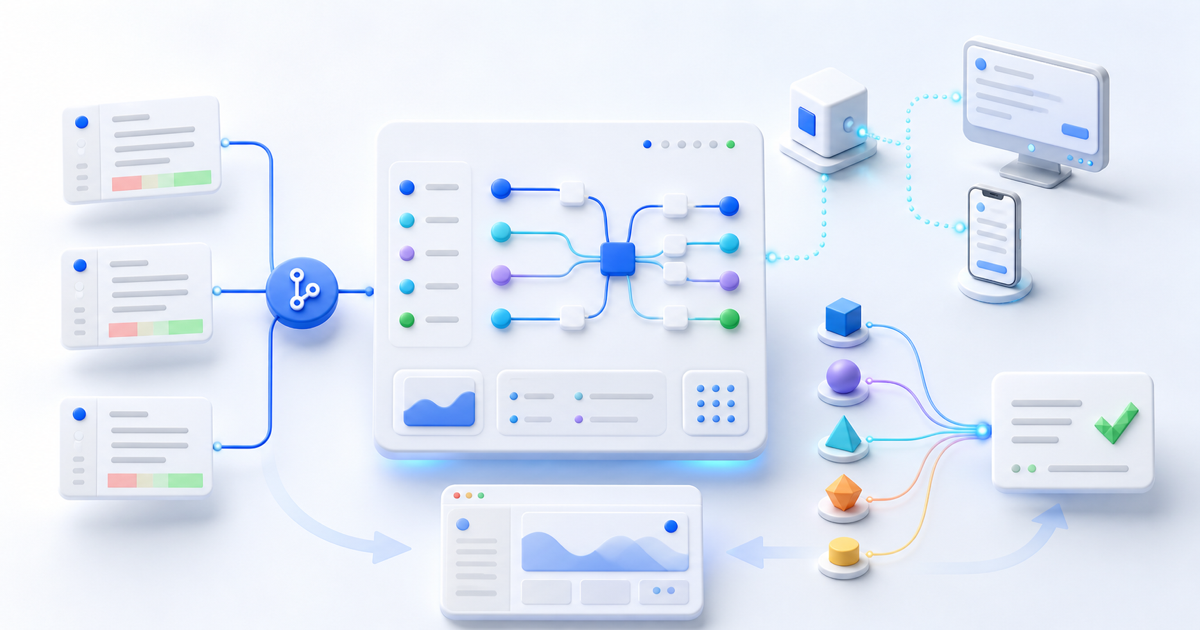
바이브코딩의 관심사가 빠르게 바뀌고 있다. 처음에는 “어떤 모델이 코드를 더 잘 쓰는가”가 중요했다면, 이제는 여러 코딩 에이전트를 어떻게 격리하고, 역할을 나누고, 원격에서 지켜보고, 결과를 검증할 것인가가 더 중요한 문제가 됐다.
최근 주목받는 Orca, Paseo, OmO는 이 변화를 잘 보여 준다. 세 도구 모두 여러 AI 코딩 에이전트를 다루지만 같은 제품군은 아니다.
- Orca는 사람이 여러 작업공간과 에이전트를 한 화면에서 운영하는 Agent Development Environment(ADE)다.
- Paseo는 내 컴퓨터나 서버에서 에이전트를 실행하고 데스크톱·모바일·CLI로 제어하는 self-hosted control plane이다.
- **OmO(Oh My OpenAgent)**는 OpenCode와 Codex 안에서 전문 agent, model routing, hook과 도구를 결합하는 agent harness다.
이 글은 2026년 8월 6일 기준 각 프로젝트의 공식 저장소와 문서를 확인해 작성했다. 이 분야는 릴리스 속도가 매우 빠르므로 설치 전에는 반드시 최신 공식 문서를 다시 확인해야 한다.
먼저 이름과 대상을 정확히 구분하자
Orca라는 이름의 AI 프로젝트는 여러 개다. 이 글에서 다루는 Orca는 stablyai/orca, 즉 onOrca.dev에서 배포하는 ADE다. DeepSeek 전용 terminal agent나 다른 orchestration framework를 뜻하지 않는다.
Paseo는 getpaseo/paseo와 paseo.sh를 기준으로 한다.
OmO는 code-yeongyu/oh-my-openagent를 뜻한다. 과거 이름과 package name에 oh-my-opencode가 남아 있어 검색 결과가 섞일 수 있지만, 현재 문서와 서비스 이름은 Oh My OpenAgent, 줄여서 OmO다.
세 도구는 서로 다른 층을 담당한다
| 도구 | 제품의 층 | 핵심 역할 | 가장 잘 맞는 사용자 |
|---|---|---|---|
| Orca | ADE·시각적 작업환경 | 여러 agent와 worktree를 한 화면에서 실행·비교·리뷰 | 데스크톱에서 병렬 작업과 UI 검토가 많은 개발자 |
| Paseo | daemon·control plane | 내 장비의 agent를 원격·모바일·CLI·API로 실행하고 조정 | Mac mini, VPS, homelab을 계속 켜 두고 쓰는 사용자 |
| OmO | agent harness | 하나의 요청을 planner·researcher·coder·reviewer 역할과 모델로 라우팅 | OpenCode 또는 Codex 내부 작업 품질과 자동화를 높이고 싶은 사용자 |
쉽게 비유하면 Orca는 관제실, Paseo는 원격 운행 시스템, OmO는 팀의 역할·작업 규칙에 가깝다. 그래서 서로 완전히 대체하지도 않고, 무조건 세 개를 함께 설치할 필요도 없다.
최신 바이브코딩에서 달라진 다섯 가지
1. 한 채팅에서 여러 격리 작업공간으로
예전에는 한 agent가 한 폴더를 계속 수정했다. 이제는 작업마다 별도 Git branch와 worktree를 만들고 여러 agent가 동시에 일한다.
main repository
├── worktree: feature/login-ui    → UI agent
├── worktree: fix/payment-race   → debugging agent
└── worktree: review/api-change  → review agent
Orca는 이 구조를 UI의 중심에 둔다. 같은 prompt를 여러 agent에 보내 결과를 비교하거나, 작업별 worktree를 따로 열어 diff와 preview를 확인할 수 있다. Paseo 역시 새로운 agent를 worktree-isolated workspace에 실행할 수 있다.
중요한 점은 worktree가 보안 sandbox는 아니라는 것이다. 파일 checkout과 Git branch는 분리되지만, 같은 사용자 권한으로 실행한 프로세스는 환경변수, credentials, network, 다른 경로에 접근할 수 있다. 위험한 코드를 실행할 때는 container나 별도 VM 같은 실행 격리가 추가로 필요하다.
2. 한 모델에서 역할별 모델 라우팅으로
모든 작업에 가장 비싼 모델을 사용할 필요는 없다. 빠른 repository 탐색은 작은 모델, 구조 설계는 reasoning model, UI 분석은 vision-capable model, 최종 검토는 독립 reviewer에게 맡길 수 있다.
OmO는 이 방식을 제품의 핵심으로 삼는다. main orchestrator인 Sisyphus, planner인 Prometheus, executor인 Atlas, architecture consultant인 Oracle, documentation search를 맡는 Librarian 등 전문 역할을 두고, quick, deep, visual-engineering, ultrabrain 같은 category를 적합한 model과 연결한다.
장점은 사용자가 매번 model name을 고르지 않아도 된다는 것이다. 단점은 routing 규칙이 복잡해지고, 잘못 구성하면 작은 작업에도 여러 agent가 움직여 비용과 시간이 늘어난다는 점이다.
3. 터미널 세션에서 daemon과 원격 제어로
Paseo는 coding agent 자체가 아니라 agent CLI를 실행하고 관리하는 local daemon이다. Claude Code, Codex, OpenCode 같은 기존 도구와 로그인 상태를 그대로 사용하고, desktop·mobile·web·CLI client가 daemon에 연결한다.
덕분에 책상에서 작업을 시작하고 이동 중 휴대폰으로 상태를 확인하거나, 집의 Mac mini에서 agent를 실행한 뒤 다른 장소에서 follow-up을 보낼 수 있다. schedule과 API를 이용하면 정기적인 테스트·리뷰·문서 업데이트도 자동화할 수 있다.
4. 코드 생성에서 검증 loop로
새로운 도구들의 공통점은 “코드를 많이 생성한다”보다 “작업이 끝났는지 반복해서 확인한다”에 있다.
Plan → Implement → Test → Review → Fix → Re-test → DeliverPaseo의 /paseo-loop, OmO의 ultrawork와 /start-work, Orca의 diff annotation과 preview는 형태는 다르지만 같은 방향을 가진다. 성공 조건을 먼저 정하고, 구현자와 reviewer를 분리하며, test나 observable result가 나올 때까지 반복한다.
5. 사람이 agent를 쓰는 것에서 agent가 agent를 운영하는 것으로
Orca와 Paseo는 CLI·MCP·skills를 통해 agent가 새로운 worktree나 subagent를 만들 수 있게 한다. OmO는 harness 내부에서 역할별 agent에게 작업을 위임한다.
이제 prompt는 “버튼을 만들어 줘”에서 다음처럼 변한다.
목표: 결제 실패 후 재시도 UX를 구현한다.

Planner:
- 현재 결제 상태 흐름과 실패 종류를 조사한다.
- 범위와 acceptance criteria를 작성한다.

Implementer:
- 별도 worktree에서 최소 변경으로 구현한다.

Reviewer:
- 결제 중복 요청, 접근성, 모바일 레이아웃을 독립 검토한다.

Verifier:
- focused test, typecheck, build를 실행한다.
- 실패하면 implementer에게 근거와 함께 돌려보낸다.
프롬프트 하나의 문장보다 역할, 파일 범위, 입력·출력 계약, 종료 조건이 중요해진 것이다.
Orca 활용법: 병렬 결과를 눈으로 비교하고 싶을 때
Orca는 Claude Code, Codex, OpenCode 등 terminal에서 실행되는 여러 agent를 worktree 단위로 한곳에 모은다. embedded terminal, file editor, diff review, browser preview, Design Mode, SSH worktree, mobile companion을 제공한다.
설치
공식 download page에서 운영체제별 앱을 받거나 macOS에서는 Homebrew를 사용할 수 있다.
brew install --cask stablyai/orca/orca설치 후에도 Claude Code나 Codex 같은 실제 coding agent는 각자 설치하고 인증해야 한다. Orca가 model subscription을 대신 제공하는 것은 아니다.
가장 효과적인 첫 workflow
처음부터 다섯 agent를 동시에 실행하지 말고 같은 기준으로 두 개만 비교한다.
- 깨끗한
main에서feature/search-empty-state작업을 만든다. - 첫 worktree에는 Claude Code, 두 번째에는 Codex를 실행한다.
- 두 agent에 같은 목표, 수정 가능 파일, acceptance criteria를 준다.
- 각 worktree의 preview와 diff를 비교한다.
- 더 나은 결과 하나를 선택하고, 다른 결과의 좋은 아이디어만 review comment로 전달한다.
- 선택한 branch에서 test와 build를 다시 실행한 뒤 merge한다.
목표: 검색 결과가 없을 때 empty state를 추가한다.

수정 가능 범위:
- src/components/SearchResults.tsx
- src/styles/search.css

성공 조건:
- 결과가 0개일 때만 empty state가 보인다.
- 키보드와 screen reader에서 의미가 전달된다.
- 320px 화면에서 가로 overflow가 없다.
- 기존 search tests와 build가 통과한다.

금지:
- API와 routing 변경
- 공통 button component 리팩터링
- 새 package 설치
UI 작업에서는 Orca의 Design Mode로 실제 browser element를 선택해 HTML, CSS, screenshot context를 agent에게 전달할 수 있다. 다만 자동 생성된 수정안을 바로 commit하지 말고 diff annotation으로 불필요한 변경을 되돌려 보내는 과정이 핵심이다.
Orca가 잘 맞지 않는 경우
- GUI보다 headless server와 automation이 중요한 경우
- 하나의 agent만 쓰며 병렬 branch가 거의 없는 경우
- Git을 사용하지 않는 단순 prototype
- worktree를 보안 sandbox로 오해하고 untrusted code를 실행하려는 경우
Orca의 packaged build는 anonymous usage telemetry를 사용하지만 공식 privacy 설정, DO_NOT_TRACK=1, ORCA_TELEMETRY_DISABLED=1로 끌 수 있다. 문서상 prompt, file contents, terminal output은 전송하지 않지만 조직 정책에 맞는지 직접 검토해야 한다.
Paseo 활용법: 내 장비의 agent를 어디서나 운영하고 싶을 때
Paseo는 local daemon이 기존 agent CLI를 subprocess로 실행하고, 여러 client가 그 daemon을 제어하는 구조다. agent는 내 laptop, Mac mini, server, Docker에서 실행되고 mobile과 desktop은 상태를 보고 명령을 전달한다.
설치
Desktop app이 가장 간단하다. headless machine이나 CLI 중심 환경에서는 다음처럼 설치한다.
npm install -g @getpaseo/cli
paseo
먼저 Claude Code, Codex, OpenCode 중 최소 하나가 해당 장비에서 정상 실행되고 인증되어 있어야 한다.
worktree에 agent 실행하기
paseo run \
  --provider codex \
  --new-workspace worktree \
  --worktree-mode branch-off \
  --new-branch feature/profile-form \
  --base main \
  "Implement the profile form using the acceptance criteria in issue 142. Run focused tests and build."
실행 후에는 다음 명령으로 관리한다.
paseo ls
paseo attach <agent-id>
paseo send <agent-id> "Also verify keyboard navigation."
paseo logs <agent-id> --tail 20
paseo wait <agent-id> --timeout 300--background를 쓰면 agent를 계속 실행한 채 ID만 받을 수 있다. --output-schema로 결과를 JSON schema에 맞추면 CI나 automation에서 reviewer verdict를 파싱하기 쉬워진다.
orchestration skills 활용하기
Paseo의 공식 skills를 추가하면 agent가 다른 provider의 agent를 만들고 관리하는 방법을 배운다.
npx skills add getpaseo/paseo주요 흐름은 다음과 같다.
/paseo-handoff: Claude로 계획하고 Codex로 구현하는 식의 handoff/paseo-loop: acceptance criteria와 verifier를 기준으로 반복/paseo-advisor: 구현 권한 없이 두 번째 의견 받기/paseo-committee: 서로 다른 두 agent가 원인과 계획 검토
처음에는 /paseo-advisor처럼 read-only에 가까운 활용부터 시작하고, 자동 구현·merge·schedule은 충분한 검증 뒤에 추가하는 편이 안전하다.
원격 연결 보안
Paseo daemon은 기본적으로 127.0.0.1:6767에 bind된다. 공식 문서는 mobile 연결에 end-to-end encrypted relay를 권장한다. 직접 연결한다면 Tailscale 같은 VPN과 password를 함께 사용한다.
paseo daemon set-password다음은 피해야 한다.
0.0.0.0:6767에 password 없이 공개
pairing QR 또는 offer URL을 공개 채널에 공유
Docker에 홈 디렉터리 전체와 모든 credentials를 mount
원격 agent에게 무제한 shell 권한을 준 채 unattended schedule 실행
Paseo는 provider API key를 직접 관리하지 않지만, agent process는 현재 사용자 context와 기존 credentials로 실행된다. daemon 보안과 agent 권한은 별개로 관리해야 한다.
OmO 활용법: 하나의 agent를 역할 기반 팀으로 바꾸고 싶을 때
OmO는 OpenCode를 중심으로 동작하는 multi-model agent orchestration harness이며, Codex용 Light edition도 제공한다. current docs 기준으로 planner, orchestrator, architecture reviewer, repository explorer, documentation researcher 등 11개 built-in agent와 LSP·AST 도구, hooks, skills, MCP integration을 묶는다.
설치 전에 먼저 알아둘 점
공식 문서는 설치 prompt를 agent에게 전달하는 방법을 우선 안내하지만, remote instruction을 그대로 실행시키기 전에 원문을 직접 읽는 편이 안전하다. 수동 설치 entry point는 다음과 같다.
bunx oh-my-openagent install설치 과정에서 OpenCode, Codex 또는 둘 다를 선택하고 연결된 provider subscription을 묻는다. 설치 후에는 doctor로 실제 model resolution과 도구 상태를 확인한다.
bunx oh-my-openagent doctor --verboseCodex 전용 Light edition에서 자동 full-permission 설정을 원하지 않는다면 명시적으로 끈다.
npx lazycodex-ai install --no-tui --no-codex-autonomous공식 installer는 선택에 따라 Codex에 approval_policy = "never", sandbox_mode = "danger-full-access", network_access = "enabled"를 설정할 수 있다. 이는 편리함이 아니라 실질적인 권한 확대다. 격리된 disposable environment가 아니라면 먼저 --no-codex-autonomous로 시작하는 것을 권한다.
작업 난이도별 사용법
간단한 수정은 평소처럼 요청한다.
Fix the typo in the empty-state message. Do not change other files.범위가 복잡하지만 agent에게 탐색을 맡기고 싶을 때는 prompt에 ulw 또는 ultrawork를 포함한다.
ulw
Investigate the intermittent checkout failure, reproduce it, implement the smallest fix,
run relevant tests, and report remaining risks. Do not change payment provider configuration.
정확한 의사결정 기록이 필요한 작업은 Prometheus planning과 Atlas execution을 나눈다.
@plan "Migrate the account settings page without changing the public API"질문에 답해 plan이 확정되면 다음을 실행한다.
/start-work이 방식은 multi-day project, 큰 refactoring, production-critical change에 적합하다. 반대로 한 줄 수정에 ultrawork를 사용하면 research와 delegation이 과도해질 수 있다.
OmO의 라이선스와 빠른 변화
확인 시점의 package는 SUL-1.0을 선언하고 있으며 repository의 Sustainable Use License는 internal business, personal, non-commercial use와 무료 비상업적 배포를 중심으로 허용 조건을 설명한다. MIT나 Apache-2.0과 동일한 permissive license가 아니므로 재배포, 유료 서비스 포함, 상용 제품 bundling을 고려한다면 원문을 검토해야 한다.
또한 package name, product name, install path가 최근 여러 번 바뀌었다. 오래된 글의 oh-my-opencode 명령과 최신 oh-my-openagent 명령을 섞어 설치하지 말고, doctor가 보고하는 실제 loaded version과 config를 기준으로 문제를 해결한다.
어떤 도구를 선택해야 할까
| 원하는 결과 | 먼저 선택할 도구 | 이유 |
|---|---|---|
| 같은 기능을 여러 agent에 맡겨 결과 비교 | Orca | worktree, terminal, preview, diff review가 한 화면에 있음 |
| UI를 browser에서 보며 agent에게 정확히 수정 요청 | Orca | embedded Chromium과 Design Mode 중심 workflow |
| 집이나 회사 장비의 agent를 휴대폰에서 제어 | Paseo | daemon-client 구조와 mobile·relay 지원 |
| headless server에서 agent job을 script와 schedule로 운영 | Paseo | CLI, API, output schema, schedule이 핵심 기능 |
| OpenCode 안에서 planner·coder·reviewer 역할 자동화 | OmO | 전문 agent와 category-based model routing 제공 |
| 작은 저장소에서 가끔 한 agent만 사용 | 기존 Claude Code·Codex | orchestration layer가 오히려 복잡성을 늘릴 수 있음 |
가장 좋은 선택은 기능이 가장 많은 도구가 아니라, 지금의 병목을 하나만 해결하는 도구다.
함께 사용할 때의 권장 구조
세 도구는 조합할 수 있지만 처음부터 모두 겹치면 “누가 worktree를 만들었는지, 누가 subagent를 종료해야 하는지, 어느 layer가 완료를 판단하는지”가 불분명해진다.
Human
└── 하나의 outer control layer
    ├── Orca: visual worktree supervision
    └── 또는 Paseo: remote daemon orchestration
        └── coding agent runtime
            ├── Claude Code / Codex
            └── OpenCode + OmO harness
권장 원칙은 다음과 같다.
- Orca와 Paseo 중 outer control layer는 하나만 먼저 선택한다.
- OmO를 안쪽에 넣을 때는 outer layer와 internal Team Mode가 동시에 무제한 spawn하지 않도록 concurrency를 제한한다.
- 한 작업의 branch와 worktree owner를 하나로 정한다.
- merge 권한은 기본적으로 사람에게 남긴다.
- reviewer는 implementer와 다른 session 또는 model을 사용한다.
예를 들어 UI 중심 팀은 Orca worktree 하나 안에서 OmO의 planning·review 기능만 사용하고, OmO Team Mode는 끈 상태로 시작할 수 있다. 원격 automation이 중심이라면 Paseo가 worktree와 agent lifecycle을 관리하고, OpenCode+OmO는 해당 workspace 안의 implementation 품질을 담당하게 할 수 있다.
실패를 줄이는 실전 운영 규칙
1. 병렬 수보다 독립성을 먼저 확인한다
두 작업이 같은 shared config, schema, lockfile, global CSS를 수정하면 worktree를 나눠도 merge conflict와 logic conflict가 생긴다. 병렬화할 작업은 수정 파일과 의존성이 겹치지 않아야 한다.
2. 모든 agent에 같은 acceptance criteria를 준다
비교 실험에서 agent마다 다른 prompt를 쓰면 model 차이가 아니라 요구사항 차이를 비교하게 된다. 목표, 금지 범위, test command를 동일하게 유지한다.
3. reviewer에게 쓰기 권한을 주지 않는다
reviewer의 목적은 문제를 찾는 것이다. 가능하면 read-only mode를 사용하고, 결과를 implementer에게 근거와 함께 전달한다.
4. 자동 완료 조건을 명령으로 만든다
완료 조건:
- npm run test -- checkout 통과
- npm run typecheck 통과
- npm run build 통과
- 변경 파일이 승인된 범위 안에 있음
- reviewer의 blocking issue가 0개임
“잘 동작함”보다 exit code와 diff 범위처럼 machine-checkable한 조건이 좋다.
5. 비용과 rate limit을 관찰한다
agent를 네 개 실행하면 속도가 네 배가 되는 것이 아니라 token 사용량, API 호출, duplicate research가 함께 늘어난다. 먼저 두 개로 시작하고, 역할별로 fast·cheap model과 high-reasoning model을 구분한다.
6. 최종 merge 전 사람의 이해를 확인한다
다음 질문에 답할 수 없다면 merge를 미룬다.
- 왜 이 파일들이 바뀌었는가?
- 핵심 로직을 한 문단으로 설명할 수 있는가?
- 어떤 test가 어떤 위험을 검증하는가?
- 문제가 생기면 어느 commit을 되돌려야 하는가?
- secret, migration, external service에 어떤 영향이 있는가?
30분 도입 계획
처음 시험한다면 다음 범위면 충분하다.
- production secret이 없는 작은 repository를 고른다.
- 현재 test와 build가 통과하는지 baseline을 기록한다.
- Orca, Paseo, OmO 중 현재 문제에 맞는 하나만 설치한다.
- 두 파일 이하의 독립적인 작업을 고른다.
- agent 수를 최대 두 개로 제한한다.
- 수정 가능 파일, 금지 사항, acceptance criteria를 prompt에 넣는다.
- diff, test, build 결과를 사람이 확인한다.
- 소요 시간, token·subscription 사용량, 무관한 변경 수를 기록한다.
첫 실험의 목표는 “더 빨리 만들기”가 아니라 어디에서 통제가 필요하고 어떤 자동화가 실제로 도움이 되는지 알아내는 것이다.
최종 체크리스트
- 이 글의 Orca가
stablyai/orca임을 확인했다. - Orca는 ADE, Paseo는 daemon control plane, OmO는 agent harness라는 차이를 이해했다.
- worktree와 security sandbox를 구분했다.
- outer orchestration layer를 하나만 선택했다.
- agent별 branch, 파일 범위, 종료 조건을 정했다.
- 원격 daemon에 password, encrypted relay 또는 VPN을 적용했다.
- OmO 설치 시 autonomous full-permission 설정 여부를 직접 결정했다.
- OmO의 current license와 redistribution 조건을 검토했다.
- reviewer와 implementer를 분리했다.
- test·build·diff review 후에만 merge한다.
Orca, Paseo, OmO가 보여 주는 최신 바이브코딩의 방향은 분명하다. 앞으로의 경쟁력은 prompt를 멋지게 쓰는 능력만으로 결정되지 않는다. 여러 agent가 충돌하지 않게 작업공간을 설계하고, 역할과 모델을 적절히 라우팅하며, 사람이 검증 가능한 상태로 결과를 돌려받는 운영 능력이 더 중요해지고 있다.
참고 자료
The focus of vibe coding is changing quickly. The early question was “which model writes better code?” The more important question now is how to isolate multiple coding agents, divide their roles, monitor them remotely, and verify their output.
Orca, Paseo, and OmO represent that shift. All three handle multiple AI coding agents, but they are not the same kind of product.
- Orca is an Agent Development Environment (ADE) where a human operates multiple workspaces and agents visually.
- Paseo is a self-hosted control plane that runs agents on your computer or server and exposes them through desktop, mobile, web, and CLI clients.
- OmO (Oh My OpenAgent) is an agent harness that combines specialized agents, model routing, hooks, and tools inside OpenCode and Codex.
This article was verified against each project's official repository and documentation on August 6, 2026. Releases move quickly, so always recheck the current installation guide before setup.
Clarify the names first
Several AI projects are named Orca. This article covers stablyai/orca, the ADE distributed at onOrca.dev, not a DeepSeek terminal agent or another orchestration framework.
Paseo refers to getpaseo/paseo and paseo.sh.
OmO refers to code-yeongyu/oh-my-openagent. Older names and package identifiers still contain oh-my-opencode, so search results can be confusing. The current product and documentation use Oh My OpenAgent, abbreviated OmO.
The three tools operate at different layers
| Tool | Layer | Main job | Best fit |
|---|---|---|---|
| Orca | ADE and visual workspace | Run, compare, and review agents and worktrees in one interface | Desktop developers doing parallel and visual work |
| Paseo | Daemon and control plane | Run and coordinate agents on your machines through remote, mobile, CLI, and API clients | Users with an always-on Mac mini, VPS, or homelab |
| OmO | Agent harness | Route one request across planners, researchers, coders, reviewers, and models | OpenCode or Codex users seeking deeper internal automation |
Orca is like a control room, Paseo a remote operations system, and OmO the roles and operating rules of a team. They do not fully replace each other, and most people should not install all three at once.
Five changes in modern vibe coding
1. From one chat to isolated parallel workspaces
Instead of one agent continuously editing one directory, each task gets its own Git branch and worktree.
main repository
├── worktree: feature/login-ui    → UI agent
├── worktree: fix/payment-race   → debugging agent
└── worktree: review/api-change  → review agent
Orca makes this model central to its UI: fan one prompt across agents, inspect separate worktrees, and compare diffs and previews. Paseo can also launch an agent in a worktree-isolated workspace.
However, a worktree is not a security sandbox. It separates checked-out files and Git branches, but processes running as the same user may still access environment variables, credentials, networks, and other paths. Use a container or separate VM when executing untrusted code.
2. From one model to role-based model routing
Not every task needs the most expensive model. Repository exploration can use a fast model, architecture a reasoning model, UI analysis a vision-capable model, and final review an independent reviewer.
OmO builds around this idea. It provides roles such as Sisyphus for orchestration, Prometheus for planning, Atlas for execution, Oracle for architecture, and Librarian for documentation research. Categories such as quick, deep, visual-engineering, and ultrabrain map work to appropriate models.
The benefit is less manual model selection. The cost is routing complexity: poor configuration can trigger several agents for a small change and increase both latency and spend.
3. From terminal sessions to daemons and remote control
Paseo is not a coding model. Its local daemon launches and manages existing CLIs such as Claude Code, Codex, and OpenCode. Desktop, mobile, web, and CLI clients connect to that daemon.
You can start work at your desk, check it from your phone, or run agents on a Mac mini while traveling. Schedules and APIs can automate recurring tests, reviews, and documentation jobs.
4. From generation to verification loops
The common direction is not simply “generate more code,” but “keep checking whether the work is actually complete.”
Plan → Implement → Test → Review → Fix → Re-test → Deliver
Paseo's /paseo-loop, OmO's ultrawork and /start-work, and Orca's diff annotations and previews implement this idea differently. Each starts with acceptance criteria, separates implementation from review, and repeats until a test or observable result proves completion.
5. From humans using agents to agents operating agents
Orca and Paseo expose CLI, MCP, and skill surfaces through which an agent can create worktrees or subagents. OmO delegates internally to specialized agents.
The prompt therefore evolves from “build a button” into a role contract:
Goal: implement retry UX after a payment failure.

Planner:
- Inspect the current payment-state flow and failure types.
- Define scope and acceptance criteria.

Implementer:
- Work in a separate worktree and make the smallest change.

Reviewer:
- Independently review duplicate charges, accessibility, and mobile layout.

Verifier:
- Run focused tests, typecheck, and build.
- Return failures to the implementer with evidence.
Roles, file scope, input/output contracts, and stop conditions matter more than a clever one-line prompt.
Using Orca: visually compare parallel results
Orca groups terminal agents such as Claude Code, Codex, and OpenCode into worktree-based workspaces. It includes terminals, editing, diff review, browser previews, Design Mode, SSH worktrees, and a mobile companion.
Install
Download the desktop app from the official site, or use Homebrew on macOS:
brew install --cask stablyai/orca/orca
You still need to install and authenticate the underlying coding agents. Orca does not provide their model subscriptions.
A useful first workflow
Start with two agents, not five.
- Create a
feature/search-empty-statetask from a cleanmain. - Run Claude Code in one worktree and Codex in another.
- Give both the same goal, allowed files, and acceptance criteria.
- Compare each preview and diff.
- Select one result and send only useful ideas from the other as review comments.
- Re-run tests and the build on the selected branch before merging.
Goal: add an empty state when search has no results.

Allowed files:
- src/components/SearchResults.tsx
- src/styles/search.css

Acceptance criteria:
- The empty state appears only when result count is zero.
- It is meaningful to keyboard and screen-reader users.
- There is no horizontal overflow at 320px.
- Existing search tests and the build pass.

Do not:
- Change the API or routing.
- Refactor the shared button component.
- Install a new package.
For UI tasks, Design Mode can pass selected browser elements, HTML, CSS, and screenshot context to an agent. The important step is still human review: use diff annotations to reject unrelated changes before committing.
When Orca is a poor fit
- Headless automation matters more than a GUI.
- You use only one agent and rarely need parallel branches.
- The prototype does not use Git.
- You intend to treat a worktree as a security sandbox.
Packaged Orca builds collect anonymous product telemetry, which can be disabled in privacy settings or with DO_NOT_TRACK=1 or ORCA_TELEMETRY_DISABLED=1. Its documentation says prompts, file contents, and terminal output are not transmitted, but organizations should review the policy themselves.
Using Paseo: operate agents on your machines from anywhere
Paseo's local daemon launches existing agent CLIs as subprocesses. Agents run on your laptop, Mac mini, server, or Docker host, while clients monitor and control them.
Install
The desktop app is the easiest path. For headless or CLI-first environments:
npm install -g @getpaseo/cli
paseo
At least one underlying provider CLI must already run and authenticate correctly on that machine.
Run an agent in a worktree
paseo run \
  --provider codex \
  --new-workspace worktree \
  --worktree-mode branch-off \
  --new-branch feature/profile-form \
  --base main \
  "Implement the profile form using the acceptance criteria in issue 142. Run focused tests and build."
Manage the run with:
paseo ls
paseo attach <agent-id>
paseo send <agent-id> "Also verify keyboard navigation."
paseo logs <agent-id> --tail 20
paseo wait <agent-id> --timeout 300
--background returns an ID while the agent keeps running. --output-schema constrains output to a JSON schema, making reviewer verdicts easier to parse in CI and automation.
Add orchestration skills
Paseo's official skills teach agents how to create and manage agents from other providers:
npx skills add getpaseo/paseo
/paseo-handoff: plan with one agent and implement with another/paseo-loop: repeat against acceptance criteria and an optional verifier/paseo-advisor: obtain a second opinion without delegating implementation/paseo-committee: ask contrasting agents to analyze cause and plan
Begin with advisor-style, read-oriented workflows. Add automatic implementation, merging, and scheduling only after validating the controls.
Secure remote access
The Paseo daemon binds to 127.0.0.1:6767 by default. Official documentation recommends the end-to-end encrypted relay for mobile access. For a direct connection, use a VPN such as Tailscale and configure a password:
paseo daemon set-password
Avoid:
Publishing 0.0.0.0:6767 without a password
Sharing a pairing QR or offer URL publicly
Mounting an entire home directory and every credential into Docker
Scheduling unattended agents with unrestricted shell access
Paseo does not manage provider API keys, but agent processes run in the current user's context with existing credentials. Daemon security and agent permissions are separate concerns.
Using OmO: turn one agent into a role-based team
OmO is a multi-model agent orchestration harness centered on OpenCode, with a Light edition for Codex. Current documentation describes 11 built-in agents for planning, execution, architecture, repository exploration, and documentation research, plus LSP, AST, hooks, skills, and MCP integration.
Before installing
The official guide leads with a prompt that asks an agent to follow a remote installation document. Read that document yourself before allowing automated execution. The direct interactive entry point is:
bunx oh-my-openagent install
Select OpenCode, Codex, or both and declare which provider subscriptions are available. Then verify actual tools and model resolution:
bunx oh-my-openagent doctor --verbose
For the Codex Light edition, explicitly keep autonomous full permissions disabled if you do not want them:
npx lazycodex-ai install --no-tui --no-codex-autonomous
Depending on your choice, the installer can configure Codex with approval_policy = "never", sandbox_mode = "danger-full-access", and network_access = "enabled". That is a real permission expansion, not a convenience toggle. Start with --no-codex-autonomous unless you are inside a disposable, isolated environment.
Choose a mode by task complexity
For a trivial change, use a normal bounded prompt:
Fix the typo in the empty-state message. Do not change other files.
For complex work where the agent should explore and delegate, include ulw or ultrawork:
ulw
Investigate the intermittent checkout failure, reproduce it, implement the smallest fix,
run relevant tests, and report remaining risks. Do not change payment provider configuration.
For work requiring a decision trail, separate Prometheus planning from Atlas execution:
@plan "Migrate the account settings page without changing the public API"
After answering the planning questions:
/start-work
This fits multi-day projects, large refactors, and production-critical changes. Using ultrawork for a one-line edit can cause excessive research and delegation.
License and rapid change
At review time, the package declares SUL-1.0. Its Sustainable Use License focuses on internal business, personal, non-commercial use, and free non-commercial distribution. It is not equivalent to MIT or Apache-2.0. Review the source terms before redistribution, paid-service inclusion, or commercial bundling.
Product names, package names, and installation paths have also changed recently. Do not mix old oh-my-opencode instructions with current oh-my-openagent setup. Use doctor to inspect the loaded version and effective configuration.
Which tool should you choose?
| Desired result | Start with | Why |
|---|---|---|
| Give the same feature to several agents and compare | Orca | Worktrees, terminals, previews, and diff review share one UI |
| Select browser elements and guide precise UI fixes | Orca | Embedded Chromium and Design Mode |
| Control agents on a home or office machine from a phone | Paseo | Daemon-client architecture, mobile, and relay |
| Script or schedule headless agent jobs | Paseo | CLI, API, output schema, and scheduling |
| Automate planner, coder, and reviewer roles in OpenCode | OmO | Specialized agents and category-based model routing |
| Occasionally use one agent in a small repository | Existing Claude Code or Codex | Another orchestration layer may add more complexity than value |
Choose the tool that removes one current bottleneck, not the tool with the longest feature list.
A safe combined architecture
The tools can be combined, but overlapping them immediately makes ownership unclear: which layer created the worktree, which one stops subagents, and which one decides completion?
Human
└── one outer control layer
    ├── Orca: visual worktree supervision
    └── or Paseo: remote daemon orchestration
        └── coding agent runtime
            ├── Claude Code / Codex
            └── OpenCode + OmO harness
Recommended rules:
- Begin with only one outer control layer: Orca or Paseo.
- When OmO runs inside it, cap concurrency so outer orchestration and internal Team Mode do not both spawn without limits.
- Assign one owner to each task's branch and worktree.
- Keep merge authority with a human by default.
- Use a different session or model for review than for implementation.
A UI-focused team might use OmO planning and review within one Orca worktree while leaving OmO Team Mode off. A remote-automation setup could let Paseo own worktrees and lifecycles while OpenCode plus OmO handles implementation quality inside each workspace.
Operating rules that reduce failure
1. Check independence before increasing parallelism
Tasks that both edit shared config, schemas, lockfiles, or global CSS will still create merge and logic conflicts. Parallelize only work with mostly independent files and dependencies.
2. Give every agent the same acceptance criteria
If each comparison agent receives a different prompt, you compare requirements rather than models. Keep goal, forbidden scope, and test commands identical.
3. Keep reviewers read-only
A reviewer's job is to identify problems. Use read-only mode where possible and send evidence back to the implementer.
4. Make completion machine-checkable
Completion:
- npm run test -- checkout passes
- npm run typecheck passes
- npm run build passes
- Changed files stay within the approved scope
- Reviewer has zero blocking issues
Exit codes and diff scope are better than “looks good.”
5. Watch cost and rate limits
Four agents rarely deliver four times the speed. They multiply tokens, API calls, and duplicate research. Start with two, using fast cheap models for exploration and stronger reasoning models only where needed.
6. Require human understanding before merge
Delay the merge if you cannot answer:
- Why did these files change?
- Can you explain the core logic in one paragraph?
- Which test covers which risk?
- Which commit should be reverted if something fails?
- What touches secrets, migrations, or external services?
A 30-minute adoption plan
- Choose a small repository without production secrets.
- Record a clean baseline where tests and build pass.
- Install only one of Orca, Paseo, or OmO based on your current bottleneck.
- Pick an independent task touching no more than two files.
- Limit the experiment to two agents.
- Include allowed files, prohibitions, and acceptance criteria in the prompt.
- Review the diff, tests, and build manually.
- Record elapsed time, token or subscription usage, and unrelated change count.
The first experiment should reveal where control is needed and which automation truly helps—not merely produce code faster.
Final checklist
- I confirmed that Orca here means
stablyai/orca. - I understand Orca as an ADE, Paseo as a daemon control plane, and OmO as an agent harness.
- I distinguish worktree isolation from a security sandbox.
- I selected only one outer orchestration layer.
- Each agent has a branch, file scope, and stop condition.
- Remote daemons use a password, encrypted relay, or VPN.
- I personally chose whether OmO may enable autonomous full permissions.
- I reviewed OmO's current license and redistribution conditions.
- Reviewer and implementer are separate.
- Merge happens only after tests, build, and diff review.
Orca, Paseo, and OmO make the direction of modern vibe coding clear. Competitive advantage will not come only from writing clever prompts. It will come from designing workspaces where agents do not collide, routing the right roles and models, and receiving results in a state humans can verify.
References
氛围编程的重点正在快速变化。过去人们关心“哪个模型写代码更好”,现在更重要的问题是:如何隔离多个编程智能体、分配角色、远程监督,并验证最终结果。
Orca、Paseo 与 OmO 正好体现了这一变化。三者都能管理多个 AI 编程智能体,但并不是同一类产品。
- Orca 是 Agent Development Environment(ADE),让人通过可视化界面管理多个工作区和智能体。
- Paseo 是 self-hosted control plane,在自己的电脑或服务器上运行智能体,并通过桌面、手机、Web 和 CLI 控制。
- OmO(Oh My OpenAgent) 是运行于 OpenCode 和 Codex 内部的 agent harness,组合专业角色、模型路由、hooks 与工具。
本文依据 2026 年 8 月 6 日各项目的官方仓库与文档编写。此领域更新极快,安装前请重新查看最新官方指南。
先明确名称与对象
名为 Orca 的 AI 项目很多。本文讨论的是 stablyai/orca,即 onOrca.dev 发布的 ADE,并非 DeepSeek 专用终端智能体或其他编排框架。
Paseo 指 getpaseo/paseo 与 paseo.sh。
OmO 指 code-yeongyu/oh-my-openagent。旧名称与 package identifier 中仍可能出现 oh-my-opencode,但目前产品和文档使用 Oh My OpenAgent,简称 OmO。
三种工具位于不同层
| 工具 | 所在层 | 核心作用 | 最适合谁 |
|---|---|---|---|
| Orca | ADE、可视化工作环境 | 在一个界面运行、比较和审查多个 agent 与 worktree | 需要桌面并行开发和 UI 检查的开发者 |
| Paseo | daemon、control plane | 通过远程、移动、CLI、API 管理自己机器上的 agent | 长期开启 Mac mini、VPS 或 homelab 的用户 |
| OmO | agent harness | 将请求路由给 planner、researcher、coder、reviewer 与不同模型 | 想增强 OpenCode 或 Codex 内部自动化的用户 |
可以把 Orca 看作控制室,Paseo 看作远程运行系统,OmO 看作团队角色和工作规则。它们并不完全互相替代,也没有必要一开始全部安装。
新一代氛围编程的五项变化
1. 从单一聊天变成隔离的并行工作区
每项任务使用独立 Git branch 与 worktree,而不是让一个 agent 持续修改同一目录。
main repository
├── worktree: feature/login-ui    → UI agent
├── worktree: fix/payment-race   → debugging agent
└── worktree: review/api-change  → review agent
Orca 将这一结构放在 UI 核心:可把同一 prompt 交给多个 agent,查看不同 worktree,并比较 diff 和 preview。Paseo 也能在 worktree-isolated workspace 中启动 agent。
但 worktree 不是安全 sandbox。它只隔离 checkout 与 Git branch;以同一用户运行的进程仍可能访问环境变量、凭据、网络和其他路径。执行不可信代码时,应增加 container 或独立 VM。
2. 从单一模型变成按角色路由模型
仓库探索可使用快速模型,架构设计使用 reasoning model,UI 分析使用 vision-capable model,最终审查交给独立 reviewer。
OmO 围绕这一思路设计:Sisyphus 负责主编排,Prometheus 负责计划,Atlas 负责执行,Oracle 提供架构咨询,Librarian 搜索文档。quick、deep、visual-engineering、ultrabrain 等 category 会映射到合适的 model。
优点是减少手动选模型;缺点是路由更复杂。配置不当时,小任务也可能触发多个 agent,增加耗时与成本。
3. 从终端会话变成 daemon 与远程控制
Paseo 不是编程模型,而是启动并管理 Claude Code、Codex、OpenCode 等 CLI 的 local daemon。桌面、手机、Web 与 CLI client 会连接到该 daemon。
你可以在桌面开始任务,外出时用手机检查,或在家中的 Mac mini 上运行 agent。schedule 与 API 还能自动执行定期测试、审查和文档任务。
4. 从代码生成变成验证循环
共同方向不是“生成更多代码”,而是持续确认任务是否真的完成。
Plan → Implement → Test → Review → Fix → Re-test → Deliver
Paseo 的 /paseo-loop、OmO 的 ultrawork 和 /start-work、Orca 的 diff annotation 与 preview 都体现了这种思路:先定义 acceptance criteria,分离实现与审查,直到 test 或可观察结果证明完成。
5. 从人操作 agent 变成 agent 管理 agent
Orca 与 Paseo 通过 CLI、MCP、skills 让 agent 创建 worktree 或 subagent;OmO 则在 harness 内部向专业角色委派任务。
目标:实现支付失败后的重试 UX。

Planner:
- 调查当前支付状态流程和失败类型。
- 定义范围与 acceptance criteria。

Implementer:
- 在独立 worktree 中进行最小修改。

Reviewer:
- 独立审查重复扣款、无障碍与移动布局。

Verifier:
- 运行 focused test、typecheck 与 build。
- 带证据将失败返回给 implementer。
角色、文件范围、输入输出契约和停止条件,比漂亮的一句话 prompt 更重要。
Orca 用法:可视化比较并行结果
Orca 将 Claude Code、Codex、OpenCode 等 terminal agent 放入基于 worktree 的工作区,并提供 terminal、文件编辑、diff review、browser preview、Design Mode、SSH worktree 与 mobile companion。
安装
可从官网下载桌面应用,macOS 也可使用 Homebrew:
brew install --cask stablyai/orca/orca
实际 coding agent 仍需分别安装和认证;Orca 不提供其 model subscription。
推荐的第一次工作流
先比较两个 agent,而不是一次启动五个。
- 从干净的
main创建feature/search-empty-state任务。 - 一个 worktree 运行 Claude Code,另一个运行 Codex。
- 给两者相同的目标、允许文件与 acceptance criteria。
- 比较各自 preview 与 diff。
- 选择一个结果,把另一个结果中有价值的想法作为 review comment 返回。
- 在所选 branch 重新执行 test 与 build 后再 merge。
目标:搜索结果为零时显示 empty state。

允许修改:
- src/components/SearchResults.tsx
- src/styles/search.css

成功条件:
- 仅在结果数为零时显示。
- 键盘和 screen reader 能理解其含义。
- 320px 屏幕没有横向 overflow。
- 现有 search tests 与 build 通过。

禁止:
- 修改 API 或 routing。
- 重构共用 button component。
- 安装新 package。
UI 任务可使用 Design Mode 把浏览器元素、HTML、CSS 与 screenshot context 交给 agent。仍需人工查看 diff,并通过 annotation 拒绝无关修改。
不适合 Orca 的情况
- headless automation 比 GUI 更重要
- 只使用一个 agent,几乎没有并行 branch
- prototype 不使用 Git
- 想把 worktree 当作安全 sandbox
Orca packaged build 使用匿名 usage telemetry,可在设置中关闭,也可设置 DO_NOT_TRACK=1 或 ORCA_TELEMETRY_DISABLED=1。官方文档称不会上传 prompt、文件内容或 terminal output,但组织仍应自行审核隐私政策。
Paseo 用法:随时管理自己机器上的 agent
Paseo 的 local daemon 将现有 agent CLI 作为 subprocess 启动。agent 可运行在 laptop、Mac mini、server 或 Docker 上,client 负责监控与控制。
安装
Desktop app 最简单;headless 或 CLI 环境可使用:
npm install -g @getpaseo/cli
paseo
至少一个 provider CLI 必须已在该机器上正常运行并完成认证。
在 worktree 中运行 agent
paseo run \
  --provider codex \
  --new-workspace worktree \
  --worktree-mode branch-off \
  --new-branch feature/profile-form \
  --base main \
  "Implement the profile form using the acceptance criteria in issue 142. Run focused tests and build."
paseo ls
paseo attach <agent-id>
paseo send <agent-id> "Also verify keyboard navigation."
paseo logs <agent-id> --tail 20
paseo wait <agent-id> --timeout 300
--background 让 agent 在后台继续运行并返回 ID;--output-schema 可把结果限制为 JSON schema,便于 CI 解析 reviewer verdict。
使用 orchestration skills
npx skills add getpaseo/paseo
/paseo-handoff:一个 agent 规划,另一个实现/paseo-loop:依据 acceptance criteria 与 verifier 反复执行/paseo-advisor:不委派实现,只获取第二意见/paseo-committee:让观点不同的 agent 分析原因与计划
应先从 advisor 等偏只读流程开始,验证控制方式后再加入自动实现、merge 与 schedule。
远程连接安全
Paseo daemon 默认绑定 127.0.0.1:6767。官方推荐 mobile 使用端到端加密 relay;直接连接应搭配 Tailscale 等 VPN 与密码。
paseo daemon set-password
应避免:
无密码公开 0.0.0.0:6767
公开分享 pairing QR 或 offer URL
把整个 home 目录和全部凭据挂载到 Docker
让拥有无限 shell 权限的 agent 无人值守定时运行
Paseo 不直接管理 provider API key,但 agent process 使用当前用户环境和已有凭据。daemon 安全与 agent 权限需要分别管理。
OmO 用法:把单一 agent 变成角色团队
OmO 是以 OpenCode 为中心的多模型 agent harness,同时提供 Codex Light edition。当前文档描述了 11 个 built-in agent,以及 LSP、AST、hooks、skills 与 MCP integration。
安装前注意
官方指南首先建议把远程安装文档交给 agent 执行。允许自动执行前,最好先自行阅读。直接交互式安装入口为:
bunx oh-my-openagent install
选择 OpenCode、Codex 或两者,并声明可用 provider subscription。安装后检查实际工具与模型路由:
bunx oh-my-openagent doctor --verbose
Codex Light edition 若不希望启用自动 full permission,应明确关闭:
npx lazycodex-ai install --no-tui --no-codex-autonomous
installer 可根据选择写入 approval_policy = "never"、sandbox_mode = "danger-full-access"、network_access = "enabled"。这是真实的权限扩大,不是普通便利选项。除非环境可丢弃且已隔离,否则建议从 --no-codex-autonomous 开始。
根据任务复杂度选择模式
小修改直接使用有限范围 prompt:
Fix the typo in the empty-state message. Do not change other files.
复杂任务需要 agent 自行探索和委派时使用 ulw 或 ultrawork:
ulw
Investigate the intermittent checkout failure, reproduce it, implement the smallest fix,
run relevant tests, and report remaining risks. Do not change payment provider configuration.
需要决策记录时,把 Prometheus planning 与 Atlas execution 分开:
@plan "Migrate the account settings page without changing the public API"
回答规划问题后执行:
/start-work
这适用于跨多日项目、大型重构和 production-critical change。对一行修改使用 ultrawork 可能造成过度研究和委派。
许可证与快速变化
检查时 package 声明 SUL-1.0。其 Sustainable Use License 以内部业务、个人、非商业使用及免费非商业分发为核心,并不等同于 MIT 或 Apache-2.0。涉及再分发、付费服务或商业产品 bundling 时,应阅读许可证原文。
产品名、package name 和安装路径近期也多次变化。不要混用旧 oh-my-opencode 与当前 oh-my-openagent 指令,应以 doctor 显示的 loaded version 和有效配置为准。
应该选择哪个工具
| 目标 | 首选 | 原因 |
|---|---|---|
| 同一功能交给多个 agent 比较 | Orca | worktree、terminal、preview、diff review 在同一 UI |
| 在 browser 中选中元素并精确修改 UI | Orca | embedded Chromium 与 Design Mode |
| 用手机控制家里或办公室机器上的 agent | Paseo | daemon-client、mobile 与 relay |
| 在 headless server 上脚本化和定时运行 | Paseo | CLI、API、output schema、schedule |
| 在 OpenCode 内自动分配 planner、coder、reviewer | OmO | 专业 agent 与 category-based model routing |
| 小仓库偶尔使用一个 agent | 现有 Claude Code 或 Codex | 额外编排层可能增加不必要复杂度 |
应选择解决当前一个瓶颈的工具,而不是功能列表最长的工具。
安全的组合方式
Human
└── 一个 outer control layer
    ├── Orca: visual worktree supervision
    └── 或 Paseo: remote daemon orchestration
        └── coding agent runtime
            ├── Claude Code / Codex
            └── OpenCode + OmO harness
建议:
- Orca 与 Paseo 中先只选择一个 outer control layer。
- 内部使用 OmO 时限制并发,避免外层与 Team Mode 同时无限 spawn。
- 每项任务的 branch 与 worktree 只指定一个 owner。
- merge 权限默认保留给人。
- reviewer 使用不同 session 或 model。
UI 团队可以在一个 Orca worktree 内使用 OmO planning 与 review,同时关闭 OmO Team Mode。远程自动化环境则可由 Paseo 管理 worktree 与 lifecycle,OpenCode+OmO 负责工作区内的实现质量。
降低失败率的规则
1. 先看独立性,再增加并行数
若任务同时修改 shared config、schema、lockfile 或 global CSS,即使 worktree 分开也会产生冲突。只并行处理文件和依赖大体独立的工作。
2. 给所有 agent 相同的 acceptance criteria
比较实验中应保持目标、禁止范围与测试命令一致,否则比较的是不同需求,而不是 agent。
3. reviewer 尽量只读
reviewer 的职责是发现问题。优先使用 read-only mode,把证据交给 implementer。
4. 让完成条件可由机器检查
完成条件:
- npm run test -- checkout 通过
- npm run typecheck 通过
- npm run build 通过
- 修改文件位于批准范围
- reviewer blocking issue 为 0
exit code 和 diff 范围比“看起来不错”更可靠。
5. 观察成本与 rate limit
四个 agent 不会自动带来四倍速度,却会增加 token、API 调用与重复研究。先从两个开始,探索用快速廉价模型,关键推理再用强模型。
6. merge 前确认人能理解结果
无法回答以下问题时应推迟 merge:为什么修改这些文件?能否用一段话解释核心逻辑?哪项测试覆盖哪种风险?失败时回滚哪个 commit?是否影响 secret、migration 或 external service?
30 分钟导入计划
- 选择没有 production secret 的小仓库。
- 记录 test 与 build 通过的 baseline。
- 根据当前瓶颈只安装 Orca、Paseo、OmO 之一。
- 选择最多修改两个文件的独立任务。
- agent 数量限制为两个。
- prompt 中写明允许文件、禁区与 acceptance criteria。
- 人工检查 diff、test 与 build。
- 记录耗时、token 或 subscription 使用量、无关修改数。
第一次实验的目标不是单纯“更快写代码”,而是找出哪里需要控制、哪种自动化真正有帮助。
最终检查表
- 确认本文 Orca 指
stablyai/orca。 - 理解 Orca 是 ADE、Paseo 是 daemon control plane、OmO 是 agent harness。
- 区分 worktree 与 security sandbox。
- 只选择一个 outer orchestration layer。
- 每个 agent 都有 branch、文件范围和停止条件。
- 远程 daemon 使用密码、加密 relay 或 VPN。
- 自己决定 OmO 是否启用 autonomous full permission。
- 检查 OmO 当前许可证与再分发条件。
- reviewer 与 implementer 分离。
- test、build 与 diff review 后才 merge。
Orca、Paseo 与 OmO 显示了新一代氛围编程的明确方向:竞争力不仅来自会写 prompt,更来自设计互不冲突的工作空间、把任务路由给合适的角色和模型,并让结果保持可供人验证的状态。
参考资料
Vibe Codingの焦点は急速に変化しています。以前は「どのモデルがより良いコードを書くか」が中心でしたが、現在は 複数のコーディングエージェントをどう隔離し、役割を分け、遠隔で監視し、結果を検証するか が重要です。
Orca、Paseo、OmOはこの変化をよく表しています。いずれも複数のAIコーディングエージェントを扱いますが、同じ種類の製品ではありません。
- Orcaは複数のworkspaceとagentを視覚的に運用するAgent Development Environment(ADE)です。
- Paseoは自分のPCやサーバーでagentを動かし、desktop・mobile・web・CLIから制御するself-hosted control planeです。
- **OmO(Oh My OpenAgent)**はOpenCodeとCodex内部で専門agent、model routing、hooks、toolsを組み合わせるagent harnessです。
本記事は2026年8月6日時点の公式リポジトリとドキュメントを確認して作成しました。更新が非常に速いため、導入前には最新の公式ガイドを再確認してください。
名前と対象を先に確認する
OrcaというAIプロジェクトは複数あります。本記事のOrcaはstablyai/orca、つまりonOrca.devで配布されるADEです。DeepSeek向けterminal agentや別のorchestration frameworkではありません。
Paseoはgetpaseo/paseoとpaseo.shを指します。
OmOはcode-yeongyu/oh-my-openagentです。旧名称やpackage identifierにoh-my-opencodeが残っていますが、現在の製品名とドキュメントはOh My OpenAgent、略称OmOを使っています。
3つのツールは異なる層を担当する
| ツール | 層 | 主な役割 | 向いているユーザー |
|---|---|---|---|
| Orca | ADE・視覚的workspace | agentとworktreeを一画面で実行・比較・レビュー | desktopで並列作業やUI確認を行う開発者 |
| Paseo | daemon・control plane | 自分のマシンのagentをremote・mobile・CLI・APIで管理 | Mac mini、VPS、homelabを常時運用する人 |
| OmO | agent harness | 依頼をplanner・researcher・coder・reviewerとmodelへrouting | OpenCodeやCodex内部の自動化を深めたい人 |
たとえるなら、Orcaは管制室、Paseoは遠隔運行システム、OmOはチームの役割と作業規則です。完全な代替関係ではなく、最初から3つすべてを入れる必要もありません。
最新Vibe Codingで変わった5つのこと
1. 1つのチャットから隔離された並列workspaceへ
1つのagentが同じdirectoryを編集し続ける代わりに、作業ごとにGit branchとworktreeを分けます。
main repository
├── worktree: feature/login-ui    → UI agent
├── worktree: fix/payment-race   → debugging agent
└── worktree: review/api-change  → review agent
Orcaは同じpromptを複数agentへ送り、個別worktreeのdiffとpreviewを比較できます。Paseoもagentをworktree-isolated workspaceへ起動できます。
ただし、worktreeはsecurity sandboxではありません。checkoutとGit branchは分かれますが、同じuser権限のprocessは環境変数、credentials、network、他のpathへアクセスできます。信頼できないコードにはcontainerや別VMが必要です。
2. 1モデルから役割別model routingへ
repository探索には高速model、architectureにはreasoning model、UI分析にはvision-capable model、最終確認には独立reviewerを使えます。
OmOはSisyphus(orchestrator)、Prometheus(planner)、Atlas(executor)、Oracle(architecture consultant)、Librarian(documentation search)などの専門役を持ち、quick、deep、visual-engineering、ultrabrainといったcategoryを適切なmodelに割り当てます。
毎回model名を選ばなくてよい一方、routingが複雑になり、小さな作業でも複数agentが動いて時間と費用を増やす可能性があります。
3. terminal sessionからdaemonとremote controlへ
Paseoはcoding modelではなく、Claude Code、Codex、OpenCodeなどのCLIを起動・管理するlocal daemonです。desktop、mobile、web、CLI clientがdaemonへ接続します。
机で始めた作業を外出先のスマートフォンで確認したり、Mac miniでagentを動かしたりできます。scheduleとAPIを使えば定期test、review、documentationも自動化できます。
4. code generationからverification loopへ
共通する方向は「コードを増やす」より「本当に完了したかを繰り返し確認する」ことです。
Plan → Implement → Test → Review → Fix → Re-test → Deliver
Paseoの/paseo-loop、OmOのultraworkと/start-work、Orcaのdiff annotationとpreviewはいずれも、acceptance criteriaを先に決め、実装とreviewを分け、testや観察可能な結果まで反復する考え方です。
5. 人がagentを使う段階からagentがagentを運用する段階へ
OrcaとPaseoではCLI・MCP・skillsを通じてagentがworktreeやsubagentを作れます。OmOはharness内部で専門agentへ委任します。
目標:決済失敗後の再試行UXを実装する。

Planner:
- 現在の決済状態と失敗種類を調査する。
- 範囲とacceptance criteriaを決める。

Implementer:
- 別worktreeで最小変更を行う。

Reviewer:
- 重複決済、アクセシビリティ、mobile layoutを独立確認する。

Verifier:
- focused test、typecheck、buildを実行する。
- 失敗を根拠付きでimplementerへ返す。
巧妙な1行promptより、役割、file scope、入出力契約、停止条件が重要になっています。
Orcaの活用:並列結果を目で比較する
OrcaはClaude Code、Codex、OpenCodeなどのterminal agentをworktree単位でまとめ、terminal、editor、diff review、browser preview、Design Mode、SSH worktree、mobile companionを提供します。
インストール
公式サイトからdesktop appを取得するか、macOSではHomebrewを使えます。
brew install --cask stablyai/orca/orca
実際のcoding agentは個別にインストール・認証が必要です。Orcaがmodel subscriptionを提供するわけではありません。
最初に試すworkflow
- cleanな
mainからfeature/search-empty-stateを作る。 - 1つのworktreeでClaude Code、もう1つでCodexを動かす。
- 同じ目標、許可ファイル、acceptance criteriaを渡す。
- previewとdiffを比較する。
- 1つを選び、もう一方の良い案だけをreview commentとして渡す。
- 選択branchでtestとbuildを再実行してからmergeする。
目標:検索結果が0件のときempty stateを表示する。

変更可能:
- src/components/SearchResults.tsx
- src/styles/search.css

成功条件:
- 結果0件のときだけ表示される。
- keyboardとscreen readerに意味が伝わる。
- 320pxで横overflowがない。
- 既存search testsとbuildが通る。

禁止:
- APIとroutingの変更
- 共通button componentのrefactor
- 新規package追加
UI作業ではDesign Modeからbrowser element、HTML、CSS、screenshot contextを渡せます。それでもcommit前にdiff annotationで無関係な変更を除くことが重要です。
Orcaが向かない場合
- GUIよりheadless automationが重要
- agentが1つだけで並列branchをほぼ使わない
- Gitを使わないprototype
- worktreeをsecurity sandboxとして扱いたい
Orcaのpackaged buildはanonymous usage telemetryを使用しますが、privacy設定、DO_NOT_TRACK=1、ORCA_TELEMETRY_DISABLED=1で無効化できます。公式文書ではprompt、file content、terminal outputは送信しないとされていますが、組織側でもpolicyを確認してください。
Paseoの活用:自分のマシンのagentをどこからでも運用する
Paseoのlocal daemonは既存agent CLIをsubprocessとして起動します。agentはlaptop、Mac mini、server、Dockerで動き、clientsが監視・制御します。
インストール
Desktop appが最も簡単です。headlessまたはCLI中心なら次を使います。
npm install -g @getpaseo/cli
paseo
最低1つのprovider CLIがそのマシンで正常に実行・認証されている必要があります。
worktreeでagentを起動する
paseo run \
  --provider codex \
  --new-workspace worktree \
  --worktree-mode branch-off \
  --new-branch feature/profile-form \
  --base main \
  "Implement the profile form using the acceptance criteria in issue 142. Run focused tests and build."
paseo ls
paseo attach <agent-id>
paseo send <agent-id> "Also verify keyboard navigation."
paseo logs <agent-id> --tail 20
paseo wait <agent-id> --timeout 300
--backgroundはagentを継続させてIDを返します。--output-schemaでJSON schema形式に制限すると、CIでreviewer verdictを扱いやすくなります。
orchestration skills
npx skills add getpaseo/paseo
/paseo-handoff:別agent間でplanningとimplementationを引き継ぐ/paseo-loop:acceptance criteriaとverifierに沿って反復する/paseo-advisor:実装を任せず第二意見だけ得る/paseo-committee:異なるagentで原因と計画を検討する
最初はadvisorのようなread-oriented workflowから始め、自動実装・merge・scheduleは検証後に加えます。
remote接続の安全性
Paseo daemonは標準で127.0.0.1:6767にbindします。mobile接続にはend-to-end encrypted relayが推奨されています。直接接続ではTailscaleなどのVPNとpasswordを使います。
paseo daemon set-password
避けるべきこと:
passwordなしで0.0.0.0:6767を公開
pairing QRやoffer URLを公開共有
home directory全体と全credentialsをDockerへmount
無制限shell権限のagentをunattended scheduleで実行
Paseoはprovider API keyを管理しませんが、agent processは現在userのcontextとcredentialsで動きます。daemon securityとagent permissionは別々に管理します。
OmOの活用:1つのagentを役割チームへ変える
OmOはOpenCode中心のmulti-model agent harnessで、Codex向けLight editionも提供します。現在の文書では11のbuilt-in agentとLSP、AST、hooks、skills、MCP integrationが説明されています。
導入前の注意
公式ガイドはremote installation documentをagentに実行させる方法を最初に示しますが、自動実行を許可する前に原文を確認してください。直接のinteractive installerは次です。
bunx oh-my-openagent install
OpenCode、Codex、または両方を選び、利用可能なprovider subscriptionを指定します。その後、実際のtoolsとmodel resolutionを確認します。
bunx oh-my-openagent doctor --verbose
Codex Light editionでautonomous full permissionを望まない場合は明示的に無効化します。
npx lazycodex-ai install --no-tui --no-codex-autonomous
installerは選択によりapproval_policy = "never"、sandbox_mode = "danger-full-access"、network_access = "enabled"を設定できます。これは実際の権限拡大です。使い捨ての隔離環境でなければ--no-codex-autonomousから始めることを勧めます。
作業の複雑さでmodeを選ぶ
小さな修正は通常の限定promptで十分です。
Fix the typo in the empty-state message. Do not change other files.
複雑な調査と委任を任せるならulwまたはultraworkを含めます。
ulw
Investigate the intermittent checkout failure, reproduce it, implement the smallest fix,
run relevant tests, and report remaining risks. Do not change payment provider configuration.
意思決定記録が必要ならPrometheus planningとAtlas executionを分けます。
@plan "Migrate the account settings page without changing the public API"
質問へ回答してplanが決まったら実行します。
/start-work
multi-day project、大規模refactoring、production-critical changeに向きます。1行修正でultraworkを使うと過剰なresearchとdelegationになり得ます。
ライセンスと急速な変更
確認時点のpackageはSUL-1.0を宣言しています。Sustainable Use Licenseはinternal business、personal、non-commercial use、無料の非商用配布を中心とし、MITやApache-2.0と同じではありません。再配布、有料service、商用productへのbundlingでは原文を確認してください。
product name、package name、install pathも最近変化しています。古いoh-my-opencodeと現在のoh-my-openagent手順を混ぜず、doctorが示すloaded versionとeffective configを基準にします。
どのツールを選ぶべきか
| 目的 | 最初の選択 | 理由 |
|---|---|---|
| 同じ機能を複数agentへ依頼して比較 | Orca | worktree、terminal、preview、diff reviewが同じUI |
| browser elementを選びUI修正を指示 | Orca | embedded ChromiumとDesign Mode |
| 自宅・社内マシンのagentをphoneから操作 | Paseo | daemon-client、mobile、relay |
| headless jobをscript・schedule化 | Paseo | CLI、API、output schema、schedule |
| OpenCode内でplanner・coder・reviewerを自動化 | OmO | 専門agentとcategory-based routing |
| 小規模repoでagentを時々1つ使う | 既存Claude Code・Codex | 追加orchestrationが複雑さを増やす場合がある |
機能数ではなく、現在のボトルネックを1つ解消するものを選びます。
安全な組み合わせ
Human
└── 1つのouter control layer
    ├── Orca: visual worktree supervision
    └── またはPaseo: remote daemon orchestration
        └── coding agent runtime
            ├── Claude Code / Codex
            └── OpenCode + OmO harness
- OrcaとPaseoのouter layerはまず1つだけ選ぶ。
- OmOを内側で使う時は、outer layerとTeam Modeが同時に無制限spawnしないようconcurrencyを制限する。
- taskごとにbranchとworktreeのownerを1つ決める。
- merge権限は原則として人に残す。
- reviewerはimplementerと別sessionまたはmodelを使う。
UI中心ならOrca worktree内でOmOのplanning・reviewだけを使い、Team Modeをoffにできます。remote automation中心ならPaseoがworktreeとlifecycleを管理し、OpenCode+OmOがworkspace内の実装品質を担当できます。
失敗を減らす運用ルール
1. 並列数より独立性を確認する
shared config、schema、lockfile、global CSSを同時に変更するtaskはworktreeを分けても衝突します。fileとdependencyがほぼ独立した作業だけを並列化します。
2. 全agentに同じacceptance criteriaを渡す
比較時はgoal、禁止範囲、test commandを同一にします。異なるpromptではmodelではなく要件差を比較してしまいます。
3. reviewerはread-onlyにする
reviewerの役割は問題発見です。可能ならread-only modeを使い、根拠をimplementerへ返します。
4. 完了条件をmachine-checkableにする
完了条件:
- npm run test -- checkoutが成功
- npm run typecheckが成功
- npm run buildが成功
- 変更fileが承認範囲内
- reviewerのblocking issueが0
「問題なさそう」よりexit codeとdiff scopeが確実です。
5. costとrate limitを見る
4 agentで速度が4倍になるわけではなく、token、API call、重複researchも増えます。2 agentから始め、探索にはfast・cheap model、重要reasoningに強いmodelを使います。
6. merge前に人が理解できるか確認する
なぜfileが変わったか、core logicを1段落で説明できるか、どのtestがどのriskを確認するか、失敗時にどのcommitを戻すか、secret・migration・external serviceへの影響は何かを答えられなければmergeを延期します。
30分の導入計画
- production secretのない小規模repositoryを選ぶ。
- testとbuildが通るbaselineを記録する。
- 現在の問題に合うOrca、Paseo、OmOの1つだけを入れる。
- 変更fileが2つ以下の独立taskを選ぶ。
- agentは最大2つにする。
- 許可file、禁止事項、acceptance criteriaをpromptに入れる。
- diff、test、buildを人が確認する。
- 所要時間、token・subscription使用量、無関係変更数を記録する。
最初の目的は「速く作る」ことではなく、どこに統制が必要で、どの自動化が本当に役立つかを知ることです。
最終チェックリスト
- 本記事のOrcaが
stablyai/orcaであることを確認した。 - OrcaはADE、Paseoはdaemon control plane、OmOはagent harnessと理解した。
- worktreeとsecurity sandboxを区別した。
- outer orchestration layerは1つだけ選んだ。
- 各agentにbranch、file scope、停止条件がある。
- remote daemonにpassword、encrypted relay、VPNを適用した。
- OmOのautonomous full permissionを自分で判断した。
- OmOのcurrent licenseと再配布条件を確認した。
- reviewerとimplementerを分けた。
- test・build・diff review後にのみmergeする。
Orca、Paseo、OmOが示す方向は明確です。これから重要なのはpromptの巧さだけではありません。agent同士が衝突しないworkspaceを設計し、適切な役割とmodelへroutingし、人が検証できる状態で結果を受け取る運用力です。
参考資料
El foco del vibe coding está cambiando deprisa. Al principio importaba “qué modelo escribe mejor código”. Ahora la pregunta decisiva es cómo aislar varios agentes, repartir funciones, supervisarlos a distancia y verificar sus resultados.
Orca, Paseo y OmO representan este cambio. Los tres manejan múltiples agentes de programación, pero no son el mismo tipo de producto.
- Orca es un Agent Development Environment (ADE) para operar visualmente varios workspaces y agentes.
- Paseo es un control plane self-hosted que ejecuta agentes en tu ordenador o servidor y los expone por desktop, móvil, web y CLI.
- OmO (Oh My OpenAgent) es un agent harness que combina roles especializados, model routing, hooks y herramientas dentro de OpenCode y Codex.
Este artículo se verificó con los repositorios y documentos oficiales el 6 de agosto de 2026. Los lanzamientos cambian con rapidez, así que revisa la guía actual antes de instalar.
Aclarar los nombres
Existen varios proyectos de IA llamados Orca. Aquí hablamos de stablyai/orca, el ADE de onOrca.dev, no de un agente terminal para DeepSeek ni de otro framework de orquestación.
Paseo se refiere a getpaseo/paseo y paseo.sh.
OmO se refiere a code-yeongyu/oh-my-openagent. El nombre antiguo y algunos identificadores conservan oh-my-opencode, pero el producto y la documentación actuales usan Oh My OpenAgent, abreviado OmO.
Tres herramientas, tres capas
| Herramienta | Capa | Función principal | Usuario ideal |
|---|---|---|---|
| Orca | ADE y workspace visual | Ejecutar, comparar y revisar agentes y worktrees en una interfaz | Desarrollo paralelo y revisión visual desde desktop |
| Paseo | Daemon y control plane | Operar agentes en tus máquinas por remoto, móvil, CLI y API | Mac mini, VPS u homelab siempre encendido |
| OmO | Agent harness | Enrutar peticiones entre planners, researchers, coders, reviewers y modelos | Automatización interna avanzada en OpenCode o Codex |
Orca se parece a una sala de control, Paseo a un sistema de operaciones remotas y OmO a los roles y reglas del equipo. No se sustituyen por completo y no es necesario instalar los tres.
Cinco cambios del vibe coding moderno
1. De un chat a workspaces paralelos aislados
Cada tarea obtiene su propio Git branch y worktree.
main repository
├── worktree: feature/login-ui    → UI agent
├── worktree: fix/payment-race   → debugging agent
└── worktree: review/api-change  → review agent
Orca permite enviar el mismo prompt a varios agentes y comparar sus diffs y previews. Paseo también puede lanzar un agente dentro de un workspace aislado por worktree.
Sin embargo, un worktree no es un security sandbox. Separa el checkout y la rama, pero un proceso con el mismo usuario todavía puede acceder a variables de entorno, credenciales, red y otras rutas. Usa un container o una VM independiente para código no confiable.
2. De un solo modelo al routing por funciones
La exploración del repositorio puede usar un modelo rápido; la arquitectura, un reasoning model; la UI, un modelo con visión; y la revisión final, un reviewer independiente.
OmO ofrece Sisyphus como orchestrator, Prometheus como planner, Atlas como executor, Oracle como asesor de arquitectura y Librarian para documentación. Categorías como quick, deep, visual-engineering y ultrabrain se asignan a modelos adecuados.
Esto reduce la selección manual, pero aumenta la complejidad. Una configuración excesiva puede movilizar varios agentes para un cambio pequeño y elevar coste y latencia.
3. De sesiones terminal a daemons y control remoto
Paseo no es un modelo. Su daemon local lanza y gestiona CLIs existentes como Claude Code, Codex y OpenCode. Los clientes desktop, móvil, web y CLI se conectan al daemon.
Puedes empezar en el escritorio, revisar desde el teléfono o ejecutar agentes en un Mac mini. Schedules y APIs permiten automatizar pruebas, revisiones y documentación periódicas.
4. De generar código a verificar en bucle
La tendencia común no es “generar más”, sino comprobar repetidamente si el trabajo terminó de verdad.
Plan → Implement → Test → Review → Fix → Re-test → Deliver
/paseo-loop, ultrawork, /start-work, las anotaciones de diff y los previews implementan esta idea de distintas formas: definir acceptance criteria, separar implementación y revisión, y repetir hasta obtener una prueba observable.
5. De humanos usando agentes a agentes operando agentes
Orca y Paseo ofrecen CLI, MCP y skills con los que un agente puede crear worktrees o subagentes. OmO delega internamente a roles especializados.
Objetivo: implementar la UX de reintento después de un fallo de pago.

Planner:
- Investigar el flujo de estados y tipos de fallo.
- Definir alcance y acceptance criteria.

Implementer:
- Trabajar en un worktree separado con el cambio mínimo.

Reviewer:
- Revisar cobros duplicados, accesibilidad y layout móvil.

Verifier:
- Ejecutar focused tests, typecheck y build.
- Devolver fallos al implementer con evidencia.
Los roles, el alcance de archivos, los contratos de entrada y salida y las condiciones de parada importan más que una frase ingeniosa.
Usar Orca: comparar resultados paralelos visualmente
Orca agrupa Claude Code, Codex, OpenCode y otros agentes terminal en workspaces basados en worktrees. Incluye terminal, editor, diff review, browser preview, Design Mode, SSH worktrees y mobile companion.
Instalación
Descarga la app oficial o usa Homebrew en macOS:
brew install --cask stablyai/orca/orca
Los coding agents subyacentes siguen requiriendo instalación y autenticación propias. Orca no incluye suscripciones a modelos.
Primer workflow recomendado
- Crea
feature/search-empty-statedesde unmainlimpio. - Ejecuta Claude Code en un worktree y Codex en otro.
- Entrega el mismo objetivo, archivos permitidos y acceptance criteria.
- Compara preview y diff.
- Elige un resultado y pasa solo las ideas útiles del otro como review comments.
- Repite tests y build en la rama elegida antes de merge.
Objetivo: añadir un empty state cuando la búsqueda no devuelve resultados.

Archivos permitidos:
- src/components/SearchResults.tsx
- src/styles/search.css

Criterios:
- Solo aparece cuando el resultado es cero.
- Tiene sentido con teclado y screen reader.
- No hay overflow horizontal a 320px.
- Pasan los search tests y el build.

No hacer:
- Cambiar API o routing.
- Refactorizar el button component compartido.
- Instalar packages.
Design Mode puede enviar al agente un elemento del browser con HTML, CSS y screenshot context. Aun así, revisa el diff y rechaza cambios no relacionados antes de commit.
Cuándo no elegir Orca
- Importa más la automatización headless que la GUI.
- Usas un solo agente y rara vez ramas paralelas.
- El prototipo no usa Git.
- Pretendes tratar un worktree como security sandbox.
Las builds empaquetadas de Orca recogen telemetría anónima. Puede desactivarse en ajustes o con DO_NOT_TRACK=1 o ORCA_TELEMETRY_DISABLED=1. La documentación afirma que no transmite prompts, archivos ni terminal output; cada organización debe revisar la política.
Usar Paseo: operar agentes propios desde cualquier lugar
El daemon local de Paseo lanza CLIs existentes como subprocesses. Los agentes se ejecutan en laptop, Mac mini, server o Docker, mientras los clients los controlan.
Instalación
La app desktop es la vía más sencilla. Para headless o CLI:
npm install -g @getpaseo/cli
paseo
Al menos un provider CLI debe funcionar y estar autenticado en esa máquina.
Ejecutar un agente en worktree
paseo run \
  --provider codex \
  --new-workspace worktree \
  --worktree-mode branch-off \
  --new-branch feature/profile-form \
  --base main \
  "Implement the profile form using the acceptance criteria in issue 142. Run focused tests and build."
paseo ls
paseo attach <agent-id>
paseo send <agent-id> "Also verify keyboard navigation."
paseo logs <agent-id> --tail 20
paseo wait <agent-id> --timeout 300
--background devuelve un ID mientras el agente sigue activo. --output-schema limita la salida a JSON schema, útil para interpretar reviewer verdicts en CI.
Orchestration skills
npx skills add getpaseo/paseo
/paseo-handoff: planificar con un agente e implementar con otro/paseo-loop: repetir contra acceptance criteria y un verifier/paseo-advisor: obtener una segunda opinión sin delegar implementación/paseo-committee: contrastar análisis de causa y plan
Empieza con advisor y flujos orientados a lectura. Añade implementación, merge y schedules automáticos tras validar los controles.
Seguridad de acceso remoto
El daemon se vincula por defecto a 127.0.0.1:6767. La documentación recomienda el relay con cifrado end-to-end para móvil. En conexión directa usa una VPN como Tailscale y configura contraseña:
paseo daemon set-password
Evita:
Publicar 0.0.0.0:6767 sin contraseña
Compartir públicamente el QR o offer URL
Montar todo el directorio home y credenciales en Docker
Programar agentes desatendidos con shell ilimitado
Paseo no administra API keys, pero los agent processes usan el contexto y las credenciales del usuario actual. La seguridad del daemon y los permisos del agente son problemas separados.
Usar OmO: convertir un agente en un equipo de roles
OmO es un multi-model agent harness centrado en OpenCode, con una edición Light para Codex. La documentación actual describe 11 built-in agents y herramientas LSP, AST, hooks, skills e integración MCP.
Antes de instalar
La guía oficial prioriza entregar a un agente un documento remoto de instalación. Lee el documento antes de permitir ejecución automática. El instalador interactivo directo es:
bunx oh-my-openagent install
Elige OpenCode, Codex o ambos e indica las suscripciones disponibles. Después verifica herramientas y model resolution:
bunx oh-my-openagent doctor --verbose
En Codex Light, desactiva explícitamente permisos autónomos completos si no los deseas:
npx lazycodex-ai install --no-tui --no-codex-autonomous
El installer puede configurar approval_policy = "never", sandbox_mode = "danger-full-access" y network_access = "enabled". Es una ampliación real de permisos. Comienza con --no-codex-autonomous salvo que trabajes en un entorno aislado y desechable.
Elegir modo según complejidad
Para un cambio trivial, usa un prompt limitado:
Fix the typo in the empty-state message. Do not change other files.
Para investigación y delegación complejas, incluye ulw o ultrawork:
ulw
Investigate the intermittent checkout failure, reproduce it, implement the smallest fix,
run relevant tests, and report remaining risks. Do not change payment provider configuration.
Para mantener decisiones, separa Prometheus planning y Atlas execution:
@plan "Migrate the account settings page without changing the public API"
Tras responder las preguntas:
/start-work
Es adecuado para proyectos de varios días, grandes refactors y cambios críticos. Usar ultrawork para una línea puede producir investigación y delegación excesivas.
Licencia y cambios rápidos
Al revisar, el package declara SUL-1.0. Su Sustainable Use License se centra en uso empresarial interno, personal, no comercial y distribución gratuita no comercial. No equivale a MIT o Apache-2.0. Revisa el texto antes de redistribuir, incluir en servicios de pago o empaquetar comercialmente.
Los nombres de producto, package e instalación también han cambiado. No mezcles instrucciones antiguas de oh-my-opencode con oh-my-openagent; usa la versión y configuración que muestre doctor.
Qué herramienta elegir
| Resultado deseado | Empieza con | Motivo |
|---|---|---|
| Dar la misma función a varios agentes y comparar | Orca | Worktrees, terminales, previews y diff review en una UI |
| Seleccionar elementos del browser para corregir UI | Orca | Embedded Chromium y Design Mode |
| Controlar desde móvil agentes de otra máquina | Paseo | Daemon-client, mobile y relay |
| Automatizar jobs headless y schedules | Paseo | CLI, API, output schema y programación |
| Automatizar planner, coder y reviewer en OpenCode | OmO | Agentes especializados y routing por categorías |
| Usar ocasionalmente un agente en repo pequeño | Claude Code o Codex existentes | Otra capa puede añadir complejidad sin valor |
Elige la herramienta que elimine un cuello de botella actual, no la que tenga más funciones.
Arquitectura combinada segura
Human
└── una sola outer control layer
    ├── Orca: visual worktree supervision
    └── o Paseo: remote daemon orchestration
        └── coding agent runtime
            ├── Claude Code / Codex
            └── OpenCode + OmO harness
- Empieza con una sola capa externa: Orca o Paseo.
- Si OmO funciona dentro, limita concurrencia para que outer orchestration y Team Mode no hagan spawn ilimitado.
- Asigna un owner a cada branch y worktree.
- Mantén el merge bajo autoridad humana.
- Usa otra sesión o modelo para revisar.
Un equipo de UI puede usar planning y review de OmO dentro de un worktree de Orca con Team Mode apagado. Para automatización remota, Paseo puede gestionar worktrees y lifecycle, mientras OpenCode+OmO cuida la implementación dentro de cada workspace.
Reglas para reducir fallos
1. Comprobar independencia antes de paralelizar
Dos tareas que cambian config compartida, schemas, lockfiles o CSS global seguirán chocando. Paraleliza trabajo con archivos y dependencias mayormente independientes.
2. Dar los mismos acceptance criteria
Mantén idénticos objetivo, límites y comandos de prueba. De lo contrario comparas requisitos distintos, no agentes.
3. Mantener reviewers en read-only
Su función es encontrar problemas. Usa read-only cuando sea posible y devuelve evidencia al implementer.
4. Hacer el final machine-checkable
Finalización:
- npm run test -- checkout pasa
- npm run typecheck pasa
- npm run build pasa
- Los archivos modificados están dentro del alcance
- No hay blocking issues del reviewer
Los exit codes y el diff scope son mejores que “parece correcto”.
5. Vigilar costes y rate limits
Cuatro agentes no dan automáticamente cuatro veces más velocidad. También multiplican tokens, llamadas y búsqueda duplicada. Empieza con dos: modelos rápidos y baratos para explorar, y razonamiento fuerte solo donde sea necesario.
6. Exigir comprensión humana antes del merge
Pospón el merge si no puedes explicar por qué cambiaron los archivos, la lógica central, qué riesgo cubre cada prueba, qué commit revertir y qué afecta a secrets, migrations o servicios externos.
Plan de adopción en 30 minutos
- Elige un repo pequeño sin production secrets.
- Registra un baseline con tests y build en verde.
- Instala solo Orca, Paseo u OmO según tu cuello de botella.
- Elige una tarea independiente de dos archivos como máximo.
- Limita el experimento a dos agentes.
- Incluye archivos permitidos, prohibiciones y acceptance criteria.
- Revisa manualmente diff, tests y build.
- Registra tiempo, tokens o suscripción y cambios no relacionados.
El primer experimento debe descubrir dónde necesitas control y qué automatización ayuda de verdad, no solo producir código más deprisa.
Lista final
- Confirmé que Orca significa
stablyai/orca. - Entiendo Orca como ADE, Paseo como daemon control plane y OmO como agent harness.
- Distingo worktree de security sandbox.
- Elegí una sola outer orchestration layer.
- Cada agente tiene branch, file scope y condición de parada.
- El daemon remoto usa contraseña, relay cifrado o VPN.
- Decidí personalmente si OmO puede activar full permissions.
- Revisé la licencia y condiciones de redistribución de OmO.
- Reviewer e implementer están separados.
- Solo hago merge después de tests, build y diff review.
Orca, Paseo y OmO dejan clara la dirección del vibe coding moderno. La ventaja no vendrá solo de escribir prompts inteligentes, sino de diseñar workspaces sin colisiones, enrutar funciones y modelos adecuados y recibir resultados que una persona pueda verificar.