DESIGN.md란 무엇인가? AI 시대의 디자인 기준서를 정리하는 새로운 방식
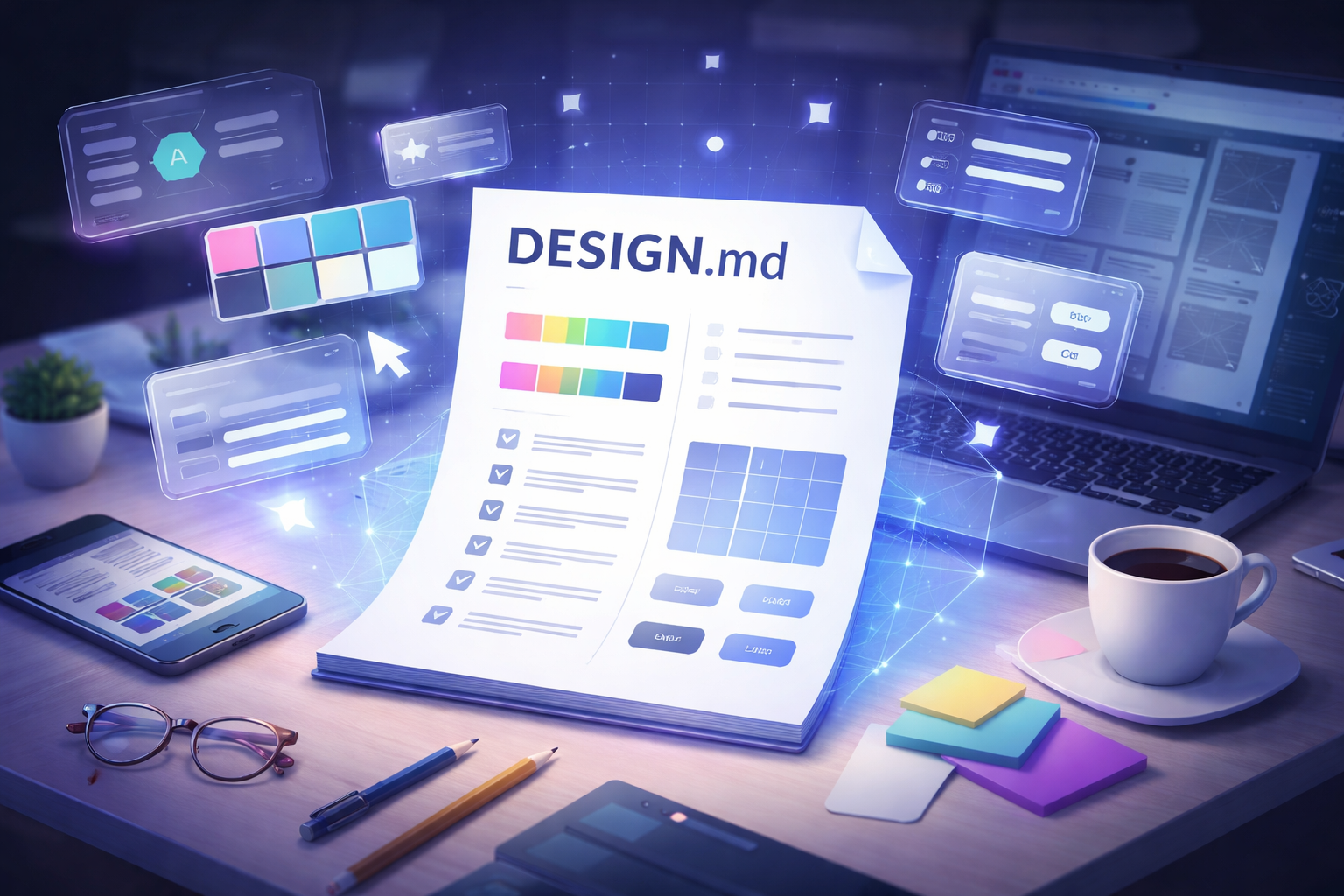
AI 코딩 도구를 활용해 UI를 만들고 화면을 빠르게 실험하는 흐름이 보편화되면서, 이제는 단순히 “좋아 보이는 디자인”을 만드는 것보다 “일관된 기준에 맞는 디자인”을 유지하는 일이 더 중요해졌습니다. 문제는 이 기준이 사람끼리만 공유되는 문서에 머물면, AI는 그 의도를 정확히 반영하지 못한다는 점입니다.
이런 배경에서 주목받는 개념이 바로 DESIGN.md입니다. DESIGN.md는 프로젝트의 디자인 원칙과 시각적 규칙을 마크다운 문서로 정리해, 사람이 아니라 AI도 이해할 수 있게 만드는 방식입니다. 쉽게 말해, “우리 서비스는 어떻게 보여야 하는가”를 텍스트로 명확히 선언한 문서라고 볼 수 있습니다.
이 글에서는 DESIGN.md가 무엇인지, 왜 필요한지, 어떤 내용을 담아야 하는지, 그리고 실제 프로젝트에서 어떻게 활용하면 좋은지 자세히 정리해 보겠습니다.
DESIGN.md란 무엇인가
DESIGN.md는 프로젝트의 디자인 시스템을 설명하는 마크다운 문서입니다. 이 문서의 핵심 목적은 AI 코딩 도구나 에이전트가 프로젝트의 시각적 방향을 이해하도록 돕는 데 있습니다.
예를 들어 일반적인 디자인 시스템 문서는 보통 디자이너와 개발자가 참고하기 위한 자료로 존재합니다. 색상 토큰, 타이포그래피 규칙, 버튼 스타일, 카드 구조, 간격 체계 등이 포함되지만, 실제로는 Figma 파일이나 디자인 툴 안에 흩어져 있거나 사람이 해석해야 하는 형태로 정리된 경우가 많습니다.
반면 DESIGN.md는 처음부터 AI가 읽고 반영할 수 있도록 작성된다는 점이 다릅니다. 즉, 단순한 문서가 아니라 AI에게 디자인 방향을 전달하는 인터페이스 역할을 합니다.
한 문장으로 정리하면 이렇습니다.
DESIGN.md는 “이 프로젝트가 어떻게 보여야 하는지”를 AI가 이해할 수 있는 언어로 정리한 디자인 기준서입니다.
왜 DESIGN.md가 필요한가
AI를 활용해 UI를 생성해 본 사람이라면 비슷한 경험을 해봤을 것입니다. 같은 프로젝트 안에서도 어떤 화면은 깔끔하게 나오고, 어떤 화면은 전혀 다른 제품처럼 보입니다. 버튼 모양이 바뀌고, 카드 간격이 흔들리고, 색감이나 분위기가 조금씩 어긋나기 시작합니다.
이 문제가 생기는 이유는 대부분 단순합니다. AI에게 기능 요구사항은 전달했지만, 디자인 의도는 충분히 전달하지 않았기 때문입니다.
예를 들어 아래와 같은 프롬프트는 기능적으로는 충분할 수 있습니다.
- 관리자 대시보드 화면을 만들어 줘
- 결제 내역 테이블과 요약 카드를 추가해 줘
- 모바일에서도 보이게 반응형으로 구성해 줘
하지만 이런 요청만으로는 결과물이 어떤 성격을 가져야 하는지 알기 어렵습니다. 미니멀해야 하는지, 밀도 높은 생산성 툴처럼 보여야 하는지, 프리미엄 SaaS 느낌인지, 개발자 도구처럼 차갑고 정교해야 하는지 기준이 빠져 있기 때문입니다.
DESIGN.md는 바로 이 지점을 해결합니다. 기능 요구사항과 별개로, 화면의 분위기와 구조, 컴포넌트의 성격, 금지해야 할 표현까지 명시함으로써 AI가 엉뚱한 방향으로 생성하지 않도록 잡아주는 역할을 합니다.
DESIGN.md가 기존 디자인 시스템 문서와 다른 점
기존 디자인 시스템과 DESIGN.md는 완전히 같은 것이 아닙니다. 겹치는 부분은 많지만 용도가 다릅니다.
기존 디자인 시스템은 보통 아래와 같은 목적에 강합니다.
- 디자이너와 개발자 간 협업
- 컴포넌트 재사용
- 디자인 토큰 관리
- 브랜드 일관성 유지
- 실제 제품 운영
반면 DESIGN.md는 아래 목적에 특히 강합니다.
- AI가 프로젝트의 디자인 방향을 빠르게 이해하도록 돕기
- UI 생성 결과물의 톤과 구조를 맞추기
- 반복적인 프롬프트 설명을 줄이기
- 화면 생성뿐 아니라 UI 리뷰 기준으로 활용하기
즉, 기존 디자인 시스템이 사람 중심의 운영 문서라면, DESIGN.md는 AI 중심의 해석 문서에 가깝습니다.
이 둘은 서로 대체 관계가 아니라 보완 관계로 보는 편이 더 정확합니다. Figma나 디자인 토큰이 여전히 중요하지만, 그것만으로는 AI가 디자인 의도를 안정적으로 읽지 못할 수 있기 때문에 DESIGN.md 같은 텍스트 기반 문서가 필요해지는 것입니다.
DESIGN.md에는 어떤 내용이 들어가야 하나
좋은 DESIGN.md는 단순히 색상 코드만 적어 놓은 문서가 아닙니다. 시각적 규칙뿐 아니라 제품의 인상, 사용자에게 전달해야 할 분위기, 피해야 할 스타일까지 포함해야 합니다.
보통 다음 항목들이 들어가면 실전에서 활용하기 좋습니다.
1. 브랜드 톤과 전체 분위기
가장 먼저 필요한 것은 제품이 어떤 느낌이어야 하는지 설명하는 문장입니다.
예를 들어 다음과 같은 식입니다.
- 차갑고 정교한 개발자 도구 느낌
- 따뜻하지만 과하지 않은 생산성 앱 느낌
- 프리미엄 금융 서비스처럼 신뢰감 있는 분위기
- 단순하고 절제된 미니멀 인터페이스
이 부분은 추상적으로 보여도 매우 중요합니다. AI는 디자인 요소를 따로따로 조립하는 경향이 있기 때문에, 전체 인상을 먼저 지정해 주어야 결과물이 하나의 성격으로 묶입니다.
2. 색상 체계
브랜드 컬러, 배경색, 본문 텍스트 색, 보조 텍스트 색, 강조 색상, 상태 색상 등을 정의합니다.
여기서 중요한 것은 단순히 헥스 코드만 나열하는 것이 아니라, 어떤 맥락에서 어떤 색을 써야 하는지도 설명하는 것입니다.
예를 들어 아래처럼 적을 수 있습니다.
- 배경은 거의 흰색에 가까운 밝은 중성 톤 사용
- 주요 텍스트는 강한 대비를 가진 짙은 회색 계열
- 강조 색상은 코발트 블루
- 성공 상태는 채도가 과하지 않은 녹색
- 오류 상태는 눈에 띄되 과도하게 공격적이지 않은 레드
이렇게 적으면 AI가 무작정 화려한 색을 쓰는 일을 줄일 수 있습니다.
3. 타이포그래피
타이포그래피는 전체 분위기를 결정하는 핵심입니다. 어떤 폰트를 쓴다는 정보보다도, 제목과 본문이 어떤 성격을 가져야 하는지를 설명하는 것이 더 중요할 때가 많습니다.
예를 들어 다음과 같은 규칙이 유효합니다.
- 제목은 강하고 선명해야 한다
- 본문은 개성보다 가독성을 우선한다
- 과장된 장식형 폰트는 피한다
- UI 텍스트는 안정적이고 중립적인 인상을 유지한다
AI는 종종 헤딩을 지나치게 크고 과장되게 만들거나, 반대로 너무 밋밋하게 만드는 경우가 있는데, 이런 문장이 기준을 잡아 줍니다.
4. 레이아웃과 간격
레이아웃 규칙은 디자인의 밀도와 리듬을 맞추는 데 필요합니다.
예를 들어 다음과 같은 항목을 담을 수 있습니다.
- 데스크톱에서는 12컬럼 그리드를 선호한다
- 섹션 사이 간격은 넉넉하게 유지한다
- 카드 간 여백은 좁지 않게 유지하되 지나치게 띄우지 않는다
- 콘텐츠 최대 폭은 너무 넓지 않게 제한한다
- 모바일에서는 수직 흐름을 우선한다
이런 기준이 없으면 화면마다 여백이 제각각이 되고, 어떤 페이지는 답답하고 어떤 페이지는 지나치게 허전해집니다.
5. 컴포넌트 규칙
버튼, 입력창, 카드, 모달, 테이블, 배지 같은 반복 요소는 꼭 문서에 들어가야 합니다. AI가 가장 많이 흔들리는 영역이기 때문입니다.
예를 들어 다음처럼 쓸 수 있습니다.
- 버튼은 중간 정도의 둥근 모서리를 가진다
- 입력창은 명확한 테두리와 강한 포커스 상태를 가진다
- 카드는 뜬 느낌보다 평평하고 구조적인 느낌을 우선한다
- 테이블은 정보 밀도가 높아도 읽기 쉬워야 한다
- 모달은 그림자를 과하게 사용하지 않는다
이런 규칙이 있으면 신규 화면을 생성할 때 기존 화면과 연결감이 생깁니다.
6. 금지 규칙
실제로는 허용 규칙보다 금지 규칙이 더 중요할 때도 많습니다. AI는 “하지 말아야 할 것”이 명확할수록 품질이 안정되는 경우가 많기 때문입니다.
예를 들면 다음과 같습니다.
- 과한 그라디언트 사용 금지
- 불필요한 3D 장식 금지
- 마케팅 랜딩페이지 같은 과장된 연출 금지
- 과도한 블러와 유리 질감 사용 금지
- 큰 아이콘 남용 금지
- 화려한 애니메이션 남용 금지
이런 항목은 결과물이 프로젝트의 목적에서 벗어나지 않게 해 줍니다.
DESIGN.md는 실제로 어떻게 활용하나
이제 중요한 것은 문서를 만드는 것보다 어떻게 쓰는가입니다. DESIGN.md는 저장해 두기만 하면 의미가 없습니다. 실제 생성 흐름에 계속 연결해야 합니다.
가장 일반적인 활용 방식은 아래와 같습니다.
1. 프로젝트 루트에 추가한다
DESIGN.md는 프로젝트의 루트에 두는 방식이 가장 직관적입니다. AI 에이전트나 코딩 도구가 코드베이스와 함께 이 문서를 읽을 수 있도록 하기 위함입니다.
이렇게 하면 새로운 화면을 생성하거나 기존 UI를 수정할 때, 매번 긴 설명을 프롬프트에 반복하지 않아도 됩니다.
2. 작업 요청과 함께 참조한다
예를 들어 다음과 같이 요청할 수 있습니다.
DESIGN.md를 기준으로 관리자 대시보드의 통계 카드를 구성해 달라- 기존 설정 화면을 모바일 우선 구조로 재작성하되
DESIGN.md의 간격 규칙을 유지해 달라 - 결제 페이지를 다시 설계하되 버튼과 입력창 스타일은
DESIGN.md를 따르게 해 달라
이렇게 하면 기능 지시와 디자인 기준이 분리되어 더 안정적인 결과를 얻을 수 있습니다.
3. UI 리뷰 기준으로 사용한다
DESIGN.md는 생성 단계뿐 아니라 검수 단계에서도 강력합니다.
예를 들어 아래처럼 활용할 수 있습니다.
- 현재 페이지가
DESIGN.md기준에서 어떤 부분이 어긋나는지 점검해 달라 - 버튼 스타일과 카드 간격이 문서와 일치하는지 비교해 달라
- 새로 추가한 컴포넌트가 기존 브랜드 분위기와 맞는지 리뷰해 달라
즉, DESIGN.md는 생성용 프롬프트 보조문서가 아니라 품질 점검 기준서이기도 합니다.
4. 팀의 공통 합의 문서로 활용한다
디자이너, 프런트엔드 개발자, AI 도구가 모두 같은 기준을 보게 만드는 것도 큰 장점입니다.
기존에는 디자이너는 Figma를 보고, 개발자는 구현된 화면을 보고, AI는 짧은 프롬프트만 보고 작업하면서 의도 차이가 생기기 쉬웠습니다. 하지만 DESIGN.md가 있으면 최소한 “이 프로젝트의 시각적 방향은 이것이다”라는 공통 언어를 확보할 수 있습니다.
어떤 팀에게 특히 유용한가
모든 팀이 당장 정교한 디자인 시스템을 구축할 수 있는 것은 아닙니다. 특히 빠르게 제품을 만들어야 하는 환경에서는 더 그렇습니다. 그래서 DESIGN.md는 아래와 같은 경우에 특히 유용합니다.
스타트업과 소규모 팀
리소스가 부족한 팀일수록 디자인 기준을 체계적으로 정리하기 어렵습니다. 이럴 때 DESIGN.md는 무겁지 않게 시작할 수 있는 현실적인 방법입니다.
AI로 빠르게 프로토타입을 만드는 팀
짧은 시간 안에 여러 화면을 만들어야 하면 일관성이 쉽게 무너집니다. DESIGN.md는 그 일관성을 유지하는 최소한의 장치가 됩니다.
프런트엔드 개발자가 디자인까지 함께 잡아야 하는 환경
디자이너가 모든 세부 사항을 직접 관리하기 어려운 상황이라면, 개발자와 AI가 참고할 기준이 꼭 필요합니다. DESIGN.md는 그 역할을 해 줄 수 있습니다.
브랜드 리디자인이나 UI 통합이 필요한 프로젝트
기존 화면들이 제각각이라면, DESIGN.md를 기준으로 점진적으로 통일해 나갈 수 있습니다. 새 기능부터 적용해도 되고, 우선순위가 높은 핵심 화면부터 맞춰도 됩니다.
좋은 DESIGN.md를 작성하는 방법
좋은 DESIGN.md는 무조건 길거나 복잡할 필요가 없습니다. 오히려 너무 많은 내용을 넣으면 AI가 핵심을 흐리게 해석할 수도 있습니다. 중요한 것은 짧더라도 명확하고, 모호하지 않으며, 반복적으로 적용 가능한 규칙을 담는 것입니다.
다음 원칙을 지키면 훨씬 좋아집니다.
1. 추상적인 표현만 쓰지 않는다
“세련되게”, “깔끔하게”, “모던하게” 같은 표현만으로는 부족합니다. 이런 말은 사람끼리는 어느 정도 통하지만 AI에게는 매우 애매합니다.
대신 아래처럼 구체적으로 써야 합니다.
- 배경은 밝은 중성 회색 계열
- 카드 그림자는 약하게
- 버튼은 모서리 반경이 너무 크지 않게
- 제목은 강한 대비와 명확한 위계를 가지도록
- 섹션 간격은 넓고 안정적으로
2. 반복 요소를 먼저 정의한다
프로젝트에서 반복해서 쓰이는 요소부터 정리해야 효과가 큽니다.
예를 들면 아래 순서가 좋습니다.
- 색상
- 타이포그래피
- 버튼
- 입력창
- 카드
- 테이블
- 섹션 간격
- 반응형 동작
이런 항목만 정리해도 AI가 생성하는 화면의 질이 상당히 안정됩니다.
3. 금지 규칙을 반드시 넣는다
대부분의 프로젝트는 “무엇을 할지”보다 “무엇을 하지 말아야 하는지”가 더 중요합니다. 특히 AI는 조금만 자유도가 생겨도 과장된 스타일을 섞는 일이 많기 때문에, 금지 규칙이 필요합니다.
4. 제품 성격을 함께 적는다
생산성 도구, 금융 서비스, 커뮤니티 플랫폼, 개발자 도구는 모두 같은 UI 규칙으로 설명할 수 없습니다. 제품이 전달해야 하는 감정이 다르기 때문입니다.
예를 들어 금융 서비스라면 안정감과 신뢰, 개발자 도구라면 정밀함과 밀도, 커뮤니티 서비스라면 친근함과 접근성이 더 중요할 수 있습니다. 이런 맥락이 문서에 들어가야 AI도 더 적절한 방향으로 생성합니다.
간단한 DESIGN.md 예시
아래는 개념 이해를 위한 아주 단순한 예시입니다.
# DESIGN.md

## Brand Feel
Clean, calm, and precise.
The interface should feel trustworthy and structured, not playful.

## Color
- Background: soft near-white
- Primary text: deep neutral gray
- Accent: cobalt blue
- Success: muted green
- Error: restrained red

## Typography
- Headlines should feel sharp and confident
- Body text should prioritize readability
- Avoid decorative or playful font styles

## Layout
- Use generous spacing between sections
- Prefer clear alignment and consistent rhythm
- Cards should feel structured rather than floating

## Components
- Buttons: medium radius, solid fill
- Inputs: visible borders, strong focus states
- Tables: dense but readable
- Modals: minimal shadow, clear hierarchy

## Avoid
- Heavy gradients
- Flashy animations
- Oversized icons
- Marketing-style visual exaggeration
이 정도 문서만 있어도 AI는 단순히 예쁜 UI가 아니라, 어떤 성격의 UI를 만들어야 하는지를 훨씬 더 잘 이해합니다.
실무에 적용할 때의 현실적인 방법
처음부터 완벽한 DESIGN.md를 만들려고 하면 오히려 시작이 늦어집니다. 현실적으로는 아래처럼 접근하는 것이 좋습니다.
먼저 비슷한 스타일의 예시를 참고해 초안을 만듭니다. 그다음 현재 서비스에 맞게 색상, 분위기, 컴포넌트 규칙을 수정합니다. 이후 AI에게 실제 페이지를 몇 개 생성하게 해 보고, 어긋나는 부분을 다시 문서에 반영합니다. 이 과정을 반복하면서 문서를 다듬으면 됩니다.
핵심은 문서를 한 번 작성하고 끝내는 것이 아니라, 결과물을 바꾸는 살아 있는 기준서로 운영하는 것입니다.
DESIGN.md가 중요한 이유를 다시 정리하면
DESIGN.md의 가치는 거창한 새 파일 형식에 있는 것이 아닙니다. 핵심은 디자인 의도를 AI가 읽을 수 있는 방식으로 바꿨다는 점입니다.
예전에는 디자인 시스템을 사람끼리 공유했다면, 이제는 AI도 그 시스템의 독자가 되었습니다. 그렇다면 문서 역시 AI가 이해할 수 있게 바뀌는 것이 자연스럽습니다.
그래서 DESIGN.md는 단순한 유행이 아니라, AI 중심 제작 흐름에서 디자인 기준을 유지하기 위한 현실적인 방법이라고 볼 수 있습니다. 특히 UI를 반복 생성하거나, 여러 명이 협업하거나, 브랜드 일관성이 중요한 프로젝트라면 그 가치가 더 커집니다.
마무리
AI는 점점 더 많은 화면을 빠르게 만들어 줍니다. 하지만 빠르게 만드는 것과 제대로 만드는 것은 다릅니다. 결과물이 서비스의 성격과 맞지 않거나, 페이지마다 분위기가 흔들리고, 컴포넌트의 일관성이 무너지면 오히려 유지보수가 더 어려워집니다.
DESIGN.md는 이런 문제를 줄이기 위한 간단하지만 강력한 장치입니다. 디자인 시스템을 AI가 읽을 수 있는 문서로 정리해 두면, 생성 단계와 리뷰 단계 모두에서 기준이 생깁니다. 결국 중요한 것은 AI를 더 많이 쓰는 것이 아니라, AI가 무엇을 기준으로 판단해야 하는지를 명확히 알려 주는 것입니다.
그 기준을 텍스트로 정리한 문서가 바로 DESIGN.md입니다.
출처
- VoltAgent, awesome-design-md GitHub repository
- DESIGN.md 관련 공개 소개 자료 및 개념 설명 페이지
As AI coding tools make it common to build UI and experiment with screens quickly, maintaining “design that follows consistent standards” has become more important than simply making something that “looks good.” The problem is that if those standards remain only in documents shared between people, AI cannot accurately reflect the intent.
This is why the concept of DESIGN.md is becoming useful. DESIGN.md organizes a project’s design principles and visual rules as a Markdown document so that AI, not only humans, can understand them. In simple terms, it is a document that clearly declares in text, “This is how our service should look.”
This article explains what DESIGN.md is, why it is needed, what it should contain, and how to use it in real projects.
What Is DESIGN.md?
DESIGN.md is a Markdown document that describes a project’s design system. Its core purpose is to help AI coding tools or agents understand the project’s visual direction.
For example, a typical design system document usually exists as reference material for designers and developers. It can include color tokens, typography rules, button styles, card structure, and spacing systems, but in practice those rules are often scattered across Figma files or design tools, or written in a form that humans must interpret.
DESIGN.md is different because it is written from the start so AI can read and apply it. It is not just a document; it acts as an interface that communicates design direction to AI.
In one sentence:
DESIGN.md is a design standard document that explains “how this project should look” in a language AI can understand.
Why DESIGN.md Is Needed
Anyone who has generated UI with AI has probably had a similar experience. Even inside the same project, one screen looks clean while another looks like it belongs to a completely different product. Button shapes change, card spacing shifts, and the colors or mood slowly drift.
The reason is usually simple. You gave AI the functional requirements, but not enough design intent.
For example, prompts like these can be functionally sufficient.
- Create an admin dashboard screen
- Add a payment history table and summary cards
- Make it responsive for mobile
But these requests do not explain what character the result should have. Should it be minimal? Should it feel like a dense productivity tool? A premium SaaS product? A cold, precise developer tool? The standard is missing.
DESIGN.md solves this gap. Separate from functional requirements, it describes the mood and structure of the screen, the character of components, and even expressions to avoid, so AI does not generate in the wrong direction.
How DESIGN.md Differs from Existing Design System Docs
An existing design system and DESIGN.md are not exactly the same. They overlap, but their purposes differ.
Traditional design systems are strong for:
- Collaboration between designers and developers
- Component reuse
- Design token management
- Brand consistency
- Actual product operation
DESIGN.md is especially strong for:
- Helping AI quickly understand the project’s design direction
- Aligning the tone and structure of generated UI
- Reducing repetitive prompt explanation
- Acting as a UI review standard as well as a generation guide
In short, an existing design system is a human-centered operating document, while DESIGN.md is closer to an AI-centered interpretation document.
The two are not replacements for each other; they complement each other. Figma and design tokens still matter, but because they alone may not let AI reliably read design intent, a text-based document like DESIGN.md becomes useful.
What Should Go into DESIGN.md?
A good DESIGN.md is not just a document that lists color codes. It should include not only visual rules but also the product impression, the mood users should feel, and styles to avoid.
The following items are usually useful in practice.
1. Brand Tone and Overall Mood
The first thing needed is a statement describing what the product should feel like.
For example:
- Cold, precise developer-tool feeling
- Warm but restrained productivity app feeling
- Trustworthy mood like a premium financial service
- Simple and controlled minimal interface
This may seem abstract, but it is very important. AI tends to assemble design elements separately, so the overall impression must be specified first to make the result feel like one coherent product.
2. Color System
Define brand colors, background colors, body text colors, secondary text colors, accent colors, and status colors.
The important part is not simply listing hex codes, but also explaining which color should be used in which context.
For example:
- Use a bright neutral background close to white
- Use dark gray tones with strong contrast for primary text
- Use cobalt blue as the accent color
- Use a green that is not overly saturated for success states
- Use a red that is visible but not aggressively loud for error states
This reduces the chance that AI will use flashy colors without reason.
3. Typography
Typography is central to the overall mood. More than naming a font, it is often more important to explain what character headings and body text should have.
Useful rules include:
- Headings should feel strong and clear
- Body text should prioritize readability over personality
- Avoid exaggerated decorative fonts
- UI text should remain stable and neutral
AI sometimes makes headings too large and dramatic, or too plain. These statements give it a standard.
4. Layout and Spacing
Layout rules are needed to control density and rhythm.
Useful items include:
- Prefer a 12-column grid on desktop
- Keep generous spacing between sections
- Keep card gaps comfortable but not excessively loose
- Limit content width so it does not become too wide
- Prioritize vertical flow on mobile
Without these standards, spacing differs from screen to screen. One page can feel cramped while another feels too empty.
5. Component Rules
Repeated elements such as buttons, inputs, cards, modals, tables, and badges must be documented. This is one of the areas where AI is most likely to drift.
For example:
- Buttons should have medium-radius corners
- Inputs should have clear borders and strong focus states
- Cards should feel flat and structured rather than floating
- Tables should remain readable even when information density is high
- Modals should not rely on excessive shadows
These rules help new screens feel connected to existing screens.
6. Prohibited Rules
In practice, prohibited rules are often more important than allowed rules. AI quality becomes more stable when “what not to do” is clear.
Examples include:
- Do not use excessive gradients
- Do not add unnecessary 3D decoration
- Do not use exaggerated marketing landing-page effects
- Do not overuse blur or glass textures
- Do not overuse large icons
- Do not overuse flashy animation
These items prevent results from drifting away from the project’s purpose.
How to Use DESIGN.md in Practice
The important thing is not only creating the document, but using it. DESIGN.md has little value if it is just saved somewhere. It must stay connected to the actual generation flow.
Common ways to use it include the following.
1. Add It to the Project Root
The most intuitive approach is to place DESIGN.md at the project root. This lets AI agents or coding tools read it together with the codebase.
Then, when creating a new screen or modifying existing UI, you do not need to repeat long design explanations in every prompt.
2. Reference It with Work Requests
For example, you can request:
- Build the admin dashboard stats cards based on
DESIGN.md - Rewrite the existing settings screen mobile-first while preserving the spacing rules in
DESIGN.md - Redesign the payment page while following the button and input styles in
DESIGN.md
This separates functional instructions from design standards and produces more stable results.
3. Use It as a UI Review Standard
DESIGN.md is powerful not only during generation, but also during review.
For example:
- Check which parts of the current page deviate from
DESIGN.md - Compare whether button styles and card spacing match the document
- Review whether a newly added component fits the existing brand mood
In other words, DESIGN.md is not merely prompt support for generation; it is also a quality review standard.
4. Use It as a Shared Team Agreement
Another major benefit is that designers, frontend developers, and AI tools can all see the same standard.
Previously, designers looked at Figma, developers looked at implemented screens, and AI worked from short prompts, which easily created gaps in intent. With DESIGN.md, the team gains at least one shared language: “This is the visual direction of this project.”
Which Teams Benefit Most?
Not every team can build a sophisticated design system right away. This is especially true in environments that need to build products quickly. DESIGN.md is especially useful in these cases.
Startups and Small Teams
Teams with limited resources often struggle to organize design standards systematically. DESIGN.md is a realistic, lightweight way to start.
Teams Prototyping Quickly with AI
When you need to create multiple screens in a short time, consistency breaks easily. DESIGN.md becomes a minimal device for maintaining that consistency.
Environments Where Frontend Developers Also Handle Design Direction
If designers cannot manage every detail directly, developers and AI need a standard to reference. DESIGN.md can play that role.
Projects That Need Brand Redesign or UI Consolidation
If existing screens are inconsistent, DESIGN.md can be used as the standard for gradual alignment. You can apply it to new features first or start with the highest-priority core screens.
How to Write a Good DESIGN.md
A good DESIGN.md does not need to be long or complicated. Too much content can even make AI interpret the core message less clearly. What matters is that the rules are clear, unambiguous, and repeatedly applicable.
These principles help.
1. Do Not Use Only Abstract Expressions
Expressions such as “make it refined,” “make it clean,” or “make it modern” are not enough. People may understand them to some degree, but they are very ambiguous for AI.
Write more concretely:
- Use bright neutral gray backgrounds
- Use subtle card shadows
- Do not make button corner radius too large
- Give headings strong contrast and clear hierarchy
- Keep section spacing wide and stable
2. Define Repeated Elements First
It is most effective to define elements that repeat throughout the project first.
A good order is:
- Colors
- Typography
- Buttons
- Inputs
- Cards
- Tables
- Section spacing
- Responsive behavior
Defining only these items can stabilize the quality of AI-generated screens significantly.
3. Always Include Prohibited Rules
In many projects, “what not to do” is more important than “what to do.” AI often mixes in exaggerated styles when given even a little freedom, so prohibited rules are necessary.
4. Include Product Character
Productivity tools, financial services, community platforms, and developer tools cannot all be described with the same UI rules. Each product needs to convey a different feeling.
For example, financial services may prioritize stability and trust, developer tools may prioritize precision and density, and community services may prioritize friendliness and accessibility. This context should be included so AI can generate in a more appropriate direction.
A Simple DESIGN.md Example
Below is a very simple example for understanding the concept.
# DESIGN.md

## Brand Feel
Clean, calm, and precise.
The interface should feel trustworthy and structured, not playful.

## Color
- Background: soft near-white
- Primary text: deep neutral gray
- Accent: cobalt blue
- Success: muted green
- Error: restrained red

## Typography
- Headlines should feel sharp and confident
- Body text should prioritize readability
- Avoid decorative or playful font styles

## Layout
- Use generous spacing between sections
- Prefer clear alignment and consistent rhythm
- Cards should feel structured rather than floating

## Components
- Buttons: medium radius, solid fill
- Inputs: visible borders, strong focus states
- Tables: dense but readable
- Modals: minimal shadow, clear hierarchy

## Avoid
- Heavy gradients
- Flashy animations
- Oversized icons
- Marketing-style visual exaggeration
Even a document this simple helps AI understand not just that the UI should be pretty, but what kind of UI it should create.
A Realistic Way to Apply It
Trying to create a perfect DESIGN.md from the start can delay the work. A more realistic approach is this:
First, draft it by referencing examples with a similar style. Then adjust colors, mood, and component rules for the current service. After that, have AI generate a few actual pages and reflect any mismatches back into the document. Repeat this process to refine the document.
The key is not to write the document once and stop, but to operate it as a living standard that changes actual output.
Why DESIGN.md Matters, Summarized Again
The value of DESIGN.md is not in a grand new file format. The core point is that it turns design intent into something AI can read.
Previously, design systems were shared mainly between people. Now AI is also a reader of that system. If so, it is natural for documentation to change so AI can understand it.
That is why DESIGN.md is not just a trend. It is a practical way to maintain design standards in AI-centered production workflows. Its value grows especially in projects that repeatedly generate UI, involve multiple collaborators, or require brand consistency.
Closing
AI can create more and more screens quickly. But creating quickly and creating correctly are different. If the result does not match the service character, if the mood shifts from page to page, or if component consistency breaks, maintenance becomes harder.
DESIGN.md is a simple but powerful device for reducing these problems. When a design system is organized as a document AI can read, both generation and review gain a standard. What matters is not using more AI, but clearly telling AI what standard it should judge by.
The document that organizes that standard in text is DESIGN.md.
Sources
- VoltAgent, awesome-design-md GitHub repository
- Public introductory materials and concept explanation pages related to DESIGN.md
随着使用 AI 编码工具快速制作 UI、实验界面的流程变得普遍,现在比起单纯做出“看起来不错的设计”,更重要的是维持“符合一致标准的设计”。问题在于,如果这些标准只停留在人与人之间共享的文档里,AI 很难准确反映其中的意图。
在这样的背景下,DESIGN.md 这个概念开始受到关注。DESIGN.md 是把项目的设计原则和视觉规则整理成 Markdown 文档,让 AI 不只是人类也能理解的方式。简单来说,它就是用文本清楚声明“我们的服务应该看起来是什么样”的文档。
本文会整理 DESIGN.md 是什么、为什么需要它、应该包含哪些内容,以及在真实项目中如何使用。
DESIGN.md 是什么?
DESIGN.md 是描述项目设计系统的 Markdown 文档。它的核心目的,是帮助 AI 编码工具或 agent 理解项目的视觉方向。
例如,普通的设计系统文档通常是给设计师和开发者参考的资料。它可能包含颜色 token、字体规则、按钮样式、卡片结构、间距体系等。但在实际中,这些内容常常散落在 Figma 文件或设计工具里,或者以需要人类解释的形式存在。
相比之下,DESIGN.md 从一开始就是为了让 AI 能够阅读和应用而编写的。它不只是文档,而是向 AI 传递设计方向的接口。
用一句话来说:
DESIGN.md 是用 AI 能理解的语言整理“这个项目应该如何呈现”的设计标准书。
为什么需要 DESIGN.md?
用 AI 生成过 UI 的人,大概都经历过类似问题。同一个项目里,有的页面看起来很干净,有的页面却像完全不同的产品。按钮形状变了,卡片间距乱了,颜色和氛围也开始一点点偏移。
这种问题出现的原因通常很简单:你把功能需求告诉了 AI,但没有充分传达设计意图。
例如,下面这样的 prompt 在功能上可能已经足够。
- 做一个管理员 dashboard 页面
- 添加支付记录表格和摘要卡片
- 让它在移动端也能响应式显示
但仅凭这些请求,很难判断结果应该具有什么性格。是极简?像高密度生产力工具?像高级 SaaS?还是像冷静精密的开发者工具?标准缺失了。
DESIGN.md 正是为了解决这个问题。它在功能需求之外,明确说明界面的氛围和结构、组件的性格,甚至应该避免的表现方式,从而防止 AI 往错误方向生成。
DESIGN.md 和 기존 디자인 시스템 文档有什么不同?
传统设计系统和 DESIGN.md 并不完全相同。两者有重叠,但用途不同。
传统设计系统擅长:
- 设计师与开发者协作
- 组件复用
- 管理 design token
- 维持品牌一致性
- 实际产品运营
而 DESIGN.md 特别擅长:
- 帮助 AI 快速理解项目的设计方向
- 对齐 UI 生成结果的语气和结构
- 减少重复性的 prompt 说明
- 不只用于生成,也可作为 UI review 标准
也就是说,传统设计系统更像面向人的运营文档,而 DESIGN.md 更接近面向 AI 的解释文档。
二者不是替代关系,而是互补关系。Figma 和 design token 仍然重要,但仅靠它们,AI 未必能稳定读取设计意图,因此像 DESIGN.md 这样的文本型文档会变得必要。
DESIGN.md 应该包含什么?
好的 DESIGN.md 不是只列出颜色代码的文档。它不仅要包含视觉规则,还要包含产品印象、应传达给用户的氛围、以及要避免的风格。
通常包含下面这些内容会比较实用。
1. 品牌语气和整体氛围
首先需要的是说明产品应该给人什么感觉的文字。
例如:
- 冷静、精密的开发者工具感
- 温暖但不过度的生产力应用感
- 像高级金融服务一样可靠的氛围
- 简洁克制的极简界面
这部分虽然看起来抽象,但非常重要。AI 倾向于把设计元素一个个拼起来,所以必须先指定整体印象,结果才会被组织成一个统一的性格。
2. 颜色体系
定义品牌色、背景色、正文文本色、辅助文本色、强调色、状态色等。
重要的不只是罗列十六进制颜色,而是说明在什么上下文中应该使用什么颜色。
例如可以这样写。
- 背景使用接近白色的明亮中性色
- 主要文本使用对比度强的深灰色系
- 强调色使用钴蓝色
- 成功状态使用饱和度不过高的绿色
- 错误状态使用醒目但不过度攻击性的红色
这样可以减少 AI 无理由使用过度鲜艳颜色的情况。
3. 字体排版
字体排版决定整体氛围。比起说明使用哪个字体,很多时候更重要的是说明标题和正文应该具有什么性格。
例如,下面这些规则很有效。
- 标题应该强而清晰
- 正文优先可读性,而不是个性
- 避免夸张的装饰字体
- UI 文案保持稳定、中性的印象
AI 有时会把标题做得过大、过于夸张,或者反过来做得过于平淡,这些规则可以提供判断标准。
4. 布局和间距
布局规则用于控制设计的密度和节奏。
可以包含:
- 桌面端优先使用 12 栏网格
- 区块之间保持充足间距
- 卡片之间的留白不要太窄,也不要过度分散
- 限制内容最大宽度,避免过宽
- 移动端优先垂直流动
如果没有这些标准,各个页面的留白会变得不一致。有的页面会显得拥挤,有的又会过于空。
5. 组件规则
按钮、输入框、卡片、弹窗、表格、徽章等重复元素一定要写进文档。因为这是 AI 最容易摇摆的区域。
例如:
- 按钮使用中等圆角
- 输入框有清晰边框和明显 focus 状态
- 卡片优先平面、结构化的感觉,而不是漂浮感
- 表格即使信息密度高也必须易读
- 弹窗不要过度使用阴影
有了这些规则,生成新页面时会更容易和既有页面保持连接感。
6. 禁止规则
实际项目中,禁止规则有时比允许规则更重要。因为“不能做什么”越清楚,AI 的质量通常越稳定。
例如:
- 禁止过度使用渐变
- 禁止不必要的 3D 装饰
- 禁止像营销 landing page 一样夸张的表现
- 禁止过度 blur 和玻璃质感
- 禁止滥用大图标
- 禁止滥用华丽动画
这些规则可以防止结果偏离项目目的。
DESIGN.md 实际如何使用?
重要的不只是创建文档,而是如何使用它。DESIGN.md 只是保存起来没有意义,它必须持续连接到实际生成流程。
最常见的使用方式如下。
1. 添加到项目根目录
最直观的方式是把 DESIGN.md 放在项目根目录。这样 AI agent 或编码工具就能和代码库一起读取这份文档。
这样一来,在创建新页面或修改现有 UI 时,就不必每次在 prompt 中重复长篇设计说明。
2. 和工作请求一起引用
例如可以这样请求:
- 以
DESIGN.md为标准构建管理员 dashboard 的统计卡片 - 将现有设置页面改写为移动端优先结构,同时保持
DESIGN.md的间距规则 - 重新设计支付页面,但按钮和输入框样式遵循
DESIGN.md
这样可以把功能指令和设计标准分离,得到更稳定的结果。
3. 作为 UI Review 标准使用
DESIGN.md 不只在生成阶段有用,在检查阶段也很强。
例如:
- 检查当前页面哪些部分偏离了
DESIGN.md - 比较按钮样式和卡片间距是否和文档一致
- review 新增组件是否符合既有品牌氛围
也就是说,DESIGN.md 不只是生成用 prompt 辅助文档,也是质量检查标准。
4. 作为团队共同协议文档使用
让设计师、前端开发者、AI 工具都看到同一套标准,也是很大的优点。
过去,设计师看 Figma,开发者看实现后的页面,AI 只看简短 prompt,很容易产生意图差异。但有了 DESIGN.md,至少可以获得一个共同语言:“这个项目的视觉方向是这样。”
哪些团队特别适合?
不是所有团队都能马上建立精密的设计系统。尤其是在需要快速做产品的环境中更是如此。因此 DESIGN.md 在下面这些场景中特别有用。
初创公司和小团队
资源不足的团队更难系统整理设计标准。此时 DESIGN.md 是一种不重、现实可行的开始方式。
用 AI 快速做原型的团队
如果要在短时间内做多个页面,一致性很容易崩塌。DESIGN.md 会成为维持一致性的最小装置。
前端开发者也需要一起把控设计的环境
如果设计师很难直接管理所有细节,开发者和 AI 就必须有可参考的标准。DESIGN.md 可以承担这个角色。
需要品牌重设计或 UI 统一的项目
如果现有页面各不相同,可以以 DESIGN.md 为标准逐步统一。可以先从新功能开始,也可以先从优先级高的核心页面开始。
如何写出好的 DESIGN.md
好的 DESIGN.md 不一定很长或很复杂。内容太多反而可能让 AI 把核心解释得模糊。重要的是规则要简短、明确、不含糊,并且能反复应用。
遵守下面原则会更好。
1. 不要只使用抽象表达
“高级一点”、“干净一点”、“现代一点”这样的表达不够。人与人之间或许能大致理解,但对 AI 来说非常模糊。
应该像下面这样具体说明。
- 背景使用明亮中性灰色系
- 卡片阴影要弱
- 按钮圆角不要过大
- 标题具有强对比和清晰层级
- 区块间距宽且稳定
2. 先定义重复元素
先整理项目中反复出现的元素,效果最大。
推荐顺序如下。
- 颜色
- 字体排版
- 按钮
- 输入框
- 卡片
- 表格
- 区块间距
- 响应式行为
只要整理这些项目,AI 生成页面的质量就会稳定很多。
3. 必须加入禁止规则
在大多数项目中,“不应该做什么”比“应该做什么”更重要。尤其是 AI 一旦有一点自由度,就经常混入夸张风格,因此需要禁止规则。
4. 一起写明产品性格
生产力工具、金融服务、社区平台、开发者工具不能用同一套 UI 规则描述。因为产品应该传达的情绪不同。
例如,金融服务可能更重视稳定感和信任,开发者工具更重视精密和密度,社区服务更重视亲和力和可访问性。这些上下文进入文档后,AI 才能朝更合适的方向生成。
简单的 DESIGN.md 示例
下面是帮助理解概念的非常简单的示例。
# DESIGN.md

## Brand Feel
Clean, calm, and precise.
The interface should feel trustworthy and structured, not playful.

## Color
- Background: soft near-white
- Primary text: deep neutral gray
- Accent: cobalt blue
- Success: muted green
- Error: restrained red

## Typography
- Headlines should feel sharp and confident
- Body text should prioritize readability
- Avoid decorative or playful font styles

## Layout
- Use generous spacing between sections
- Prefer clear alignment and consistent rhythm
- Cards should feel structured rather than floating

## Components
- Buttons: medium radius, solid fill
- Inputs: visible borders, strong focus states
- Tables: dense but readable
- Modals: minimal shadow, clear hierarchy

## Avoid
- Heavy gradients
- Flashy animations
- Oversized icons
- Marketing-style visual exaggeration
即使只有这种程度的文档,AI 也能更好理解它不是要做单纯漂亮的 UI,而是要做出某种性格的 UI。
实际应用时的现实方法
一开始就想做出完美的 DESIGN.md,反而会让开始变慢。更现实的方法如下。
先参考相似风格的例子做一个草稿。然后根据当前服务修改颜色、氛围和组件规则。接着让 AI 生成几个实际页面,把偏离的部分再反映回文档。反复这个过程来打磨文档。
核心不是写一次文档就结束,而是把它作为会改变结果的活标准来运营。
再次整理 DESIGN.md 重要的原因
DESIGN.md 的价值不在于它是一个多么宏大的新文件格式。核心在于,它把设计意图转换成了 AI 能读取的方式。
过去,设计系统主要在人与人之间共享。现在,AI 也成了这个系统的读者。那么文档自然也需要变成 AI 能理解的形式。
因此 DESIGN.md 不是简单的潮流,而是在 AI 中心的制作流程中维持设计标准的现实方法。特别是在反复生成 UI、多人协作、品牌一致性重要的项目中,它的价值会更大。
结语
AI 会越来越快地生成更多页面。但做得快和做得正确并不是一回事。如果结果不符合服务性格、每个页面氛围摇摆、组件一致性崩塌,维护反而会更困难。
DESIGN.md 是减少这些问题的简单而强大的装置。把设计系统整理成 AI 能读取的文档后,生成阶段和 review 阶段都会有标准。最终重要的不是使用更多 AI,而是明确告诉 AI 应该根据什么标准判断。
把这个标准用文本整理出来的文档,就是 DESIGN.md。
来源
- VoltAgent, awesome-design-md GitHub repository
- DESIGN.md 相关公开介绍资料和概念说明页面
AIコーディングツールを使ってUIを作り、画面を素早く試す流れが一般化するにつれて、単に「よく見えるデザイン」を作ることよりも、「一貫した基準に合うデザイン」を保つことが重要になっている。問題は、その基準が人間同士だけで共有される文書にとどまると、AIが意図を正確に反映できない点である。
この背景で注目されている概念が DESIGN.md である。DESIGN.md は、プロジェクトのデザイン原則と視覚的ルールをMarkdown文書として整理し、人間だけでなくAIも理解できるようにする方法だ。簡単に言えば、「私たちのサービスはどう見えるべきか」をテキストで明確に宣言した文書である。
この記事では、DESIGN.md とは何か、なぜ必要なのか、どんな内容を入れるべきか、そして実際のプロジェクトでどう活用するとよいかを整理する。
DESIGN.mdとは何か
DESIGN.md は、プロジェクトのデザインシステムを説明するMarkdown文書である。この文書の中心的な目的は、AIコーディングツールやエージェントがプロジェクトの視覚的方向性を理解できるようにすることだ。
たとえば一般的なデザインシステム文書は、通常デザイナーと開発者が参照する資料として存在する。カラートークン、タイポグラフィ規則、ボタンスタイル、カード構造、間隔体系などが含まれるが、実際にはFigmaファイルやデザインツールの中に散らばっていたり、人間が解釈する形で整理されていたりすることが多い。
一方、DESIGN.md は最初からAIが読んで反映できるように書かれる点が違う。つまり単なる文書ではなく、AIにデザイン方向を伝えるインターフェースの役割を持つ。
一文でまとめると、こうなる。
DESIGN.md は「このプロジェクトがどう見えるべきか」をAIが理解できる言語で整理したデザイン基準書である。
なぜDESIGN.mdが必要なのか
AIを使ってUIを生成したことがある人なら、似た経験があるはずだ。同じプロジェクト内でも、ある画面はきれいに見えるのに、別の画面はまったく違う製品のように見える。ボタンの形が変わり、カードの間隔が揺れ、色味や雰囲気が少しずつずれていく。
この問題が起きる理由はたいてい単純だ。AIに機能要件は伝えたが、デザイン意図は十分に伝えていないからである。
たとえば次のようなプロンプトは、機能的には十分かもしれない。
- 管理者ダッシュボード画面を作って
- 決済履歴テーブルと要約カードを追加して
- モバイルでも見えるようにレスポンシブに構成して
しかしこのような依頼だけでは、成果物がどんな性格を持つべきかは分からない。ミニマルであるべきなのか、密度の高い生産性ツールのように見えるべきなのか、プレミアムSaaSらしいのか、開発者ツールのように冷たく精密であるべきなのか、基準が抜けている。
DESIGN.md はこの部分を解決する。機能要件とは別に、画面の雰囲気と構造、コンポーネントの性格、禁止すべき表現まで明示することで、AIが誤った方向に生成しないように支える。
DESIGN.mdが既存のデザインシステム文書と違う点
既存のデザインシステムと DESIGN.md は完全に同じものではない。重なる部分は多いが、用途が違う。
既存のデザインシステムは、通常次の目的に強い。
- デザイナーと開発者の協業
- コンポーネント再利用
- デザイントークン管理
- ブランド一貫性の維持
- 実際のプロダクト運用
一方、DESIGN.md は次の目的に特に強い。
- AIがプロジェクトのデザイン方向を素早く理解する
- UI生成結果のトーンと構造を合わせる
- 繰り返しのプロンプト説明を減らす
- 画面生成だけでなくUIレビュー基準として使う
つまり、既存のデザインシステムが人間中心の運用文書なら、DESIGN.md はAI中心の解釈文書に近い。
この二つは代替関係ではなく、補完関係として見る方が正確だ。Figmaやデザイントークンは依然として重要だが、それだけではAIがデザイン意図を安定して読み取れない場合があるため、DESIGN.md のようなテキストベースの文書が必要になる。
DESIGN.mdには何を入れるべきか
良い DESIGN.md は、単にカラーコードを書いただけの文書ではない。視覚的ルールだけでなく、プロダクトの印象、ユーザーに伝えるべき雰囲気、避けるべきスタイルまで含める必要がある。
実務では、通常次の項目が入っていると使いやすい。
1. ブランドトーンと全体の雰囲気
最初に必要なのは、プロダクトがどんな感じであるべきかを説明する文である。
たとえば次のようなものだ。
- 冷たく精密な開発者ツールの雰囲気
- 温かいが過度ではない生産性アプリの雰囲気
- プレミアム金融サービスのように信頼感のある雰囲気
- 単純で抑制されたミニマルインターフェース
この部分は抽象的に見えても非常に重要だ。AIはデザイン要素を別々に組み合わせる傾向があるため、まず全体の印象を指定しておくことで、結果が一つの性格にまとまる。
2. カラーシステム
ブランドカラー、背景色、本文テキスト色、補助テキスト色、アクセント色、状態色などを定義する。
ここで重要なのは、単に16進コードを並べることではなく、どの文脈でどの色を使うべきかも説明することだ。
たとえば次のように書ける。
- 背景はほぼ白に近い明るいニュートラルトーンを使う
- 主要テキストは強いコントラストの濃いグレー系にする
- アクセント色はコバルトブルー
- 成功状態は彩度が高すぎないグリーン
- エラー状態は目立つが攻撃的すぎないレッド
こう書くと、AIが理由なく派手な色を使うことを減らせる。
3. タイポグラフィ
タイポグラフィは全体の雰囲気を決める中心要素である。どのフォントを使うかという情報よりも、見出しと本文がどんな性格を持つべきかを説明する方が重要な場合も多い。
たとえば次のような規則が有効だ。
- 見出しは強く明確である
- 本文は個性より可読性を優先する
- 誇張された装飾フォントは避ける
- UIテキストは安定した中立的な印象を保つ
AIは見出しを過度に大きく派手にしたり、逆に平凡にしすぎたりすることがあるが、こうした文が基準になる。
4. レイアウトと間隔
レイアウト規則は、デザインの密度とリズムを合わせるために必要だ。
たとえば次の項目を入れられる。
- デスクトップでは12カラムグリッドを好む
- セクション間の余白は十分に保つ
- カード間の余白は狭すぎず、広げすぎない
- コンテンツの最大幅を広げすぎない
- モバイルでは縦方向の流れを優先する
この基準がないと、画面ごとに余白がばらつき、あるページは窮屈で、別のページは空きすぎる。
5. コンポーネント規則
ボタン、入力欄、カード、モーダル、テーブル、バッジのような反復要素は必ず文書に入れるべきだ。AIが最も揺れやすい領域だからである。
たとえば次のように書ける。
- ボタンは中程度の角丸を持つ
- 入力欄は明確な境界線と強いフォーカス状態を持つ
- カードは浮いた感じより、平面的で構造的な印象を優先する
- テーブルは情報密度が高くても読みやすくする
- モーダルは影を過度に使わない
こうした規則があると、新しい画面を生成するときに既存画面とのつながりが生まれる。
6. 禁止規則
実際には、許可規則より禁止規則の方が重要なことも多い。AIは「してはいけないこと」が明確なほど品質が安定しやすいからだ。
たとえば次のようなものがある。
- 過度なグラデーション禁止
- 不要な3D装飾禁止
- マーケティングランディングページのような誇張表現禁止
- 過度なブラーとガラス質感禁止
- 大きなアイコンの乱用禁止
- 派手なアニメーションの乱用禁止
これらは成果物がプロジェクトの目的から外れないようにしてくれる。
DESIGN.mdは実際にどう活用するか
重要なのは、文書を作ることよりもどう使うかである。DESIGN.md は保存しておくだけでは意味がない。実際の生成フローに継続的につなげる必要がある。
一般的な活用方法は次の通り。
1. プロジェクトルートに追加する
DESIGN.md はプロジェクトのルートに置くのが最も直感的である。AIエージェントやコーディングツールがコードベースと一緒にこの文書を読めるようにするためだ。
こうしておくと、新しい画面を作成したり既存UIを修正したりするとき、毎回長い説明をプロンプトで繰り返す必要がなくなる。
2. 作業依頼と一緒に参照する
たとえば次のように依頼できる。
DESIGN.mdを基準に管理者ダッシュボードの統計カードを構成してほしい- 既存の設定画面をモバイルファースト構造に書き直しつつ、
DESIGN.mdの間隔規則を維持してほしい - 決済ページを再設計し、ボタンと入力欄のスタイルは
DESIGN.mdに従わせてほしい
こうすると機能指示とデザイン基準が分離され、より安定した結果が得られる。
3. UIレビュー基準として使う
DESIGN.md は生成段階だけでなく、検収段階でも強力だ。
たとえば次のように活用できる。
- 現在のページが
DESIGN.mdの基準からどこでずれているか点検してほしい - ボタンスタイルとカード間隔が文書と一致するか比較してほしい
- 新しく追加したコンポーネントが既存ブランドの雰囲気に合うかレビューしてほしい
つまり、DESIGN.md は生成用プロンプト補助文書ではなく、品質点検の基準書でもある。
4. チームの共通合意文書として使う
デザイナー、フロントエンド開発者、AIツールが全員同じ基準を見るようにできることも大きな利点だ。
以前はデザイナーはFigmaを見て、開発者は実装された画面を見て、AIは短いプロンプトだけを見て作業するため、意図の差が生まれやすかった。しかし DESIGN.md があれば、少なくとも「このプロジェクトの視覚的方向性はこれである」という共通言語を持てる。
どんなチームに特に有用か
すべてのチームがすぐに精密なデザインシステムを構築できるわけではない。特に素早くプロダクトを作る必要がある環境ではなおさらだ。だから DESIGN.md は次のような場合に特に有用である。
スタートアップと小規模チーム
リソースが少ないチームほど、デザイン基準を体系的に整理するのが難しい。このとき DESIGN.md は重すぎずに始められる現実的な方法になる。
AIで素早くプロトタイプを作るチーム
短時間で複数の画面を作らなければならないと、一貫性は簡単に崩れる。DESIGN.md はその一貫性を保つための最小限の装置になる。
フロントエンド開発者がデザインまで担う環境
デザイナーがすべての詳細を直接管理しにくい状況なら、開発者とAIが参照できる基準が必要である。DESIGN.md はその役割を果たせる。
ブランドリデザインやUI統合が必要なプロジェクト
既存画面がばらばらなら、DESIGN.md を基準に少しずつ統一していける。新機能から適用してもよいし、優先度の高い主要画面から合わせてもよい。
良いDESIGN.mdを書く方法
良い DESIGN.md は必ずしも長く複雑である必要はない。むしろ内容が多すぎると、AIが核心をぼやかして解釈することもある。大切なのは、短くても明確で、曖昧ではなく、繰り返し適用できる規則を含めることだ。
次の原則を守るとよい。
1. 抽象表現だけを使わない
「洗練された」「きれいに」「モダンに」といった表現だけでは足りない。人間同士ならある程度通じるが、AIには非常に曖昧である。
代わりに次のように具体的に書くべきだ。
- 背景は明るい中性グレー系
- カードの影は弱く
- ボタンの角丸は大きすぎない
- 見出しは強いコントラストと明確な階層を持つ
- セクション間隔は広く安定させる
2. 反復要素を先に定義する
プロジェクトで繰り返し使われる要素から整理すると効果が大きい。
たとえば次の順序がよい。
- 色
- タイポグラフィ
- ボタン
- 入力欄
- カード
- テーブル
- セクション間隔
- レスポンシブ動作
これらだけでも、AIが生成する画面の品質はかなり安定する。
3. 禁止規則を必ず入れる
多くのプロジェクトでは、「何をするか」より「何をしてはいけないか」の方が重要である。特にAIは少し自由度があるだけで誇張されたスタイルを混ぜることが多いため、禁止規則が必要になる。
4. プロダクトの性格も一緒に書く
生産性ツール、金融サービス、コミュニティプラットフォーム、開発者ツールは、同じUI規則では説明できない。プロダクトが伝えるべき感情が違うからだ。
たとえば金融サービスなら安定感と信頼、開発者ツールなら精密さと密度、コミュニティサービスなら親しみやすさとアクセシビリティがより重要になる。この文脈を文書に入れることで、AIもより適切な方向に生成できる。
簡単なDESIGN.mdの例
以下は概念理解のための非常に単純な例である。
# DESIGN.md

## Brand Feel
Clean, calm, and precise.
The interface should feel trustworthy and structured, not playful.

## Color
- Background: soft near-white
- Primary text: deep neutral gray
- Accent: cobalt blue
- Success: muted green
- Error: restrained red

## Typography
- Headlines should feel sharp and confident
- Body text should prioritize readability
- Avoid decorative or playful font styles

## Layout
- Use generous spacing between sections
- Prefer clear alignment and consistent rhythm
- Cards should feel structured rather than floating

## Components
- Buttons: medium radius, solid fill
- Inputs: visible borders, strong focus states
- Tables: dense but readable
- Modals: minimal shadow, clear hierarchy

## Avoid
- Heavy gradients
- Flashy animations
- Oversized icons
- Marketing-style visual exaggeration
この程度の文書でも、AIは単にきれいなUIではなく、どんな性格のUIを作るべきかをよりよく理解できる。
実務に適用するときの現実的な方法
最初から完璧な DESIGN.md を作ろうとすると、かえって始めるのが遅くなる。現実的には次のように進めるとよい。
まず似たスタイルの例を参考にして草案を作る。次に現在のサービスに合わせて色、雰囲気、コンポーネント規則を修正する。その後、AIに実際のページをいくつか生成させ、ずれた部分を再び文書に反映する。この過程を繰り返しながら文書を整える。
重要なのは、文書を一度書いて終わりにするのではなく、成果物を変える生きた基準書として運用することである。
DESIGN.mdが重要な理由をもう一度整理する
DESIGN.md の価値は、壮大な新しいファイル形式にあるわけではない。核心は、デザイン意図をAIが読める形に変えた点にある。
以前はデザインシステムを人間同士で共有していたが、今ではAIもそのシステムの読者になった。そうであれば、文書もAIが理解できる形へ変わるのが自然だ。
だから DESIGN.md は単なる流行ではなく、AI中心の制作フローでデザイン基準を維持するための現実的な方法である。特にUIを繰り返し生成したり、複数人で協業したり、ブランド一貫性が重要なプロジェクトでは価値が大きくなる。
まとめ
AIはますます多くの画面を素早く作ってくれる。しかし、速く作ることと正しく作ることは違う。成果物がサービスの性格に合わなかったり、ページごとに雰囲気が揺れたり、コンポーネントの一貫性が崩れたりすると、むしろ保守は難しくなる。
DESIGN.md はこうした問題を減らすための、単純だが強力な装置である。デザインシステムをAIが読める文書として整理しておくと、生成段階とレビュー段階の両方で基準が生まれる。結局重要なのは、AIをもっと多く使うことではなく、AIが何を基準に判断すべきかを明確に知らせることだ。
その基準をテキストで整理した文書が、まさに DESIGN.md である。
出典
- VoltAgent, awesome-design-md GitHub repository
- DESIGN.md 関連の公開紹介資料および概念説明ページ
A medida que se vuelve común usar herramientas de codificación con IA para crear UI y experimentar rápidamente con pantallas, mantener un “diseño alineado con estándares consistentes” se ha vuelto más importante que crear algo que simplemente “se vea bien”. El problema es que, si esos estándares se quedan en documentos compartidos solo entre personas, la IA no puede reflejar con precisión la intención.
En este contexto aparece el concepto de DESIGN.md. DESIGN.md organiza los principios de diseño y las reglas visuales de un proyecto como un documento Markdown, de modo que no solo las personas, sino también la IA, puedan entenderlos. En términos simples, es un documento que declara con claridad en texto “cómo debe verse nuestro servicio”.
Este artículo resume qué es DESIGN.md, por qué es necesario, qué debería incluir y cómo usarlo en proyectos reales.
Qué es DESIGN.md
DESIGN.md es un documento Markdown que describe el sistema de diseño de un proyecto. Su objetivo principal es ayudar a herramientas de codificación con IA o agentes a entender la dirección visual del proyecto.
Por ejemplo, un documento tradicional de sistema de diseño suele existir como referencia para diseñadores y desarrolladores. Puede incluir tokens de color, reglas tipográficas, estilos de botones, estructura de tarjetas y sistemas de espaciado, pero en la práctica estas reglas suelen estar dispersas en archivos de Figma o herramientas de diseño, o escritas de una forma que requiere interpretación humana.
DESIGN.md es diferente porque se escribe desde el principio para que la IA pueda leerlo y aplicarlo. Es decir, no es solo un documento; funciona como una interfaz que transmite dirección de diseño a la IA.
En una frase:
DESIGN.md es un documento de estándares de diseño que explica “cómo debe verse este proyecto” en un lenguaje que la IA puede entender.
Por qué se Necesita DESIGN.md
Quien haya generado UI con IA probablemente ha vivido algo parecido. Dentro del mismo proyecto, una pantalla se ve limpia y otra parece pertenecer a un producto completamente distinto. Cambia la forma de los botones, se desajusta el espaciado de las tarjetas y los colores o el ambiente empiezan a desviarse poco a poco.
La razón suele ser simple. Le diste a la IA los requisitos funcionales, pero no suficiente intención de diseño.
Por ejemplo, prompts como estos pueden ser suficientes en términos funcionales.
- Crea una pantalla de dashboard de administración
- Añade una tabla de historial de pagos y tarjetas de resumen
- Haz que se vea bien también en móvil con diseño responsive
Pero solo con estas peticiones es difícil saber qué carácter debería tener el resultado. ¿Debe ser minimalista? ¿Debe sentirse como una herramienta de productividad densa? ¿Como un SaaS premium? ¿Como una herramienta para desarrolladores fría y precisa? Falta el estándar.
DESIGN.md resuelve precisamente ese punto. Separado de los requisitos funcionales, especifica el ambiente y la estructura de la pantalla, el carácter de los componentes e incluso las expresiones que deben evitarse, para que la IA no genere en una dirección equivocada.
En qué se Diferencia DESIGN.md de los Documentos de Sistemas de Diseño Existentes
Un sistema de diseño existente y DESIGN.md no son exactamente lo mismo. Se superponen, pero sus usos son distintos.
Los sistemas de diseño tradicionales son fuertes para:
- Colaboración entre diseñadores y desarrolladores
- Reutilización de componentes
- Gestión de design tokens
- Mantener consistencia de marca
- Operación real del producto
En cambio, DESIGN.md es especialmente fuerte para:
- Ayudar a la IA a entender rápidamente la dirección de diseño del proyecto
- Alinear el tono y la estructura de las UI generadas
- Reducir explicaciones repetitivas en prompts
- Servir como criterio de revisión de UI además de guía de generación
En resumen, si un sistema de diseño existente es un documento operativo centrado en personas, DESIGN.md se parece más a un documento de interpretación centrado en IA.
No son sustitutos, sino complementos. Figma y los design tokens siguen siendo importantes, pero como eso por sí solo puede no permitir que la IA lea de forma estable la intención de diseño, un documento textual como DESIGN.md se vuelve necesario.
Qué Debe Incluir DESIGN.md
Un buen DESIGN.md no es solo un documento con códigos de color. Debe incluir no solo reglas visuales, sino también la impresión del producto, el ambiente que debe transmitir al usuario y los estilos que deben evitarse.
Normalmente conviene incluir estos apartados.
1. Tono de Marca y Ambiente General
Lo primero es una frase que describa qué sensación debe transmitir el producto.
Por ejemplo:
- Sensación de herramienta para desarrolladores fría y precisa
- Sensación de app de productividad cálida pero contenida
- Ambiente confiable como un servicio financiero premium
- Interfaz minimalista simple y controlada
Aunque parezca abstracto, esta parte es muy importante. La IA tiende a ensamblar elementos de diseño por separado, así que conviene definir primero la impresión general para que el resultado tenga una personalidad coherente.
2. Sistema de Color
Define colores de marca, fondo, texto principal, texto secundario, colores de acento y colores de estado.
Lo importante no es solo listar códigos hexadecimales, sino explicar en qué contexto debe usarse cada color.
Por ejemplo:
- Usar un fondo neutro claro, casi blanco
- Usar grises oscuros con fuerte contraste para el texto principal
- Usar azul cobalto como color de acento
- Usar un verde no demasiado saturado para estados de éxito
- Usar un rojo visible pero no agresivo para errores
Así se reduce la probabilidad de que la IA use colores llamativos sin motivo.
3. Tipografía
La tipografía define gran parte del ambiente. Más que indicar qué fuente usar, a menudo es más importante explicar qué carácter deben tener los títulos y el texto.
Reglas útiles:
- Los títulos deben sentirse fuertes y claros
- El cuerpo debe priorizar legibilidad por encima de personalidad
- Evitar fuentes decorativas exageradas
- El texto de UI debe mantener una impresión estable y neutral
La IA a veces hace encabezados demasiado grandes y dramáticos, o demasiado planos. Estas frases establecen un criterio.
4. Layout y Espaciado
Las reglas de layout son necesarias para mantener densidad y ritmo.
Puedes incluir elementos como:
- Preferir una grilla de 12 columnas en desktop
- Mantener espaciado amplio entre secciones
- Mantener el espacio entre tarjetas cómodo, sin ser demasiado estrecho ni excesivamente abierto
- Limitar el ancho máximo del contenido
- Priorizar el flujo vertical en móvil
Sin estos estándares, el espaciado cambia de una pantalla a otra. Una página puede sentirse apretada y otra demasiado vacía.
5. Reglas de Componentes
Elementos repetidos como botones, inputs, tarjetas, modales, tablas y badges deben estar documentados. Es una de las áreas donde la IA más se desvía.
Por ejemplo:
- Los botones deben tener esquinas de radio medio
- Los inputs deben tener bordes claros y estados de foco fuertes
- Las tarjetas deben sentirse planas y estructuradas, no flotantes
- Las tablas deben ser legibles aunque tengan alta densidad de información
- Los modales no deben depender de sombras excesivas
Estas reglas ayudan a que las nuevas pantallas se conecten con las pantallas existentes.
6. Reglas de Prohibición
En la práctica, las reglas de prohibición a veces son más importantes que las reglas de permiso. La calidad de la IA suele estabilizarse cuando queda claro “qué no debe hacer”.
Por ejemplo:
- No usar gradientes excesivos
- No añadir decoración 3D innecesaria
- No usar efectos exagerados de landing page de marketing
- No abusar del blur ni de texturas tipo vidrio
- No abusar de iconos grandes
- No abusar de animaciones llamativas
Estos elementos evitan que el resultado se aleje del propósito del proyecto.
Cómo se Usa DESIGN.md en la Práctica
Lo importante no es solo crear el documento, sino usarlo. DESIGN.md no sirve de mucho si solo se guarda. Debe conectarse continuamente con el flujo real de generación.
Las formas más comunes de usarlo son estas.
1. Añadirlo a la Raíz del Proyecto
La forma más intuitiva es poner DESIGN.md en la raíz del proyecto. Así los agentes de IA o herramientas de codificación pueden leerlo junto con el codebase.
De este modo, al crear una nueva pantalla o modificar una UI existente, no necesitas repetir explicaciones largas de diseño en cada prompt.
2. Referenciarlo junto con la Solicitud de Trabajo
Por ejemplo, puedes pedir:
- Construye las tarjetas de estadísticas del dashboard de administración según
DESIGN.md - Reescribe la pantalla de ajustes con enfoque mobile-first manteniendo las reglas de espaciado de
DESIGN.md - Rediseña la página de pago siguiendo los estilos de botones e inputs de
DESIGN.md
Así separas las instrucciones funcionales de los estándares de diseño y obtienes resultados más estables.
3. Usarlo como Criterio de Revisión de UI
DESIGN.md es potente no solo en la generación, sino también en la revisión.
Por ejemplo:
- Revisa qué partes de la página actual se desvían de
DESIGN.md - Compara si los estilos de botones y el espaciado de tarjetas coinciden con el documento
- Revisa si el nuevo componente encaja con el ambiente de marca existente
En otras palabras, DESIGN.md no es solo un documento auxiliar para prompts de generación; también es un estándar de control de calidad.
4. Usarlo como Documento de Acuerdo Común del Equipo
Otra ventaja importante es que diseñadores, desarrolladores frontend y herramientas de IA pueden mirar el mismo estándar.
Antes, los diseñadores miraban Figma, los desarrolladores miraban pantallas implementadas y la IA trabajaba solo con prompts breves, lo que facilitaba diferencias de intención. Con DESIGN.md, al menos existe un lenguaje común: “esta es la dirección visual del proyecto”.
Para Qué Equipos es Especialmente Útil
No todos los equipos pueden construir de inmediato un sistema de diseño sofisticado. Esto es especialmente cierto en entornos donde hay que crear producto rápidamente. Por eso DESIGN.md es especialmente útil en estos casos.
Startups y Equipos Pequeños
Cuantos menos recursos tiene un equipo, más difícil es ordenar los estándares de diseño de forma sistemática. En ese caso, DESIGN.md es una forma realista y ligera de empezar.
Equipos que Prototipan Rápido con IA
Cuando hay que crear muchas pantallas en poco tiempo, la consistencia se rompe con facilidad. DESIGN.md se convierte en un dispositivo mínimo para mantener esa consistencia.
Entornos donde el Frontend También Define Diseño
Si los diseñadores no pueden gestionar directamente todos los detalles, los desarrolladores y la IA necesitan un estándar de referencia. DESIGN.md puede cumplir ese papel.
Proyectos que Necesitan Rediseño de Marca o Unificación de UI
Si las pantallas existentes son inconsistentes, DESIGN.md puede servir como estándar para unificar gradualmente. Puedes aplicarlo primero a nuevas funciones o empezar por las pantallas principales de mayor prioridad.
Cómo Escribir un Buen DESIGN.md
Un buen DESIGN.md no tiene que ser largo ni complicado. De hecho, demasiado contenido puede hacer que la IA interprete peor el núcleo. Lo importante es que las reglas sean claras, no ambiguas y aplicables de forma repetida.
Estos principios ayudan.
1. No Usar Solo Expresiones Abstractas
Expresiones como “refinado”, “limpio” o “moderno” no bastan. Entre personas pueden entenderse hasta cierto punto, pero para la IA son muy ambiguas.
Conviene escribir de forma más concreta:
- El fondo debe usar grises neutros claros
- La sombra de las tarjetas debe ser sutil
- El radio de los botones no debe ser demasiado grande
- Los títulos deben tener fuerte contraste y jerarquía clara
- El espaciado entre secciones debe ser amplio y estable
2. Definir Primero los Elementos Repetidos
Tiene más efecto ordenar primero los elementos que se repiten en el proyecto.
Un buen orden es:
- Colores
- Tipografía
- Botones
- Inputs
- Tarjetas
- Tablas
- Espaciado entre secciones
- Comportamiento responsive
Solo con definir estos elementos, la calidad de las pantallas generadas por IA se estabiliza bastante.
3. Incluir Siempre Reglas de Prohibición
En la mayoría de proyectos, “qué no hacer” es más importante que “qué hacer”. Especialmente la IA, con un poco de libertad, tiende a mezclar estilos exagerados, por lo que las reglas de prohibición son necesarias.
4. Escribir También el Carácter del Producto
Una herramienta de productividad, un servicio financiero, una plataforma de comunidad y una herramienta para desarrolladores no pueden explicarse con las mismas reglas de UI. La emoción que debe transmitir cada producto es distinta.
Por ejemplo, en un servicio financiero pueden importar más la estabilidad y la confianza; en una herramienta para desarrolladores, la precisión y densidad; en una comunidad, la cercanía y accesibilidad. Ese contexto debe estar en el documento para que la IA genere en una dirección más adecuada.
Ejemplo Simple de DESIGN.md
Este es un ejemplo muy simple para entender el concepto.
# DESIGN.md

## Brand Feel
Clean, calm, and precise.
The interface should feel trustworthy and structured, not playful.

## Color
- Background: soft near-white
- Primary text: deep neutral gray
- Accent: cobalt blue
- Success: muted green
- Error: restrained red

## Typography
- Headlines should feel sharp and confident
- Body text should prioritize readability
- Avoid decorative or playful font styles

## Layout
- Use generous spacing between sections
- Prefer clear alignment and consistent rhythm
- Cards should feel structured rather than floating

## Components
- Buttons: medium radius, solid fill
- Inputs: visible borders, strong focus states
- Tables: dense but readable
- Modals: minimal shadow, clear hierarchy

## Avoid
- Heavy gradients
- Flashy animations
- Oversized icons
- Marketing-style visual exaggeration
Incluso un documento de este tamaño ayuda a que la IA entienda mejor no solo que la UI debe verse bonita, sino qué tipo de UI debe crear.
Una Forma Realista de Aplicarlo
Intentar crear un DESIGN.md perfecto desde el inicio puede retrasar el arranque. Una forma más realista es la siguiente.
Primero, crea un borrador tomando como referencia ejemplos de estilo similar. Luego ajusta colores, ambiente y reglas de componentes según el servicio actual. Después pide a la IA que genere algunas páginas reales y vuelve a reflejar en el documento las partes que se desvíen. Repite este proceso para refinarlo.
La clave no es escribir el documento una vez y terminar, sino operarlo como un estándar vivo que cambia los resultados.
Por qué DESIGN.md Importa, de Nuevo en Resumen
El valor de DESIGN.md no está en ser un nuevo formato de archivo grandioso. El punto central es que convierte la intención de diseño en algo que la IA puede leer.
Antes, los sistemas de diseño se compartían principalmente entre personas. Ahora, la IA también es lectora de ese sistema. Entonces es natural que la documentación cambie para que la IA pueda entenderla.
Por eso DESIGN.md no es una simple moda, sino una forma práctica de mantener estándares de diseño en flujos de producción centrados en IA. Su valor aumenta especialmente en proyectos que generan UI repetidamente, colaboran entre varias personas o necesitan consistencia de marca.
Cierre
La IA crea cada vez más pantallas con rapidez. Pero crear rápido y crear correctamente son cosas distintas. Si el resultado no encaja con el carácter del servicio, si el ambiente cambia de una página a otra o si la consistencia de componentes se rompe, el mantenimiento se vuelve más difícil.
DESIGN.md es un dispositivo simple pero potente para reducir estos problemas. Si organizas el sistema de diseño como un documento que la IA puede leer, tanto la generación como la revisión ganan un estándar. Al final, lo importante no es usar más IA, sino decirle con claridad qué estándar debe usar para juzgar.
El documento que organiza ese estándar en texto es DESIGN.md.
Fuentes
- VoltAgent, awesome-design-md GitHub repository
- Materiales públicos de introducción y páginas de explicación conceptual relacionadas con DESIGN.md