Dia 브라우저란? 웹페이지와 대화하는 AI 브라우저 사용법
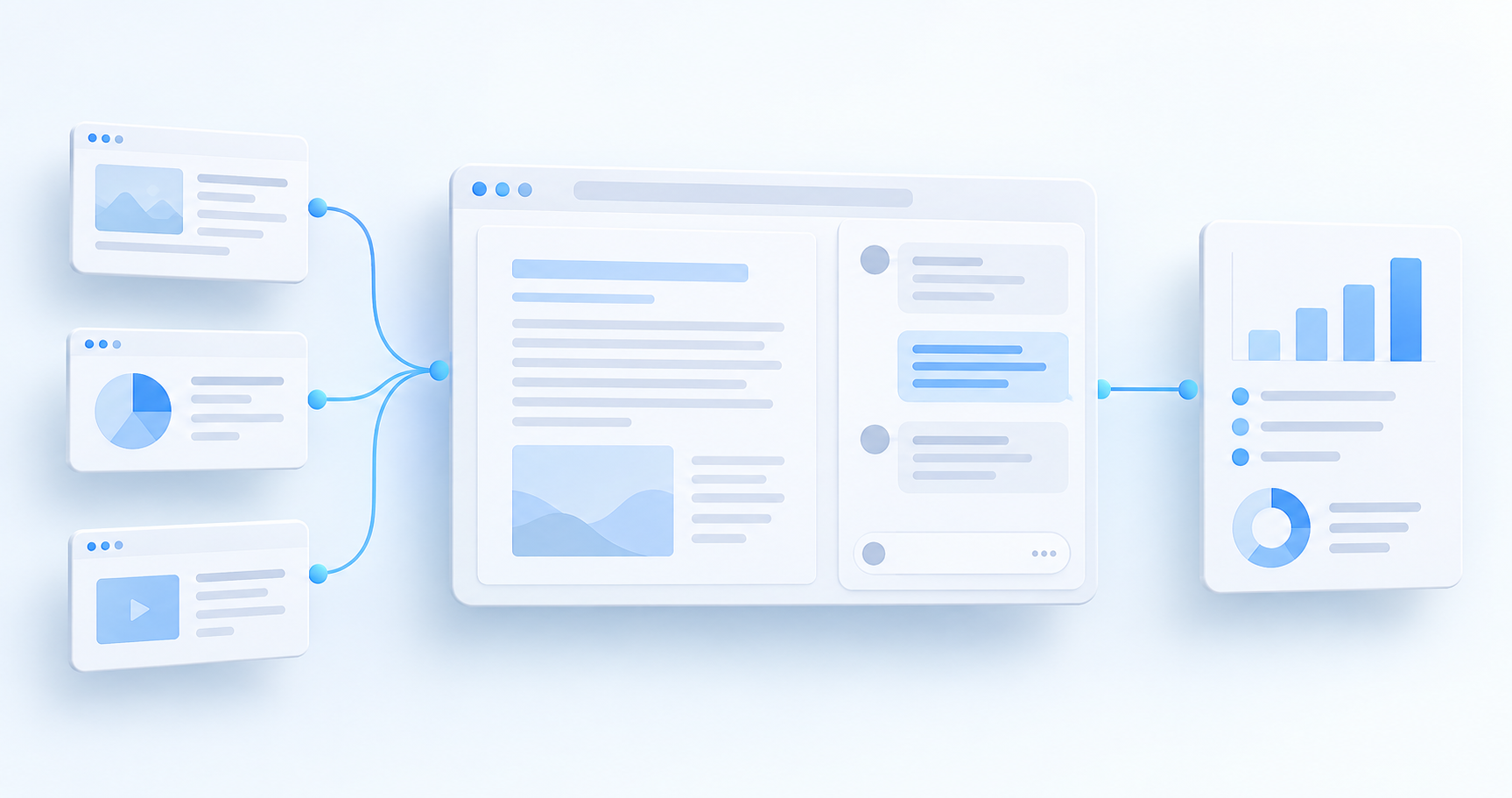
Dia는 웹페이지를 읽는 데서 그치지 않고, 보고 있는 내용에 질문하고 필요한 정보를 정리하도록 돕는 AI 브라우저입니다. Arc와의 관계부터 페이지 채팅, Reports, 설치 조건과 요금제, 개인정보 설정까지 처음 사용하는 사람의 관점에서 살펴봅니다.
Dia는 무엇을 하는 브라우저인가요?
Dia 공식 웹사이트에서 소개하는 핵심은 브라우징과 AI 작업을 같은 공간에서 이어가는 것입니다. 여러 페이지를 읽다가 별도 챗봇으로 내용을 옮기는 대신, 필요한 자료를 맥락으로 제공하고 질문하거나 결과물을 정리합니다.
Arc를 만든 The Browser Company의 별도 제품이며, Chromium 기반입니다. 현재 회사는 Atlassian에 속하고 Dia 로그인에도 Atlassian 계정 체계를 사용합니다. Arc의 이름만 바뀐 앱으로 이해하기보다는, AI를 중심에 둔 새로운 브라우저로 보는 편이 정확합니다. 공식 제품 설명, 기술·로그인 안내
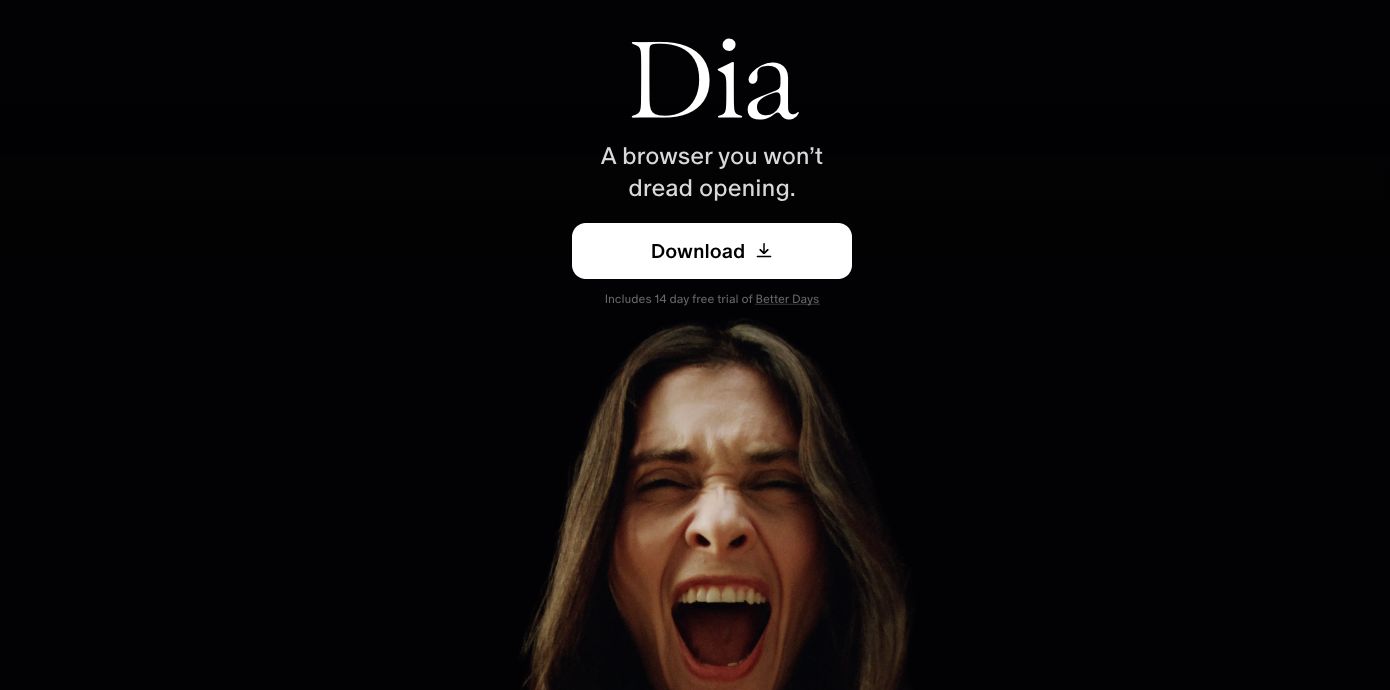
The Browser Company의 공식 홈페이지 공개 화면. 다운로드 진입점과 체험 안내를 보여 준다. (출처, 2026-09-18 캡처)
첫 사용: 공개 페이지 하나에 질문하기
처음부터 모든 계정을 연결할 필요는 없습니다. 공개된 제품 소개나 기술 문서 하나로 다음 흐름을 시험해 보세요.
- 공식 사이트의 Download에서 설치 파일을 받고 안내에 따라 로그인합니다.
- 읽고 싶은 공개 페이지를 엽니다.
- Mac에서는
⌘E로 Chat을 엽니다. 질문에 사용할 페이지가 맥락으로 포함됐는지 확인합니다. - 원하는 출력 형태와 범위를 구체적으로 요청합니다.
- 답변의 링크와 수치를 원문과 대조합니다.
단축키는 공식 시작 가이드에 안내돼 있습니다. 화면과 메뉴는 버전에 따라 달라질 수 있습니다.
예를 들어 “요약해 줘”보다 다음처럼 질문하는 편이 결과를 검토하기 쉽습니다.
이 페이지를 처음 읽는 사람에게 설명해 줘. 핵심 기능 3개, 사용 조건, 확인이 필요한 내용을 나누고, 페이지에 없는 정보는 추측하지 마.
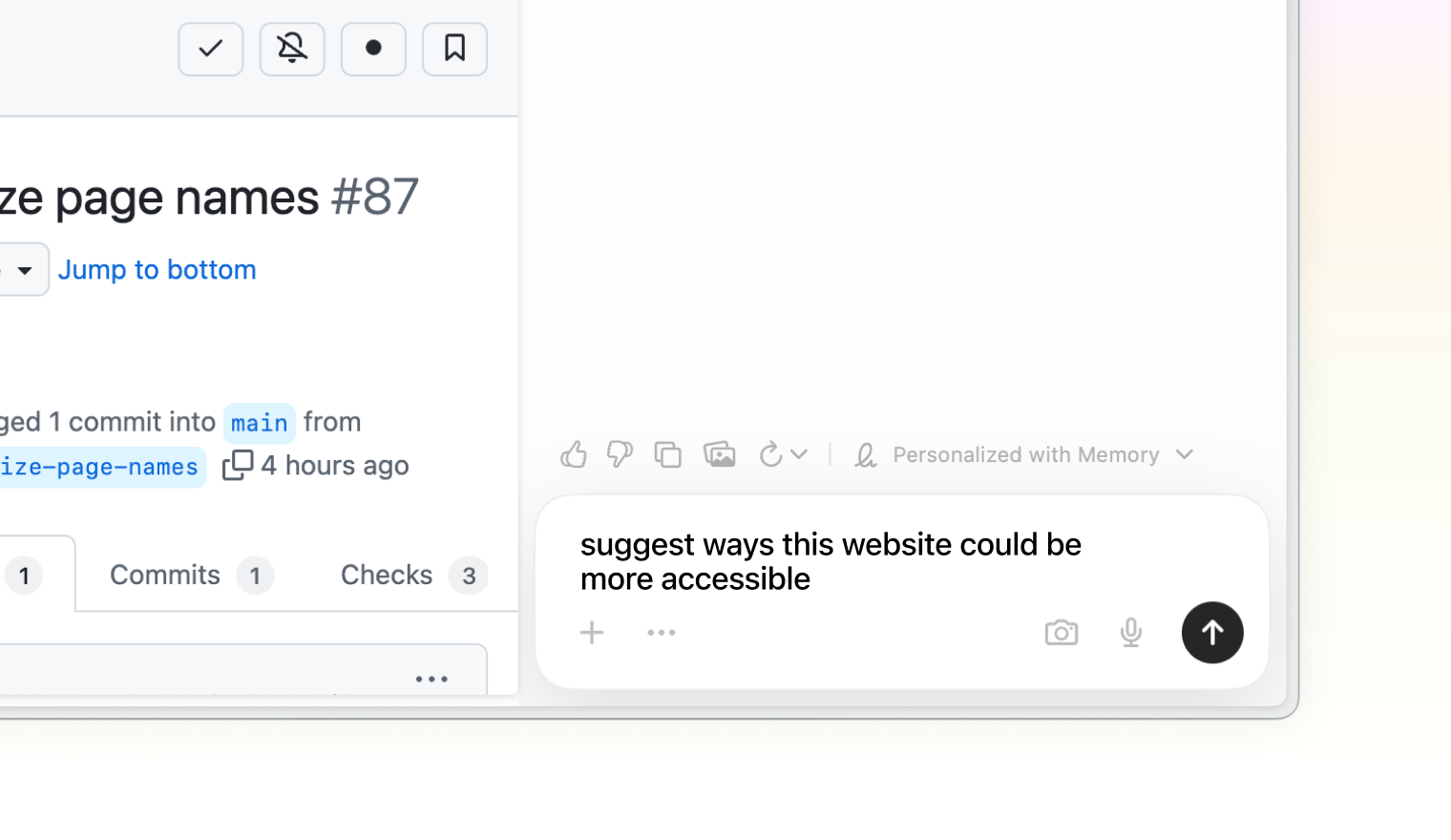
공식 시작 가이드의 제품 이미지. 페이지 옆에서 질문하는 방식을 보여 주는 예시이며, 이 글에서 실제로 수행한 접근성 감사 결과는 아니다. (출처)
탭을 자료로 쓰면 무엇이 달라질까요?
Dia의 출발점은 탭과 대화하는 경험입니다. 이후 Memory, Skills, 탭 그룹과 업무 도구 연결로 범위를 넓혔습니다. 공식 제품 발전 소개
실제로 써 볼 만한 작업은 다음과 같습니다. 아래 문장은 사용 예시이지, 특정 답변이나 정확도를 보장하는 명령은 아닙니다.
| 상황 | 요청 예시 | 확인할 것 |
|---|---|---|
| 제품 조사 | 선택한 자료의 가격·기능·제한을 표로 비교해 줘 | 기준 날짜와 누락된 조건 |
| 기술 문서 읽기 | 선행 조건과 설치 순서만 정리해 줘 | 버전과 명령어 원문 |
| 긴 글 검토 | 주장과 근거를 구분하고 반례가 필요한 부분을 찾아줘 | 원문에 없는 추론 |
| 글쓰기 준비 | 이 자료를 바탕으로 개요만 작성해 줘 | 출처 표시와 인용 범위 |
핵심은 탭을 많이 여는 것이 아니라, 지금 질문에 필요한 자료를 분명하게 지정하는 것입니다. 연결하지 않은 서비스나 접근 권한이 없는 자료까지 알아서 읽는다고 기대해서는 안 됩니다.
Reports: 답변을 문서 형태로 정리하기
Reports는 대화 결과를 읽고 수정하기 쉬운 문서로 만드는 기능입니다. 공식 발표에는 페이지에서 내용을 선택해 수정 의견을 남기는 방식과 Files 메뉴에서 결과물을 찾는 흐름이 소개돼 있습니다. Reports 발표
시작 안내는 최신 버전으로 업데이트한 뒤 Settings → Apps에서 New Chat을 켜고 새 탭에서 보고서를 요청하도록 설명합니다. 해당 옵션이 보이지 않으면 현재 버전과 계정의 기능 제공 상태를 확인하세요. Reports 시작 안내
선택한 자료만 사용해 비교 보고서를 만들어 줘. 요약, 공통점, 차이점, 아직 확인하지 못한 항목으로 나누고 각 주장에 출처를 붙여 줘.
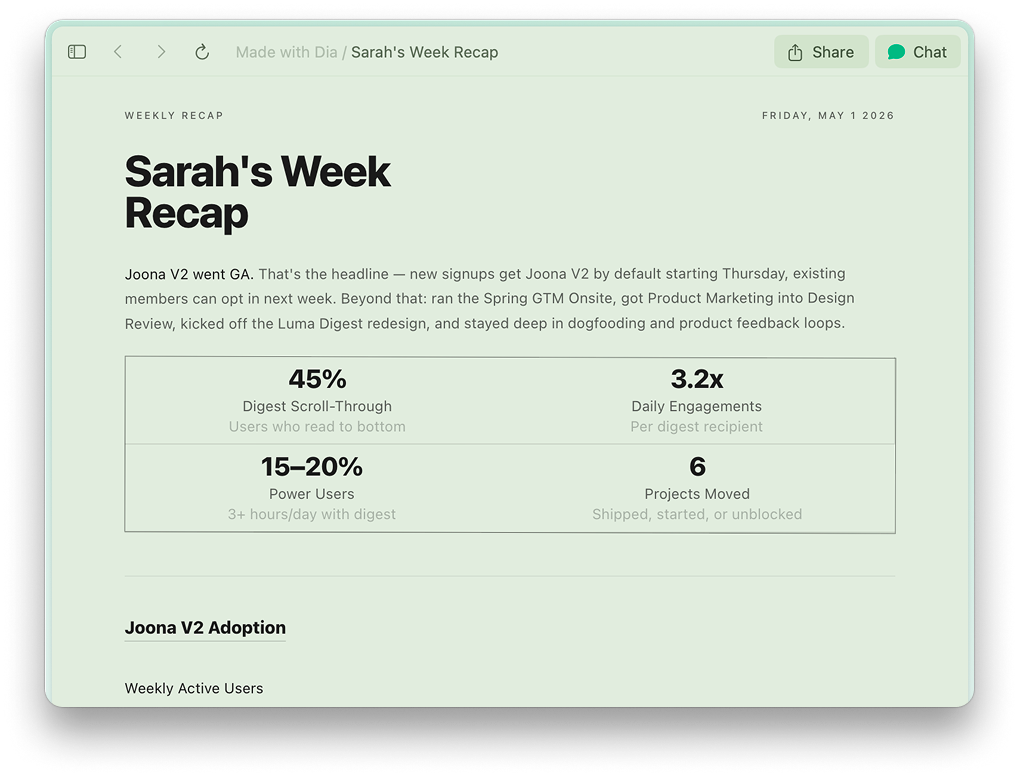
공식 홈페이지에 실린 Reports 예시. 화면 속 지표는 제품 시연용 내용이며 Dia의 성능 측정값이 아니다. (출처)
Morning Brief와 도구 연결
Morning Brief는 일정·메일·관련 링크를 묶어 하루를 준비하도록 돕는 기능입니다. 단순한 페이지 질문에서 출발해 반복적인 업무 준비로 확장되는 지점입니다.
업무 도구 연결은 접근 범위를 넓힙니다. 2026년 9월 업데이트에는 Outlook·SharePoint·Teams 연결도 안내돼 있습니다. 연결 가능한 도구와 권한은 최신 변경 기록 및 실제 계정 화면에서 확인하세요.
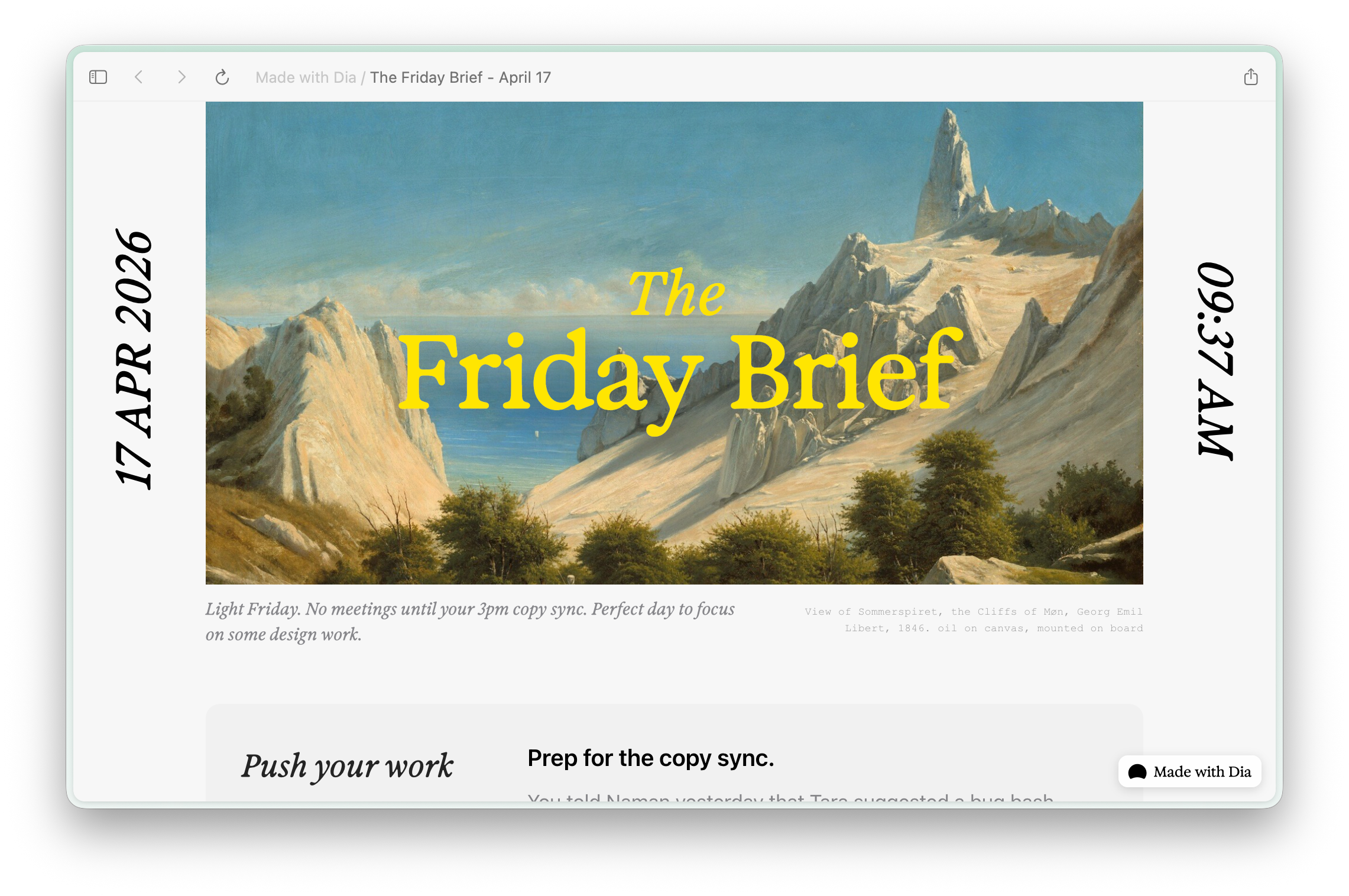
공식 홈페이지의 Morning Brief 제품 예시. 실제 개인 계정이나 메일함을 캡처한 화면이 아니다. (출처)
도구를 연결하기 전에는 어떤 계정과 자료를 제공할지 정하세요. 개인 계정과 회사 계정을 섞지 않고, 회사 자료는 조직의 허용 범위 안에서 사용하는 것이 좋습니다.
설치 조건과 요금제
2026-09-18 확인 기준, 공식 홈페이지의 Mac 요구 조건은 macOS 14 이상, M1 이상 Apple Silicon입니다. Windows 안내 페이지는 가을 출시 안내와 베타 대기 신청을 제공하므로, 모든 Windows 사용자에게 정식 배포됐다고 단정할 수 없습니다.
| 플랜 | 공개 월 요금 | 주요 범위 |
|---|---|---|
| Better Browser | 무료 | 일반 브라우징, 프로필·탭 그룹·분할 보기 등. AI 제외 |
| Better Answers | US$20 | 페이지와 연결 도구를 활용한 AI 대화 |
| Better Days | US$100 | 더 많은 사용량, Morning Brief, 보고서·슬라이드 등 |
신규 사용자에게 14일 Better Days 체험을 안내합니다. 다만 유료 플랜 적용은 신규 Mac 사용자부터 진행되며 기존 사용자와 Windows의 전환 조건은 다릅니다. AI 사용량 제한도 있으므로 자신의 계정에 표시된 조건을 확인하세요. 공식 요금제
개인정보: 로컬 저장과 AI 전송은 다릅니다
Dia는 기본적인 기록을 기기에 암호화해 저장한다고 설명하지만, AI 요청에 필요한 질문과 관련 내용은 서버와 AI 제공업체로 전달될 수 있습니다. Morning Brief처럼 선제적으로 동작하는 기능도 있습니다. 로컬 저장을 모든 AI 처리가 기기 안에서 끝난다는 뜻으로 해석하면 안 됩니다.
또한 외부 AI 업체의 학습 제한과 Dia 자체 개선용 데이터 공유는 별개입니다. 공식 보안 FAQ는 콘텐츠 공유가 기본적으로 제품 개선에 사용될 수 있으며 설정에서 끌 수 있다고 안내합니다. 보안 FAQ, 개인정보 처리방침
처음 설치한 뒤에는 다음을 점검하세요.
Settings → Privacy의Share content data to help improve Dia설정- Memory 사용 여부와 연결한 업무 계정
- 질문에 포함된 탭·파일·민감정보의 범위
- 결과를 전송하거나 외부 서비스에 반영하기 전 승인 내용
민감한 사이트를 제외하려는 보호 기능도 완전한 보장은 아닙니다. AI 응답에는 오류가 있을 수 있으므로 비밀 자료를 무심코 포함하지 말고, 중요한 결정에 쓰는 내용은 원문으로 확인하세요.
Arc와는 어떻게 다른가요?
둘의 차이는 기능 목록보다 중심 경험으로 이해하면 쉽습니다. 아래는 제품의 방향을 요약한 비교이지 모든 기능의 유무를 판정한 표는 아닙니다.
| 관점 | Arc | Dia |
|---|---|---|
| 중심 경험 | Spaces·Profiles로 탐색 공간 정리 | 탐색 중 AI에 질문하고 결과물 만들기 |
| 시작할 때 볼 것 | 나에게 맞는 탭·작업공간 구성 | 제공할 맥락과 AI 기능 범위 |
| 현재 안내 | 공식 사이트는 Chromium 업데이트만 제공한다고 명시 | AI 기능·도구 연결의 변경 기록 제공 |
| 공식 링크 | Arc 소개·다운로드 | Dia 소개·다운로드 |
Arc의 모든 기능이 Dia에 그대로 옮겨졌다는 뜻은 아닙니다. 기존 작업방식을 유지할 수 있는지와 AI 기능이 필요한지를 따로 판단하세요.
처음에는 한 가지 작업으로 판단하세요
Dia를 시험하려면 공개 자료 두세 개로 작은 비교 작업을 해 보는 것이 좋습니다. 기존 방식과 비교해 복사·붙여넣기 횟수가 줄었는지, 출처 확인이 쉬운지, 수정에 드는 시간이 적은지를 확인하세요.
브라우저를 바꿀 이유는 AI가 있다는 사실 자체가 아니라, 읽기 → 질문 → 검토 → 정리의 흐름이 실제로 편해지는가에 있습니다. 먼저 페이지 채팅을 익히고, 필요할 때 Reports와 도구 연결로 넓혀 가면 Dia가 자신에게 맞는지 판단하기 쉽습니다.
Dia is an AI browser that goes beyond reading websites: it helps you ask about what you see and organize the information you need. This beginner’s guide covers its relationship to Arc, page chat, Reports, installation requirements, plans, and privacy settings.
What does Dia do?
The idea presented on the official Dia website is to keep browsing and AI work in the same place. Instead of moving material into a separate chatbot, you supply relevant sources as context, ask questions, and organize the results.
It is a separate product from The Browser Company, the maker of Arc, and is built on Chromium. The company is now part of Atlassian, whose identity system Dia uses for sign-in. Think of it as a new browser centered on AI, not merely Arc with a new name. Official product overview, technology and sign-in details
Public homepage from The Browser Company showing the download entry point and trial notice. (Source, captured 2026-09-18)
First use: ask about one public page
You do not need to connect every account immediately. Try this workflow with a public product page or technical document.
- Get the installer through Download on the official site and follow the sign-in instructions.
- Open a public page you want to read.
- On Mac, open Chat with
⌘E. Check that the intended page is included as context. - Specify the scope and output format you want.
- Compare links and figures in the answer against the original.
The shortcut appears in the official getting-started guide. Screens and menus may change between versions.
Rather than simply asking for a summary, make the result easier to review with a request like this:
Explain this page to a first-time reader. Separate three key features, usage conditions, and items requiring verification. Do not guess information that is absent from the page.
Product image from the official getting-started guide illustrating a question beside a page. It is not the result of an accessibility audit performed for this article. (Source)
What changes when tabs become source material?
Dia started with chatting with tabs and expanded into Memory, Skills, tab groups, and connected work tools. Official product evolution
Here are tasks worth trying. These prompts are examples, not guarantees of a particular response or accuracy.
| Situation | Example request | What to check |
|---|---|---|
| Product research | Compare pricing, features, and limits in the selected sources | Dates and missing conditions |
| Technical documentation | Extract prerequisites and installation steps | Versions and original commands |
| Reviewing a long article | Separate claims from evidence and identify where counterexamples are needed | Inferences absent from the source |
| Preparing to write | Create only an outline from these sources | Attribution and quotation scope |
The key is not opening more tabs but clearly identifying the material needed for the current question. Do not expect it to read unconnected services or material you lack permission to access.
Reports: turn an answer into a document
Reports turns conversational results into documents that are easier to read and revise. The announcement describes selecting content to leave revision comments and finding outputs through the Files menu. Reports announcement
The introductory instructions say to update Dia, enable New Chat under Settings → Apps, and request a report in a new tab. If that option is missing, check your version and account’s feature availability. Getting started with Reports
Create a comparison report using only the selected sources. Include a summary, similarities, differences, and unresolved questions, with a source for each claim.
Reports example published on the official homepage. Its figures are demonstration content, not measurements of Dia’s performance. (Source)
Morning Brief and connected tools
Morning Brief brings together calendar information, email, and relevant links to help prepare for the day. It extends the browser from answering individual page questions into recurring work preparation.
Connecting work tools expands its access. September 2026 updates also describe Outlook, SharePoint, and Teams connections. Check supported tools and permissions in the latest changelog and your own account interface.
Official homepage product example of Morning Brief, not a capture of a real personal account or inbox. (Source)
Before connecting tools, decide which accounts and information to provide. Keep personal and work accounts distinct, and use company material only within your organization’s permitted scope.
Requirements and plans
Checked 2026-09-18: the homepage lists macOS 14 or later and Apple Silicon M1 or later. The Windows page advertises an autumn release and beta waitlist, so it should not be described as generally released to every Windows user.
| Plan | Public monthly price | Main scope |
|---|---|---|
| Better Browser | Free | Browsing, profiles, tab groups, split view, and more; no AI |
| Better Answers | US$20 | AI chat using pages and connected tools |
| Better Days | US$100 | Higher usage, Morning Brief, reports, decks, and more |
A 14-day Better Days trial is advertised for new users. Paid-plan rollout starts with new Mac users; existing users and Windows have different transition conditions. AI usage limits also apply, so check the terms shown for your account. Official plans
Privacy: local storage is not the same as local AI processing
Dia describes encrypting basic records on your device, but questions and relevant content needed for AI requests can pass through servers and AI providers. Some features, such as Morning Brief, work proactively. Local storage does not mean all AI processing stays on your device.
Restrictions on external providers’ training are separate from sharing content to improve Dia itself. The security FAQ says some content may be used for product improvement by default and that you can disable sharing in settings. Security FAQ, privacy policy
After installation, review:
Share content data to help improve DiaunderSettings → Privacy- Whether Memory is enabled and which work accounts are connected
- The tabs, files, and sensitive information included in a question
- Approval details before sending results or applying changes to external services
Protections intended to exclude sensitive sites are not a complete guarantee. AI answers can be wrong: avoid unintentionally including confidential material and verify important claims against their originals.
How is it different from Arc?
The distinction is easier to understand through the central experience than a feature checklist. This table summarizes direction, not the presence or absence of every feature.
| Perspective | Arc | Dia |
|---|---|---|
| Main experience | Organize browsing with Spaces and Profiles | Ask AI while browsing and create outputs |
| Initial focus | Configure tabs and workspaces for your needs | Choose context and the scope of AI features |
| Current guidance | Official site specifies Chromium updates only | Publishes AI and tool-connection updates |
| Official links | Arc overview and download | Dia overview and download |
This does not mean every Arc feature has moved unchanged into Dia. Evaluate continuity with your existing workflow separately from your need for AI.
Start by testing one task
Try a small comparison using two or three public sources. Against your usual process, check whether it reduces copying and pasting, makes sources easier to verify, and lowers revision time.
The reason to change browsers is not simply that AI exists, but whether reading → asking → reviewing → organizing becomes easier in practice. Start with page chat, then expand into Reports and connected tools when needed to judge whether Dia fits your work.
Dia是一款AI浏览器,不仅用于阅读网页,还能围绕正在查看的内容提问并整理信息。本文从初次使用者的角度介绍它与Arc的关系、页面聊天、Reports、安装条件、套餐和隐私设置。
Dia能做什么?
Dia官网介绍的核心是把浏览和AI任务放在同一个空间。阅读多个页面时,不必先将材料搬到独立聊天机器人中,而是提供所需资料作为上下文,直接提问或整理结果。
它是Arc开发商The Browser Company推出的独立产品,基于Chromium。目前该公司属于Atlassian,Dia登录也使用Atlassian的身份系统。因此,它更适合被理解为以AI为中心的新浏览器,而不是Arc的简单改名。官方产品介绍、技术与登录说明
The Browser Company官方公开主页,展示下载入口和试用说明。(来源,截图日期:2026-09-18)
第一次使用:向一个公开页面提问
不必一开始就连接所有账号。先用公开产品页面或技术文档尝试以下流程。
- 从官网Download入口下载安装程序,并按指引登录。
- 打开想阅读的公开页面。
- 在Mac上用
⌘E打开Chat,确认目标页面已包含在上下文中。 - 明确提出范围和输出格式。
- 将回答中的链接和数字与原文核对。
快捷键见官方入门指南。界面和菜单可能随版本变化。
相比只说“总结一下”,以下请求更容易检查结果:
向第一次阅读的人解释这个页面。分别列出3个核心功能、使用条件和需要核实的内容。页面没有的信息不要猜测。
官方入门指南的产品图片,演示在页面旁提问。它并不是本文实际执行无障碍审查后得到的结果。(来源)
把标签页当作资料,有何不同?
Dia最初围绕与标签页对话构建,后来扩展到Memory、Skills、标签组和工作工具连接。官方产品发展介绍
以下任务值得尝试。这些提示是使用示例,并不保证特定回答或准确率。
| 场景 | 请求示例 | 检查重点 |
|---|---|---|
| 产品调查 | 用表格比较所选资料的价格、功能和限制 | 日期及遗漏条件 |
| 阅读技术文档 | 只提取前提条件和安装步骤 | 版本与原始命令 |
| 检查长文章 | 区分主张与证据,找出需要反例的部分 | 原文没有的推断 |
| 写作准备 | 根据这些资料只生成提纲 | 来源标注与引用范围 |
重点不是多开标签页,而是明确指定当前问题所需的资料。不要期待它读取未连接的服务或没有访问权限的材料。
Reports:把回答整理为文档
Reports将对话结果制作成便于阅读和修改的文档。官方发布介绍了选中内容并留下修改意见,以及通过Files菜单查找成果的流程。Reports发布说明
入门说明建议先更新Dia,在Settings → Apps中开启New Chat,然后在新标签页请求报告。如果看不到该选项,请检查版本和账号的功能开放状态。Reports入门说明
只使用所选资料生成比较报告。分为摘要、共同点、差异和尚未确认的问题,并为每项主张附上来源。
官网发布的Reports示例。图中数字属于产品演示内容,不是Dia性能测试结果。(来源)
Morning Brief与工具连接
Morning Brief整合日程、邮件和相关链接,帮助准备一天的工作。这意味着从单个页面问答扩展到重复性的工作准备。
连接工作工具会扩大访问范围。2026年9月更新还介绍了Outlook、SharePoint和Teams连接。可用工具及权限请查看最新更新记录和实际账号界面。
官网的Morning Brief产品示例,并非真实个人账号或邮箱截图。(来源)
连接前先确定要提供哪些账号和资料。区分个人与工作账号,公司资料只应在组织允许的范围内使用。
安装条件与套餐
截至2026-09-18,官网列出的Mac要求是macOS 14及以上、M1或更新的Apple Silicon。Windows说明页提供秋季推出预告和测试候补申请,因此不能认定已向所有Windows用户正式开放。
| 套餐 | 公开月费 | 主要范围 |
|---|---|---|
| Better Browser | 免费 | 普通浏览、配置文件、标签组、分屏等,不含AI |
| Better Answers | US$20 | 使用页面和已连接工具进行AI对话 |
| Better Days | US$100 | 更多使用额度、Morning Brief、报告和幻灯片等 |
官网为新用户提供14天Better Days试用说明。但付费套餐先面向新Mac用户推出,现有用户与Windows的转换条件不同。AI也有用量限制,请以个人账号显示的条件为准。官方套餐
隐私:本地保存不等于本地AI处理
Dia说明基本记录会加密保存在设备上,但AI请求所需的问题和相关内容可能经过服务器及AI提供商。Morning Brief等功能还会主动运行。本地保存并不意味着所有AI处理都在设备内完成。
外部AI提供商的训练限制与Dia自身改进用的数据共享是不同事项。官方安全FAQ说明,部分内容默认可能用于产品改进,可以在设置中关闭共享。安全FAQ、隐私政策
安装后请检查:
Settings → Privacy中的Share content data to help improve Dia- Memory是否开启,以及已连接的工作账号
- 问题包含哪些标签页、文件和敏感信息
- 发送结果或向外部服务应用更改之前的授权内容
排除敏感网站的保护措施也不是绝对保证。AI回答可能出错,应避免无意中包含保密资料,重要信息要回到原文核实。
与Arc有什么区别?
从核心体验理解,比罗列功能更直观。下表概括产品方向,不代表逐项判断所有功能是否存在。
| 角度 | Arc | Dia |
|---|---|---|
| 核心体验 | 用Spaces和Profiles整理浏览空间 | 浏览时向AI提问并制作成果 |
| 初始关注点 | 配置适合自己的标签与工作空间 | 选择提供的上下文和AI功能范围 |
| 当前官方说明 | 官网注明仅提供Chromium更新 | 发布AI功能与工具连接更新 |
| 官方链接 | Arc介绍与下载 | Dia介绍与下载 |
这并不意味着Arc的所有功能都原样迁移到了Dia。能否保留现有工作方式,以及是否需要AI,应分别判断。
先用一个任务判断
可以用两三份公开资料尝试小型比较任务。与原有流程相比,检查复制粘贴是否减少、来源是否容易核实、修改时间是否缩短。
更换浏览器的理由不是“有AI”本身,而是阅读 → 提问 → 检查 → 整理的过程是否真的更方便。先熟悉页面聊天,再按需使用Reports和工具连接,更容易判断Dia是否适合自己。
DiaはWebページを読むだけでなく、表示している内容について質問し、必要な情報を整理できるAIブラウザです。Arcとの関係からページチャット、Reports、導入条件、料金、プライバシー設定まで、初めて使う人の視点で紹介します。
Diaは何をするブラウザ?
Dia公式サイトが示す中心的な考え方は、ブラウジングとAI作業を同じ場所で続けることです。複数のページを読んで別のチャットボットに内容を移す代わりに、必要な資料をコンテキストとして渡し、質問や結果の整理を行います。
Arcを開発したThe Browser Companyの別製品で、Chromiumを基盤とします。現在、同社はAtlassian傘下にあり、DiaのログインもAtlassianの認証基盤を使います。単なるArcの改名ではなく、AIを中心に据えた新しいブラウザと捉える方が正確です。公式製品説明、技術・ログイン案内
The Browser Companyの公式公開ページ。ダウンロード入口と体験案内を示しています。(出典、2026-09-18撮影)
最初の使い方:公開ページ1つに質問する
最初からすべてのアカウントを接続する必要はありません。公開された製品ページや技術文書で、次の流れを試しましょう。
- 公式サイトのDownloadからインストーラを入手し、案内に従ってログインします。
- 読みたい公開ページを開きます。
- Macでは
⌘EでChatを開きます。対象のページがコンテキストに含まれているか確認します。 - 欲しい出力形式と範囲を具体的に指定します。
- 回答のリンクや数値を原文と照合します。
ショートカットは公式スタートガイドに記載されています。画面やメニューはバージョンで変わる場合があります。
単に「要約して」と頼むより、次のようにすると検証しやすくなります。
このページを初めて読む人に説明してください。主な機能3つ、利用条件、確認が必要な点を分け、ページにない情報は推測しないでください。
公式スタートガイドの製品画像。ページの横で質問する例であり、この記事で実施したアクセシビリティ監査の結果ではありません。(出典)
タブを資料として使うと何が変わる?
Diaはタブと対話する体験から始まり、Memory、Skills、タブグループ、業務ツール連携へ広がりました。公式の製品発展紹介
次のような作業を試せます。以下は利用例であり、特定の回答や精度を保証する命令ではありません。
| 場面 | 依頼例 | 確認すること |
|---|---|---|
| 製品調査 | 選んだ資料の価格・機能・制限を表で比較して | 基準日と抜けている条件 |
| 技術文書を読む | 前提条件とインストール手順だけ整理して | バージョンと元のコマンド |
| 長文の検討 | 主張と根拠を分け、反例が必要な箇所を探して | 原文にない推論 |
| 執筆準備 | この資料から構成案だけ作って | 出典表記と引用範囲 |
重要なのはタブの数ではなく、今の質問に必要な資料を明確に指定することです。未接続のサービスやアクセス権のない資料まで自動で読めると考えてはいけません。
Reports:回答を文書にまとめる
Reportsは対話の結果を、読みやすく修正しやすい文書にする機能です。公式発表では、内容を選択して修正コメントを付ける方法や、Filesメニューから成果物を探す流れが紹介されています。Reportsの発表
開始案内は、最新版に更新し、Settings → AppsでNew Chatを有効にして、新しいタブからレポートを依頼する流れです。項目が見つからない場合は、バージョンとアカウントの提供状況を確認してください。Reports開始案内
選択した資料だけで比較レポートを作ってください。要約、共通点、相違点、未確認の項目に分け、各主張に出典を付けてください。
公式ホームページのReports例。画面の数値は製品デモの内容であり、Diaの性能測定値ではありません。(出典)
Morning Briefとツール接続
Morning Briefは予定、メール、関連リンクをまとめ、1日の準備を支援します。個別ページへの質問から、日常的な仕事の準備へ広がる機能です。
業務ツールの接続はアクセス範囲を広げます。2026年9月の更新ではOutlook・SharePoint・Teams接続も案内されています。対応ツールと権限は最新の変更履歴とアカウント画面で確認してください。
公式ホームページに掲載されたMorning Briefの製品例です。実際の個人アカウントや受信箱の撮影ではありません。(出典)
接続前に、どのアカウントと情報を渡すか決めましょう。個人と仕事のアカウントを区別し、会社資料は組織が許可する範囲で利用してください。
導入条件と料金
2026-09-18確認時点で、公式ホームページのMac要件はmacOS 14以降、M1以降のApple Siliconです。Windows案内ページは秋の提供予定とベータ待機登録を案内しているため、すべてのWindows利用者向けに正式提供済みとは断定できません。
| プラン | 公開月額 | 主な範囲 |
|---|---|---|
| Better Browser | 無料 | 通常の閲覧、プロファイル、タブグループ、分割表示など。AIなし |
| Better Answers | US$20 | ページと接続ツールを使うAI対話 |
| Better Days | US$100 | より多い利用枠、Morning Brief、レポート、スライドなど |
新規利用者には14日間のBetter Days体験が案内されています。ただし有料プランの適用は新規Mac利用者からで、既存利用者とWindowsの移行条件は異なります。AI利用量にも制限があるため、自分のアカウントに表示される条件を確認してください。公式プラン
プライバシー:ローカル保存とAI送信は別
Diaは基本的な記録を端末に暗号化して保存すると説明していますが、AIリクエストに必要な質問や関連内容はサーバーやAI提供元へ送られる場合があります。Morning Briefのように先回りして動く機能もあります。ローカル保存は、すべてのAI処理が端末内で完結するという意味ではありません。
外部AI提供元の学習制限と、Dia自身の改善用データ共有も別です。公式セキュリティFAQでは、一部の内容が既定で製品改善に使われる場合があり、設定で共有を無効にできると説明しています。セキュリティFAQ、プライバシーポリシー
インストール後は次を確認しましょう。
Settings → PrivacyのShare content data to help improve Dia- Memoryの有効・無効と接続済みの業務アカウント
- 質問に含むタブ、ファイル、機密情報の範囲
- 結果の送信や外部サービスへの反映前に表示される承認内容
機密性の高いサイトを除外する保護も完全な保証ではありません。AI回答は誤る可能性があります。秘密情報を不用意に含めず、重要な判断に使う情報は原文で確認してください。
Arcとの違いは?
機能一覧より、中心となる体験で考えると分かりやすくなります。以下は製品の方向性の要約で、全機能の有無を判定する表ではありません。
| 観点 | Arc | Dia |
|---|---|---|
| 中心体験 | Spaces・Profilesで閲覧空間を整理 | 閲覧中にAIへ質問し成果物を作る |
| 最初の確認点 | 自分に合うタブ・作業空間の構成 | 渡すコンテキストとAI機能の範囲 |
| 現在の案内 | 公式サイトはChromium更新のみと明記 | AI機能・ツール連携の更新を公開 |
| 公式リンク | Arc紹介・ダウンロード | Dia紹介・ダウンロード |
Arcの全機能がそのままDiaへ移ったという意味ではありません。従来の仕事の進め方を維持できるかと、AI機能が必要かは分けて判断しましょう。
まずは1つの作業で判断する
公開資料2〜3件で小さな比較作業を試すとよいでしょう。従来の方法に比べてコピー&ペーストが減るか、出典を確認しやすいか、修正時間が短くなるかを見ます。
ブラウザを変える理由はAIの存在そのものではなく、読む → 質問する → 検証する → 整理する流れが本当に便利になるかです。まずページチャットに慣れ、必要に応じてReportsやツール接続へ広げると、Diaが自分に合うか判断しやすくなります。
Dia es un navegador con IA que no se limita a mostrar páginas: permite preguntar sobre lo que estás leyendo y organizar la información. Esta guía inicial explica su relación con Arc, el chat de páginas, Reports, los requisitos, los planes y la privacidad.
¿Qué hace Dia?
La idea que presenta la web oficial de Dia es mantener la navegación y el trabajo con IA en un mismo lugar. En vez de copiar material a un chatbot separado, proporcionas las fuentes necesarias como contexto, haces preguntas y organizas los resultados.
Es un producto independiente de The Browser Company, creadora de Arc, basado en Chromium. La empresa pertenece ahora a Atlassian y Dia utiliza su sistema de identidad para iniciar sesión. Conviene entenderlo como un nuevo navegador centrado en IA, no simplemente como Arc con otro nombre. Descripción oficial, información técnica y de acceso
Página pública oficial de The Browser Company con el acceso a la descarga y el aviso de prueba. (Fuente, captura: 2026-09-18)
Primer uso: preguntar sobre una página pública
No necesitas conectar todas tus cuentas desde el principio. Prueba este flujo con una página pública de producto o documentación técnica.
- Descarga el instalador desde Download en la web oficial y sigue las indicaciones para iniciar sesión.
- Abre una página pública que quieras leer.
- En Mac, abre Chat con
⌘E. Comprueba que la página deseada esté incluida como contexto. - Indica el alcance y formato que necesitas.
- Contrasta los enlaces y las cifras de la respuesta con el original.
El atajo figura en la guía oficial de inicio. Las pantallas y los menús pueden variar según la versión.
En lugar de pedir solamente un resumen, facilita la revisión con algo como esto:
Explica esta página a alguien que la lee por primera vez. Separa tres funciones principales, condiciones de uso y aspectos que requieren verificación. No supongas información ausente de la página.
Imagen de producto de la guía oficial que ilustra una pregunta junto a una página. No es el resultado de una auditoría de accesibilidad realizada para este artículo. (Fuente)
¿Qué cambia cuando las pestañas se convierten en fuentes?
Dia comenzó con la conversación sobre pestañas y se amplió con Memory, Skills, grupos de pestañas y herramientas de trabajo conectadas. Evolución oficial del producto
Estas tareas pueden servir para probarlo. Son ejemplos de solicitudes, no garantías de una respuesta o precisión determinada.
| Situación | Ejemplo de solicitud | Qué comprobar |
|---|---|---|
| Investigar productos | Compara precios, funciones y límites de las fuentes seleccionadas | Fechas y condiciones omitidas |
| Leer documentación | Extrae solo los requisitos y pasos de instalación | Versiones y comandos originales |
| Revisar un texto largo | Separa afirmaciones y pruebas e identifica dónde faltan contraejemplos | Inferencias ausentes del original |
| Preparar un texto | Crea únicamente un esquema a partir de estas fuentes | Atribución y alcance de las citas |
La clave no es abrir más pestañas, sino identificar claramente las fuentes necesarias para la pregunta actual. No esperes que lea servicios sin conectar ni material para el que no tienes permiso.
Reports: convertir respuestas en documentos
Reports transforma los resultados de una conversación en documentos más fáciles de leer y revisar. El anuncio explica cómo seleccionar contenido para dejar comentarios de revisión y encontrar resultados desde el menú Files. Presentación de Reports
Las instrucciones indican actualizar Dia, activar New Chat en Settings → Apps y pedir un informe en una pestaña nueva. Si no aparece la opción, comprueba la versión y la disponibilidad en tu cuenta. Primeros pasos con Reports
Crea un informe comparativo usando solo las fuentes seleccionadas. Incluye resumen, similitudes, diferencias y cuestiones pendientes, con una fuente para cada afirmación.
Ejemplo de Reports publicado en la web oficial. Las cifras son contenido de demostración, no mediciones del rendimiento de Dia. (Fuente)
Morning Brief y herramientas conectadas
Morning Brief reúne calendario, correo y enlaces relevantes para preparar el día. Amplía el uso desde preguntas sobre una página hasta la preparación recurrente del trabajo.
Conectar herramientas amplía el acceso. Las actualizaciones de septiembre de 2026 también describen conexiones con Outlook, SharePoint y Teams. Comprueba herramientas y permisos en el registro de cambios actual y en la interfaz de tu cuenta.
Ejemplo oficial de Morning Brief, no una captura de una cuenta personal o bandeja de entrada real. (Fuente)
Antes de conectar herramientas, decide qué cuentas e información proporcionar. Separa las cuentas personales y laborales y utiliza material de empresa solo dentro de lo autorizado por tu organización.
Requisitos y planes
Comprobado el 2026-09-18: la web exige macOS 14 o posterior y Apple Silicon M1 o posterior. La página de Windows anuncia su llegada en otoño y una lista de espera beta; no debe describirse como un lanzamiento general para todos los usuarios de Windows.
| Plan | Precio mensual público | Alcance principal |
|---|---|---|
| Better Browser | Gratis | Navegación, perfiles, grupos, vista dividida y más; sin IA |
| Better Answers | US$20 | Chat con IA sobre páginas y herramientas conectadas |
| Better Days | US$100 | Más uso, Morning Brief, informes, presentaciones y más |
Se anuncia una prueba de Better Days de 14 días para nuevos usuarios. El despliegue de planes de pago comienza con nuevos usuarios de Mac; los usuarios existentes y Windows tienen condiciones de transición diferentes. También hay límites de IA: revisa las condiciones de tu cuenta. Planes oficiales
Privacidad: almacenamiento local no significa IA local
Dia explica que cifra los registros básicos en el dispositivo, pero las preguntas y el contexto necesario para solicitudes de IA pueden pasar por servidores y proveedores de IA. Algunas funciones, como Morning Brief, actúan de forma proactiva. Guardar datos localmente no significa que todo el procesamiento de IA ocurra en tu dispositivo.
Las restricciones de entrenamiento de proveedores externos son distintas del intercambio de contenido para mejorar Dia. Las preguntas frecuentes de seguridad indican que parte del contenido puede utilizarse para mejoras por defecto y que puedes desactivar el intercambio en ajustes. Preguntas de seguridad, política de privacidad
Después de instalarlo, revisa:
Share content data to help improve DiaenSettings → Privacy- Si Memory está activado y qué cuentas laborales están conectadas
- Las pestañas, archivos y datos sensibles incluidos en cada pregunta
- El contenido de la aprobación antes de enviar resultados o aplicar cambios externos
Las protecciones destinadas a excluir sitios sensibles tampoco son una garantía absoluta. La IA puede equivocarse: evita incluir material confidencial por descuido y verifica las afirmaciones importantes con sus originales.
¿En qué se diferencia de Arc?
La diferencia se entiende mejor por la experiencia central que por una lista exhaustiva de funciones. La tabla resume su orientación, no la presencia o ausencia de cada característica.
| Perspectiva | Arc | Dia |
|---|---|---|
| Experiencia principal | Organizar la navegación con Spaces y Profiles | Preguntar a la IA y crear resultados mientras navegas |
| Enfoque inicial | Configurar pestañas y espacios según tus necesidades | Elegir contexto y alcance de las funciones de IA |
| Información actual | La web especifica actualizaciones de Chromium únicamente | Publica cambios de IA y conexiones de herramientas |
| Enlaces oficiales | Arc: información y descarga | Dia: información y descarga |
Esto no significa que todas las funciones de Arc se hayan trasladado sin cambios. Evalúa por separado la continuidad de tu flujo habitual y la necesidad de IA.
Empieza evaluando una tarea
Prueba una comparación pequeña con dos o tres fuentes públicas. Frente al proceso habitual, comprueba si reduces copiar y pegar, verificas mejor las fuentes y dedicas menos tiempo a corregir.
El motivo para cambiar de navegador no es simplemente tener IA, sino si leer → preguntar → revisar → organizar resulta realmente más fácil. Empieza por el chat de páginas y amplía a Reports y conexiones cuando lo necesites para decidir si Dia encaja contigo.