ECC로 Claude Code 확장하기: 설치부터 효과적인 활용까지

ECC 공식 저장소의 이름은 Everything Claude Code다. 하지만 설치하면 Claude Code가 갑자기 더 똑똑한 모델로 바뀌는 제품은 아니다. 계획 → 테스트 → 구현 → 리뷰 → 검증 → 다음 작업으로 인계라는 개발 과정을 스킬, 에이전트, 훅, 규칙으로 묶은 커뮤니티 오픈소스 도구 모음에 가깝다. 그래서 핵심 질문은 “전부 켤까?”가 아니라 “우리 프로젝트에서 반복되는 병목은 무엇인가?”다.
이 글은 2026년 10월 13일 확인한 ECC README와 Claude Code 플러그인 문서를 기준으로 한다. ECC의 명령과 버전은 바뀔 수 있으므로 실행 직전 공식 저장소를 다시 확인하자. 아래 명령은 독자가 자신의 환경에서 실행하는 예시이며, 이 글을 만들면서 독자의 Claude Code 설정을 변경하지 않았다.
ECC는 무엇을 더하나?
| 구성 | 역할과 사용 시점 |
|---|---|
| 스킬·명령 | 계획, TDD, 리뷰처럼 반복되는 절차를 필요할 때 불러온다. |
| 에이전트 | 코드 리뷰나 설계 검토를 별도의 작업 맥락에 맡긴다. |
| 규칙 | 언어·프로젝트에 계속 적용할 기준이다. 상시 맥락을 쓰므로 적게 고른다. |
| 훅 | 도구 실행이나 세션 이벤트에 반응하는 자동 검사다. 실제 명령이 실행될 수 있어 설치 전 확인한다. |
| 메모리·인계 | 긴 대화 전체 대신 다음 작업에 필요한 맥락을 요약해 남긴다. |
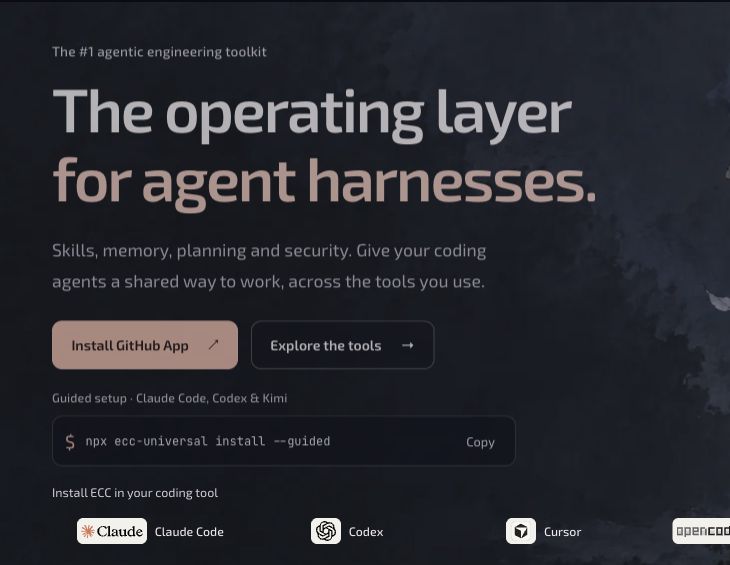
ECC의 공식 웹사이트 공개 화면. 코딩 에이전트를 위한 작업 계층이라는 제품 설명과 지원 도구를 보여 준다. (2026-10-13 캡처)
ECC는 MIT 라이선스의 공개 저장소이며, 별도의 GitHub App/Pro 서비스와 구분된다. 이 글의 Claude Code 플러그인 사용에 GitHub App은 필수가 아니다. 또 ECC가 제공하는 절차가 테스트 실행, 사람의 코드 리뷰, 팀의 보안 정책을 대신해 주지는 않는다.
설치 전에: 무엇을 고를지 먼저 정하기
공식 안내의 현재 요구 사항은 Node.js 18 이상, Git, Claude Code CLI 2.1 이상이다. 먼저 설치 여부를 확인한다.
node --version
git --version
claude --version
설치 경로는 한 환경에 하나만 고른다. 가장 쉬운 방법은 안내형 설정이고, Claude Code의 기본 플러그인 명령을 직접 쓰는 방법도 있다. 두 방법은 같은 ecc@ecc 플러그인을 설치한다. 여기에 저장소의 전체 install.sh를 덧씌우면 스킬이나 훅이 중복될 수 있다.
방법 A: 안내형 설정 — 대부분에게 권장
공식 README에 명시된 2.2.3 버전을 예시로 사용한다. npx가 패키지 코드를 실행하므로, 조직 환경에서는 공식 릴리스와 패키지를 검토하고 실행한다. 버전 고정만으로 공급망 검증이 끝나는 것은 아니다.
npx ecc-universal@2.2.3 setup마법사가 기존 설치를 확인한 뒤 Claude Code의 설치 범위(user, project, local)와 훅 프로필을 묻는다. 개인이 여러 저장소에서 시험한다면 사용자 범위가 편하고, 팀과 공유할 설정은 프로젝트 범위를 검토한다. 훅은 자동 실행 범위가 가장 작고 관리하기 쉬운 설정부터 시작해도 된다. 화면에 표시되는 변경 대상을 읽고 확정하자.
방법 B: Claude Code 기본 플러그인 명령
Claude Code를 연 뒤 내부 입력창에서 다음을 순서대로 실행한다. 이것은 A의 대안이다.
/plugin marketplace add https://github.com/affaan-m/ECC
/plugin install ecc@ecc
새 세션에서 /plugin list로 ecc@ecc가 활성화됐는지 확인한다. 이미 설치되어 있거나 설치 범위가 충돌한다는 메시지가 나오면 수동 복사를 추가하지 말고 기존 상태를 확인하거나 안내형 설정으로 조정한다. 설치 뒤에는 /ecc:configure-ecc에서 재설정을 시작할 수도 있다.
이름을 혼동하지 말자. affaan-m/ECC는 소스 저장소, ecc@ecc는 Claude Code 플러그인 식별자, ecc-universal은 npm 패키지 이름이다. npx ecc-install을 별도 패키지처럼 실행하는 예전 안내는 현재 공식 README의 권장 경로가 아니다.
규칙과 훅: 처음부터 전부 켜지 않기
Claude Code 플러그인은 ECC의 스킬·에이전트·명령·플러그인 훅을 제공하지만, 저장소의 rules/는 플러그인만으로 배포되지 않는다. 규칙이 정말 필요하면 공식 규칙 구조를 읽고 common과 현재 기술 스택의 언어 팩 정도만 별도로 검토하자. 항상 읽히는 규칙을 잔뜩 추가하면 프로젝트의 자체 CLAUDE.md와 충돌하거나 맥락만 차지할 수 있다.
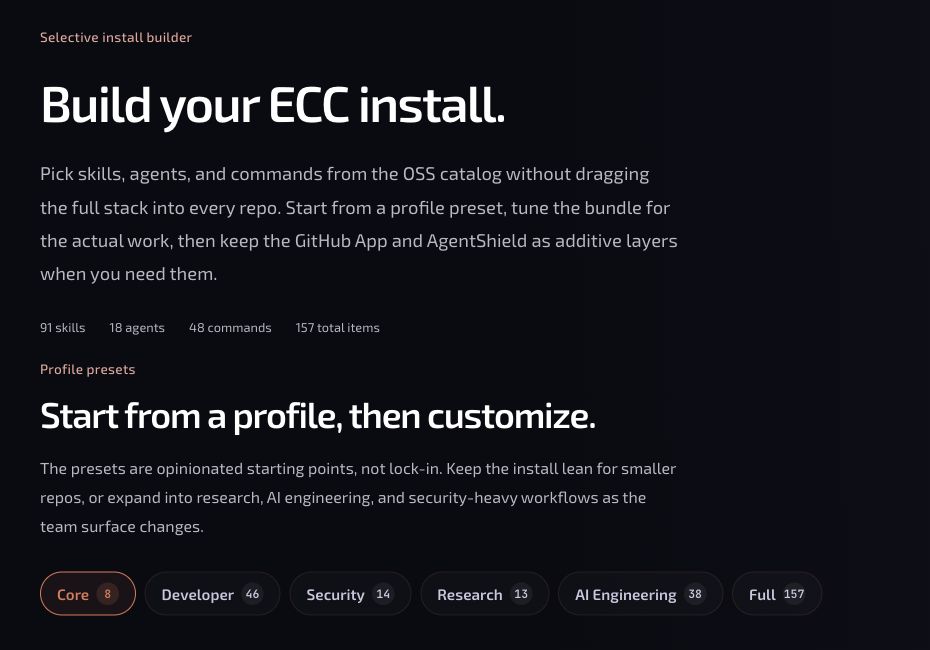
ECC의 공식 스킬 탐색 화면. 프로필과 항목을 골라 필요한 구성부터 살피는 인터페이스다. 이 화면의 수량은 수시로 바뀐다. (2026-10-13 캡처)
선택 설치 화면은 탐색에 유용하지만, 거기서 나온 수동 설치 명령을 이미 설치한 Claude Code 플러그인 위에 그대로 추가하지는 말자. 설치 방식을 바꾸려면 기존 항목을 정리한 뒤 한 경로로 다시 설치한다. 훅은 쉘 명령을 실행할 수 있으므로 훅 설명과 권한 요청을 확인하고, 처음에는 변경 사항을 관찰할 수 있는 낮은 범위로 시작한다.
첫 프로젝트에서 써 보는 30분 흐름
ECC 설치 뒤에도 프로젝트 지침이 먼저다. 이전 글의 Claude Code 프로젝트 시작 템플릿처럼 짧은 CLAUDE.md, 실제 실행 명령, 완료 기준을 준비한다. 그런 다음 저장소 루트에서 claude를 실행해 다음 순서로 시험해 본다.
- 현황 파악: “수정하지 말고 진입점, 테스트 명령, 현재 실패를 파일 근거와 함께 요약해 줘.”
- 계획:
/ecc:plan "로그인 오류 메시지 개선"으로 범위와 검증 계획을 만들고, 사람이 수정·승인한다. - 구현: “
tdd-workflow를 사용해 실패하는 테스트를 먼저 보여 주고 최소 수정으로 통과시켜 줘.” 실제 테스트 명령과 결과를 확인한다. - 리뷰: 설치된
code-review워크플로를 요청하고, 발견한 문제는 재현 테스트와 함께 고친다. - 인계: 검증 결과, 미해결 사항, 다음 작업을 짧게 남긴다. 긴 작업이라면 ECC의 세션 저장 기능을 검토한다.
ECC README에는 /ecc:plan처럼 플러그인 네임스페이스가 붙는 예와, 수동 설치용 짧은 별칭이 함께 나온다. 명령이 인식되지 않으면 추측해서 반복하지 말고 /plugin list와 설치된 명령 목록을 확인한다. 코드 리뷰도 사용 중인 버전에 표시되는 이름을 따른다.
| 상황 | 먼저 쓰기 좋은 기능 |
|---|---|
| 신규 기능이 크고 모호함 | 계획 스킬로 작업 범위·완료 기준을 먼저 합의 |
| 회귀 버그를 자주 냄 | TDD 워크플로로 실패 테스트부터 확보 |
| 구현자는 코드를 이미 너무 잘 알고 있음 | 별도 맥락의 리뷰 에이전트로 맹점 확인 |
| 같은 절차를 여러 번 설명함 | 프로젝트 스킬로 절차와 산출물 형식 고정 |
| 장기 작업을 이어받기 어려움 | 세션 요약·인계 기능 검토 |
| 훅·MCP·권한이 복잡함 | 별도 검토를 거친 보안 스캐너와 팀 정책 적용 |
작은 문서 수정이나 단발성 질문에는 이 전체 순서가 오히려 무겁다. 계획·테스트·리뷰의 비용보다 실패 비용이 큰 일에 ECC의 체계를 쓰고, 가벼운 일은 Claude Code 기본 기능으로 끝내는 편이 효율적이다. 또한 스캐너 관련 기능은 별도 실행 도구가 필요한 경우가 있으므로, /security-scan만 입력하면 검증된 바이너리가 자동으로 준비된다고 가정하지 말자.
업데이트와 문제 해결
안내형 설치를 택했다면 같은 설정 명령을 다시 실행해 업데이트와 범위 변경을 진행한다. 문제가 생기면 공식 문서의 list-installed, doctor를 먼저 읽고, 제거 전에는 uninstall --dry-run으로 어떤 파일을 건드릴지 확인한다.
npx ecc-universal@2.2.3 list-installed
npx ecc-universal@2.2.3 doctor
npx ecc-universal@2.2.3 uninstall --dry-run
훅이 두 번 실행되면 플러그인과 전체 수동 설치를 겹쳤는지 확인한다. Claude Code 2.1 이후에는 플러그인 훅을 자동으로 읽으므로, 설치된 훅 JSON을 settings.json에 다시 복사하지 않는다. 정리 방법은 ECC 문제 해결 안내에서 현재 버전에 맞게 확인하자.
ECC의 장점은 방대한 목록 자체가 아니라 프로젝트에서 반복되는 개발 동작을 검사 가능한 절차로 만드는 데 있다. 하나의 설치 경로, 짧은 프로젝트 지침, 필요한 스킬 한두 개로 시작해 실제로 도움이 되는 자동화만 늘려 보자.
The name of the official ECC repository is Everything Claude Code. Installing it does not switch Claude Code to a smarter model. It is closer to a community-built, open-source collection of skills, agents, hooks, and rules that turns plan → test → implement → review → verify → hand off into a repeatable development workflow. So the useful question is not “Should we enable everything?” but “Where does our project repeatedly get stuck?”
This guide is based on the ECC README and Claude Code plugin documentation, checked on October 13, 2026. Commands and versions may change; check the official repository again before running them. The commands below are examples for readers to run in their own environments. Writing this article did not change anyone's Claude Code settings.
What does ECC add?
| Component | Purpose and when to use it |
|---|---|
| Skills and commands | Invoke repeatable procedures such as planning, TDD, and review when needed. |
| Agents | Delegate code review or design critique to a separate working context. |
| Rules | Set standards that apply across a language or project. Choose sparingly because they consume persistent context. |
| Hooks | Run automatic checks in response to tool calls or session events. Inspect them before installing because they may execute real commands. |
| Memory and handoff | Save a concise summary of what the next task needs instead of replaying a long conversation. |
Public page on the official ECC website, showing its description as a workflow layer for coding agents and the supported tools. (Captured 2026-10-13)
ECC is a public repository under the MIT license, distinct from its separate GitHub App/Pro service. The GitHub App is not required to use the Claude Code plugin discussed here. ECC's procedures also do not replace running tests, human code review, or your team's security policy.
Before installing: choose your route
The current official requirements are Node.js 18 or later, Git, and Claude Code CLI 2.1 or later. Check what is installed first.
node --version
git --version
claude --version
Choose one installation route for an environment. The guided setup is easiest for most people, but you can also use Claude Code's built-in plugin commands directly. Both routes install the same ecc@ecc plugin. Layering the repository's full install.sh on top can duplicate skills or hooks.
Option A: guided setup — recommended for most people
The example pins version 2.2.3, as listed in the official README. Because npx runs package code, review the official release and package before running it in an organization. Pinning a version alone is not a complete supply-chain review.
npx ecc-universal@2.2.3 setup
The wizard checks for an existing installation, then asks for the Claude Code installation scope (user, project, or local) and a hook profile. User scope is convenient when you are experimenting across personal repositories; consider project scope for settings the team will share. You can start with the smallest, easiest-to-observe hook scope. Read the proposed changes on screen before confirming.
Option B: Claude Code's built-in plugin commands
Open Claude Code and run these commands in its input, in order. This is an alternative to A.
/plugin marketplace add https://github.com/affaan-m/ECC
/plugin install ecc@ecc
In a new session, use /plugin list to confirm that ecc@ecc is enabled. If you see a message about an existing installation or conflicting scopes, inspect the current state rather than adding manual copies; use guided setup to adjust it if needed. After installation, you can also start reconfiguration with /ecc:configure-ecc.
Keep the names straight. affaan-m/ECC is the source repository, ecc@ecc is the Claude Code plugin identifier, and ecc-universal is the npm package. Older instructions that run npx ecc-install as a separate package are not the current official README's recommended route.
Rules and hooks: do not enable everything at once
The Claude Code plugin provides ECC's skills, agents, commands, and plugin hooks, but the repository's rules/ directory is not distributed through the plugin alone. If you actually need rules, read the official rules structure and separately review only common and the language pack for your current stack. Piling on always-loaded rules can conflict with your project's own CLAUDE.md or simply consume context.
The official ECC skill explorer, where you can inspect profiles and select components. The counts shown on this page change over time. (Captured 2026-10-13)
The selective installation page is useful for exploration, but do not blindly add its manual installation commands on top of an existing Claude Code plugin installation. To change methods, clean up the existing components first, then reinstall through one route. Hooks can execute shell commands, so inspect the hook documentation and permission prompts. Begin with a limited scope whose effects you can observe.
A 30-minute trial in your first project
Project instructions still come first after installing ECC. Prepare a short CLAUDE.md, real run commands, and a definition of done, as in the earlier Claude Code project starter template. Then run claude at the repository root and try this sequence.
- Assess the current state: “Do not change anything. Summarize the entry points, test command, and current failures, citing files.”
- Plan: Use
/ecc:plan "Improve the login error message"to draft scope and verification steps. Have a human edit and approve the plan. - Implement: Ask, “Use
tdd-workflowto show a failing test first, then pass it with the smallest change.” Check the actual test command and result. - Review: Request the installed
code-reviewworkflow, and fix findings with regression tests. - Hand off: Leave a brief record of verification results, unresolved issues, and next steps. For long-running work, consider ECC's session-saving feature.
The ECC README shows both plugin-namespaced commands such as /ecc:plan and shorter aliases for manual installations. If a command is not recognized, do not keep guessing: inspect /plugin list and the installed command list. For code review, use the name shown by your installed version.
| Situation | Good starting feature |
|---|---|
| A new feature is large and ambiguous | Agree on scope and a definition of done with a planning skill first |
| Regression bugs recur | Capture a failing test with a TDD workflow before making changes |
| The implementer knows the code too well | Use a review agent in a separate context to find blind spots |
| You repeat the same procedure often | Fix the procedure and output format in a project skill |
| Long-running work is hard to resume | Consider session summaries and handoff tools |
| Hooks, MCP, or permissions are complex | Apply team policy and a separately reviewed security scanner |
For a small documentation edit or a one-off question, this whole sequence can be too heavy. Use ECC's structure when the cost of failure exceeds the cost of planning, testing, and review; use Claude Code's built-in features for lighter work. Also, some scanner features require a separate executable. Do not assume that typing /security-scan automatically installs a verified binary.
Updating and troubleshooting
If you chose guided setup, rerun the same setup command to update or change scope. When something goes wrong, consult the official list-installed and doctor guidance first. Before removing anything, use uninstall --dry-run to see which files would be touched.
npx ecc-universal@2.2.3 list-installed
npx ecc-universal@2.2.3 doctor
npx ecc-universal@2.2.3 uninstall --dry-run
If hooks run twice, check whether you combined the plugin with a full manual installation. Claude Code 2.1 and later load plugin hooks automatically, so do not copy the installed hook JSON into settings.json again. Check the ECC troubleshooting guide for cleanup steps matching your version.
ECC's real value is not the size of its catalog but turning your project's recurring development actions into verifiable procedures. Start with one installation route, short project instructions, and one or two useful skills. Expand automation only when it demonstrably helps.
ECC 官方仓库的全称是 Everything Claude Code。但安装它并不会把 Claude Code 换成一个更聪明的模型。它更像是一套社区开源工具:通过技能、代理、钩子和规则,把规划 → 测试 → 实现 → 审查 → 验证 → 交接串成可重复的开发流程。因此,关键问题不是“要不要全部启用?”,而是“我们的项目反复卡在哪个环节?”
本文依据 2026 年 10 月 13 日核对的 ECC README和 Claude Code 插件文档。ECC 的命令和版本可能变化,执行前请再次检查官方仓库。以下命令是供读者在自己的环境中运行的示例;撰写本文并未更改读者的 Claude Code 设置。
ECC 增加了什么?
| 组件 | 作用与使用时机 |
|---|---|
| 技能与命令 | 需要时调用规划、TDD、审查等重复性流程。 |
| 代理 | 把代码审查或设计评估交给独立的工作上下文。 |
| 规则 | 为语言或项目设定持续适用的标准;它们占用常驻上下文,应少而精。 |
| 钩子 | 响应工具调用或会话事件,自动执行检查。钩子可能运行真实命令,安装前要检查。 |
| 记忆与交接 | 不必重放整段长对话,只保存下一项工作真正需要的摘要。 |
来自 ECC 官方网站的公开页面,展示其作为编程代理工作流程层的定位及支持的工具。(截取于 2026-10-13)
ECC 是采用 MIT 许可证的公开仓库,与另外提供的 GitHub App/Pro 服务不同。使用本文介绍的 Claude Code 插件,不需要 GitHub App。ECC 提供的流程也不能替代实际运行测试、人工代码审查或团队安全策略。
安装前:先选定一种方式
目前官方列出的要求为 Node.js 18 或更高版本、Git,以及 Claude Code CLI 2.1 或更高版本。先确认现有安装情况。
node --version
git --version
claude --version
在同一环境中只选一种安装方式。对多数人来说,引导式设置最简单;也可以直接使用 Claude Code 自带的插件命令。两种方式安装的都是同一个 ecc@ecc 插件。如果再叠加仓库完整的 install.sh,技能或钩子可能重复。
方法 A:引导式设置——适合多数人
以下示例固定使用官方 README 列出的 2.2.3 版。npx 会执行包内代码,因此在组织环境中运行前,应审查官方发行版本与软件包。固定版本并不等于完成供应链安全审查。
npx ecc-universal@2.2.3 setup
向导会检查现有安装,随后询问 Claude Code 的安装范围(user、project、local)和钩子配置。若要在多个个人仓库中试用,用户范围比较方便;若设置需要与团队共享,则考虑项目范围。钩子可以先选影响范围最小、最容易观察的配置。确认前请阅读屏幕上列出的变更。
方法 B:Claude Code 自带的插件命令
打开 Claude Code,在其输入框中依次运行以下命令。这是方法 A 的替代方案。
/plugin marketplace add https://github.com/affaan-m/ECC
/plugin install ecc@ecc
在新会话中使用 /plugin list,确认 ecc@ecc 已启用。如果提示已经安装或安装范围冲突,请先检查现有状态,不要再手动复制文件;必要时用引导式设置调整。安装后也可以从 /ecc:configure-ecc 开始重新配置。
不要混淆名称。affaan-m/ECC 是源代码仓库,ecc@ecc 是 Claude Code 插件标识符,ecc-universal 是 npm 软件包名称。把 npx ecc-install 当作独立软件包运行的旧说明,并非当前官方 README 推荐的安装路径。
规则与钩子:不要一开始就全部启用
Claude Code 插件提供 ECC 的技能、代理、命令和插件钩子,但仓库的 rules/ 目录不会仅凭插件安装而分发。如果确实需要规则,请阅读官方规则目录结构,另行审查并选择 common 与当前技术栈所需的语言规则包即可。堆积常驻规则可能与项目自身的 CLAUDE.md 冲突,或者只是占用上下文。
在 ECC 官方技能浏览页中,可按配置与条目检查所需组件。页面显示的数量会随时变化。(截取于 2026-10-13)
按需选择安装的页面适合用来探索,但**不要把页面生成的手动安装命令直接叠加到已经安装的 Claude Code 插件上。**若要更换安装方式,先清理现有组件,再只使用一种方式重新安装。钩子能够执行 shell 命令,因此请检查钩子说明和权限请求,起步时选择效果可观察的较小范围。
在第一个项目中试用:30 分钟流程
装好 ECC 后,项目说明仍然优先。可以参考上一篇Claude Code 项目启动模板,准备简短的 CLAUDE.md、真实可运行的命令和完成标准。然后在仓库根目录运行 claude,按下面的顺序试用。
- 了解现状:“先不要修改。请列出入口文件、测试命令和当前失败情况,并给出文件依据。”
- **规划:**用
/ecc:plan "改善登录错误提示"制定范围和验证计划,再由人修改并批准。 - **实现:**要求“使用
tdd-workflow,先展示失败的测试,再通过最小修改使其通过”。核对实际测试命令和结果。 - **审查:**请求已安装的
code-review工作流,并用回归测试修复发现的问题。 - **交接:**简要记录验证结果、未解决事项和后续工作。若任务较长,可考虑 ECC 的会话保存功能。
ECC README 同时展示了 /ecc:plan 这种带插件命名空间的命令,以及供手动安装使用的简短别名。如果命令无法识别,不要反复猜测;请查看 /plugin list 和已安装的命令列表。代码审查也应使用当前已安装版本显示的名称。
| 情况 | 适合先用的功能 |
|---|---|
| 新功能规模大、目标模糊 | 先用规划技能确定范围与完成标准 |
| 经常出现回归缺陷 | 用 TDD 工作流先取得失败测试 |
| 实现者对代码过于熟悉 | 让独立上下文中的审查代理寻找盲点 |
| 同一流程需要反复解释 | 用项目技能固定步骤与交付格式 |
| 长期任务难以接续 | 考虑会话摘要与交接工具 |
| 钩子、MCP 或权限较复杂 | 应用团队策略,并使用经过单独审查的安全扫描器 |
对于修改一处文档或一次性提问,完整流程反而显得笨重。只有当失败的代价高于规划、测试和审查的成本时,才值得使用 ECC 的整套流程;轻量任务用 Claude Code 自带功能即可。此外,某些扫描器功能需要额外的可执行程序。不要以为输入 /security-scan 就会自动准备好经过验证的二进制文件。
更新与排错
如果选择了引导式安装,可以重新运行同一设置命令,进行更新或更改安装范围。出现问题时,先阅读官方关于 list-installed 和 doctor 的说明。删除之前,使用 uninstall --dry-run 查看将会改动哪些文件。
npx ecc-universal@2.2.3 list-installed
npx ecc-universal@2.2.3 doctor
npx ecc-universal@2.2.3 uninstall --dry-run
若钩子执行两次,请检查是否同时安装了插件和完整的手动版本。Claude Code 2.1 及之后的版本会自动加载插件钩子,因此不要再把已安装的钩子 JSON 复制进 settings.json。清理方式请参考与当前版本相符的 ECC 排错说明。
ECC 的优势不在于目录有多庞大,而在于把项目中反复发生的开发动作变成可验证的流程。从一种安装方式、简短的项目说明和一两项真正需要的技能开始,再逐步增加确实有帮助的自动化。
ECC公式リポジトリの正式名称はEverything Claude Codeです。ただし、導入するだけでClaude Codeのモデルが突然賢くなる製品ではありません。計画 → テスト → 実装 → レビュー → 検証 → 次の作業への引き継ぎという開発の流れを、スキル、エージェント、フック、ルールで構成したコミュニティ製のオープンソースツール群です。大切なのは「全部有効にするか」ではなく、「自分たちのプロジェクトで繰り返し起こるボトルネックは何か」を見極めることです。
この記事は、2026年10月13日に確認したECC READMEとClaude Codeのプラグイン文書に基づいています。ECCのコマンドやバージョンは変わる可能性があるため、実行前には公式リポジトリを再確認してください。以下のコマンドは読者自身の環境で実行するための例であり、この記事の作成中に読者のClaude Code設定を変更したわけではありません。
ECCは何を追加するのか?
| 構成要素 | 役割と使いどころ |
|---|---|
| スキル・コマンド | 計画、TDD、レビューなど、繰り返す手順を必要なときに呼び出す。 |
| エージェント | コードレビューや設計の検討を、独立した作業コンテキストに任せる。 |
| ルール | 言語やプロジェクトに継続的に適用する基準。常時コンテキストを使うため、厳選する。 |
| フック | ツール実行やセッションイベントに反応する自動チェック。実際のコマンドが実行され得るので導入前に確認する。 |
| メモリ・引き継ぎ | 長い会話全体ではなく、次の作業に必要な文脈を要約して残す。 |
ECCの公式サイトの公開ページ。コーディングエージェント向けの作業レイヤーという説明と対応ツールを示している。(2026年10月13日撮影)
ECCはMITライセンスの公開リポジトリであり、別途提供されるGitHub App/Proサービスとは異なります。この記事で紹介するClaude Codeプラグインの利用にGitHub Appは必須ではありません。また、ECCの手順がテスト実行、人によるコードレビュー、チームのセキュリティポリシーの代わりになるわけでもありません。
インストール前に、使う方法を一つ選ぶ
公式案内にある現時点の要件は、Node.js 18以上、Git、Claude Code CLI 2.1以上です。まず導入状況を確認します。
node --version
git --version
claude --version
一つの環境では、インストール方法を一つだけ選びます。最も手軽なのは対話型セットアップですが、Claude Code標準のプラグインコマンドを直接使う方法もあります。どちらも同じecc@eccプラグインをインストールします。さらにリポジトリ全体のinstall.shを重ねると、スキルやフックが重複するおそれがあります。
方法A:対話型セットアップ — 多くの人におすすめ
公式READMEに記載されたバージョン2.2.3を例にします。npxはパッケージのコードを実行するため、組織の環境では公式リリースとパッケージを確認してから実行してください。バージョンを固定するだけでサプライチェーンの検証が完了するわけではありません。
npx ecc-universal@2.2.3 setup
ウィザードは既存のインストールを確認した後、Claude Codeのインストール範囲(user、project、local)とフックのプロファイルを尋ねます。個人で複数のリポジトリを試すならユーザー範囲が便利で、チームで共有する設定ならプロジェクト範囲を検討します。フックは、自動実行の範囲が最も小さく管理しやすい設定から始めても構いません。画面に表示される変更対象を読み、確認してから進めましょう。
方法B:Claude Code標準のプラグインコマンド
Claude Codeを開き、内部の入力欄で次のコマンドを順に実行します。これは方法Aの代替です。
/plugin marketplace add https://github.com/affaan-m/ECC
/plugin install ecc@ecc
新しいセッションで/plugin listを実行し、ecc@eccが有効か確認します。すでにインストール済み、あるいは範囲が競合すると表示された場合は、手動コピーを重ねず、既存の状態を確認するか対話型セットアップで調整します。導入後は/ecc:configure-eccから再設定を始めることもできます。
名称を取り違えないようにしましょう。 affaan-m/ECCはソースリポジトリ、ecc@eccはClaude Codeプラグインの識別子、ecc-universalはnpmパッケージ名です。npx ecc-installを別パッケージとして実行する古い案内は、現在の公式READMEで推奨される方法ではありません。
ルールとフック:最初からすべてを有効にしない
Claude CodeプラグインはECCのスキル、エージェント、コマンド、プラグインフックを提供しますが、リポジトリのrules/はプラグインだけでは配布されません。ルールが本当に必要なら公式のルール構成を読み、commonと現在の技術スタックに合う言語パック程度を別途検討しましょう。常に読み込まれるルールを大量に追加すると、プロジェクト固有のCLAUDE.mdと衝突したり、コンテキストを圧迫したりします。
ECCの公式スキル検索画面。プロファイルと項目を選び、必要な構成から調べられる。表示される件数は随時変わる。(2026年10月13日撮影)
選択インストール画面は探すのに便利ですが、そこで生成した手動インストールコマンドを、すでに導入したClaude Codeプラグインの上からそのまま追加しないでください。 インストール方法を切り替える場合は、既存の項目を整理してから一つの方法で入れ直します。フックはシェルコマンドを実行できるため、フックの説明と権限要求を確認し、まずは変更内容を観察できる小さな範囲から始めます。
最初のプロジェクトで試す30分の流れ
ECCを導入しても、最初に優先されるのはプロジェクトの指示です。前の記事のClaude Codeプロジェクト開始テンプレートのように、短いCLAUDE.md、実際に動く実行コマンド、完了条件を用意します。次にリポジトリのルートでclaudeを起動し、以下の順に試します。
- 現状把握:「変更はせず、エントリーポイント、テストコマンド、現在の失敗をファイルの根拠とともに要約して。」
- 計画:
/ecc:plan "ログイン時のエラーメッセージ改善"で範囲と検証計画を作り、人が修正・承認する。 - 実装:「
tdd-workflowを使って、まず失敗するテストを示し、最小限の修正で通して。」実際のテストコマンドと結果を確認する。 - レビュー: インストール済みの
code-reviewワークフローを依頼し、見つかった問題を再現テストとともに直す。 - 引き継ぎ: 検証結果、未解決事項、次の作業を短く残す。長期の作業ならECCのセッション保存機能を検討する。
ECC READMEには/ecc:planのようなプラグインの名前空間付きの例と、手動インストール用の短いエイリアスの両方が記載されています。コマンドが認識されないときは推測で繰り返さず、/plugin listとインストール済みコマンドの一覧を確認します。コードレビューも使用中のバージョンに表示される名称に従います。
| 状況 | 最初に試したい機能 |
|---|---|
| 新機能の範囲が大きく曖昧 | 計画スキルで作業範囲と完了条件を先に合意する |
| 回帰バグが頻発する | TDDワークフローで失敗するテストを先に確保する |
| 実装者がコードを知り過ぎている | 別の文脈を持つレビューエージェントで見落としを探す |
| 同じ手順を何度も説明している | プロジェクトスキルで手順と成果物の形式を固定する |
| 長期作業の引き継ぎが難しい | セッション要約・引き継ぎ機能を検討する |
| フック・MCP・権限が複雑 | 別途確認したセキュリティスキャナーとチームポリシーを適用する |
小さな文書修正や一度きりの質問には、この一連の流れはかえって重くなります。計画・テスト・レビューのコストより失敗のコストが大きい作業にECCの仕組みを使い、軽い作業はClaude Codeの基本機能で済ませるほうが効率的です。また、スキャナー関連の機能には別の実行ツールが必要な場合があります。/security-scanと入力するだけで、検証済みのバイナリが自動的に用意されると考えないでください。
アップデートとトラブルシューティング
対話型セットアップを選んだ場合は、同じセットアップコマンドを再実行してアップデートや適用範囲の変更を行います。問題が起きたら、公式文書にあるlist-installedとdoctorを先に確認し、削除前にuninstall --dry-runでどのファイルが変更対象になるかを確認します。
npx ecc-universal@2.2.3 list-installed
npx ecc-universal@2.2.3 doctor
npx ecc-universal@2.2.3 uninstall --dry-run
フックが二重に実行される場合は、プラグインと全体の手動インストールを重ねていないか確認します。Claude Code 2.1以降はプラグインフックを自動で読み込むため、インストール済みのフックJSONをsettings.jsonに再度コピーする必要はありません。整理方法はECCのトラブルシューティングで現在のバージョンに合わせて確認しましょう。
ECCの価値は膨大な項目数そのものではなく、プロジェクトで繰り返す開発作業を検証可能な手順に変えることにあります。インストール方法を一つ選び、短いプロジェクト指示と必要なスキル一、二個から始め、実際に役立つ自動化だけを増やしていきましょう。
El nombre completo del repositorio oficial de ECC es Everything Claude Code. No es un producto que, al instalarlo, convierta de repente a Claude Code en un modelo más inteligente. Se parece más a un conjunto comunitario de herramientas de código abierto que organiza el desarrollo como planificar → probar → implementar → revisar → verificar → pasar el trabajo a la siguiente persona, mediante skills, agentes, hooks y reglas. Por eso, la pregunta clave no es «¿lo activamos todo?», sino «¿qué cuello de botella se repite en nuestro proyecto?».
Este artículo se basa en el README de ECC y la documentación de plugins de Claude Code, consultados el 13 de octubre de 2026. Los comandos y las versiones pueden cambiar: vuelve a comprobar el repositorio oficial antes de ejecutarlos. Los siguientes comandos son ejemplos para ejecutar en tu propio entorno; durante la preparación de este artículo no se modificó la configuración de Claude Code de los lectores.
¿Qué añade ECC?
| Componente | Función y momento de uso |
|---|---|
| Skills y comandos | Invocan, cuando hacen falta, procesos recurrentes como planificación, TDD y revisión. |
| Agentes | Delegan la revisión de código o del diseño a un contexto de trabajo separado. |
| Reglas | Definen criterios que se aplican continuamente al lenguaje o proyecto. Consumen contexto permanente, así que conviene elegir pocas. |
| Hooks | Ejecutan comprobaciones automáticas ante el uso de herramientas o eventos de la sesión. Pueden lanzar comandos reales: revísalos antes de instalarlos. |
| Memoria y traspaso | Conservan un resumen del contexto necesario para continuar, en vez de arrastrar toda una conversación larga. |
Página pública del sitio oficial de ECC. Presenta el producto como una capa de trabajo para agentes de programación y muestra las herramientas compatibles. (Captura del 13 de octubre de 2026)
ECC es un repositorio público con licencia MIT, distinto del servicio GitHub App/Pro que se ofrece por separado. La GitHub App no es necesaria para usar el plugin de Claude Code descrito aquí. Tampoco sustituyen los procesos de ECC a la ejecución de pruebas, la revisión humana del código ni la política de seguridad del equipo.
Antes de instalar: elige una vía
Según la guía oficial, los requisitos actuales son Node.js 18 o posterior, Git y Claude Code CLI 2.1 o posterior. Comprueba primero qué tienes instalado.
node --version
git --version
claude --version
Elige una sola vía de instalación por entorno. La más sencilla es la configuración guiada, aunque también puedes usar directamente los comandos de plugins integrados en Claude Code. Ambas instalan el mismo plugin ecc@ecc. Si además aplicas el install.sh completo del repositorio, podrías duplicar skills o hooks.
Opción A: configuración guiada — recomendada para la mayoría
Usamos como ejemplo la versión 2.2.3 indicada en el README oficial. Como npx ejecuta código del paquete, en un entorno empresarial conviene revisar la versión y el paquete oficiales antes de ejecutarlo. Fijar una versión no equivale a completar una auditoría de la cadena de suministro.
npx ecc-universal@2.2.3 setup
El asistente comprueba las instalaciones existentes y luego pregunta por el alcance de instalación de Claude Code (user, project o local) y el perfil de hooks. El alcance de usuario resulta cómodo para probar varios repositorios individualmente; para una configuración compartida por el equipo, considera el alcance de proyecto. Puedes empezar con el perfil de hooks más limitado y fácil de administrar. Lee los cambios que muestra la pantalla antes de confirmarlos.
Opción B: comandos de plugins de Claude Code
Abre Claude Code y ejecuta estos comandos, en orden, dentro de su interfaz. Esta opción es una alternativa a la A.
/plugin marketplace add https://github.com/affaan-m/ECC
/plugin install ecc@ecc
En una sesión nueva, comprueba con /plugin list que ecc@ecc está activo. Si aparece un aviso de instalación previa o de conflicto entre alcances, no añadas una copia manual encima: inspecciona el estado existente o ajústalo con la configuración guiada. Después de instalarlo, también puedes iniciar una reconfiguración con /ecc:configure-ecc.
No confundas los nombres. affaan-m/ECC es el repositorio de código, ecc@ecc es el identificador del plugin de Claude Code y ecc-universal es el nombre del paquete npm. Las instrucciones antiguas que tratan npx ecc-install como otro paquete ya no son la vía recomendada en el README oficial actual.
Reglas y hooks: no lo actives todo de entrada
El plugin de Claude Code proporciona los skills, agentes, comandos y hooks de plugin de ECC, pero las reglas del directorio rules/ no se distribuyen solo con el plugin. Si realmente necesitas reglas, lee la estructura oficial de reglas y evalúa por separado únicamente common y el paquete del lenguaje correspondiente a tu stack. Acumular reglas que se leen siempre puede entrar en conflicto con el CLAUDE.md propio del proyecto y ocupar contexto sin aportar valor.
El explorador oficial de skills de ECC permite revisar perfiles y elementos para empezar con lo necesario. La cantidad mostrada puede cambiar. (Captura del 13 de octubre de 2026)
La página de instalación selectiva ayuda a explorar opciones, pero no ejecutes sus comandos de instalación manual encima de un plugin de Claude Code que ya tengas instalado. Para cambiar de método, ordena primero los componentes existentes y reinstala siguiendo una sola vía. Como los hooks pueden ejecutar comandos de shell, revisa la explicación de los hooks y los permisos solicitados; empieza con un alcance reducido donde puedas observar los cambios.
Una primera prueba de 30 minutos en tu proyecto
Incluso después de instalar ECC, primero vienen las instrucciones del proyecto. Como en la plantilla para iniciar un proyecto con Claude Code del artículo anterior, prepara un CLAUDE.md breve, comandos que funcionen de verdad y criterios de finalización. Después, inicia claude en la raíz del repositorio y prueba este orden:
- Entender el estado actual: «Sin modificar nada, resume los puntos de entrada, el comando de pruebas y los fallos actuales, citando los archivos pertinentes».
- Planificar: usa
/ecc:plan "Mejorar el mensaje de error al iniciar sesión"para proponer alcance y validación; una persona debe corregir y aprobar el plan. - Implementar: «Usa
tdd-workflowpara mostrar primero una prueba que falle y hacerla pasar con el cambio mínimo». Comprueba el comando y el resultado reales de las pruebas. - Revisar: solicita el flujo
code-reviewinstalado y corrige los problemas hallados junto con pruebas que los reproduzcan. - Traspasar: deja un resumen breve de la verificación, los pendientes y el siguiente paso. Si el trabajo es largo, considera la función de guardado de sesiones de ECC.
El README de ECC incluye tanto ejemplos con el espacio de nombres del plugin, como /ecc:plan, como alias cortos para la instalación manual. Si un comando no se reconoce, no insistas adivinando: consulta /plugin list y el listado de comandos instalados. Para la revisión de código, usa el nombre que aparezca en la versión instalada.
| Situación | Función que conviene probar primero |
|---|---|
| Una función nueva es grande y ambigua | Acordar alcance y criterios de finalización con el skill de planificación |
| Se introducen regresiones con frecuencia | Obtener primero una prueba que falle con el flujo TDD |
| Quien implementó conoce demasiado bien el código | Buscar puntos ciegos con un agente revisor en otro contexto |
| Hay que explicar el mismo proceso una y otra vez | Fijar el procedimiento y el formato de salida con un skill del proyecto |
| Cuesta retomar tareas largas | Considerar los resúmenes de sesión y funciones de traspaso |
| Hooks, MCP y permisos se han vuelto complejos | Aplicar un escáner de seguridad revisado por separado y la política del equipo |
Para un pequeño cambio de documentación o una consulta puntual, toda esta secuencia puede ser excesiva. Es más eficiente recurrir al método de ECC cuando el coste de un fallo supera el de planificar, probar y revisar, y resolver las tareas ligeras con las funciones básicas de Claude Code. Además, algunas funciones de escaneo requieren herramientas ejecutables adicionales: no des por hecho que escribir /security-scan prepara automáticamente un binario verificado.
Actualizaciones y solución de problemas
Si elegiste la configuración guiada, vuelve a ejecutar el mismo comando de configuración para actualizar o cambiar el alcance. Si surge un problema, consulta primero list-installed y doctor de la documentación oficial; antes de desinstalar, usa uninstall --dry-run para ver qué archivos se verían afectados.
npx ecc-universal@2.2.3 list-installed
npx ecc-universal@2.2.3 doctor
npx ecc-universal@2.2.3 uninstall --dry-run
Si los hooks se ejecutan dos veces, comprueba si superpusiste el plugin con la instalación manual completa. Claude Code 2.1 y posteriores cargan automáticamente los hooks del plugin, así que no vuelvas a copiar su JSON en settings.json. Consulta la guía de solución de problemas de ECC y ajústala a la versión que estés usando.
El valor de ECC no está en la cantidad de elementos, sino en convertir acciones de desarrollo repetidas en procesos verificables para el proyecto. Empieza con una sola vía de instalación, instrucciones breves para el proyecto y uno o dos skills necesarios; añade únicamente la automatización que demuestre ser útil.